
Summary
Joining a Voyagers of Nera server provides the best way to experience the cooperative survival-crafting game with a consistent crew of up to 10 players. A dedicated server ensures a persistent world that continues to exist and evolve, even when the host is offline, allowing for continuous building and exploration. Hosting a server grants full customization and control over the game rules and settings, from resource gathering rates to combat difficulty.
How to Join a Voyagers of Nera Server (Direct Connect)
1. Log in to the BisectHosting Starbase panel.
2. Start the server.
3. From the Home tab, take note of the IP Address.
4. Go to the Startup tab.
5. Take note of the Server Password if set.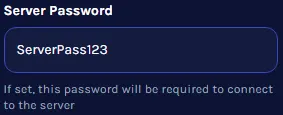
6. Launch Voyagers of Nera.
7. Choose Browse Games.
8. Press the Direct Connect button.
9. Enter the Server Details from steps 3 and 5, then click Confirm.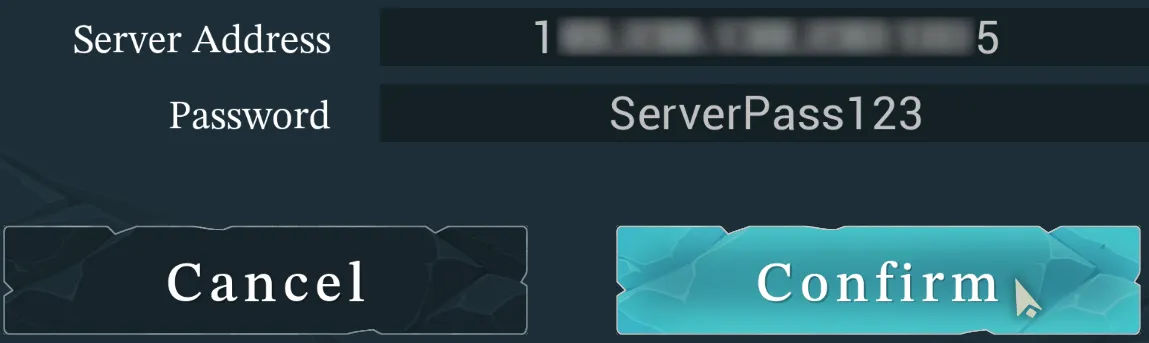
How to Join a Voyagers of Nera Server (Server Browser)
1. Log in to the BisectHosting Starbase panel.
2. Start the server.
3. Go to the Startup tab.
4. Take note of the Server Name and Server Password if set.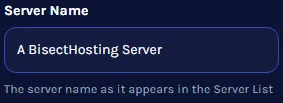
5. Launch Voyagers of Nera.
6. Choose Browse Games.
7. From the filter field, enter the Server Name from step 4.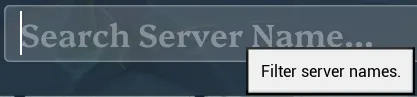
8. Select the server.
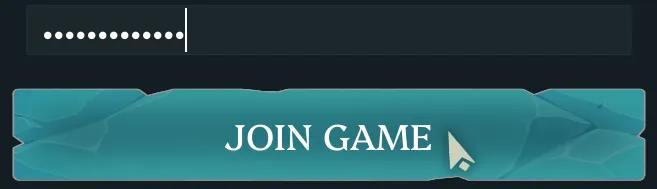
9. Input the server password from step 4 if any and choose Join Game.