Summary
Dune: Awakening is a popular survival MMO developed by Funcom, which has developed other hit games in the genre, such as Conan Exiles. Dune: Awakening private servers function slightly differently from other servers. When purchasing a server, it will be part of a larger world cluster, which shares certain regions, such as the deep desert or hub cities, as well as the Landsraad. Users can also adjust certain server settings to customize the gameplay to their liking.
| Note | Dune: Awakening servers may take up to 15-30 minutes for initial startup. |
How to Join a Dune: Awakening Server
1. Log in to the BisectHosting Starbase panel.
2. Stop the server.
3. Go to the Startup tab.
4. Choose and take note of the Server World, this will be the cluster it is located under on the server list.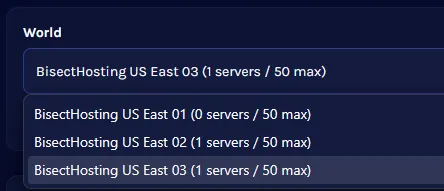
| Note | When changing the world, All Progress is Reset, and return transfers may be unavailable if the previous world reaches capacity. Server world clusters can have a maximum of 50 servers at once. |
5. Change or take note of the Server Name.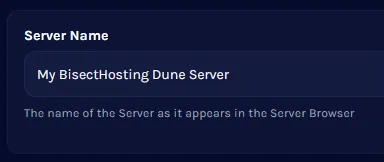
6. Optionally, add a Server Password to make the server private.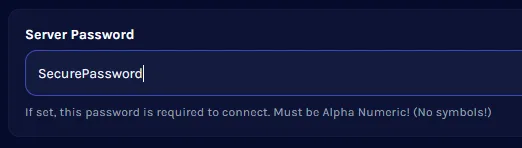
7. Start the server.
8. Launch Dune: Awakening.
9. Open the Servers menu.
10. Go to the Private tab.
11. In the Search Bar, enter the World Name.
12. Select the world cluster to view it's servers.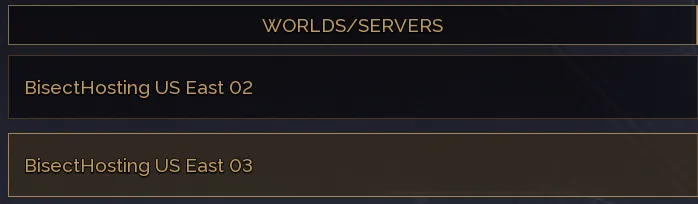
13. Select the Server from the list.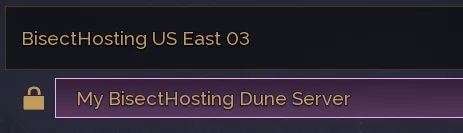
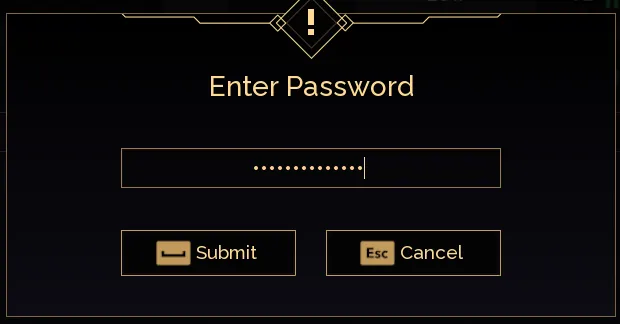
14. Press the Join button, and enter the Server Password if set to create a character and play.