
Summary
Whitelisting a Starground server restricts server access to a list of pre-approved players. When enabled, only users whose names are on the whitelist can connect, blocking all other connection attempts. This function creates a private server for a specific group of people, which prevents unauthorized access from the general public.
How to Whitelist a Starground Server
1. Log in to the BisectHosting Starbase panel.
2. Stop the server.
3. Go to the Startup tab.
4. On the Enable Whitelist table, select Enabled.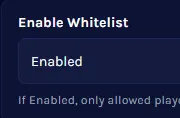
5. Start the server.
6. Go to the Console tab.
7. Run the following command to add a player to the whitelist:
/whitelist add [true/false] [SteamID or Username]

8. Run the following command to remove a player from the whitelist:
/whitelist remove [true/false] [SteamID or Username]

| Note | If the player is a Steam user, input true and enter their STEAMID.If not, use false. |