
Rust Beginner’s Guide: Features, Mechanics, & More
Posted on by

Share:

Share on X

Share on Facebook

Share on Threads

Share on Bluesky

Copy to Clipboard

Share via email
Master the intricacy of survival and ingenuity in Rust from the start with our Beginner’s Guide. Here, you’ll learn the game’s various core features and mechanics, starting from a fresh spawn to building a giant castle.
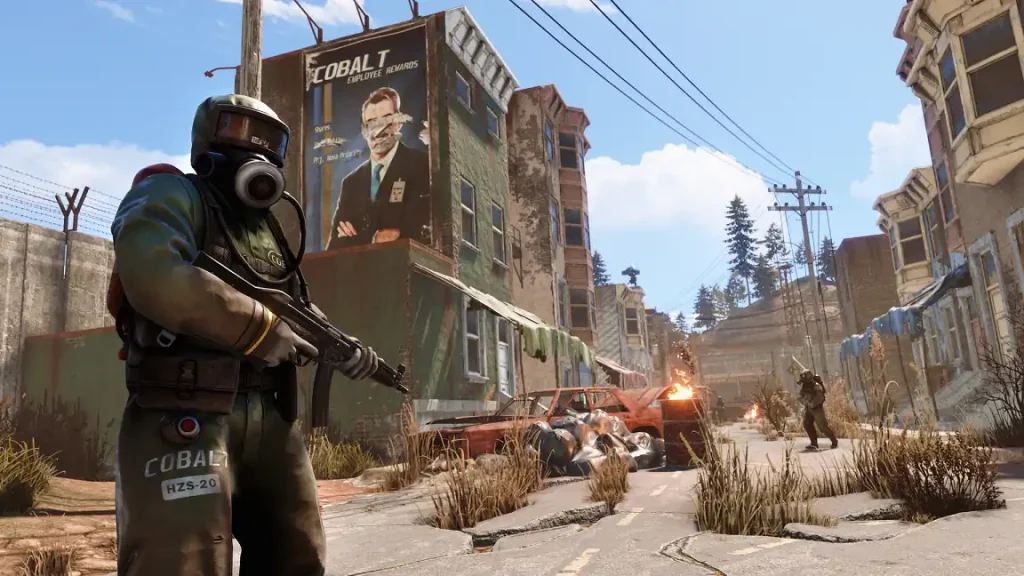 This Rust Beginner’s Guide aims to break down the game’s main features and systems for new players. Veterans may also use this resource as a refresher course to help improve efficiency in combat, building, and survival.
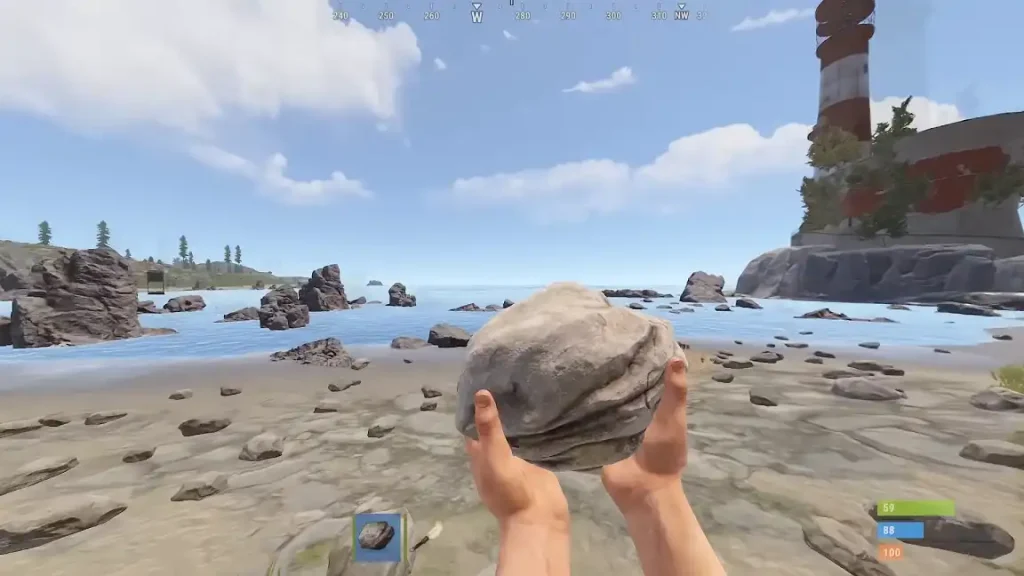 Any player entering a Rust server for the first time will spawn at a random area by the beach. Additionally, the newly-spawned character typically doesn’t have full stats, such as their health might be at 60 points instead of the maximum 100.
Additionally, the character has no equipment. Opening the inventory for the first time, however, reveals that a fresh start grants the player 1x Rock (for mining or hitting entities) and 1x Torch.
Any player entering a Rust server for the first time will spawn at a random area by the beach. Additionally, the newly-spawned character typically doesn’t have full stats, such as their health might be at 60 points instead of the maximum 100.
Additionally, the character has no equipment. Opening the inventory for the first time, however, reveals that a fresh start grants the player 1x Rock (for mining or hitting entities) and 1x Torch.
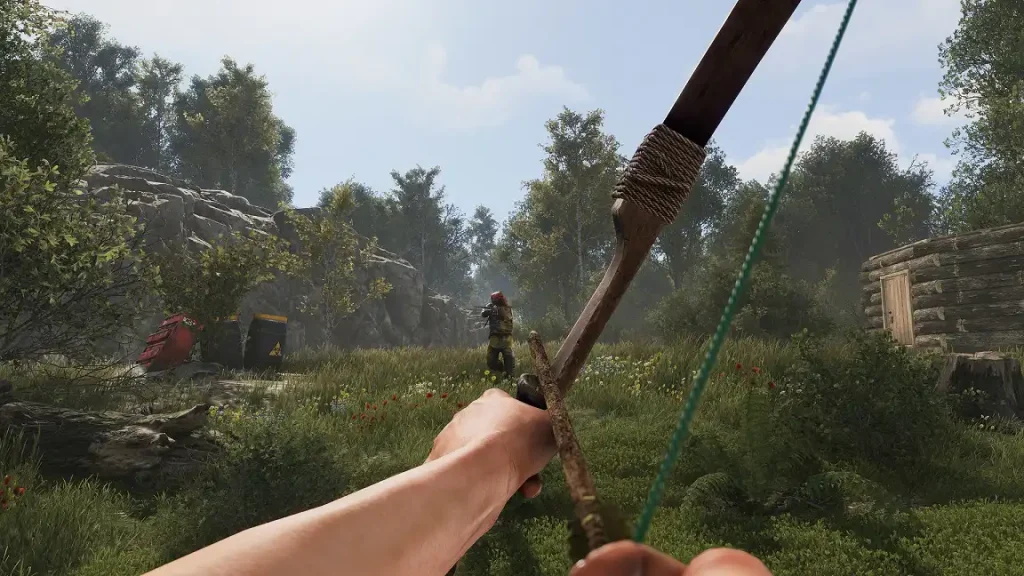 At its core, Rust is a survival sandbox title with heavy PvP elements. So, it’s essential for each player to learn the art of fighting, whether it’s against other players or hostile scientists.
Choose among a library of melee and ranged weapons to deal with those who may want to end your life. Ranged weaponry includes bows and firearms. Players who survive long enough may even craft the powerful Rocket Launcher, which can easily decimate structures in seconds.
Melee weapons, on the other hand, range from clubs to longswords. Although not many players prefer short-range combat, having a melee weapon ready can be useful when dealing with enemies up close.
Thankfully, combat in Rust is straightforward. In PC, simply press the left mouse button (by default) to attack with the equipped weapon. Press the right mouse button to use a certain feature of the held weapon. For example, holding a sniper rifle while pressing the right mouse button allows the player to aim using the weapon’s equipped sight.
At its core, Rust is a survival sandbox title with heavy PvP elements. So, it’s essential for each player to learn the art of fighting, whether it’s against other players or hostile scientists.
Choose among a library of melee and ranged weapons to deal with those who may want to end your life. Ranged weaponry includes bows and firearms. Players who survive long enough may even craft the powerful Rocket Launcher, which can easily decimate structures in seconds.
Melee weapons, on the other hand, range from clubs to longswords. Although not many players prefer short-range combat, having a melee weapon ready can be useful when dealing with enemies up close.
Thankfully, combat in Rust is straightforward. In PC, simply press the left mouse button (by default) to attack with the equipped weapon. Press the right mouse button to use a certain feature of the held weapon. For example, holding a sniper rifle while pressing the right mouse button allows the player to aim using the weapon’s equipped sight.
 Monuments are indestructible, landscape-integrated establishments with loot spawns, such as Crates, Boxes, and Barrels. These permanent locations may also contain keycard puzzles that hold valuable loot not commonly found in the wild. However, some monuments emit radiation, so players should consider their defensive gear before entering them.
Find out more about the monuments in Rust by checking out our guide here.
Monuments are indestructible, landscape-integrated establishments with loot spawns, such as Crates, Boxes, and Barrels. These permanent locations may also contain keycard puzzles that hold valuable loot not commonly found in the wild. However, some monuments emit radiation, so players should consider their defensive gear before entering them.
Find out more about the monuments in Rust by checking out our guide here.
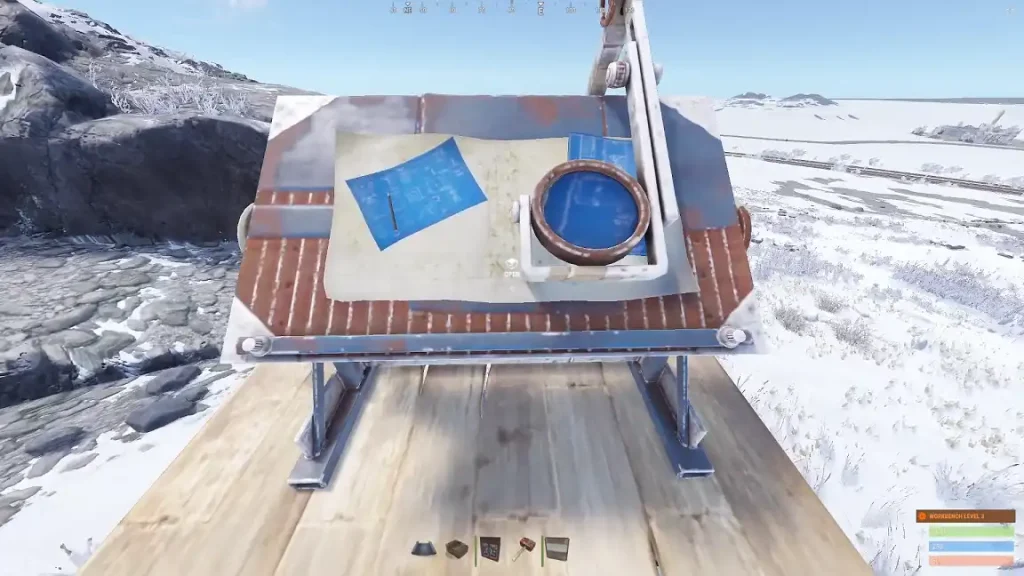 Researching in Rust is done through the Research Table, a deployable object that allows players to gain blueprints using specific items and a specific amount of Scrap. Without blueprints, the player can only use the item once.
Note: Crafting a Research Table uses 200x Metal Fragments and 20x Scrap at an Engineering Workbench or Workbench Level 1.
For example, you acquired an Armored Door from one of your excursions. Using the structure removes it from your inventory, requiring you to search for other Armored Doors if you want more.
Instead, bring the Armored Door and 120x Scrap to the Research Table to acquire the structure’s blueprint. Now, you can craft as many Armored Doors as you want, as long as you have the necessary crafting ingredients.
Note: Crafting 1x Armored Door uses 20x High Quality Metal and 5x Gear at a Workbench Level 3.
Researching in Rust is done through the Research Table, a deployable object that allows players to gain blueprints using specific items and a specific amount of Scrap. Without blueprints, the player can only use the item once.
Note: Crafting a Research Table uses 200x Metal Fragments and 20x Scrap at an Engineering Workbench or Workbench Level 1.
For example, you acquired an Armored Door from one of your excursions. Using the structure removes it from your inventory, requiring you to search for other Armored Doors if you want more.
Instead, bring the Armored Door and 120x Scrap to the Research Table to acquire the structure’s blueprint. Now, you can craft as many Armored Doors as you want, as long as you have the necessary crafting ingredients.
Note: Crafting 1x Armored Door uses 20x High Quality Metal and 5x Gear at a Workbench Level 3.
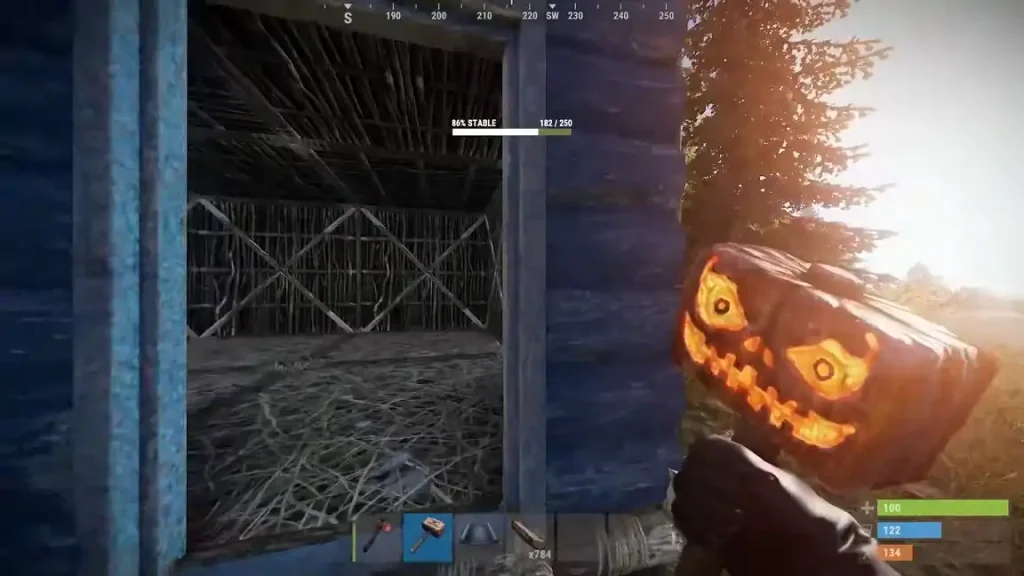 All weapons, tools, and deployable items in Rust have durability. Frequent use reduces the item’s durability. Failure to repair and maintain it results in the item breaking.
Weapons and tools that break remain in the inventory until fixed at the Repair Bench. On the other hand, repairing nearby owned structures must be done through the Tool Cupboard (TC) interface or with the Hammer.
Each repair attempt requires a portion of the items used to craft it. For example, crafting an Assault Rifle generally requires 50x High Quality Metal, 200x Wood, 1x Rifle Body, and 4x Metal Spring. With that, its repair costs at the Repair Bench require 13x High Quality Metal and 40x Wood.
Note that each repair operation permanently reduces the item’s condition. Eventually, the item breaks, making crafting or getting another unit more efficient than repairing it.
All weapons, tools, and deployable items in Rust have durability. Frequent use reduces the item’s durability. Failure to repair and maintain it results in the item breaking.
Weapons and tools that break remain in the inventory until fixed at the Repair Bench. On the other hand, repairing nearby owned structures must be done through the Tool Cupboard (TC) interface or with the Hammer.
Each repair attempt requires a portion of the items used to craft it. For example, crafting an Assault Rifle generally requires 50x High Quality Metal, 200x Wood, 1x Rifle Body, and 4x Metal Spring. With that, its repair costs at the Repair Bench require 13x High Quality Metal and 40x Wood.
Note that each repair operation permanently reduces the item’s condition. Eventually, the item breaks, making crafting or getting another unit more efficient than repairing it.
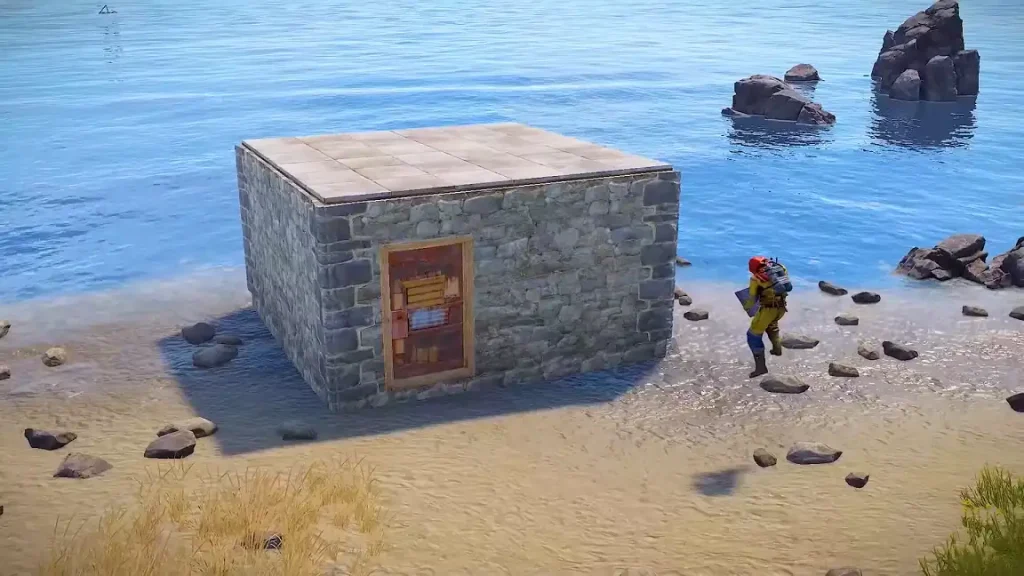 Rust has many sandbox elements, allowing players to build anything from small campsites to massive fortresses. Take advantage of this system by first crafting a Building Plan, which uses 20x Wood at any Workbench.
Next, place the Building Plan on the hotbar and select it. A hologram of the foundation should appear in front of the player. The foundation will be blue if it’s at a valid location, and red if it isn’t. Confirm the location, and press and hold the right mouse button to reveal a wheel with other building objects.
At first, each building element placed will be in the Twig Tier, the lowest durability rank for structures. Upgrading each deployed structure with the Hammer and specific materials improves its durability. Higher upgrade tiers for structures are the following (in order): Wood, Stone, Sheet Metal, and Armored.
At the center of any owned building in Rust is the TC. Raiders typically aim for this structure, as destroying it removes the building restrictions on all deployed elements within 50 meters. In other words, invaders can steal entire bases by placing their TCs after destroying their opponent’s cupboard.
Other features to consider when building bases in Rust include the following:
Rust has many sandbox elements, allowing players to build anything from small campsites to massive fortresses. Take advantage of this system by first crafting a Building Plan, which uses 20x Wood at any Workbench.
Next, place the Building Plan on the hotbar and select it. A hologram of the foundation should appear in front of the player. The foundation will be blue if it’s at a valid location, and red if it isn’t. Confirm the location, and press and hold the right mouse button to reveal a wheel with other building objects.
At first, each building element placed will be in the Twig Tier, the lowest durability rank for structures. Upgrading each deployed structure with the Hammer and specific materials improves its durability. Higher upgrade tiers for structures are the following (in order): Wood, Stone, Sheet Metal, and Armored.
At the center of any owned building in Rust is the TC. Raiders typically aim for this structure, as destroying it removes the building restrictions on all deployed elements within 50 meters. In other words, invaders can steal entire bases by placing their TCs after destroying their opponent’s cupboard.
Other features to consider when building bases in Rust include the following:
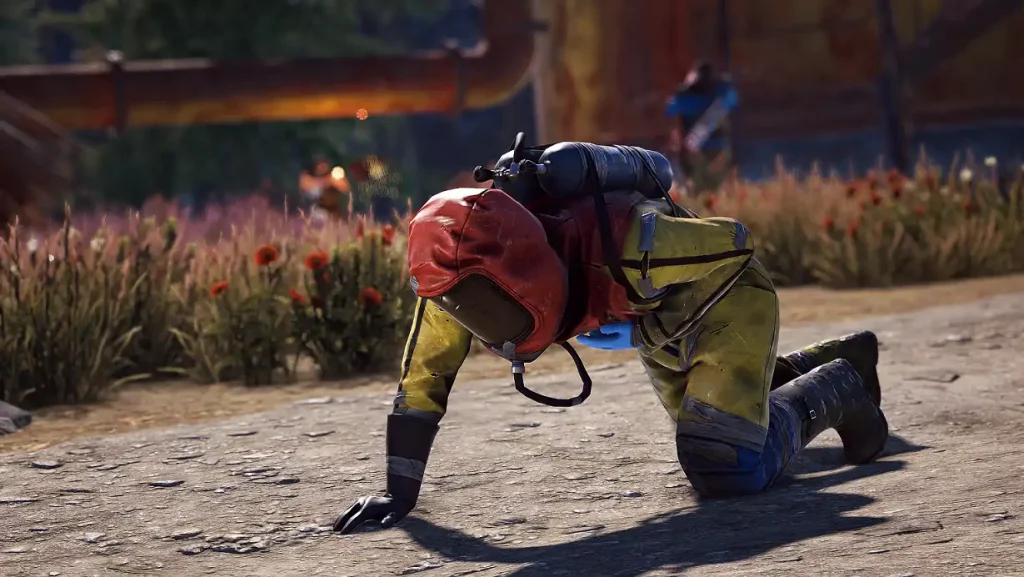 In Rust, health points that reach zero don’t mean an immediate death. Instead, the player enters a downed or wounded state. This temporary state of bleeding out prevents the character from moving normally. Instead, the model slowly crawls, waiting for another player to revive them.
The downed player dies once the on-screen timer reaches zero. If so, a death screen appears, along with two respawn options. One choice lets the player respawn at a random location near the beach or at their Bed or Sleeping Bag.
Normally, the player loses all items in their inventory upon death. However, a Rust server administrator can change these settings, such as preventing item drops when a player is killed.
In Rust, health points that reach zero don’t mean an immediate death. Instead, the player enters a downed or wounded state. This temporary state of bleeding out prevents the character from moving normally. Instead, the model slowly crawls, waiting for another player to revive them.
The downed player dies once the on-screen timer reaches zero. If so, a death screen appears, along with two respawn options. One choice lets the player respawn at a random location near the beach or at their Bed or Sleeping Bag.
Normally, the player loses all items in their inventory upon death. However, a Rust server administrator can change these settings, such as preventing item drops when a player is killed.
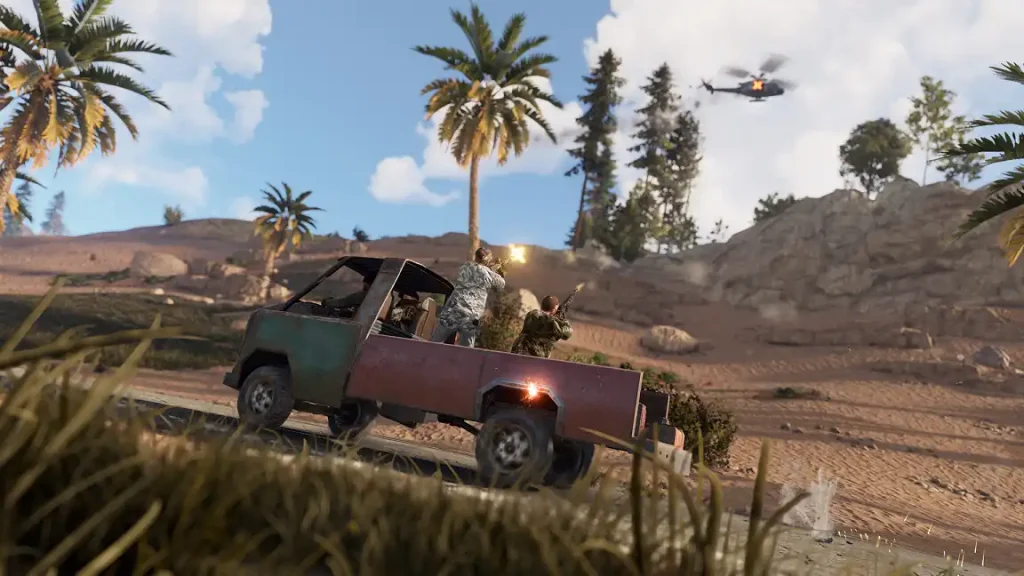 Rust’s map is massive, and exploring it on foot may take several in-game days. On the other hand, players can take advantage of the game’s various vehicles for land, air, and sea travel.
Note that Rust players can either build or purchase their preferred vehicles, depending on the type. For instance, buy the Minicopter for 750x Scrap. Alternatively, build a car from scratch using a chassis, an engine, and other essential components.
Rust’s map is massive, and exploring it on foot may take several in-game days. On the other hand, players can take advantage of the game’s various vehicles for land, air, and sea travel.
Note that Rust players can either build or purchase their preferred vehicles, depending on the type. For instance, buy the Minicopter for 750x Scrap. Alternatively, build a car from scratch using a chassis, an engine, and other essential components.
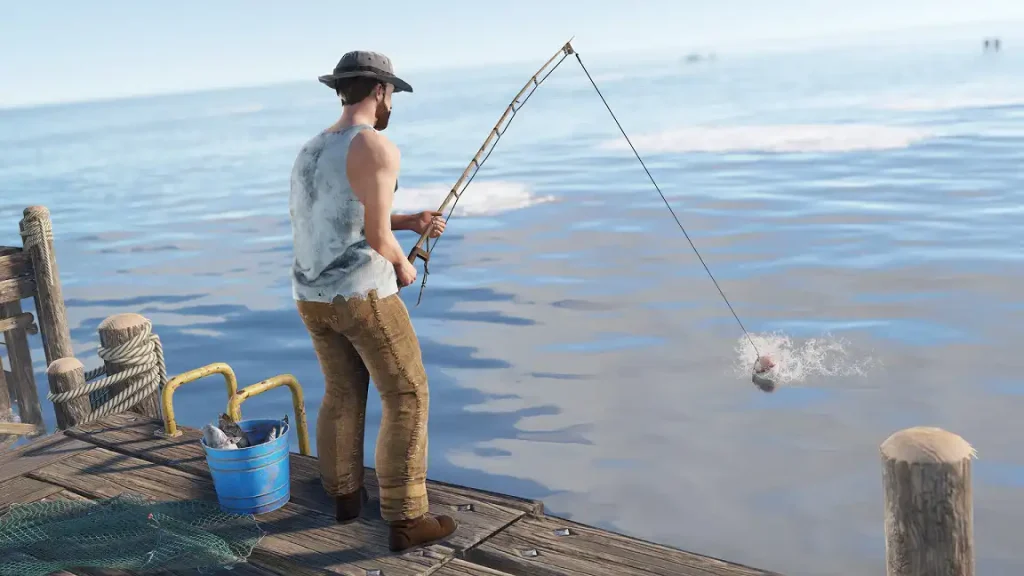 Rust isn’t only about fighting other people in the same server, but it’s also about survival. Another way to survive the harshness of the land is by being self-sufficient, even without violence. One notable mechanic for achieving that goal is fishing.
Added in the Going Deep Update, fishing is possible using a Fishing Rod and bait. Next, place the bait onto the Fishing Rod. Assuming that a player is near a body of water, press the left mouse button to cast the line.
Eventually, a fish should bite the bait, starting a fishing minigame. Use the A and D keyboard keys (by default) to pull the line left and right, and press S to reel the fish in. Watch out for the line’s tension, as pulling more than needed can cause it to snap, resulting in the minigame’s failure. Once caught, cook the fish to have it recover more Hunger than consuming it raw.
Rust isn’t only about fighting other people in the same server, but it’s also about survival. Another way to survive the harshness of the land is by being self-sufficient, even without violence. One notable mechanic for achieving that goal is fishing.
Added in the Going Deep Update, fishing is possible using a Fishing Rod and bait. Next, place the bait onto the Fishing Rod. Assuming that a player is near a body of water, press the left mouse button to cast the line.
Eventually, a fish should bite the bait, starting a fishing minigame. Use the A and D keyboard keys (by default) to pull the line left and right, and press S to reel the fish in. Watch out for the line’s tension, as pulling more than needed can cause it to snap, resulting in the minigame’s failure. Once caught, cook the fish to have it recover more Hunger than consuming it raw.
Rust Beginner’s Guide
This Rust Beginner’s Guide aims to break down the game’s main features and systems for new players. Veterans may also use this resource as a refresher course to help improve efficiency in combat, building, and survival.
Spawning
Any player entering a Rust server for the first time will spawn at a random area by the beach. Additionally, the newly-spawned character typically doesn’t have full stats, such as their health might be at 60 points instead of the maximum 100.
Additionally, the character has no equipment. Opening the inventory for the first time, however, reveals that a fresh start grants the player 1x Rock (for mining or hitting entities) and 1x Torch.
Combat
At its core, Rust is a survival sandbox title with heavy PvP elements. So, it’s essential for each player to learn the art of fighting, whether it’s against other players or hostile scientists.
Choose among a library of melee and ranged weapons to deal with those who may want to end your life. Ranged weaponry includes bows and firearms. Players who survive long enough may even craft the powerful Rocket Launcher, which can easily decimate structures in seconds.
Melee weapons, on the other hand, range from clubs to longswords. Although not many players prefer short-range combat, having a melee weapon ready can be useful when dealing with enemies up close.
Thankfully, combat in Rust is straightforward. In PC, simply press the left mouse button (by default) to attack with the equipped weapon. Press the right mouse button to use a certain feature of the held weapon. For example, holding a sniper rifle while pressing the right mouse button allows the player to aim using the weapon’s equipped sight.
Monuments
Monuments are indestructible, landscape-integrated establishments with loot spawns, such as Crates, Boxes, and Barrels. These permanent locations may also contain keycard puzzles that hold valuable loot not commonly found in the wild. However, some monuments emit radiation, so players should consider their defensive gear before entering them.
Find out more about the monuments in Rust by checking out our guide here.
Researching
Researching in Rust is done through the Research Table, a deployable object that allows players to gain blueprints using specific items and a specific amount of Scrap. Without blueprints, the player can only use the item once.
Note: Crafting a Research Table uses 200x Metal Fragments and 20x Scrap at an Engineering Workbench or Workbench Level 1.
For example, you acquired an Armored Door from one of your excursions. Using the structure removes it from your inventory, requiring you to search for other Armored Doors if you want more.
Instead, bring the Armored Door and 120x Scrap to the Research Table to acquire the structure’s blueprint. Now, you can craft as many Armored Doors as you want, as long as you have the necessary crafting ingredients.
Note: Crafting 1x Armored Door uses 20x High Quality Metal and 5x Gear at a Workbench Level 3.
Item Durability & Repair
All weapons, tools, and deployable items in Rust have durability. Frequent use reduces the item’s durability. Failure to repair and maintain it results in the item breaking.
Weapons and tools that break remain in the inventory until fixed at the Repair Bench. On the other hand, repairing nearby owned structures must be done through the Tool Cupboard (TC) interface or with the Hammer.
Each repair attempt requires a portion of the items used to craft it. For example, crafting an Assault Rifle generally requires 50x High Quality Metal, 200x Wood, 1x Rifle Body, and 4x Metal Spring. With that, its repair costs at the Repair Bench require 13x High Quality Metal and 40x Wood.
Note that each repair operation permanently reduces the item’s condition. Eventually, the item breaks, making crafting or getting another unit more efficient than repairing it.
Building & Upgrading Structures
Rust has many sandbox elements, allowing players to build anything from small campsites to massive fortresses. Take advantage of this system by first crafting a Building Plan, which uses 20x Wood at any Workbench.
Next, place the Building Plan on the hotbar and select it. A hologram of the foundation should appear in front of the player. The foundation will be blue if it’s at a valid location, and red if it isn’t. Confirm the location, and press and hold the right mouse button to reveal a wheel with other building objects.
At first, each building element placed will be in the Twig Tier, the lowest durability rank for structures. Upgrading each deployed structure with the Hammer and specific materials improves its durability. Higher upgrade tiers for structures are the following (in order): Wood, Stone, Sheet Metal, and Armored.
At the center of any owned building in Rust is the TC. Raiders typically aim for this structure, as destroying it removes the building restrictions on all deployed elements within 50 meters. In other words, invaders can steal entire bases by placing their TCs after destroying their opponent’s cupboard.
Other features to consider when building bases in Rust include the following:
- Stability: A unit of measurement that shows structural endurance.
- Decay: All structures lose durability over time, even without external interference.
- Locks: Items that secure valuables on doors and in containers.
Wounded State & Death
In Rust, health points that reach zero don’t mean an immediate death. Instead, the player enters a downed or wounded state. This temporary state of bleeding out prevents the character from moving normally. Instead, the model slowly crawls, waiting for another player to revive them.
The downed player dies once the on-screen timer reaches zero. If so, a death screen appears, along with two respawn options. One choice lets the player respawn at a random location near the beach or at their Bed or Sleeping Bag.
Normally, the player loses all items in their inventory upon death. However, a Rust server administrator can change these settings, such as preventing item drops when a player is killed.
Vehicles
Rust’s map is massive, and exploring it on foot may take several in-game days. On the other hand, players can take advantage of the game’s various vehicles for land, air, and sea travel.
Note that Rust players can either build or purchase their preferred vehicles, depending on the type. For instance, buy the Minicopter for 750x Scrap. Alternatively, build a car from scratch using a chassis, an engine, and other essential components.
Fishing
Rust isn’t only about fighting other people in the same server, but it’s also about survival. Another way to survive the harshness of the land is by being self-sufficient, even without violence. One notable mechanic for achieving that goal is fishing.
Added in the Going Deep Update, fishing is possible using a Fishing Rod and bait. Next, place the bait onto the Fishing Rod. Assuming that a player is near a body of water, press the left mouse button to cast the line.
Eventually, a fish should bite the bait, starting a fishing minigame. Use the A and D keyboard keys (by default) to pull the line left and right, and press S to reel the fish in. Watch out for the line’s tension, as pulling more than needed can cause it to snap, resulting in the minigame’s failure. Once caught, cook the fish to have it recover more Hunger than consuming it raw.Join our Newsletter
Subscribe for the latest updates on all things gaming!

How would you rate this blog?
Share your opinion and help us make our blogs even better!
Didn't like
Neutral
Liked

Need a game server?
Rent a game server where you and your friends can play privately with low latency and custom settings. Choose from 110+ games, invite people from around the globe, and enjoy private matches, or build your own online community with your own rules.

Relevant Blogs







GET THE INSIDE SCOOP!
Join our email for updates on our hosted games, company news and exclusive deals. Stay in the loop!













