

Can You Climb Ladders in Project Zomboid?
Posted on by

Share:

Share on X

Share on Facebook

Share on Threads

Share on Bluesky

Copy to Clipboard

Share via email
Verticality often leads to safety in the zombie-infested land of Knox Country. Whether it’s a rooftop, the second floor of a house, or higher ground, achieving a height taller than the walking dead is a top priority. However, many survivors find themselves staring at ladders and asking, “How do I climb this?” Keep reading this guide, as it debriefs you on the current state of ladder climbing in Project Zomboid
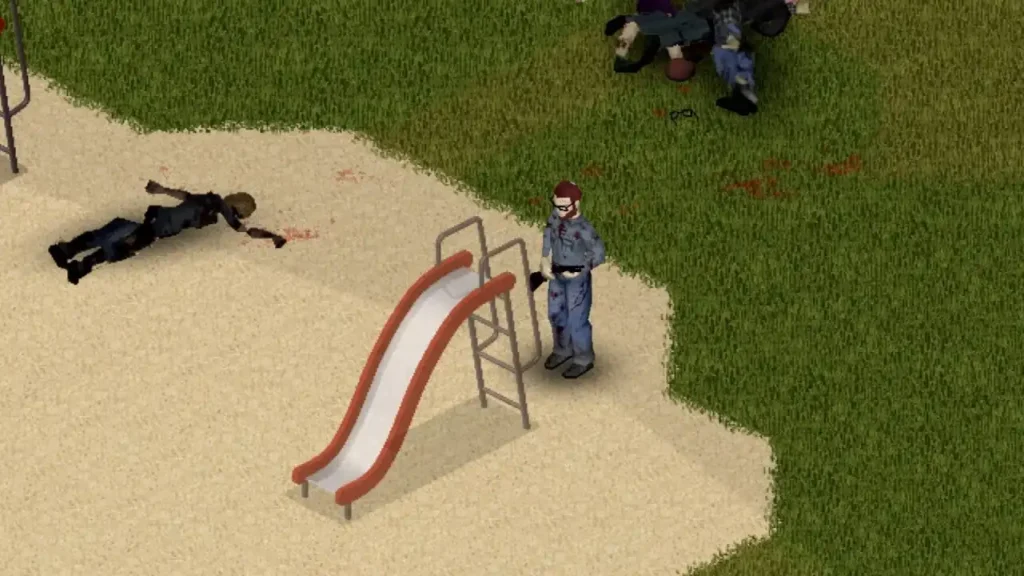 As of the release of Build 42.20, it’s currently impossible to climb ladders in Project Zomboid. So, those ladders that you may see while exploring the various towns and cities of Knox Country are purely decorative, at least at the time of writing.
Currently, many players see ladders as tantalizing but useless props in vanilla Project Zomboid servers. It’s a point of considerable frustration for the community, often cited as a glaring omission in a horror title focused on realistic survival tactics.
Nonetheless, the Project Zomboid community offers some solutions to help combat this concern:
As of the release of Build 42.20, it’s currently impossible to climb ladders in Project Zomboid. So, those ladders that you may see while exploring the various towns and cities of Knox Country are purely decorative, at least at the time of writing.
Currently, many players see ladders as tantalizing but useless props in vanilla Project Zomboid servers. It’s a point of considerable frustration for the community, often cited as a glaring omission in a horror title focused on realistic survival tactics.
Nonetheless, the Project Zomboid community offers some solutions to help combat this concern:
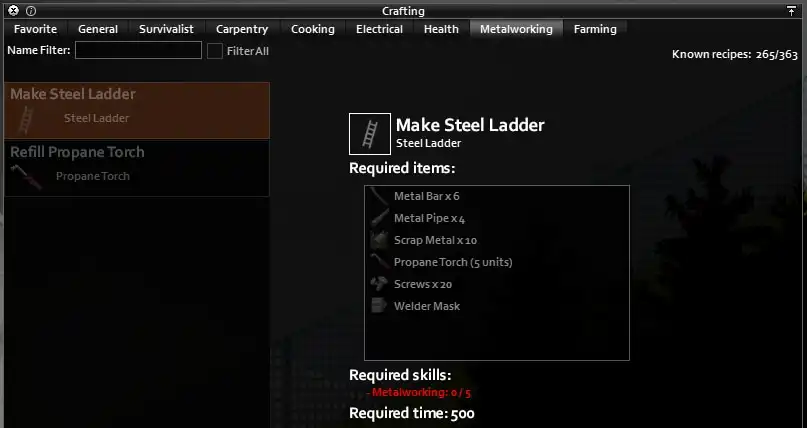 Some Project Zomboid modders took it upon themselves to create mods that allow Knox Country survivors to climb and descend ladders freely. One notable mention is the appropriately named Ladders!? mod.
As the mod’s name implies, it allows players to climb ladders and makes fire poles climbable. It also unlocks wooden and steel ladder crafting.
Another fine example is the Collapsible Ladder mod. Like Ladders!?, this mod adds support for wooden ladders. However, it also allows players to bring a collapsible ladder on their looting runs. It’s an essential addition to your load order, especially when you’re itching to get off the ground floor easily.
Some Project Zomboid modders took it upon themselves to create mods that allow Knox Country survivors to climb and descend ladders freely. One notable mention is the appropriately named Ladders!? mod.
As the mod’s name implies, it allows players to climb ladders and makes fire poles climbable. It also unlocks wooden and steel ladder crafting.
Another fine example is the Collapsible Ladder mod. Like Ladders!?, this mod adds support for wooden ladders. However, it also allows players to bring a collapsible ladder on their looting runs. It’s an essential addition to your load order, especially when you’re itching to get off the ground floor easily.
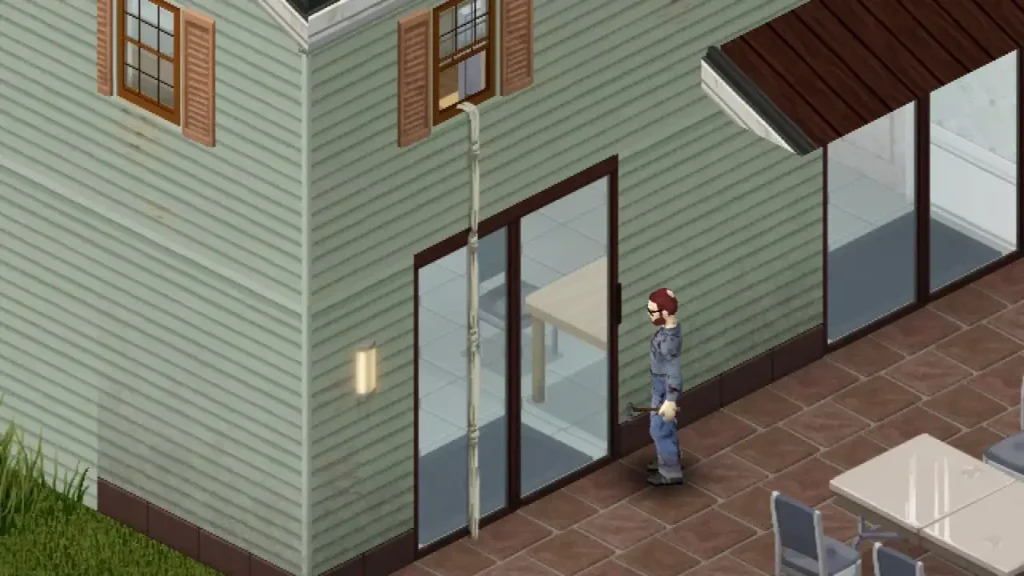 Those who’re not interested in installing mods can go with the vanilla route by using Sheet Rope. Although it’s not climbable, players can use this craftable item to descend from a reasonably tall height.
Craft a Sheet Rope using 1x Sheet or any one unit of any of the following items:
Those who’re not interested in installing mods can go with the vanilla route by using Sheet Rope. Although it’s not climbable, players can use this craftable item to descend from a reasonably tall height.
Craft a Sheet Rope using 1x Sheet or any one unit of any of the following items:
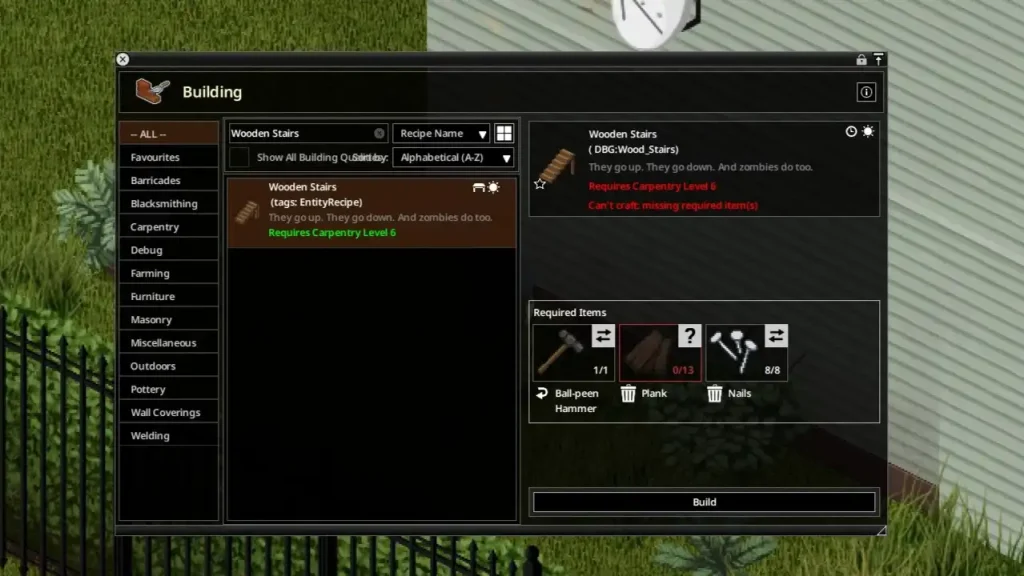 Remember, achieving higher ground in Project Zomboid isn’t limited to using ladders. If you have the time and resources, building Wooden Stairs is the legitimate vanilla way to access upper floors. However, it requires Carpentry Lv. 6, 13x Plank, 8x Nails, and a Hammer in hand to make.
Additionally, it often takes time to build Wooden Stairs from scratch. So, if you’re going to do this task in the open, ensure that no zombies are within the vicinity.
Remember, achieving higher ground in Project Zomboid isn’t limited to using ladders. If you have the time and resources, building Wooden Stairs is the legitimate vanilla way to access upper floors. However, it requires Carpentry Lv. 6, 13x Plank, 8x Nails, and a Hammer in hand to make.
Additionally, it often takes time to build Wooden Stairs from scratch. So, if you’re going to do this task in the open, ensure that no zombies are within the vicinity.
Can You Climb Ladders in Project Zomboid?
As of the release of Build 42.20, it’s currently impossible to climb ladders in Project Zomboid. So, those ladders that you may see while exploring the various towns and cities of Knox Country are purely decorative, at least at the time of writing.
Currently, many players see ladders as tantalizing but useless props in vanilla Project Zomboid servers. It’s a point of considerable frustration for the community, often cited as a glaring omission in a horror title focused on realistic survival tactics.
Nonetheless, the Project Zomboid community offers some solutions to help combat this concern:
Install Ladder-Climbing Mods
Some Project Zomboid modders took it upon themselves to create mods that allow Knox Country survivors to climb and descend ladders freely. One notable mention is the appropriately named Ladders!? mod.
As the mod’s name implies, it allows players to climb ladders and makes fire poles climbable. It also unlocks wooden and steel ladder crafting.
Another fine example is the Collapsible Ladder mod. Like Ladders!?, this mod adds support for wooden ladders. However, it also allows players to bring a collapsible ladder on their looting runs. It’s an essential addition to your load order, especially when you’re itching to get off the ground floor easily.
Utilizing Sheet Rope
Those who’re not interested in installing mods can go with the vanilla route by using Sheet Rope. Although it’s not climbable, players can use this craftable item to descend from a reasonably tall height.
Craft a Sheet Rope using 1x Sheet or any one unit of any of the following items:
- Rag Bundle (Clean, Dirty, or Sterilized)
- Denim Strips Bundle (Clean or Dirty)
- Leather Strips Bundle (Clean or Dirty)
- Twigs Bundle
- Sheet Rope Bundle
- Barbed Wire Bundle
- Wire Bundle
Utilizing Stairs
Remember, achieving higher ground in Project Zomboid isn’t limited to using ladders. If you have the time and resources, building Wooden Stairs is the legitimate vanilla way to access upper floors. However, it requires Carpentry Lv. 6, 13x Plank, 8x Nails, and a Hammer in hand to make.
Additionally, it often takes time to build Wooden Stairs from scratch. So, if you’re going to do this task in the open, ensure that no zombies are within the vicinity.Create your own
Project Zomboid server
Project Zomboid server
Choose a plan, pick a game, and play with your friends!
Join our Newsletter
Subscribe for the latest updates on all things gaming!

How would you rate this blog?
Share your opinion and help us make our blogs even better!
Didn't like
Neutral
Liked

Need a game server?
Rent a game server where you and your friends can play privately with low latency and custom settings. Choose from 110+ games, invite people from around the globe, and enjoy private matches, or build your own online community with your own rules.

Relevant Blogs







GET THE INSIDE SCOOP!
Join our email for updates on our hosted games, company news and exclusive deals. Stay in the loop!













