

Hytale Update 6: Patch Notes, Highlights, & More
Posted on by

Share:

Share on X

Share on Facebook

Share on Threads

Share on Bluesky

Copy to Clipboard

Share via email
Despite seeming like the initial release was just yesterday, Hytale Update 6 is already well underway, complete with new tools and adjustments to everyday play. So, today, we explore the Hytale Update 6 patch notes and highlight some of the most exciting features.
 The Hytale Update 6 release date has been confirmed for August 27, 2026. Less than one week away! As for the content of Update 6, it has continued filling out Hytale’s foundation in preparation for the more gameplay-rich updates ahead. But that does not mean Update 6 is without its own exciting features!
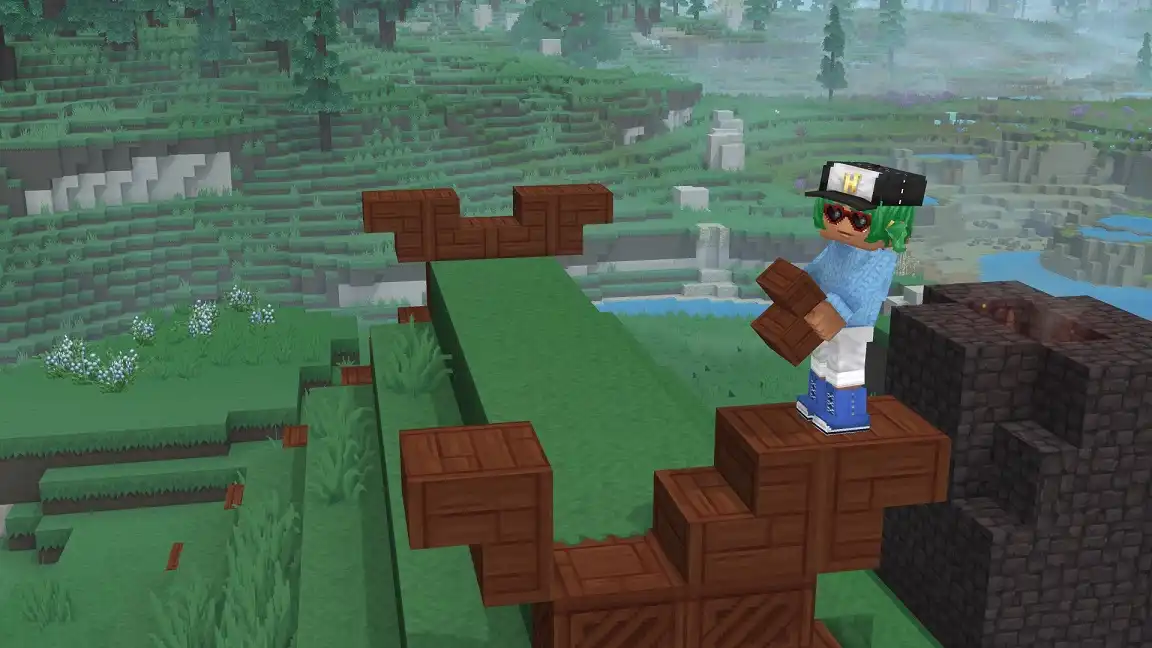 Hytale’s already unmatched creative mode is once again getting even better! The new color tool allows players to paint landscapes with the blocks they desire by simply pointing at them. This tool even comes complete with different modes, such as gradient mode, which assists in color transitions. Block palettes can also now be saved and reused, making switching between builds and themes that much easier.
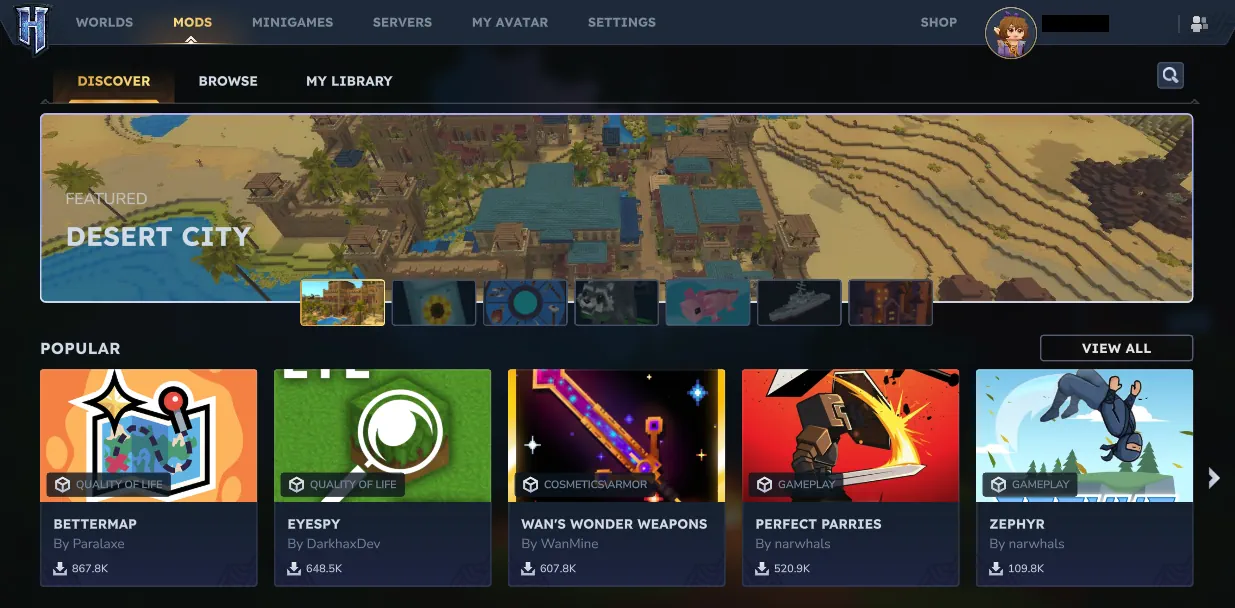 Gone are the days of third-party mod browsers! Hytale fans can now browse and download mods in-game and have them install automatically. From there, any and all installed mods can be viewed, updated, or removed from the mod management page titled “My Library”. Just be careful not to add too many!
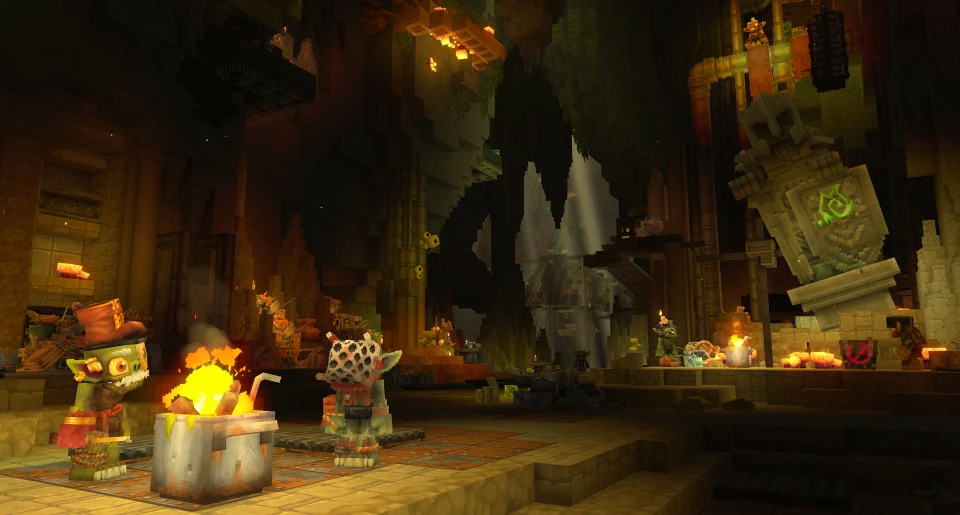
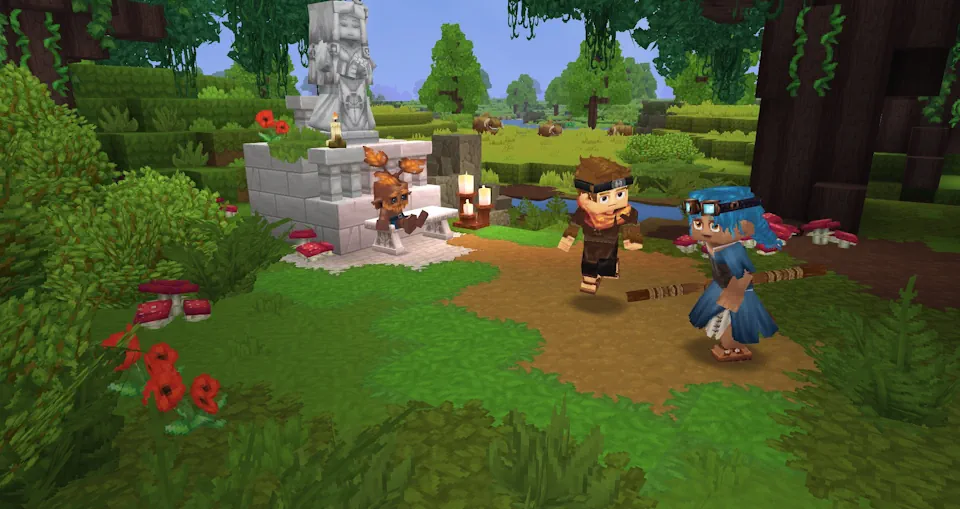
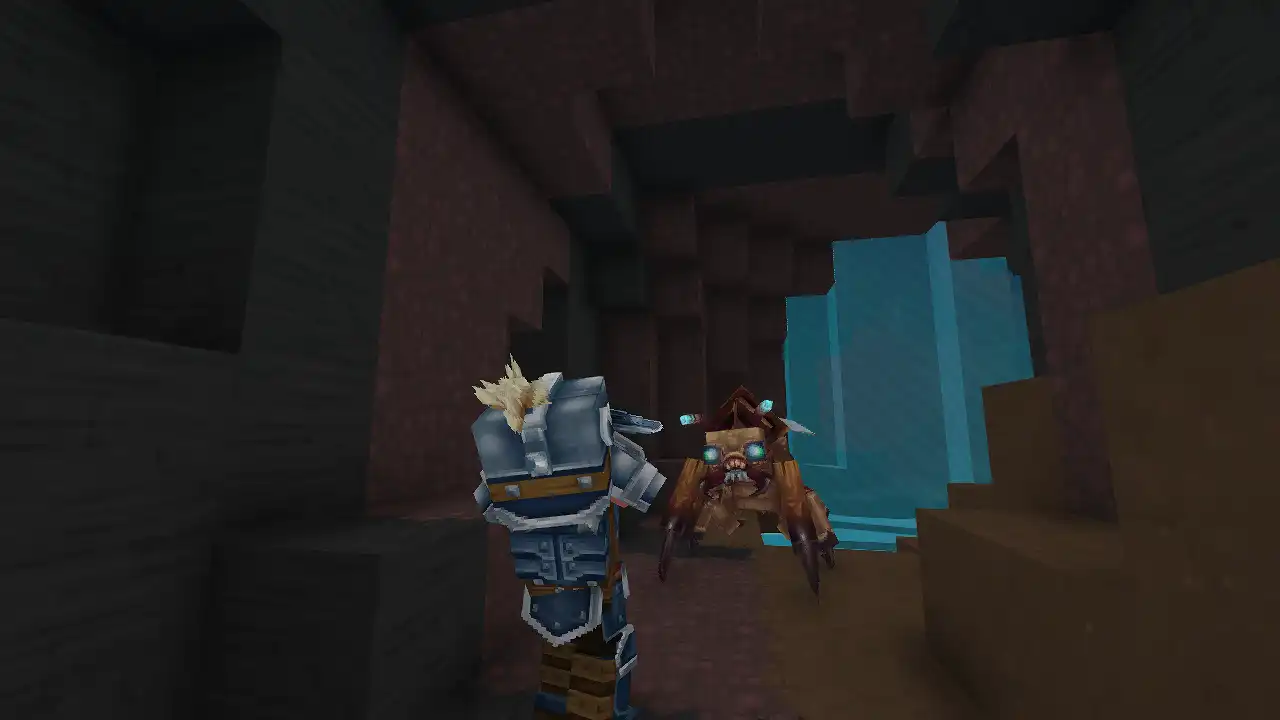
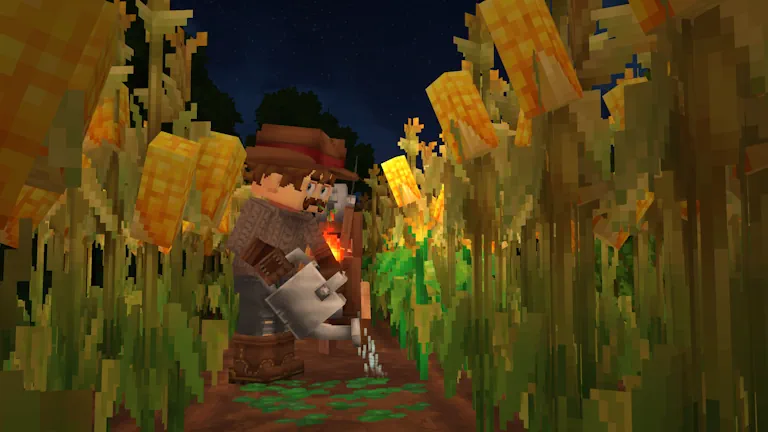
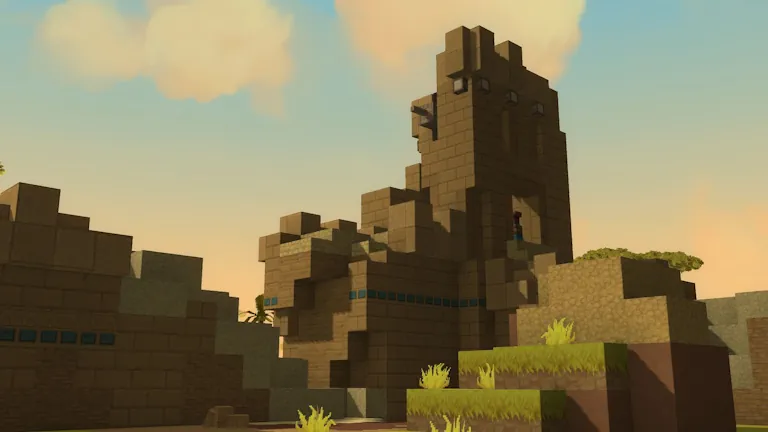
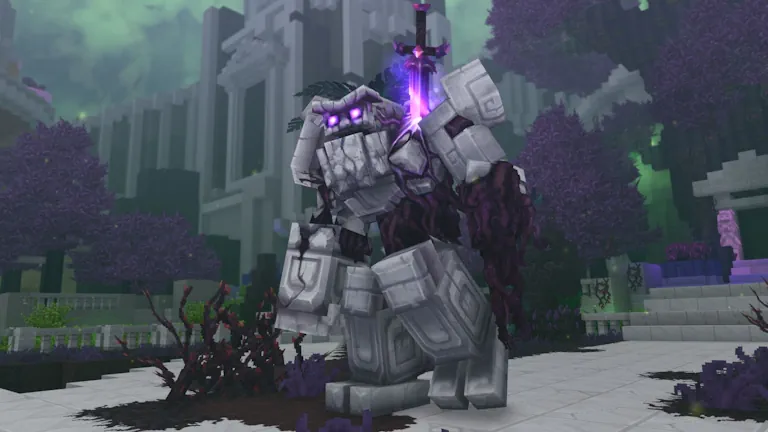
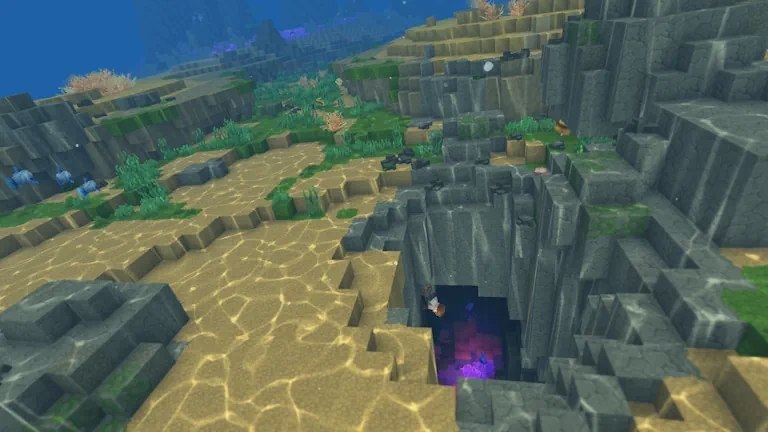
 Update 6 has made playing Hytale with friends better than ever before! Hytale Update 6 pre-release servers can be created for free with home hosting, but we recommend paid hosting due to the resources and RAM a Hytale server often demands. Paid hosting is offered here at BisectHosting and other places around the web.
Hytale Update 6 Release Date
What’s New in Hytale? (Patch Notes Highlights)
Creative Tools
Hytale’s already unmatched creative mode is once again getting even better! The new color tool allows players to paint landscapes with the blocks they desire by simply pointing at them. This tool even comes complete with different modes, such as gradient mode, which assists in color transitions. Block palettes can also now be saved and reused, making switching between builds and themes that much easier.
In-game Mod Browser
Gone are the days of third-party mod browsers! Hytale fans can now browse and download mods in-game and have them install automatically. From there, any and all installed mods can be viewed, updated, or removed from the mod management page titled “My Library”. Just be careful not to add too many!
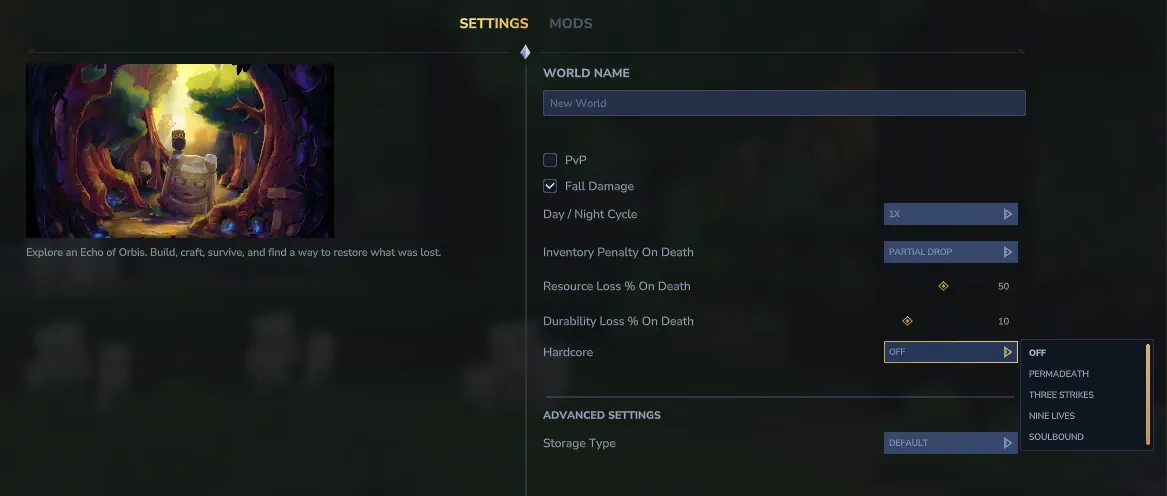
Hardcore Mode
- Permadeath – One Life Per Player
- Three Strikes – Three Lives Per Player
- Nine Lives – Nine Shared Lives
- Soulbound – One Shared Life
Hytale Update 6 Patch Notes (So Far!)
Update 6 Pre-Release Part 13
Items & Interactions- Larger soft blocks, such as the Spider Cocoon, can now be shot down.
- Interaction prompts now show all available options for blocks with more than one interaction.
- Improved the memory use at high view distances. Worlds with a lot of open sky above them now keep far less lighting data around.
- Multi-block objects such as doors or statues will now be correctly struck at the point where you aimed.
- Area of effect attacks will now affect the correct areas in parts of the world with negative coordinates.
- Portal destinations will no longer close down prematurely when you move away from the portal device. The worlds will stay open and the portals will reconnect to them when you get within range.
- Trigger Volumes that are pasted into the world will no longer lose their conditions, rejection effects, or group settings.
- The Large Kweebec Chest will now be treated as a wooden block when breaking it, meaning hatchets should be the most effective way to break it.
- Fixed a defect in WorldGen V2 that was deleting some entities in rotated prefab.
- Fixed a defect in WorldGen V2 generating different prefabs on separate platforms.
- Fixed an issue that could result in items being duplicated under specific circumstances.
- Arrows that are fired through cells containing blocks with smaller hitboxes will now correctly perform interactions on the block they impact.
- Invulnerable creatures are standing their ground and will no longer be affected by knockback from projectiles.
- Performing actions such as opening chests or interacting with objects can once again cause nearby creatures to notice your presence.
- Held builder brushes now use the correct model.
- When copying and saving selections of blocks, Trigger Volumes will only also be copied or saved if they exist within that selection. Previously, Trigger Volumes that connect to the border of the selection would also be included.
- Fixed an issue where picking up unrelated items could merge the item pickup notifications together.
- The Mod Browser install button is now easier to reach on a controller. The controller buttons should now be more in line with those on the Server Discovery page.
- The Mod Browser has been updated so that using a thumbstick should now be able to reach all of the carousels, checkboxes, buttons, and tiles.
- Installing a mod will no longer cancel the download of other mods. Mods are now instead placed into a queue.
- The ‘Browse All’ section will no longer refer to the total number of Worlds, Mods, and Prefabs as just Mods.
- The Mod Browser can now correctly be navigated to and from using controller trigger buttons.
- Filters are now applied by selecting them with a button press.
- Navigating between Mod Browser tabs with a thumbstick will no longer cause the focus to switch to the search icon.
- The update marker on an installed mod now provides a tooltip to explain what it means.
- Fixed an issue causing see-through surfaces such as glass or water to lose their sharpness.
- Glowing particles have been permitted to glow once again.
- Vanquished the unending darkness that would occur if a weather effect was applied within a world that forces its own weather effects.
- Music and ambience will no longer become quite so quiet while on low Health. You may still be in danger, but at least you can now more easily appreciate the sounds of the world around you.
- Server restarts will no longer cause item, block, or menu names to appear as raw text.
- A single mistake in the translation files will no longer cause every name to become blank.
- Fixed a crash that could affect very large worlds that had been running for a long time when the server took time to reorganize where everything was. As a bonus, this process should now also be faster!
- Fixed a crash and memory leak related to leaving worlds while the sky was still loading.
- Fixed a memory and GPU resource leak when opening and closing menus with a character preview.
- Fixed a UI crash that could occur when the server reset the interface while item or entity previews were on screen.
- Fixed a memory leak in the main menu: world preview images leaked memory every time a world's preview refreshed.
- Fixed graphics memory leaks from entity status effects, world map markers, and the character preview on the customization screen.
- Machinima: fixed memory leaks when loading a scene over an existing one or re-adding a scene with a duplicate name, and scene names with leading or trailing spaces now validate correctly.
- Asset editor: fixed memory leaks when switching views and closing dialogs.
- Added additional validation to WorldGen V2 Density assets.
- Added a set of logical Density nodes to WorldGen V2: Comparator, Equal, GreaterOrEqual, GreaterThan, LessOrEqual, LessThan, And, Or, Not, Nor, Xor, and Selector.
- Added an Example_Vector_Offset_Avoid biome that shows how to offset positions away from a density region, so props can steer clear of an area.
- Improved the performance of SimplexNoise2D and SimplexNoise3D Density nodes by up to ~20%.
- NPC roles can now turn an NPC on the spot at a steady rate. A new Rotate head motion takes a RotationSpeed in signed degrees per second, and ClearPitch flattens the head pitch while it turns.
- SpawnNPCInteraction now takes a weighted entity pool with per-entry count ranges, a spawn count range, distance scatter, an optional spawn state, a spawn velocity, midair spawning, centered hitbox spawning, and relaxed full-cube clearance.
- NPC spawn validation can now ignore decorative non-full blocks where you configure it to, while full-cube blocks still block a spawn.
- Projectile breaks can be limited to soft blocks. A new SoftOnly flag on BreakBlockInteraction ignores whatever the breaking entity holds, and the new Block_Break_Projectile interaction sets it for the 38 projectile configs that used to share Block_Break_Adventure. Leave the flag off for a projectile that should mine, which then takes its breaking power from the shooter's item as before.
- Block models can now play their animation faster or slower than authored. A new CustomModelAnimationSpeed on a BlockType, or on one of its states, is a multiplier from 0 up to 100 and it inherits like the other model properties.
- Blocks can now run an interaction chain when they break. OnBreak fires on a normal break and OnBreakImpact fires when a falling block lands and breaks, so a block can spawn something or set off an effect as it goes.
- A removal that should not set off the block's own reaction can pass SetBlockSettings.NO_FIRE_ON_BREAK to suppress the OnBreak chain, and BreakFallingBlockImpact now inherits DropItems so a child block type keeps its parent's value.
- Gameplay code can now override a map marker after its provider builds it. WorldMapManager.addMarkerOverride takes a marker ID and a MapMarkerOverride carrying an optional icon and an optional global flag, and it applies to every player in the world from the next tick.
- World events can override a marker as well. MapMarkerOverrideAddAction takes a MarkerKey and a Name plus an optional Icon and Global, MapMarkerOverrideRemoveAction clears it again, and the override is dropped on its own when the event ends.
- Particle assets now explain themselves in the editor. Particle systems, spawners, animation frames, collisions, and attractors carry field descriptions, the shared velocity, UV motion, and intersection highlight codecs are documented, and several particle fields received clearer labels.
- Added a ShowEventTitle interaction that puts an event title on screen.
- Added the ability to specify the target for SendMessageInteraction. A new Target field sends the message to the instigating entity, to every player in the world the interaction runs in, or to all players from every world (universe).
- Added a /blockanimspeed command that sets the model animation speed of the block you are targeting, with an optional animation phase in frames.
- Added /worldmap markers override with add, remove, and clear subcommands for trying marker overrides in game. The subcommands inherit the GROUP_WORLD_EDITOR permission from /worldmap.
- CarryInteractionHints on Item became CarryHudInputBindings, and CarryInteractionHint on RootInteraction became HudInputBindingEntry.
- The EncounterAudio collector is now EncounterMembers.
- The wire protocol gained the SetBlockAnimationSpeeds packet and a ModelAnimationSpeed field on BlockType. Each packet carries the complete state of one section together with a monotonic revision, so an out of order packet cannot undo a newer one.
- HudComponent gained a BossBar entry, and the new UpdateBossBar packet carries the entity network id, the name as a FormattedMessage, and a Hide flag. A game mode can use it to show or hide the bar.
- Portal devices inside an instance copy now remember the world they opened, so a fresh copy of that instance reconnects to it instead of losing the link. PortalInstanceLinks keeps the destination and device config keyed by instance and block position, and PortalInstanceRelinker restores them when a copy starts. The links will not survive a server restart.
- BlockChunk no longer exposes the per block light accessors, getSectionCount, blockCounts, or setNeighbourBlocksTicking. Resolve the chunk section for the block Y and read light through BlockSection.getGlobalLight() instead.
- Spawning now looks at the chunk section at the spawn Y through the new SpawningContext.isTickingSection, so a loaded column with a non ticking section at that height no longer accepts spawns.
- Plugins can now drive block animation speed from gameplay state. The new BlockAnimationModule offers setBlockAnimationSpeed, setBlockAnimationPhase, clearBlockAnimationSpeed, and getBlockAnimationSpeedOverride, all on the world thread, and they return false when the target section is not loaded.
- Removed WorldChunk.toHolder. Chunk saving always goes through saver.saveChunkColumn now, which copies the chunk entity's components instead of aliasing them, and GeneratedChunk.toChunkHolder assembles its holder inline.
- Projectile physics now records the cell the projectile actually touched on both the client and the server, so an impact chain acts on that cell rather than one derived from the final position. Base cell resolution moved to SimpleBlockInteraction.resolveBaseBlockPosition and the deprecated getBaseBlock is no longer used for it.
- Block interactions that run for a proxy entity are now distance checked like players are. A projectile must be within 8 blocks of the cell it acts on, measured against the contact cell so a tall block is not rejected by its own height. The held item also resolves from the interaction context when the acting entity has no inventory, so a projectile weighs a break against the shooter's item.
- CameraSequenceBuilder no longer carries the keyframe(..., Float fov) and keyframeLookingAt(..., Float fov) overloads. FOV moved onto the new CameraKeyframeBuilder, which takes duration and easing in its constructor and leaves every other channel optional.
- Server cameras and camera sequences can now drive the client's depth-of-field effect. A DepthOfFieldSettings focus band sits on ServerCameraSettings and on each keyframe via CameraKeyframeBuilder.depthOfField, and it blends across a sequence with the segment easing, which is enough for a tilt-shift miniature look from an aerial shot.
- Selectors now resolve the filler base block themselves and report it through the new Selector.BlockConsumer, which takes the hit cell and the base cell together. SelectInteraction reads both straight from that callback instead of calling the deprecated IChunkAccessorSync.getBaseBlock, and the entity-anchored Selector.selectNearbyBlocks overloads are gone.
- Cursor cameras now work on a gamepad. The right stick drives the cursor with the right-stick deadzone and sensitivity settings applied, and PrimaryItemAction and SecondaryItemAction send the click packets, so the triggers break and use whatever the cursor is over.
- Notification tags now apply to item notifications, so items can be split into separate toasts by tag.
- A WorldStructure asset with a broken default Biome reference no longer builds silently.
- Deleting a WorldGen V2 instance or stopping the server no longer fills the log with Failed to load chunk!.
- Fixed the Offset Pattern node offering a decimal vector pin for its offset in the node editor.
- The PositionsHorizontalPinch Density feature no longer throws exceptions at the world origin.
- Fixed a defect in the Spawner NodeAction causing Graph nodes to disappear in negative coordinates.
- WaveDelay on a particle spawner now inherits from its parent, so a child spawner keeps the value it was given instead of dropping back to the default.
- A malformed line in a .lang file no longer throws away the whole file. The parser names the file and the line number, skips the bad line, and keeps everything else, and an unterminated line continuation holds onto the text read so far.
- The /discovery link command now tells you what actually went wrong. DiscoveryService.sendHeartbeat returns a HeartbeatResult, so a token that matches no listing, a server signed in as a different game profile, and an unreachable service each get their own message, and the token is only linked when the heartbeat really succeeds.
- /world remove and /chunk forcetick will now point to the correct commands.
- A per-player weather override set through WeatherTracker.setOverrideWeatherIndex now stays up in a world with a forced weather, instead of being reverted within a second. SetWeatherEffect with PlayerOnly sticks for the same reason, and /weather set leaves that player's sky alone until the override clears.
- Cursor server cameras are playable again. A game mode that sets displayCursor on ServerCameraSettings, and the /player camera topdown command, now aim interaction raycasts from the camera through the cursor.
- Movement under a cursor camera runs at the forward speed in every direction, instead of W being faster than A, S, and D.
- PlayerMouseButtonEvent fires again on clicks under a cursor camera, carrying the target block or entity and the screen point for custom click logic from a top-down view.
- Cursor cameras now ignore mouse input while a menu, chat, or page is open. The pause menu used to spin the character, and MouseInteraction packets are no longer sent from behind a UI overlay.
- The camera offset that extends interaction reach is now capped, since it arrives from server-sent values.
Update 6 Pre-Release Part 12
Headline Features Discover, install, and manage mods with the new in-game mod browser!- The first version of the mod browser is now available from the Hytale main menu, showing featured, popular, and recently updated mods.
- Filter by category, or search mod names and descriptions for something specific.
- Open any mod to see its description, screenshots, download count, supported game versions, and install buttons.
- View, update, or remove your installed mods from the ‘My Library’ screen.
- Builder tools now support selections of up to 16 million blocks.
- Large builds now save in a new compact format, keeping file sizes small.
- Copying, cutting, pasting, or saving large selections is now a lot faster.
- The Ancient Gateway now has a button that can be used to close the active portal. Fortunately, each Gateway has a convenient failsafe that will prevent this button from working if someone is still on the other side of the portal.
- Builder tool actions and saves will now show a single notification that updates instead of sending a notification for each update.
- The World Creation screen has been adjusted to include a larger ‘Customize’ button.
- The World Settings screen that appears when customizing a new world now has a ‘Create World’ button.
- The paste preview now falls back to a simple outline or a solid shape when the clipboard is very large, so it appears immediately instead of stalling or showing nothing.
- When a selection goes over a tool's limit, the game now tells you so and by how many blocks.
- Prefab folders now include their subfolders by default when you load them in the prefab editor.
- Liquids may now be copied with the /stack command.
- Undo and redo now use considerably less memory after making several large edits.
- Undo and redo now keep to a memory budget. After an extremely long run of very large edits, you may not be able to undo all the way back to the start.
- Instance portals will now correctly save the world you travel into.
- Time remaining in a portal world can no longer exceed the amount it started with.
- The cave weather effect from the magic ruins dungeon no longer breaches the surface on new chunks.
- Creatures that place blocks can now do so at the very bottom of the world.
- Fixed the # mask so it again keeps brushes and commands inside your current selection, and !# again keeps them to everything outside it. The # mask now also works with the line tool and scripted brushes.
- Using the /stack command while looking up or down at an angle will now join the copies into one continuous run, instead of leaving a gap between each copy.
- Extruding a selection by holding alt and dragging no longer reduces the size of the area you had selected.
- The command /stack --empty will no longer be accepted and then immediately ignored. Empty space may now be copied.
- Empty space may now also be extended when extruding a selection, matching how other build tools handle empty space.
- The undo function will now correctly revert a whole tool action.
- Pasting a prefab into an unloaded area now waits for the space to load instead of failing.
- The prefab editor will now provide more detailed error messages if a failed load occurs, and provide an option to try the load again.
- Entities in prefab previews will no longer glow pink.
- Fixed a crash that could occur when processing benches had over seven input slots.
- Fixed a crash that could occur when returning from an instanced area to a world that had already closed. Those who find themselves in this predicament will now be returned to the main world spawn.
- Fixed a crash that could occur when pasting creatures that would then despawn the moment they appear.
- Fixed a crash that could occur when interacting with a prefab that contained an older patrol path marker.
- Fixed a rare pathfinding bug where a creature’s route was so troublesome that time itself would come to a standstill until the server restarted.
- World events can now create and remove trigger volumes, and roll them back, through new TriggerVolumeCreateAction and TriggerVolumeRemoveAction. A TriggerVolumeContext tracks the volumes an event created.
- Trigger volumes can now fling entities out from their own center. A new VOLUME_ORIGIN value for RelativeMode on SetVelocityEffect launches entities away from (or toward) the volume origin no matter which way they face.
- Memory entries can now carry an optional translatable description, shown under the memory on the memories page.
- Large prefabs now save in a compact binary .lpf format. Anything from 300,000 blocks up is written this way, and .lpf files load everywhere prefabs do.
- Undo and redo history now keeps to a memory budget through the new HistoryBlockBudget and RedoHistoryBlockBudget fields on BuilderToolsConfig, which drop the oldest entries once the budget is exceeded.
- Particle assets can now fade their opacity as they move toward or away from the camera. A near fade uses CameraNearFadeStartDistance and CameraNearFadeEndDistance, while a far fade uses CameraFarFadeStartDistance and CameraFarFadeEndDistance.
- Ban handling is now one type. AbstractBan, InfiniteBan, and TimedBan collapse into a single codec-stored Ban.
- The server configuration can name where bans are stored under a BanStorage block, which is decoded after the plugins load.
- Plugins can now decide how bans are handled and stored. Implement BanProvider to replace ban handling, or BanStorageProvider to keep bans anywhere you like.
- The HytaleWhitelistProvider has been removed. The whitelist now runs on the hytale.server.join permission, and the whitelist commands grant and revoke it. If you have an existing whitelist.json it will migrate to whitelist.json.migrated.
- Instances can now send a player back to the instance they last came from when the current instance unloads. A new boolean on InstanceWorldConfig, with an optional instance key, turns this on per instance.
- Added a GameFlags builtin plugin that keeps global server flags in Universe Storage. Content can set and check them through the new SetGameFlagInteraction and GameFlagConditionInteraction.
- Instances can now show a .ui document as they close. A new DocumentDisplayOnRemoval field on InstanceWorldConfig names the document, so players see it pop up when the instance timer runs out.
- Improved packet decoding performance by 2-4x on both the client and server.
- Removed Packet.serialize(ByteBuf), the generated validateStructure(ByteBuf, int) methods, the ByteBuf helpers on PacketIO, and ValidationResult from the server protocol API. Call Packet.serialize(MemorySegment, int) to write a packet and toObject(MemorySegment, int, ReadCursor) to read one. Validation now runs during the read and throws ProtocolException on malformed data.
- Made packet validation stricter: non-canonical VarInts, malformed UTF-8 strings, and mismatched offset tables are now rejected, with identical rules and limits on the client and server.
- Renamed BuilderToolsPlugin.Action.ROTATE to Action.TRANSFORM.
- Commands now declare their permission up front. canGeneratePermission has been removed, so a command that overrode it to return false must call requireNoPermission() instead. The HytalePermissions constants also changed from String to PermissionQuery, and code that needs the node string calls getId().
- Volume APIs such as BlockSelection.getSelectionVolume() now return long instead of int, so extreme selections no longer wrap to a tiny value.
- Prefab save methods now hand back the written file. PrefabStore.savePrefab, saveServerPrefab, and savePrefabToPack return a Path, and PrefabSaver.savePrefab returns CompletableFuture<Path> where null means the save failed.
- Permission checks can reuse a prebuilt lookup. A new public PermissionQuery can be held as a constant and passed to every permission check, which avoids rebuilding the id and wildcard strings on every call.
- New Deferred and DeferredCodec types let a value be read before the codec for its type is registered, for the case where the server reads its configuration before the plugins that name those types are loaded.
- SelectionSnapshot now has an estimatedBlockWeight() method with a default implementation, and a custom snapshot can override it so its cost counts against the undo budget.
- Notification gains a tag field and NotificationUtil.sendNotification gains a seven-argument overload, so a toast with the same tag replaces the previous one in place instead of stacking.
- Custom falling-block impacts take a section instead of a chunk. FallingBlockImpact.apply now receives a Ref<ChunkStore> sectionRef covering the block at position, and the block test and place helpers on BlockAccessor and IChunkAccessorSync are gone, replaced by ChunkStore.getChunkSectionReferenceAtBlock plus BlockOperations.testPlaceBlock, BlockOperations.setBlock and BlockOperations.TestBlockFunction.
- The BlockAccessor interface is removed. Every member now lives on WorldChunk, which was its only implementor, so anything typed BlockAccessor becomes WorldChunk. IChunkAccessorSync, ChunkAccessor, and OverridableChunkAccessor are no longer generic, so drop the <WorldChunk> argument, and WorldChunk.getChunkAccessor() is gone in favor of using the World directly.
- getCurrentInteractionState moved off the accessor and onto BlockType. Call blockType.getCurrentInteractionState() instead of passing the block type in. The old per-block methods on WorldChunk are now deprecated, so resolve a section with ChunkStore.getChunkSectionReferenceAtBlock and go through BlockOperations.
- Trigger volumes no longer drop an event when a burst reaches the per-tick budget. Signal effects, block event rules, the signal interaction, NPC signal actions, and volume create events over the budget now wait for a later tick instead of vanishing.
- Fixed JSON reading so a { or } inside a string value no longer throws off the parser. Config files with braces in their text now load correctly.
- The server now stops when a core plugin fails to load, set up, or start, rather than running on in a broken state. The option that boots past a broken mod does not cover a core plugin.
- The processingSlots and processingFuelSlots fields of the processing window data are now 32-bit ints rather than signed bytes, so a bench can carry more than seven active slots without the mask wrapping.
- The EditOperation and BrushConfigEditStore constructors now take selectionMin and selectionMax, so the # mask tests against the player's selection rather than the area an operation happens to cover. Pass null when there is no selection, or resolve them with BuilderToolsPlugin.getMaskSelection.
- BuilderState.extrudeSelectionFace takes a new empty parameter that controls whether empty cells in the selection clear their destination. Pass false to keep the old behavior.
- Fixed Custom UI refusing UIPath values written as markup text. Path properties can be set from strings again.
Update 6 Pre-Release Part 11
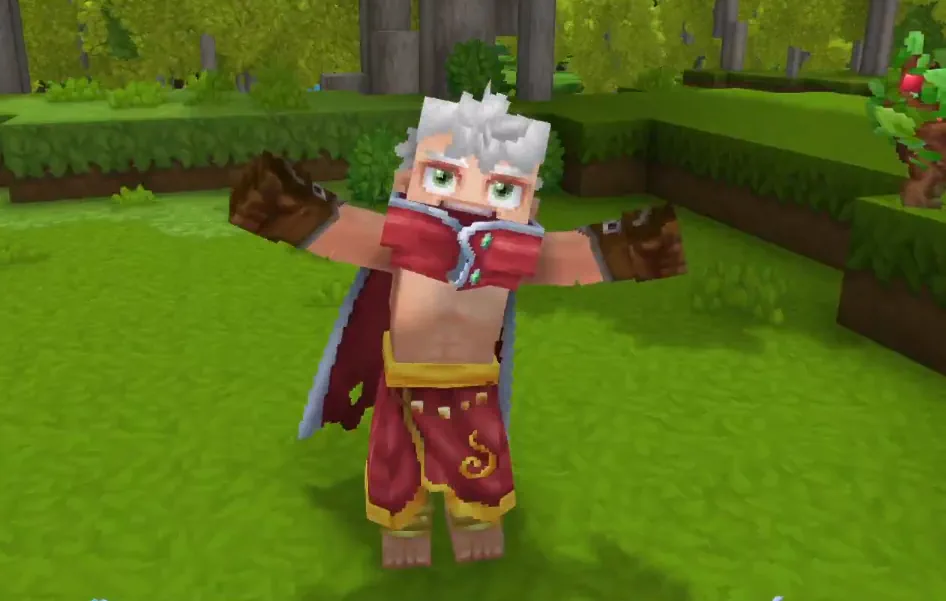
Avatar & Customization- Haircuts have received a visual pass and had their colors tuned.
- Ear accessories now line up with each ear type, shifting their positions accordingly.
- Added color options to the following cosmetics:
- Alpine Explorer’s Jumper
- Crown
- Thigh-High Stockings
- Performed visual reworks for the following cosmetics:
- Alpine Explorer’s Jumper
- Bulky Beanie
- Cowboy Hat
- Elf Hat
- Floppy Beanie
- Forehead Protector
- Frostwarden Cape
- Frostwarden Hat
- Gold Trim Shirt
- Headband
- Horned Helmet
- King’s Cape
- Leather Cap
- One Piece School Dress
- Workout Cap
- There are now five different hardcore mode settings you may select from when generating a new world:
- Off: Hardcore isn’t enabled.
- Permadeath: Each player has a single life. Death is permanent.
- Three Strikes: Each player has three lives. After strike three, you’re out.
- Nine Lives: Everyone in the world has a shared pool of nine lives. Once the ninth death occurs, the run ends for all.
- Soulbound: Everyone’s fate is interconnected. If any player dies, the run’s over.
- When worlds are being created in Three Strikes or Nine Lives mode, the number of lives initially available can be increased or decreased from the default. No, it cannot be set to zero.
- When a hardcore mode is enabled, the number of lives remaining will appear above your health.
- Added a Full Leafy Soil block. It’s like the Leafy Soil block, but fuller.
- Added a search button to the Settings menu that searches across all tabs
- Improved how transparent surfaces look, particularly when looking through multiple different transparent things at the same time like glass and water.
- Added a rotation option when a trigger volume pastes a prefab, so you can turn the pasted build by 90, 180, or 270 degrees.
- Fixed an issue which allowed some players to perform interactions through projectiles or entities they didn’t launch.
- Climbable blocks that exist very far away from the center of the world may now be climbed upon once more.
- Spectators will no longer count toward the number of players needed for some events to occur.
- The Stone Brick - Ornate block inventory icon is now more accurate.
- Mud, Hive, and Tar blocks will now correctly render when placed adjacent to one another.
- Deep Grass blocks will now render the correct color when placed adjacent to other blocks they can transition to.
- Fixed z-fighting occurring with Feran Double Doors, Redwood fences, the Farmer’s Workbench, Blacksmith’s Anvil, and the Crude Hoe, in addition, the Redwood fences got a slight upgrade so its variants look more consistent when placed all together.
- Fixed Wind Temple window frames gaps in model.
- Mithril cuirass texture that was bleeding is fixed.
- Added a full block variant for Soil Leaves.
- The Mithril Cuirass will now render with less texture bleeding.
- Farming tools should now all work correctly in cubic worlds.
- Projectiles that are stuck in blocks, or laying on the ground, will now fall to the ground if the block they’re stuck in, or laying on, is removed.
- Avatars will no longer be able to negotiate insane deals by only giving a single item to trading NPCs when the merchant had requested multiple copies.
- Flying and swimming creatures will now appear more often in places you’d expect to see them.
- Resolved a dimension error involving the Clay Raw Brick half-block texture.
- Grass, leaves, and other foliage will now look brighter.
- Shadows will no longer leak halfway through blocks and so should generally look better.
- Reduced the memory usage of some mip-enabled textures.
- News tiles will now be displayed in your system language (if available) if you use the language setting “Use System Language”.
- Fixed a crash that could occur when interacting with incomplete menus.
- Fixed a crash that could occur when trying to load a creature or object of an invalid size.
- Fixed a rare issue that could suddenly disconnect players from a server on linux.
- Fixed an issue that could prevent players from rejoining a server until the server restarted.
- Fixed a periodic freeze that could occur on busier servers when saves occurred.
- Added a Trig density node to world generation that runs a trigonometric function over a single input density, so you can build periodic and wave-shaped fields directly. The new "Type": "Trig" takes a Function of Sin, Cos, Tan, Asin, Acos, or Atan and an InputScale that multiplies the input before the function runs.
- Added Clearance and SearchRadius fields to LocationCondition assets so you can tune the initial candidate search that places world events.
- World event placement now measures candidate distance in blocks instead of chunks, with separate horizontal and vertical min and max ranges on WildernessLocation.
- MinHeightOverGround is now a preference rather than a hard minimum. A flying role in a beacon needs a YRange maximum that covers its MinHeightOverGround.
- Encounter managers can now clean up after themselves. A new CleanupOnRemove flag removes every entity the encounter spawned when the encounter is removed. It does not apply when the encounter simply unloads.
- Added a RevealMapMarkersInView interaction for items and blocks that uncovers hidden discoverable map markers inside a player's view cone.
- Added a FirstSpawnItems list in the gameplay config Spawn block that places items in the inventory for players the first time they spawn.
- Block map markers can now be discoverable. A new Discoverable flag on BlockMapMarker and BlockMapMarkerData keeps a marker off the map until a gameplay system reveals it, tracked per player and per world.
- Patterned connected block rules can now match shapes defined in a different ruleset asset, so blocks that use separate rulesets can connect to each other correctly.
- Cosmetic attachments can now control their attach order. A new Priority field on character attachments decides whether an attachment goes onto the base model before or after the others.
- Added a number of /worldmap markers commands to place and test discoverable markers in-game.
- Hardcore is now a server config choice. Defaults.HardcoreMode can be set to None, PerPlayer, or Global. Existing hardcore worlds will be migrated to the PerPlayer setting.
- Added a PlayerLives component that any game mode or plugin can read and write to. The /player lives commands sit in the WorldEditor permission group.
- The /player respawn command now lives in the Builder permission group. Reviving other players now has its own player.respawn.other node in the WorldEditor permission group.
- The wire protocol gains an UpdateLivesRemaining packet and a nullable LivesRemaining field on the player list entry, carrying each player's remaining hardcore lives.
- Removed the deprecated BlockModule.ensureBlockEntity. Block entity spawning now goes through BlockEntity.ensureBlockEntity, with BlockEntity.declaresComponent for checking whether a block type's entity template declares a component.
- Added DiscoverableMapMarkers as the entry point for revealing and hiding markers, where isRevealed, reveal, and hide are safe from any thread while collectMarkersInView reads the chunk store and must run on the world thread.
- Added DiscoverableMapMarkers.forEachMarkerInView, a visitor form of collectMarkersInView that hands over each marker's block position and ID.
- Added MaterialQuantity.toItemStacks, the array form of toItemStack, along with an ITEM_VALIDATOR_CACHE that rejects a material quantity whose ItemId is unset or points at a missing item.
- World event location lookups are now async. EventLocation#find becomes find(store) returning a CompletableFuture<Vector3iList> in place of the old find(dt, store, locations). Spawner#getHeight is replaced by Spawner#findSurface, which hunts for the nearest qualifying surface rather than only reading the outdoor heightmap.
- ISpawnable now has a requiresSpawnDropHeightCheck(SpawningContext) method with no default, so any plugin that implements ISpawnable or extends BuilderBaseWithType or BuilderMotionControllerBase has to implement it.
- Respawns can now be canceled. A new RespawnEvent fires from DeathComponent.respawn and a plugin can register an EntityEventSystem for it to observe or refuse a player's respawn. DeathComponent.respawn now returns a nullable future, where null means a listener canceled and the entity stays dead, so any caller chaining that future has to check for it.
- Added a version switcher to the sidebar (shows patchline and game version, links the same page on the other patchline).
- Added a 404 fallback with a link back to where you came from.
- Added an icon support to the nav bar.
- Fixed card titles and code blocks picking up heading styles.
- Fixed bold text rendering too light.
- Fixed wrapped headings losing their gradient.
- Fixed the footer sitting under the sidebar.
- Fixed connected block shape lookups so they fall back to the current ruleset when a neighboring block has no ruleset of its own.
- Fixed the console being unable to run commands that take chunk coordinates. (e.g. chunk load, unload, info, regenerate, forcetick, marksave, and fixheight)
- Fixed ordinary command errors from the console showing a generic message. Command errors now send their proper translated message.
Update 6 Pre-Release Part 10
Player-Facing Changes World, Prefabs & Blocks- Added prefab preview holograms
- Players can use the /prefabpreview command to spawn a ghost of any prefab into the world at their location
- Plugins can drop a ghost of any prefab into the world with the new PersistentPrefabPreview API and reveal it from the bottom up one layer at a time, handy for guided or automatic building.
- The Place Block and Replace Block Type trigger effects can now rotate blocks on all three axes. Yaw, pitch, and roll parameters are supported.
- Thrown Poop no longer deals damage.
- Fixed several fluid rendering issues on the world map.
- Solid fluids, such as lava, now appear opaque instead of blending into the terrain.
- Stacked fluids, such as water above lava, now blend correctly.
- Fluids suspended over empty space are now visible.
- Thin, single-layer fluids are now visible.
- Dedicated servers now recover on their own when the main world crashes. Before, a crash could leave the server unjoinable and kick everyone until an operator reloaded the world or restarted the process.
- Projectiles now fall when their supporting block is broken.
- Fixed emotes overriding server-controlled camera locks. Playing an emote no longer unlocks camera controls when a server has locked your view.
- Fixed pasting a prefab so it no longer loses entities that sit in a spot with no blocks below them.
- Fixed Trigger Volumes with an enter effect that would not fire unless the volume also had per-tick conditions set.
- Fixed a hole in the Forgotten Temple that could trap players.
- Fixed item descriptions that fill in values as you read them. They now show the real values instead of blank text or leftover placeholders.
- Entities will no longer phase through fences and other blocks.
- Fixed the NoesisGUI color picker sometimes forcing your chosen color to be fully opaque when transparency was switched off.
- Fixed sound effects stacking up and spamming when an entity restarted an attack animation, such as while winding up a charge attack.
- Fixed a rendering issue that lowered the precision of some shader effects, so edges and surface detail that rely on it now draw more accurately.
- Fixed servers and singleplayer worlds unloading and reloading chunks too aggressively when memory was actually plentiful.
- Fixed a crash in the objectives panel that could happen when a tracked objective had no title or task description.
- Fixed a crash that could occur when an item or block interaction pointed at something that was missing.
- Fixed a rare server crash that could stop a whole world and disconnect everyone when an entity was removed at the wrong moment.
- Fixed a server crash that could kick everyone off a world at once while certain block containers were rebuilding.
- Fixed a client crash that could happen during an interaction when its steps finished out of order.
- Fixed a rare client crash that could occur near certain entities or when a player’s name produced a specific internal value.
- Fixed saved worlds that could fail to load part of the world after a content pack or mod was removed. The area loads again, and an affected container simply drops nothing until its loot is restored.
- Fixed a crash that could take down a whole world when a player picked up certain items that run an effect on pickup.
- Fixed a rare client crash in scenes packed with a large number of particle effects.
- Place Block and Replace Block Type trigger effects now accept optional block states, letting trigger volumes place, match, and replace specific block state variants.
- Added a new Patterned connected block ruleset type. It handles multi-axis rotation and has client prediction, giving more control over how connected blocks pick their shape.
- Added strikethrough support for localized text in both the new and legacy UI frameworks using \<s\>\</s\> tags.
- Added a /prefabpreview command, gated behind the world-editor permission group, that spawns and drives the prefab preview holograms in-game with prefab name tab-completion.
- Servers can now set a crash recovery policy for when a world thread crashes.
- Add a CrashRecovery block to either the server config or a world's own config. Mode picks None, Reload, or Shutdown. Reload takes MaxAttempts, RetryDelaySeconds, and a Fallback for when the attempts run out.
- Added two /fragment sub-commands for portal fragment worlds.
- /fragment toggleui hides or shows the fragment UI and its timer.
- /fragment toggletimer pauses or resumes that timer.
- Game modes can now block emotes entirely with a new optional PreventEmotes boolean, inherited from the parent game mode.
- Spectators can no longer dab on others.
- Custom UI can now show 2D player portraits. A new PlayerPortrait element renders a player's head-and-shoulders or full-body avatar from their UUID.
- Plugins can now harvest a farming block by position with no player or NPC involved. A new FarmingUtil.harvest overload resolves the block from the position and takes a nullable instigator ref, dropping the crop into the world when there is no entity to pick it up.
- Added universe-scoped persistent resources for plugins, the save-wide version of per-world ECS resources. Register one with a codec during setup through UniverseResources.register, then read and flush it with Universe.registerResource, getResource, and flushResource.
- Unloading a plugin now also unloads any plugins that depend on it.
- Removing or renaming an ItemDropList no longer corrupts saved worlds that reference it. When decoding persisted world data, a missing asset reference now warns instead of failing the whole chunk, controlled by a new lenient mode on AssetKeyValidator.
- Plugins that call minimizeStatValue, maximizeStatValue, or resetStatValue no longer send a client update when the value does not change.
- Fixed a vulnerability where a privileged user could send a malicious asset key that could be used to write files outside its intended pack directory and overwrite server files.
Update 6 Pre-Release Part 9
Headline Features Want to take on a new challenge? Hardcore Mode is here!- Hardcore Mode can only be activated when creating a new world. Once a world has been created, this setting cannot be adjusted.
- Avatars won’t respawn in Hardcore Mode, but will instead drop all of their worldly possessions and be switched into Spectator Mode.
- Spectators won’t be visible to others that aren’t spectating themselves, nor will they be able to interact with the world they’re in. Server ops can also toggle to and from Spectator Mode with the new /spectate command.
- We have updated our documentation site with a new theme and new domains. You can now find our documentation at https://pre-release.docs.hytale.com and https://docs.hytale.com
- Stamina will now begin refilling half a second faster after guarding with a weapon or shield.
- The first two attacks in the Dagger combo now deal slightly more damage.
- Added a search box to the top of the controls page within the settings menu to quickly find keybinds.
- Added smooth color blending across biome borders, so terrain and foliage tints now fade gradually between biomes instead of switching abruptly.
- Dirt blocks may now be crafted into two half-slab blocks at the Builder’s Workbench.
- Charged sword thrusts and other stab attacks will now be more consistent at hitting targets at max range.
- Attacking with a Mace will no longer instantly restart Stamina regeneration.
- Switching from a weapon or shield while guarding will no longer instantly restart Stamina regeneration.
- Switching from a drawn Shortbow will no longer incorrectly delay Stamina regeneration.
- Sliding will no longer cost Stamina.
- Arrows may no longer be used to ineffectively guard against incoming attacks.
- The Greenwood Fence will now be held at a more comfortable angle.
- Roof blocks placed at chunk-section boundaries now connect and shape correctly.
- The /stack command will now correctly duplicate the entire selection instead of a single block.
- Prefab anchors will now be scaled back down to their intended size.
- Blocks that affect neighboring blocks will now behave as normal while editing a prefab or instance.
- Creative undo restores brush strokes and other edits in the order they were made.
- Trigger Volume teleports will now correctly read and set the player body rotation rather than the player head rotation. Teleport effects will no longer rotate entities if no rotation is set.
- Trigger Volumes that are generated into the world will no longer have duplicated names. They will now include a numbered suffix to remain unique.
- Fully upgraded workbenches will no longer ignore their crafting speed bonus.
- Gold Bricks are now instant to craft instead of taking around 10 seconds.
- Enemies will no longer become aggressive towards encounter managers.
- Walking NPCs will no longer visually stutter when descending from blocks.
- Connection error screens will now display a helpful error message instead of only an error code. This will occur when a server can’t be found, refuses you, crashes, the connection drops, or the connection cannot be secured.
- Astronomers have reported that the stars at night “had begun to break”. This cosmic anomaly has been fixed.
- Pausing the game will no longer cause some entities to appear in the wrong place. This also fixes some related culling issues.
- Pausing the game will also no longer cause moving entities to stutter.
- Particles on the main menu will now be rotated correctly.
- Transparent surfaces will now render correctly when you have a lot of them overlapping.
- Downloaded assets will no longer be fetched again each launch and are kept between sessions. The on-disk cache also no longer grows without bound.
- Added missing punctuation across a number of Creative Tools menus.
- Added missing punctuation to the above patchnote.
- Fixed an issue that could disconnect players that were moving when teleported between worlds.
- Fixed an issue that could disconnect players if they teleported many times in a single session.
- Fixed an issue with NaN values in player and entity rotations that would prevent players from joining.
- Fixed a crash that could occur when trying to trade with an NPC just as it changed its stock.
- Entities now need either a Health stat or a RespondToHit component to be attackable or picked as an attack target, so decorative and non-combat entities stop soaking up hits. Mounts were given RespondToHit so they still register attacks.
- Attack selectors gained new aiming controls. The donut selector now takes a YawOffset, and the stab and horizontal selectors can aim independently of where the entity is looking.
- Selectors also gained an Anchor setting that starts them from the entity's eyes or feet and adapts to its size, instead of hand-tuning the offset for each entity.
- Movement configs can now tune how steep of ground players can handle. New MaxSlopeAngleDegrees and MaxWallAngleDegrees fields in MovementConfig set the steepest slope that still counts as safe to stand on and the steepest wall that can be stepped up.
- Interactions now can specify what happens when you swap items during them. The old CancelOnItemChange flag is gone, replaced by an OnItemChangeBehavior field that takes Ignore, Fail, Finish, or Cancel.
- Items can now be turned into playable music tracks. A new Music block on an item asset (MusicContainer required, AudioCategoryOverride optional) marks the item as something a music player block will play.
- Interactions can now describe themselves on the HUD. A new CarryInteractionHint localization key on RootInteraction makes the input-bindings legend label whichever input the interaction is bound to, and an item can refine the wording for an interaction it binds through Item.CarryInteractionHints.
- Item containers now correctly return failure when trying to move items to full containers.
- Blocks can now act as music players. A MusicPlayerBlock block-entity component set alongside an ItemContainerBlock makes a block play an inserted music item from its own position. The track uses the block's authored attenuation, occlusion, and reverb, with all timing and spatialization driven from asset JSON.
- Trigger volume item checks can now look at and consume what a player is carrying, such as a held block, through a new CARRIED option on ItemCondition.
- Added Min and Max entity stat operations for change-stat interactions, so a stat can be clamped to a floor or a ceiling.
- MovementConfig.Fly is now a three-state fly capability (no fly, free fly, or a forced fly that keeps the player airborne with the in-game fly toggle disabled) in place of the old on/off boolean, which changes its wire format. It applies wherever the config applies, falling back to the game mode when unset.
- Sound event layers can now fade in on their own through a new FadeIn field, so a single layer can rise gently beneath the others instead of every layer sharing one fade time.
- The asset editor now has a dedicated picker for choosing Common assets like models and icons. It filters each field to the file types and folders that fit, shows relative paths with a full-path tooltip, and keeps the stored path relative to the asset.
- Added a first-party spectator mode as an opt-in server feature. A new /spectate command (toggle, watch, target, free, exit, plus an admin set that can force a state) is gated behind its own permissions, and spectators are hidden from other players, ignored by NPCs, skipped for item pickup and spawn beacons, force-dismounted, and no longer hold dungeon instances open.
- Spectator mode is built on a data-driven GameModeType layer. A custom GameModeType asset can declare per-player state that applies on enter and reverses on exit (MovementConfigId, Flying, NoClip, Invulnerable, Intangible, PreventInteractions, PreventItemDrops, TriggerBlocks, VoiceChannel, HudComponents, LockedCameraView, EntityEffectId, and Spectator), and the entered type is saved on the player so it restores on relog.
- A DeathConfig.GameModeTypeOnDeath field sends dying players into a chosen gamemode type in place, keeping the respawn screen only as a fallback, which is how death-into-spectator is wired up.
- HytaleServerConfig.Defaults gains a GameModeTypeOnDeath fallback for worlds whose own death config leaves the field unset, so a save can make death send players into a type without every instance and portal world under it needing its own death config.
- GameModeType assets gain a DeathScreenMessage localization key. Set it and dying into that type opens a dismissable death screen showing the note with a Spectate button, instead of entering the type silently.
- GameModeType assets gain a PreventInventoryAccess flag that stops the player opening or changing their inventory while the type is active.
- Removed the unused Name and Description fields from ResourceType assets, since resource names have been read from server.resourceType.{id} localization keys for years.
- Spectator mode adds several new protocol fields a game mode can read. These include a Spectating boolean on each server player-list entry (surfaced as a grey status dot for players in your own world), a PreventInteractions component update, and a FollowAttachedEntity camera flag for follow cameras.
- Deprecated BlockUtil and moved its RADIUS_ADJUST constant into the new BlockShapeUtil, which the block shape helpers now read from.
- Added an IgnoreTriggerVolumes component so specific entities can be skipped by trigger volumes, keeping them out of all events such as enter, exit, and entity-count checks.
- Spectator mode ships several reusable primitives. These include a Spectating runtime marker, cancellable GameModeTypeEnterEvent and GameModeTypeExitEvent, a generic PreventInteractions component and per-player named voice channels through VoiceChannels.
- PendingTeleport is now a presence-only marker. Its queue, validation methods, and MAX_OFFSET constant are gone. Teleport ack bookkeeping is reachable through PlayerRef.getTeleportAckTracker(), and teleport completion now runs through TeleportSystems.completeTeleport.
- PacketHandler.writePacket now returns whether the packet was actually sent or was swallowed by a packet filter.
- Hytale.Protocol, its generated serializers, and the interop libraries can now be build straight from the public shared-source repo with a stock .NET 10 SDK, with the prebuilt zstd and quiche natives already in place.
- Fixed RotateAnchoredEntities for entities anchored to a body that rotates on more than one axis. The turn now follows the full orientation rather than yaw alone, so riders and platforms track correctly through pitch and roll.
- Knockback and explosion configs no longer produce a NaN velocity when the source and target share the same position. The degenerate case now falls back to a defined direction, knocking the target straight up for explosions.
- Fixed a TargetedDamage entry that omits DamageEffects throwing when its packet was built, so damage interactions without effects no longer crash.
- Fixed a crash when an entity wearing armor with knockback enhancements dealt damage from a DamageCause the armor had no modifier for. The missing entry is now skipped instead of throwing.
- Fixed random-tick block placement so it works in cubic worlds. PlaceBlockProcedure now writes through chunk sections instead of assuming a fixed world height.
- Fixed fluid-placement interactions never honoring their UseLatestTarget setting. PlaceFluidInteraction now chains to SimpleBlockInteraction's codec, so the flag decodes and takes effect.
- Added Mix TintProvider that allows smooth tint transitions within a single biome.
- Added support for DistanceToBiomeEdge to TintProviders.
- The asset editor now refuses to rename a file into a different asset pack, an unsupported move that could leave an asset's pack no longer matching where it physically lives.
- Fixed the model asset editor labeling the Particles section "Physics". It now titles the section after its own key like every sibling entry does.
- Removed the Foog Cheese.
- Fixed /warp list letting a player warp to a destination without the warp.go permission, closing a way around the normal permission check.
- /give armor now needs the new hytale.command.give.armor.other permission to target another player with --player. Using it on yourself is unchanged, and no built-in role is granted the permission by default.
- The learn-other and forget-other recipe commands now require the new recipe.learn.other and recipe.forget.other permissions before they can change another player's recipes, and neither is granted to a built-in role by default.
- Fixed whitelist enable and disable changes not saving straight away. The new state is now written before the call returns and rolls back to the previous value if the save fails, with state and membership writes serialized under the same lock.
- Listing another player's recipes now needs its own command permission, recipe.list.other, which is not granted to any built-in role by default. Players can still list their own recipes as before.
- The BlockType copy constructor now also copies beds, randomTickProcedure and explosionConfig, which were previously dropped when cloning a populated block type.
Update 6 Pre-Release Part 8
Headline Features Create new traps, obstacles, and parkour challenges using entities with hard collision!- Players can now stand on, and be smoothly pushed by entities with hard collision.
- Modders creating entities, such as moving walls or platforms, can use this new behavior to ferry around friends or trap trespassers!
- For more complex obstacles, the Entity Tool may now be used to give entities rotated collision boxes that players can collide with.
- At this stage, these changes will only affect collisions with players. Other entities will have to wait to experience these changes.
- Added a new unlockable cosmetic: the Bastion Cape! This new cape can only be wielded by security-conscious Avatars that have enabled two-factor authentication for their Hytale account.
- Added a new 'Time' Effect. This can be used to set, pause, resume, or smoothly change the time of day over a duration. The effects may be applied to either everyone or just the player that caused the trigger.
- Added a 'No Use' Always Active Effect. This can be used to block the usage of blocks or entities within the volume.
- Added a 'Not Equal' comparison option for Tag Conditions, Item Conditions and Player Count Conditions.
- Added the 'At Least', 'At Most', 'More Than', and 'Less Than' comparison options for Tag Conditions.
- Multiple Trigger Volumes may now share the same display name. When this occurs, duplicated names are automatically numbered to distinguish them.
- Trigger Volumes now keep their effects lined up correctly when you paste or generate a rotated prefab. Spawn points and other volume effects will now rotate along with the prefab.
- Using Creative Tools to place blocks with 'Draw' or 'Extrude' placement modes wilyers seeing those blocks as you place them, rather than them all appearing at onceat the end.
- The 'Eraser' and 'Fast Place' placement settings may feel slightly faster or slower than before, following a rework of how block placement speed is controlled.
- The Palette Editor, Color, and Point building tools now have updated icons.
- Applied a completely new transparency algorithm to improve how overlapping transparent surfaces blend together. This change currently only impacts Windows and Linux users.
- Launching players, items, or NPCs upwards faster than terminal velocity will no longer cause them to become completely unaffected by gravity.
- Exiting a slide and going straight back into a sprint will no longer consume an incorrect amount of Stamina.
- Fractional resistance values on equipment are no longer incorrectly rounded down during damage calculations.
- Grass will no longer turn to dirt when it's positioned beneath non-solid blocks or transparent blocks.
- Tilled Soil will now revert back to Dirt once a crop has been harvested from it.
- Dozens of flower varieties have been taking advantage of the sunny days and have now grown to their intended size.
- Floating water plants will no longer sink beneath the surface.
- Removed block sets will now disappear as soon as they are deleted, rather than lingering on screen until you reconnect.
- Fixed an issue where blocks could be placed far out of reach via unintended means.
- Warp names generated with the Teleporter will no longer unexpectedly change when settings are opened.
- Fixed a misspelling in the 'Continuous' placement option on the Line Brush Tool. Any saved tool using the old spelling will need 'Continuous' re-selected.
- Prefab build previews should now be displayed correctly regardless of game mode.
- Fixed an issue where prefab configs could fail to save, and improved the message shown when a save does fail.
- The bulk block replace command will now replace rotatable blocks with non-rotatable ones instead of skipping them.
- Using the 'redo' function after undoing an object being moved will now correctly put the object back where it was moved to.
- The Paste Tool will now paste at every height level in cubic-chunk worlds. This is a primitive first implementation where certain blocks may not paste correctly.
- Fixed a flickering effect that could occur when multiple entities were placed on the same spot with the Entity Tool's grid snapping.
- Selecting the 'Craft All' button in Creative Mode will now craft as many items as your inventory can hold.
- Portal key icons will now render correctly.
- The Creative Inventory tabs and Quick Settings tabs will now display arrow navigation buttons if there are more tabs than would fit.
- Fixed a crash that could occur when the inventory held more items than the item wheel has slots.
- The reset icon in the builder tools quick settings will no longer be stretched.
- Fixed the styling of the Entity Tool's dropdown settings.
- Fixed an issue where shadows from entities with block models were rendering at half their intended size.
- Clouds will no longer look corrupted while they transition on macOS.
- Shaders are now set up in a way that more drivers accept to prevent occurrences where they could fail to compile on some graphics drivers.
- Improved network reliability when a server streams large amounts of data, so those transfers are far less likely to stall under heavy load.
- Fixed poor performance caused by fluid updates in cubic worlds.
- Fixed commands, game modes, and platform names being misread on servers running in certain languages such as Turkish, where letter casing works differently.
- Fixed a crash that could happen during normal movement, including while standing still, on worlds whose view-bobbing settings did not cover every movement type.
- Fixed a number of crashes that could occur just as you load into a world.
- Fixed a crash that could occur with footstep sounds if no footstep timings were set.
- Fixed a number of crashes that could happen when joining heavily modded servers that report unexpected weather, environment, fluid, or ambient sound values.
- Fixed a crash that could occur when using Teleporters.
- Fixed a crash that could occur if you were disconnected from a server while still connecting to it.
- Fixed a crash that could occur when loading worlds saved in an older format.
- Fixed an issue that could stop some players from spawning in worlds that were configured to let you select from several spawn points.
- Fixed an issue where world data could be lost if the server was shut down while it was still saving chunks.
- Improved memory management of the indexed storage backend.
- Fixed a number of other miscellaneous crashes.
- Entities can now send beacon messages as part of an interaction chain. Add a SendBeacon interaction with a Message and Range to broadcast to nearby NPCs and encounter managers.
- You can now toggle invulnerability from behavior. Use the SetInvulnerable action on an NPC to switch its own state, or SetTargetNPCInvulnerable from an encounter to switch it on the boss or other target NPCs.
- You can now filter whether an entity is using an interaction with the ExecutingInteraction entity filter, for example to block an encounter phase change while a boss is still mid-attack.
- You can now scale particles spawned by NPC behaviour. Set Scale (a multiplier, default 1) on an ActionSpawnParticles action.
- You can now give an entity a rotated hard-collision box. Set the new RotatedCollision HitboxCollisionConfig on it and players will collide with its actual rotated box (player collision onlyfor now).
- You can now scale movement speed from an entity effect. Set SpeedMultiplier on MovementEffects (default 1).
- Projectiles can now fire at a random size drawn from the minimum and maximum scale on their model asset. Set UseModelScale: true in a ProjectileConfig (it defaults to false, so existingprojectiles keep their current size). Only the newer Projectile interaction type supports this, not the legacy LaunchProjectile.
- Added a SignalNearbyVolumes interaction that sends a SignalReceived event to trigger volumes within a radius, optionally filtered by tag. Bind it to a tool or interaction to drivesignal-listening volumes.
- Reworked block placement onto the interaction system. The quick place flags (QuickReplace, QuickRetype, NoPhysics) now come from assets and only apply when the server game mode is Creative, and the old AllowDragPlacement key was removed from placement interactions.
- You can tune building throughput per placement mode by setting MaxBlocksPerTick and MaxBlocksPerGesture on the placement interaction assets.
- You can now stop a Trigger Volume's effects rotating when its prefab is pasted or world-gen placed with a yaw turn. Set RotateEffectsOnPaste: false on the volume or group (it defaults totrue, so effect positions, rotations, and velocities turn with the prefab).
- You can now make a block play music from its position in the world. The track fades with distance, pans, and muffles through walls, picking up your environmental reverb. Add the musicemitter block component referencing a MusicContainer.
- Server-side no-clip landed for prototyping spectator-style modes. It now runs through the server with a new RequestNoClip packet and is gated behind a server permission, and players still need both no-clip and fly turned on so they do not fall through the ground.
- Added a /floodfill \<radius\> \<blocks\> world editor command that fills the connected open space around you outward with a block or weighted pattern, bounded by a spherical radius. It never overwrites existing geometry and /undo reverts it.
- Added a /locate dungeon \<name\> command that finds the nearest dungeon by name.
- Plugins and custom servers must be rebuilt against the new protocol to connect, because the protocol CRC changed. The view-bobbing and camera-shake types (ViewBobbing, CameraShakeConfig, OffsetNoise, RotationNoise, NoiseConfig) now require non-null values. Existing view-bobbing and camera-shake JSON keeps working.
- Removed the IsUsable block flag. Whether a block shows a Use or carry hint is now derived from its actual interactions and harvest data, so drop IsUsable from your block configs.
- Untrusted JSON is now parsed with a nesting cap so deeply nested input can no longer overflow the stack. Use BsonUtil.parseWithMaxDepth (default 256 levels) in place of BsonDocument.parse when you handle client-supplied data.
- Removed the ClientPlaceBlock packet. Block placement, the eraser, and place-mode selection all flow through PlaceBlockInteraction and its new subtypes now, so rebuild plugins against the new protocol.
- Custom UI can now page a TabNavigation when its tabs overflow. Set OverflowPaging: true and wire the chevron buttons with TabNavigation.AttachOverflowControls, and hide or show tabs through TabButton.Shown rather than Visible while paging is active.
- Plugins can now register their own trigger volume event types. TriggerEventType is now registry-backed, so call TriggerVolumesPlugin.registerEventType(...) and fire them through the existing enqueue\* methods. Serialization is unchanged, so existing volume and asset JSON loads as before.
- Fixed wall patterns reading one voxel outside their declared bounds, so wall-attached decorations like vines now test against real block data near the edge of a generation window.
- Fixed a potential server crash when picking up an item that defines a pickup interaction. No shipped item uses this path today, so it affects only custom items or plugins that add one.
- Projectile hits now report their impact position to interactions much more reliably, so interactions that fire when a projectile strikes a block behave more consistently.
- Fractional flat armor resistances now apply as configured instead of truncating to a whole number. ArmorResistanceModifiers's flatModifier accumulates in float, so a value like 0.5 is nolonger rounded to 0, and broken-item resistance penalties keep their fractions too.
- A block's MovementSettings can no longer be null. A block asset that sets it to null now fails to load instead of risking a server crash.
- You no longer need to define a view-bobbing profile for every movement type. Any type you leave out (such as Idle) now falls back to no bobbing instead of crashing the client.
- Model footstep intervals can no longer be null. Use an empty array to mean "no footsteps", since an explicit null now fails asset load.
- Malformed tag patterns in assets can no longer crash the client. A broken TagPattern tree now soft-fails to a never-match pattern and logs a warning, so bad asset edits fail safe.
- Fixed the key paths shown in asset decode and validation errors, which could point at the wrong field, leave stale keys in unknown-key reports, and occasionally crash mid-decode when the key stack was full. Error reports now name the correct key.
- An asset pack whose files go missing on disk is no longer automatically unregistered, and its missing-pack warning now logs once instead of repeating. The pack is picked up again once its files return.
- Fixed the /instances edit load, copy, and new commands being blocked on packaged servers even when the target instance lived in a writable pack. Each command now checks the pack it actually writes to.
- Fixed the Load action in the instance list staying hidden on packaged servers. It now shows whenever any loaded pack is editable, and refuses to load an instance stored in an immutable pack.
- Changing another player's model now requires a unique permission. The /model other, /model set other, and /model reset other subcommands need the model.other, model.set.other, and model.reset.other permission nodes respectively.
- Fixed autocomplete for the /locate prefab command so it now matches prefabs with the typed text anywhere in the name, even in worlds with more prefabs than the suggestion list can hold.
- Fixed ObjectiveTaskAsset's all-args constructor never assigning mapMarkers, so task assets built in code rather than decoded from JSON now keep their map markers. No action needed beyond a recompile.
- Fixed a crash in the reputation lookup when an NPC belongs to no reputation group. It now reports no group instead of throwing. This affects only plugins that call the public reputation API directly.
Update 6 Pre-Release Part 7
Headline Features Take aim with Gyro Controls!- Hytale now has gyroscope support for controllers! Those with a gyroscope-capable controller, such as a DualSense or Switch Pro, can now enable motion controls in the Controller settings to aim the camera by tilting the controller.
- Improved how the movement of other players and NPCs is interpolated. Movement will now be smoother across a wider range of frame rates, and the game automatically adjusts for unstable connections to reduce stuttering.
- The view distance setting will now display if the server has a maximum view distance configured.
- Opening the prefab browser will now display the last folder you navigated to and the search query you previously had active. Clicking ‘Assets’ will reset both.
- Improved the order in which nearby chunks are prioritized for loading so the area around the player fills in sooner.
- Improved frame pacing to reduce stutter during gameplay, resulting in smoother motion especially at capped frame rates.
- Opening a world to connections will now be more reliable when using Wi-Fi, or on computers with VPN software installed.
- Upon opening a world up for friends to join, if automatic port forwarding is unavailable, a message will appear stating that players outside of your local network may be unable to connect.
- Fixed an issue where area of effect block interactions were unintentionally offset by one block.
- Fixed an issue where physics objects were pitching downward and bouncing erratically.
- Fixed an issue where physics objects would remain active indefinitely rather than settling to rest.
- Fixed an issue where damage hit particles would not appear for all players near combat.
- Fixed an issue for attacks using an offset with the DonutSelector to consider the direction the player is facing.
- Fixed an issue where dashing with a weapon before mantling would carry the speed boost through the mantle.
- Fixed an issue where the server list would scroll past more than one row at a time on the Server Discovery page with a controller.
- Fixed numerous issues that prevented the filter, search, and detail panels from being fully navigable with a controller.
- Fixed an issue where the Social Sidebar would not open on the Main Menu or while paused when using a controller.
- Fixed an issue with the sleeping feature where players would be stuck with the “Zzz” screen.
- Fixed an issue where Teleporter cooldowns could be reset too quickly, resulting in them immediately sending players back.
- Fixed an issue where Teleporters could appear inactive if the warp name contained capital letters.
- Fixed an issue where branch and pipe corner blocks were not flipping correctly.
- Fixed a loophole that allowed players to bypass block placement restrictions.
- Fixed an issue where crops would lose their custom growth stage upon saving and reloading the world.
- Fixed an issue where the night would still be skipped even if a player was awoken from their slumber.
- Fixed breaking and placing blocks in cubic worlds outside the old range.
- Fixed fluids not functioning in cubic worlds outside the old range.
- Fixed an issue where doors, stairs, roofs and other connected blocks would not function properly in cubic worlds.
- Fixed an issue with missing terrain sections that could appear on servers that were configured to skip saving newly generated chunks.
- Fixed an issue with Calcite Brick and Calcite Cobble Wall blocks playing the wrong sounds.
- Fixed an issue where players who weren’t looking at any particular block while in Creative mode would be shown a block outline at the origin of the world.
- Fixed a world generation issue where certain prop placements could fail and leave gaps in the environment.
- Fixed an issue where the Selection Tool’s ‘Move’ and ‘Stack’ modes would only function when the game was set to English.
- Fixed an issue with Storm Thistle crops dropping the wrong items when harvested.
- Fixed an issue where tools that could break multiple blocks at once would display the wrong area being targeted if you were aiming at blocks overhead.
- Fixed a loophole where animation canceling a crossbow attack could preserve or duplicate ammo.
- Fixed an issue where deployable items that were configured to only work on the ground would reject this and happily cling to the ceiling instead.
- Fixed an issue with NPC ranged attacks drifting to one side if their target was too close.
- Fixed an issue with flocking NPCs standing still instead of steering towards their group.
- Fixed an issue with NPC charge attacks not reporting all block hits.
- Fixed an issue where NPCs performing charge attacks could climb on blocks to be considered empty.
- Fixed an issue where NPCs could stop detecting nearby players and obstacles.
- Fixed an issue where all Zombie variants would fail to generate memories.
- Fixed an issue where if an invulnerable entity had a particular stat change blocked, none of its other stats could be modified at the same time.
- Fixed an issue where the fog distance would snap inwards briefly after placing a block in an empty area of the world.
- Fixed an issue where colors in lighting and shadows were less accurate than intended.
- Fixed an issue where scrolling black lines could appear in fluids.
- Fixed an issue where blocks, fluids, and models could have discolored edges or texture bleeding.
- Added mitigations for an issue where item icons would render as black textures if many mods were loaded.
- Fixed an issue that could cause incorrect lighting on some hardware configurations.
- Fixed a memory leak in the map.
- Fixed an issue where share codes would fail on certain routers, such as BT Smart Hubs.
- Fixed an issue where direction dropdown labels for some Creative Tools would be cut off.
- Fixed a crash that could occur with NPCs that use beacon messaging.
- Fixed a crash that could occur with the /block row command.
- Fixed a crash that could occur when armor applied an interaction referencing a stat with no modifier configured.
- Fixed a crash that could occur when selecting a slot in a crafting window that is out of range.
- Fixed a softlock that could occur when teleporting between worlds.
- Fixed a server crash that could occur when a block-mounted entity was duplicated.
- Fixed a server crash that could occur when an objective’s assets reloaded while a player was on the final task.
- Fixed a server freeze that could occur when loading an entity that contained an unrecognized interaction type.
- Fixed a crash that could occur when unloading world sections.
- Fixed a crash that could occur when the server tried to process a teleport request while none were waiting to be handled.
- Fixed a number of crashes that could occur when joining servers with incomplete combat text, ambient sounds, sound events, interactions, deployable configurations, or item animation configurations.
- Improved the error message when launching Hytale with a GPU or driver that does not meet Hytale’s minimum graphics requirements.
- Variants can now forward modifiers directly into a macro element's own exposed parameters. Mark the template slot with "AcceptsForward": true, then add a "_ForwardedModifiers" block in the variant keyed by slot name to set that macro's parameters without threading them through the template.
- Added a RemovedBlockSet field to BodyMotionCharge. List blocks destroyed during the charge here so they are correctly excluded from breathing checks after removal.
- Encounter managers can now signal world event completion. Add a SignalWorldEvent action to an NPC's action list and pair it with a SignalCondition on the world event to trigger completion when the action fires, for example on a boss defeat.
- Added an AdjustPortalTimer NPC action for encounter managers. Set "Type": "AdjustPortalTimer" with a positive or negative "Seconds" value to add or subtract time from the active portal timer at runtime.
- Added an ActionSetHealthRegen NPC action that enables or disables health regeneration on an entity at runtime. NPCs now automatically include the new HealthRegenState component to support regeneration control through role behaviour logic.
- Added ExtraJumpSoundEvent to Armor.MovementSettings. Set it to the id of a mono, oneshot (non-looping) sound event to play a sound on each extra jump. It pairs with the existing ExtraJumpParticleSystem field.
- Added zoom support to the interaction system which allows for magnification/aim mode behavior on any item. Add a Zoom block under any step's Effects to zoom while that step is active, set PersistZoom: true to keep it applied for the rest of the chain, so chained steps can ramp or swap zoom mid-interaction. All fields are optional with sensible defaults.
- Added example test items of developer quality that demonstrate the behaviour of the zoom support in the interaction system:
- Weapon_Test_Sniper_Rifle - single fixed zoom with a scope overlay, forces first-person.
- Weapon_Test_Zoom_Rifle - three-level variable zoom that ramps and swaps the reticle per level.
- Weapon_Shortbow_Test_Zoom - charge-draw zoom held across the shot.
- Added the ability to hide the local player's held item in first-person during an interaction step. Set HideFirstPersonHeldItem: true in the step's InteractionEffects (other players still see the item).
- Prefabs stored in an asset pack can now be referenced in PrefabListAsset configs.
- Encounter manager entities can now be stored in prefabs.
- Added World Events system, a data-driven system for scripted, multi-stage events that occur dynamically within the world.
- Added a PlaceBlock random-tick procedure: set "Type": "PlaceBlock" in a block's RandomTickProcedure with a required Offset and a Placements list, where each rule can target a block State and place a single Block or a weighted Blocks list. Placement skips silently when the target is occupied or out of world bounds, and invalid configs fail at asset validation time. (See the Test_PlaceBlockProcedure developer quality block/item as a functional example).
- Added /worldevent start|cancel|list commands for managing active world events by asset type or event ID.
- Removed ItemStack.fromPacket(ItemQuantity). Replace any calls with getItemStackFromQuantity() in your packet handler, which rejects unknown items, enforces a positive quantity floor, and caps to the item's max stack size.
- Added BlockOperations.setBlock as a future replacement for WorldChunk.setBlock, with correct handling of bounds checking, neighbor notifications, and block-entity creation. Recompile your plugin to use it; existing WorldChunk.setBlock calls remain available but may not work correctly in cubic worlds.
- Added PointEntry.getTransform(), which returns a Transform with the entry's position and rotation already converted to radians.
- Changed RemoveMapMarker.MarkerId from optional to required. Null is no longer a valid value. Recompile any plugin that creates or handles this packet.
- Made several protocol interaction and sound fields required (previously nullable). DamageEntityInteraction.TargetedDamage, ChainingInteraction.ChainingNext, SerialInteraction.SerialInteractions, MemoriesConditionInteraction.MemoriesNext, SpawnDeployableFromRaycastInteraction.DeployableConfig, ApplyForceInteraction.Forces, RootInteraction.Interactions, SoundEventLayer.RandomSettings, and SoundEventLayer.Files must always be populated. Plugins that leave any of these null will now fail codec validation.
- Fixed PrefabProp aborting world generation when a weighted path contained no prefab files. It now skips placement silently instead of failing, so a misconfigured pool no longer breaks surrounding generation.
- Fixed DonutSelector not rotating its Offset by the entity's yaw. The offset is now applied relative to the entity's facing direction on both server and client, matching the intended authoring behavior.
- Fixed custom connected block patterns with non-zero roll computing wrong filler block offsets. The roll component now rotates on the correct axis. Existing configurations with roll will produce correct results without any changes needed.
- Several protocol fields that previously accepted null are now required: CombatText color and animation fields, Interaction.Rules, AmbienceFX frequency, radius, and condition ranges, and ItemPlayerAnimations.Animations. Asset files with explicit null for these fields will be rejected at load time.
- Fixed the /tp world command crashing with a null pointer instead of reporting "spawn not set" when the target world's generator had not yet finished loading.
- Fixed chunk sections 0-9 not being written to disk when SaveNewChunks: false was set in the world config. On the first save, sections were silently dropped and regenerated empty on reload. No config changes are needed.
- Fixed AOECircleSelector centering its selected block region one block off along X. Selections now land on the correct target center. No action is needed unless your plugin compensated for the old offset.
Update 6 Pre-Release Part 6
Trigger Volume Tool- Added a new ‘On Volume Create’ trigger that will trigger effects when a new volume is created within the existing volume.
- Added a new ‘Always active’ option that can be used to persistently apply various effects within the volume:
- ‘Creative Placement’ allows players within the volume to place blocks they have on them as if they were in Creative Mode.
- ‘Damage Multiplier’ can be used to make all, or particular entities within take increased or decreased damage.
- ‘Fly’ allows players within the volume to fly as if they were in Creative Mode.
- ‘No Build’ prevents the placement of blocks within the volume. Exceptions can be configured.
- ‘No Destroy’ prevents the destruction of blocks within the volume. Exceptions can be configured, including allowing particular tools to still break blocks.
- ‘No Door Open’ prevents doors from being opened within the volume.
- ‘No Harvest’ prevents you from harvesting crops within the volume. Exceptions can be configured.
- ‘No Heal’ means Health can only decrease within the volume.
- ‘No Block Tick’ causes time to freeze for blocks within the volume, preventing things such as crop or tree growth.
- Added a new ‘Modify Always Active Rules’ effect, which can be used to toggle the persistent effects above.
- Added a new ‘Cancel VFX’ effect that will cause particles of a chosen type to expire within the volume.
- Added a new ‘Remove / Kill Entities’ effect that can be used to remove unwanted entities of a particular type within the volume.
- The ‘Send Signal’ effect will now include additional information so that other trigger volumes will be able to read exactly what caused the sending of the signal and react accordingly (i.e. signal position, signal tags).
- The ‘On Block Broken’ trigger will now respond to blocks broken by environmental effects such as fire.
- The ‘Teleport’ effect can now be used to teleport players to an entirely different world.
- Duplicating a trigger volume will now also copy its volume settings to the new trigger volume.
- Saving a trigger volume preset now optionally saves the volume settings.
- Added a searchable dropdown to the Entity Tool panel allowing you to browse and swap the model of an entity directly from the tool settings.
- Loading a prefab via the Prefab List will now result in a message about using the Paste Tool to then paste that prefab into the world.
- Added a ‘Water’ quality option to the Advanced Rendering Settings menu. This affects how the water renders and has no impact on the purity of water.
- Removed the ‘Particle Quality’ option from the Advanced Rendering Settings menu, as it doesn’t currently change how particles render.
- Grass that generates within flat worlds will now have a darker tint.
- World-Gen V2 will now use the Unknown material types instead of Empty when it can’t load a material.
- Goats, Mouflons and Turkeys now have distinct sounds.
- The in-game plugin list now has a search bar! Plugins are sorted alphabetically with third-party plugins listed above built-in ones. Typing in the search bar filters and ranks results by name.
- Increased world-gen V2’s buffer size to improve performance.
- Improved the chunk priority system in world-gen V2 to increase delivery speed of nearby chunks and reduce CPU usage of far away chunks.
- Fixed an issue where damage number animations would not correctly inherit values and could display incorrectly.
- Fixed an issue where having multiple instances of resistances applying at once would cause them to be less effective than intended.
- Fixed an issue where aerial combo attacks did not apply their speed boost correctly.
- Fixed an issue where entities could inherit incorrect air resistance values.
- Player melee attacks will no longer connect through walls or beyond their normal reach.
- Deployable items such as traps will now deal their configured damage type, rather than always dealing Physical damage.
- Fixed an issue where fluids could spread incorrectly when spreading to a block with fluid directly above it.
- Fixed an issue where the teleporter UI would read the pitch rather than roll-relative setting.
- Fixed an issue where players could face the wrong direction when sitting on a mountable block if cloned.
- Fixed an issue where the moon phase and any active time-dilation changes could be incorrectly reset.
- Fixed an issue where lava and water colliding could overwrite solid terrain and multiblock structures.
- Fixed an issue where waking up from a bed would permanently prevent any further sleep.
- Fixed an issue where spaces within animal coops would be considered filled even when the occupant has despawned.
- Fixed an issue where faint dark dots would appear across the world map.
- Slab blocks may no longer be placed on top of existing slabs in worlds where block placement is disabled.
- Buckets may no longer be used to place fluids in worlds where block placement is disabled.
- Dead coral plants no longer have solid collision.
- Crude table placement previews will now render correctly.
- The collision box of redwood fences now correctly matches their shape.
- Color tints & environments applied via tools will now update immediately again.
- Multi-blocks (blocks which take up more than 1x1x1 in space, such as doors, roofs, or furniture), should now be rotated the correct way in World-Gen V2..
- Fixed Prefab Prop artifacting World-Gen V2 output if a folder doesn’t contain any Prefab files.
- Fixed SwitchState Density always falling back to the default branch instead of following the active state.
- Fixed an issue where cell-noise terrain features would be placed in a mirrored pattern causing landscape to appear symmetrical at times.
- The Paste Tool will no longer incorrectly skip blocks when ‘Paste Air’ is turned off.
- The Paste Tool will now correctly flip copied selections rather than spinning them 180 degrees.
- The Extrude Tool will no longer cause multi-cell blocks to overlap when extruded, and the placement preview will now match what is placed.
- The Selection Tool’s ‘Set’, ‘Fill’, ‘Replace’ and ‘Stack’ operations should now work correctly with multi-cell blocks.
- The Color Tool’s gradient and coloring modes should now work correctly with multi-cell blocks.
- The Paint Brush and Scripted Paint Brushes should now work correctly when multi-cell blocks are used as a brush material.
- The Trigger Volume Tool’s ‘Replace Block Type’ trigger effect should now work correctly when swapping multi-cell blocks.
- Fixed an issue where emptied item containers such as chests could still be considered non-empty.
- Fixed an issue where dropped items and projectiles could snap to an incorrect neighboring block.
- Fixed an issue where items could be placed inside item containers when placement should have been blocked.
- Fixed an issue where item cooldowns could not be correctly inherited, allowing some abilities to ignore cooldowns.
- Armor particle effects should now render correctly when the armor is equipped.
- Items should now correctly inherit item quality if they have none assigned.
- Fixed an issue where using a gamepad to navigate menus could scroll only part of a UI element into view.
- Fixed an issue where mouse input would stop working on the disconnect screen if you were disconnected while in a custom server UI.
- Fixed an issue where NPCs would sometimes incorrectly choose longer paths to their destination.
- Fixed an issue where fleeing NPCs could forget in their panic that they are allowed to run close to walls and other obstacles.
- Fixed an issue where collision detection would use the wrong axis for height.
- Fixed an issue where NPCs could incorrectly enter or remain in unintended states.
- Fixed an issue where NPCs would not correctly inherit settings from parent assets.
- Fixed an issue where entity effects would not correctly inherit settings from parent assets.
- Fixed an issue where NPCs would incorrectly stop or slow down when pursuing a target.
- Fixed an issue where strafing NPCs would sometimes step in the wrong direction.
- Fixed an issue where NPCs would only dodge one another at the last second if they were zooming.
- Fixed an issue where flocks of NPCs would all spawn facing the same direction.
- Fixed an issue where NPCs configured to watch for events produced by other NPCs weren’t reacting to them.
- Fixed an issue where NPC despawn timers would be incorrectly modified.
- Fixed an issue where ranged NPCs just didn’t feel like attacking if they were too close to their target.
- Fixed an issue where NPCs could spawn at incorrect heights when spawn configurations had been resaved multiple times.
- Fixed an issue where flying NPCs would begin flying at an awkward angle if they were knocked back whilst gliding next to terrain.
- Fixed an issue where some neutral creatures were in such awe of more complex interactions, they could fail to react entirely when damaged.
- Approved custom server images should now correctly appear within the server browser.
- Fixed an issue where projectiles and deploying turrets would incorrectly load sound event configs.
- Fixed the default player model from having an invalid scale.
- Particle effects such as smoke and flames should now render at the correct position and size.
- Particle effects such as smoke and flames will no longer duplicate each time the block that spawns them is resized.
- Fog will no longer flicker as parts of the world are loaded.
- The ‘Graphics Preset’ option in the Settings menu will now update automatically when all other graphics settings are manually changed to match a preset.
- Improved server performance in worlds with many trigger volumes.
- Moving or resizing trigger volumes will no longer cause tick-rate drops.
- Server browser resources will no longer remain allocated in memory after entering a world.
- If the frame rate cap is set to below 30FPS it will no longer increase to 30FPS when window focus is lost.
- The ‘Shore’ and ‘Shallow Ocean’ region names will now be displayed properly (e.g. for Memories).
- Fixed a server crash that could occur when duplicating instance entity configurations with no return point assigned.
- Improved the resiliency of resources, permissions and some other data saving in the server to prevent data loss.
- Fixed a crash that could occur during world generation.
- Fixed a crash that could occur when unloading or reloading a built-in game plugin.
- Fixed a crash that could occur during loot generation when an item drop container had no entries or all of its entries had a weighting of zero.
- Fixed a crash that could occur when pressing a hotbar key for a slot that no longer exists due to modified capacity of the hotbar.
- Fixed a server freeze that could occur during chunk generation or loading.
- Fixed a server freeze that could occur when a repulsion zone’s configuration was removed while entities were still inside it.
- Fixed an issue that could cause players to become stuck on a loading screen.
- Added example encounter manager assets covering macro-based boss fights, including a stalactite attack pattern macro and transition macros for target-loss and health-range conditions.
- Added a new Donut interaction selector type. In an item's Interaction block, set Selector.Id to Donut and configure MinRadius, MaxRadius, Angle, and Height to target entities in a ring around the attacker.
- Added a RequireBlockPlacement boolean to ChangeStateInteraction. Set it to true to block the interaction in worlds where block placement is disabled. The built-in half-block item now uses this to prevent stacking slabs where placement is restricted.
- Encounter managers now support abstract base definitions and variant overrides. Set "Type": "Abstract" to declare overridable parameters, then use "Type": "Variant" with a Reference and Modify block to create a derived encounter manager that overrides only the fields it needs. See the new Example_Variant_Base.json and Example_Variant.json assets for usage.
- Added key validation and tab-completion to the /world settings worldgentype, /world settings worldmaptype, /world settings chunkstoragetype, and /auth persistence commands. Typing an unknown provider key now fails at parse time with a 'did you mean' list of valid options. The /world add --storage argument also received a missing description string.
- Added the /tpcinematic command as an example of the new server-driven camera sequence API. The camera flies to the destination along a cinematic path while the player dissolves out and back in. Supported path styles are FLYOVER, ARC, ORBIT and DOLLY. An optional height parameter controls fly-over altitude.
- Block spawner blocks are now interactable in-world. Clicking one opens a configuration panel for creating, editing, and deleting spawner entries without commands. Grant the new block spawner permission to allow players to access the panel.
- The CustomConcurrency field in SettingsAsset has been renamed to LowPriorityConcurrency. Two new companion fields, NormalPriorityConcurrency and HighPriorityConcurrency, control thread budgets for those generation tiers. Update any Settings assets that used the old name.
- Plugins now have a convenient API to emit Opus voice audio from non-player sources via three new VoiceModule methods: openEntityVoice, openPositionalVoice, and openDirectVoice, each returning a VoiceSpeaker handle. Push 48kHz mono Opus frames with pushOpus(byte[]) or play(List<byte[]>) to play a full clip, and call close() when done. Entity speakers follow the entity and auto-close on despawn, positional speakers support setPosition after opening, and direct speakers deliver to an explicit listener set regardless of distance.
- Plugins can now intercept inbound player voice frames before routing. Register a PlayerVoiceInterceptor via VoiceModule.addPlayerVoiceInterceptor and unregister the returned Registration from your plugin's shutdown. The PlayerVoiceFrame argument exposes speaker, position, underwater flag, and Opus bytes as mutable properties, with drop(), deliverByProximity(), restrictProximityTo, excludeListener, and deliverTo for audience control. An EventPriority overload controls ordering when multiple interceptors are registered.
- Added MutableDeathConfig for per-world death behavior overrides at runtime. Build one with new MutableDeathConfig(currentConfig), adjust the fields you need, and install it with WorldConfig.setDeathConfigOverride(config). The gameplay asset's DeathConfig is read-only and casting it to MutableDeathConfig fails at runtime.
- Plugins can now hide the first-person held-item viewmodel during a server-controlled camera. Set HideHeldItem: true on ServerCameraSettings to suppress the hands and held item, leaving the view clear for scope overlays or cinematic shots.
- Plugins can now hide the weapon abilities HUD overlay by removing HudComponent.Abilities from the set sent via UpdateVisibleHudComponents. The overlay is included in the default visible set and remains visible unless a plugin opts out.
- Added a server-driven camera sequence API. Use CameraSequenceBuilder to define a keyframed path (position, look target, FOV, and per-keyframe easing), then stream it to a client. The sequence source fires an onComplete callback when the client finishes playback. Supports CameraSequenceFlags for controlling player state during a camera sequence: LockInput blocks movement, HideLocalPlayer hides the player model, and ReturnToGameplayCameraOnEnd hands control back to the gameplay camera when the sequence finishes.
- Added CinematicTeleport.play(PlayerRef, destination, CinematicPath) for triggering a full cinematic teleport from a plugin. The camera flies along the chosen CinematicPath, the player dissolves out, teleports, and dissolves back in. Nearby players see the dissolve animation.
- Added World.scheduleAfter(task, delay, unit) to post a task on the world thread after a specified delay. The method returns a ScheduledFuture.
- Added Vector3dUtil.quadraticBezier(p0, control, p1, t, dest) for sampling a point on a quadratic Bezier curve.
- Added EnvironmentBreakBlockEvent, fired when a block is removed by the world itself (fire spread, harvest) with no player instigator. Subscribe to it to react to environment-driven block removals in trigger logic.
- VOLUME_CREATE now fires from every volume creation path: command, editor tool, prefab paste, worldgen, and spawn interaction.
- Added FillerPlacementUtil for placing multi-cell blocks with correct filler, clearing overwritten structures, and tiling without footprint overlaps. Use it in custom tools that place multi-cell blocks.
- Added multiCellFootprint, isFootprintFree, and markFootprint helpers to FillerBlockUtil for querying and marking multi-cell block footprints.
- Added ChunkSectionPreLoadProcessEvent and SectionUnloadEvent events that fire during section load and unload respectively. Plugins can listen to these for per-section lifecycle hooks.
- Added IChunkSaver.Cubic, an optional interface for storage backends that opts them into per-section and per-entity saves. Backends that do not implement it continue on the existing whole-column path without any changes required.
- Added PointEntry.hasTags(Collection<Integer> tags), returning true when the entry holds all of the given tag indexes. Added a matching query method on PointManager to retrieve all points that contain a given set of String tags.
- Stack-trace captures for entity removal and ref invalidation are now disabled by default. Set the -Dhytale.debug.captureThrowables=true system property to re-enable them for debugging.
- Actor and entity refs in trigger rule systems and DelayedEffectScheduler are now nullable. Plugins that receive them must add null checks or compilation will fail on @Nonnull annotations.
- BlockUsedCondition has been removed. Replace it with BlockTypeCondition in any existing presets.
- The ‘Teleport’ effect can now be used to teleport players to an entirely different world.
- BlockTypeCondition can now sample the live world at a configured position rather than only the event block. Set PositionSource to EventBlock, WorldPosition, or EntityPosition, add a PositionOffset for an offset, and enable AxisRotation for per-axis rotation matching (X/Y/Z).
- TagCondition now supports four source modes: Event, Self, Group, and Radius. Presets using Event source require no changes.
- Signals now carry multiple key/value pairs via aligned SignalKeys and SignalValues arrays. A TagCondition with Source: Event matches when any one pair matches.
- Fixed SubState in StateOption not being read or stored correctly. Child NPC role assets that set SubState had it silently ignored and the main state overwritten instead. No changes needed unless your roles use SubState.
- Fixed CombatBalanceAsset not inheriting CombatActionEvaluator config from a parent asset. Child combat balance assets now correctly receive the parent evaluator config.
- Fixed NPC collision avoidance computing its lookahead window using velocity squared instead of velocity. CollisionDistance values authored around the old behavior now take effect further from the NPC at speed.
- Fixed SensorEntityEvent looking up NPC-produced events in the player event store, so sensors targeting NPCs never matched.
- Fixed ActionDelayDespawn applying the shorten and extend branches in the wrong direction. Despawn-delay actions in NPC roles now shorten or extend the timer as authored.
- Fixed SpawnMarker writing the square of MaxDropHeight when serializing, compounding the value on every editor save (5 to 25 to 625).
- TimeSinceLastUsedCondition now reports the real elapsed time since a state option was last selected. The state evaluator records a timestamp on each selection, so you can use this condition to add cooldowns between state transitions in your NPC roles.
- Fixed encounter and NPC asset validation skipping certain files on hot-reload. All affected files now re-validate correctly.
- Fixed the world-space sound index leaking into the local sound slot for projectiles and deployable turrets. Setting LaunchWorldSoundEventId without a LaunchLocalSoundEventId on a projectile, or ProjectileHitWorldSoundEventId without ProjectileHitLocalSoundEventId on a turret, no longer causes the world sound to also play locally.
- Fixed flat damage resistance modifiers not accumulating through inherited damage cause chains. Only the last parent's flat modifier was applying. Content that configures chained flat resistances will now deliver the full combined effect. Verify balance on any damage cause hierarchy that uses flatModifier.
- Fixed PointKnockback applying incorrect rotations when OffsetX, OffsetZ, or RotateY were set, due to angle unit mismatches. RotateY is authored in degrees as documented. Retest any PointKnockback configs that set these fields.
- Fixed ChoiceItemDropContainer throwing a NullPointerException when its Containers list was empty or every entry had a weight of zero. Loot generation now skips a null roll result and continues.
- Fixed DeployableAoeConfig, DeployableTrapConfig, and DeployableTrapSpawnerConfig ignoring the authored DamageCause field and hardcoding Physical damage at all three detection call sites. The configured damage type now applies correctly.
- Fixed ResetCooldownInteraction and TriggerCooldownInteraction not inheriting the Cooldown field from a parent interaction. Child interactions that omit Cooldown now correctly fall back to the parent's value.
- Item stacks with no explicit quality assigned now correctly resolve to the item's configured default quality instead of falling back to quality index 0.
- Fixed the RailPoint Normal field defaulting to NaN in common.json. It now defaults to {"X": 0.0, "Y": 0.0, "Z": 0.0}.
- Fixed a crash in the Weather Forecast editor when editing. Improved adding entries to an Environment asset that had no existing hour data. .
- Fixed ParticleSpawner child assets not inheriting the SpawnBurst flag from their parent. Inherited particle spawner assets that set SpawnBurst on a parent will now pass it down correctly.
- Fixed CombatTextUIComponentOpacityAnimationEvent, CombatTextUIComponentPositionAnimationEvent, and CombatTextUIComponentScaleAnimationEvent not copying StartOpacity/EndOpacity, PositionOffset, and StartScale/EndScale from parent assets. Child combat text UI events now inherit the correct parent values.
- Fixed TeleporterSettingsPage encoding RollIsRelative using the pitch-relative flag. Adventures that configure a Teleporter with RollIsRelative: true were silently applying pitch-relative behavior instead.
- Fixed NoiseConfig range normalization computing max against the already-updated min, which collapsed any range where min was greater than max to a single point. Camera noise assets with inverted min/max values now normalize both bounds correctly.
- Fixed comboAirSpeedMultiplier in MovementConfig being overwritten by airSpeedMultiplier on every copy and network sync. Authored values now apply correctly. Verify movement balance if your config sets a distinct comboAirSpeedMultiplier.
- Fixed block-breaking decal and block group assets not sending their removal notification to connected clients when unregistered at runtime. Clients now receive and clear the stale asset correctly.
- Fixed ObjectiveLineAsset overwriting a manually authored objectiveTitleKey or objectiveDescriptionKey with an auto-derived key on load. Custom localization keys now take effect as authored.
- Fixed the default value of NighttimeDurationSeconds in WorldConfig, which was being calculated as 60% of the total day instead of the documented 40%. Only gameplay configs that omit NighttimeDurationSeconds are affected. Configs that set the field explicitly are unchanged.
- Fixed StatModifiers in EntityEffect assets: child effects that omit the StatModifiers block now correctly inherit the parent's modifiers instead of silently losing them.
- Fixed AirResistanceMax in VelocityConfig assets: child configs that omit AirResistanceMax now correctly inherit the parent's value, and no longer overwrite the AirResistance value that was already inherited by the preceding entry.
- Fixed CellNoise3DDensityAsset codec reading scaleZ instead of jitter for the Jitter field, causing save/load round-trips to overwrite the authored jitter value with scaleZ.
- Fixed GradientWarpDensity placing the z-axis sample at (x, z, maxZ) instead of (x, y, maxZ), producing incorrect warp for the z component.
- Fixed /entity clean and /npc clean failing partway through when removing one entity cascaded to removing another (such as through flock membership or role references). Both commands now complete fully.
- Fixed Quad2d.getCenter() and Quad4d.getCenter() to average all four vertices instead of two. The centroid of a non-rectangular quad may differ from the previously returned value. Also fixed VectorUtil.shortestSegmentBetweenTwoSegments() using the wrong segment-length bound when clamping, giving incorrect results for segments of unequal length.
- Fixed SteeringForcePursue(stopDistance, slowdownDistance) storing the two distances in the wrong order internally. Plugins that construct a SteeringForcePursue with distinct stop and slowdown values should retest NPC pursuit behavior after updating.
- Fixed DamageCalculator.equals() always returning false even when all five fields matched. Plugins that compare or deduplicate DamageCalculator instances will now get correct results.
- Fixed BlockMountComponent.clone() not copying expectedRotation. Cloned block mount components now retain their authored facing direction.
- Fixed InstanceEntityConfig.clone() throwing NullPointerException when returnPoint or returnPointOverride was null. Instance entity configs that omit these fields now clone without error.
- Fixed TimeResource.clone() dropping timeDilationModifier and WorldTimeResource.clone() dropping moonPhase. Cloned time resources now preserve all fields.
- Fixed CircleOffsetFromArg scripted brush operations crashing with a NullPointerException when the circle radius argument was omitted. The operation now reports a clean error and returns.
- Fixed Steering.assign() not copying roll and hasRoll, silently dropping roll state when one Steering was assigned onto another.
- Fixed Steering.clearRotation() leaving roll and hasRoll set, so stale roll state could carry into the next steering output.
- Fixed EventMessage.clone() dropping runtime state (enabled, activated, age, target). Cloned active messages now carry their target and age correctly.
- Fixed a server boot crash that prevented sub-plugins from loading when their parent plugin had a non-zero patch version (for example, 0.8.6).
- Fixed ConcurrentSizedTimeoutCache eviction logic using the wrong comparison direction, retaining expired entries and evicting recently-used ones.
- Fixed FlatTimingProfiler.start() not setting hasStart, causing assertion failures and incorrect probe-state detection.
- Fixed DeployableOwnerComponent.clone() returning a KnockbackComponent instead of a DeployableOwnerComponent. Cloning entities that own deployables now produces the correct component with empty deployable lists.
- Fixed a NullPointerException thrown when unloading or reloading core plugins such as Hytale:ProjectileModule. JavaPlugin.getFile() is now @Nullable and PluginManager.unloadJavaPlugin was renamed to releasePluginClassLoader.
- Fixed a crash that occurred when unloading the same plugin identifier twice in quick succession. The second call is now a no-op instead of throwing a null reference error.
- Fixed an error thrown when reloading a plugin that registers its own asset types. Types registered through getAssetRegistry() are now cleaned up on shutdown, so reloading no longer throws a duplicate-registration error.
- Fixed CompanionBlockSpawnerPlugin crashing when reloaded at runtime. If your plugin registers asset stores, call getAssetRegistry() rather than the static AssetRegistry so the store is unregistered cleanly at shutdown. Also ensure any ComponentType references used in spatial queries are held in instance fields, not static ones, so they stay current after a reload.
- Fixed AOECylinderSelector drawing its debug volume as a sphere instead of a cylinder. It now renders a cylinder spanning the selector's configured radius and height. Only visible when SelectInteraction.SHOW_VISUAL_DEBUG is enabled.
- Fixed the Point Inspector applying incorrect rotation when teleporting. The inspector now also closes automatically after the teleport button is used.
Update 6 Pre-Release Part 5
Graphics & Rendering- Hytale will now immediately close if you don’t have OpenGL 4.1 or later. If the game no longer launches after this update, updating your graphics drivers should resolve it.
- New mage towers have been spotted! Keep an eye out for new and revamped landmarks in the Sandstone, Shale, and Volcanic biomes.
- A ‘Green Build Lightsource’ has been added to the Creative Inventory for builders to use.
- You can now hold a torch in your off-hand while carrying any type of seed.
- All types of Gravel and their half-block variants may now be crafted at the Farming Bench.
- The base ‘Gravel’ block now specifically requires ‘Stone Rubble’ rather than any Rubble.
- ‘Shale Gravel’ now specifically requires ‘Shale Rubble’ rather than any Rubble.
- ‘Marble Gravel’ now specifically requires ‘Marble Rubble’ rather than any Rubble.
- Added a Point Tool for Creative Mode. This tool allows you to place points that can be named, given tags, and teleported to. Points persist within the world, may be copied into prefabs, and come with their own Point Inspector UI panel.
- Trigger Volumes now have an ‘On Signal Received’ event. Add a ‘Send Signal’ effect to any volume and it will fire the effects of other tagged volumes on demand, separate from their normal enter, exit, and tick behavior.
- Server Discovery now supports custom server images. If an image isn't set or approved, the default image will be displayed.
- A new ‘Host With Quiche Transport (Experimental)’ toggle has been added to the Settings menu. When turned on, any world you host runs on an experimental network transport.
- World generation is now considerably faster!
- Portals to the Dragonspire Weald should now take less time to appear.
- World generation now uses fewer cores on Apple Silicon Macs to improve framerate.
- The maximum number of chunks that can be loaded each frame has been increased.
- Joining a friend's hosted world will now generally connect much faster.
- Joining a server now has more time to complete its connection. This should result in more successful connections for those with slower or less stable connections.
- Fixed an issue where certain resized entities had incorrect collision and positioning.
- Fixed an issue where some items could display the wrong quality tier.
- Fixed an issue where NPCs could sometimes take a longer route than necessary. (Community contribution by MelodicAlbuild.)
- Breaking Mossy Stone Rubble will now drop it as an item, so it may be used in crafting recipes.
- Fixed an issue where props and other objects placed in older versions could have their collision settings swapped.
- Fixed an issue where explosions could deal the wrong amount of damage to blocks.
- Fixed an issue where some blocks could spread incorrectly when fluid was above them. (Community contribution by MelodicAlbuild.)
- Fixed an issue in the Color Tool where gradient mode would not properly update the guiding line and material weights after an empty material was removed from the list of materials.
- Renamed a Color Tool control setting from ‘Increase Height’ to ‘Decrease Height’.
- Fixed an issue where two music tracks could play simultaneously during certain moments, rather than the previous track fading out before the new one began.
- Block and entity interactions will now work while a server has the camera locked.
- Fixed an issue where entity effect particles could linger and reappear after the entity left and re-entered view range.
- Fixed an issue where scaled entities could look shrunken when the game was paused.
- Staring directly at the sun will no longer cause shadows to disappear but is still generally considered a bad idea.
- The Map Marker menu will no longer render off-screen when placing a marker near the bottom of the screen.
- Fixed an issue where version mismatch and connection timeout messages were not showing their text correctly when being disconnected before fully joining a server.
- Fixed a number of localization errors.
- Fixed an issue where the world map showed faint dark dots at the corners of each chunk. (Community contribution by TheNullicorn.)
- Fixed a crash that could occur when connecting to a server that sent an oversized or malformed chunk data packet.
- Fixed a crash that could occur when an entity was removed while the game was updating which entities are visible.
- Fixed a crash that could occur when a server locked and then reset the camera.
- Fixed a crash that could occur when an entity leaves the world while other entities are still tracking it.
- Fixed a crash that could occur when loading an NPC whose saved active movement controller type no longer exists.
- Fixed a crash that could occur when using an item interaction with an empty hand.
- Fixed a crash that could occur on the avatar customization screen.
- Fixed a crash that could occur immediately after spawning into a world.
- Fixed crashes that could occur when signing out or closing the game while a friend request or invitation was pending.
- Fixed a crash that could occur when loading a character model with incomplete camera settings.
- Fixed crashes that could occur when switching camera modes, mounting a vehicle, or starting a wielding interaction before the player model finished loading.
- Fixed a crash that could occur during certain interactions whose camera animation had no rotation defined.
- Fixed an issue where large or complex asset files could fail to load or produce incorrect numeric values.
- Fixed a gradual video memory leak that could occur during play, particularly when using the Ruler and Selection Tools.
- NPCs can now run actions against multiple world positions at once. Add an ActionForEach action to your NPC role config with a position-set sensor to execute a child action list at every returned position, enabling patterns such as spawning a ground indicator under each nearby player.
- Added a new ActionProjectToGround action and SensorProjectToGround sensor that snap each position in a set down to the nearest solid ground surface below it. Handy for placing ground-level effects under targets that are airborne.
- Added a new ActionAdjustPosition action used to offset each position in a ForEach set by a fixed vector before further actions run.
- Added a new SignalTaggedVolumes action for NPC and EncounterManager instruction lists. It searches for trigger volumes carrying a given tag within a configurable radius and immediately fires their SIGNAL_RECEIVED effects.
- Encounter managers can now control the music playing for all participants. Add StartEncounterMusic, SetEncounterAudioState, or StopEncounterMusic actions to an encounter instruction list and attach an EncounterAudioCollector to any entity sensor to populate the participant list. Late joiners receive the current music state automatically, and players who leave return to regular music.
- Added a new SpawnInteraction NPC action that launches a named root interaction at every position a sensor returns. Set OrientationSource and optionally Pitch/Yaw to control the launch direction.
- Added a new SensorPoints sensor for NPC and Encounter Manager roles. Set Type: "Points", a Tag, and a Range to gather all tagged world points within that radius as a position set for ActionForEach to act on. This works with points placed using the Point Tool.
- ActionForEach now accepts a MaxCount field. When the position set is larger than the limit, positions are chosen at random using reservoir sampling rather than always taking the first N.
- State evaluators can now use a TimeSinceLastUsed condition to put a cooldown between state selections, with the Test_State_Evaluator_TimeSinceLastUsed example role. (Community contribution by TheNullicorn.)
- Fixed a state option's SubState writing to the main state field, which overwrote the state and dropped the substate. (Community contribution by MelodicAlbuild.)
- Fixed combat balance assets not inheriting their combat action evaluator config from a parent asset. (Community contribution by MelodicAlbuild.)
- Fixed the NPC collision-sphere radius helper using the box depth in place of its height, so entity height was ignored. (Community contribution by MelodicAlbuild.)
- Fixed the two-argument SteeringForcePursue constructor storing its stop and slowdown distances swapped. (Community contribution by MelodicAlbuild.)
- Fixed PositionsCellNoise ChoiceDensity resolving on an incorrect position. It is now resolved on each cell's origin.
- Fixed CellNoise2DDensityAsset and CellNoise3DDensityAsset corrupting their Jitter on save or round-trip.
- Fixed SwitchStateDensity not working.
- Fixed GradientWarpDensity sampling its Z gradient at the wrong point (Z used in place of Y), distorting gradient-warped terrain.
- Fixed FastNoiseLite.pointFor() mirroring cell points across the diagonal.
- Fixed ConcurrentSizedTimeoutCache evicting fresh entries and keeping expired ones.
- Fixed Quad2d and Quad4d center calculations to use all four corners (the center of an irregular quad may shift slightly to a more accurate value).
- Fixed VectorUtil's shortest-segment clamp using the wrong length bound for segments of differing length.
- Added a new SpawnTriggerVolume interaction type that can be added to an item or projectile interaction config to spawn a configured trigger volume at the instigator's position.
- Added a new ExpiresAt field on VolumeEntry that can be used to set a time at which a trigger volume despawns automatically, without needing a separate cleanup interaction.
- Fixed an issue where BlockDamageFalloff in ExplosionConfig was reading from entityDamageFalloff instead of its own field. Configs with different values for the two falloffs will now deal the correct block damage.
- Fixed the generated common.json asset schema being invalid JSON, caused by RailPoint's Normal default (a zero vector) being normalized to NaN during schema generation. Rail-point normals that cannot be normalized are now left unchanged. (Community contribution by TheNullicorn.)
- Fixed ParticleSpawner not inheriting its SpawnBurst setting from a parent particle asset. (Community contribution by MelodicAlbuild.)
- Fixed ResetCooldown and TriggerCooldown interactions not inheriting their Cooldown override from a parent asset. (Community contribution by MelodicAlbuild.)
- The server console now supports tab-completion for commands, subcommands, arguments, and flags. Using the /help command within the console prints a formatted command list and per-command usage.
- The /update status and /update check commands will now output in the server’s configured language rather than always in English.
- Added a new /worldgen2 concurrency <level> command that overrides the world-gen V2 worker thread count at runtime. The override resets on server restart, and passing 0 will restore the server default.
- Added a new maxviewradius server console command to set the server’s global maximum view radius:
- maxviewradius reports the current view radius cap.
- maxviewradius <n> sets the max view radius to between 1 and 512 chunks.
- maxviewradius reset sets the max view radius to the default of 32 chunks.
- To support the new Point Tool, new point packets and a PointShapeType enum have been added to PlayerPackets.
- ClientTeleport now carries two new bitmask fields: IgnoredTransformFields and RelativeTransformFields, both default to 0 for backwards compatibility. Use ModelTransformFields enum values to mark individual transform axes as skipped or as relative offsets when teleporting. The old NaN sentinel for partial teleports is no longer supported.
- All float, double, Vector, Quaternion, and Matrix protocol fields now enforce finite values on send and receive. Plugins passing NaN or infinity in any packet field will now receive a protocol error.
- Servers can now override a player's field of view while a custom server camera is active with the new FovOverride field. The value can be set between 1 and 180 degrees. Omit the value or set it to 0 to restore the player’s own setting.
- Several boolean-parameter overloads of PrefabUtil.paste and PrefabUtil.remove are now deprecated and will be removed in a future update. Switch to the new flag-based overloads using PrefabUtil.Flags constants such as FORCE and NO_ENTITIES.
- PluginManager now has a getPlugin(Class<T> pluginClass) method that returns the first loaded plugin assignable to the given type, or null if none is loaded. Use this instead of constructing a PluginIdentifier string when the plugin class is available directly.
- The new Points built-in plugin exposes PointManager and PointSpatialIndex for creating, querying, and modifying world points from server-side code. Points integrate with the prefab system via PointPrefabContributor.
- Protocol packets now automatically pack adjacent boolean fields into bitsets, fitting up to eight bools per byte. Any packet that had two or more adjacent bool fields has a changed wire layout.
- The protocol now supports bitsets directly as packet field types. The Java side generates a companion class with named bit constants and has, with, without, and none helpers.
- BlockEntity rendering behavior has been updated so that the visual center of the block model is now at the entity position (previously, the visual center was offset 0.5 blocks upwards), and an entity scale of 1.0 now renders at natural size (previously 2.0 was required for 1x size). Hitboxes are corrected to match, and existing block entities in worlds are migrated automatically.
- ItemStack.getQuality() now returns the item asset's configured quality index when no explicit quality has been set on the stack, instead of always returning 0.
- Fixed DeployableOwnerComponent cloning into an unrelated component type, which could attach a stray component when an entity that owns deployables was copied. (Community contribution by TheNullicorn.)
Update 6 Pre-Release Part 4
June 18th, 2026 Headline Features- Added a new Color Tool to Creative Mode!
- The new Color Tool can be found in the Specialized Tools section within the Creative Inventory and has three modes to select from:
- Coloring mode allows you to replace blocks you are aiming at with another, and can preserve shape variants while doing so.
- Gradient mode allows you to paint smooth color transitions across an area.
- Shading mode applies lighter and darker tones based on a chosen light source, surface angle, or a custom palette.
- The new Color Tool can be found in the Specialized Tools section within the Creative Inventory and has three modes to select from:
- A single volume can now hold multiple independent rule sets on the same event. Group conditions and effects by having them share an Entry number together.
- Added 2 new event types:
- ‘On Block Used’ fires when a player interacts with a usable block such as a door, lever, or chest.
- ‘On Entity Died’ fires when an entity within the volume dies.
- Added 2 new conditions:
- ‘Block Used’ allows you to filter by things such as a block type or state.
- ‘Entity Count’ counts the number of living NPCs inside a volume. This, combined with ‘On Entity Died’, can be used to quickly create encounters that require all enemies to be defeated to progress.
- Added 2 new effects:
- ‘Spawn NPC’ allows you to spawn one or more NPCs.
- ‘Play Animation’ allows you to make the triggering entity, or all entities within the volume, perform an animation.
- Adjusted 3 conditions:
- ‘Item Condition’ now has additional options such as a ‘Comparison’ operator, ‘Empty Inventory’ toggle and can now specify metadata keys or values.
- ‘Block Type Condition’ now has additional options regarding block rotation.
- ‘Tag Condition’ now has a ‘Doesn’t Have Tag’ option to invert the check performed.
- Adjusted 8 effects:
- ‘Send Message’ now has a ‘Recipient’ option allowing others to receive the triggered message.
- ‘Send Message’ and ‘Show Event Title’ text can now include a volume tag’s value by writing the tag’s key in braces, such as {myKey}.
- ‘Play Sound’ now has a ‘Location’ option and will default to the volume center rather than the triggering entity.
- ‘Run Root Interaction’ now has an ‘Equip Slot’ field for using the ‘Equipped’ interaction type.
- ‘Place Block’ and ‘Replace Block Type’ now have additional options regarding block rotation.
- ‘Teleport’ now has a ‘Relative to Volume’ option.
- ‘Modify Tags’ now has an ‘Append’ operation.
- Added 4 new commands:
- /triggervolume tag set can set a volume’s tags from the chat interface.
- /triggervolume tag remove can remove a volume’s tags from the chat interface.
- /triggervolume tp can teleport the player to a volume. This can now also be performed via the Trigger Volume’s UI.
- /triggervolume rename can rename a trigger volume. This can now also be performed via the Trigger Volume’s UI.
- Delayed and projectile-triggered effects will now fire at the correct location even after the projectile despawns.
- Exit effects will now also run when an entity despawns or is removed, in addition to leaving the volume.
- Resetting weather with a Trigger Volume will no longer briefly cause the sky to turn black.
- Saving Trigger Volume Presets will no longer corrupt your Assets.zip. (Also fixed in hotpatch 0.5.6)
- The Server Discovery screen can now be navigated with a controller.
- The ‘Use Legacy Network Stack’ option has been removed from the settings.
- Fixed an issue where suppressing some specific NPCs from spawning could also incorrectly cause other unrelated NPCs to spawn.
- Fixed an issue where NPC health would fully reset when reloaded.
- Fixed an issue where NPCs would lose any active effects after being saved, reloaded, or duplicated.
- Fixed an issue where summoned portals could fail to work if the destination world was just created but not yet fully loaded.
- Portal devices will now show an error message and refund portal keys if the device was trying to open a portal to a world with no valid spawn location.
- Fixed an issue where dying near a teleporter could still teleport the player.
- Hedera eyes and mouths will no longer appear to be red.
- Fixed an issue where fluids placed by prefabs would always appear at maximum depth instead of the level defined in the prefab.
- Fixed an issue where workbenches' hammer animation could not reset correctly when a tier upgrade was applied.
- Fixed an issue where blocks would sometimes disappear when the place mode Placement Settings were set to ‘Extrude’ or ‘Draw’ and the distance was greater than the place distance.
- Fixed an issue where blocks would ignore the no-physics setting when the place mode Placement Settings were set to ‘Extrude’ or ‘Draw’.
- Fixed an issue where the ‘Eraser’ mode in the Placement Settings could only be used with a block in hand.
- Fixed an issue where ‘Air Placing’ would remain enabled after opting to reset Placement Settings.
- Fixed an issue where emotes would continue to play when attacking or using items.
- Fixed an issue where the sprint toggle could remain active in some situations.
- Very dark colors should now render at their correct brightness instead of appearing as purely black.
- Bloom lighting now keeps its correct shape after resizing the game window.
- Hardened a few places in the client and protocol to prevent client crashes on custom server implementations.
- Fixed a crash that could occur when multiple players join a server at the same time. This should also fix an issue where some players would not be displayed in the player list.
- Fixed a crash that could occur when the game encountered an unrecognized block type while calculating audio.
- Fixed a crash that could occur if the locally cached server list file got corrupted.
- When a wrong system clock causes a login failure, the game will now show you how far off your clock is and prompt you to sync it instead of showing a generic error message.
- Additional changes have been made on the services side to be more lenient of a fast system clock.
- Fixed a client crash when a server locks the camera and then resets it.
- Fixed block and entity interactions no longer working while a server has the camera locked.
- Fixed a client crash that could occur when a server locks and then resets the camera.
- Fixed an issue where block and entity interactions would stop working while a server has the camera locked.
- Fixed a small VRAM leak caused by some specific locations that use text rendering.
- You can now enable Builder Tools outside Creative Mode. Set SurvivalAllowed: true in a tool's asset JSON and grant players the matching permission (hytale.editor.tool.entity, hytale.editor.tool.ruler, or hytale.editor.tool.laserpointer). Both the flag and the permission are required.
- Added a new EncounterManager JSON asset type that lets you script multi-NPC encounter logic using reusable NPC instruction lists. Spawn an encounter in-world with the /encounter add <asset> command.
- ActionTriggerSpawners can now mark the NPC it spawns as a boss target for encounter tracking. This can be accomplished by setting MarkAsTarget: true in the spawn action config.
- Added a new EntityFilterDeath filter that lets role sensors react when a tracked entity dies.
- NPCs now record all entities they have spawned and all entities those spawns produced. You may use SpawnLineageAttitudeProvider to set attitudes toward the full lineage.
- Added a new ActionChangeTargetRole action that lets an encounter switch an NPC to a different role at runtime.
- Marked targets now persist briefly during role changes, preventing target loss when an NPC transitions between roles.
- Spawn suppression now correctly scopes to NPC groups. A suppressor with no SuppressedGroups continues to blanket-suppress all markers in range as before. A suppressor that lists groups now suppresses only markers whose NPCs belong to one of those groups.
- Added a new BreakShape field to ItemTool assets that allows tools to break a configurable area of blocks per swing. Set BreakShapeDurabilityMode to PerSwing or PerBlock to control how the tool loses durability.
- Added a new ClearParticlesOnRemove boolean field on ModelParticle assets. By default this is set to false and setting it to true will instantly clear all attached particles the moment the a block or an entity is removed from the world or from the player’s hand.
- BlockBreakingDecal.StageTextures is now validated as non-null at asset load. An absent field defaults to an empty array and will load without issue. A field explicitly set to null though will fail validation at load time.
- Fixed MergedEnumMapCodec so that unrecognized enum values no longer cause the whole asset to fail decoding.
- Box.cube() and Box.centeredCube() now accept Vector3dc and Vector3ic interface types instead of the concrete Vector3d and Vector3i classes. Existing call sites passing concrete types need no changes.
- When a server sends an invalid CustomUI command and the client disconnects, the error log now shows the message chain instead of a full stack trace.
- ItemStack now carries a Quality field that overrides the item's configured quality index at runtime. Use itemStack.withQuality(index) to produce a copy with a different quality.
- The handle method on AnchorActionHandler and WorldThreadAnchorActionHandler no longer takes a JsonObject data argument.
Update 6 Pre-Release Part 3
June 11th, 2026 Entities & Combat- Scaraks have toughened up and will no longer be damaged by environmental hazards such as brambles. They’ve also developed an immunity to poison.
- Tamed Mosshorn have developed a taste for the feedbag and will be attracted to it.
- Rise and shine! Sleeping through the night now causes you to leave your bed.
- Arid Palm Leaves and Giant Palm Leaves now drop 1-5 Palm Tree Logs when broken.
- Eternal Corn crops now yield twice as much Corn. Farmers should now receive 2-4 instead of 1-2.
- Mushroom blocks will now play distinct sounds when they are walked upon, damaged, broken, or landed on.
- Crystal and gem blocks will now play distinct sounds when they are walked upon, damaged, broken, or landed on.
- Walking and landing on glass blocks will now play distinct sounds.
- The Kweebec Plushie will now play distinct sounds when it’s hit, broken or interacted with.
- The ‘Environment’ category in the Quick Settings has been renamed to ‘Personal Environment’ to make it clearer that these are your own client settings and separate from the world settings.
- Fixed an issue where other players’ mouth animations would sometimes not play during voice chat.
- Dying to fall damage while wearing armor will now result in a more appropriate animation playing.
- NPCs that charge should no longer stop abruptly when blocks are placed.
- Tamed animals should no longer unexpectedly despawn when there are a lot of the same animal type in the area.
- Fixed a crash that could occur when throwing a Healing Totem while moving between worlds.
- Saplings will no longer be prevented from growing if there is insufficient room for their roots.
- Breaking newly-planted Aubergines and Lettuce will now return their seeds.
- Fixed an issue where inventory items could be corrupted or duplicated through malformed move and drop requests.
- Fixed a crash that could occur when spawning NPCs using the /spawn command.
- The autocomplete for commands such as /set, /fill, /replace, and /walls will now correctly show relevant block names.
- Key bindings will now update correctly when you switch your keyboard layout or language.
- Keyboard shortcuts will no longer trigger when typing in input fields.
- Included profiles for more gamepad models. Previously, some gamepads were not recognized properly, resulting in unexpected behavior.
- Fixed an issue where shadows could appear missing or cut off at certain viewing distances and angles.
- Fixed various additional crashes.
- Fixed a number of typographical errors.
- Pin labels on the VectorProvider nodes (Adder, Cache, Cross, Multiplier, Normalizer, PlaneProjector, ScalarMultiplier, SetX/Y/Z, Subtracter) were renamed for clarity in the node editor.
- You can now stop players auto-stepping onto a block. Set DisableAutoStep: true in its BlockMovementSettings and players must jump up instead — useful for ledges and fences.
- Prefab-grown plants (like saplings) can now tolerate obstructions within a height band instead of failing to grow. Add TolerateObstructionsBelowY / TolerateObstructionsAboveY to PrefabFarmingStageData (prefab-relative Y, origin block = 0) to mark a band where blocking world blocks are skipped rather than cancelling growth; ReplaceMaskTags still controls which blocks get replaced. Built-in saplings now default to TolerateObstructionsBelowY: -1. (Overlapping bands disable obstruction checks entirely and log a server warning.)
- Armor can now change how the player moves. Add a MovementSettings block to an ItemArmor asset to override walk/sprint speed, jump height, air control, and more per piece.
- Projectiles can now ignore where the caster is aiming. Set IgnorePitch or IgnoreYaw on a LaunchProjectile or ProjectileConfig to lock that axis — handy for traps, turrets, and fixed-direction spells. Add RotationOffset to nudge the angle.
- Voice settings are now exposed to the server using the SyncPlayerPreferences. It has three new fields VoiceChat, VoiceInput, and VoiceInputMode.
- Some code has been updated to use the JOML interface types (Vector3dc / Vector3ic)
- The Teleport constructor
- BlockIterator.iterateFromTo()
- Custom NPC behavior code needs updating. NPC support objects (combat, state, world, etc.) are now ECS components instead of fields on Role / NPCEntity, and behavior methods now receive a Ref<EntityStore> + ExecutionSupport. Update any custom Sensors, Actions, or Motions. SpawnableWithModelBuilder is now DependencyTrackingBuilder.
- Plugin code that called NPCEntity.getAlarmStore() directly should now read the AlarmStore ECS component instead. Existing saves migrate automatically — no action needed for save files.
Update 6 Pre-Release Part 2
June 4th, 2026 Combat, NPCs, Items & Equipment- Removed Template_Aggressive_Zombies, its root interactions and its associated attack sequences. Zombies now use Template_Predator.
- Added new death visual effects to several NPCs.
- NPCs can now spawn with multiple entity effects active.
- Added a new Template_Flying_Aggressive template meant to be used by flying hostile NPCs capable of ranged attack. Template_Eye, Template_Spirit and Template_Scarak_Seeker are now deprecated.
- Added the in-dev Graph System to World-Gen V2.
- Added WhiteNoise Density.
- Added Transparent MaterialProvider.
- Added DirectionalJitter Positions.
- Added VectorOffset Positions.
- Added Anchor PropDistribution.
- Added the following VectorProviders: Adder, Cross, Multiplier, Normalizer, Random, ScalarMultiplier, SetX, SetY, SetZ, Subtracter, VectorProjector and PlaneProjector.
- Added an Explosive Block Component.
- Added a new Wilderness Tracking system; it identifies areas of the world as being “Near Home” or “Wilderness” based on the player bed locations.
- Added support that allows control of whether a projectile's spawn position rotates with the entity firing it.
- Implemented dev settings to tweak soft collisions based on entity hitbox volume.
- Reworked soft collision radius to consider hitbox size.
- ControlDoorsEffect and DoorInteraction to use a new DoorBlockUtils utility function to avoid duplicate code.
- Added a Texture Atlas API - Unified API for compositing multiple keyed images into a single GPU texture.
- The Asset Editor's item preview now respects an item's Model override, matching how the item appears in-game.
- Audio Bus and Ducking rework.
- When multiple sounds play at once, the game needs to decide which sounds to turn down so they don’t overlap and fight in your ear. The new system allows us to have better control over how and when sounds duck and quickly fade out.
- Added sounds for walking and landing on sticks on the ground.
- Added a new break sound for Deco_Treasure blocks.
- Added new sounds for cactus blocks: walk, land, hit and break.
- Added a guard to prevent Sprint from toggling while managing the inventory.
- Reset orientation when dismounting sideways mountable blocks.
- Fixed entity rotation when a mountable block is placed sideways on the X or Z axis.
- Fixed sprint toggle mode no longer ending when you stop moving.
- Sprinting is now preserved after sliding.
- Fixed rolling failing to negate fall damage.
- Fixed some controller-related settings resetting between restarts.
- Fixed Trork Hunter combat state loop when the NPC doesn’t have a companion wolf.
- Fixed Dungeon Variant NPCs not providing the correct memories.
- Snowy Fir Leaves can be rotated like the other Fir Leaves.
- Feed Bag can now rotate to player facing direction.
- Fixed chests disappearing when combined into one while open.
- Resolved an issue where crafted items could be utilized as ingredients for creating duplicates of themselves.
- Fixed an issue causing livestock to not produce properly.
- Fixed player always facing North after using the World Map teleportation.
- Added logic to use a fallback generator when WorldStructure cannot be built.
- Fixed a series of defects that could cause SingleInstance to generate artifacts.
- Fixed a defect causing all WorldStructure assets to be dropped when any WorldStructure asset is refreshed, preventing players from joining new instances when loading mods.
- Texture fixes for Clay Raw Brick Half and Ornate Stone Brick.
- Fixed crash in SpawningContext caused by ground level rotation check when level is below 0.
- Fixed a crash with the Trigger Volume tool.
- Fixed /submerge and /set commands for fluids.
- Fixed client crash when secondary interaction was added to Unarmed.Empty.
- Updated Trigger Volumes trigger effects to make use of the chunk ref/store for accessing chunk data.
- Fixed Trigger Volumes spawning broken in worlds.
- Using /worldgen reload now properly deletes existing Trigger Volumes.
- Fixed the mod manager warning that read "targets 0.5.1 but the current game version is 0.5.1" when a mod declared a bare `ServerVersion` like `0.5.1`.
- Fixed the Sculpt Tool crashing world at max world height.
- Fixed /pedit spawning chests instead of prefab spawners.
- Fixed Builder Tool Density clamp to a minimum of 0 rather than 1.
- Changed the durability condition interaction so that it always succeeds when an item is unbreakable.
- Improved prefab saving support modes, validation and overwrite flow.
- Quantity field in CraftRecipeAction now requires a minimum quantity so that <0 numbers don’t crash the server.
- Adjusted caching behavior of search for command tab completion.
- Fixed Pick Block for Extrude and Line tools.
- If a duplicate localization key exists in a language file, a warning is now displayed instead of an exception being thrown.
- Fixed reloading a layered asset pack sometimes reverting a customized asset back to the value it inherited from its parent.
- A number of changes were made to the Server Discovery menu.
- Server addresses are now hidden by default.
- Fixed text not updating when the game’s language was changed.
- Server descriptions are now scrollable.
- Fixed an issue where the social sidebar panel would jitter or snap to incorrect positions after being opened and closed multiple times.
- Fixed players in the local (Your World) tab all showing the default avatar when their profile was not already cached.
- Fixed the social sidebar friends scroll list getting stuck when the list was too large.
- Hardened friends display names from rendering blank in the in-game Social Sidebar.
- Fixed friend lookups failing when you import a large Discord friends list.
- Lists over 500 people now load fully instead of erroring out.
- Fixed Fullscreen toggle loop with F11.
- Fixed F keys being not usable while UI windows were open in-game, such as the inventory or crafting UI.
- Fixed double placing in storage & hotbar when using right-click drop.
- Fixed icons updating when rebinding keyboard or controller keybindings.
- Fixed a server crash that could occur when using a fluid-placing interaction with an empty hand.
- Fixed a rare server crash caused by an entity spawning with an invalid rotation.
- Fixed a client crash that could occur when clicking, typing, or using a controller while reconnecting or returning to the Main Menu.
- Fixed a client crash that could occur when editing text in multi-line text fields.
- Fixed a client crash that could occur when near a container holding an item with zero durability.
- Fixed a memory leak that could occur after ending a session.
- Fixed a rare crash when reloading assets.
- Fixed player death markers not appearing on the map if it occurred far from the spawn point.
- The in-game bug reporting form now supports video attachments.
- Fixed inventory input getting cleared when the game loses focus.
- Fixed audio stuttering when the selected output device is unavailable.
- Added checks in the game server to log warnings for potentially misbehaving game clients during interactions.
- Fixed a number of typographical errors.
- Avatars that reference renamed cosmetics will now be automatically repaired when you log in, instead of preventing you from joining. You'll be shown which cosmetic slots changed.
- Sprinting is now preserved when crouch-sliding, instead of dropping back to a walk.
- Fixed the sprint input not resetting correctly when coming to a stop.
- Rolling on landing now correctly reduces fall damage.
- Fixed a deadlock that could occur when inviting a friend to a singleplayer world.
- Fixed a memory leak that could occur after leaving a world.
- Fixed a rare race condition that could result in incorrect block lighting.
- Long server descriptions can now be scrolled in the server details menu.
- Fixed the Friends list scroll getting stuck when the list is long.
- Fixed a confusing mod compatibility warning shown for mods that target a bare version.
- Fixed WorldStructure assets not reloading correctly.
Update 6 Pre-Release Part 1
May 28, 2026 Headline Features- Save and reuse Block Palettes with the new Block Palette Presets!
- A new side tab has been added to the Quick Settings menu to manage your block palettes.
- Save block palettes as presets and load them back at any time.
- A new Palette Editor lets you create, save, delete, and restore block palettes, with a color picker and a block eyedropper for selecting palette colors.
- Grass will no longer spread under water. Grass that has already been placed underwater will now slowly revert back to dirt.
- Server Discovery: Servers with more than 4 tags will now show the first 3 tags followed by an overflow indicator. Hovering the overflow indicator displays the remaining tags in a tooltip.
- The Creative item library will now always delete items dropped into it, including when they are dropped into empty slots.
- You may now drop items one at a time from a stack in the Creative item library by right-clicking.
- The 'EU' region name has been updated to 'Europe'.
- Added a new world setting, 'Resolve Block Spawners', which controls whether block spawner blocks resolve into their target blocks (such as whether chests spawn in).
- The image and OBJ importing tools now use the new TextureComputedColor field (a dominant weighted color average of each item's textures) instead of the particle colors when matching block colors, giving more accurate imports. The importing tools will also filter out special quality items so they cannot be used in imports.
- Added a new button to the Asset Editor that regenerates the TextureComputedColor field from an item's textures.
- The Selection Tool has been updated to better handle longer localized text.
- The Delete button no longer overlaps with the slider.
- The menu will stay within bounds when displaying longer localized text.
- Text can now scale smaller for longer localized text.
- The slider and dropdown widths have been slightly reduced.
- Added new break sounds for Trash Piles, combining the clay pot and brazier metal break sounds.
- Added new break sounds for the Brazier, with a different soundset for each brazier material type. The torch flare sound will no longer play when an unlit brazier is broken.
- Added new sounds for breaking and walking on Leaves.
- Added new sounds for breaking Brambles.
- Added new landing sounds for Cloth blocks, adjusted the walk volume of Cloth blocks, and removed the success sound from Cloth block break.
- Player speed will no longer be clamped when sprinting in Creative with a speed multiplier less than 1.
- Projectile spawn positions are now derived from the server's authoritative entity transform, with the client-reported position only accepted when it falls within a velocity-based desync allowance.
- NPC and mount interactions now validate the player's distance to the target entity, preventing modified clients from interacting with NPCs or mounting entities from arbitrary distances.
- Item entities placed by the Entity Tool will now correctly play their item animations after being picked up by a player.
- The Brush Sound Volume setting is now correctly applied to all builder tools.
- Fixed a crash related to block and fluid IDs in chunk lighting being out of range.
- Fixed an issue where blocks configured to fall would not.
- Fixed a number of art issues with models, textures, and animations, including the Barrels, Iridescent block, Hardwood Fence texture, Green Mycelium model, small tavern chest clipping, and door clipping.
- The Paste Tool's offset will no longer reset after pasting.
- The Ruler Tool will no longer display the summation symbol on its last point, as it was not rendering properly.
- The Ruler Tool will now always place a point on the first run of an interaction, preventing unexpected behavior when placing points rapidly.
- Some builder tools were displaying notifications when the Show Tool Notifications setting was disabled. They will now respect the setting.
- Moved some raw strings in the Paste Tool to language keys so they can be localized.
- Empty blocks in Block Filters will now be parsed correctly (the empty fluid ID is now treated as the empty block ID).
- The Feline eye style in the Avatar Editor now correctly displays as "Feline" instead of "Felin".
- The Plain Jersey overtop now correctly displays as "Plain Jersey" instead of "Plain Hoodie", which was colliding with the separate Plain Hoodie cosmetic.
- Fixed a client crash that could occur in the inventory drag handler when a server inventory update resized the inventory between mouse-down and mouse-move.
- Fixed a client crash in mouse element handling that could occur when a mouse-out handler reentrantly cleared the mouse element.
- When the server kicks, disconnects, or times out a player, the disconnect screen will now show the actual localized reason that was sent by the server, instead of a generic error message.
- Singleplayer worlds that fail to start will now show the actual error on the disconnect screen, instead of silently returning to the main menu.
- Singleplayer worlds with a missing world directory will now show a clear "world not found" message on the disconnect screen.
- Fixed a number of typographical errors.
- A corrupt Settings.json will now be automatically recovered from its backup file, instead of crashing the client.
- Gamepad open failures will no longer be reported as a crash, as they are a local device condition and not a client bug.
How to Make Hytale Update 6 Servers
Update 6 has made playing Hytale with friends better than ever before! Hytale Update 6 pre-release servers can be created for free with home hosting, but we recommend paid hosting due to the resources and RAM a Hytale server often demands. Paid hosting is offered here at BisectHosting and other places around the web.Join our Newsletter
Subscribe for the latest updates on all things gaming!

How would you rate this blog?
Share your opinion and help us make our blogs even better!
Didn't like
Neutral
Liked

Need a game server?
Rent a game server where you and your friends can play privately with low latency and custom settings. Choose from 110+ games, invite people from around the globe, and enjoy private matches, or build your own online community with your own rules.

Relevant Blogs







GET THE INSIDE SCOOP!
Join our email for updates on our hosted games, company news and exclusive deals. Stay in the loop!













