

Vintage Story Controls Guide: All PC Keybinds
Posted on by

Share:

Share on X

Share on Facebook

Share on Threads

Share on Bluesky

Copy to Clipboard

Share via email
In Vintage Story, you have the freedom to explore massive, procedurally generated lands and create whatever you can think of. Where you go and what you do is up to you, but you won't get far if you don't know how to control anything. Luckily, our Vintage Story controls guide can tell you exactly what you need to know so that you can hop in and start surviving this eldritch sandbox in style.
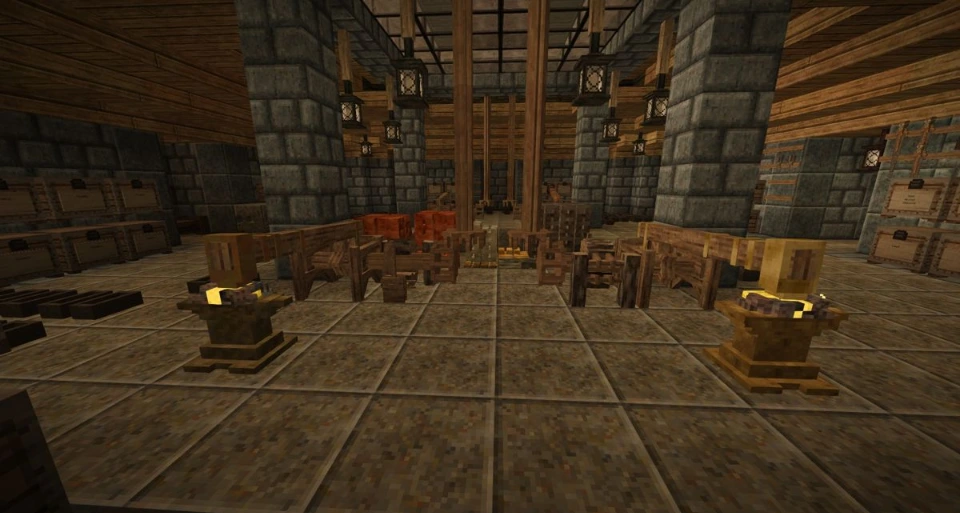 If you're familiar with sandbox survival games, then you should feel right at home in Vintage Story. You can harvest materials, pick up blocks, and replace those blocks in whatever manner you like to form elaborate creations of your design. Of course, you're not alone in the wilderness; plenty of unsightly monsters would love to turn you into their next meal. You'll have to carefully manage your inventory, equip some gear, and fight off any would-be killers you encounter. Remember to keep an eye on your nutrition levels as well!
Below, we've listed all the controls you'll need to get started. We've also included important info on how to adjust your HUD, game debugs, and more.
If you're familiar with sandbox survival games, then you should feel right at home in Vintage Story. You can harvest materials, pick up blocks, and replace those blocks in whatever manner you like to form elaborate creations of your design. Of course, you're not alone in the wilderness; plenty of unsightly monsters would love to turn you into their next meal. You'll have to carefully manage your inventory, equip some gear, and fight off any would-be killers you encounter. Remember to keep an eye on your nutrition levels as well!
Below, we've listed all the controls you'll need to get started. We've also included important info on how to adjust your HUD, game debugs, and more.
Vintage Story Controls: All PC Keybinds
If you're familiar with sandbox survival games, then you should feel right at home in Vintage Story. You can harvest materials, pick up blocks, and replace those blocks in whatever manner you like to form elaborate creations of your design. Of course, you're not alone in the wilderness; plenty of unsightly monsters would love to turn you into their next meal. You'll have to carefully manage your inventory, equip some gear, and fight off any would-be killers you encounter. Remember to keep an eye on your nutrition levels as well!
Below, we've listed all the controls you'll need to get started. We've also included important info on how to adjust your HUD, game debugs, and more.
Movement
- Move Forward: W
- Move Backward: S
- Move Left: A
- Move Right: D
- Sneak: Shift
- Run: Ctrl
- Jump: Spacebar
- Sit Down: G
Actions
- Attack/Interact/Break Blocks/Use Tools: Left Mouse Click
- Place Blocks/Open Containers/Eat Equipped Items/Pick Up Objects: Right Mouse Click
- Open Backpack/Crafting Inventory: E
- Open Character Inventory: C
- Drop Item from Hotbar Slot: Q
- Drop All Items from Hotbar Slots: Ctrl + Q
- Select Tool/Clayforming Mode: F
- Swap Left/Right Hand Contents: X
- Select Hotbar Slot: 0-9
- Select Backpack Slot: Ctrl + 1-4
- Transfer Item Stack: Shift + Left Mouse Click
- Take Half of Stack: Right Mouse Click
- Take Individual Items from Stack: Ctrl + Scroll Wheel
User Interface & HUD
- Pause Game/Settings: Esc
- Show/Hide HUD: F4
- Camera Toggle: F5
- Show/Hide Minimap: F6
- Show/Hide Compass: Ctrl + V
- Show/Hide Block & Entity Info: Ctrl + B
- Show/Hide Interaction Info: Ctrl + N
- Zoom Out: - (Only works in third-person mode)
- Zoom In: + (Only works in third-person mode)
- Lock/Unlock Cursor: Left Alt
- Chat: T
- Begin Client Command: .
- Begin Server Command: /
- Show/Hide Chat Dialog: Tab
- Open Macro Editor: Ctrl + M
- Toggle Fullscreen Mode: F11
- Take Screenshot: F12
- Take Mega Screenshot: Ctrl + F12
Creative Mode Controls
- -1 Fly/Move Speed: F1
- +1 Fly/Move Speed: F2
- -0.1 Fly/Move Speed: Shift + F1
- +0.1 Fly/Move Speed: Shift + F2
- Cycle Fly Mode: F3
- Fly Mode On/Off: Spacebar x2
- Show/Hide Meta Blocks: F4
Debug & Macros
- FPS Graph: Alt + F3
- Debug Screen & FPS Graph: Ctrl + F3
- Reload World: Ctrl + F1
- Reload Shaders: Alt + F1
- Reload Textures: Alt + F2
- Compact Large Object Heap: Alt + F8
- Recompose All Dialogs: Alt + F9
- Cycle Dialog Outline Modes: Alt + F10
- Toggle Tick Profiler: Ctrl + F10
Create your own
Vintage Story server
Vintage Story server
Choose a plan, pick a game, and play with your friends!
Join our Newsletter
Subscribe for the latest updates on all things gaming!

How would you rate this blog?
Share your opinion and help us make our blogs even better!
Didn't like
Neutral
Liked

Need a game server?
Rent a game server where you and your friends can play privately with low latency and custom settings. Choose from 110+ games, invite people from around the globe, and enjoy private matches, or build your own online community with your own rules.

Relevant Blogs







GET THE INSIDE SCOOP!
Join our email for updates on our hosted games, company news and exclusive deals. Stay in the loop!













