Minecraft April Fools 2026 Herdcraft Update: Features, Installation, & More
Posted on by

Share:

Share on X

Share on Facebook

Share on Threads

Share on Bluesky

Copy to Clipboard

Share via email
Inventory management was always quite the hassle, so thankfully, this fantastic update has removed it from the game entirely! Today, we explore the Minecraft April Fools 2026 Herdcraft Update, the changes it brings, and how you can try herding in-game too.
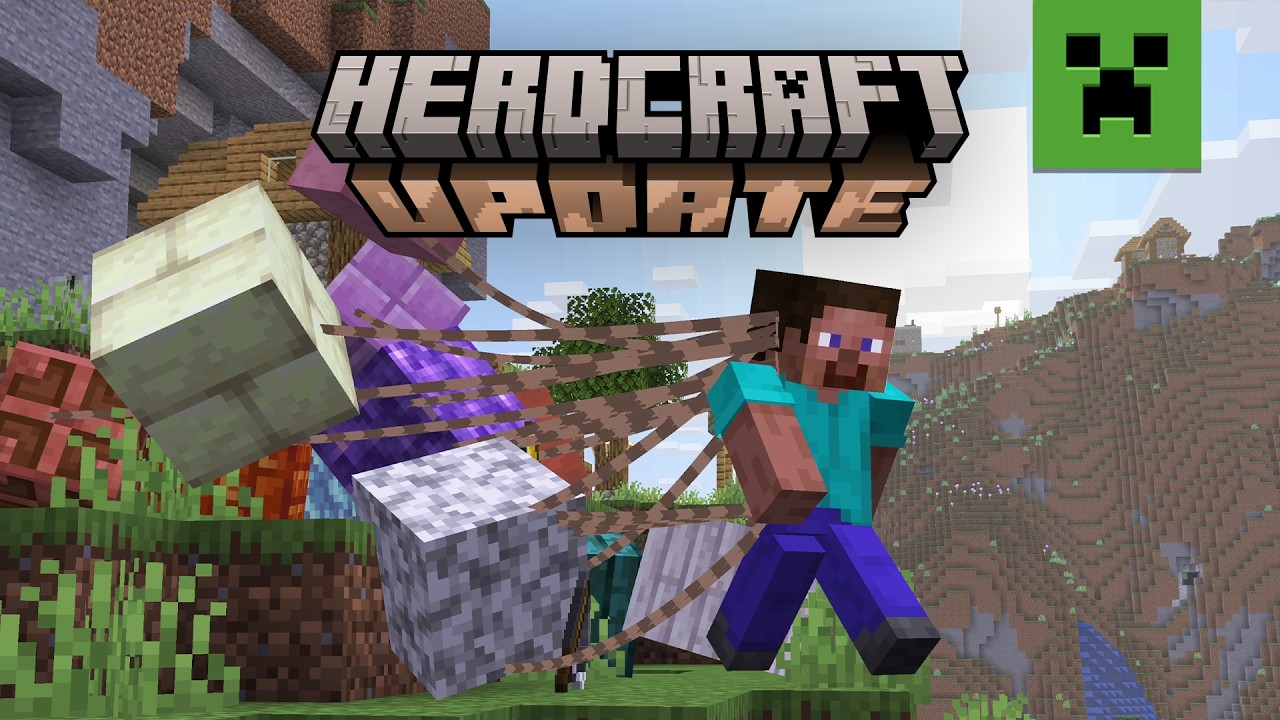

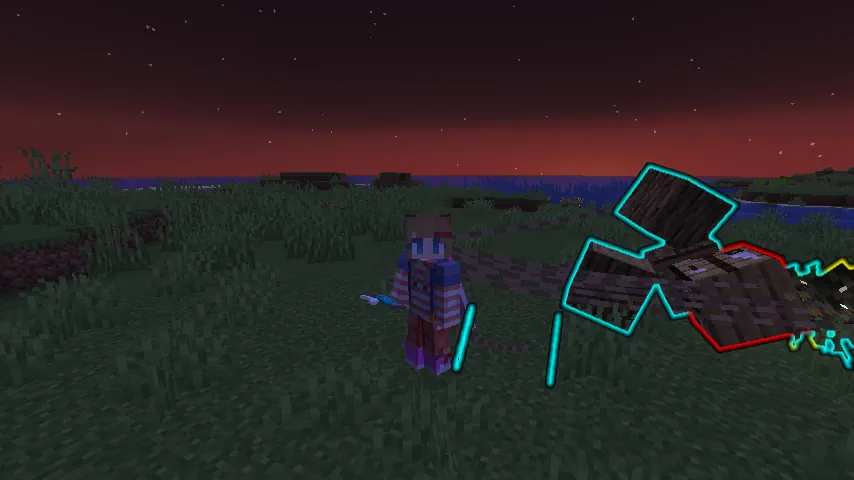 That is right! Minecraft’s inventory has been done away with entirely. In this update, players drag every last tool, block, and item behind them on leads as they explore the world. Each block can be designated to groups by color, given commands to move to specific locations, and locked into place for convenient building. Just be careful not to drag too many blocks, as it can become very chaotic when attempting to run!
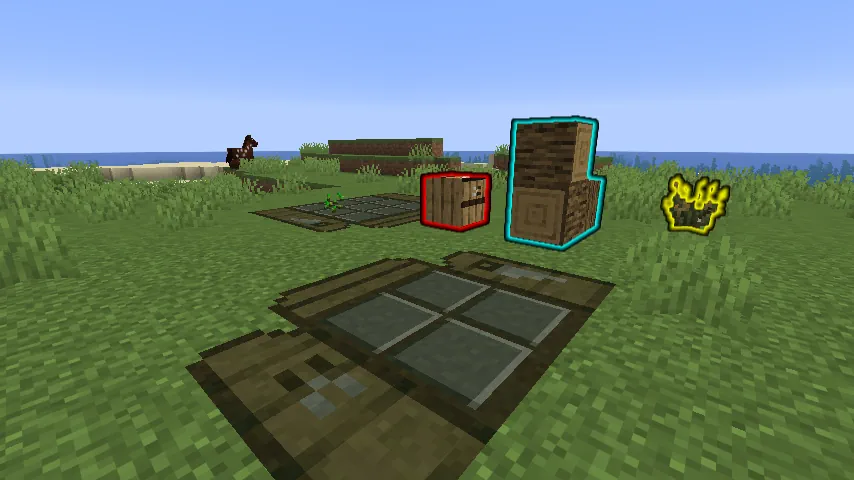 Crafting tables have been replaced with highly optimized crafting mats. Place one down on command and order the blocks to their respective spots on the grid to craft. Not enough grid space? Upgrade your crafting mat to its full size with a few planks! Sadly, the table can occasionally get lost in the pile, so be sure to keep some extra planks to do it all again.
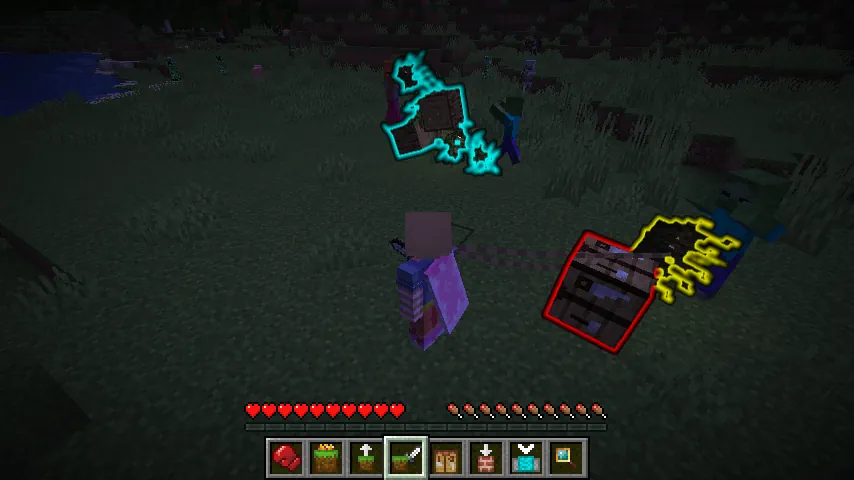 Whoever said blocks were not sentient? Not only can players command their collection of blocks to move, but they can order them to fight as well! See that skeleton? Make it disappear with 25 rampaging dirt blocks! No bow? Send the arrows to fight anyway! It is all made easy in Herdcraft.
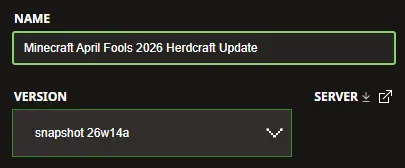 The Minecraft April Fools 2026 Herdcraft Update is exclusive to Java Edition and can be installed from right inside the Minecraft Launcher before clicking play. Below, we have detailed every step to help get you right into the game.
 Two giant piles of items are better than one! Minecraft April Fools 2026 Herdcraft Update servers can be created for free through home hosting, but we recommend paid hosting options for ease of use and performance, especially since snapshots (even joke ones) can be buggy!
Paid hosting is offered here at BisectHosting and many other places around the web. No less than 4GB of server RAM is recommended.
Two giant piles of items are better than one! Minecraft April Fools 2026 Herdcraft Update servers can be created for free through home hosting, but we recommend paid hosting options for ease of use and performance, especially since snapshots (even joke ones) can be buggy!
Paid hosting is offered here at BisectHosting and many other places around the web. No less than 4GB of server RAM is recommended.
Herdcraft Update Highlights
No More Inventory!
That is right! Minecraft’s inventory has been done away with entirely. In this update, players drag every last tool, block, and item behind them on leads as they explore the world. Each block can be designated to groups by color, given commands to move to specific locations, and locked into place for convenient building. Just be careful not to drag too many blocks, as it can become very chaotic when attempting to run!
Crafting Made “Easy”
Crafting tables have been replaced with highly optimized crafting mats. Place one down on command and order the blocks to their respective spots on the grid to craft. Not enough grid space? Upgrade your crafting mat to its full size with a few planks! Sadly, the table can occasionally get lost in the pile, so be sure to keep some extra planks to do it all again.
Feisty Blocks
Whoever said blocks were not sentient? Not only can players command their collection of blocks to move, but they can order them to fight as well! See that skeleton? Make it disappear with 25 rampaging dirt blocks! No bow? Send the arrows to fight anyway! It is all made easy in Herdcraft.
How to Install the Minecraft April Fools 2026 Herdcraft Update
The Minecraft April Fools 2026 Herdcraft Update is exclusive to Java Edition and can be installed from right inside the Minecraft Launcher before clicking play. Below, we have detailed every step to help get you right into the game.
- Open the Minecraft Launcher and select Java Edition.
- Enable snapshots under the ‘Installations’ tab.
- Click ‘New Installation’
- Select ‘Snapshot 26w14a’ in the drop-down menu.
- Click ‘Install.’
How to make Minecraft April Fools 2026 Herdcraft Update Servers
Two giant piles of items are better than one! Minecraft April Fools 2026 Herdcraft Update servers can be created for free through home hosting, but we recommend paid hosting options for ease of use and performance, especially since snapshots (even joke ones) can be buggy!
Paid hosting is offered here at BisectHosting and many other places around the web. No less than 4GB of server RAM is recommended.Join our Newsletter
Subscribe for the latest updates on all things gaming!

How would you rate this blog?
Share your opinion and help us make our blogs even better!
Didn't like
Neutral
Liked

Need a game server?
Rent a game server where you and your friends can play privately with low latency and custom settings. Choose from 100+ games, invite people from around the globe, and enjoy private matches, or build your own online community with your own rules.

Relevant Blogs







GET THE INSIDE SCOOP!
Join our email for updates on our hosted games, company news and exclusive deals. Stay in the loop!