

Hytale: How to Convert a Minecraft Build Into a Prefab
Posted on by

Share:

Share on X

Share on Facebook

Share on Threads

Share on Bluesky

Copy to Clipboard

Share via email
Prefabs, or prefabricated content, are objects, structures, or blocks placed throughout Hytale. But what if you can turn one of your elaborate Minecraft creations into Hytale? You’re probably thinking that it’s going to take hours of building and resource gathering to recreate that masterpiece. Thankfully, it’s possible to transform your Minecraft build into a Hytale prefab, and we’re here to show you how through this guide!
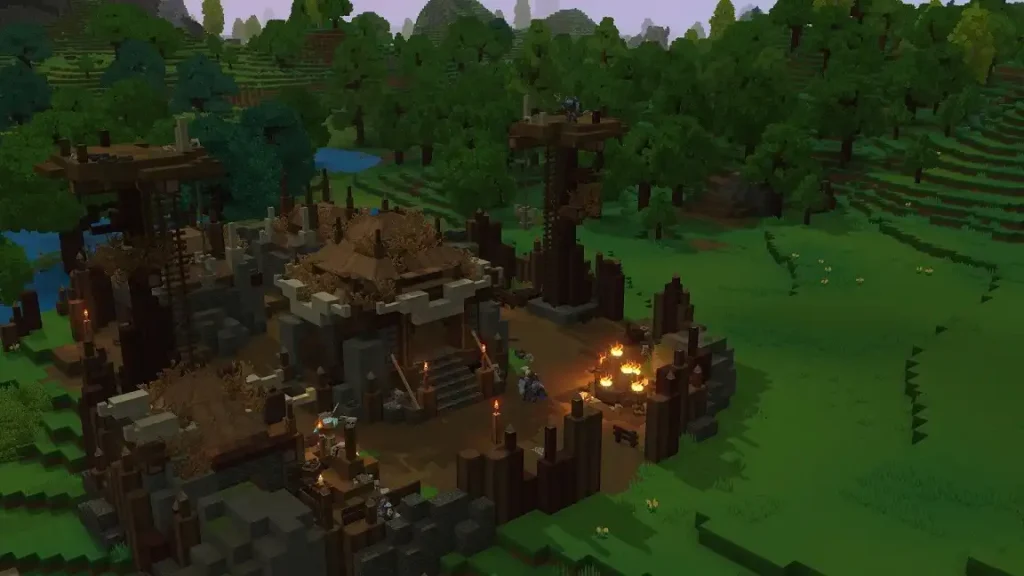 Converting a Minecraft build into a Hytale prefab is possible through Skytale’s Hytale Converter tool. This free online tool converts Minecraft .schematic, .schem, and .litematic files into prefab.json files for Hytale.
The tool is also reasonably straightforward to use. Simply upload the Minecraft schematic file into the converter, and click the “Convert file” button. Wait for the site to finish processing the file. Then, upload the newly converted prefab into Hytale.
The next step depends on whether you’re going to use the new prefab in single player mode or in a dedicated Hytale server. If you want to use the prefab as a solo player, move the downloaded file to the following path on your PC: C:\User\[Name]\AppData\Roaming\Hytale\UserData\Saves\[NomDuMonde]\prefabs. Otherwise, upload the file to the following folder if you’re an administrator of the Hytale server: \hytale\Server\prefabs.
With the file in the correct folder, launch Hytale and enter your world. Next, access Creative Mode, and then navigate to the “Creative Tools” tab by pressing “B” on your keyboard (by default).
Here, hover your mouse above the “World” dropdown menu, and then select “Prefabs.” If the previous steps were done correctly, the file should appear on your screen. Select it, and then place your Minecraft build into the Hytale world.
Remember, most standard Minecraft blocks can be converted into prefabs. However, some blocks, especially those from Minecraft mods, may not appear or function the same way upon converting them into Hytale prefabs. If so, some manual adjustments might be required to make them look and/or work as intended.
Converting a Minecraft build into a Hytale prefab is possible through Skytale’s Hytale Converter tool. This free online tool converts Minecraft .schematic, .schem, and .litematic files into prefab.json files for Hytale.
The tool is also reasonably straightforward to use. Simply upload the Minecraft schematic file into the converter, and click the “Convert file” button. Wait for the site to finish processing the file. Then, upload the newly converted prefab into Hytale.
The next step depends on whether you’re going to use the new prefab in single player mode or in a dedicated Hytale server. If you want to use the prefab as a solo player, move the downloaded file to the following path on your PC: C:\User\[Name]\AppData\Roaming\Hytale\UserData\Saves\[NomDuMonde]\prefabs. Otherwise, upload the file to the following folder if you’re an administrator of the Hytale server: \hytale\Server\prefabs.
With the file in the correct folder, launch Hytale and enter your world. Next, access Creative Mode, and then navigate to the “Creative Tools” tab by pressing “B” on your keyboard (by default).
Here, hover your mouse above the “World” dropdown menu, and then select “Prefabs.” If the previous steps were done correctly, the file should appear on your screen. Select it, and then place your Minecraft build into the Hytale world.
Remember, most standard Minecraft blocks can be converted into prefabs. However, some blocks, especially those from Minecraft mods, may not appear or function the same way upon converting them into Hytale prefabs. If so, some manual adjustments might be required to make them look and/or work as intended.
How to Convert a Minecraft Build Into a Hytale Prefab
Converting a Minecraft build into a Hytale prefab is possible through Skytale’s Hytale Converter tool. This free online tool converts Minecraft .schematic, .schem, and .litematic files into prefab.json files for Hytale.
The tool is also reasonably straightforward to use. Simply upload the Minecraft schematic file into the converter, and click the “Convert file” button. Wait for the site to finish processing the file. Then, upload the newly converted prefab into Hytale.
The next step depends on whether you’re going to use the new prefab in single player mode or in a dedicated Hytale server. If you want to use the prefab as a solo player, move the downloaded file to the following path on your PC: C:\User\[Name]\AppData\Roaming\Hytale\UserData\Saves\[NomDuMonde]\prefabs. Otherwise, upload the file to the following folder if you’re an administrator of the Hytale server: \hytale\Server\prefabs.
With the file in the correct folder, launch Hytale and enter your world. Next, access Creative Mode, and then navigate to the “Creative Tools” tab by pressing “B” on your keyboard (by default).
Here, hover your mouse above the “World” dropdown menu, and then select “Prefabs.” If the previous steps were done correctly, the file should appear on your screen. Select it, and then place your Minecraft build into the Hytale world.
Remember, most standard Minecraft blocks can be converted into prefabs. However, some blocks, especially those from Minecraft mods, may not appear or function the same way upon converting them into Hytale prefabs. If so, some manual adjustments might be required to make them look and/or work as intended.Join our Newsletter
Subscribe for the latest updates on all things gaming!

How would you rate this blog?
Share your opinion and help us make our blogs even better!
Didn't like
Neutral
Liked

Need a game server?
Rent a game server where you and your friends can play privately with low latency and custom settings. Choose from 110+ games, invite people from around the globe, and enjoy private matches, or build your own online community with your own rules.

Relevant Blogs







GET THE INSIDE SCOOP!
Join our email for updates on our hosted games, company news and exclusive deals. Stay in the loop!













