

ARK: Survival Evolved Console Commands Guide: All Cheats, Admin Commands, & How to Use
Posted on by

Share:

Share on X

Share on Facebook

Share on Threads

Share on Bluesky

Copy to Clipboard

Share via email
The brutal, dinosaur-filled world of ARK: Survival Evolved often takes a lot of time to explore. However, you can make things easier for yourself by using console commands. With these, you can exercise even greater control over your fight for paleolithic dominance. Here, we'll cover all of the existing ARK: Survival Evolved console commands and how to use them!
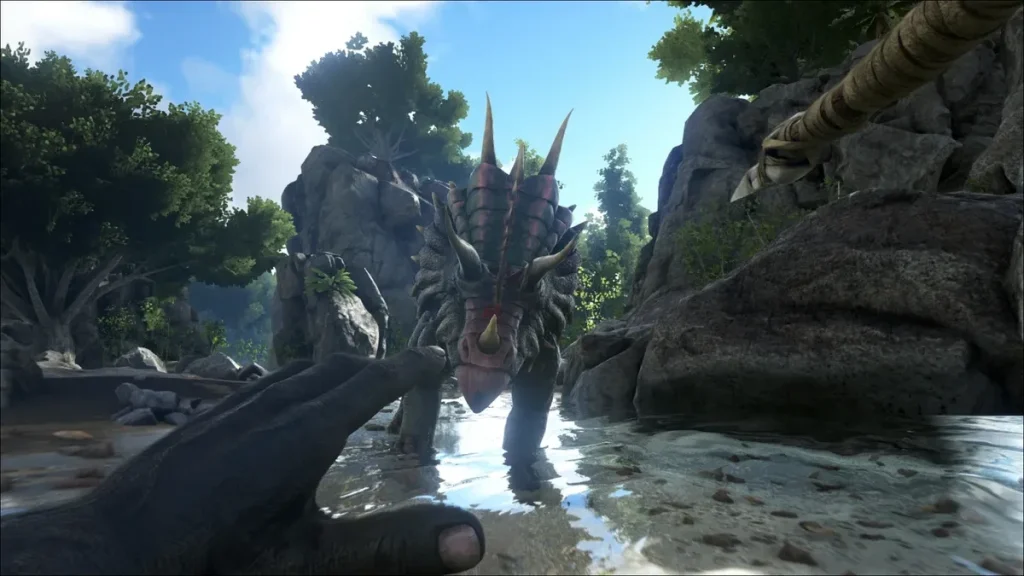 If you're playing ARK: Survival Evolved alone, you can simply enter console commands whenever you like. If you're playing on a PC, pressing Tab will open the console for you to use.
If you're on a console, you'll need to enter the pause screen and press the following buttons simultaneously:
If you're playing ARK: Survival Evolved alone, you can simply enter console commands whenever you like. If you're playing on a PC, pressing Tab will open the console for you to use.
If you're on a console, you'll need to enter the pause screen and press the following buttons simultaneously:
 Whether you're looking to destroy structures, level up, or maybe even rain monkeys (yes, you read that right), these ARK: Survival Evolved console commands can help you get the job done fast!
ARK: Survival Evolved Console Commands Guide: How to Enable & Use Console Commands (Cheats)
If you're playing ARK: Survival Evolved alone, you can simply enter console commands whenever you like. If you're playing on a PC, pressing Tab will open the console for you to use.
If you're on a console, you'll need to enter the pause screen and press the following buttons simultaneously:
- Xbox: LB, RB, X & Y
- PlayStation: L1, R1, Square, & Triangle
All ARK: Survival Evolved Console Commands
Whether you're looking to destroy structures, level up, or maybe even rain monkeys (yes, you read that right), these ARK: Survival Evolved console commands can help you get the job done fast!
- AddChibiExp: Adds experience to the equipped Chibi-Pet and your character.
- AddChibiExpToPlayer: Adds experience to a specified player's Chibi-Pet and character.
- AddEquipmentDurability: Add specific amount of durability/water/energy to items in hotbar and equipped armor. (Will charge batteries)
- AddExperience: Add experience to a player, and optionally make it apply as if it came from a tribemate and/or share the XP with the tribe.
- AddExperienceToTarget: Add experience to a target player, and optionally make it apply as if it came from a tribemate and/or share the XP with the tribe.
- AddHexagons: Adds a specified amount of hexagons to your inventory.
- AddMutations: Adds mutation points to a specific stat of the targeted dino.
- AllowPlayerToJoinNoCheck: Whitelists a specific player using their Steam ID.
- BanPlayer: Bans a player from the server based on their player ID.
- Broadcast: Broadcasts a message to all players.
- CE: Starts or stops a weather event.
- ChangeSize: Changes the size of the current player.
- ClearCryoSickness: Clears the Cryo Sickness status effect from targeted dino.
- ClearMyBuffs: Removes all buffs from your character.
- ClearPlayerInventory: Clear a player's inventory and/or item slots.
- ClearTutorials: Clears the game tutorial making it so they re-appear without being forced.
- CompleteCurrentMilestone: Completes the current milestone for a branch.
- CopyCoordsToClipboard: Copies your current coordinates and camera rotation to your clipboard.
- CryoMyTarget: Places the targeted dino into a cryopod.
- DCMSet: Adjusts a Day Cycle Manager setting.
- DebugAllowvrMissionTeleport: Allows teleportation directly to the final boss arena on Genesis: Part 1.
- DebugMyDinoTarget: Prints detailed stats of the targeted dino in the console.
- DebugStructures: Displays debug information on structures.
- DeepPockets: Overrides the weight limits of the current player.
- DefeatAllBosses: Unlocks rewards for all alpha-level bosses for the specified player.
- DefeatBoss: Grants the specified player the rewards for defeating a boss at the chosen difficulty.
- DestroyActors: Eliminates all actors of the specified type.
- DestroyAll: Destroy all creatures of a certain type.
- DestroyAllEnemies: Destroys ALL creatures on the map, including tamed dinos.
- DestroyAOE: Kills or destroys all creatures/objects of specified category within radius.
- DestroyFoliage: Clears all foliage and resource nodes within a specified radius.
- DestroyMyTarget: Kills or destroys the target creature or structure.
- DestroyStructures: Destroys all structures on the map.
- DestroyTribeDinos: Destroys all creatures in the tribe of the target.
- DestroyTribeId: Destroys all assets of a specific tribe using their Tribe ID.
- DestroyTribeIdDinos: Removes all tamed dinos owned by the specified tribe.
- DestroyTribeIdPlayers: Eliminates all players belonging to a specific tribe.
- DestroyTribeIdStructures: Destroys all structures owned by a specific tribe.
- DestroyTribePlayers: Kills all players in the tribe of the target.
- DestroyTribeStructures: Destroys all structures in the tribe of the target.
- DestroyTribeStructuresLessThan: Removes structures with fewer than the specified number of connections for a specific tribe.
- DestroyWildDinoClasses: Removes all wild dinos of a specific class.
- DestroyWildDinos: Destroy all untamed creatures.
- DisableSpectator: Disables spectator mode for current player.
- DisallowPlayerToJoinNoCheck: Removes a specific player from the server's whitelist.
- DoExit: Shuts down the server.
- DoRestartLevel: Restarts the current level/server.
- DoTame: Tames the target creature if it can normally be tamed.
- DumpDinoStats: Outputs the stats of the targeted or ridden dino to the console.
- EnableCheats: Enables cheats for a server that requires a password.
- EnableSpectator: Enables spectator mode for current player.
- EnableSpectator: Enables spectator mode for the current player and destroys the player's inventory.
- EnemyInvisible: Makes the current player invisible to all creatures.
- EnvQA: Enables a combination of cheats, including Tek Armor, FPS stats, and GMBuff.
- ExecSetSleeping: Puts the current player to sleep or wakes them up.
- FindMutagenDrops: Shows the locations of nearby Mutagen Bulbs.
- Fly: Allows the current player to fly.
- ForceCompleteActiveMission: Instantly completes the active mission.
- ForceGiveBuff: Adds a status effect to you or your current dino.
- ForceJoinTribe: Allows you to join the targeted tribe.
- ForceMutagenSpawn: Forces a Mutagen Bulb to appear nearby.
- ForceMutagenSpawn: Forces a Mutagen Bulb to appear nearby.
- ForcePlayerToJoinTargetTribe: Changes a player's tribe based on the targeted player or structure.
- ForcePlayerToJoinTribe: Forces a player to join a specific tribe.
- ForcePlayerToJoinTribeID: Forces a player to join a specific tribe using tribe IDs.
- ForcePoop: Forces the targeted or ridden dino to poop immediately.
- ForceTame: Tames the target creature, even if it cannot normally be tamed.
- ForceTameAOE: Tames all dinos within a specified radius.
- ForceTribes: Details on this command are unknown.
- ForceUpdateDynamicConfig: Forces the server to reload dynamic config settings.
- GameCommand: Executes a custom command.
- Gamma: Changes gamma settings.
- GCM: Enables Creative Mode for yourself.
- GCMP: Enables Creative Mode for the specified player.
- GCMT: Enables Creative Mode for your target.
- GetAllState: Returns the state of all dinos currently spawned on the map.
- GetChat: Returns the most recent chat messages.
- GetEgg: Creates a fertilized egg from the selected dino.
- GetGameLog: Returns the most recent server logs.
- GetPlayerIDForSteamID: Returns the player ID for a Steam ID.
- GetSteamIDForPlayerID: Returns the Steam ID for a player ID.
- GetTribeIdPlayerList: Returns the list of players in a tribe.
- GFI: Adds an item to the current player's inventory using a partial blueprint path.
- Ghost: Allows the current player to move through all objects.
- GiveAllExplorerNotes: Unlocks all Explorer Notes and Fjordur Runes.
- GiveAllSkills: Grants all skills to the current player.
- GiveAllStructure: Gives ownership of the target structure and connected structures.
- GiveArmorSet: Gives yourself a full set of armor of the given tier and quality.
- GiveColors: Gives the current player a quantity of every type of dye.
- GiveDinoSet: Spawns a predefined set of dinos.
- GiveEngrams: Unlocks all engrams for the current player.
- GiveEngramsTekOnly: Unlocks all Tek Engrams until disconnecting.
- GiveExplorerNote: Unlocks a specific Explorer Note.
- GiveExpToPlayer: Gives XP to a specific player.
- GiveExpToTarget: Gives XP to the target player.
- GiveInfiniteStatsToTarget: Gives Infinite Stats to the targeted player or dino.
- GiveItem: Gives the current player items using a blueprint path.
- GiveItemNum: Gives the current player items using an item number.
- GiveItemNumToPlayer: Gives a player items using an item number.
- GiveItemSet: Gives a predefined set of items based on the specified tier.
- GiveItemToPlayer: Gives a player items using a blueprint path.
- GiveMilestoneWithTask: Grants a milestone based on a task ID.
- GiveResources: Gives 50 of each item to the current player.
- GiveSkill: Grants a skill at a specific rank to the current player.
- GiveSkillPoints: Gives skill points to the current player.
- GiveSlotItem: Gives an item to the target player in a specified slot using a blueprint path.
- GiveSlotItemNum: Gives an item to the current player in a specified slot using an item number.
- GiveTekengramsTo: Unlocks specific Tek Engrams for a player.
- GiveToMe: Changes ownership of the target creature or structure to the current player.
- GiveToMeAOE: Gives nearby structures and dinos within a specified range to you.
- GiveWeaponSet: Gives yourself all weapons in the specified tier with ammo.
- GMBuff: Enables God, InfiniteStats, and EnemyInvisible commands and gives XP.
- GMSummon: Summons a specific tamed dino at a specified level.
- God: Enables god mode, making the current player invincible.
- GrassEnable: Toggles grass visibility.
- HatchEgg: Instantly completes egg incubation.
- HidePlayer: Hides the current player.
- HideRiders: Hides or reveals the rider of a dino.
- HideTutorial: Hides the game tutorial.
- HurtMe: Inflicts damage to the current player.
- HurtMyAOE: Damages targets in an area by a specified amount.
- InfiniteStats: Prevents Health, Stamina, Oxygen, Food, and Water from decreasing.
- InfiniteWeight: Overrides the weight limits of the current player.
- KickPlayer: Kicks a player from the server.
- Kill: Kills the target dino or destroys the target structure.
- KillAOE: Kills or destroys creatures/objects within a specified radius.
- KillAOETribe: Kills or destroys tribe-related actors within a specified radius.
- KillPlayer: Kills a player based on their Player ID.
- LeaveMeAlone: Enables God, InfiniteStats, and EnemyInvisible for the current player.
- LevelUp: Adds levels to a specific stat on your character or dino.
- LevelUpAOE: Adds levels to a stat for all players and dinos in a specified radius.
- LevelUpTarget: Increases a stat on the targeted player or dino.
- ListActiveHordeEvents: Displays active Orbital Supply Drops and Element Nodes.
- ListCurrentMilestoneIDs: Lists current milestone IDs.
- ListMyBuffs: Lists all buffs active on the current player.
- ListMyTargetBuffs: Lists all buffs active on the target player or creature.
- ListPlayer: Lists all active players.
- ListPlayers: Lists all players connected to the server with their ARK IDs.
- MakeTribeAdmin: Makes the current player an admin of their tribe.
- MakeTribeFounder: Makes the current player the founder of their tribe.
- MaxAscend: Unlocks Alpha Ascension rewards for the specified player.
- MoveTargetTo: Moves the targeted player or dino to specific coordinates.
- OnToggleInGameMenu: Toggles the in-game menu.
- Open: Connects you to a specific server using its IP and port.
- OpenMap: Loads a map.
- PlayerCommand: Performs a specific ascension command for your character.
- PlayersOnly: Disables all movement for creatures and projectiles.
- PreviewMode: Switches graphics settings to preview mode.
- PrintColors: Prints a list of colors.
- ProgressMilestone: Progresses a specific unlocked milestone.
- ProgressMilestoneTask: Progresses a milestone task by a specified amount.
- r.shadowquality: Adjusts shadow quality.
- RainCritters: Spawns a mix of sheep and dodos above the player.
- RainDanger: Spawns aggressive dinos above the player.
- RainDinos: Spawns a mix of dinos above the player.
- RainMonkeys: Drops a group of Dinopithecus above the player.
- RefillStats: Maximizes your health, stamina, food, water, and other stats.
- RemoveAllWorldBuffs: Removes all active world buffs.
- RemoveTribeAdmin: Details on this command are unknown.
- RenamePlayer: Renames a player.
- RenamePlayerId: Changes a player's name using their ARK ID.
- RenameTribe: Renames a tribe.
- RenameTribeID: Renames a tribe using its Tribe ID.
- RepairArea: Repairs all damaged structures within a specified radius.
- ReportLeastSpawnManagers: Details on this command are unknown.
- ReportSpawnManagers: Details on this command are unknown.
- RequestSpectator: Enables spectator mode on a password-protected server.
- ResetCompanionCooldowns: Resets companion respawn cooldowns.
- ResetMilestones: Resets milestone progress.
- ResetSkillCooldowns: Resets skill cooldowns.
- ResetSkills: Resets the current player's skills.
- RespawnArmadoggo: Respawns the player's Armadoggo.
- RespawnCompanions: Respawns the player’s companion creatures.
- RespawnYoungIceFox: Respawns the player's Veilwyn.
- SaveWorld: Saves the server's current state.
- ScriptCommand: Runs a mod script.
- ScriptCommand GiveTrait: Adds a trait to your Gene Scanner storage.
- SDF: Spawns a creature of a specified type with a random level.
- ServerChat: Sends a chat message to all players.
- ServerChatTo: Sends a private chat message to a player using their Steam ID.
- ServerChatToPlayer: Sends a private chat message to a player using their username.
- SetAdminIcon: Enables or disables the admin icon in chat.
- SetBabyAge: Changes the maturation progress of a baby creature.
- SetBabyAgeAOE: Sets baby age for creatures within an area.
- SetCheatPlayer: Enables cheats for the current player.
- SetDay: Changes the in-game day.
- SetDifficultyValue: Changes the maximum level of wild dinos that can spawn.
- SetFacialHairPercent: Changes facial hair growth of the current player.
- SetFacialHairStyle: Sets the facial hair style of the current player.
- SetGlobalPause: Pauses everything in the game.
- SetGodMode: Enables or disables God mode for the current player.
- SetGraphicsQuality: Sets the graphics quality of your client.
- SetHeadHairPercent: Changes head hair growth of the current player.
- SetHeadHairStyle: Sets the head hair style of the current player.
- SetImprintedPlayer: Transfers imprint ownership of a dino to another player.
- SetImprintQuality: Changes the imprint quality of a baby creature.
- SetMessageOfTheDay: Sets the server message of the day.
- SetMyTargetSleeping: Knocks out or wakes up the targeted player or dino.
- SetPlayerPos: Teleports the player to specified coordinates.
- SetShowAllPlayers: Enables all player names in spectator mode.
- SetStatOnTarget: Changes the current value of a specific stat on the targeted dino.
- SetTamingEffectivenessModifier: Sets the taming effectiveness of a dino currently being tamed.
- SetTargetDinoColor: Changes the color of specific regions on a dinosaur.
- SetTargetPlayerBodyVal: Changes the size of a specific region of the target player's body.
- SetTargetPlayerColorVal: Sets the target player's eye, body, or hair color.
- SetTimeOfDay: Changes the time of day using a 24-hour format.
- ShowDebug: Shows debugging information.
- ShowInGameMenu: Toggles the in-game menu.
- ShowMessageOfTheDay: Shows the server message of the day.
- ShowMyAdminManager: Toggles the admin manager for server configuration.
- ShowMyAdminManager: Opens the admin manager GUI.
- ShowTutorial: Shows a specific game tutorial.
- Slomo: Slows down or speeds up the game's time scale.
- SpawnActor: Spawns a creature or entity using a blueprint path.
- SpawnActorSpread: Spawns multiple creatures or entities.
- SpawnActorSpreadTamed: Spawns multiple tamed creatures using a blueprint path.
- SpawnDino: Spawns a specific dino using a blueprint path.
- SpawnExactDino: Spawns a fully customized dino with specific stats and equipment.
- SpawnSetupDino: Spawns a tamed dino with custom stats and optional saddle.
- SPI: Teleports you to specific coordinates and adjusts your view direction.
- StartNearestHorde: Starts an Orbital Supply Drop or Element Node event nearby.
- Stat: Shows game debugging information such as FPS and performance stats.
- StopSpectating: Disables Spectator Mode for the current player.
- Suicide: Kills the current player.
- Summon: Spawns a specific creature.
- SummonTamed: Spawns a specific creature already tamed.
- TakeAllDino: Transfers ownership of all dinos from the target tribe to you.
- TakeAllStructure: Transfers ownership of all structures from the target tribe to you.
- TakeTribe: Transfers all dinos and structures from a tribe to your control.
- Teleport: Teleports the player to the target location.
- TeleportPlayerIDToMe: Teleports a player to your location using their Player ID.
- TeleportPlayerNameToMe: Teleports a player to your location using their name.
- TeleportToActiveHorde: Teleports you to an active horde event.
- TeleportToActorLocation: Teleports you to a specific actor in the game world.
- TeleportToPlayer: Teleports you to another player using their Player ID.
- TeleportToPlayerName: Teleports you to a player using their name.
- TestSteamRefreshItems: Details on this command are unknown.
- ToggleDamageNumbers: Toggles floating damage numbers on or off.
- ToggleGun: Hides weapons or hands in first-person mode.
- ToggleInfiniteAmmo: Enables or disables infinite ammo.
- TP: Teleports you to predefined locations.
- TPCoords: Teleports the player to specific GPS coordinates.
- TransferImprints: Transfers all dino imprints from one player to another.
- TribeDinoAudit: Lists the types and counts of dinos owned by a tribe.
- TribeMessage: Adds a custom message to a tribe's log.
- TribeStructureAudit: Lists the types and counts of structures owned by a tribe.
- UnbanPlayer: Unbans a player from the server.
- UnlockEngram: Unlocks a specific engram for the current player.
- VolumetricCloud: Toggles volumetric clouds on or off.
- VolumetricFog: Toggles volumetric fog on or off.
- Walk: Disables Fly mode and causes the current player to fall to the ground.
Create your own
Ark Survival Evolved server
Ark Survival Evolved server
Choose a plan, pick a game, and play with your friends!
Join our Newsletter
Subscribe for the latest updates on all things gaming!

How would you rate this blog?
Share your opinion and help us make our blogs even better!
Didn't like
Neutral
Liked

Need a game server?
Rent a game server where you and your friends can play privately with low latency and custom settings. Choose from 110+ games, invite people from around the globe, and enjoy private matches, or build your own online community with your own rules.

Relevant Blogs







GET THE INSIDE SCOOP!
Join our email for updates on our hosted games, company news and exclusive deals. Stay in the loop!













