

How to Play Minecraft Java Edition Offline
Опубликовано автором

Поделиться:

Поделиться в X

Поделиться в Facebook

Поделиться в Threads

Поделиться в Bluesky

Скопировать в буфер обмена

Поделиться по email
(Estimated Read Time: 3 Minutes)
Sometimes, when Microsoft server issues arise, Java Edition players may find they can’t play Minecraft even in single-player offline. So, today, we explore how to play Minecraft Java Edition offline so that the game can be enjoyed anytime.Microsoft Servers and Minecraft Java Edition
 On the rare occasions there are troubles with Microsoft’s servers, Minecraft Java Edition players may find themselves stuck in the Minecraft launcher, unable to launch the game. This occurs because the systems that would normally verify the account in use can’t be accessed by the launcher.
At first glance, there may appear to be no workaround for this error. However, there is one way to still access single-player.
On the rare occasions there are troubles with Microsoft’s servers, Minecraft Java Edition players may find themselves stuck in the Minecraft launcher, unable to launch the game. This occurs because the systems that would normally verify the account in use can’t be accessed by the launcher.
At first glance, there may appear to be no workaround for this error. However, there is one way to still access single-player.
How to Play Minecraft Java Edition Offline
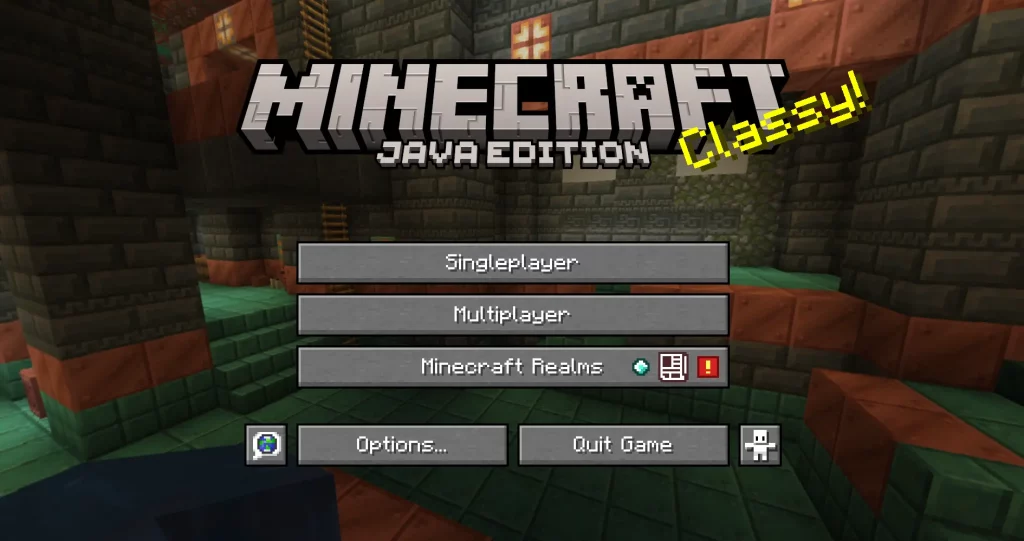 Minecraft Java Edition players can access single-player offline by turning off their internet or disconnecting the internet from their PC. The launcher will then allow the user to continue offline as long as a successful login has been made at least once before.
Can Realms and Private Servers Be Accessed Offline?
https://twitter.com/MojangStatus/status/1808210690802340118Sadly, realms and private servers are inaccessible until the troubles surrounding logins have passed. Typically, updates will be provided by the Mojang Status X (formally Twitter) account during these times, including notice of when the issue has been resolved. Mojang Status can be found here.
Alternative Survival Games
 While by no means ideal, sometimes temporarily switching to another game can be a much less frustrating way to wait out the downtime. Below, we have listed a few of our favorite multiplayer survival games that are best enjoyed alongside friends:
- Terraria
- Valheim
- The Forest
- Vintage Story
- Palworld
- Project Zomboid
- 7 Days to Die
- And many, many more.
Создайте свой собственный
сервер Minecraft
сервер Minecraft
Выберите тариф, укажите игру и играйте с друзьями!
Подпишитесь на нашу рассылку
Подпишитесь, чтобы получать последние новости из мира игр!

Присоединяйтесь к нашему Discord
Станьте частью нашего сообщества, в котором уже более 20000 единомышленников!
Как бы вы оценили этот блог?
Поделитесь своим мнением и помогите нам сделать наши блоги еще лучше!
Не понравилось
Нейтрально
Понравилось

Нужен игровой сервер?
Арендуйте игровой сервер, где вы и ваши друзья сможете играть в закрытом режиме с низкой задержкой и собственными настройками. Выбирайте из 110+ игр, приглашайте людей со всего мира и наслаждайтесь приватными матчами или создайте свое собственное онлайн-сообщество со своими правилами.

Похожие статьи







УЗНАЙТЕ ВСЕ ПЕРВЫМИ!
Подпишитесь на нашу рассылку, чтобы получать обновления о наших играх, новости компании и эксклюзивные предложения. Будьте в курсе!













