
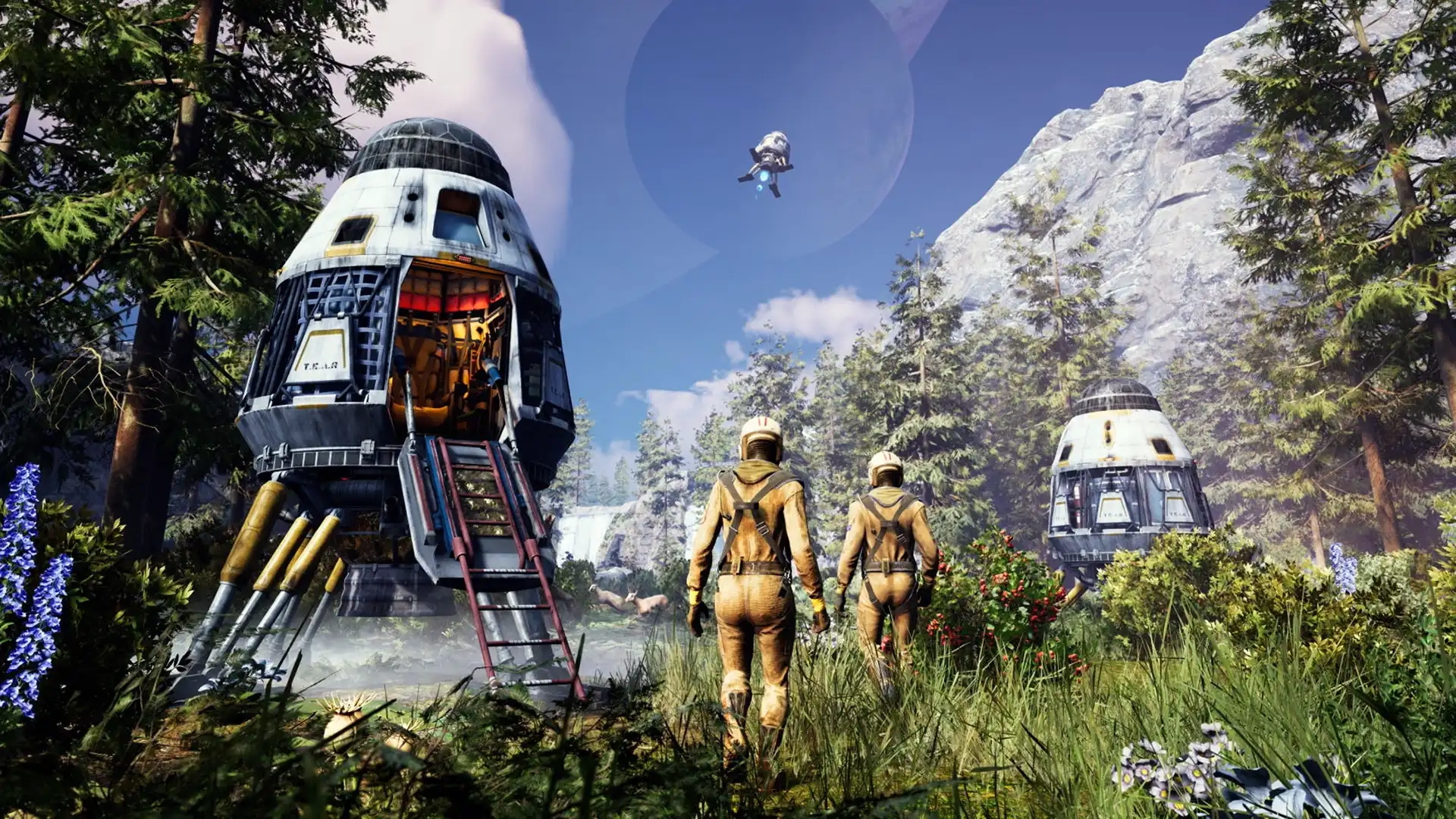
Icarus Controls Guide (PC, Console)
Publicado em por

Compartilhar:

Compartilhar no X

Compartilhar no Facebook

Compartilhar no Threads

Compartilhar no Bluesky

Copiar para a área de transferência

Compartilhar por e-mail
The world of Icarus tests each player’s ability to survive, and mastering the game’s controls improves your chances of walking off a ferocious Grizzly Bear attack. Whether you’re commanding your character with a controller or a keyboard & mouse, the in-game controls can become your lifeline. So, start your journey to becoming a master Prospector by understanding the game’s controls through this guide.
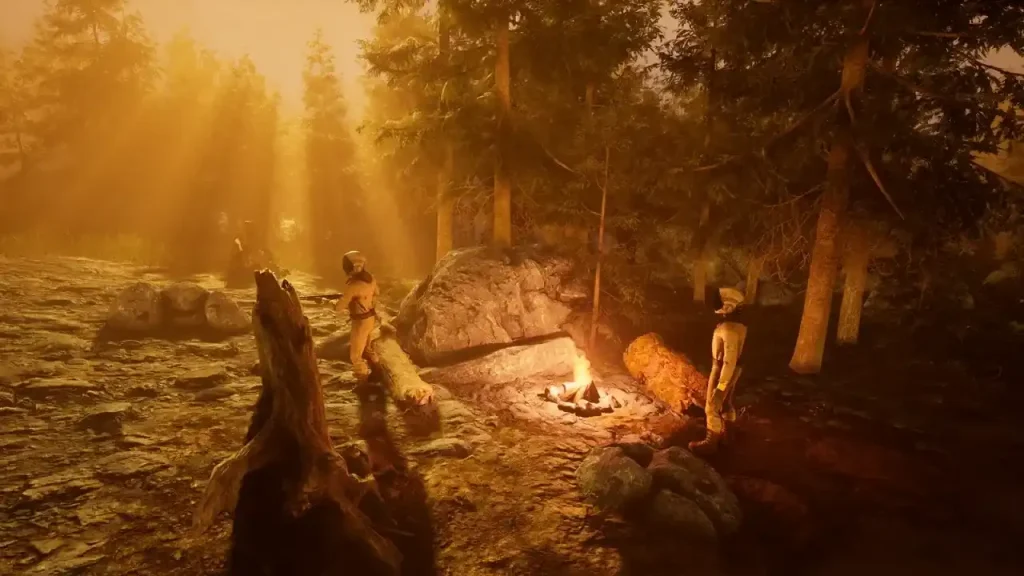 Consider this Icarus Controls Guide to be a control room schematic. Below are the default keybinds across the game’s PC and console editions. That said, feel free to rebind the control schemes to tailor them to your unique playstyle, especially for combat and crafting.
Note: The controls mentioned below are for the game’s PC and PS5 editions. Follow this page for updates on the game’s Xbox controls.
Consider this Icarus Controls Guide to be a control room schematic. Below are the default keybinds across the game’s PC and console editions. That said, feel free to rebind the control schemes to tailor them to your unique playstyle, especially for combat and crafting.
Note: The controls mentioned below are for the game’s PC and PS5 editions. Follow this page for updates on the game’s Xbox controls.
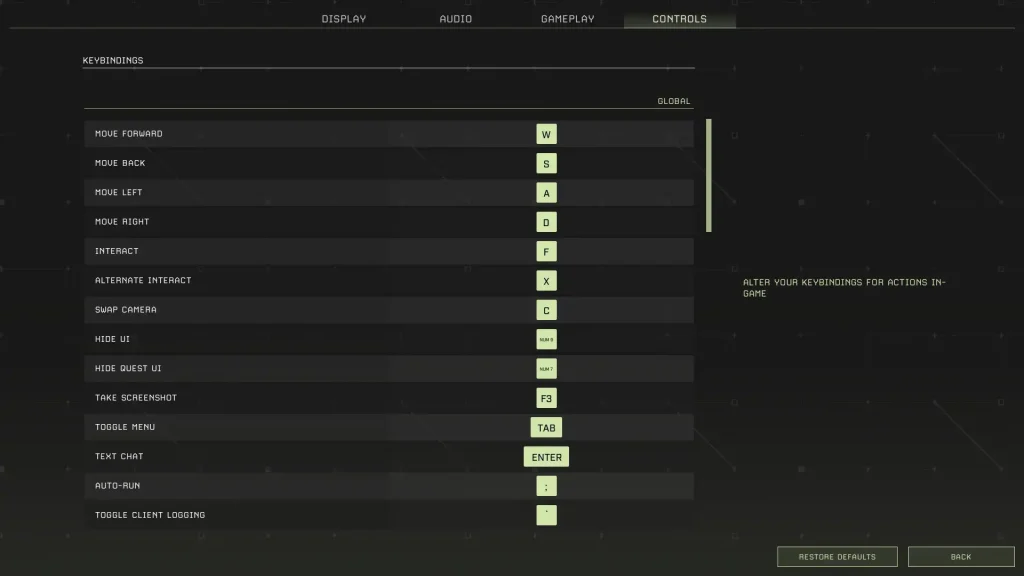
Icarus Controls for PC & Console Editions
Consider this Icarus Controls Guide to be a control room schematic. Below are the default keybinds across the game’s PC and console editions. That said, feel free to rebind the control schemes to tailor them to your unique playstyle, especially for combat and crafting.
Note: The controls mentioned below are for the game’s PC and PS5 editions. Follow this page for updates on the game’s Xbox controls.
Icarus PC Controls (Keyboard & Mouse)
Global Controls
- Move Forward: W
- Move Back: S
- Move Left: A
- Move Right: D
- Interact: F
- Alternate Interact: X
- Swap Camera: C
- Hide UI: Numpad 9
- Hide Quest UI: Numpad 7
- Take Screenshot: F3
- Toggle Menu: Tab
- Text Chat: Enter
- Auto Run: Semicolon (;)
- Toggle Client Logging: Backtick (`)
- Open Field Guide: J
- Open Field Guide to Index: F1
- Loot All: Q
Player Controls (On Foot)
- Free Look: Left ALT
- Sprint: Left SHIFT
- Jump: Space
- Crouch: Left CTRL
- Hands: H
- Hotbar Forward: Mouse scroll wheel down
- Hotbar Back: Mouse scroll wheel up
- Hotbar 1: 1
- Hotbar 2: 2
- Hotbar 3: 3
- Hotbar 4: 4
- Hotbar 5: 5
- Hotbar 6: 6
- Hotbar 7: 7
- Hotbar 8: 8
- Hotbar 9: 9
- Hotbar 0: 0
- Hotbar Backpack: G
- Destroy Building Piece: Y
- Unfocus Building Grid: END
- Disable Building Grid Focus: HOME
- Raise Building Grid Offset: Page Up
- Lower Building Grid Offset: Page Down
- Toggle Suit Light: L
- Play Emote: Numpad +
- Toggle Photo Mode: Numpad 8
Weapons Controls
- Fire: Left mouse button
- Alternate Fire: Right mouse button
- Reload: R
In Prospect Controls
- Inventory: I
- Crafting: O
- Map: M
- Tech: P
Tamed Creatures Controls
- Toggle Stay/Follow: Slash (/)
- Cycle Combat Behavior: INSERT/DELETE
- Nearby Tamed Creatures Follow: Left Bracket ([)
- Nearby Tamed Creatures Stay: Right Bracket (])
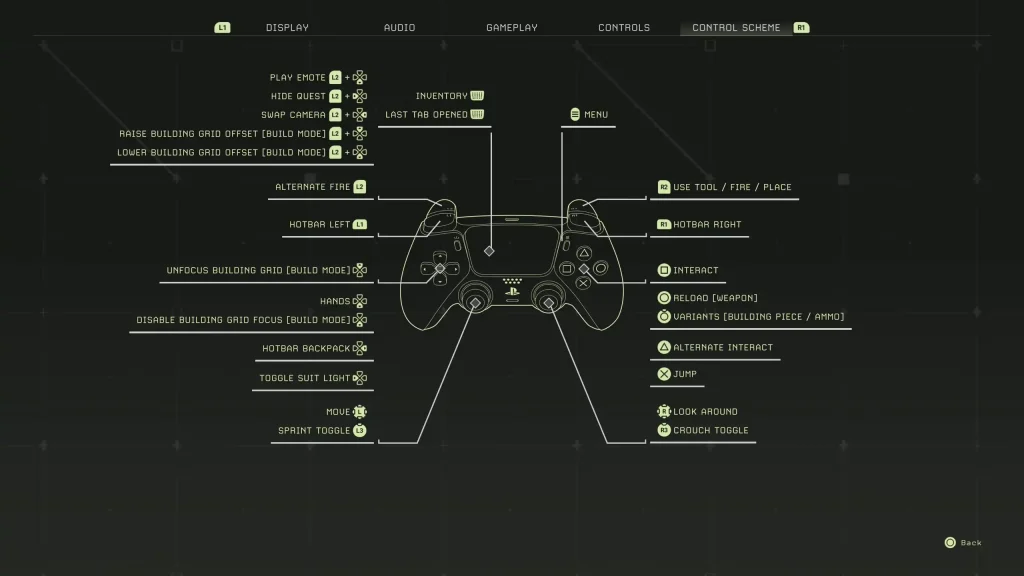
Icarus PlayStation 5 Controls
- Play Emote: L2 + Down directional button
- Hide Quest: L2 + Left directional button
- Swap Camera: L2 + Right directional button
- Raise Building Grid Offset (Build Mode): L2 + Up directional button
- Lower Building Grid Offset (Build Mode): L2 + Down directional button
- Alternate Fire: L2
- Hotbar Left: L1
- Unfocus Building Grid (Build Mode): Up directional button
- Hands: Down Directional Button
- Disable Building Grid Focus (Build Mode): Down directional button
- Hotbar Backpack: Right directional button
- Toggle Suit Light: Left directional button
- Basic Movement: Left analog stick
- Sprint Toggle: L3
- Inventory/Last Tab Opened: Press the touchpad
- Menu: Options button
- Use Tool/Fire/Place: R2
- Hotbar Right: R1
- Interact: Square
- Reload (Weapon): Circle
- Variants (Building Piece/Ammo): Hold Circle
- Alternate Interact: Triangle
- Jump: X
- Look Around: Right analog stick
- Crouch Toggle: R3
Crie seu próprio
servidor Icarus
servidor Icarus
Escolha um plano, selecione um jogo e jogue com seus amigos!
Assine nosso boletim informativo
Assine para receber as novidades mais recentes do mundo dos jogos!

Entre no nosso Discord
Faça parte da nossa comunidade com mais de 20.000 membros com os mesmos interesses!
Como você avaliaria este blog?
Compartilhe sua opinião e nos ajude a melhorar ainda mais nossos blogs!
Não curti
Neutro
Curti

Precisa de um servidor de jogo?
Alugue um servidor de jogos onde você e seus amigos podem jogar em privacidade, com baixa latência e configurações personalizadas. Escolha entre 110+ jogos, convide pessoas de todo o mundo e desfrute de partidas privadas ou construa sua comunidade on-line com suas próprias regras.

Blogs relevantes







FIQUE POR DENTRO!
Assine nosso boletim informativo para receber novidades sobre nossos jogos hospedados, notícias sobre a empresa e ofertas exclusivas. Fique por dentro!













