

Hytale: How to Convert a Minecraft Build Into a Prefab
Publicado em por

Compartilhar:

Compartilhar no X

Compartilhar no Facebook

Compartilhar no Threads

Compartilhar no Bluesky

Copiar para a área de transferência

Compartilhar por e-mail
Prefabs, or prefabricated content, are objects, structures, or blocks placed throughout Hytale. But what if you can turn one of your elaborate Minecraft creations into Hytale? You’re probably thinking that it’s going to take hours of building and resource gathering to recreate that masterpiece. Thankfully, it’s possible to transform your Minecraft build into a Hytale prefab, and we’re here to show you how through this guide!
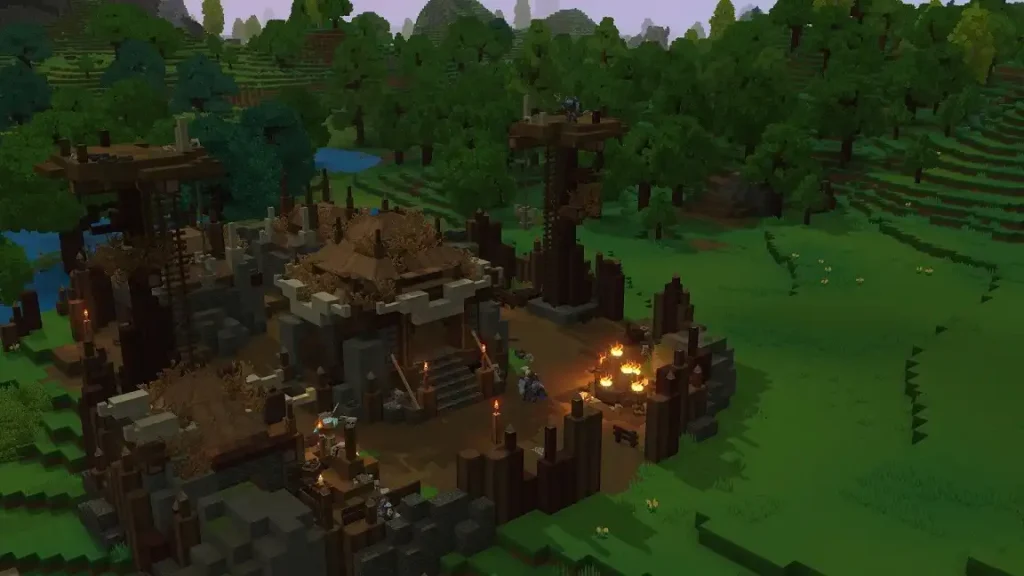 Converting a Minecraft build into a Hytale prefab is possible through Skytale’s Hytale Converter tool. This free online tool converts Minecraft .schematic, .schem, and .litematic files into prefab.json files for Hytale.
The tool is also reasonably straightforward to use. Simply upload the Minecraft schematic file into the converter, and click the “Convert file” button. Wait for the site to finish processing the file. Then, upload the newly converted prefab into Hytale.
The next step depends on whether you’re going to use the new prefab in single player mode or in a dedicated Hytale server. If you want to use the prefab as a solo player, move the downloaded file to the following path on your PC: C:\User\[Name]\AppData\Roaming\Hytale\UserData\Saves\[NomDuMonde]\prefabs. Otherwise, upload the file to the following folder if you’re an administrator of the Hytale server: \hytale\Server\prefabs.
With the file in the correct folder, launch Hytale and enter your world. Next, access Creative Mode, and then navigate to the “Creative Tools” tab by pressing “B” on your keyboard (by default).
Here, hover your mouse above the “World” dropdown menu, and then select “Prefabs.” If the previous steps were done correctly, the file should appear on your screen. Select it, and then place your Minecraft build into the Hytale world.
Remember, most standard Minecraft blocks can be converted into prefabs. However, some blocks, especially those from Minecraft mods, may not appear or function the same way upon converting them into Hytale prefabs. If so, some manual adjustments might be required to make them look and/or work as intended.
Converting a Minecraft build into a Hytale prefab is possible through Skytale’s Hytale Converter tool. This free online tool converts Minecraft .schematic, .schem, and .litematic files into prefab.json files for Hytale.
The tool is also reasonably straightforward to use. Simply upload the Minecraft schematic file into the converter, and click the “Convert file” button. Wait for the site to finish processing the file. Then, upload the newly converted prefab into Hytale.
The next step depends on whether you’re going to use the new prefab in single player mode or in a dedicated Hytale server. If you want to use the prefab as a solo player, move the downloaded file to the following path on your PC: C:\User\[Name]\AppData\Roaming\Hytale\UserData\Saves\[NomDuMonde]\prefabs. Otherwise, upload the file to the following folder if you’re an administrator of the Hytale server: \hytale\Server\prefabs.
With the file in the correct folder, launch Hytale and enter your world. Next, access Creative Mode, and then navigate to the “Creative Tools” tab by pressing “B” on your keyboard (by default).
Here, hover your mouse above the “World” dropdown menu, and then select “Prefabs.” If the previous steps were done correctly, the file should appear on your screen. Select it, and then place your Minecraft build into the Hytale world.
Remember, most standard Minecraft blocks can be converted into prefabs. However, some blocks, especially those from Minecraft mods, may not appear or function the same way upon converting them into Hytale prefabs. If so, some manual adjustments might be required to make them look and/or work as intended.
How to Convert a Minecraft Build Into a Hytale Prefab
Converting a Minecraft build into a Hytale prefab is possible through Skytale’s Hytale Converter tool. This free online tool converts Minecraft .schematic, .schem, and .litematic files into prefab.json files for Hytale.
The tool is also reasonably straightforward to use. Simply upload the Minecraft schematic file into the converter, and click the “Convert file” button. Wait for the site to finish processing the file. Then, upload the newly converted prefab into Hytale.
The next step depends on whether you’re going to use the new prefab in single player mode or in a dedicated Hytale server. If you want to use the prefab as a solo player, move the downloaded file to the following path on your PC: C:\User\[Name]\AppData\Roaming\Hytale\UserData\Saves\[NomDuMonde]\prefabs. Otherwise, upload the file to the following folder if you’re an administrator of the Hytale server: \hytale\Server\prefabs.
With the file in the correct folder, launch Hytale and enter your world. Next, access Creative Mode, and then navigate to the “Creative Tools” tab by pressing “B” on your keyboard (by default).
Here, hover your mouse above the “World” dropdown menu, and then select “Prefabs.” If the previous steps were done correctly, the file should appear on your screen. Select it, and then place your Minecraft build into the Hytale world.
Remember, most standard Minecraft blocks can be converted into prefabs. However, some blocks, especially those from Minecraft mods, may not appear or function the same way upon converting them into Hytale prefabs. If so, some manual adjustments might be required to make them look and/or work as intended.Crie seu próprio
servidor Hytale
servidor Hytale
Escolha um plano, selecione um jogo e jogue com seus amigos!
Assine nosso boletim informativo
Assine para receber as novidades mais recentes do mundo dos jogos!

Entre no nosso Discord
Faça parte da nossa comunidade com mais de 20.000 membros com os mesmos interesses!
Como você avaliaria este blog?
Compartilhe sua opinião e nos ajude a melhorar ainda mais nossos blogs!
Não curti
Neutro
Curti

Precisa de um servidor de jogo?
Alugue um servidor de jogos onde você e seus amigos podem jogar em privacidade, com baixa latência e configurações personalizadas. Escolha entre 110+ jogos, convide pessoas de todo o mundo e desfrute de partidas privadas ou construa sua comunidade on-line com suas próprias regras.

Blogs relevantes







FIQUE POR DENTRO!
Assine nosso boletim informativo para receber novidades sobre nossos jogos hospedados, notícias sobre a empresa e ofertas exclusivas. Fique por dentro!













