

How to Get the Aurora Minecraft Cape Code
Publicado em por

Compartilhar:

Compartilhar no X

Compartilhar no Facebook

Compartilhar no Threads

Compartilhar no Bluesky

Copiar para a área de transferência

Compartilhar por e-mail
Mojang is celebrating the release of Minecraft Dungeons 2 with a Java Edition and Bedrock Edition cape that is among the most stunning released to date! So, today, we explain step by step how to get the Aurora Minecraft Cape code and redeem it right away.
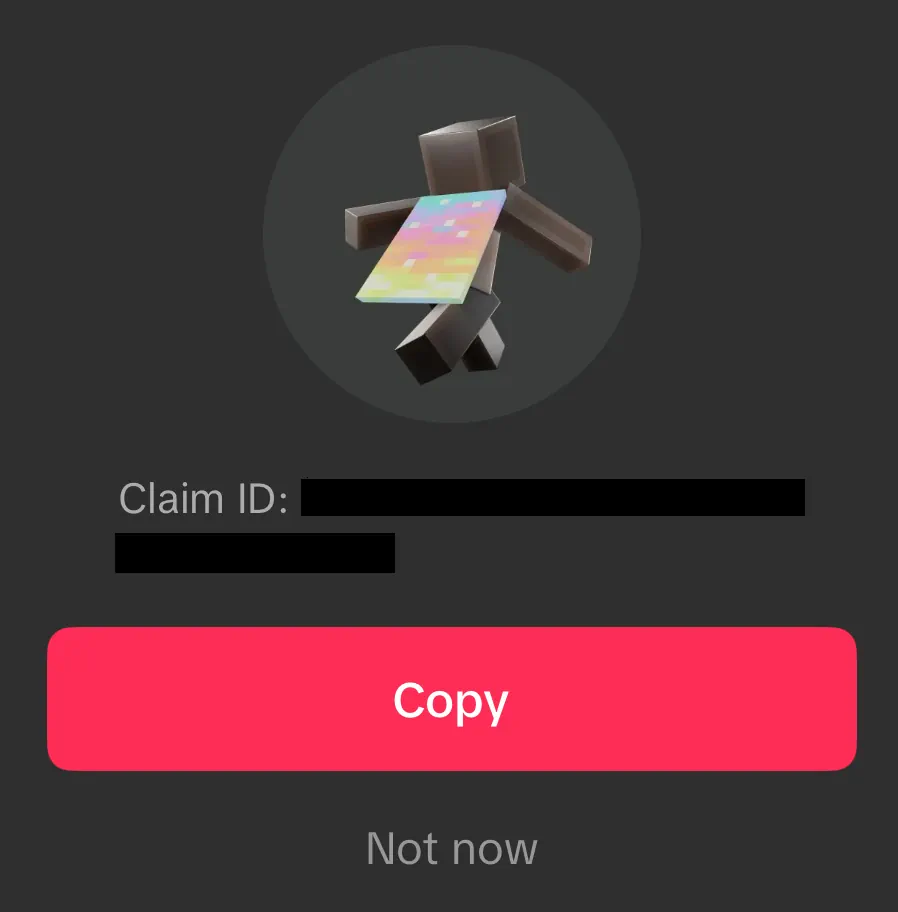 From September 29, 2026, at 7:00 UTC to October 15, 2026, at 6:59 UTC, Minecraft fans can earn an Aurora Minecraft Cape Code through viewership quests on either Twitch or TikTok. Twitch requires viewing 15 minutes of a partner or affiliate livestream in the Minecraft Dungeons 2 category, while TikTok requires viewing three minutes of an eligible Minecraft Dungeons 2 livestream. Both codes can be earned, but only one can be redeemed per Microsoft account. All Aurora Cape Codes expire October 31, 2026.
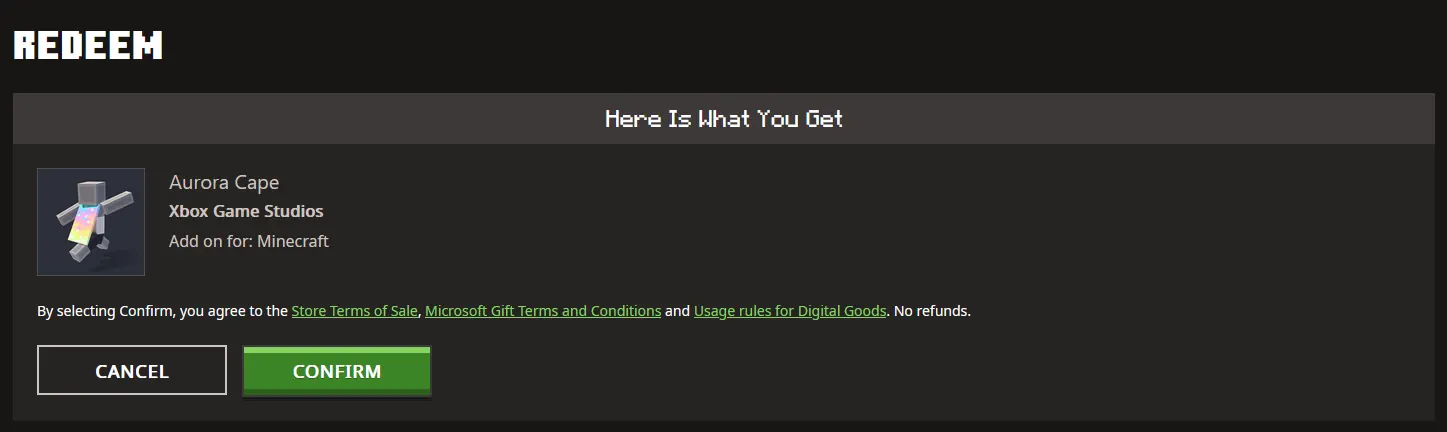 Once a code has been claimed from either Twitch or TikTok, it can be redeemed on the official Minecraft Redemption webpage, following the steps below:
How to Get the Aurora Minecraft Cape Code
From September 29, 2026, at 7:00 UTC to October 15, 2026, at 6:59 UTC, Minecraft fans can earn an Aurora Minecraft Cape Code through viewership quests on either Twitch or TikTok. Twitch requires viewing 15 minutes of a partner or affiliate livestream in the Minecraft Dungeons 2 category, while TikTok requires viewing three minutes of an eligible Minecraft Dungeons 2 livestream. Both codes can be earned, but only one can be redeemed per Microsoft account. All Aurora Cape Codes expire October 31, 2026.
Twitch:
- Log in or create a Twitch account.
- Open the Minecraft Dungeons 2 category.
- Watch 15 minutes of a partner or affiliate Minecraft Dungeons 2 livestream.
- Claim the code on the Twitch Drops & Rewards webpage.
- Redeem the code on the official Minecraft Redemptions webpage.
TikTok:
- Log in or create a TikTok account on the TikTok mobile app.
- Watch 3 minutes of an eligible Minecraft Dungeons 2 livestream.
- Claim the provided code by tapping the reward icon or reward notification.
- Redeem the code on the official Minecraft Redemption webpage.
How to Redeem Minecraft Codes
Once a code has been claimed from either Twitch or TikTok, it can be redeemed on the official Minecraft Redemption webpage, following the steps below:
- Open the official Minecraft Redemption Code webpage.
- Paste the 25-character code into the text box provided.
- Click “Redeem.”
- Sign in to your Microsoft account if not already done.
- Click “Confirm.”
Crie seu próprio
servidor Minecraft
servidor Minecraft
Escolha um plano, selecione um jogo e jogue com seus amigos!
Assine nosso boletim informativo
Assine para receber as novidades mais recentes do mundo dos jogos!

Entre no nosso Discord
Faça parte da nossa comunidade com mais de 20.000 membros com os mesmos interesses!
Como você avaliaria este blog?
Compartilhe sua opinião e nos ajude a melhorar ainda mais nossos blogs!
Não curti
Neutro
Curti

Precisa de um servidor de jogo?
Alugue um servidor de jogos onde você e seus amigos podem jogar em privacidade, com baixa latência e configurações personalizadas. Escolha entre 110+ jogos, convide pessoas de todo o mundo e desfrute de partidas privadas ou construa sua comunidade on-line com suas próprias regras.

Blogs relevantes







FIQUE POR DENTRO!
Assine nosso boletim informativo para receber novidades sobre nossos jogos hospedados, notícias sobre a empresa e ofertas exclusivas. Fique por dentro!













