

Minecraft 1.20 Snapshot: How to Try Out Update 22W46A
Опубликовано автором

Поделиться:

Поделиться в X

Поделиться в Facebook

Поделиться в Threads

Поделиться в Bluesky

Скопировать в буфер обмена

Поделиться по email
Just earlier today, the latest Minecraft snapshot went live! One of many gradual snapshots that will be adding new features alongside those showcased during Minecraft Live. So, without further ado, let us jump into all the new features and our step-by-step guide on how to give snapshot 22W46A a try!
 In Java Edition, installing Minecraft 1.20 Snapshot 22W46A is done right from the Minecraft client. Players need only open up the Minecraft Launcher and enable snapshots in the ‘Installations’ tab. From there, click “New Installation,” select “Latest Snapshot” in the drop-down menu, and click create. Your new Minecraft 1.20 snapshot installation will now be a selectable option before clicking play.
However, Minecraft 1.20 snapshots have a few extra steps. Once in the game, click “Create New World,” select “Datapacks,” and enable the built-in “bundle” and “update_1_20” datapacks before clicking “Create New World” again. Then, with the new world made, all that’s left is to select it and click play!
Please note snapshots and pre-releases can corrupt worlds! Ensure backups have been taken.
In Java Edition, installing Minecraft 1.20 Snapshot 22W46A is done right from the Minecraft client. Players need only open up the Minecraft Launcher and enable snapshots in the ‘Installations’ tab. From there, click “New Installation,” select “Latest Snapshot” in the drop-down menu, and click create. Your new Minecraft 1.20 snapshot installation will now be a selectable option before clicking play.
However, Minecraft 1.20 snapshots have a few extra steps. Once in the game, click “Create New World,” select “Datapacks,” and enable the built-in “bundle” and “update_1_20” datapacks before clicking “Create New World” again. Then, with the new world made, all that’s left is to select it and click play!
Please note snapshots and pre-releases can corrupt worlds! Ensure backups have been taken.
 Interested in trying out playable mob sounds with friends? Snapshot servers can be created for free through home hosting, but we recommend paid hosting options for ease of use and performance. Especially with snapshots since they can be buggy!
Paid hosting is offered here at BisectHosting and many other places around the web. In either case, no less than 4GB of server RAM is recommended.
Interested in trying out playable mob sounds with friends? Snapshot servers can be created for free through home hosting, but we recommend paid hosting options for ease of use and performance. Especially with snapshots since they can be buggy!
Paid hosting is offered here at BisectHosting and many other places around the web. In either case, no less than 4GB of server RAM is recommended.
Details and Adjustments
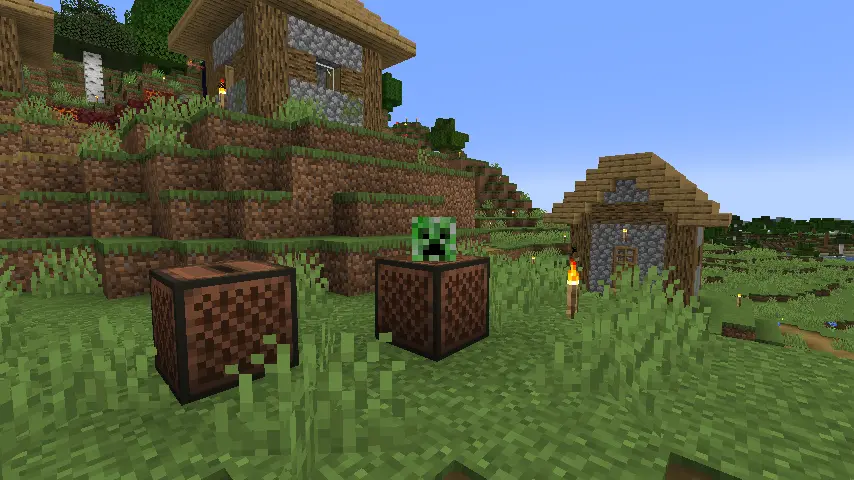
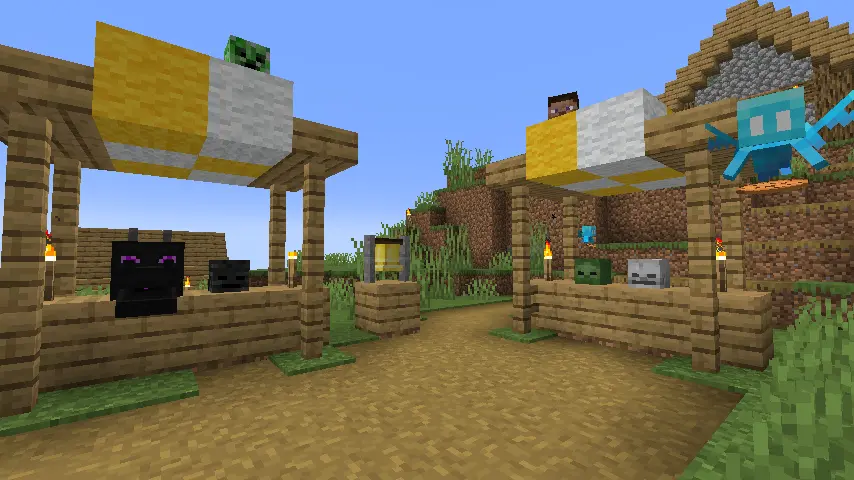
https://twitter.com/adrian_ivl/status/1592893133830119424In addition to all the features shown during Minecraft live, snapshot 22W46A includes the recently announced playable mob sounds, piglin mob heads, and unexpected mob spawning changes to the nether. More details on each are found below!
New Blocks
- Piglin Heads
New Features
- Playable Mob Sounds
Game Adjustments
- Slots on Chiselled bookshelves can now be specifically targeted.
- In the nether, Endermen, Skeletons, and Wither Skeletons now spawn at light level 7 and below.
- Various bamboo texture changes.
New Commands
- fillbiome
Telemetry
- More Diagnostic Tracking
How to Install Minecraft 1.20 Snapshot 22W46A
In Java Edition, installing Minecraft 1.20 Snapshot 22W46A is done right from the Minecraft client. Players need only open up the Minecraft Launcher and enable snapshots in the ‘Installations’ tab. From there, click “New Installation,” select “Latest Snapshot” in the drop-down menu, and click create. Your new Minecraft 1.20 snapshot installation will now be a selectable option before clicking play.
However, Minecraft 1.20 snapshots have a few extra steps. Once in the game, click “Create New World,” select “Datapacks,” and enable the built-in “bundle” and “update_1_20” datapacks before clicking “Create New World” again. Then, with the new world made, all that’s left is to select it and click play!
Please note snapshots and pre-releases can corrupt worlds! Ensure backups have been taken.
How to make Minecraft 1.20 Snapshot 22W46A Servers
Interested in trying out playable mob sounds with friends? Snapshot servers can be created for free through home hosting, but we recommend paid hosting options for ease of use and performance. Especially with snapshots since they can be buggy!
Paid hosting is offered here at BisectHosting and many other places around the web. In either case, no less than 4GB of server RAM is recommended.
Minecraft 1.20 Snapshot: How to Try Out Update 22W46A
True to Mojang’s promise during Minecraft Live, the first of many unannounced Minecraft 1.20 features has arrived! It is a shame the mob head selection is limited, but hopefully, we will have more before the patch is released officially. Until Next Time, BisectHosting =)Создайте свой собственный
сервер Minecraft
сервер Minecraft
Выберите тариф, укажите игру и играйте с друзьями!
Подпишитесь на нашу рассылку
Подпишитесь, чтобы получать последние новости из мира игр!

Присоединяйтесь к нашему Discord
Станьте частью нашего сообщества, в котором уже более 20000 единомышленников!
Как бы вы оценили этот блог?
Поделитесь своим мнением и помогите нам сделать наши блоги еще лучше!
Не понравилось
Нейтрально
Понравилось

Нужен игровой сервер?
Арендуйте игровой сервер, где вы и ваши друзья сможете играть в закрытом режиме с низкой задержкой и собственными настройками. Выбирайте из 110+ игр, приглашайте людей со всего мира и наслаждайтесь приватными матчами или создайте свое собственное онлайн-сообщество со своими правилами.

Похожие статьи







УЗНАЙТЕ ВСЕ ПЕРВЫМИ!
Подпишитесь на нашу рассылку, чтобы получать обновления о наших играх, новости компании и эксклюзивные предложения. Будьте в курсе!













