

Hytale Building Guide: Controls, Best Base Locations, Base Designs, & More
Publicado em por

Partilhar:

Partilhar no X

Partilhar no Facebook

Partilhar no Threads

Partilhar no Bluesky

Copiar para a Área de Transferência

Partilhar por e-mail
Base building in Hytale generally requires finesse and some critical thinking. Remember, you’re turning your vision into a home for you and your pals, or a defensive command center to ward off enemies. Nonetheless, your journey from basics to mastery starts here in this Hytale Building Guide.
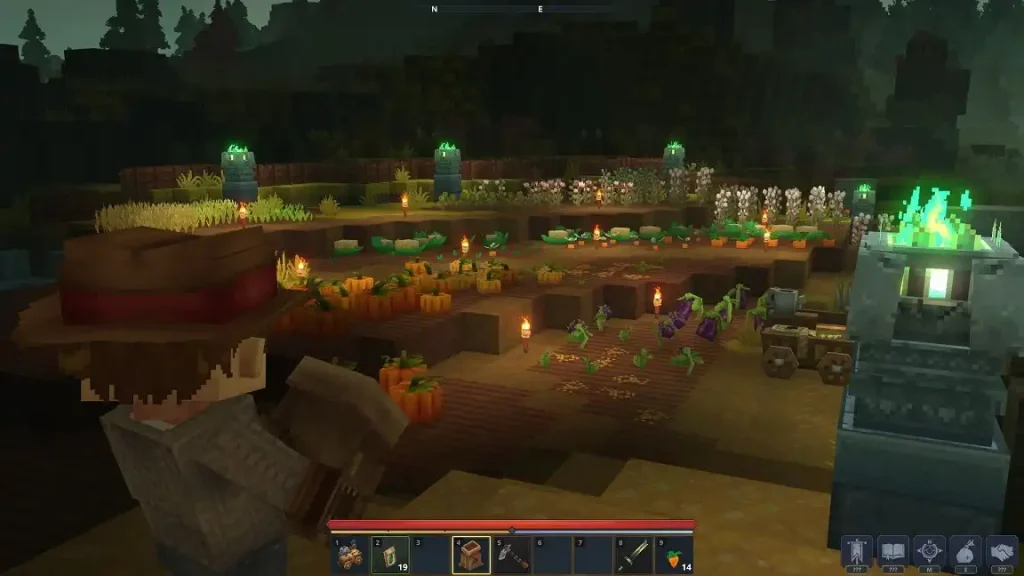 Arguably, the first part of learning how to build a base in Hytale is understanding the game’s controls, particularly in this aspect. Start by placing a block in a hotbar slot. Do so to access the following controls:
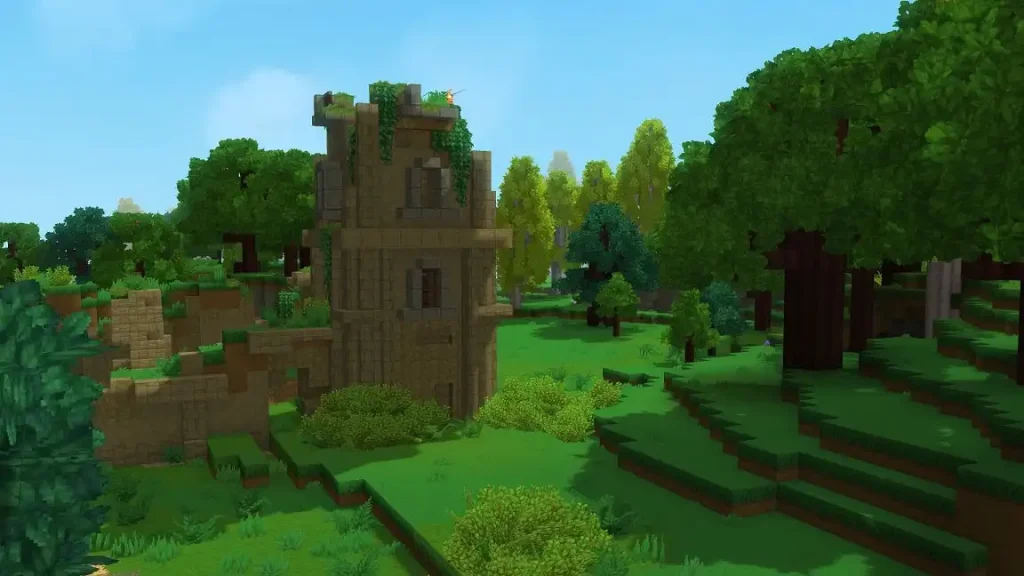 Since each world seed in Hytale is unique, thanks to its world-building engine that procedurally generates maps, it’s safe to say that there’s no set location that works for every player’s preferences. Nonetheless, some general locations exist that are better than others. These potential base locations are great due to a number of factors, such as improving resource-gathering efficiency and optimizing natural defenses.
With that, here are some ideal examples of the best base locations in Hytale:
Since each world seed in Hytale is unique, thanks to its world-building engine that procedurally generates maps, it’s safe to say that there’s no set location that works for every player’s preferences. Nonetheless, some general locations exist that are better than others. These potential base locations are great due to a number of factors, such as improving resource-gathering efficiency and optimizing natural defenses.
With that, here are some ideal examples of the best base locations in Hytale:
 New Hytale players, or those who are new to sandbox games, may want to have their first bases as simple as possible. With that, you can’t go wrong with this Simple Brick House design by xcenji. As the user states, this house design is ideal for town or village builds or quick scene setups. Alternatively, install this prefab into your world if you want to focus more on combat and exploration but still want a base that doesn’t require significant grinding for resources.
 Are you running a dedicated Hytale server with a few of your online friends? If so, this Tavern of the Beginning base design by DJ_AB1AT0R can be your new home.
This prefab features all currently available Tier 1 workstations for all your early-game crafting needs. It also has four cozy rooms, storage spaces, and even a farm with animals. The place also has a built-in Heart of Orbis statue, so you don’t have to frequently return to the Forgotten Temple to submit Memories.
Are you running a dedicated Hytale server with a few of your online friends? If so, this Tavern of the Beginning base design by DJ_AB1AT0R can be your new home.
This prefab features all currently available Tier 1 workstations for all your early-game crafting needs. It also has four cozy rooms, storage spaces, and even a farm with animals. The place also has a built-in Heart of Orbis statue, so you don’t have to frequently return to the Forgotten Temple to submit Memories.
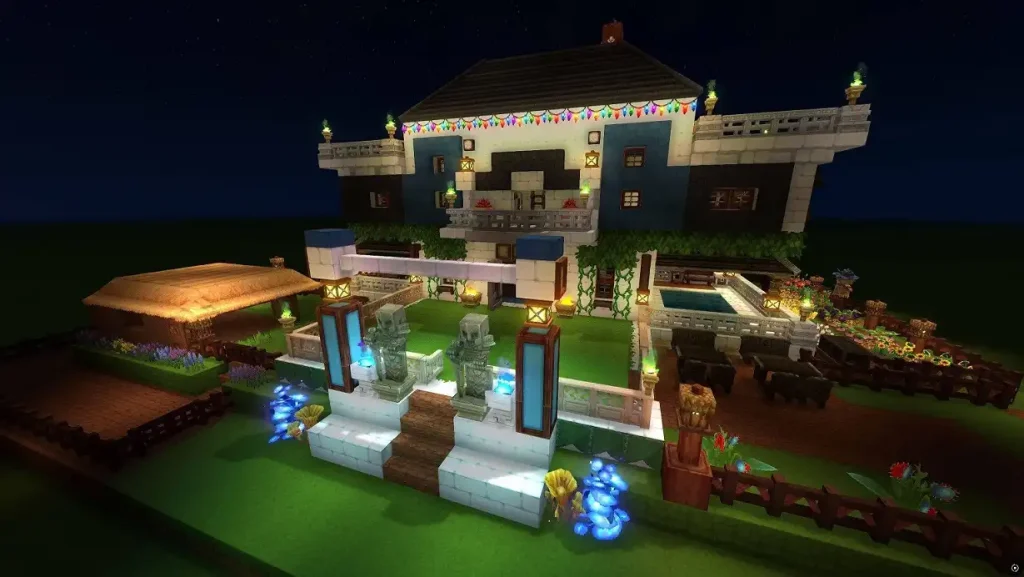 User spawi created an elegant, modern house with various medieval elements. Players who are looking for that rustic chic for their base can take advantage of this prefab appropriately called House Modern.
This fairly large home is surrounded by decorative lighting, enhancing its shapes. Complementing the façade are different aesthetic elements, including a front garden, side pool, and two statues guarding the main entrance.
User spawi created an elegant, modern house with various medieval elements. Players who are looking for that rustic chic for their base can take advantage of this prefab appropriately called House Modern.
This fairly large home is surrounded by decorative lighting, enhancing its shapes. Complementing the façade are different aesthetic elements, including a front garden, side pool, and two statues guarding the main entrance.
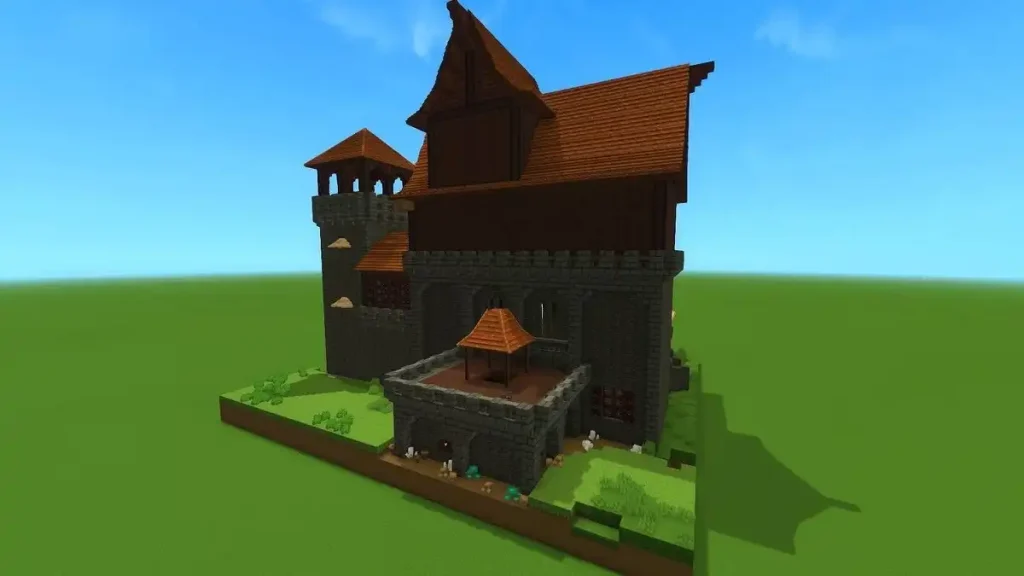 Travel back to the age of knights and chivalry with this Medieval Castle design by djegosouza. This massive establishment has different rooms for you and many of your online friends. It also has a chapel, kitchen, watchtower, treasure room, and more!
The roof deck is a fairly large open space, which can be ideal for a farm or garden. Like other prefabs, this design is customizable once it appears in your world seed. So, feel free to unleash your medieval creative side in modifying this castle.
Travel back to the age of knights and chivalry with this Medieval Castle design by djegosouza. This massive establishment has different rooms for you and many of your online friends. It also has a chapel, kitchen, watchtower, treasure room, and more!
The roof deck is a fairly large open space, which can be ideal for a farm or garden. Like other prefabs, this design is customizable once it appears in your world seed. So, feel free to unleash your medieval creative side in modifying this castle.
 Some players may find it intimidating to install prefabs into their Hytale world. However, the process is reasonably straightforward and doesn’t require any specialized expertise to accomplish. With that, follow these steps to download and install building prefabs to your Hytale world:
Base Building Controls in Hytale
Arguably, the first part of learning how to build a base in Hytale is understanding the game’s controls, particularly in this aspect. Start by placing a block in a hotbar slot. Do so to access the following controls:
- Rotate a Block: R
- Drop Item/Block: G
- Toggle Builder Tools Legend: L
- Legend - Previous Page: J
- Legend - Next Page: K
- Undo: Z
- Redo: Y
- Add/Remove Favorite Material: Not Bound by Default
- Paint Brush Tool: Keypad 1
- Sculpt Brush Tool: Keypad 2
- Selection Tool: Keypad 3
- Paste Tool: Keypad 4
- Line Tool: Keypad 5
- Change Sculpt Brush Modifier: Left Shift
- Use Paint Mode for Brush: U
- Select Block from Set: Q
- Paste Preview: T
Best Base Locations in Hytale
Since each world seed in Hytale is unique, thanks to its world-building engine that procedurally generates maps, it’s safe to say that there’s no set location that works for every player’s preferences. Nonetheless, some general locations exist that are better than others. These potential base locations are great due to a number of factors, such as improving resource-gathering efficiency and optimizing natural defenses.
With that, here are some ideal examples of the best base locations in Hytale:
Near the Forgotten Temple
The Forgotten Temple holds the key to certain unlockables in Hytale. So, it’s wise to place your starting base near this structure for a quick trip each time you submit a Memory, and eventually unlock additional blueprints and items. Additionally, the Forgotten Temple is in Zone 1 – Emerald Groves. That means enemies in this area are mostly beginner-friendly, posing little to no threat to new and veteran Hytale players. Various early-game resources are also nearby, making base material gathering to build your starter base relatively easy. Some notable examples include Light Hide, Medium Hide, and various wood blocks.The Cave Base
Orbis has many opportunities to enter its underground realms. Finding one of these entrances (or creating your own) can turn the natural formation into a hidden headquarters. If you’re considering this route, aim to find a potential cave base location near ore clusters. That way, you’ll have quick access to different minerals, especially late-game options like Adamantite and Mithril if the development is at Zone 3 or 4. Additionally, you can use the natural formations as makeshift walls. Do so to reduce building costs, allowing you to marvel at your homey creation sooner rather than later.In the Forest
Forest biomes in Hytale are among the most immersive regions in the game. Creating a base in one of Orbis’s lush empires can help deliver visually pleasing base designs. Similar to building a base in a cave, you may use the immediate environment and its bountiful resources to act as a base or home structure. Over time, your forest home might even be upgraded into a hidden village for you and your mates in the same Hytale server. As a bonus, a forest is more open than a cave. So, exploration won’t feel as restrictive as when adventuring in a subterranean area and its nearby regions.Near Water
Building a base near a body of water promotes next-level natural defenses against enemies that are human or otherwise. Take advantage of one of Hytale’s underground water encampments or build your own. Do so to use the environment’s organic defenses that can be ideal for PvP-enabled servers. Plan your water base by having one choke point, and then build various traps around it. That way, your settlement becomes near-untouchable, protecting the location and the treasures held within.Best Base Designs in Hytale
If you’re planning to draw inspiration from the bases made by some community members, Hytale made it possible to use builds made by other players into your world seed. So, here are some of the best base designs in Hytale to use or be inspired by:Simple Brick House
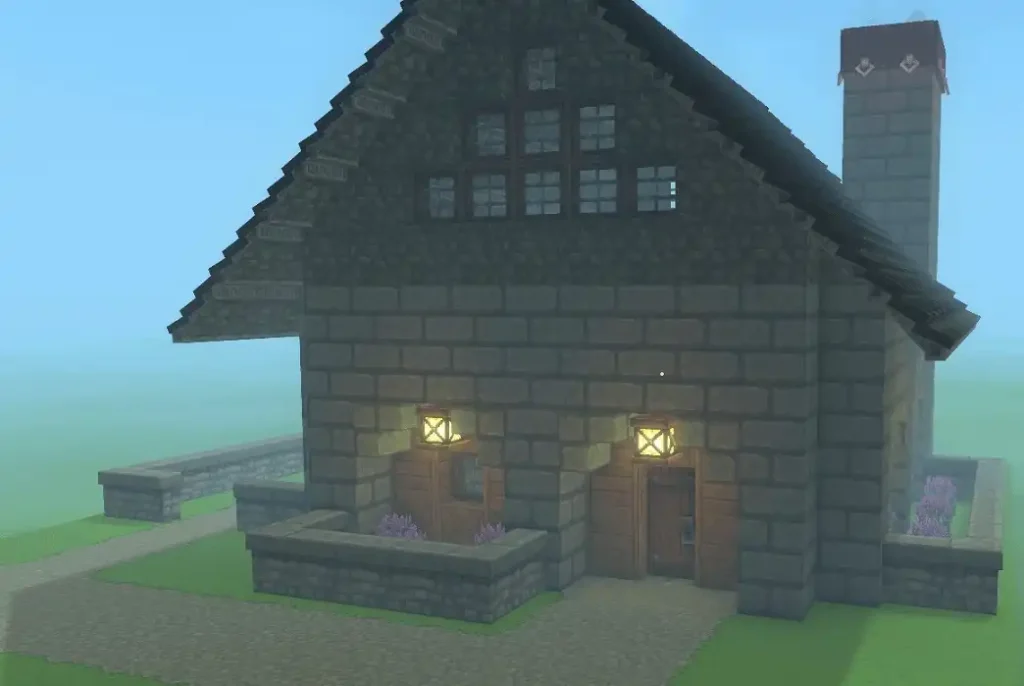
New Hytale players, or those who are new to sandbox games, may want to have their first bases as simple as possible. With that, you can’t go wrong with this Simple Brick House design by xcenji. As the user states, this house design is ideal for town or village builds or quick scene setups. Alternatively, install this prefab into your world if you want to focus more on combat and exploration but still want a base that doesn’t require significant grinding for resources.
Tavern of the Beginning
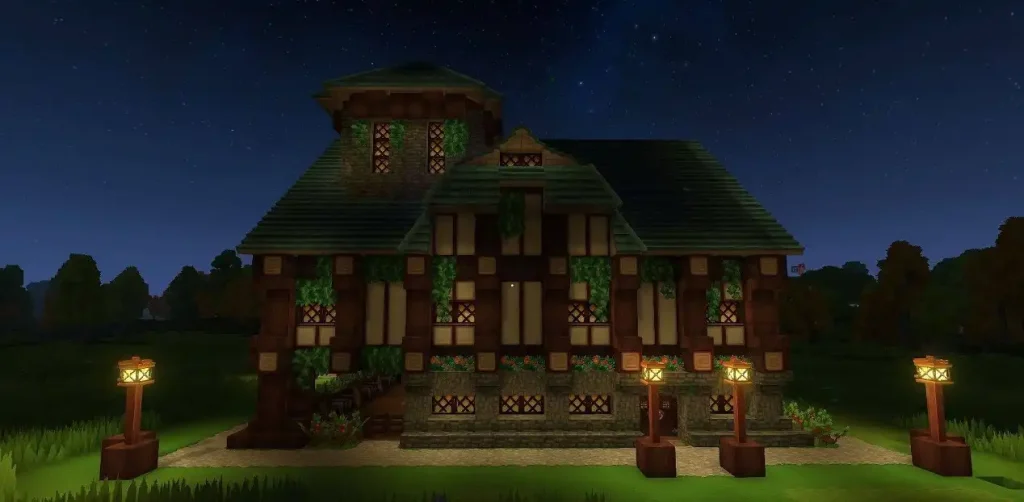
Are you running a dedicated Hytale server with a few of your online friends? If so, this Tavern of the Beginning base design by DJ_AB1AT0R can be your new home.
This prefab features all currently available Tier 1 workstations for all your early-game crafting needs. It also has four cozy rooms, storage spaces, and even a farm with animals. The place also has a built-in Heart of Orbis statue, so you don’t have to frequently return to the Forgotten Temple to submit Memories.
House Modern
User spawi created an elegant, modern house with various medieval elements. Players who are looking for that rustic chic for their base can take advantage of this prefab appropriately called House Modern.
This fairly large home is surrounded by decorative lighting, enhancing its shapes. Complementing the façade are different aesthetic elements, including a front garden, side pool, and two statues guarding the main entrance.
Medieval Castle
Travel back to the age of knights and chivalry with this Medieval Castle design by djegosouza. This massive establishment has different rooms for you and many of your online friends. It also has a chapel, kitchen, watchtower, treasure room, and more!
The roof deck is a fairly large open space, which can be ideal for a farm or garden. Like other prefabs, this design is customizable once it appears in your world seed. So, feel free to unleash your medieval creative side in modifying this castle.
How to Install Base Prefabs in Hytale
Some players may find it intimidating to install prefabs into their Hytale world. However, the process is reasonably straightforward and doesn’t require any specialized expertise to accomplish. With that, follow these steps to download and install building prefabs to your Hytale world:
- Assuming that you’re using a Windows PC, navigate to the following path: C:\Users\YOURNAME\AppData\Roaming\Hytale\UserData\Saves
- Create a new folder and name it “prefabs” (without the quotes and it must all be lowercase)
- Download your preferred prefab and place it in the prefabs folder
- Launch Hytale and access your world
- Open the chat or command console, and type “/op self” (without the quotes) and press Enter
- Next, type “/gamemode c,” and then press the “O” keyboard key to switch modes
- Press “B” to access the Creative Tools window, and click the World tab
- Select Prefab List from the World tab, and your downloaded base design should appear
- Choose the design and place it into your world
Cria o teu próprio servidor de
Hytale
Hytale
Escolhe um plano, seleciona um jogo e joga com os teus amigos!
Subscreve a nossa Newsletter
Subscreve para receber as últimas atualizações sobre tudo do mundo dos jogos!

Junta-te ao nosso Discord
Entra na nossa comunidade com mais de 20.000 membros com os mesmos interesses!
Como avaliarias este blog?
Partilha a tua opinião e ajuda-nos a tornar os nossos blogs ainda melhores!
Não gostei
Neutro
Gostei

Precisas de um servidor de jogo?
Aluga um servidor de jogo onde tu e os teus amigos podem jogar em privado com baixa latência e definições personalizadas. Escolhe entre 110+ jogos, convida pessoas de todo o mundo e desfruta de partidas privadas, ou constrói a tua própria comunidade online com as tuas próprias regras.

Blogs Relevantes







FICA A PAR DE TUDO!
Junta-te ao nosso e-mail para receberes atualizações sobre os nossos jogos alojados, notícias da empresa e promoções exclusivas. Fica a par!













