

Windrose: How to Upgrade Your Ship
Veröffentlicht am von

Teilen:

Auf X teilen

Auf Facebook teilen

Auf Threads teilen

Auf Bluesky teilen

In die Zwischenablage kopieren

Per E-Mail teilen
There's nothing like the salty spray of the sea. Of course, you can only truly appreciate sailing across the ocean in a pirate ship. And in Windrose, upgrading your ship makes maritime exploration even more rewarding. After all, the best way to sail the seas as a pirate is in a powerful ship that scares off pirating competition. Take a look below, and we'll show you how to upgrade your Windrose ship as soon as possible.
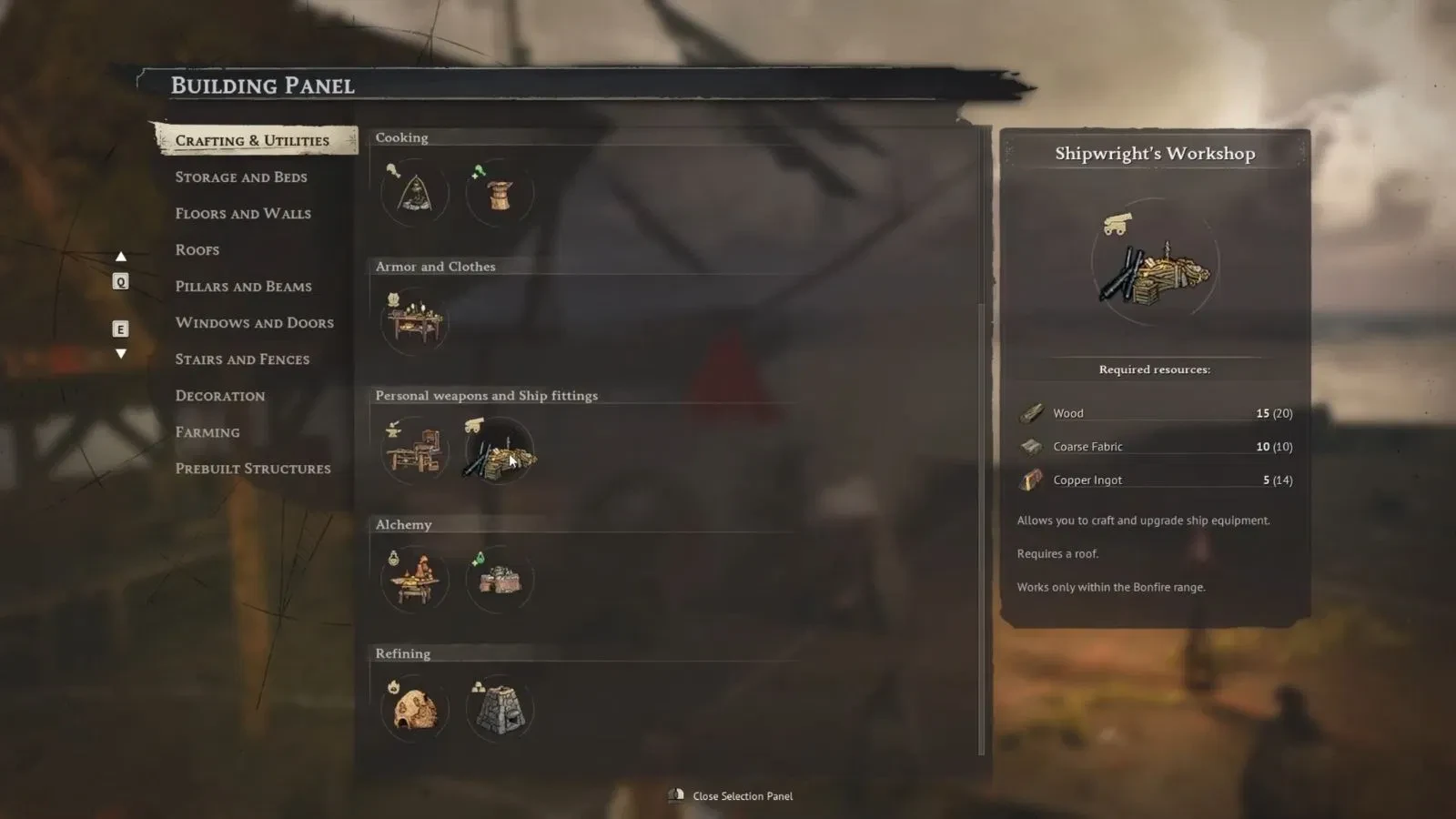 If you're hungry for ship upgrades, a Shipwright's Workshop is the first thing you need to build after starting the Seafarer quest. Here's everything you need to build a Shipwright's Workshop:
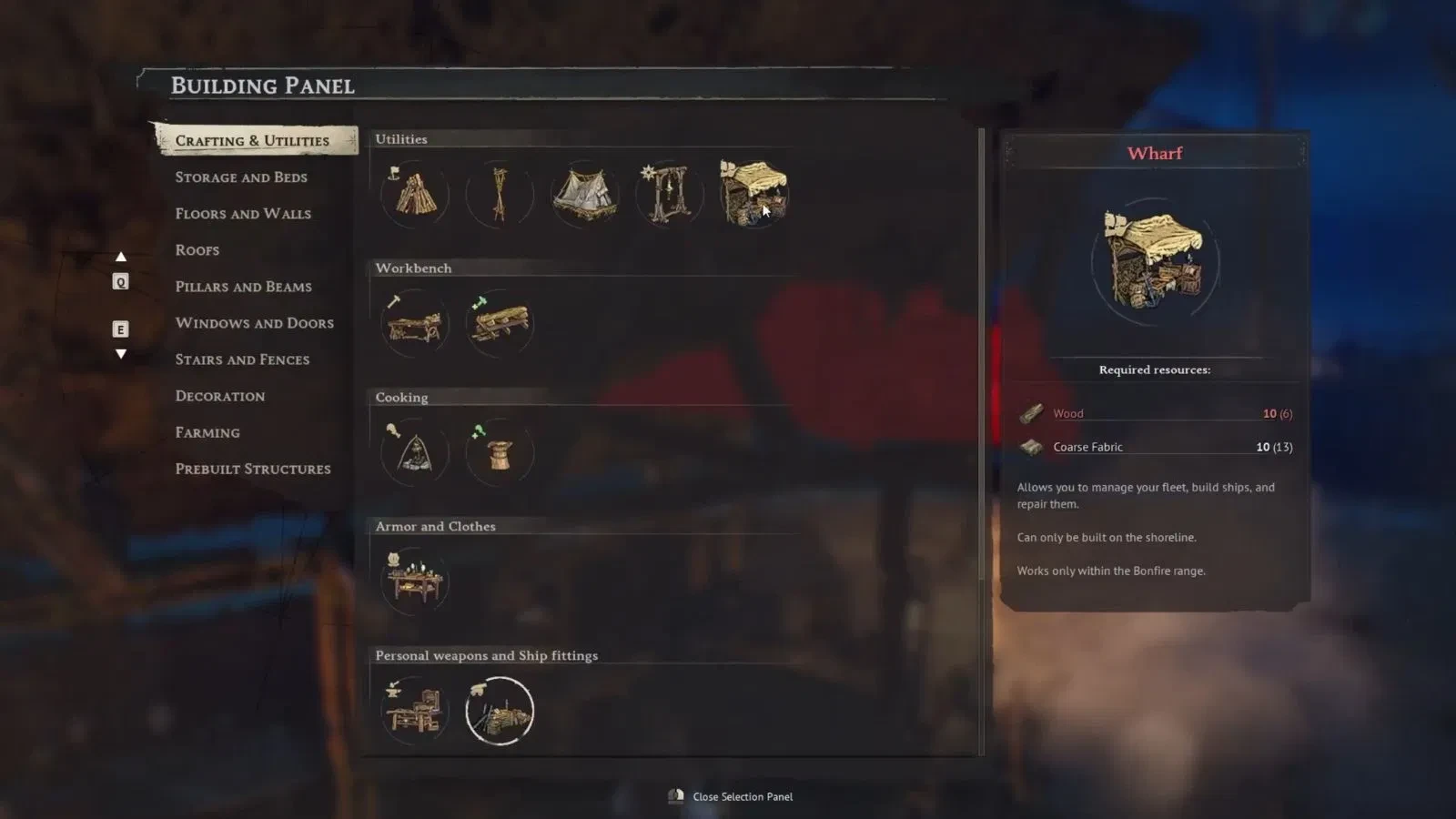 Now, a Wharf won't allow you to upgrade your ship. It is, however, where you equip your ship with various equipment. Cannons, Hull Bracing, and Boarding Party Gear can only be put onto your ship if you load it via the Wharf. Here's everything you need to craft a Wharf:
How to Upgrade Your Ship in Windrose
Before you can upgrade your ship, you'll actually need a ship. Luckily, that doesn't take too long after starting up Windrose for the first time. When you spawn in a new world, you'll first have to complete a tutorial quest called Islander. This gives you a brief introduction to the game's core gameplay loop, and when you're done, you'll receive a new main quest called I Need a Bigger Boat. This will teach you how to repair your ship and gather a crew; two things every pirate needs to know. Finally, when this quest is completed, you will have the option to start the quest, Seafarer. In this quest, you will learn how to craft a Shipwright's Workshop. These are instrumental to your continued progress as a Pirate. They're also the key to finally upgrading your ship.How to Build & Use Shipwright's Workshop
If you're hungry for ship upgrades, a Shipwright's Workshop is the first thing you need to build after starting the Seafarer quest. Here's everything you need to build a Shipwright's Workshop:
- Wood: 15
- Coarse Fabric: 10
- Copper Ingot: 5
How to Build & Use a Wharf
Now, a Wharf won't allow you to upgrade your ship. It is, however, where you equip your ship with various equipment. Cannons, Hull Bracing, and Boarding Party Gear can only be put onto your ship if you load it via the Wharf. Here's everything you need to craft a Wharf:
- Wood: 10
- Coarse Fabric: 10
Erstelle deinen eigenen
Windrose-Server
Windrose-Server
Wähle einen Tarif, such dir ein Spiel aus und spiele mit deinen Freunden!
Abonniere unseren Newsletter
Abonniere für die neuesten Updates rund ums Gaming!

Tritt unserem Discord bei
Werde Teil unserer Community von über 20.000 gleichgesinnten Mitgliedern!
Wie würdest du diesen Blog bewerten?
Teile deine Meinung und hilf uns, unsere Blogs noch besser zu machen!
Hat mir nicht gefallen
Neutral
Hat mir gefallen

Brauchst du einen Spielserver?
Miete einen Spielserver, auf dem du und deine Freunde privat mit niedriger Latenz und benutzerdefinierten Einstellungen spielen könnt. Wähle aus 110+ Spielen, lade Leute aus der ganzen Welt ein und genieße private Matches oder baue deine eigene Online-Community mit deinen eigenen Regeln auf.

Relevante Blogs







HOL DIR DIE INSIDER-INFOS!
Melde dich für unsere E-Mails an, um Updates zu unseren gehosteten Spielen, Unternehmensnachrichten und exklusiven Angeboten zu erhalten. Bleib auf dem Laufenden!













