

Hytale Controls Guide: All PC Mouse & Keyboard Keybinds
Veröffentlicht am von

Teilen:

Auf X teilen

Auf Facebook teilen

Auf Threads teilen

Auf Bluesky teilen

In die Zwischenablage kopieren

Per E-Mail teilen
Eager to hop into Hytale and start exploring every nook and cranny of its open world? Yes, there's plenty to see and discover, but learning the game's controls is a great place to start. With our Hytale controls guide you'll have all the know-how you need to start shaping the world however you like.
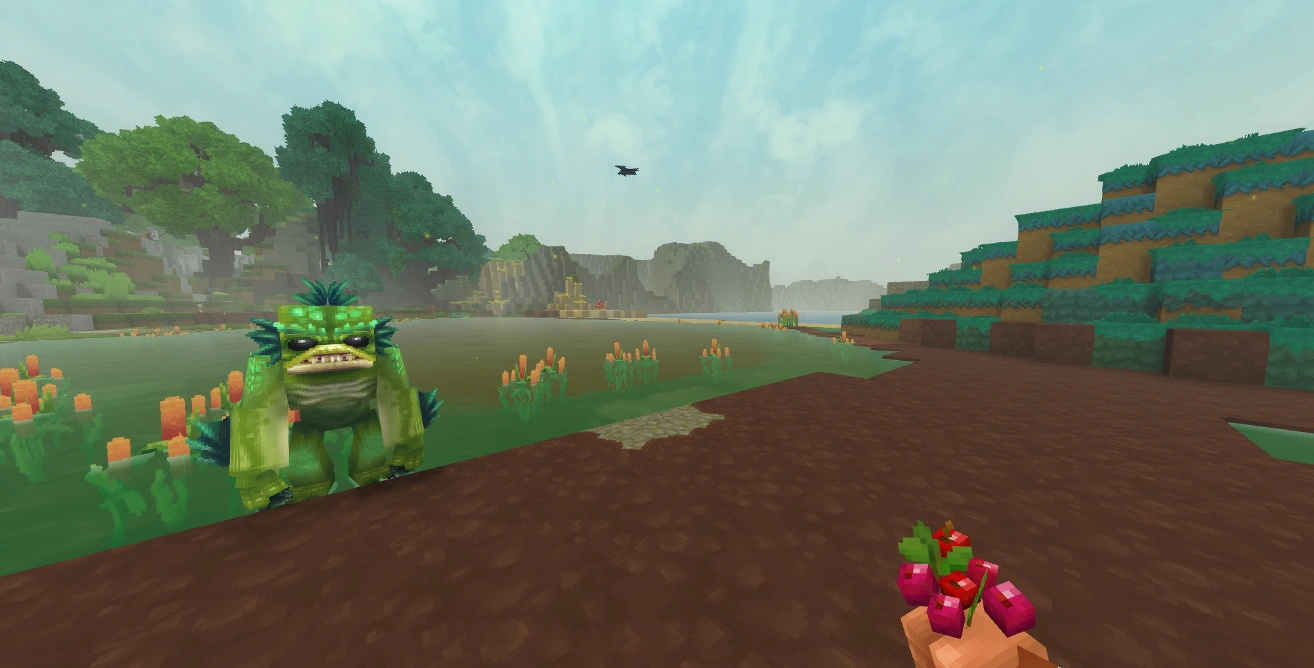 If you're a Minecraft fan, you should feel right at home in Hytale. Not only because of the long-forgotten temples and being able to trade with NPCs, but the controls are very similar as well. Placing blocks, moving through your hotbar, sprinting, walking, and smacking vile critters on the head are all available to you.
While each action has a keybind by default, you can jump into the game's settings to rebind the controls however you please. You can also alter whether or not your keybindings for crouching, sprinting, and walking need to be held or function as a toggle. Finally, keep in mind that, at this point, Hytale does not have controller support.
Here is the full list of PC keybinds for Hytale:
If you're a Minecraft fan, you should feel right at home in Hytale. Not only because of the long-forgotten temples and being able to trade with NPCs, but the controls are very similar as well. Placing blocks, moving through your hotbar, sprinting, walking, and smacking vile critters on the head are all available to you.
While each action has a keybind by default, you can jump into the game's settings to rebind the controls however you please. You can also alter whether or not your keybindings for crouching, sprinting, and walking need to be held or function as a toggle. Finally, keep in mind that, at this point, Hytale does not have controller support.
Here is the full list of PC keybinds for Hytale:
Hytale Controls Guide: All PC Keybinds (Keyboard and Mouse)
If you're a Minecraft fan, you should feel right at home in Hytale. Not only because of the long-forgotten temples and being able to trade with NPCs, but the controls are very similar as well. Placing blocks, moving through your hotbar, sprinting, walking, and smacking vile critters on the head are all available to you.
While each action has a keybind by default, you can jump into the game's settings to rebind the controls however you please. You can also alter whether or not your keybindings for crouching, sprinting, and walking need to be held or function as a toggle. Finally, keep in mind that, at this point, Hytale does not have controller support.
Here is the full list of PC keybinds for Hytale:
Movement
- Move Forwards: W
- Move Backwards: S
- Move Left: A
- Move Right: D
- Jump: Spacebar
- Crouch/Slide/Roll: Left Ctrl
- Sprint: Left Shift
- Walk: Left Alt
- Fly Up: Spacebar
- Fly Down: Left Ctrl
Actions
- Primary Action: Left Mouse
- Secondary Action: Right Mouse
- Use Ability 1: Q
- Use Ability 2: E
- Use Ability 3: R
- Interact with a Block: F
- Rotate a Block: R
- Show Utility Slot Selector: Z
- Mount/Dismount: F
- Drop Item: G
- Hotbar Slot 1: 1
- Hotbar Slot 2: 2
- Hotbar Slot 3: 3
- Hotbar Slot 4: 4
- Hotbar Slot 5: 5
- Hotbar Slot 6: 6
- Hotbar Slot 7: 7
- Hotbar Slot 8: 8
- Hotbar Slot 9: 9
- Switch Camera Mode: V
- Activate Camera Rotation: C
- Toggle Chat: Return
Creative
- Pick a Block: Middle Mouse
- Switch Game Mode: O
Menus
- Open Inventory: Tab
- Open Machinima Editor: N
- Open Map: M
- Open Creative Tools: B
- Show Player List: P
Builder Tools
- Toggle Builder Tools Legend: L
- Legend - Previous Page: J
- Legend - Next Page: K
- Undo: Z
- Redo: Y
- Add/Remove Favorite Material: Not Bound by Default
- Paint Brush Tool: Keypad 1
- Sculpt Brush Tool: Keypad 2
- Selection Tool: Keypad 3
- Paste Tool: Keypad 4
- Line Tool: Keypad 5
- Change Sculpt Brush Modifier: Left Shift
- Use Paint Mode for Brush: U
- Select Block from Set: Q
- Paste Preview: T
Miscellaneous
- Switch HUD Visibility: F8
- Toggle Fullscreen: F11
- Take Screenshot: F12
- Command: /
Debug
- Decrease Speed Multiplier: F1
- Increase Speed Multiplier: F2
- Toggle Creative Collision: F3
- Toggle Fly Camera: F4
- Toggle Fly Camera Control Target: F5
- Toggle Debug Screens: F7
Erstelle deinen eigenen
Hytale-Server
Hytale-Server
Wähle einen Tarif, such dir ein Spiel aus und spiele mit deinen Freunden!
Abonniere unseren Newsletter
Abonniere für die neuesten Updates rund ums Gaming!

Tritt unserem Discord bei
Werde Teil unserer Community von über 20.000 gleichgesinnten Mitgliedern!
Wie würdest du diesen Blog bewerten?
Teile deine Meinung und hilf uns, unsere Blogs noch besser zu machen!
Hat mir nicht gefallen
Neutral
Hat mir gefallen

Brauchst du einen Spielserver?
Miete einen Spielserver, auf dem du und deine Freunde privat mit niedriger Latenz und benutzerdefinierten Einstellungen spielen könnt. Wähle aus 110+ Spielen, lade Leute aus der ganzen Welt ein und genieße private Matches oder baue deine eigene Online-Community mit deinen eigenen Regeln auf.

Relevante Blogs







HOL DIR DIE INSIDER-INFOS!
Melde dich für unsere E-Mails an, um Updates zu unseren gehosteten Spielen, Unternehmensnachrichten und exklusiven Angeboten zu erhalten. Bleib auf dem Laufenden!













