


Auf X teilen

Auf Facebook teilen

Auf Threads teilen

Auf Bluesky teilen

In die Zwischenablage kopieren

Per E-Mail teilen
There's already plenty for any adventure-seeking Flameborn to do in Embervale, but what if you want a more personal touch? What if you want to bend the world's features just a bit more? Enshrouded 1.0 has provided the extra touch that creative folks crave with Sparkworks. This is an in-game logic system, and we have all the info you need on it here.
What is Sparkworks in Enshrouded 1.0?


So, what is Sparkworks exactly? It's a logic system that allows players to connect interactive objects and create mechanisms that respond to specific actions. Instead of building structures that are purely decorative, you can make your creations react to players and their surroundings.
The system revolves around three basic elements:
- Inputs: Objects such as levers, buttons, and pressure plates that initiate an action.
- Logic: Connections and configurable rules that determine how inputs affect other components.
- Outputs: Objects or events that respond to those inputs, such as doors, traps, and supported environmental effects.
For example, you could connect a lever to a hidden door, use a pressure plate to activate a trap, or combine several mechanisms to create a puzzle that players have to solve. Sparkworks also features a 2D graph editor, which displays how your components connect and helps you manage more complicated creations.
Logic operators, including 'OR' and 'NOT' gates, alongside timing-related components such as clocks, give you additional control over how mechanisms behave. By combining these features, you can create systems that go beyond simple switches and build more elaborate interactive experiences. Basically, you can let your Enshrouded imagination run absolutely wild!
How to Use Sparkworks in Enshrouded 1.0
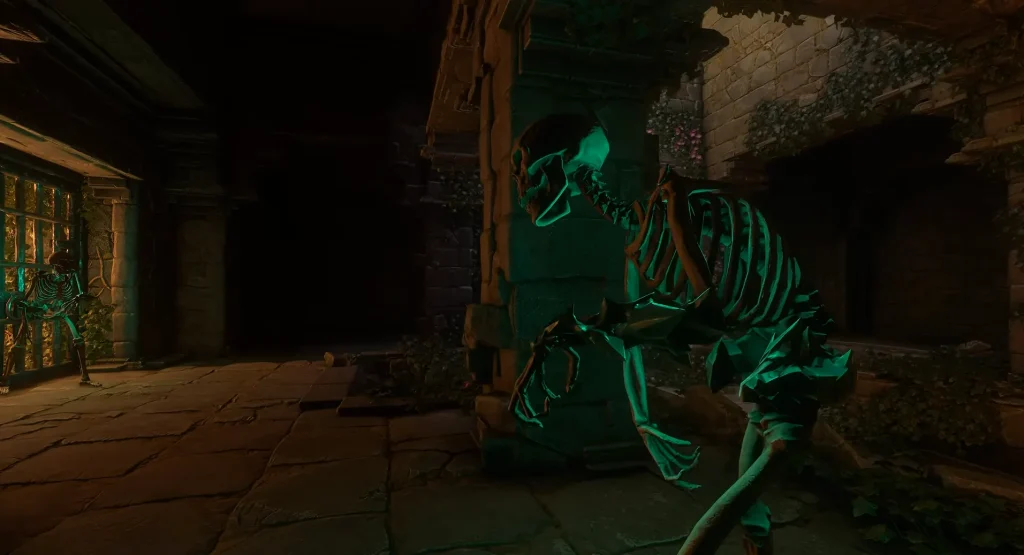
Before building your first contraption, there's a quest you need to complete: Contraptions and Mechanisms. You'll unlock this quest after you've saved the Carpenter. With the Carpenter at your base, speak with him to accept the quest and you'll be sent to explore a Trapped Night Sanctum in Revelwood. The objective markers on your map and compass will take you where you need to go, but keep in mind you can only enter this particular dungeon at night.
Inside, you'll navigate through some enemies and traps to finally retrieve a Sparkworks Tool. This is a necessary gadget for crafting your own Sparkworks creations. Once you have it, head back to your base, speak to the Carpenter, and he'll give you the last thing you need: the recipe for crafting a Sparkworks Workbench. You'll also receive the recipe for crafting additional Sparkworks Tools.
Here are the recipes for a Sparkworks Workbench and Sparkworks Tool so that you know what resources you're going to need:
Sparkworks Workbench
- Nails: 2
- Metal Sheets: 4
- Archaic Essence: 2
- Copper Bars: 2
Sparkworks Tool
- Metal Scraps: 4
- Archaic Essence: 1
Once you've crafted your Sparkworks Workbench and Tool, you can build your first contraption!
One useful beginner project to get you started with the tool is an automatic door that opens when you approach it. To build an automatic door, simply follow these steps:
- Place a Door and a Switchbox in your base, then equip your Sparkworks Tool.
- Press Tab with the tool equipped and create a Trigger Zone around your doorway. Make sure it extends slightly into the floor and covers the entrance.
- With the tool equipped, click the Trigger Zone to access its settings. Give it a name, set its activation to Player Only, and confirm your changes.
- Select and name your door, then interact with the Switchbox to create a new graph. Add two object nodes representing your Trigger Zone and Door.
- Connect the Trigger Zone's output to the Door's input. Now, approaching the doorway should open it automatically.
With this setup, the door stays open while you're inside the Trigger Zone and closes when you leave. You can also experiment with levers, buttons, and logic gates to build more complex mechanisms as you get more comfortable with Sparkworks. For instance, this automatic door is only a few steps away from becoming a great trap to surprise your friends with...just saying.
What Can You Build With Sparkworks?
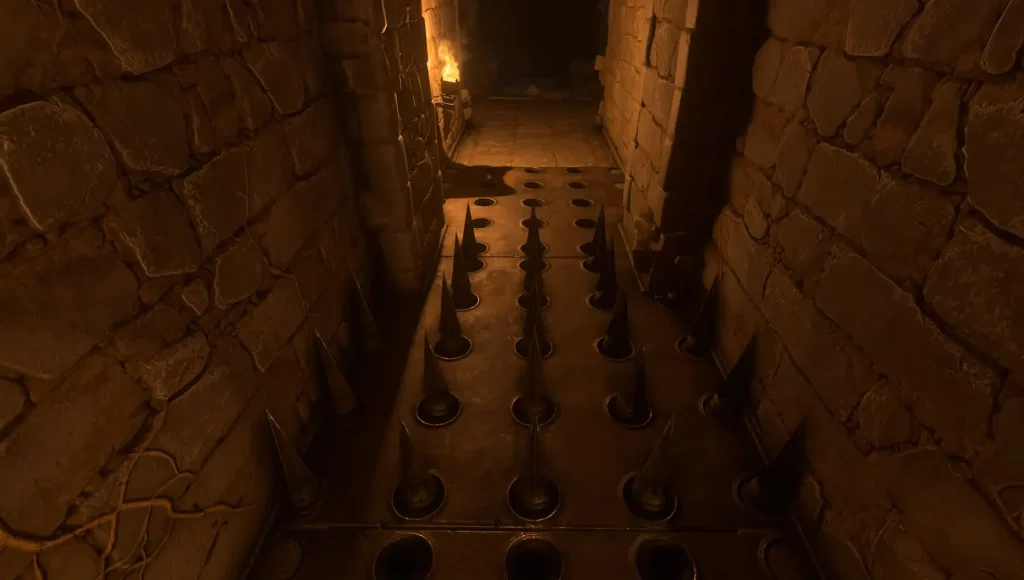
The possibilities are practically endless for creative Flameborn. Here are just a few of the many contraptions you could create:
- Secret rooms and hidden entrances: Conceal levers or buttons that open hidden passages.
- Trap-filled dungeons: Connect pressure plates to hazards that catch unsuspecting adventurers off guard.
- Puzzle rooms and escape challenges: Require players to discover clues and activate mechanisms to progress.
- Parkour courses: Introduce interactive obstacles and timed challenges that test players' reflexes.
- Combat arenas: Incorporate traps and enemy-spawning interactions into custom encounters.
- Interactive bases: Add concealed entrances and other mechanisms that make your home feel more alive.
You can even combine several ideas into one large adventure, complete with secret passages, puzzles, and dangerous encounters. Sparkworks is even more exciting when paired with Enshrouded's Adventure Sharing features. This allows you to upload your own creations or browse through and download the huge number of community-made builds. And it's all done in-game!
You can sift through everyone's Sparkworks projects by tags, see what's trending, use share codes, or even subscribe to your favorite creators. Maybe you've built a whole Sparkworks-powered castle, and you need to furnish it with a few more creations? Hop into Adventure Sharing to find someone's idea for a perfect spike trap. Or, you and your pals can get together and enjoy a variety of minigames or gameplay challenges that folks have made. There are plenty of options.
Tips for Getting the Most Out of Sparkworks
Sparkworks might seem intimidating at first with all its moving parts, UI screens, and possibilities. Don't worry! A few things can help you keep your head on straight while fine-tuning your builds.
- Start small: Practice with a single lever and door before creating complicated systems.
- Organize your connections: Use descriptive names to make the graph editor easier to navigate.
- Test everything: Confirm that each input activates the intended output before expanding your design.
- Experiment with logic: Combine different components to discover new ways to control your creations.
- Consider your players: Use environmental clues and thoughtful layouts to make puzzles engaging, not frustrating.
You don't need to build an enormous dungeon right away. Even a small interactive mechanism can add personality to your base. Start with a trap door meant to prank your pals, then build up to a fully fledged adventure you and your friends can conquer together.
Sparkworks Parts & Recipes
You can use a variety of pieces and components to bring your Sparkworks dreams to life. Buttons, levers, and pressure plates all provide input, but there are plenty of variations as well. A Push Button, for example, requires player interaction, while a Shootable Button can be activated from a distance with a well-placed ranged shot.
Here, we've listed parts and pieces you can craft at your Sparkworks Workbench, along with their recipes. Keep in mind that you do not craft Spawners. To create and modify a Spawner, you'll use a Sparkworks Tool.
Push Button
- Stone: 1
Switch Button
- Stone: 1
- Archaic Essence: 1
Shootable Button
- Bronze Bars: 1
- Stone: 1
- Archaic Essence: 1
Lever
- Metal Scraps: 1
Lever with Indicator
- Metal Scraps: 1
- Archaic Essence: Any Tier
Pressure Plate
- Metal Scraps: 2
Light
- Metal Scraps: 1
- Archaic Essence: Any Tier
Goalpost
- Bronze Bars: 1
- Archaic Essence: Any Tier
Spike Trap
- Tin Bars: 1
Switchbox
- Copper Bar: 1
- Archaic Essence: Any Tier
Lightning Trap
- Copper Bars: 1
- Archaic Essence: Any Tier
Trapdoor Metal 4m
- Tin Bars: 2
Trapdoor Metal 2m
- Tin Bars: 1
Trapdoor Stone 4m
- Any Stone: 4
Trapdoor Stone 2m
- Any Stone: 2
Trapdoor Wood 4m
- Wood Planks: 4
Trapdoor Wood 2m
- Wood Planks: 2
Enshrouded-Server
Wähle einen Tarif, such dir ein Spiel aus und spiele mit deinen Freunden!
Abonniere für die neuesten Updates rund ums Gaming!

Werde Teil unserer Community von über 20.000 gleichgesinnten Mitgliedern!
Wie würdest du diesen Blog bewerten?


Relevante Blogs







HOL DIR DIE INSIDER-INFOS!
Melde dich für unsere E-Mails an, um Updates zu unseren gehosteten Spielen, Unternehmensnachrichten und exklusiven Angeboten zu erhalten. Bleib auf dem Laufenden!













