
WARDOGS Controls Guide: All PC & Controller Key Bindings
Publicado em por

Partilhar:

Partilhar no X

Partilhar no Facebook

Partilhar no Threads

Partilhar no Bluesky

Copiar para a Área de Transferência

Partilhar por e-mail
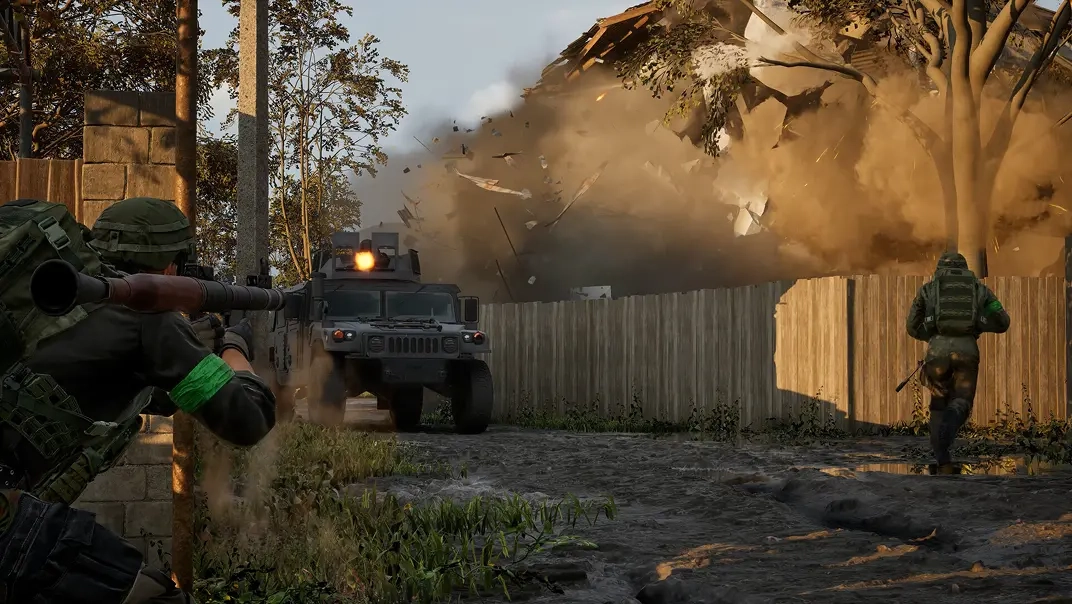
WARDOGS features an abundance of unexpected keybinds capable of giving you a competitive edge! So, today we explore all WARDOGS controls for PC and controllers (Xbox Series X|S, PS5) to help you prepare for your next fight or flight!
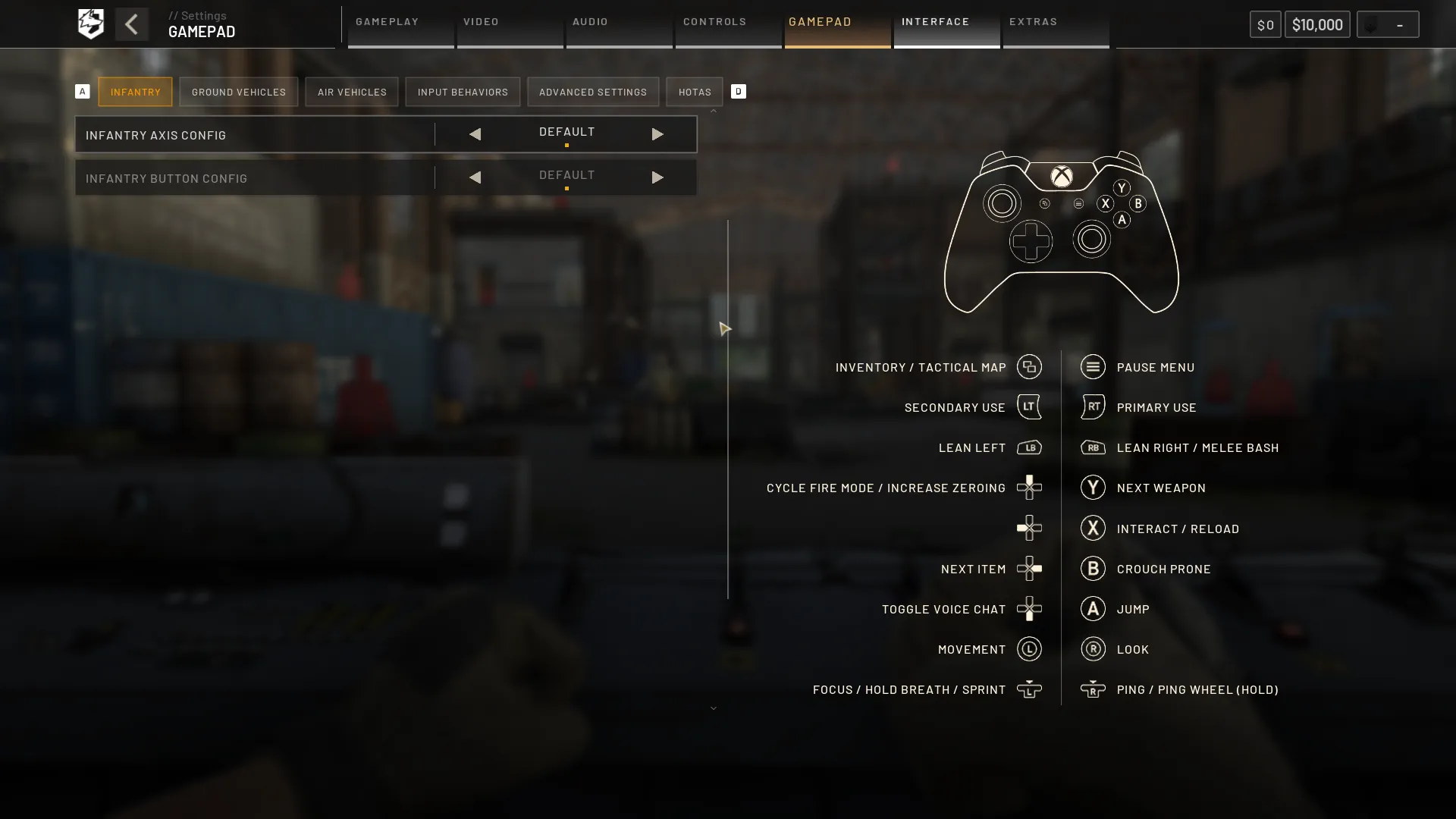 Note: The following WARDOGS controls highlight the use of an Xbox controller. Button layout may vary for different gamepads.
WARDOGS Controls For PC & Controller
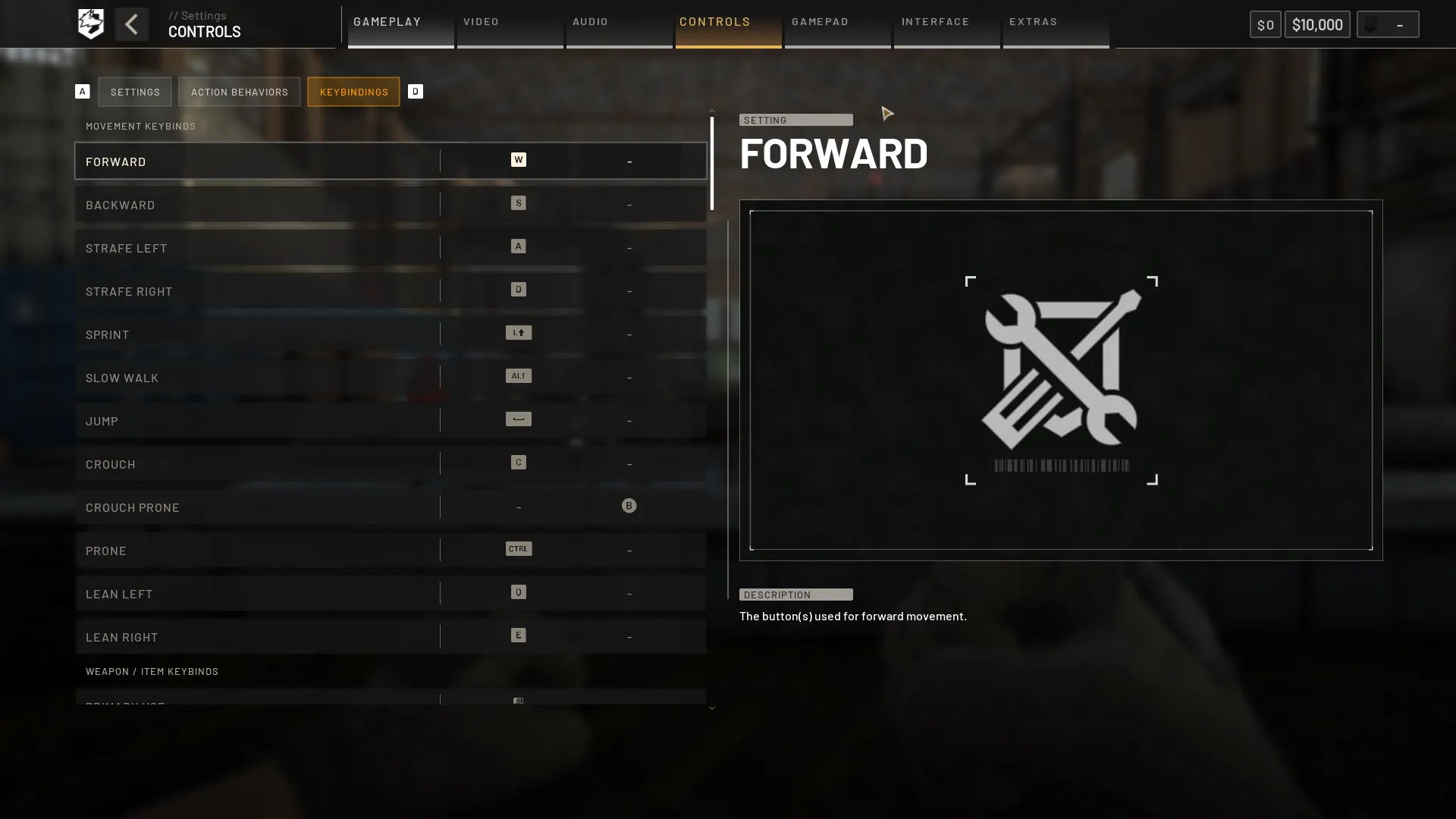
WARDOGS by BULKHEAD is a PC exclusive game in early access as of September 10, 2026, available on Steam. Those jumping in can do so with a choice of Keyboard & Mouse or a Controller.Windows PC Controls (Keyboard & Mouse)
Movement Keybinds
- Forward: W
- Backward: S
- Strafe Left: A
- Strafe Right: D
- Sprint: Left Shift
- Slow Walk: Alt
- Jump: Space
- Crouch: C
- Crouch Prone: Unbound
- Prone: Ctrl
- Lean Left: Q
- Lean Right: E
Weapon / Item Keybinds
- Primary Use: Left Mouse Button
- Secondary Use: Right Mouse Button
- Focus / Hold Breath: Left Shift
- Melee Bash: V
- Reload: R
- Increase Zeroing: Page Up
- Decrease Zeroing: Page Down
- Cycle Fire Mode: B
- Cycle Sights: Z
- Mount Bipod: G
- Toggle Bipod Fold: G
- Deploy Parachute: Space
- Cut Parachute: C
- Inspect: I
- Next Slot: Mouse Scroll Wheel Down
- Previous Slot: Mouse Scroll Wheel Up
- Holster Item: X
- Equipment Wheel: 4
- Quick Slot 1: 1
- Quick Slot 2: 2
- Quick Slot 3: 3
- Quick Slot 4: 4
- Quick Slot 5: 5
- Quick Slot 6: 6
- Quick Slot 7: 7
- Quick Slot 8: 8
- Quick Slot 9: 9
- Quick Slot 0: 0
Interaction Keybinds
- Interact: F
Communication
- Enable/Disable Voice Chat: Unbound
- Enable/Disable Voice Chat (Scoreboard): U
- Push-to-Talk (Squad): J
- Push-to-Talk (Proximity): K
- Ping: Middle Mouse Button
- Ping Wheel (Hold): Middle Mouse Button
- Tip: F1
- Reject Tip: F2
- Bribe: F1
Build Tool Keybinds
- Dismantle: V
- Rotate Buildable: R
- Toggle Snapping: B
Ground Vehicle Keybinds
- Throttle: W
- Brake: S
- Steer Right: D
- Steer Left: A
- Handbrake: Space
- Gear Shift R: R
Rotary Vehicle Keybinds
- Collective (Raise): Left Shift
- Collective (Lower): Ctrl
- Increase Cyclic X: W
- Decrease Cyclic X: S
- Increase Cyclic Y: D
- Decrease Cyclic Y: A
- Yaw Left: Q
- Yaw Right: E
Missile Keybinds
- Increase Cyclic X: W
- Decrease Cyclic X: S
General Vehicle Keybinds
- Next Seat: 0
- Previous Seat: 9
- Lock/Unlock Vehicle: L
- Activate Counter Measure: V
- Buy Ammo / Supplies: B
- Deploy Supply Crate: G
- Horn: H
Vehicle Weapons Keybinds
- Fire Weapon: Left Mouse Button
- Cycle Weapons: Z
- Cycle Fire Mode: B
- Eject From Projectile: C
- Vehicle Weapon Pitch Up: W
- Vehicle Weapon Pitch Down: S
- Vehicle Weapon Yaw Left: A
- Vehicle Weapon Yaw Right: D
Vehicle Camera Keybinds
- Toggle Free Look: Alt
- Toggle Camera Mode: C
- Camera Left View: Left Arrow
- Camera Right View: Right Arrow
- Camera Rear View: Down Arrow
- Camera Zoom In: Page Up
- Camera Zoom Out: Page Down
UI - General Keybinds
- Pause Menu: Esc
- Inventory: Tab
- Scoreboard: Mouse Button
- Give Up: F
- Chat: Enter
- Toggle Vault: V
UI - Map Keybinds
- Tactical Map: M
- Recenter Tactical Map: X
- Zoom Minimap In: [
- Zoom Minimap Out: ]
UI - Active Reload Keybinds
- Active Reload - Up: Up Arrow
- Active Reload - Right: Right Arrow
- Active Reload - Left: Left Arrow
- Active Reload - Down: Down Arrow
Windows PC Controls (Xbox Series X|S Controller)
Note: The following WARDOGS controls highlight the use of an Xbox controller. Button layout may vary for different gamepads.
Infantry
- Inventory / Tactical Map: View Button
- Pause Menu: Menu Button
- Secondary Use: LT
- Primary Use: RT
- Lean Left: LB
- Lean Right / Melee Bash: RB
- Cycle Fire Mode / Increase Zeroing: D-Pad Up
- Nothing: D-Pad Left
- Next Item: D-Pad Right
- Toggle Voice Chat: D-Pad Down
- Next Weapon: Y
- Interact / Reload: X
- Crouch Prone: B
- Jump: A
- Movement: Left Stick
- Look: Right Stick
- Focus / Hold Breath / Sprint: Left Stick Click (L3)
- Ping / Ping Wheel (Hold): Right Stick Click (R3)
Ground Vehicles
- Inventory / Tactical Map: View Button
- Pause Menu: Menu Button
- Brake: LT
- Throttle: RT
- Nothing: LB
- Nothing: RB
- Nothing: D-Pad Up
- Toggle Free Look: D-Pad Left
- Toggle Camera Mode: D-Pad Right
- Toggle Voice Chat: D-Pad Down
- Nothing: Y
- Interact: X
- Next Seat: B
- Handbrake: A
- Steer Vehicle: Left Stick
- Free Look Camera: Right Stick
- Horn: Left Stick Click (L3)
- Ping: Right Stick Click (R3)
Air Vehicles
- Inventory / Tactical Map: View Button
- Pause Menu: Menu Button
- Collective (Lower): LT
- Collective (Raise) / Fire Weapon: RT
- Nothing: LB
- Nothing: RB
- Activate Counter Measure: D-Pad Up
- Toggle Free Look: D-Pad Left
- Toggle Camera Mode: D-Pad Right
- Toggle Voice Chat: D-Pad Down
- Nothing: Y
- Interact: X
- Next Seat: B
- Nothing: A
- Cyclic: Left Stick
- Pedals / Free Look Camera: Right Stick
- Horn: Left Stick Click (L3)
- Ping: Right Stick Click (R3)
Windows PC Controls (PlayStation 5 Controller)
Infantry
- Inventory / Tactical Map: Create Button
- Pause Menu: Options Button
- Secondary Use: L2
- Primary Use: R2
- Lean Left: L1
- Lean Right / Melee Bash: R1
- Cycle Fire Mode / Increase Zeroing: D-Pad Up
- Nothing: D-Pad Left
- Next Item: D-Pad Right
- Toggle Voice Chat: D-Pad Down
- Next Weapon: Triangle
- Interact / Reload: Square
- Crouch Prone: Circle
- Jump: Cross
- Movement: Left Stick
- Look: Right Stick
- Focus / Hold Breath / Sprint: Left Stick Click (L3)
- Ping / Ping Wheel (Hold): Right Stick Click (R3)
Ground Vehicles
- Inventory / Tactical Map: Create Button
- Pause Menu: Options Button
- Brake: L2
- Throttle: R2
- Nothing: L1
- Nothing: R1
- Nothing: D-Pad Up
- Toggle Free Look: D-Pad Left
- Toggle Camera Mode: D-Pad Right
- Toggle Voice Chat: D-Pad Down
- Nothing: Triangle
- Interact: Square
- Next Seat: Circle
- Handbrake: Cross
- Steer Vehicle: Left Stick
- Free Look Camera: Right Stick
- Horn: Left Stick Click (L3)
- Ping: Right Stick Click (R3)
Air Vehicles
- Inventory / Tactical Map: Create Button
- Pause Menu: Options Button
- Collective (Lower): L2
- Collective (Raise) / Fire Weapon: R2
- Nothing: L1
- Nothing: R1
- Activate Countermeasure: D-Pad Up
- Toggle Free Look: D-Pad Left
- Toggle Camera Mode: D-Pad Right
- Toggle Voice Chat: D-Pad Down
- Nothing: Triangle
- Interact: Square
- Next Seat: Circle
- Nothing: Cross
- Cyclic: Left Stick
- Pedals / Free Look Camera: Right Stick
- Horn: Left Stick Click (L3)
- Ping: Right Stick Click (R3)
Cria o teu próprio servidor de
WARDOGS
WARDOGS
Escolhe um plano, seleciona um jogo e joga com os teus amigos!
Subscreve a nossa Newsletter
Subscreve para receber as últimas atualizações sobre tudo do mundo dos jogos!

Junta-te ao nosso Discord
Entra na nossa comunidade com mais de 20.000 membros com os mesmos interesses!
Como avaliarias este blog?
Partilha a tua opinião e ajuda-nos a tornar os nossos blogs ainda melhores!
Não gostei
Neutro
Gostei

Precisas de um servidor de jogo?
Aluga um servidor de jogo onde tu e os teus amigos podem jogar em privado com baixa latência e definições personalizadas. Escolhe entre 110+ jogos, convida pessoas de todo o mundo e desfruta de partidas privadas, ou constrói a tua própria comunidade online com as tuas próprias regras.

Blogs Relevantes







FICA A PAR DE TUDO!
Junta-te ao nosso e-mail para receberes atualizações sobre os nossos jogos alojados, notícias da empresa e promoções exclusivas. Fica a par!













