

Hytale Controls Guide: All PC Mouse & Keyboard Keybinds
Publicado em por

Partilhar:

Partilhar no X

Partilhar no Facebook

Partilhar no Threads

Partilhar no Bluesky

Copiar para a Área de Transferência

Partilhar por e-mail
Eager to hop into Hytale and start exploring every nook and cranny of its open world? Yes, there's plenty to see and discover, but learning the game's controls is a great place to start. With our Hytale controls guide you'll have all the know-how you need to start shaping the world however you like.
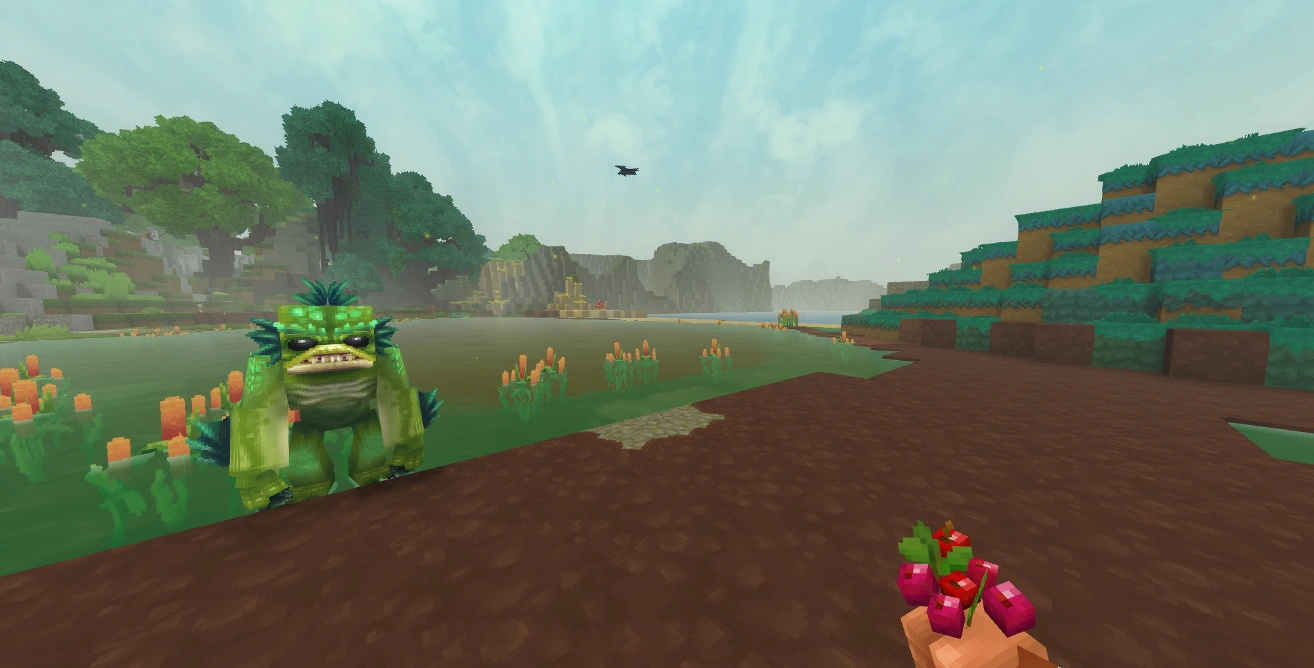 If you're a Minecraft fan, you should feel right at home in Hytale. Not only because of the long-forgotten temples and being able to trade with NPCs, but the controls are very similar as well. Placing blocks, moving through your hotbar, sprinting, walking, and smacking vile critters on the head are all available to you.
While each action has a keybind by default, you can jump into the game's settings to rebind the controls however you please. You can also alter whether or not your keybindings for crouching, sprinting, and walking need to be held or function as a toggle. Finally, keep in mind that, at this point, Hytale does not have controller support.
Here is the full list of PC keybinds for Hytale:
If you're a Minecraft fan, you should feel right at home in Hytale. Not only because of the long-forgotten temples and being able to trade with NPCs, but the controls are very similar as well. Placing blocks, moving through your hotbar, sprinting, walking, and smacking vile critters on the head are all available to you.
While each action has a keybind by default, you can jump into the game's settings to rebind the controls however you please. You can also alter whether or not your keybindings for crouching, sprinting, and walking need to be held or function as a toggle. Finally, keep in mind that, at this point, Hytale does not have controller support.
Here is the full list of PC keybinds for Hytale:
Hytale Controls Guide: All PC Keybinds (Keyboard and Mouse)
If you're a Minecraft fan, you should feel right at home in Hytale. Not only because of the long-forgotten temples and being able to trade with NPCs, but the controls are very similar as well. Placing blocks, moving through your hotbar, sprinting, walking, and smacking vile critters on the head are all available to you.
While each action has a keybind by default, you can jump into the game's settings to rebind the controls however you please. You can also alter whether or not your keybindings for crouching, sprinting, and walking need to be held or function as a toggle. Finally, keep in mind that, at this point, Hytale does not have controller support.
Here is the full list of PC keybinds for Hytale:
Movement
- Move Forwards: W
- Move Backwards: S
- Move Left: A
- Move Right: D
- Jump: Spacebar
- Crouch/Slide/Roll: Left Ctrl
- Sprint: Left Shift
- Walk: Left Alt
- Fly Up: Spacebar
- Fly Down: Left Ctrl
Actions
- Primary Action: Left Mouse
- Secondary Action: Right Mouse
- Use Ability 1: Q
- Use Ability 2: E
- Use Ability 3: R
- Interact with a Block: F
- Rotate a Block: R
- Show Utility Slot Selector: Z
- Mount/Dismount: F
- Drop Item: G
- Hotbar Slot 1: 1
- Hotbar Slot 2: 2
- Hotbar Slot 3: 3
- Hotbar Slot 4: 4
- Hotbar Slot 5: 5
- Hotbar Slot 6: 6
- Hotbar Slot 7: 7
- Hotbar Slot 8: 8
- Hotbar Slot 9: 9
- Switch Camera Mode: V
- Activate Camera Rotation: C
- Toggle Chat: Return
Creative
- Pick a Block: Middle Mouse
- Switch Game Mode: O
Menus
- Open Inventory: Tab
- Open Machinima Editor: N
- Open Map: M
- Open Creative Tools: B
- Show Player List: P
Builder Tools
- Toggle Builder Tools Legend: L
- Legend - Previous Page: J
- Legend - Next Page: K
- Undo: Z
- Redo: Y
- Add/Remove Favorite Material: Not Bound by Default
- Paint Brush Tool: Keypad 1
- Sculpt Brush Tool: Keypad 2
- Selection Tool: Keypad 3
- Paste Tool: Keypad 4
- Line Tool: Keypad 5
- Change Sculpt Brush Modifier: Left Shift
- Use Paint Mode for Brush: U
- Select Block from Set: Q
- Paste Preview: T
Miscellaneous
- Switch HUD Visibility: F8
- Toggle Fullscreen: F11
- Take Screenshot: F12
- Command: /
Debug
- Decrease Speed Multiplier: F1
- Increase Speed Multiplier: F2
- Toggle Creative Collision: F3
- Toggle Fly Camera: F4
- Toggle Fly Camera Control Target: F5
- Toggle Debug Screens: F7
Cria o teu próprio servidor de
Hytale
Hytale
Escolhe um plano, seleciona um jogo e joga com os teus amigos!
Subscreve a nossa Newsletter
Subscreve para receber as últimas atualizações sobre tudo do mundo dos jogos!

Junta-te ao nosso Discord
Entra na nossa comunidade com mais de 20.000 membros com os mesmos interesses!
Como avaliarias este blog?
Partilha a tua opinião e ajuda-nos a tornar os nossos blogs ainda melhores!
Não gostei
Neutro
Gostei

Precisas de um servidor de jogo?
Aluga um servidor de jogo onde tu e os teus amigos podem jogar em privado com baixa latência e definições personalizadas. Escolhe entre 110+ jogos, convida pessoas de todo o mundo e desfruta de partidas privadas, ou constrói a tua própria comunidade online com as tuas próprias regras.

Blogs Relevantes







FICA A PAR DE TUDO!
Junta-te ao nosso e-mail para receberes atualizações sobre os nossos jogos alojados, notícias da empresa e promoções exclusivas. Fica a par!













