
Core Keeper Controls Guide: All PC & Controller Key Bindings
Publicado em por

Partilhar:

Partilhar no X

Partilhar no Facebook

Partilhar no Threads

Partilhar no Bluesky

Copiar para a Área de Transferência

Partilhar por e-mail
Core Keeper 1.0 launched with much anticipation, as it included new content and several welcoming features. The game’s exit from Early Access also marks the launch of its PlayStation 5 and Xbox Series X|S release, followed by the PlayStation 4, Xbox One, and Nintendo Switch versions almost two months after. Transitioning to a new platform to play the game generally demands relearning the controls. So, here’s a Core Keeper Controls Guide to help ease those woes.
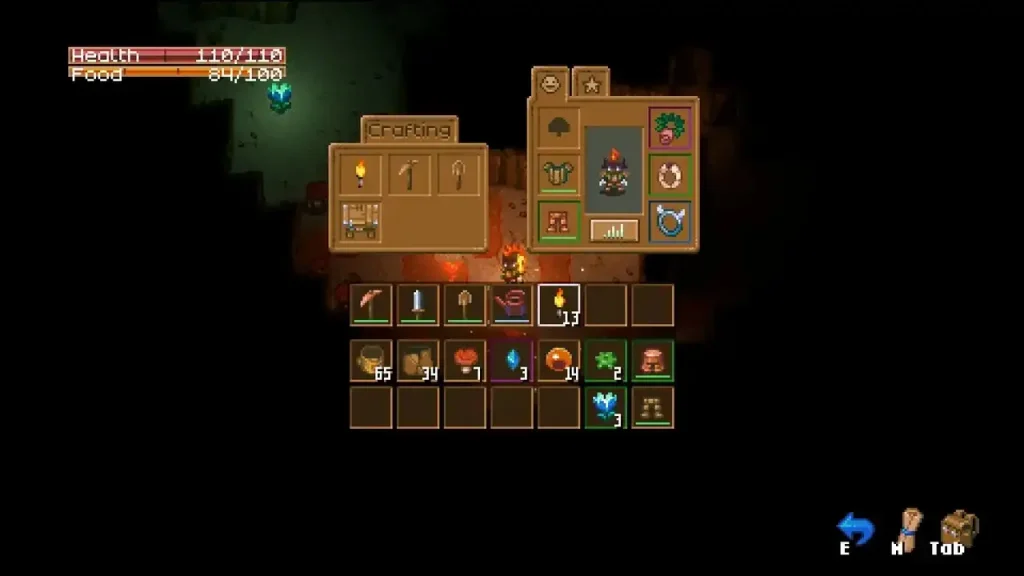 The controls for Core Keeper generally depend on the gaming system you’re using. However, the default Xbox controls also work for the Steam version of Core Keeper when using a gamepad on the PC.
Core Keeper Controls for PC, PlayStation, Xbox, & Nintendo Switch
The controls for Core Keeper generally depend on the gaming system you’re using. However, the default Xbox controls also work for the Steam version of Core Keeper when using a gamepad on the PC.
Windows PC Controls (Keyboard & Mouse)
General
- UI Interact: Left Mouse Button
- UI Second Interact: Right Mouse Button
- Toggle Inventory: Tab
- Toggle Map: M
- Interact with Object: E
- Close: E/Escape
- Toggle In-Game UI: Left CTRL + U
Gameplay
- Attack: Left Mouse Button
- Use: Right Mouse Button
- Equip Next Item: Mouse Wheel Forward
- Equip Previous Item: Mouse Wheel Back
- Equip Slot 1: 1
- Equip Slot 2: 2
- Equip Slot 3: 3
- Equip Slot 4: 4
- Equip Slot 5: 5
- Equip Slot 6: 6
- Equip Slot 7: 7
- Equip Slot 8: 8
- Equip Slot 9: 9
- Equip Slot 10: 0
- Open Chat: Enter
- Swap to Torch Temporarily: Left SHIFT
- Toggle Spectated Player: Space
- Use Off-Hand: Space
- Rotate/Resize: R
- Move Fast in Creative Mode: Left SHIFT
- Move Character Right: D/RIGHT Arrow
- Move Character Left: A/LEFT Arrow
- Move Character Up: W/UP Arrow
- Move Character Down: S/Down Arrow
Inventory
- Pick Up/Place Item: Right Mouse Button
- Pick Up/Drop All Items: Left Mouse Button
- Sort Inventory: R
- Quick Stack: Q
- Trash Highlighted Item: Delete
- Toggle Shortcuts Window: S
- Toggle Locking Mode: F
- Move Item to Other Inventory or Equip: Left SHIFT
- Pick Up/Drop 10 Items: Left CTRL
- Pick Up/Drop Half of Total Item Amount: Left SHIFT
Map
- Zoom In Map: Mouse Wheel Forward
- Zoom Out Map: Mouse Wheel Back
- Ping Map: Middle Mouse Button
Vehicle
- Accelerate Vehicles: W
- Reverse Vehicles: S
- Vehicle Honk: Left Mouse Button
Instrument Controls
- C4: Z
- C#4: S
- D4: X
- D#4: D
- E4: C
- F4: V
- F#4: G
- G4: B
- G#4: H
- A4: N
- A#4: J
- B4: M
- C5: Q
- C#5: 2
- D5: W
- D#5: 3
- E5: E
- F5: R
- F#5: 5
- G5: T
- G#5: 6
- A5: Y
- A#5: 7
- B5: U
- Stop playing: Escape/Right Mouse Button
Xbox Controls
General
- UI Interact: A
- UI Second Interact: N/A
- Toggle Inventory: X
- Toggle Map: Y
- Interact with Object: A
- Close: B
- Toggle In-Game UI: N/A
- In-Game UI Up: UP Arrow/Left Stick Forward
- In-Game UI Down: DOWN Arrow/Left Stick Backward
- In-Game UI Left: LEFT Arrow/Left Stick Left
- In-Game UI Right: RIGHT Arrow/Left Stick Right
Gameplay
- Attack: Right Trigger
- Use: Left Trigger
- Equip Next Item: Right Bumper
- Equip Previous Item: Left Bumper
- Swap to Torch Temporarily: Press Left Stick
- Toggle Spectated Player: A
- Use Off-Hand: B
- Rotate/Resize: A
- Move Fast in Creative Mode: Press Right Stick
- Move Character Right: RIGHT Arrow/Left Stick Right
- Move Character Left: LEFT Arrow/Left Stick Left
- Move Character Up: UP Arrow/Left Stick Forward
- Move Character Down: DOWN Arrow/Left Stick Backward
- Aim Right: Right Stick Right
- Aim Left: Right Stick Left
- Aim Up: Right Stick Forward
- Aim Down: Right Stick Backward
Inventory
- Pick Up/Place Item: Right Bumper
- Pick Up/Drop All Items: A
- Sort Inventory: N/A
- Quick Stack: N/A
- Trash Highlighted Item: N/A
- Toggle Shortcuts Window: Press Left Stick
- Toggle Locking Mode: N/A
- Drop Item to World: Left Trigger
- Move Item to Other Inventory or Equip: Right Trigger
- Pick Up/Drop 10 Items: N/A
- Pick Up/Drop Half of Total Item Amount: Left Bumper
Map
- Zoom In Map: Right Bumper
- Zoom Out Map: Left Bumper
- Ping Map: A
- Select Next Map Marker: Right Trigger
- Select Previous Map Marker: Left Trigger
- Move Right on Map: Right Stick Right
- Move Left on Map: Right Stick Left
- Move Up on Map: Right Stick Forward
- Move Down on Map: Right Stick Backward
Vehicle
- Accelerate Vehicles: Right Trigger
- Reverse Vehicles: Left Trigger
- Vehicle Honk: B
Instrument Controls
- C4: DOWN Arrow
- C#4: Left Bumper
- D4: UP Arrow
- D#4: Press Left Stick
- E4: LEFT Arrow
- F4: RIGHT Arrow
- F#4: Right Trigger
- G4: A
- G#4: Right Bumper
- A4: X
- A#4: Y
- B4: B
- Increase Octave on Controller: Left Trigger
- Stop playing: Menu Button
PlayStation Controls
General
- UI Interact: X
- UI Second Interact: N/A
- Toggle Inventory: Square
- Toggle Map: Triangle
- Interact with Object: X
- Close: Circle
- Toggle In-Game UI: N/A
- In-Game UI Up: UP Arrow/Left Stick Forward
- In-Game UI Down: DOWN Arrow/Left Stick Backward
- In-Game UI Left: LEFT Arrow/Left Stick Left
- In-Game UI Right: RIGHT Arrow/Left Stick Right
Gameplay
- Attack: R2
- Use: L2
- Equip Next Item: R1
- Equip Previous Item: L1
- Swap to Torch Temporarily: L3
- Toggle Spectated Player: X
- Use Off-Hand: Circle
- Rotate/Resize: X
- Move Fast in Creative Mode: R3
- Move Character Right: RIGHT Arrow/Left Stick Right
- Move Character Left: LEFT Arrow/Left Stick Left
- Move Character Up: UP Arrow/Left Stick Forward
- Move Character Down: DOWN Arrow/Left Stick Backward
- Aim Right: Right Stick Right
- Aim Left: Right Stick Left
- Aim Up: Right Stick Forward
- Aim Down: Right Stick Backward
Inventory
- Pick Up/Place Item: R1
- Pick Up/Drop All Items: X
- Sort Inventory: N/A
- Quick Stack: N/A
- Trash Highlighted Item: N/A
- Toggle Shortcuts Window: L3
- Toggle Locking Mode: N/A
- Drop Item to World: L2
- Move Item to Other Inventory or Equip: R2
- Pick Up/Drop 10 Items: N/A
- Pick Up/Drop Half of Total Item Amount: L1
Map
- Zoom In Map: R1
- Zoom Out Map: L1
- Ping Map: X
- Select Next Map Marker: R2
- Select Previous Map Marker: L2
- Move Right on Map: Right Stick Right
- Move Left on Map: Right Stick Left
- Move Up on Map: Right Stick Forward
- Move Down on Map: Right Stick Backward
Vehicle
- Accelerate Vehicles: R2
- Reverse Vehicles: L2
- Vehicle Honk: Circle
Instrument Controls
- C4: DOWN Arrow
- C#4: L1
- D4: UP Arrow
- D#4: L3
- E4: LEFT Arrow
- F4: RIGHT Arrow
- F#4: R2
- G4: X
- G#4: R1
- A4: Square
- A#4: Triangle
- B4: Circle
- Increase Octave on Controller: L2
- Stop playing: Options Button
Nintendo Switch Controls
General
- UI Interact: A
- UI Second Interact: N/A
- Toggle Inventory: Y
- Toggle Map: X
- Interact with Object: A
- Close: B
- Toggle In-Game UI: N/A
- In-Game UI Up: UP Arrow/Left Stick Forward
- In-Game UI Down: DOWN Arrow/Left Stick Backward
- In-Game UI Left: LEFT Arrow/Left Stick Left
- In-Game UI Right: RIGHT Arrow/Left Stick Right
Gameplay
- Attack: ZR
- Use Item: ZL
- Equip Next Item: R
- Equip Previous Item: L
- Swap to Torch Temporarily: Press Left Stick
- Toggle Spectated Player: A
- Use Off-Hand: B
- Rotate/Resize: A
- Move Fast in Creative Mode: Press Right Stick
- Move Character Right: RIGHT Arrow/Left Stick Right
- Move Character Left: LEFT Arrow/Left Stick Left
- Move Character Up: UP Arrow/Left Stick Forward
- Move Character Down: DOWN Arrow/Left Stick Backward
Inventory
- Pick Up/Place Item: R
- Pick Up/Drop All Items: A
- Sort Inventory: N/A
- Quick Stack: N/A
- Trash Highlighted Item: N/A
- Toggle Shortcuts Window: Press Left Stick
- Toggle Locking Mode: N/A
- Drop Item to World: ZL
- Move Item to Other Inventory or Equip: ZR
- Pick Up/Drop 10 Items: N/A
- Pick Up/Drop Half of Total Item Amount: L
Map
- Zoom In Map: R
- Zoom Out Map: L
- Ping Map: A
- Select Next Map Marker: ZR
- Select Previous Map Marker: ZL
- Move Right on Map: Right Stick Right
- Move Left on Map: Right Stick Left
- Move Up on Map: Right Stick Forward
- Move Down on Map: Right Stick Backward
Vehicle
- Accelerate Vehicles: ZR
- Reverse Vehicles: ZL
- Vehicle Honk: B
Instrument Controls
- C4: DOWN Arrow
- C#4: L
- D4: UP Arrow
- D#4: Press Left Stick
- E4: LEFT Arrow
- F4: RIGHT Arrow
- F#4: ZR
- G4: A
- G#4: R
- A4: X
- A#4: Y
- B4: B
- Increase Octave on Controller: ZL
- Stop playing: (+) Button
Cria o teu próprio servidor de
Core Keeper
Core Keeper
Escolhe um plano, seleciona um jogo e joga com os teus amigos!
Subscreve a nossa Newsletter
Subscreve para receber as últimas atualizações sobre tudo do mundo dos jogos!

Junta-te ao nosso Discord
Entra na nossa comunidade com mais de 20.000 membros com os mesmos interesses!
Como avaliarias este blog?
Partilha a tua opinião e ajuda-nos a tornar os nossos blogs ainda melhores!
Não gostei
Neutro
Gostei

Precisas de um servidor de jogo?
Aluga um servidor de jogo onde tu e os teus amigos podem jogar em privado com baixa latência e definições personalizadas. Escolhe entre 110+ jogos, convida pessoas de todo o mundo e desfruta de partidas privadas, ou constrói a tua própria comunidade online com as tuas próprias regras.

Blogs Relevantes







FICA A PAR DE TUDO!
Junta-te ao nosso e-mail para receberes atualizações sobre os nossos jogos alojados, notícias da empresa e promoções exclusivas. Fica a par!













