

Minecraft 1.20 Release Date REVEALED
发布于 ,作者

分享:

分享至 X

分享至 Facebook

分享至 Threads

分享至 Bluesky

复制到剪贴板

通过电子邮件分享
The Minecraft 1.20 release date has finally officially been revealed, and it's sooner than you might think!
Let's dive right into the latest news on the Trails and Tales update and when players can finally expect to jump in for real.
 This gives players just over a week to prepare for the new adventures the update offers with its new biome, new mobs, new blocks, new systems, and plenty more.
Minecraft 1.20 Release Date REVEALED
The Minecraft 1.20 update will officially launch on June 7th, as Mojang announced on May 26th.
This gives players just over a week to prepare for the new adventures the update offers with its new biome, new mobs, new blocks, new systems, and plenty more.
What's Coming in Minecraft 1.20?
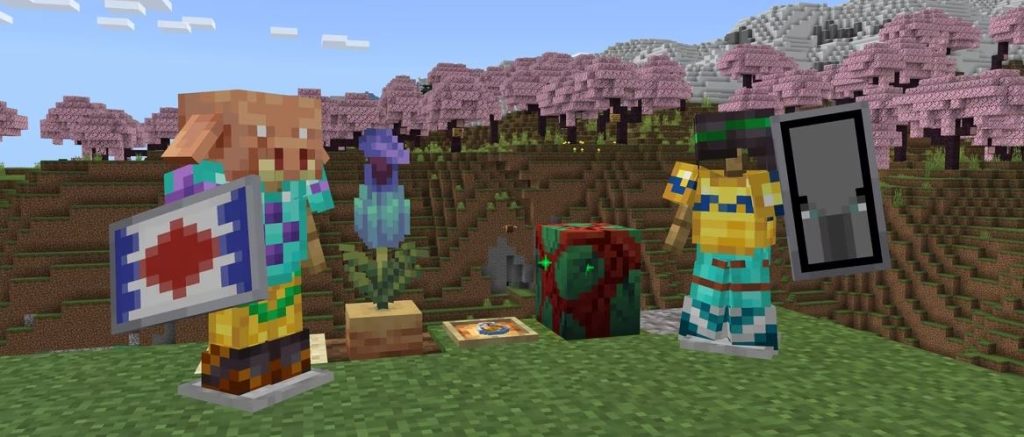
Minecraft 1.20 will introduce the following new features and changes upon its launch:- New Systems - Archaeology, Armor Trims, Smithing (overhaul)
- New Biome - Cherry Blossom
- New Mobs - Camels, Sniffers, Vex (visual overhaul)
- New Items - Brush, Ancient Flowers, New Spawn Eggs, Smithing and Armor Trim templates, Pottery Shards, Pink Flowers, Pink Petals, Sniffer Eggs, Piglin Heads
- New Blocks - Chiseled Bookshelves, Pots, Cherry Tree wood set, Bamboo wood set, Hanging Signs, Pots
How to Try Minecraft 1.20 Now
While Minecraft 1.20 isn't here quite yet, players can still check out some of the update's features ahead of time courtesy of Mojang's many snapshot and pre-release updates. These updates have come out over the last few months to help test new features coming on launch day, and players can even bring current worlds over to test these new features once properly set up. Just be warned that you should back up any and all saves when testing snapshot and pre-release updates, as they have the potential to corrupt worlds. To install the latest Minecraft 1.20 pre-release update, pre-release #6, simply follow the instructions below!- Open the Minecraft launcher
- Enable snapshots in the Installations tab
- From this tab, select "New Installation", then "Latest Snapshot", then "Create"
- Before clicking Play, simply select the pre-release installation

您对这篇博客有何评价?
分享您的看法,帮助我们将博客做得更好!
不喜欢
一般
喜欢

需要游戏服务器吗?
租用一台游戏服务器,您可以和朋友们在极低延迟和自定义设置下私密游玩。从 110+ 款游戏中挑选您的最爱,邀请全球玩家,享受私密对战,或者按照您自己的规则建立属于您的在线社区。








获取第一手独家资讯!
订阅我们的电子邮件,获取有关我们托管游戏、公司新闻和独家优惠的最新动态。随时掌握一手资讯!













