
7 Days to Die Difficulty Settings: Stats, Differences, & How to Change
发布于 ,作者

分享:

分享至 X

分享至 Facebook

分享至 Threads

分享至 Bluesky

复制到剪贴板

通过电子邮件分享
Are you constantly dying from Blood Moon hordes? Perhaps the world seed you generated seems too easy, and you're looking for a challenge. If so, you can change the difficulty in your 7 Days to Die world seed, and we’re here to show you how!
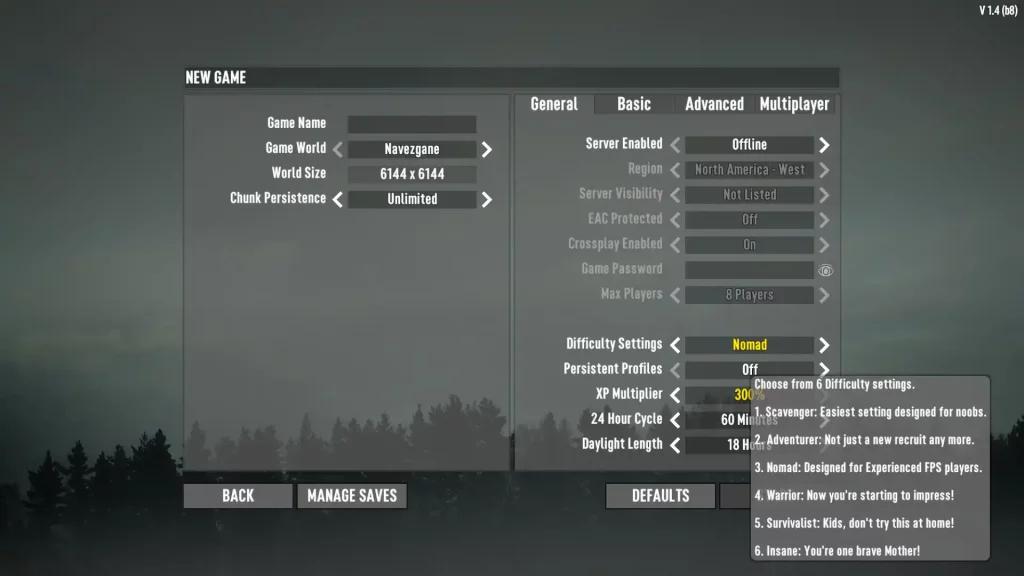 7 Days to Die has six different difficulty settings: Scavenger, Adventurer, Nomad, Warrior, Survivalist, and Insane. Raising the difficulty level increases the damage done by zombies to players and reduces the damage done by players to zombies. Note that as of Alpha 19, changing the difficulty setting doesn't affect the world's game stage, which means the undead still gets progressively more difficult as normal.
Below is a detailed comparison of the different difficulty settings in 7 Days to Die, which includes information on each option's damage values:
7 Days to Die has six different difficulty settings: Scavenger, Adventurer, Nomad, Warrior, Survivalist, and Insane. Raising the difficulty level increases the damage done by zombies to players and reduces the damage done by players to zombies. Note that as of Alpha 19, changing the difficulty setting doesn't affect the world's game stage, which means the undead still gets progressively more difficult as normal.
Below is a detailed comparison of the different difficulty settings in 7 Days to Die, which includes information on each option's damage values:
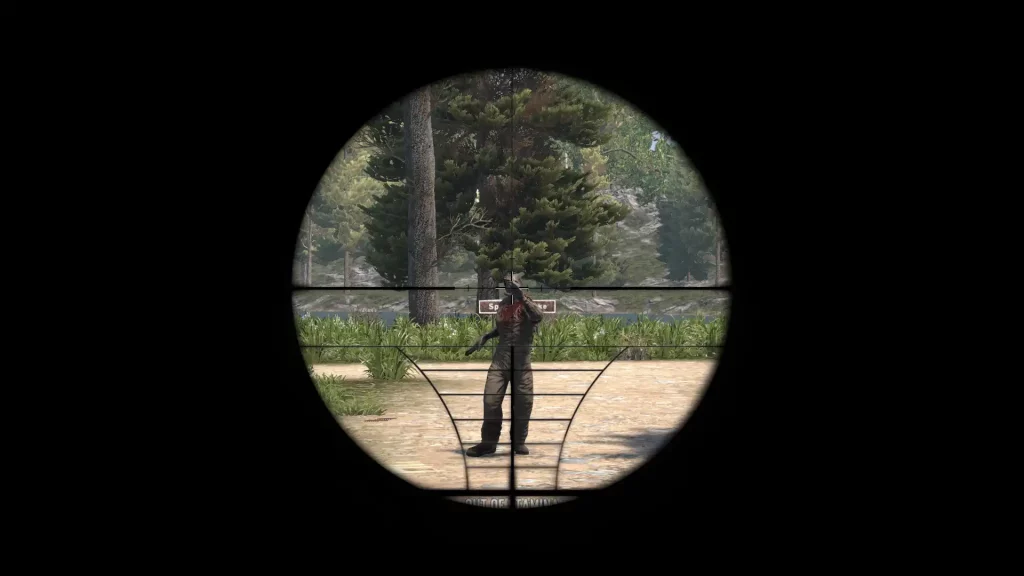 Changing the difficulty in 7 Days to Die is possible by setting up a new game. Find this option below the Max Players menu item in the General tab. Here, scroll through the six difficulty settings until you reach your preferred choice.
It’s also possible to change the difficulty setting in a particular 7 Days to Die server or save the file after creating the world seed. Do so by returning to the game's main menu and selecting Continue Game. From here, select your server or save file, which should show the settings you can change, including the difficulty settings.
Changing the difficulty in 7 Days to Die is possible by setting up a new game. Find this option below the Max Players menu item in the General tab. Here, scroll through the six difficulty settings until you reach your preferred choice.
It’s also possible to change the difficulty setting in a particular 7 Days to Die server or save the file after creating the world seed. Do so by returning to the game's main menu and selecting Continue Game. From here, select your server or save file, which should show the settings you can change, including the difficulty settings.
All 7 Days to Die Difficulty Settings & Effects
7 Days to Die has six different difficulty settings: Scavenger, Adventurer, Nomad, Warrior, Survivalist, and Insane. Raising the difficulty level increases the damage done by zombies to players and reduces the damage done by players to zombies. Note that as of Alpha 19, changing the difficulty setting doesn't affect the world's game stage, which means the undead still gets progressively more difficult as normal.
Below is a detailed comparison of the different difficulty settings in 7 Days to Die, which includes information on each option's damage values:
Scavenger
- Difficulty Level: Easiest
- In-Game Description: Easiest setting designed for noobs.
- Damage from Zombies: 50%
- Damage from Players: 200%
Adventurer
- Difficulty Level: Easy
- In-Game Description: Not just a new recruit any more.
- Damage from Zombies: 75%
- Damage from Players: 150%
Nomad
- Difficulty Level: Normal
- In-Game Description: Designed for experienced FPS players.
- Damage from Zombies: 100%
- Damage from Players: 100%
Warrior
- Difficulty Level: Hard
- In-Game Description: Now you’re starting to impress.
- Damage from Zombies: 150%
- Damage from Players: 83%
Survivalist
- Difficulty Level: Harder
- In-Game Description: Kids don’t try this at home!
- Damage from Zombies: 200%
- Damage from Players: 66%
Insane
- Difficulty Level: Hardest
- In-Game Description: You’re one brave Mother!
- Damage from Zombies: 250%
- Damage from Players: 50%
How to Change Difficulty Settings
Changing the difficulty in 7 Days to Die is possible by setting up a new game. Find this option below the Max Players menu item in the General tab. Here, scroll through the six difficulty settings until you reach your preferred choice.
It’s also possible to change the difficulty setting in a particular 7 Days to Die server or save the file after creating the world seed. Do so by returning to the game's main menu and selecting Continue Game. From here, select your server or save file, which should show the settings you can change, including the difficulty settings.
您对这篇博客有何评价?
分享您的看法,帮助我们将博客做得更好!
不喜欢
一般
喜欢

需要游戏服务器吗?
租用一台游戏服务器,您可以和朋友们在极低延迟和自定义设置下私密游玩。从 110+ 款游戏中挑选您的最爱,邀请全球玩家,享受私密对战,或者按照您自己的规则建立属于您的在线社区。








获取第一手独家资讯!
订阅我们的电子邮件,获取有关我们托管游戏、公司新闻和独家优惠的最新动态。随时掌握一手资讯!













