
7 Days to Die Darkness Falls Mod Guide: Character Classes, Features, How to Download & More
发布于 ,作者

分享:

分享至 X

分享至 Facebook

分享至 Threads

分享至 Bluesky

复制到剪贴板

通过电子邮件分享
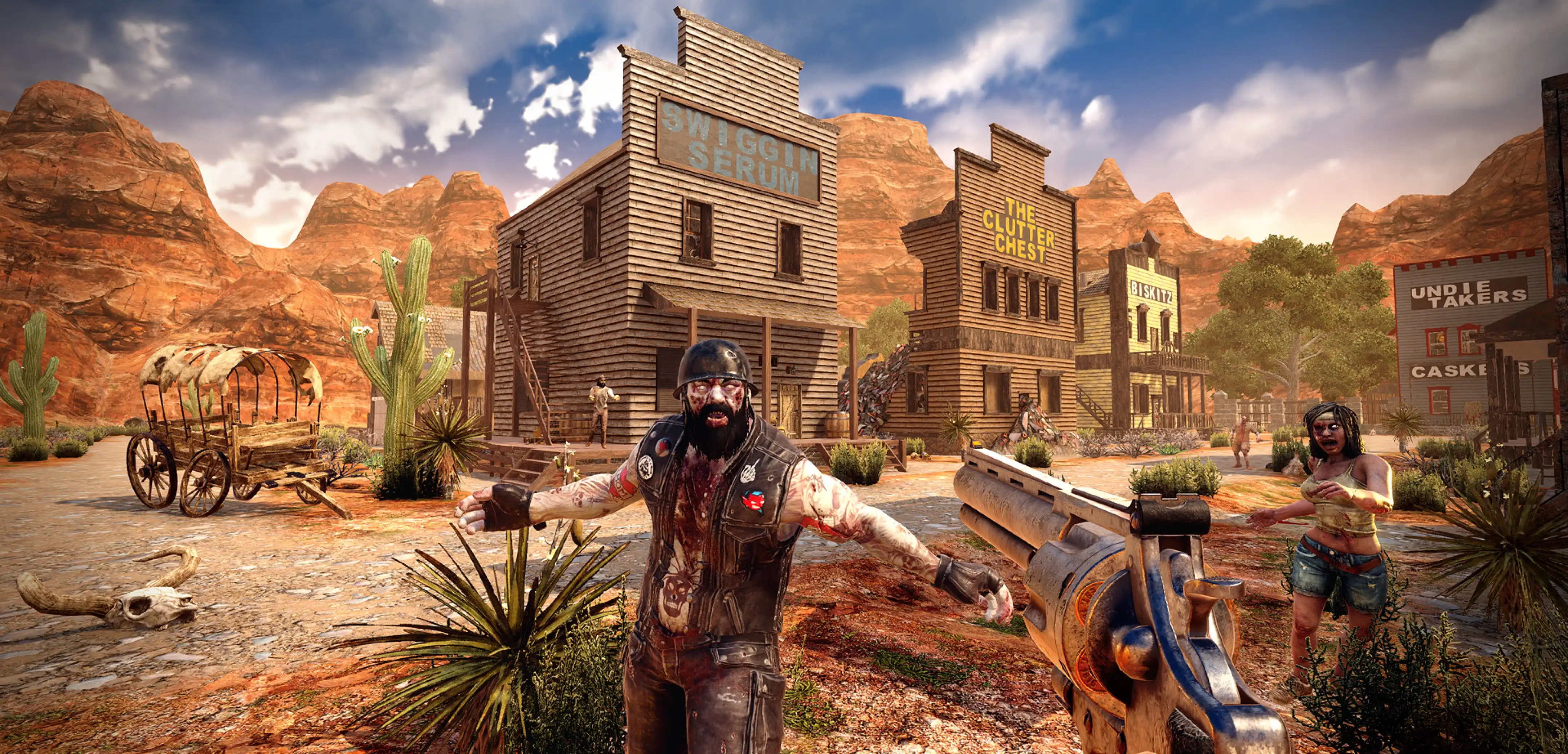
Looking for a change of pace from playing the original 7 Days to Die experience? The Darkness Falls mod might pique your interest. This mod adds all kinds of new features, including character classes, new zombie types, and more!
 The 7 Days to Die Darkness Falls mod overhauls the vanilla version of the zombie apocalypse title. It makes the game more challenging, introducing new elements such as additional zombie types and other challenges. However, this modpack also increases player survivability with helpful additions, such as a character class system.
Since its initial release, the Darkness Falls mod has seen a few updates. These have brought even more items, classes, bug fixes, and twists to the exciting survival gameplay. However, the most recent update for Darkness Falls was done in 2025. This update allowed the mod to work with 7 Days to Die V1.4b8. This means that if you are trying to play the mod, you won't be able to do so with the latest 3.0 build of 7 Days to Die.
Luckily, you can change the version you're playing by following these steps:
The 7 Days to Die Darkness Falls mod overhauls the vanilla version of the zombie apocalypse title. It makes the game more challenging, introducing new elements such as additional zombie types and other challenges. However, this modpack also increases player survivability with helpful additions, such as a character class system.
Since its initial release, the Darkness Falls mod has seen a few updates. These have brought even more items, classes, bug fixes, and twists to the exciting survival gameplay. However, the most recent update for Darkness Falls was done in 2025. This update allowed the mod to work with 7 Days to Die V1.4b8. This means that if you are trying to play the mod, you won't be able to do so with the latest 3.0 build of 7 Days to Die.
Luckily, you can change the version you're playing by following these steps:
What is the 7 Days to Die Darkness Falls Mod?
The 7 Days to Die Darkness Falls mod overhauls the vanilla version of the zombie apocalypse title. It makes the game more challenging, introducing new elements such as additional zombie types and other challenges. However, this modpack also increases player survivability with helpful additions, such as a character class system.
Since its initial release, the Darkness Falls mod has seen a few updates. These have brought even more items, classes, bug fixes, and twists to the exciting survival gameplay. However, the most recent update for Darkness Falls was done in 2025. This update allowed the mod to work with 7 Days to Die V1.4b8. This means that if you are trying to play the mod, you won't be able to do so with the latest 3.0 build of 7 Days to Die.
Luckily, you can change the version you're playing by following these steps:
- Right-click on 7 Days to Die in your Steam library
- Select 'Properties'
- Select the tab 'Game Versions & Betas'
- Scroll to and select your preferred build of the game (version 1.4 if you're hoping to use the Darkness Falls mod)
Features: What's Different About Darkness Falls?
As mentioned above, the Darkness Falls mod adds extra features to the vanilla 7 Days to Die experience. Some of these noteworthy additions are the following:Character Class System
In vanilla 7 Days to Die, every player spawns as a typical zombie survivor. Everyone uses the same skills and will progress using the game’s standard mechanics. However, the Darkness Falls mod shakes things up by giving each user a unique post-apocalyptic experience with the character class system. Players can take advantage of eight character classes in this modpack, which are the following:- Civilian: This class is like setting the game to hard mode, since there are no masteries or extra abilities.
- Farmer: A character class that can snowball with the right setup, thanks to its ability to acquire farming recipes and the powerful weapon, Blunderbuss.
- Hunter: Masteries in this character class will grant the player additional weapon blueprints.
- Laborer: Mastering this character class will give the player high-level recipes for tools and building.
- Mechanic: Master this character class to craft engines and other construction- and vehicle-related items.
- Scientist: Touted as the healer in the Darkness Falls mod, this character class can craft various healing items to make the player an indispensable addition to any zombie-killing party.
- Security: Known as the tank in the Darkness Falls mod, this character can absorb more damage than other classes, thanks to the unique armor and perks.
- Survivalist: An all-around character class with access to various tools, including the Radio, Pickaxe, and Fire Axe.
More Zombies
If you thought vanilla 7 Days to Die already has an undead infestation, wait until you install the Darkness Falls mod. In this modpack, zombies are crawling around cities, towns, and other points of interest in droves. There’s also a new type of zombie called the Behemoth. Taking this monstrosity will require more than your wits and standard firearms. Additionally, the modpack reworked the 7th-day horde, making the event more difficult than normal. In particular, feral zombies will appear earlier than usual. So, don’t waste time, and build your defenses as early as possible to prevent an early death.Additional Bag Space
Remember, 7 Days to Die requires players to gather as many resources as possible to survive. However, storage management can be tough, with only a relatively small inventory to work around. Thankfully, the Darkness Falls mod adds a 96-slot backpack to the game. With it, players can collect materials in the wild for extended periods before returning to camp and unloading their gathered items.Additional Resources
Mod developer KhaineGB not only ramped up the difficulty to watch 7 Days to Die suffer more than usual. Thankfully, this modpack also adds extra ingredients and craftable items that vanilla 7 Days to Die doesn’t have. For instance, you can gather Titanium, a high-tier metal used to craft durable tools and weapons. Darkness Falls also adds new workstations, including the Advanced Forge, which doesn’t require fuel to smelt.Enhanced Traders
The trader system also gets an overhaul with the Darkness Falls mod. With it, these merchants have a wider variety of items than vanilla 7 Days to Die. However, zombies can now enter trader locations, so you must help these NPCs whenever possible.Other Features
Other features worth mentioning that are included in the 7 Days to Die Darkness Falls mod are the following:- Queue crafting orders to line up several tasks
- UI adjustments, such as hunger and thirst indicators
- More crops, such as apples, carrots, and wheat
- New furnishings, such as sinks and stoves
- Revamped skill system, adding skill books for Level 100 skills
- And more!
How to Install the 7 Days to Die Darkness Falls Mod
Installing the Darkness Falls mod for 7 Days to Die is a fairly straightforward affair. Still, follow the steps below for a successful installation:- Download the Darkness Falls mod here and save it to your preferred location on your PC
- Log in to your Steam account and navigate to your game library
- Right-click on the 7 Days to Die title on the left sidebar, and click on “Properties” from the context menu
- Select Browse under Installed Files, and click the “Common” section
- Right-click the 7DTD folder and select “Copy”
- Paste the 7DTD folder into the common folder and rename it to “7 Days to Die Modded” without the quotes
- Open the 7 Days to Die Modded folder and extract the files from the zipped mod file
- Return to the Steam app, then select “Add a Game” at the bottom left of the window
- Select “Add a Non-Steam Game,” and navigate to the 7 Days to Die Modded folder
- Choose the extracted “7dlauncher.exe,” and confirm
Darkness Falls DF-V5.0.0-DEV-B22 Patch Notes
https://twitter.com/KhainesKorner/status/1700489185147211922Released on April 19, 2025, Build 22 is the latest version of the Darkness Falls mod for 7 Days to Die at the time of writing. The patch notes for this update are the following:
Features
- Multiple classes to choose from, with unique perks, and you can learn them all!
- 96 slot backpack! 12 slot crafting queue!
- Semi-custom UI! Food/Water bars next to the hotbar.
- More zombies! Cities are as dangerous as they should be, while the wilderness is quieter. Pick your home carefully!
- Nighttime is now dangerous. The ferals come out to play…
- New tiers of tools and weapons added! Scrap slots between stone and iron, while titanium is better than steel.
- Coilguns! Lasers! All the pew pew for the new threats!
- Stainless steel is back! Reinforce your steel with more steel.
- Titanium can also be used for building!
- Forge Ahead & Leather Tanning books are back! (can also be purchased as perks)
- Action skills are back!
- Skill books added for all 100-level skills.
- The generic skill point book has been added, so you have ways to get skill points.
- Skill notes! Find a recipe you already have? Scrap it into a skill note and craft that into something more useful.
- Extra crops! Grow apple, orange, banana, and coconut trees, plus wheat, carrots, and tomatoes!
- More food! Way too much to list, but bread is now an option. So are Sunday roast dinners. YUM!
- Animal Coops and Snares from Valmod added.
- Clay bowls are back, and used for more than just pretty plants!
- Craftable Small Engines and Lead Batteries!
- Several new guns! Like the P225 Pistol and Winchester Rifle.
- Gun crafting! Gun parts are back and require the rare, find-only Lathe to be crafted.
- Arrows can now use cloth fragments instead of feathers. Sticks and Sharp Stones have also made a return!
- Tree sap is now a thing! Try left-clicking on non-dead trees with jars or bowls…
- Sterile Bandage! New healing item to fill the void between normal Bandages and First Aid Bandages.
- Working sinks and ovens! Both types craftable, so pick whichever matches your kitchen.
- 9 new workstations. The Advanced Forge (required to smelt steel, but no fuel needed!), the Mortar and Pestle, 3 workbenches, Fusion
- Forge, Writing Desk, and Tailoring Station! There's also the loot and buy only Lathe.
- Stone hammer added. Counts as a construction tool. Used only for repairing and upgrading.
- Traders are no longer protected! Take care of your local business!
- Larger player-crafted storage (kitchen cabinets, lockable!).
- Time REMOVED from under the compass and on the map. Added to the trader window (under restock time). Or you can make a watch!
- Junction box added for invisible wires. Unlocked via the electricity perk.
- 7 Day hordes re-done (less game stages, so difficulty should ramp up faster and ferals appear sooner).
- Grass spawns are reduced for better performance and easier visibility.
- Traders now have more basic building materials.
- Localization HEAVILY edited to show where items are crafted, including if they can be made in multiple workstations (one will have a
- reduced resource cost) and what tools may be needed.
- Trader Caitlin has arrived! She has her own POI, her own voice, lives in the wasteland, and carries the most powerful items.
- Hornet from A15 and earlier is back, with its original sounds and model! Keep an eye out for them in forest biomes.
- Scrapped Behemoth added!
- Many old zombies have been re-added to the game!
- Multiple new zombies, with new models added. Also, some new surprises…
- Demonic tier of zombies! Rads too easy for you? Well, give these a try then!
Changelog
- Updated for 7 Days to Die V1.4b8
- Fixed the gamestage bug in the forest with the lowest difficulty.
- Fixed rotation on Steel Machete.
- Fixed the Laser Knife disappearing when looking up.
- Fixed broken coilguns/laser guns being able to generate ammo when they have the rechargeable battery mod installed.
- Fixed incorrect localization on fertilizer.
- Fixed the incorrect unlockedby on Drone.
- Fixed missing T6 quest dialog options on Caitlin.
- Fixed missing localization for challenges.
- Added honey to the scout trader list, at a low chance.
- Added Iron and Steel Sickle. They have fast attack speed for harvesting and a bonus crop chance. Farmer only.
- Added 6k, 8k, 10k, and 12k pre-made maps (confirmed to have all POI's).
- Removed antibiotics from the scout trader list, so infection is more of an issue.
- Increased amount of splints and sterile bandages the scout has to offer.
- Increased how much stuff costs on the scout.

您对这篇博客有何评价?
分享您的看法,帮助我们将博客做得更好!
不喜欢
一般
喜欢

需要游戏服务器吗?
租用一台游戏服务器,您可以和朋友们在极低延迟和自定义设置下私密游玩。从 110+ 款游戏中挑选您的最爱,邀请全球玩家,享受私密对战,或者按照您自己的规则建立属于您的在线社区。








获取第一手独家资讯!
订阅我们的电子邮件,获取有关我们托管游戏、公司新闻和独家优惠的最新动态。随时掌握一手资讯!













