

Minecraft 1.20 Release Date REVEALED
Опубликовано автором

Поделиться:

Поделиться в X

Поделиться в Facebook

Поделиться в Threads

Поделиться в Bluesky

Скопировать в буфер обмена

Поделиться по email
The Minecraft 1.20 release date has finally officially been revealed, and it's sooner than you might think!
Let's dive right into the latest news on the Trails and Tales update and when players can finally expect to jump in for real.
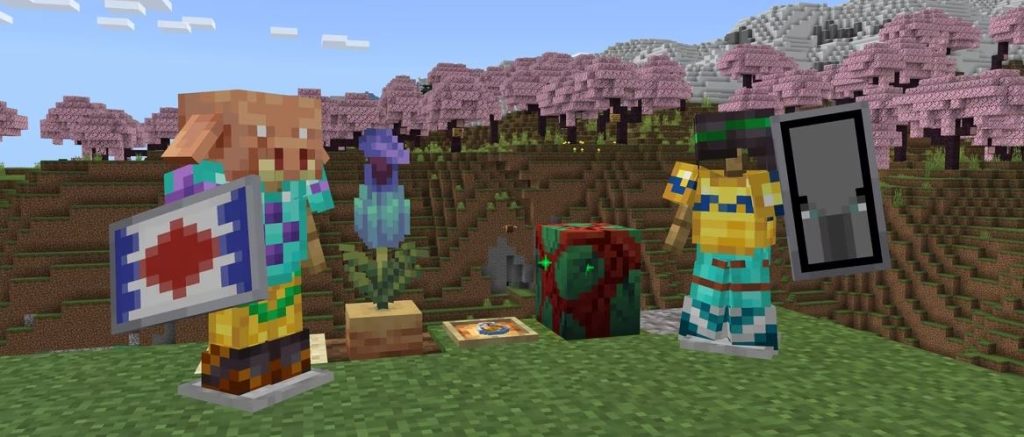 This gives players just over a week to prepare for the new adventures the update offers with its new biome, new mobs, new blocks, new systems, and plenty more.
Minecraft 1.20 Release Date REVEALED
The Minecraft 1.20 update will officially launch on June 7th, as Mojang announced on May 26th.
This gives players just over a week to prepare for the new adventures the update offers with its new biome, new mobs, new blocks, new systems, and plenty more.
What's Coming in Minecraft 1.20?
Minecraft 1.20 will introduce the following new features and changes upon its launch:- New Systems - Archaeology, Armor Trims, Smithing (overhaul)
- New Biome - Cherry Blossom
- New Mobs - Camels, Sniffers, Vex (visual overhaul)
- New Items - Brush, Ancient Flowers, New Spawn Eggs, Smithing and Armor Trim templates, Pottery Shards, Pink Flowers, Pink Petals, Sniffer Eggs, Piglin Heads
- New Blocks - Chiseled Bookshelves, Pots, Cherry Tree wood set, Bamboo wood set, Hanging Signs, Pots
How to Try Minecraft 1.20 Now
While Minecraft 1.20 isn't here quite yet, players can still check out some of the update's features ahead of time courtesy of Mojang's many snapshot and pre-release updates. These updates have come out over the last few months to help test new features coming on launch day, and players can even bring current worlds over to test these new features once properly set up. Just be warned that you should back up any and all saves when testing snapshot and pre-release updates, as they have the potential to corrupt worlds. To install the latest Minecraft 1.20 pre-release update, pre-release #6, simply follow the instructions below!- Open the Minecraft launcher
- Enable snapshots in the Installations tab
- From this tab, select "New Installation", then "Latest Snapshot", then "Create"
- Before clicking Play, simply select the pre-release installation
Создайте свой собственный
сервер Minecraft
сервер Minecraft
Выберите тариф, укажите игру и играйте с друзьями!
Подпишитесь на нашу рассылку
Подпишитесь, чтобы получать последние новости из мира игр!

Присоединяйтесь к нашему Discord
Станьте частью нашего сообщества, в котором уже более 20000 единомышленников!
Как бы вы оценили этот блог?
Поделитесь своим мнением и помогите нам сделать наши блоги еще лучше!
Не понравилось
Нейтрально
Понравилось

Нужен игровой сервер?
Арендуйте игровой сервер, где вы и ваши друзья сможете играть в закрытом режиме с низкой задержкой и собственными настройками. Выбирайте из 110+ игр, приглашайте людей со всего мира и наслаждайтесь приватными матчами или создайте свое собственное онлайн-сообщество со своими правилами.

Похожие статьи







УЗНАЙТЕ ВСЕ ПЕРВЫМИ!
Подпишитесь на нашу рассылку, чтобы получать обновления о наших играх, новости компании и эксклюзивные предложения. Будьте в курсе!













