

Minecraft 1.20 Snapshot 23W06A – Commands, Game Rules, & More
Opublikowano przez

Udostępnij:

Udostępnij na X

Udostępnij na Facebooku

Udostępnij na Threads

Udostępnij na Bluesky

Skopiuj do schowka

Udostępnij przez e-mail
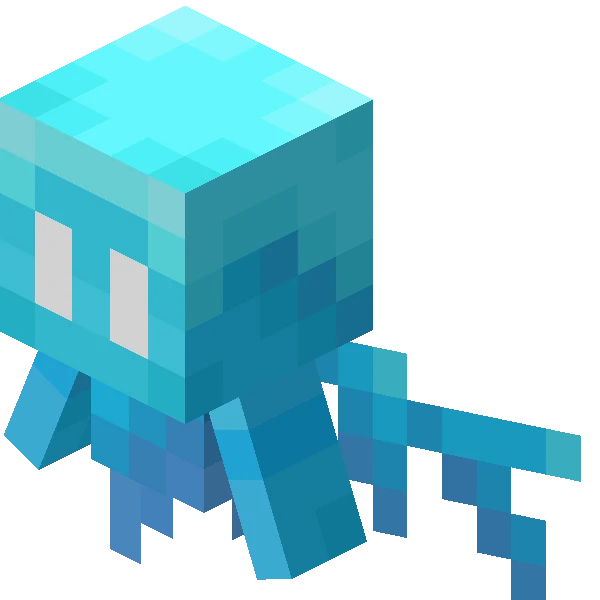
After two content-filled snapshots, another has arrived, but this time with a focus on commands, game rules, and accessibility. All features, while small, that are great to see making it to live. Today we explore snapshot 23W06A and how you too can give it a try.
 In Java Edition, installing Minecraft 1.20 Snapshot 23W06A is done right from the Minecraft client. Players need only open up the Minecraft Launcher and enable snapshots in the ‘Installations’ tab. From there, click “New Installation,” select “Latest Snapshot” in the drop-down menu, and click create. Your new Minecraft 1.20 snapshot installation will now be a selectable option before clicking play.
However, Minecraft 1.20 snapshots have a few extra steps. Once in the game, click “Create New World,” then select “Datapacks,” and enable the built-in “bundle” and “update_1_20” datapacks before clicking “Create New World” again. Finally, with the new world made, all that’s left is to select it and click play!
Please note snapshots and pre-releases can corrupt worlds! Ensure backups have been taken.
In Java Edition, installing Minecraft 1.20 Snapshot 23W06A is done right from the Minecraft client. Players need only open up the Minecraft Launcher and enable snapshots in the ‘Installations’ tab. From there, click “New Installation,” select “Latest Snapshot” in the drop-down menu, and click create. Your new Minecraft 1.20 snapshot installation will now be a selectable option before clicking play.
However, Minecraft 1.20 snapshots have a few extra steps. Once in the game, click “Create New World,” then select “Datapacks,” and enable the built-in “bundle” and “update_1_20” datapacks before clicking “Create New World” again. Finally, with the new world made, all that’s left is to select it and click play!
Please note snapshots and pre-releases can corrupt worlds! Ensure backups have been taken.
 Interested in trying out the new damage commands with friends? Snapshot servers can be created for free through home hosting, but we recommend paid hosting options for ease of use and performance. Especially with snapshots since they can be buggy!
Paid hosting is offered here at BisectHosting and many other places around the web. In either case, no less than 4GB of server RAM is recommended.
Interested in trying out the new damage commands with friends? Snapshot servers can be created for free through home hosting, but we recommend paid hosting options for ease of use and performance. Especially with snapshots since they can be buggy!
Paid hosting is offered here at BisectHosting and many other places around the web. In either case, no less than 4GB of server RAM is recommended.
Details and Adjustments
https://twitter.com/adrian_ivl/status/1623346700076064769Alongside the features showcased during Minecraft live and the snapshots added since, snapshot 23W06A includes the new damage command, the ability to adjust how damage affects one’s screen, and new game rules that will stop vines from being able to grow. More details on each below!
Block Adjustments
- Add Jukebox Music Note Particles
New Commands
- Damage
New Accessibility Settings
- Damage Tilt
New Game Rule
- doVineSpread
How to Install Minecraft 1.20 Snapshot 23W06A
In Java Edition, installing Minecraft 1.20 Snapshot 23W06A is done right from the Minecraft client. Players need only open up the Minecraft Launcher and enable snapshots in the ‘Installations’ tab. From there, click “New Installation,” select “Latest Snapshot” in the drop-down menu, and click create. Your new Minecraft 1.20 snapshot installation will now be a selectable option before clicking play.
However, Minecraft 1.20 snapshots have a few extra steps. Once in the game, click “Create New World,” then select “Datapacks,” and enable the built-in “bundle” and “update_1_20” datapacks before clicking “Create New World” again. Finally, with the new world made, all that’s left is to select it and click play!
Please note snapshots and pre-releases can corrupt worlds! Ensure backups have been taken.
How to make Minecraft 1.20 Snapshot 23W06A Servers
Interested in trying out the new damage commands with friends? Snapshot servers can be created for free through home hosting, but we recommend paid hosting options for ease of use and performance. Especially with snapshots since they can be buggy!
Paid hosting is offered here at BisectHosting and many other places around the web. In either case, no less than 4GB of server RAM is recommended.
Minecraft 1.20 Snapshot 23W06A – Commands, Game Rules, & More
Bit by bit, Minecraft 1.20 is growing to be a patch that exceeds expectations. Perhaps we will see more long-awaited commands and game rules alongside more content in next week’s edition? But for the time being, is there a small feature like these few you would like to see added? Until Next Time, BisectHosting =)Zapisz się do newslettera
Subskrybuj, aby otrzymywać najnowsze informacje ze świata gier!

Dołącz do naszego Discorda
Zostań częścią naszej społeczności ponad 20,000 podobnie myślących członków!
Jak oceniasz ten wpis?
Podziel się swoją opinią i pomóż nam tworzyć jeszcze lepsze artykuły!
Nie podobał mi się
Neutralnie
Podobał mi się

Potrzebujesz serwera do gry?
Wynajmij serwer gier, na którym Ty i Twoi znajomi możecie grać prywatnie z niskim opóźnieniem i własnymi ustawieniami. Wybieraj spośród 110+ gier, zaproś ludzi z całego świata i ciesz się prywatnymi rozgrywkami lub zbuduj własną społeczność online z własnymi zasadami.

Powiązane wpisy







BĄDŹ NA BIEŻĄCO!
Dołącz do naszego newslettera, aby otrzymywać informacje o naszych hostowanych grach, nowościach firmowych i ekskluzywnych ofertach. Bądź na bieżąco!













