
7 Days to Die Difficulty Settings: Stats, Differences, & How to Change
Opublikowano przez

Udostępnij:

Udostępnij na X

Udostępnij na Facebooku

Udostępnij na Threads

Udostępnij na Bluesky

Skopiuj do schowka

Udostępnij przez e-mail
Are you constantly dying from Blood Moon hordes? Perhaps the world seed you generated seems too easy, and you're looking for a challenge. If so, you can change the difficulty in your 7 Days to Die world seed, and we’re here to show you how!
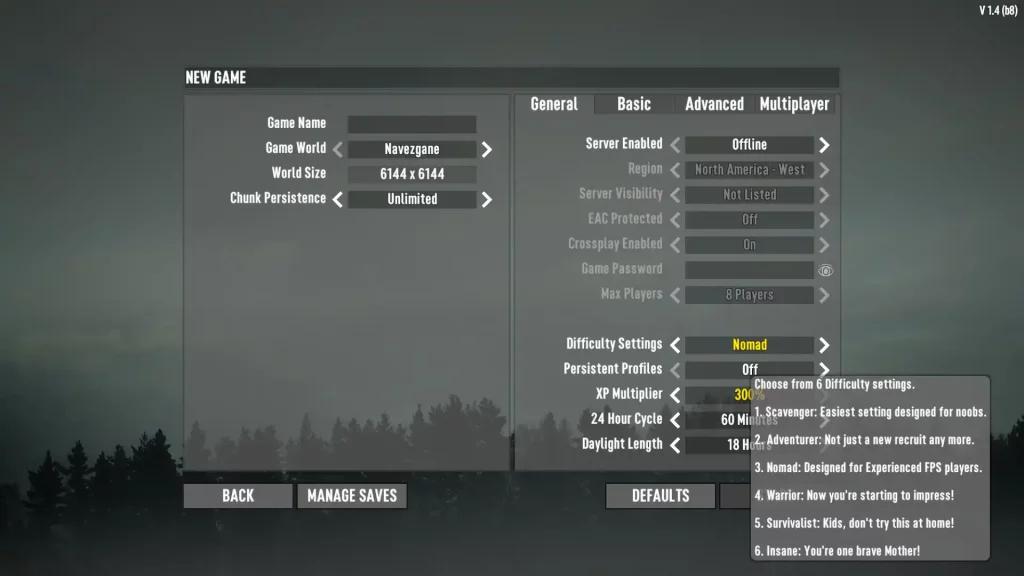 7 Days to Die has six different difficulty settings: Scavenger, Adventurer, Nomad, Warrior, Survivalist, and Insane. Raising the difficulty level increases the damage done by zombies to players and reduces the damage done by players to zombies. Note that as of Alpha 19, changing the difficulty setting doesn't affect the world's game stage, which means the undead still gets progressively more difficult as normal.
Below is a detailed comparison of the different difficulty settings in 7 Days to Die, which includes information on each option's damage values:
7 Days to Die has six different difficulty settings: Scavenger, Adventurer, Nomad, Warrior, Survivalist, and Insane. Raising the difficulty level increases the damage done by zombies to players and reduces the damage done by players to zombies. Note that as of Alpha 19, changing the difficulty setting doesn't affect the world's game stage, which means the undead still gets progressively more difficult as normal.
Below is a detailed comparison of the different difficulty settings in 7 Days to Die, which includes information on each option's damage values:
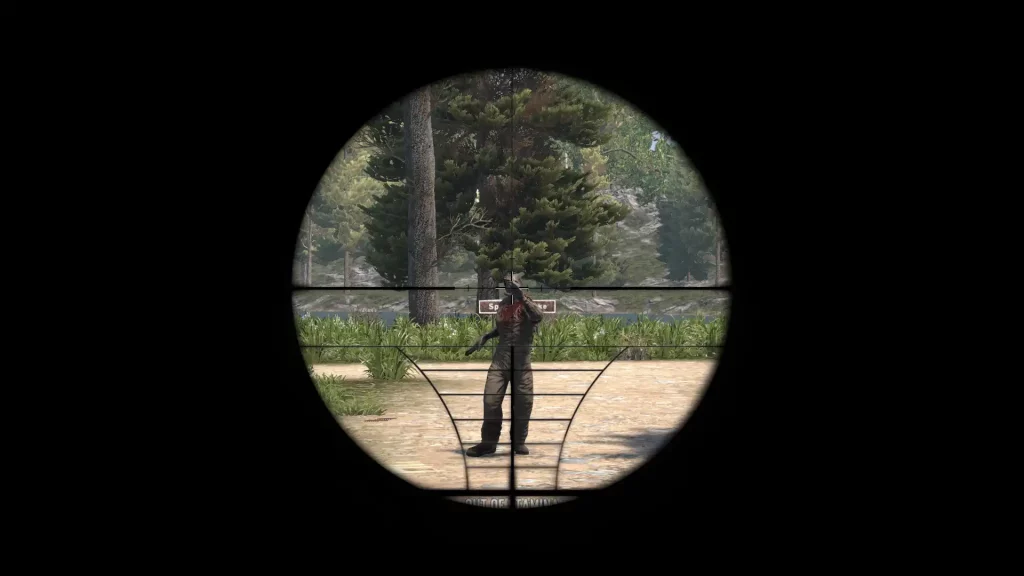 Changing the difficulty in 7 Days to Die is possible by setting up a new game. Find this option below the Max Players menu item in the General tab. Here, scroll through the six difficulty settings until you reach your preferred choice.
It’s also possible to change the difficulty setting in a particular 7 Days to Die server or save the file after creating the world seed. Do so by returning to the game's main menu and selecting Continue Game. From here, select your server or save file, which should show the settings you can change, including the difficulty settings.
Changing the difficulty in 7 Days to Die is possible by setting up a new game. Find this option below the Max Players menu item in the General tab. Here, scroll through the six difficulty settings until you reach your preferred choice.
It’s also possible to change the difficulty setting in a particular 7 Days to Die server or save the file after creating the world seed. Do so by returning to the game's main menu and selecting Continue Game. From here, select your server or save file, which should show the settings you can change, including the difficulty settings.
All 7 Days to Die Difficulty Settings & Effects
7 Days to Die has six different difficulty settings: Scavenger, Adventurer, Nomad, Warrior, Survivalist, and Insane. Raising the difficulty level increases the damage done by zombies to players and reduces the damage done by players to zombies. Note that as of Alpha 19, changing the difficulty setting doesn't affect the world's game stage, which means the undead still gets progressively more difficult as normal.
Below is a detailed comparison of the different difficulty settings in 7 Days to Die, which includes information on each option's damage values:
Scavenger
- Difficulty Level: Easiest
- In-Game Description: Easiest setting designed for noobs.
- Damage from Zombies: 50%
- Damage from Players: 200%
Adventurer
- Difficulty Level: Easy
- In-Game Description: Not just a new recruit any more.
- Damage from Zombies: 75%
- Damage from Players: 150%
Nomad
- Difficulty Level: Normal
- In-Game Description: Designed for experienced FPS players.
- Damage from Zombies: 100%
- Damage from Players: 100%
Warrior
- Difficulty Level: Hard
- In-Game Description: Now you’re starting to impress.
- Damage from Zombies: 150%
- Damage from Players: 83%
Survivalist
- Difficulty Level: Harder
- In-Game Description: Kids don’t try this at home!
- Damage from Zombies: 200%
- Damage from Players: 66%
Insane
- Difficulty Level: Hardest
- In-Game Description: You’re one brave Mother!
- Damage from Zombies: 250%
- Damage from Players: 50%
How to Change Difficulty Settings
Changing the difficulty in 7 Days to Die is possible by setting up a new game. Find this option below the Max Players menu item in the General tab. Here, scroll through the six difficulty settings until you reach your preferred choice.
It’s also possible to change the difficulty setting in a particular 7 Days to Die server or save the file after creating the world seed. Do so by returning to the game's main menu and selecting Continue Game. From here, select your server or save file, which should show the settings you can change, including the difficulty settings.Zapisz się do newslettera
Subskrybuj, aby otrzymywać najnowsze informacje ze świata gier!

Dołącz do naszego Discorda
Zostań częścią naszej społeczności ponad 20,000 podobnie myślących członków!
Jak oceniasz ten wpis?
Podziel się swoją opinią i pomóż nam tworzyć jeszcze lepsze artykuły!
Nie podobał mi się
Neutralnie
Podobał mi się

Potrzebujesz serwera do gry?
Wynajmij serwer gier, na którym Ty i Twoi znajomi możecie grać prywatnie z niskim opóźnieniem i własnymi ustawieniami. Wybieraj spośród 110+ gier, zaproś ludzi z całego świata i ciesz się prywatnymi rozgrywkami lub zbuduj własną społeczność online z własnymi zasadami.

Powiązane wpisy







BĄDŹ NA BIEŻĄCO!
Dołącz do naszego newslettera, aby otrzymywać informacje o naszych hostowanych grach, nowościach firmowych i ekskluzywnych ofertach. Bądź na bieżąco!













