

Minecraft 26.3: Release Date, Patch Notes, & More
Pubblicato il da

Condividi:

Condividi su X

Condividi su Facebook

Condividi su Threads

Condividi su Bluesky

Copia negli Appunti

Condividi via email
Introduced with an emphasis on adventure at Minecraft Live TwitchCon 2026, Minecraft 26.3 is set to be the fall game drop, packed full of new content that encourages players to get out and explore. So, today, we explore the Minecraft 26.3 update, including the potential Minecraft 26.3 release date, patch notes, and highlights of what’s to come.
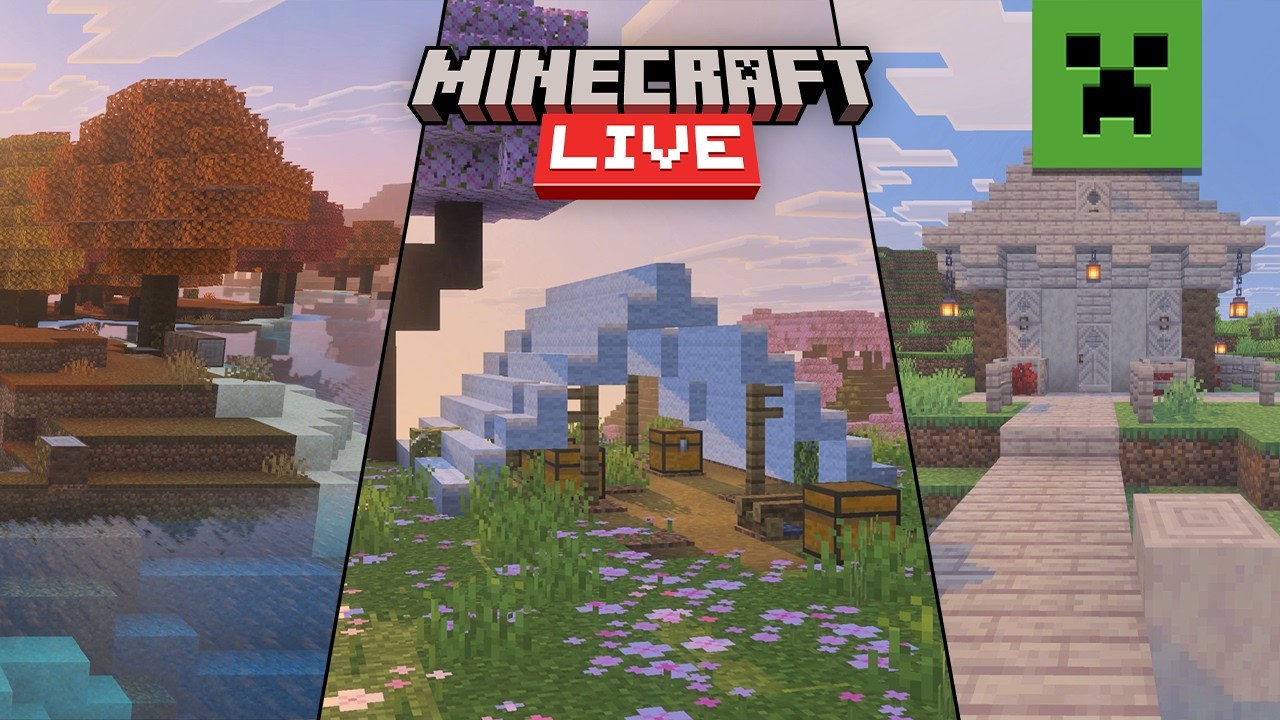
 Minecraft 26.3 does not yet have an official release date. However, an estimation based on previous fall updates is late September to mid-October. Any later would be cutting into the time they need to develop and release the winter game drop which they tend to have out before the holidays.
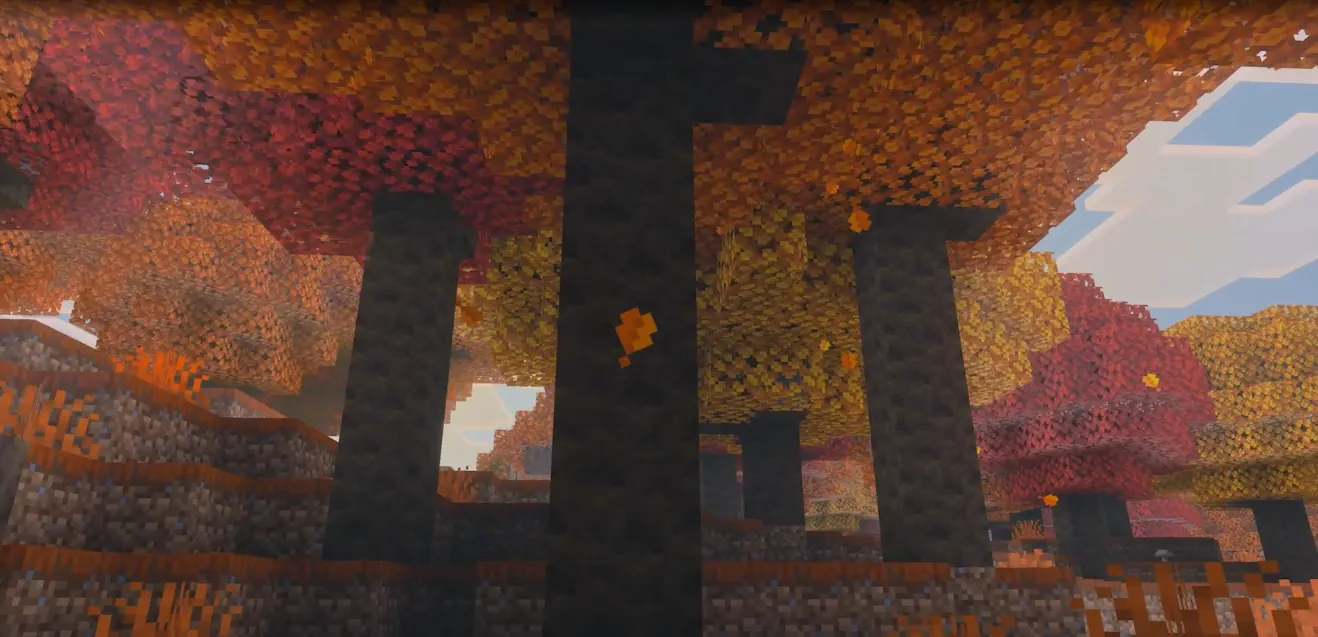
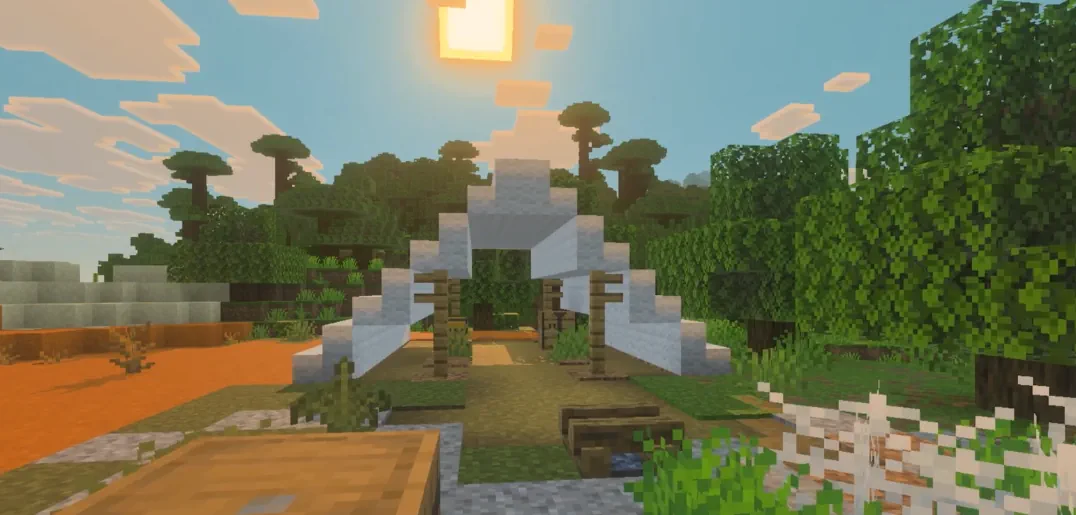
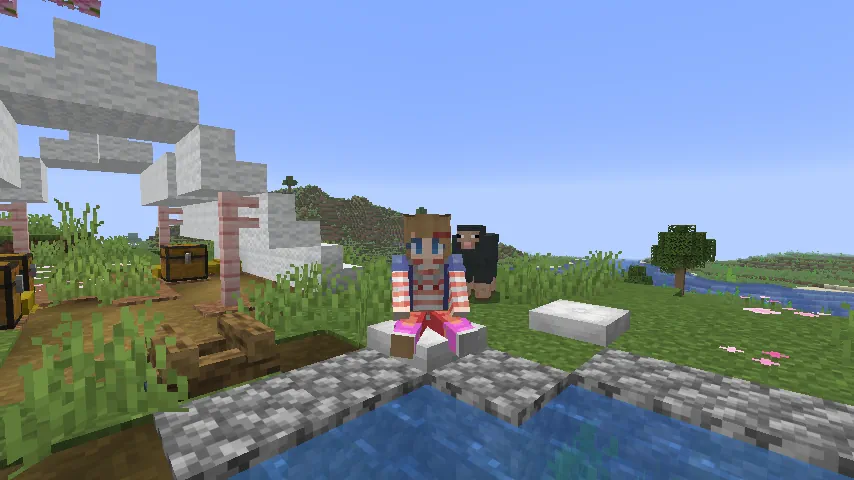
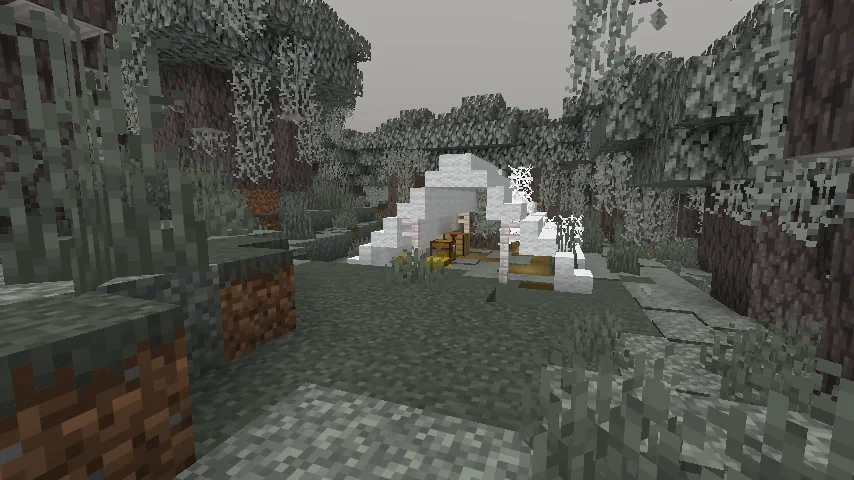
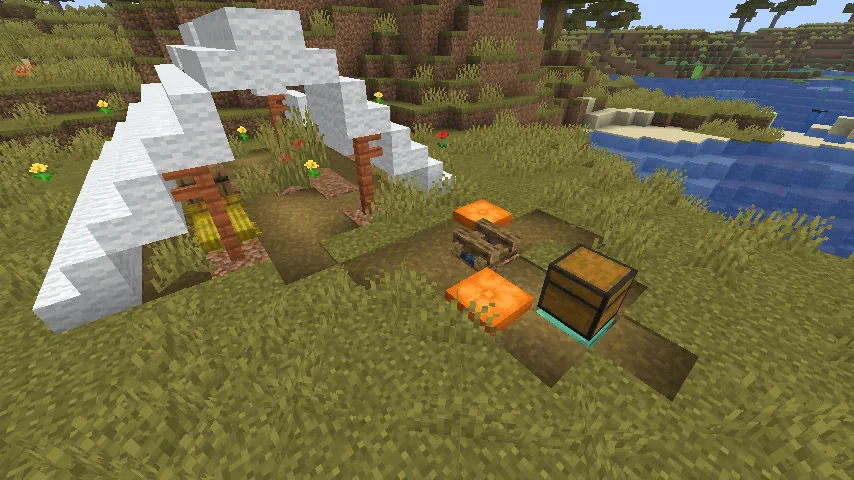
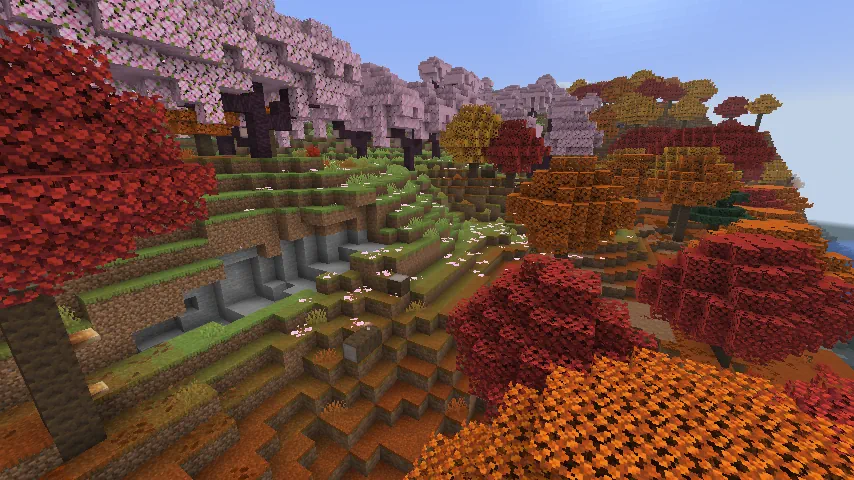
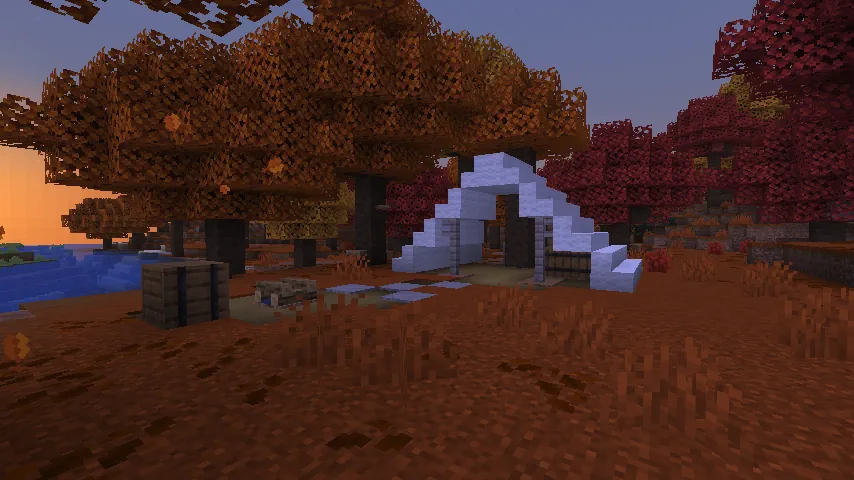
As for snapshots, nine for 26.3 have been released so far. Dappled forests, abandoned camps, and cushions are available for testing within them.
Minecraft 26.3 does not yet have an official release date. However, an estimation based on previous fall updates is late September to mid-October. Any later would be cutting into the time they need to develop and release the winter game drop which they tend to have out before the holidays.
As for snapshots, nine for 26.3 have been released so far. Dappled forests, abandoned camps, and cushions are available for testing within them.
 As of August 18, 2026, snapshot 9 is the latest available for 26.3, and it can be installed right from right inside the Minecraft client. Below, we have detailed every step needed:
 Exploring dappled forests is more fun with friends! Minecraft 26.3 servers can be created for free through home hosting, but we recommend paid hosting options for ease of use and performance. Especially with snapshots, as they can be buggy!
Paid hosting with day one Minecraft 26.3 installs is offered here at BisectHosting and many other places around the web. In either case, no less than 4GB of server RAM is recommended.
Exploring dappled forests is more fun with friends! Minecraft 26.3 servers can be created for free through home hosting, but we recommend paid hosting options for ease of use and performance. Especially with snapshots, as they can be buggy!
Paid hosting with day one Minecraft 26.3 installs is offered here at BisectHosting and many other places around the web. In either case, no less than 4GB of server RAM is recommended.
Minecraft 26.3 Release Date
Update Highlights
Dappled Forests
- Location: Overworld
Abandoned Camps
- Location: Overworld
Cushions
- Recipe: Wool Slabs x3
How to Install Minecraft 26.3 Snapshots
- Open the Minecraft Launcher and select Java Edition.
- Enable snapshots under the ‘Installations’ tab.
- If a new installation called “Latest Snapshot,” represented by a dirt block, is now present, that can be used immediately to start playing. Otherwise, proceed with step four.
- Click ‘New Installation’
- Select ‘Latest Snapshot’ in the drop-down menu.
- Click ‘Install.’
All Snapshot Patch Notes (So Far!)
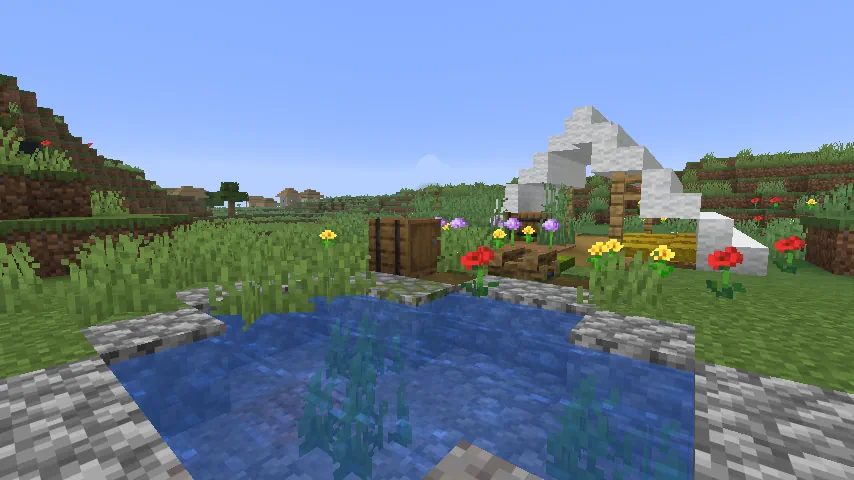
Minecraft 26.3 Snapshot 9
New Features
Realms- Added render distance and simulation distance sliders to Realm configuration settings
- Endermen will now take damage from projectiles if they're riding something
- Endermen and Shulkers no longer teleport onto Bedrock
- On macOS, added a "Right Click Emulation" option in Controls settings, which treats Control + left-click as a right-click
- Off by default
Technical Changes
- The Data Pack version is now 117.0
Data Pack Version 117.0
Advancements Validation- Visible root advancements (i.e. ones that have display field, but no parent field) must always declare background field in display structure
- Only root advancements can have background field in display structure
- Can only use an inline definition in a top-level file
- Can only use an inline definition in a top-level file
- The summands field was renamed to operands and now accepts an inline value, a single namespaced ID, a list of namespaced IDs, a list of inline values, or a hash-prefixed tag ID of a minecraft:number_provider type
- Now requires at least one operand
- When used in integer mode, integer mode is used for intermediate steps as well
- Fields:
- operands - A list of numbers as an inline value, a single namespaced ID, a list of namespaced IDs, a list of inline values, or a hash-prefixed tag ID of a minecraft:number_provider type
- Returns the product of the operands, multiplying them all together
- Requires at least one operand
- Fields:
- operands - A list of numbers as an inline value, a single namespaced ID, a list of namespaced IDs, a list of inline values, or a hash-prefixed tag ID of a minecraft:number_provider type
- Returns the minmimum value of the operands
- Requires at least one operand
- Fields:
- operands - A list of numbers as an inline value, a single namespaced ID, a list of namespaced IDs, a list of inline values, or a hash-prefixed tag ID of a minecraft:number_provider type
- Returns the minmimum value of the operands
- Requires at least one operand
- Fields:
- operands - A list of numbers as an inline value, a single namespaced ID, a list of namespaced IDs, a list of inline values, or a hash-prefixed tag ID of a minecraft:number_provider type
- Returns the average value of the operands
- Requires at least one operand
- Added #uncarvable - blocks that Carvers can never carve
- Added #dangerous_for_teleportation - collection tag defining blocks that are dangerous to teleport on
- Added #cat_does_not_teleport_to - blocks that Cats do not teleport to
- Added #enderman_does_not_teleport_to - blocks that Endermen do not teleport to
- Added #shulker_does_not_teleport_to for blocks that Shulkers do not teleport to
- Added #consumable_does_not_teleport_to - blocks that entities do not teleport to when they consume food that teleports randomly when eaten
- Empty by default
- Added #brewing_potion_inputs - Items that can be placed in a Brewing Stand potion slot, regardless of whether they are brewing recipe inputs
- Added #douses_fire - Potions that douse Fire blocks when they hit something
- Added #hurts_water_sensitive_entities - Potions that will hurt entities which are sensitive to water (e.g. Endermen)
- Added #extinguishes_entities - Potions that can extinguish entities
- Added #rehydrates_axolotls - Potions that will cause Axolotls to rehydrate
Fixed bugs in 26.3 Snapshot 9
- MC-59810 - Cannot break blocks while sprinting on macOS
- MC-102836 - Endermen and entities eating chorus fruit can teleport to some dangerous places
- MC-106416 - Endermen and entities eating chorus fruit can teleport outside the world border and into powder snow
- MC-183446 - Endermen still avoid projectiles when riding minecart or boat
- MC-214113 - Endermen and shulkers can teleport onto the Nether roof
- MC-227008 - Endermen constantly try to teleport when riding a vehicle under daylight
- MC-273708 - Endermen taking environmental damage attempt to teleport when riding an entity
- MC-274924 - Angry endermen suffocating while in a boat or minecart can attack their target from really far away
- MC-296773 - Taken screenshots are rendered as a black image on Intel graphics of Gen7 and Gen7.5 architecture
- MC-307384 - Screen tearing occurs with the Vulkan rendering backend in fullscreen mode with lower framerates, even if VSync is enabled
- MC-307596 - The OpenGL rendering backend seems to be very laggy
- MC-308593 - Animated blocks (notably water and lava) render incorrectly on some graphics
- MC-309344 - Shelf mushrooms held by foxes clip through their head and muzzle
- MC-309468 - Dropped shelf mushrooms rotate off-center
- MC-309479 - The game crashes during the loading screen with the message "Failed to wait for frame completion" on some systems
- MC-309501 - Dropped shelves rotate off-center
- MC-309911 - The words "blocks" and "seconds" in the commands.worldborder.set.grow string are always pluralized
- MC-309918 - The commands.perf.started string is missing a hyphen between the words "10" and "second" and an article before the word "10"
- MC-310076 - Mobs sometimes stop just far enough away from the player to be unable to attack them
- MC-310087 - The block texture of poplar hanging signs is inconsistent with the GUI texture
- MC-310088 - The taskbar icon displays the Java logo instead of the game's logo
- MC-310116 - Several media keys are named "key.keyboard.[number]" in the key binds menu
- MC-310316 - Item modifier definition files can entirely be a string reference
- MC-310318 - Slot source definition files can entirely be a string reference
- MC-310328 - The dedicated server logs Ignoring host properties. minecraft.api.discovery.host or minecraft.api.env needs to be set on startup
- MC-310372 - Tripwires depowering breaks cross-chunk block tick processing order
- MC-310506 - The "Exclusive Fullscreen Mode" option has no effect when the "Exclusive Fullscreen" option is disabled
- MC-310633 - Brewing stand bottle slots no longer accept glass bottles or fully brewed lingering potions
- MC-310685 - The game crashes when some inline slot sources are parsed
- MC-310689 - Filled and empty maps are no longer distinguishable when using the "Programmer Art" resource pack
- MC-310715 - The translation strings for the Meta/Windows keys are not intuitive
- MC-310717 - The category headers in some options screens cannot be selected via the mouse cursor
- MC-310723 - There are two distinct, non-conflicting keys named "Menu"
- MC-310735 - Placing or breaking blocks causes lag spikes in some cases
- MC-310924 - The game crashes when a rotated_block_provider block state provider is applied with a vertical direction to a block that can only face horizontally
- MC-310925 - Carvers can now carve through bedrock
- MC-310944 - Japanese and Korean keyboard keys are recognised wrongly
- MC-310962 - The trading UI opens and immediately closes when interacting with a villager whose trades were altered with commands
- MC-310965 - Buried treasure maps' textures are not reverted to the old ones with the "Programmer Art" resource pack enabled
- MC-310988 - Items are now positioned wrongly when the main hand is the left one
- MC-310991 - Power management keys are displayed as "key.keyboard.[number]" in the key binds screen
- MC-310993 - The player head's horizontal movement is jittery when riding a vehicle
- MC-311005 - The trading UI gets desynced if the villager is given trades using commands
- MC-311008 - All mobs stutter when they move their heads in the vertical direction
- MC-311010 - Most Application Control keys are still displayed as "key.keyboard.[number]" in the key binds menu
- MC-311012 - The animation of totems of undying pauses in the death screen
- MC-311045 - Arrows fired from dispensers can no longer destroy chorus flowers and decorated pots
- MC-311092 - The first person arm stutters heavily while turning the camera if the game is frozen
- MC-311100 - Using a custom font in a resource pack causes an error
- MC-311124 - The player's interaction animation stutters when the game is frozen
Minecraft 26.3 Snapshot 8
New Features
Explorer Maps- Renamed the following maps:
- Buried Ancient City Map
- Buried Mineshaft Map
- Abandoned Camp Map
- Realm owners can now create and manage Invite Codes
- Each Realm can have up to five Invite Codes
- Invite Codes can be configured to be active / inactive and deleted
- The expiration of an Invite Code can also be configured
- Players can now easily join a Realm by entering an Invite Code in a new "Join Realm" screen
Changes
- Cushions are now only destroyed when fully covered by blocks that cause suffocation
- New Villager trades, unlocked from a Villager leveling up their profession, will now update even if the player is in the process of trading with them
- Some further improvements have been made to the World Options screen, which is now accessible from the pause menu
- The "Game Mode" button has been renamed to "Default Game Mode"
- The "General" section has a new addition:
- Personal Game Mode: your active game mode in the current world (equivalent to the /gamemode command, or F3+F4)
- The "Multiplayer" section has a new addition:
- Force Game Mode: controls whether other players game mode is forced to match the default game mode of the world or not
Technical Changes
- The Data Pack version is now 116.0
- The Resource Pack version is now 96.0
Data Pack Version 116.0
World Generation Features- Removed feature types:
- minecraft:desert_well
- Added field processors: Namespaced ID or inline definition of a structure processor list to apply to the template
- placements: Non-empty list of Placement Modifiers to pick from
- min: List of 3 integers in range -16 to 16 specifying the lower corner of the volume as an offset from the test position
- max: List of 3 integers in range -16 to 16 specifying the upper corner of the volume as an offset from the test position
- match: Block Predicate to test on each position
Resource Pack Version 96
Shaders & Post-process Effects Removed Core Shaders- core/text_background.fsh and core/text_background.vsh were removed and text background in Text Display Entities is now rendered using the text shaders
- OIT_FORCE_ZERO_DEPTH shader define was removed since the see-through text it was used for is now rendered in a separate pass outside OIT
Fixed bugs in 26.3 Snapshot 8
- MC-44654 - Some entities' positions are not updated on the client when teleported
- MC-122731 - Camera movement stutters when turning in a boat
- MC-206540 - Increased input delay when riding an entity
- MC-236497 - The head rotations of passengers in boats are not correctly displayed for other players
- MC-237679 - The head rotations of passengers in boats are constantly forced to turn in certain directions if the rider were to dismount the boat while moving left or right
- MC-249200 - Several entities constantly deviate visually from their actual positions on the client when teleported
- MC-253023 - Breaking paintings, item frames, glow item frames cannot trigger sculk shriekers
- MC-258579 - The player's head does not rotate smoothly (with delay) in third person view while riding a vehicle
- MC-259512 - Horizontal camera rotation lags when riding
- MC-260780 - Shulker bullets always push fireballs south
- MC-280250 - Projectiles sometimes desync when thrown/shot while moving
- MC-300000 - Players desync when teleporting all users riding a happy ghast
- MC-305214 - Arrows deflecting off of entities get offset
- MC-308961 - When changing the game mode using debug hotkeys while in the World Options screen, the "Game Mode" button does not update
- MC-309284 - Poplar leaves don't use the dark_cutout mipmap strategy
- MC-309668 - Straw beds are not broken faster when using hoes
- MC-309670 - Cushions z-fight with the tops of dragon heads
- MC-309716 - Cushions can be broken in Adventure mode
- MC-310066 - Tridents thrown by drowned still visually bounce off entities
- MC-310097 - Experience orbs desync and appear to phase through blocks
- MC-310103 - The "Text Background Opacity" setting makes the text darker when the "Text Background" setting is set to Everywhere
- MC-310166 - The straw bed is not placed immediately after regular beds in the Creative mode inventory
- MC-310175 - Missing resource warning when loading up the game
- MC-310200 - The player's model flickers while falling into the void when viewed from certain angles
- MC-310393 - Certain projectiles thrown at the world border rubberband repeatedly
- MC-310476 - Projectiles only collide outright with the world border when underwater
- MC-310530 - Changing the game mode in the World Options screen no longer changes the player's game mode
- MC-310540 - A noise definition with base_amplitude set to 0.0 crashes the game during world load
- MC-310543 - The JVM crashes with EXCEPTION_ACCESS_VIOLATION in atio6axx.dll on Boot Camp (AMD Radeon Pro 555X)
- MC-310549 - invulnerable_time never decreases for some entities
- MC-310632 - Farmer villagers no longer throw excess wheat to other villagers
- MC-310642 - Landing on farmland deals no fall damage when the block is prevented from being trampled
- MC-310687 - Languages other than "English (US)" fail to load
- MC-310691 - Stonecutter recipes for concrete stairs and slabs are missing
- MC-310692 - The error message when the game is unable to load translations can extend outside the screen
- MC-310705 - The difficulty lock warning screen shows the wrong difficulty after changing the difficulty
- MC-310718 - Unused color attachments are unusable with the OpenGL rendering backend
- MC-310726 - The mansion icon in the texture of woodland explorer maps doesn't match the respective icon on the map
- MC-310728 - Cushions can still be used to see through blocks in third person mode
- MC-310729 - Explorer maps from previous versions prevent saved hotbars from loading
- MC-310743 - The category headers in the Debug Options screen are still different than the other options screens
- MC-310757 - In OIT shaders, coefficients[0] is accumulated using depth but subtracted using originalDepth
- MC-310771 - The common abandoned camp map is named "Abandoned Campsite Map" instead of "Abandoned Camp Map"
- MC-310783 - Resource packs with custom namespaces cause the "English (US)" language to fail to load
- MC-310787 - Villagers do not level up until the trading window is closed for several seconds
- MC-310789 - Chunks sometimes don't fade in correctly
- MC-310812 - Placing and breaking cushions does not trigger sculk shriekers
- MC-310917 - Chunk generation can corrupt on worlds upgraded from previous versions
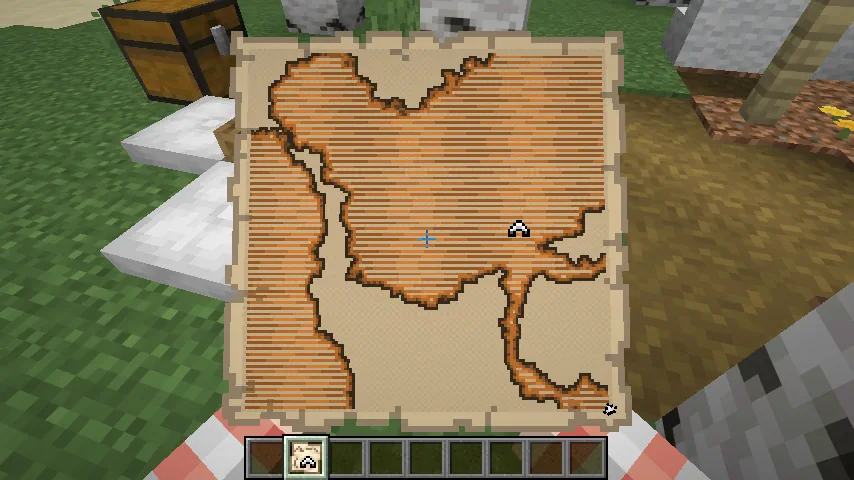
Minecraft 26.3 Snapshot 7
New Features
- Added Concrete Stairs and Concrete Slabs for all Concrete blocks
- New Explorer Maps have been added to the Abandoned Camps
- Added maps showing the location of other Abandoned Camps in the following biomes:
- Bamboo Jungle
- Cherry Grove
- Birch Forest
- Dappled Forest
- Flower Forest
- Pale Garden
- Swamp
- Windswept Forest
- Added maps for the following structures:
- Ancient City
- Trial Chambers
- Mineshaft
- Desert Pyramid
- Jungle Pyramid
- Warm Ocean Ruins
- Woodland Mansion
Changes
- Cushions no longer prevent vibrations when placed, broken or interacted with
- Updated loot table for the Abandoned Camp Barrel
- Replaced Firework Rocket with Gunpowder in Abandoned Camp Chest loot table
- The player icon on maps have been updated to always show the direction the player is facing
- Added support for Realms to use additional server regions in Canada, Mexico, South Africa, and Arizona, USA if they become available in the future
- Explorer Maps are now their own items instead of renamed Filled Maps, and each has its own icon:
- Ocean Explorer Map
- Woodland Explorer Map
- Trial Explorer Map
- Jungle Explorer Map
- Swamp Explorer Map
- Desert Village Map
- Plains Village Map
- Savanna Village Map
- Snowy Village Map
- Taiga Village Map
- Buried Treasure Map
- Ancient City Map
- Mineshaft Map
- Desert Pyramid Map
- Abandoned Campsite Map
- Warm Ocean Ruins Map
- Map and Empty Map have new icons
- These items cannot be obtained from the Creative inventory
- Existing Explorer Maps in old worlds are converted to the matching new item on load
- Explorer Maps can still be cloned in a Crafting Table, and the copies keep their own item type
- Explorer Maps and Buried Treasure Maps can no longer be zoomed out, neither in a Crafting Table nor at a Cartography Table
- Buried Treasure Maps could previously be zoomed out at both
- Explorer Maps could previously be zoomed out at a Cartography Table
- Only maps in the #minecraft:extendable_maps tag can be zoomed out
Technical Changes
- The Data Pack version is now 115.0
- The Resource Pack version is now 95.0
- level.dat now contains a version_history list with prior data versions of the file
Data Pack Version 115.0
- The following Block State fields has been renamed
- Name is now id
- Properties is now properties
- The default Block State of a Block can now be referred to in a compact form directly by the Block id
- minecraft:exploration_map no longer changes the type of the item it is applied to
- When used on a player, the player's attack strength will no longer be reset
- Added a new optional argument to set the swing animation to play
- Allowed values: whack, stab
- If omitted, defaults to whack
- Added a new argument to set the duration of the swing animation, if provided
- Format: positive time value (by default in ticks)
- If omitted, defaults to 6t
- The animation to play when the item is being used to attack something
- Format: object with fields:
- type - swing animation type, one of whack or stab
- duration - positive integer, the length of the animation in ticks
- The animation to play when the item is being used to interact with something
- Format: Same as minecraft:attack_animation
- This has been replaced by minecraft:attack_animation and minecraft:interact_animation
- The none swing animation type has been removed
- Existing items in the world will be migrated to using the default whack
- Setting both of these new components to the same value will be functionally identical to the old component, except for:
- The /swing command - animation type now specified by the command
- Items being dropped by entities
- Maps are no longer drawn as a tinted overlay, so there is nothing left for the color to apply to
- Existing maps have the component stripped on load
- See the Resource Pack section for the matching removal of the minecraft:map_color tint source
- The map_color field has now been removed
- The function no longer changes the type of the item it is applied to - it now only adds map data to the existing item
- Previously it required a minecraft:map and produced a minecraft:filled_map
- The item to produce is now chosen by the loot entry or villager trade itself, so a data pack that produced exploration maps has to change its item from minecraft:map to minecraft:filled_map (or one of the explorer map items)
- If no matching structure is found, the item is left without a minecraft:map_id - use minecraft:filtered with minecraft:discard_item to drop those, as the vanilla loot tables and villager trades now do
- Density Functions and noises are no longer evaluated with double-precision floating point values, but instead with single-precision
- This affects all intermediate steps, not just the final result
- Added #concrete_stairs - All Concrete Stairs blocks
- Added #concrete_slabs - All Concrete Slabs blocks
- Added #concrete_stairs - All Concrete Stairs items
- Added #concrete_slabs - All Concrete Slabs items
- Added #cloneable_maps - Filled Map plus all Explorer Map items and Buried Treasure Maps, used as the input to the map_cloning recipe
- Added #extendable_maps - maps that can be zoomed out with paper, either in a Crafting Table or at a Cartography Table
Resource Pack Version 95.0
Item Sprites- Removed item/filled_map_markings.png
- Added new Map textures:
- abandoned_camp.png
- ancient_city.png
- desert_pyramid.png
- mineshaft.png
- warm_ocean_ruins.png
- The following Icons have been updated in order to show player rotation on the map:
- /player.png
- /player_off_limits.png
- /player_off_map.png
- Removed minecraft:map_color
- The minecraft:map_color component it read no longer exists
- OIT_WAVELET_RANK - was previously WAVELET_RANK
- OIT_COEFF_COUNT - was previously COEFF_COUNT
- OIT_COEFF_ATTACHMENT_COUNT - was previously COEFF_ATTACHMENT_COUNT
Fixed bugs in 26.3 Snapshot 7
- MC-121375 - The Command (⌘) key on macOS is displayed as "Win" in the key binds screen
- MC-189953 - The Super key on macOS is displayed as "Win" in the key binds screen
- MC-218156 - Shipwrecks and ocean ruins can generate with empty buried treasure maps
- MC-276079 - Sending a swing packet to the client causes it to send one back to the server
- MC-302271 - Sniffers stop sniffing after relog
- MC-302661 - Interacting with something while holding spears plays the spear jab animation
- MC-302687 - Throwing items out of your inventory while holding spears plays the spear jab animation
- MC-302705 - Having a spear in the main hand affects the hand animation speed for items held in the off hand
- MC-304213 - Zombies, husks and drowned hold out the incorrect arm when holding spears
- MC-304920 - Spears in third person look wrong when the left hand is the main hand
- MC-309644 - Some textures of geyser plume particles still use inconsistent colors
- MC-309671 - Shelf mushrooms still use the wrong sounds
- MC-309679 - Cushions can be used to see through blocks
- MC-309732 - The straw_bed_head block model is stored in two directories
- MC-309797 - Cushions can be placed inside full blocks when the player's head intersects them
- MC-309875 - New translations for the tooltip of the "Improved Transparency" option are wrongly backported
- MC-309931 - Placed cushions face inconsistent directions
- MC-310057 - Pressing the "Advancements" key bind while its menu was opened from the pause menu closes both menus
- MC-310062 - Armadillos do not follow players holding spider eyes
- MC-310094 - The decimal point keypad key is displayed as "key.keyboard.99" in the key binds menu
- MC-310105 - The Menu key is displayed as "key.keyboard.101" in the key binds menu
- MC-310109 - The keypad plus-or-minus key is still not prefixed with "Keypad"
- MC-310110 - The keypad left and right parentheses keys are still not prefixed with "Keypad"
- MC-310112 - Using a Nether portal in Spectator mode while spectating an entity teleports the player to the incorrect location
- MC-310118 - Pressing Windows+D to minimize all windows makes the game no longer visually update with the Vulkan rendering backend
- MC-310337 - The game log outputs the incorrect minimum format version requiring the pack_format field in pack.mcmeta
- MC-310358 - The conditions for depthBiasEnable differ between OpenGL and Vulkan
- MC-310529 - The World Options menu UI breaks when resizing the game window
- MC-310532 - Trying to lock the difficulty of the world resets the difficulty
- MC-310536 - The category headers in the World Options screen are formatted inconsistently with other settings screens
- MC-310550 - Command+W on macOS now closes the window
- MC-310553 - The campsite_wooded_badlands_4 and campsite_swamp_2 abandoned camp structures contain overlapping cushions
- MC-310556 - Pressing Alt+F4 closes the game window on kwin_wayland even when the "Quit Shortcuts" option is disabled
- MC-310590 - Adding the entity_outline post effect to the player, restarting the game, and entering the same world causes the game to crash
- MC-310595 - The Option key on macOS is displayed as "Alt" in the key binds screen
- MC-310610 - Several abandoned camp structures contain underwater oxidized copper chests that are not waterlogged
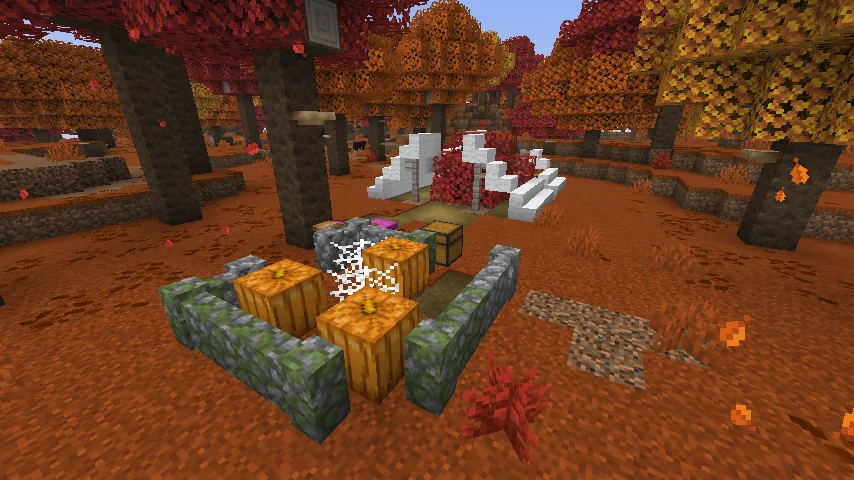
Minecraft 26.3 Snapshot 6
Changes
- Added a new Abandoned Camp campsite variant for each biome
- Minor tweaks to Abandoned Camp structures
- Fixed an issue where Realm owners could not select automatic region preference as their Realm region
- The World Options button has been moved to where the Open to Lan button used to be, accessible from the pause menu
- The World Options screen is divided into two sections: "General" and "Multiplayer"
- The "General" section contains the same options as the previous World Options screen
- The "Multiplayer" section contains three options:
- LAN: changes the multiplayer scope of the world
- Command Access: Controls whether players that join your world can use commands or not
- Port: the port number to use when opening the world to LAN
- The World Options screen is divided into two sections: "General" and "Multiplayer"
- The Online button used to access the Online Options screen will now always be shown in the Options menu
Technical Changes
- The Data Pack version is now 113.0
- The Resource Pack version is now 94.0
- Terrain blocks are now rendered with MultiDrawIndirect on supported devices
Data Pack Version 113.0
Commands Changes to publish- The gamemode argument has been removed
- Instead, the default game mode of the world should be set using the defaultgamemode command or the Game Mode button in the World Options screen, while player-specific game modes should be set using the gamemode command
- burn_time and speed_multiplier can now additionally be defined by an inline number
- uses and speed_multiplier can now additionally be defined by an inline number
- layers can now additionally be defined by an inline number
- Added invulnerable_time tag which makes a mob temporarily invulnerable for a specific number of ticks
- origin is now available in context, as the center of the block being interacted with
- Produces output values (approximately) fitting a normal distribution
- Unless otherwise specified, fits the output amplitude to [-1; 1]
- Due to the normal distribution, in practice this means that 99.7% of all samples will fit in that range - but values may still be encountered outside of this range
- Parameterized by persistence=0.5, lacunarity=2.0
- i.e. between each octave, the amplitude is halved and the frequency doubled
- Has stable seeding such that an octave can be boosted, muted, or added without affecting the rest of the octaves
- Renamed firstOctave to base_octave
- Added base_amplitude - non-negative float, a scale factor to apply to the noise output
- If not specified, defaults to 1.0
- Added octave_count - integer between 1 and 32, the number of octaves to sample
- Added normalize - boolean, or "legacy", controls how the output amplitude should be normalized
- If true, base_amplitude is the expected amplitude of the output (i.e. 99.7% of all samples in [-base_amplitude; base_amplitude])
- If false, base_amplitude is the amplitude of the first octave
- If "legacy", inherits the same normalization behavior as expressed by the previous format
- This would generally fit to a range smaller than expected
- If not specified, defaults to true
- Note: normalization is not affected by the amplitude_modifiers field - as such, modifying the amplitude of a single octave will not affect the amplitude of others
- Renamed amplitudes to amplitude_modifiers - list of floats, a scaling factor to apply to each octave
- The number of elements in this list must match octave_count
- As described above, this scaling factor bypasses normalization and will affect the output amplitude
- This field is no longer required - if not specified, defaults to all 1.0
- base - Density Function, the base value
- exponent - Density Function, the exponent
- input - Density Function, the value for which to compute the square root
- input - Density Function, the value for which to compute the natural logarithm
- If the input is positive, returns 1
- If the input is 0, returns 0
- If input is negative, returns -1
- input - Density Function, the value of which to compute the sign
- point - array of 3 integers in form [x, y, z], the point to compute distance to
- metric - one of:
- euclidean - i.e. sqrt(dx^2 + dy^2 + dz^2)
- euclidean_squared - i.e. dx^2 + dy^2 + dz^2
- manhattan - i.e. abs(dx) + abs(dy) + abs(dz)
- chebyshev - i.e. max(abs(dx), abs(dy), abs(dz))
- axis - x, y, or z, the axis over which to define this gradient
- tiling - one of:
- clamp_to_edge - outside the gradient boundaries, the value at the nearest boundary will be used
- repeat - the gradient will be repeated outside its boundaries
- mirrored_repeat - the gradient will be repeated such that odd repetitions are mirrored, ensuring continuity between repetitions
- from_coordinate - int, the coordinate at which the gradient starts
- to_coordinate - int, the coordinate at which the gradient ends
- Must not be equal to from_coordinate
- from_value - float, the value at which the gradient starts
- to_value - float, the value at which the gradient ends
- axis - x, y, or z, the axis to remove
- coordinate - int, the fixed coordinate to be passed to the input function
- input - Density Function, the input function
- Can now connect to Jigsaw blocks with any target name, instead of just minecraft:bottom
Resource Pack Version 94.0
Shaders & Post-process Effects- terrain.vsh and terrain.fsh shaders are refactored to support multi-draw
- Some of the members in Globals and DynamicTransforms are shuffled to use less memory for those uniform blocks
- Introduced new define: RENDERPEARL_EXPLICIT_DEPTH_INVARIANCE - If present, indicates that an OIT shader should explicitly output a depth value because a device it is running on can produce a slightly different implicit value
- Format: list of override entries with fields:
- when - object with fields, the material and/or pattern to match
- material - optional Trim Material ID, the material to match (if specified)
- pattern - optional Trim Pattern ID, the pattern to match (if specified)
- Note: this is not the palette ID, as trim_palette_replacements used to be!
- At least one of material or pattern must be specified
- If both are specified, both must match for the entry to be used
- texture - optional trim pattern asset ID, a replacement texture to use if this entry matches
- Textures are specified in the same format as asset_id
- If not specified, the default texture for the pattern will be used
- palette - optional palette ID, a replacement palette to use if this entry matches
- If not specified, no palette remapping will be applied to the texture
- The first matching entry will always be selected
- At least one of texture or palette must be defined
- when - object with fields, the material and/or pattern to match
Fixed bugs in 26.3 Snapshot 6
- MC-299582 - Special crafting recipes behave differently than other recipe types with /recipe and the limited_crafting game rule
- MC-304195 - The arm overlay textures of parched have unused pixels not used by the model
- MC-307206 - Std140Builder incorrectly pads vec3s and ivec3s
- MC-307996 - The game cannot use hardware acceleration on devices lacking the fillModeNonSolid Vulkan feature
- MC-308694 - Using /defaultgamemode changes everyone's game mode to the one set in "Settings for Other Players" in LAN worlds
- MC-308699 - Switching the host's game mode causes new LAN players to ignore the forced game mode
- MC-308749 - Exiting and rejoining the same LAN session resets your game mode
- MC-309720 - The texture of straw beds has missing and extra pixels
- MC-309958 - Off-by-one error in SynchedEntityData.Builder#define
- MC-310088 - The taskbar icon displays the Java logo instead of the game's logo
- MC-310099 - The game freezes if the head part of straw beds has a different facing than the foot part
- MC-310101 - Command+W now closes the game on macOS
- MC-310122 - Traversing the pie chart with keys does not work correctly
- MC-310132 - Armor trim textures can no longer be overridden
- MC-310134 - The "Exclusive Fullscreen" button and "Exclusive Fullscreen Mode" slider are still present and enabled on macOS
- MC-310136 - Player skin rendering is messed up when the "Improved Transparency" setting is enabled
- MC-310143 - IME candidates are invisible in fullscreen mode even when the "Exclusive Fullscreen" option is disabled
- MC-310155 - After entering macOS fullscreen by clicking the "Fullscreen" button in the Video Settings menu, you cannot reveal the menu bar or dock by navigating to the edge of the screen
- MC-310168 - When editing a glowing sign, the glow on the placed sign temporarily disappears
- MC-310195 - Control+Left click no longer counts as a right click on macOS
- MC-310213 - On-screen keyboard handling is inconsistent
- MC-310228 - The game freezes when a player destroys a bed at the exact same moment a villager sleeps in it
- MC-310235 - The game crashes when a piston pushes a water cauldron with the "Improved Transparency" option enabled
- MC-310241 - Brewing recipes show up in the command suggestions for /recipe, but cannot be granted or revoked
- MC-310281 - Using keyboard shortcuts to navigate tabs within UIs doesn't work correctly
- MC-310311 - Item modifiers that reference themselves crash the game when invoked
- MC-310313 - Predicates that reference themselves crash the game when invoked
- MC-310314 - Number providers that reference themselves crash the game when invoked
- MC-310315 - Slot sources that reference themselves crash the game when invoked
- MC-310319 - The game crashes when the spider post effect is applied
- MC-310321 - The creeper post effect is ineffective
- MC-310357 - The OpenGL rendering backend passes 3 to GL_UNPACK_ALIGNMENT, which is invalid
- MC-310359 - mipLevel is not respected when copyTextureToTexture is used
- MC-310360 - clearColorTexture and clearDepthTexture clear all mipmaps with the Vulkan rendering backend, unlike with the OpenGL one
- MC-310382 - The game crashes when applying a resource pack with a shader that uses #include with uppercase characters in the path
- MC-310383 - The per-target blend state diverges between the OpenGL and Vulkan rendering backends
- MC-310388 - The caves and floating_islands noise settings no longer generate as intended
- MC-310455 - copyTextureToBuffer produces padded rows with the OpenGL rendering backend but tightly-packed rows with the Vulkan one
Minecraft 26.3 Snapshot 5
Technical Changes
- The Data Pack version is now 112.0
- The Resource Pack version is now 93.0
Data Pack Version 112.0
- Codec for element lists/tags now allows mixing inline values and references
- For example, item modifiers like [{type:set_count, ...}, "minecraft:some_modifier"] are now allowed
- Removed extra_rare_growths and catalyst_chance fields
Resource Pack Version 93.0
Shaders & Post-process Effects Order-independent Transparency (OIT)-related Shader Changes- The B3D_IS_ZERO_TO_ONE define has been renamed to RENDERPEARL_IS_ZERO_TO_ONE
- Shaders are now compiled by ShaderC when using OpenGL as well, identically to when using Vulkan
- Shader includes are now handled by ShaderC using #include instead of #moj_import
- Shader inputs and outputs must have a location specified in shader source
- Vertex input names must still match expected names.
- Vertex outputs are matched to fragment inputs solely by location, name is now ignored.
- Introduced new define RENDERPEARL_INSTANCE_INDEX_INCLUDES_BASE_INSTANCE - A boolean indicating if gl_InstanceIndex follows Vulkan or OpenGL (gl_InstanceID) semantics
Fixed bugs in 26.3 Snapshot 5
- MC-5269 - Updating a server's address in the multiplayer menu does not update its status
- MC-278771 - The incorrect command context is used when providing suggestions for redirected commands
- MC-293755 - The ender dragon's neck and tail disconnect from its body when it turns
- MC-306628 - TNT minecarts don't delete piercing arrows
- MC-307918 - Sculk patches can cause errors in the log during world generation
- MC-308344 - Validation error when compiling shaders containing in/out array or matrix variables with the Vulkan rendering backend
- MC-308406 - Item models are shown incorrectly in the smithing table menu's armor stand
- MC-308647 - The resource packs screen can cache font glyphs incorrectly after toggling the "Font Settings" option
- MC-309250 - Naturally generated decorated pots don't drop bricks when broken with tools
- MC-309298 - Sending chat messages while having the "Chat Delay" option set to a nonzero value can sometimes kick you from the game
- MC-309500 - Crafting decorated pots without sherds using the recipe book creates a pot that doesn't drop bricks when broken with a tool
- MC-309565 - Block outlines are rendered behind translucent elements if the "High Contrast Block Outlines" option is enabled
- MC-309566 - Block outlines are rendered behind translucent elements if the "Improved Transparency" option is disabled
- MC-309743 - The attacking animation of drowned is incorrect
- MC-310041 - Under specific conditions, chunk loading frequently fails
- MC-310096 - Invalid item modifiers crash the game
- MC-310098 - Trying to mix item modifier references and inline values in a list prevents the pack from loading
- MC-310125 - Blaze powder in brewing stands uses the cooking/speed_default number provider instead of brewing/speed_default
- MC-310133 - Gurgles do not aim their tridents correctly
- MC-310135 - The server crashes when requesting command suggestions for /attribute referenced from /execute
- MC-310149 - Glass flickers when looking at it closely with the Vulkan rendering backend and the "Improved Transparency" option enabled
- MC-310163 - The game crashes when entering exclusive fullscreen on Wayland
Minecraft 26.3 Snapshot 4
Known Issues
- Exclusive fullscreen mode on Windows may cause the game to crash in certain situations, especially when using multiple monitors
- Entering Exclusive fullscreen mode crashes the game on Wayland
New Features
- Players in spectator mode can now interact with portals to teleport
Changes
Minor Tweaks to Blocks, Items and Entities- Armadillos no longer try to roll up when submerged in liquids
- Removed the Raw Input mouse setting
- Mouse input now always uses relative mouse mode while playing in-game
- Key bindings now use physical keys instead of keyboard-layout-specific key codes
- Borderless Fullscreen is now the default fullscreen mode
- Switching between Borderless and Exclusive Fullscreen no longer requires restarting the game
- Exclusive fullscreen mode on macOS is no longer supported
- The minimum window size is now 320 by 240 pixels
- On macOS, holding a key while entering text now displays the native accent and candidate popup
- On Linux systems, the game will now use and prefer Wayland natively if available
- The debug overlay now supports a separate GUI scale than the rest of the game
- This is customizable through the Debug Options screen, F3 + F6
- The default scale is "Auto", which tries to stay at a higher resolution than normal
- Another option is "Unchanged", which matches your regular GUI scale
- The rest of the options work the same as in the normal "GUI Scale", controlling the scale directly
- Added a "player_speed" debug entry that displays the speed of the player in blocks per tick.
- The debug overlay now shows the display refresh rate
- Reordered mineral item and block ordering to have non-tiered ingredients up first, then tiered ingredients that craft into equipment last
- Ingredients
- Non-tiered minerals
- Unrefined tiered minerals
- Refined tiered minerals
- Nuggets
- Ingots
- Building Blocks
- Non-tiered mineral blocks and variants
- Refined tiered mineral blocks and variants
- Copper block family
- Copper Blocks continue to be pushed to the end of the order in Building Blocks since they have a large list of content
- Ingredients
- Improved ordering of Natural Blocks tab so that all inner ordering of group content sequentially progresses from Overworld -> Nether -> End to stay consistent with other tabs
Technical Changes
- The Data Pack version is now 111.0
- The Resource Pack version is now 92.0
- Loot table types that have a dedicated registry now support registry element and tag references
- This means that the majority of fields of such types that previously accepted single elements will now accept either a namespaced ID or an inline value, while fields that previously accepted lists can now accept an inline value, a single namespaced ID, a list of namespaced IDs, a list of inline values, or a hash-prefixed tag ID
- Affected types:
- minecraft:advancement
- minecraft:item_modifier
- minecraft:loot_table
- minecraft:number_provider
- minecraft:predicate
- minecraft:recipe
- minecraft:slot_source
- Existing reference types for predicates, item modifiers and slot sources are now obsolete and have been removed
- Minecraft now uses SDL3 instead of GLFW for window management, input and platform integration
- Keyboard input now uses SDL scancodes for physical key positions and SDL keycodes for layout-dependent text editing shortcuts
Data Pack Version 111.0
- Signs no longer automatically execute click events in custom text
- Whether a block is safe to spread a player to is now controlled by the #entities_can_teleport_to block tag
- Defines mob spawns in an Environment Attribute Source
- During worldgen placement, only Dimensions and Biomes will apply this Environment Attribute
- Format: object with fields:
- spawns_by_category - map of spawn category to weighted list of spawn data
- Spawn data format: object with fields:
- type - entity type, the entity to spawn
- count - int provider, amount to spawn
- Spawn data format: object with fields:
- spawn_costs - map of entity type to object with fields:
- energy_budget - float, energy change allowed per spawn
- charge - float, how much existing mobs will attract or repulse other charged mobs
- spawns_by_category - map of spawn category to weighted list of spawn data
- Available attribute modifiers:
- overlay
- For each mob category, overrides the lower layer's spawn settings with the higher layer's, unless the category is not included
- Merges each layer's spawn costs together, overriding the lower layer's spawn costs with the higher layer's if both define the same entity type
- overlay
- Default: Empty
- Sets the probability to run an iteration in which mobs defined to spawn in the creature mob category will spawn during world generation
- Only Dimensions and Biomes will apply this Environment Attribute
- Format: float with range [0,1)
- Default: 0.1
- Now supports interpolation between Timeline keyframes (probabilities will be crossfaded)
- Introduced support for new modifier: append
- Unlike override which totally replaces the particle list, this modifier concatenates all elements with the layers below
- Describes an item that can be used as fuel for a Furnace, Smoker or Blast Furnace
- Format: object with fields
- burn_time - namespaced ID pointing to an element of minecraft:number_provider registry representing the time, in ticks, for which this fuel will burn
- speed_multiplier - namespaced ID pointing to an element of minecraft:number_provider registry representing the speed of the cooking/smelting
- Describes an item that can be used as fuel for a Brewing Stand
- Format: object with fields
- uses - namespaced ID pointing to an element of minecraft:number_provider registry representing the number of times this fuel will brew before being consumed
- speed_multiplier - namespaced ID pointing to an element of minecraft:number_provider registry representing the speed of the brewing
- Note: the #brewing_fuel item tag has been removed and will no longer function to register new brewing fuels
- Two identical components that represent text in front and back of a sign
- Contents will be displayed in item tooltip
- The format is the same as front_text and back_text fields on minecraft:sign and minecraft:hanging_sign block entities, i.e.
- messages - a list of text components
- filtered_messages - an optional list of text components, if omitted, it will be set to the same value as messages
- messages and filtered_messages must have same entry count
- color - optional dye color, default: black
- has_glowing_text - optional boolean, default: false
- A marker for blocks with contents that are waxed
- No fields
- Applied to Cushion entities when they get placed using an item
- Format: one of 16 dye colors
- Format: object with fields
- nutrition - positive integer, how much hunger the item satiates in the Villager once eaten
- Format: object with fields
- targeting_entity - an entity ID, a list of namespaced entity IDs, or a hash-prefixed entity tag to match
- visibility - float (between 0.0 and 10.0), with 0.0 reducing the range at which mobs detects the entity to 2 blocks while 10.0 increases the detection range tenfold
- While multiple items with this component stack, the maximum vision will still never exceed 10.0
- By default, commands and other click events contained in Sign text are no longer executed when the block is clicked
- Additionally, text components on newly placed Signs are no longer resolved by default
- New boolean field called allow_op_features (defaults to false) has been added to restore previous behavior
- Placed Signs and items with the minecraft:block_entity_data component containing Sign data stored in worlds saved before this version will have allow_op_features set to true
- Any newly created Sign will need to have that field set explicitly
- Changed the rules for opening the Sign edit screen after a block is placed:
- Previously, the screen would open unless minecraft:block_entity_data was applied successfully
- Now, the screen will open only if it could be opened normally by clicking the block (i.e. it's not waxed and only has editable text on the front side)
- Signs will now accept and return the minecraft:sign_text_front, minecraft:sign_text_back and minecraft:waxed components
- Changed the BrewTime field from a short to an integer, this is the amount of time that the current brewing process has taken so far
- Changed the Fuel field from a byte to an integer, this is the amount of fuel remaining
- Added the total_brew_time integer field, this is the total amount of time the current brewing process will take
- Added the total_fuel integer field, this represents the amount of fuel that was added in the last refuel
- Added the speed_multiplier float field, this will be used to speed up or slow down the next brewing process
- Changed the cooking_time_spent field from a short to an integer, this is the amount of time that the current cooking process has taken so far
- Changed the cooking_total_time field from a short to an integer, this is the total amount of time the current cooking process will take
- Changed the lit_time_remaining field from a short to an integer, this is the amount of burn time remaining
- Changed the lit_total_time field from a short to an integer, this is the total amount of burn time that was added in the last refuel
- Added the speed_multiplier float field, this will be used to speed up or slow down the next brewing process
- The loot sub-field in the rewards field now accepts an inline value, a single namespaced ID, a list of namespaced IDs, a list of inline values, or a hash-prefixed tag ID of a minecraft:loot_table type
- Multiple fields that accepted a list of loot conditions are now stricter:
- Previous functionality of a list of conditions was equivalent to a single minecraft:all_of condition has been removed
- Additionally, type field is mandatory (previously it defaulted to minecraft:entity_properties)
- Some fields that previously accepted only inline loot conditions now also accept a namespaced ID of a minecraft:predicate
- The player field, available on all triggers except minecraft:impossible, now accepts an inline value or a namespaced ID of a minecraft:predicate type
- To avoid duplication, this field is not mentioned in entries below
- The location field now accepts an inline value or a namespaced ID of a minecraft:predicate type
- The block field has been renamed to blocks and now accepts a single namespaced ID, a list of namespaced IDs, or a hash-prefixed tag ID of a minecraft:block type
- Added field state that matches block state properties (same format as minecraft:enter_block)
- child, parent, and partner fields now accept an inline value or a namespaced ID of a minecraft:predicate type
- The potion field now accepts minecraft:potion_contents data component predicate
- villager and zombie fields now accept an inline value or a namespaced ID of a minecraft:predicate type
- The location field now accepts an inline value or a namespaced ID of a minecraft:predicate type
- The source field now accepts an inline value or a namespaced ID of a minecraft:predicate type
- The block field has been renamed to blocks and now accepts a single namespaced ID, a list of namespaced IDs, or a hash-prefixed tag ID of a minecraft:block type
- The cause field now accepts an inline value or a namespaced ID of a minecraft:predicate type
- The entity field now accepts an inline value or a namespaced ID of a minecraft:predicate type
- The location field now accepts an inline value or a namespaced ID of a minecraft:predicate type
- The location field now accepts an inline value or a namespaced ID of a minecraft:predicate type
- The location field now accepts an inline value or a namespaced ID of a minecraft:predicate type
- The entity field now accepts an inline value or a namespaced ID of a minecraft:predicate type
- The killing_blow.tags.id field now accepts a single namespaced ID, a list of namespaced IDs, or a hash-prefixed tag ID of a minecraft:damage_type type
- The entity field now accepts an inline value or a namespaced ID of a minecraft:predicate type
- The killing_blow.tags.id field now accepts a single namespaced ID, a list of namespaced IDs, or a hash-prefixed tag ID of a minecraft:damage_type type
- The entity field now accepts an inline value or a namespaced ID of a minecraft:predicate type
- The killing_blow.tags.id field now accepts a single namespaced ID, a list of namespaced IDs, or a hash-prefixed tag ID of a minecraft:damage_type type
- bystander and lightning fields now accept an inline value or a namespaced ID of a minecraft:predicate type
- The loot_table field has been renamed to loot_tables and now accepts a single namespaced ID, a list of namespaced IDs, a list of inline values, or a hash-prefixed tag ID of a minecraft:loot_table type
- If a tag or a list is used, trigger will run when any listed loot table is generated
- The entity field now accepts an inline value or a namespaced ID of a minecraft:predicate type
- The entity field now accepts an inline value or a namespaced ID of a minecraft:predicate type
- The entity field now accepts an inline value or a namespaced ID of a minecraft:predicate type
- The damage.type.tags.id field now accepts a single namespaced ID, a list of namespaced IDs, or a hash-prefixed tag ID of a minecraft:damage_type type
- The damage.type.tags.id field now accepts a single namespaced ID, a list of namespaced IDs, or a hash-prefixed tag ID of a minecraft:damage_type type
- The entity field now accepts an inline value or a namespaced ID of a minecraft:predicate type
- The entity field now accepts an inline value or a namespaced ID of a minecraft:predicate type
- The recipe_id field has been renamed to recipes and now accepts a single namespaced ID, a list of namespaced IDs, or a hash-prefixed tag ID of a minecraft:recipe type
- If a tag or a list is used, trigger will run when any listed recipe is used
- The recipe_id field has been renamed to recipes and now accepts a single namespaced ID, a list of namespaced IDs, or a hash-prefixed tag ID of a minecraft:recipe type
- If a tag or a list is used, trigger will run when any listed recipe is used
- The recipe field has been renamed to recipes and now accepts a single namespaced ID, a list of namespaced IDs, or a hash-prefixed tag ID of a minecraft:recipe type
- If a tag or a list is used, trigger will run when any listed recipe is unlocked
- The block field has been renamed to blocks and now accepts a single namespaced ID, a list of namespaced IDs, or a hash-prefixed tag ID of a minecraft:block type
- The entity field now accepts an inline value or a namespaced ID of a minecraft:predicate type
- The entity field now accepts an inline value or a namespaced ID of a minecraft:predicate type
- The projectile field now accepts an inline value or a namespaced ID of a minecraft:predicate type
- The villager field now accepts an inline value or a namespaced ID of a minecraft:predicate type
- The terms field now accepts an inline value, a single namespaced ID, a list of namespaced IDs, a list of inline values, or a hash-prefixed tag ID of a minecraft:slot_source type
- Inline format of minecraft:group (previously only a list of inline slot source) can now also accept a list of namespaced IDs, a list of inline values, or a hash-prefixed tag ID of a minecraft:slot_source type
- This format is now available consistenly available for all fields of slot source
- The slot_source field now accepts an inline value or a namespaced ID of a minecraft:slot_source type
- The slot_source field now accepts an inline value or a namespaced ID of a minecraft:slot_source type
- The slot_source field now accepts an inline value or a namespaced ID of a minecraft:slot_source type
- This slot source has become obsolete, as any field that takes slot source now accepts (among other fields) a namespaced ID of a minecraft:slot_source type
- The rolls and bonus_rolls fields now accept an inline value or a namespaced ID of a minecraft:number_provider type
- Currently used to evaluate cooking and brewing fuel values
- It takes the following parameters:
- container, the container or inventory being evaluated
- block_entity, the block entity being fueled
- block_state, the current state of the block being fueled
- origin, the location of the block being fueled
- Block entities are now available in context and can be matched by conditions like minecraft:match_block
- The conditions field in loot pool entries has been renamed to condition and now accepts an inline value or a namespaced ID of a minecraft:predicate type
- The functions field in loot pool entries has been renamed to modifier and now accepts an inline value (including list as a short form of minecraft:sequence) or a namespaced ID of a minecraft:item_modifier type
- This field is now present on all loot entries, including previously omitted minecraft:alternatives, minecraft:sequence and minecraft:group
- The name field has been renamed to items and now accepts a single namespaced ID, a list of namespaced IDs, or a hash-prefixed tag ID of a minecraft:item type
- The value field now accepts a single namespaced ID, a list of namespaced IDs, a list of inline values, or a hash-prefixed tag ID of a minecraft:loot_table type
- Added expand field, working the same as in minecraft:tag pool entry:
- if true, each entry inside tag will be added to outer pool, with weights equal to weight of this entry
- if false, this pool entry will operate as a single entry in outer pool. If this entry gets selected, it will return all items from all referenced loot tables
- The conditions field is now available in all loot functions and has been renamed to condition
- It now also accepts an inline value or a namespaced ID, but no longer an inline list of conditions
- Functionality of old condition list format can be achieved by explicitly using minecraft:all_of loot condition type
- The function field (describing function type) has been renamed to type
- The functions field now accepts an inline value, a single namespaced ID, a list of namespaced IDs, a list of inline values, or a hash-prefixed tag ID of a minecraft:item_modifier type
- Added optional condition field which accepts an inline value or a namespaced ID of a minecraft:predicate type
- Inline format of minecraft:sequence (previously only a list of inline functions) can now also accept a list of namespaced IDs, a list of inline values, or a hash-prefixed tag ID of a minecraft:item_modifier type
- This format is now consistenly available for all fields of loot function type, which means that every such field can accept an inline value, a single namespaced ID, a list of namespaced IDs, a list of inline values, or a hash-prefixed tag ID of a minecraft:item_modifier type
- The modifier field now accepts an inline value or a namespaced ID of a minecraft:item_modifier type
- Number providers in amount sub-fields of modifiers list now accept an inline value or a namespaced ID of a minecraft:number_provider type
- The count field now accepts an inline value or a namespaced ID of a minecraft:number_provider type
- The levels field now accepts an inline value or a namespaced ID of a minecraft:number_provider type
- Elements in floats and colors lists can now be an inline value or a namespaced ID of a minecraft:number_provider type
- Values in enchantments map can now be an inline value or a namespaced ID of a minecraft:number_provider type
- The count field now accepts an inline value or a namespaced ID of a minecraft:number_provider type
- The min and max fields inside limit structure now accept an inline value or a namespaced ID of a minecraft:number_provider type
- The count field now accepts an inline value or a namespaced ID of a minecraft:number_provider type
- The amplifier field now accepts an inline value or a namespaced ID of a minecraft:number_provider type
- The number_of_dyes field now accepts an inline value or a namespaced ID of a minecraft:number_provider type
- The duration field in elements of effects list now accepts an inline value or a namespaced ID of a minecraft:number_provider type
- The name field has been renamed to tag
- The destination field is no longer optional and now accepts a single namespaced ID, a list of namespaced IDs, or a hash-prefixed tag ID of a minecraft:structure type
- This function has become obsolete, as any field that takes a function now accepts (among other things) a namespaced ID to other functions
- The condition field (describing predicate type) has been renamed to type
- The terms field now accepts an inline value, a single namespaced ID, a list of namespaced IDs, a list of inline values, or a hash-prefixed tag ID of a minecraft:predicate type
- Note: values of this type can no longer be shortened to a single list, a full object with type minecraft:all_of needs to be used explicitly
- The terms field now accepts an inline value, a single namespaced ID, a list of namespaced IDs, a list of inline values, or a hash-prefixed tag ID of a minecraft:predicate type
- The term field now accepts an inline value or a namespaced ID of a minecraft:predicate type
- The chance field now accepts an inline value or a namespaced ID of a minecraft:number_provider type
- The value field now accepts an inline value or a namespaced ID of a minecraft:number_provider type
- The min and max fields inside range structure now accept an inline value or a namespaced ID of a minecraft:number_provider type
- The min and max fields inside value structure now accept an inline value or a namespaced ID of a minecraft:number_provider type
- The min and max fields inside values of scores map now accept an inline value or a namespaced ID of a minecraft:number_provider type
- The predicate.tags.id field now accepts a single namespaced ID, a list of namespaced IDs, or a hash-prefixed tag ID of a minecraft:damage_type type
- This condition has become obsolete, as any field that takes a loot condition now accepts (among other things) a namespaced ID to other conditions
- minecraft:block/fast_cooking
- blocks - optional block id, list of namespaced block IDs, or hash-prefixed block tag to match
- state: optional map of block state property keys to values to match
- nbt: optional block entity NBT to match
- match will fail if this field is present, but block entity is not available in context
- components - optional map of exact components to match
- match will fail if this field is present, but block entity is not available in context
- predicates - optional map of component predicates to match
- match will fail if this field is present, but block entity is not available in context
- This has been fully replaced by minecraft:match_block
- The type field always needs to be specified explicitly when using an inline number provider (it was previously defaulting to minecraft:uniform)
- minecraft:cooking/time_bamboo
- Returns the burn time in ticks for bamboo and scaffolding
- minecraft:cooking/time_blaze_rod
- Returns the burn time in ticks for blaze rods
- minecraft:cooking/time_boats
- Returns the burn time in ticks for boats
- minecraft:cooking/time_coal
- Returns the burn time in ticks for coal
- minecraft:cooking/time_coal_block
- Returns the burn time in ticks for coal blocks
- minecraft:cooking/time_dried_kelp_block
- Returns the burn time in ticks for dried kelp blocks
- minecraft:cooking/time_dry_plants
- Returns the burn time in ticks for various dry plants
- minecraft:cooking/time_hanging_signs
- Returns the burn time in ticks for hanging signs
- minecraft:cooking/time_lava_bucket
- Returns the burn time in tickss for lava buckets
- minecraft:cooking/time_roots
- Returns the burn time in ticks for mangrove roots
- minecraft:cooking/time_wood_blocks
- Returns the burn time in ticks for wood blocks
- minecraft:cooking/time_wood_items_extra_small
- Returns the burn time in ticks for very small wood items such as buttons
- minecraft:cooking/time_wood_items_large
- Returns the burn time in ticks for large wood items such as doors
- minecraft:cooking/time_wood_items_small
- Returns the burn time in ticks for small wood items such as bows
- minecraft:cooking/time_wood_slabs
- Returns the burn time in ticks for wood slabs
- minecraft:cooking/time_wool
- Returns the burn time in ticks for most wool blocks
- minecraft:cooking/time_wool_carpets
- Returns the burn time in ticks for wool carpets
- minecraft:cooking/time_wool_slabs
- Returns the burn time in ticks for wool slabs and cushions
- minecraft:cooking/speed_default
- Returns the default speed multiplier for cooking fuel
- minecraft:brewing/speed_default
- Returns the default speed multiplier for brewing fuel
- minecraft:brewing/uses_default
- Returns the default number of brews provided by brewing fuel
- Fields:
- cases - a list of cases in the order that the dispatcher will try to execute them
- Fields:
- condition - an inline value or a namespaced ID of a minecraft:predicate type
- number_provider - an inline value or a namespaced ID of a minecraft:number_provider type which is executed if the condition is fulfilled
- Fields:
- default - an optional inline value or a namespaced ID of a minecraft:number_provider type
- Defaults to a constant 0 if omitted
- cases - a list of cases in the order that the dispatcher will try to execute them
- Fields:
- conditions - an inline value or a namespaced ID of a minecraft:predicate type
- on_true - an inline value or a namespaced ID of a minecraft:number_provider type which is executed if its condition is fulfilled
- on_false - an optional inline value or a namespaced ID of a minecraft:number_provider type
- Defaults to a constant 0 if omitted
- Fields:
- distribution - a list of objects with the following fields
- Fields:
- data - an inline value or a namespaced ID of a minecraft:number_provider type
- weight - a positive integer
- Fields:
- distribution - a list of objects with the following fields
- The min and max fields now accept an inline value or a namespaced ID of a minecraft:number_provider type
- The n and p fields now accept an inline value or a namespaced ID of a minecraft:number_provider type
- The summands field now accepts an inline value, a single namespaced ID, a list of namespaced IDs, a list of inline values, or a hash-prefixed tag ID of a minecraft:number_provider type
- Removed the spawners, spawn_costs, and creature_spawn_probability fields
- These values have been moved to the new Environment Attributes
- Removed feature types:
- minecraft:nether_forest_vegetation
- minecraft:twisting_vines
- minecraft:weeping_vines
- The final_density field no longer has the beardifier Density Function implicitly added to the final result
- The aquifers_enabled field has been replaced by an optional aquifers object:
- If not present, no aquifers will be generated
- Fields:
- barrier - Density Function, moved from noise_router.barrier
- fluid_level_floodedness - Density Function, moved from noise_router.fluid_level_floodedness
- fluid_level_spread - Density Function, moved from noise_router.fluid_level_spread
- lava - Density Function, moved from noise_router.lava
- surface_level - Density Function, duplicated from noise_router.preliminary_surface_level
- exclusion - Density Function, any aquifer cell where this value is positive will have no fluid
- The ore_veins_enabled field has been replaced by an optional list of ore_veins objects:
- If not present, no ore veins will be generated
- Fields:
- ore_block - Block State, the ore block to place
- raw_ore_block - Block State, the raw ore block to place
- filler_block - Block State, the filler block to place
- raw_ore_chance - float between 0 and 1, the probability for a raw_ore_block to be placed instead of an ore_block
- density - Density Function, the probability between 0 and 1 for the ore vein to replace a block
- If 0 or lower, no block will be replaced
- richness - Density Function, the probability between 0 and 1 for ore_block or raw_ore_block to be placed (as opposed to filler_block)
- If 0 or lower, all blocks will be filler_block
- If 1 or greater, no blocks will be filler_block
- filler_gap - Density Function, acts as an override to richness: if positive, filler_block will always be placed
- The following fields from noise_router have been moved:
- barrier, fluid_level_floodedness, fluid_level_spread, lava - moved into aquifers field
- vein_toggle, vein_ridged, vein_gap - moved into ore_veins field
- argument has been renamed to value
- argument1 has been renamed to left
- argument2 has been renamed to right
- argument has been renamed to input
- argument has been renamed to noise
- left - Density Function, the left-hand side of the operation
- right - Density Function, the right-hand side of the operation
- left - Density Function, the left-hand side of the operation
- right - Density Function, the right-hand side of the operation
- Renamed from invert
- input - Density Function, the function to negate
- alpha - Density Function, the interpolation factor (0=first, 1=second)
- Any value outside of [0; 1] will extrapolate
- first - Density Function, the value at alpha=0
- second - Density Function, the value at alpha=1
- floor: rounds towards negative infinity
- round: rounds towards the nearest integer (ties round up)
- ceil: rounds towards positive infinity
- truncate: rounds towards 0
- input - Density Function, the input to round
- multiple - Density Function, the output will be rounded to an integer multiple of this value
- If not specified, defaults to constant 1 (i.e. rounding to integer)
- The given_item_modifiers field has been renamed to given_item_modifier
- Note: unlike other fields of type minecraft:item_modifier this field does not support namespaced element or tag IDs
- Added #cushion_uses_collision_shape - Blocks where Cushion placement raycasts against collision shape instead of interaction shape
- Default entries: all blocks in #cauldrons, plus hopper and composter
- Removed #brewing_fuel - the brewing_fuel item component is now used to identify brewing fuels
Resource Pack Version 92.0
Shaders & Post-process Effects- Added new shaders to support order-independent transparency:
- core/oit_depth_bounds_cull.fsh
- Updated core shaders to support order-independent transparency
- Introduced new defines:
- OIT_ALWAYS_WRITE_DEPTH - A boolean indicating that the OIT algorithm should always write depth for the executing pipeline during the depth bounds stage
- Introduced new defines:
- core/integrate_depth.fsh was added and is used to integrate the "3d hud" and always-on-top gizmo depth buffers into the main depth buffer
Fixed bugs in 26.3 Snapshot 4
- MC-2157 - Particles emitted from dragon eggs when teleporting do not point in the correct direction
- MC-46421 - You cannot use nether portals, end portals, and end gateways while in Spectator mode
- MC-58061 - Endermen can teleport onto signs
- MC-110989 - /spreadplayers considers signs to be a valid block to be spread onto
- MC-116286 - /spreadplayers can spread entities on structure void
- MC-121278 - Keybindings (e.g. Ctrl+A) are being mapped to the US keyboard layout even if you're using another layout
- MC-133407 - Keybinds switch when upgrading to 1.13 if not using a QWERTY keyboard
- MC-148541 - /spreadplayers can spread players to seagrass near the surface of the water
- MC-212671 - Loot table tag entry with "expand": true does not apply functions
- MC-252934 - Placing structures with item frames, paintings, or cushions logs Block-attached entity at invalid position: [BlockPosition]
- MC-263708 - Keybinds menu renders Keypad keys the same as regular keys
- MC-266429 - Holding shift on macOS causes hotbar scroll direction to reverse (mouse only)
- MC-268521 - The game window doesn't have a minimal width and height
- MC-269968 - Can't scroll while holding shift on macOS (except in the hotbar) (mouse only)
- MC-299019 - Using a Bed while riding a rideable mob causes the player to sleep either on the ground, or on top of the mob
- MC-303493 - The apply_impulse entity effect does not apply components of the impulse that would cause the affected entity to hit a solid block when used with a tick or location_changed advancement trigger
- MC-303789 - Looking directly up with an apply_impulse enchantment entity effect will limit the impulse's effect on the X and Z axes to only apply on one of the two horizontal axes
- MC-306619 - Cannot jump while sneaking while using a Chinese input method
- MC-308127 - The "Friends Screen" key bind overrides debug hotkeys using the same key
- MC-308222 - Worldgen heightmaps do not persist properly through chunk saving/loading
- MC-308469 - Hitting the ender dragon's head hitbox no longer causes the ender dragon to take more damage
- MC-308804 - The input method does not switch to the corresponding CJK mode in the Create New World screen
- MC-309166 - Block breaking is delayed after hitting an entity in Survival/Adventure mode
- MC-309394 - The game crashes when trying to render the item texture of a filled map in the world with the "Improved Transparency" option enabled
- MC-309474 - Block displays do not display glass blocks when the "Improved Transparency" setting is enabled
- MC-309475 - Shelf mushrooms held in the off hand are rotated incorrectly
- MC-309506 - Blocks z-fight with the world border with the "Improved Transparency" option enabled
- MC-309513 - The top texture of stripped poplar logs uses a different color from the middle of the top texture of poplar logs
- MC-309521 - The texture of poplar hanging signs uses a recolored version of the texture of stripped pale oak instead of stripped poplar
- MC-309522 - Translucent objects can be seen through glass block elements when the "Improved Transparency" option is enabled
- MC-309524 - Drowned that are outside of water continue to aim their trident at players within 3 blocks of them
- MC-309656 - Cushions can be placed on top of fire
- MC-309659 - Cushions cannot be placed on the highest edge of a lectern
- MC-309685 - Sleeping on the head part of a straw bed teleports the player to Y=-Infinity
- MC-309686 - The game crashes when shooting some projectiles outside the vertical limits of the world
- MC-309693 - The ender dragon appears to fly backwards until perching
- MC-309695 - You can place cushions at any height inside cauldrons, composters, and hoppers
- MC-309697 - The texture of the top half of poplar doors has a miscolored pixel on the hinge
- MC-309703 - Breaking a cushion causes it to lose its custom name
- MC-309707 - The texture of straw beds does not align with the texture of hay bales
- MC-309718 - Mob positions permanently desync after tick sprinting
- MC-309771 - The main target's depth buffer only contains the player's arm when fetched from post effects
- MC-309790 - You can sleep while on a cushion
- MC-309809 - Waxing a sign or a hanging sign doesn't play any sound
- MC-309832 - Placed cushions do not respect the color tag in the entity_data component of the item used to place them
- MC-309891 - The chat_restriction.disabled_by_launcher string lacks a period, unlike similar strings
- MC-309893 - The gamerule.minecraft.fire_spread_radius_around_player.description string lacks a period, unlike similar strings
- MC-309897 - The gui.report_to_server string is improperly capitalized
- MC-309898 - The editGamerule.inGame.discardChanges.title string is improperly capitalized
- MC-309901 - The structure_block.position.x string is improperly capitalized
- MC-309902 - Some strings contain stray spaces adjacent to line breaks
- MC-309903 - The "Isn't It Iron Pick" advancement name is missing a question mark
- MC-309907 - The word "whoosh" is mispelled as "woosh" in the subtitles.block.bubble_column.upwards_inside string
- MC-309908 - The subtitles.entity.copper_golem.no_item_get string is missing an article before the word "item"
- MC-309911 - The words "blocks" and "seconds" in the commands.worldborder.set.grow string are always pluralized
- MC-309914 - The commands.op.failed string has awkward and inconsistent adverb placement, unlike similar strings
- MC-309915 - The commands.kick.owner.failed string is missing articles before the words "server" and "LAN"
- MC-309916 - Some /stopwatch strings incorrectly capitalize the word "Stopwatch" mid-sentence, which is inconsistent with other commands
- MC-309918 - The commands.perf.started string is missing a hyphen between the words "10" and "second" and an article before the word "10"
- MC-309919 - The mco.errorMessage.6002 string is improperly capitalized
- MC-309920 - The mco.configure.world.close.question.line1 string is improperly capitalized
- MC-309921 - The mco.snapshot.subscription.info string uses the "to" preposition instead of "with"
- MC-309922 - The advMode.trackOutput string is improperly capitalized
- MC-309923 - The gamerule.minecraft.entity_drops.description string is improperly capitalized
- MC-309924 - The argument.enum.invalid string surrounds the placeholder with double quotes instead of single quotes, unlike every other command
- MC-309925 - The mount.onboard string is improperly capitalized
- MC-309926 - The selectWorld.edit.backupSize string is improperly capitalized
- MC-309927 - The gui.friends.error.unauthorized string lacks a period, unlike similar strings
- MC-309928 - The multiplayer.confirm_command.signature_required string lacks a period
- MC-309937 - The argument.pos.outofbounds string ends with a period, unlike similar strings
- MC-309938 - The quickplay.error.invalid_identifier string is missing an article before the word "world"
- MC-309940 - The datapackFailure.safeMode.failed.title string ends with a period, unlike similar title strings
- MC-309980 - Cushions last longer as fuel than in Bedrock Edition
- MC-310045 - Opaque particles turn translucent when seen through experience orbs with the "Improved Transparency" option enabled
- MC-310075 - The game crashes when placing a bee nest or beehive at the lowest height of the world
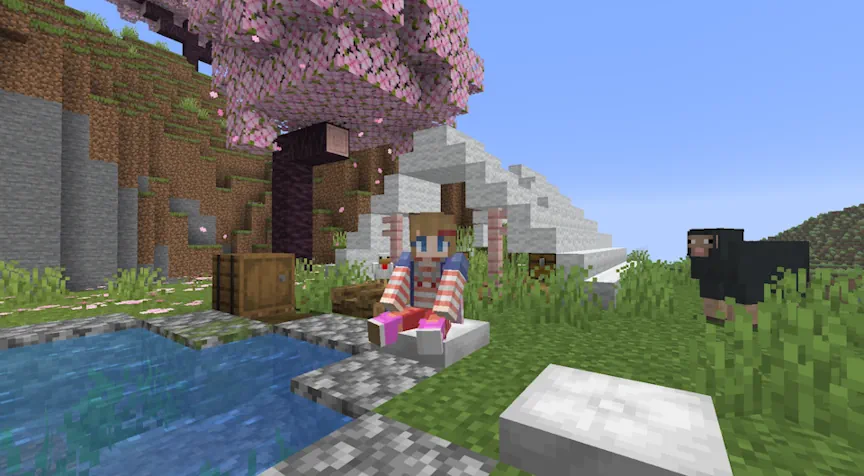
Minecraft 26.3 Snapshot 3
New Features
- Added Cushion
- Added Straw Bed
- Added Gothic language support to the game
- The Cushion is an item that the player can place in the world and interact with to sit on
- Can be crafted in 16 colored variants
- Cushions are crafted using 3 Wool Slabs of the same color
- A Cushion can be placed on any flat surface
- Cushions always align horizontally to the grid, but vertically sit on top of the supporting surface
- Cushions cannot move
- Cushions break if the supporting block is removed
- Cushions do not have collision and can overlap with other objects (except other Cushions)
- The Straw Bed is a new type of Bed which can be used to sleep through the night without setting your spawnpoint
- It can only be used once and will be destroyed after use
- It cannot be used in the Nether or The End and will be destroyed if you try to sleep on it there
- It is crafted using 3 Hay Bales and will give you 4 Straw Beds
- There's a new statistic in the Statistics window for amount of times slept in a Straw Bed
Technical Changes
- The Data Pack version is now 110.0
- The Resource Pack version is now 91.0
Data Pack Version 110.0
Commands Added posteffect- Allows adding or removing "post effects" to players
- These are postprocessing shaders that are applied to the player's screen, after the game has finished normal rendering
- Post effects exist on the client (in resource packs), not the server – the server cannot know if one will actually apply
- Post effects themselves were already part of the resource pack format, but only a few hardcoded ones were available to use
- /posteffect add <player> <posteffect> - adds the post effect to the player, if it doesn't already exist
- /posteffect clear <player> - removes all post effects from the player, if any exist
- /posteffect list <target> - lists all post effects applied to the player, if any exist
- /posteffect remove <player> <posteffect> - removes the post effect from the player, if it exists
- The feature sub-command now allows in-line definition of the Feature
- Field explodes has been renamed to destroy_on_use
- Added destroy_on_leave - optional boolean, if true, the Bed will be destroyed when leaving it
- If omitted, defaults to false
- Same format as minecraft:gameplay/bed_rule, but used for the Straw Bed
- Added optional boolean field update_from_neighbors. This controls if the transformed block should update based on neighboring blocks
- Defaults to true
- Represents the ability to compost an item and how it adds layers to the composter
- Format: object with fields
- layers - namespaced ID pointing to an element of the minecraft:number_provider registry
- Multiple block loot tables now reference predicates for checking if a tool has Silk Touch and is Shears instead of inlining a copy of those checks
- minecraft:tool/can_silk_touch
- minecraft:tool/can_shear
- potions - A list of potion types or a potion tag to match
- effects - A Collection Predicate of mob_effects predicates to match
- The Collection Predicate format is as follows:
- contains - A list of mob_effects predicates to match
- count - A list of options for matching a specific number of mob effect predicates, which follow the same format as minecraft:effects entity sub-predicate`
- test - The mob_effects predicate to match
- count - The number of matches required, or with min and max will match a range of counts
- size - Require the mob effects list to have a specific size, or with min and max will match a range of sizes
- Added a minecraft:number_provider registry
- minecraft:compostable/low
- returns 1 if the minecraft:block_state context parameter is an empty composter, otherwise has a 30% chance of returning 1
- minecraft:compostable/low_medium
- returns 1 if the minecraft:block_state context parameter is an empty composter, otherwise has a 50% chance of returning 1
- minecraft:compostable/medium
- returns 1 if the minecraft:block_state context parameter is an empty composter, otherwise has a 65% chance of returning 1
- minecraft:compostable/medium_high
- returns 1 if the minecraft:block_state context parameter is an empty composter, otherwise has a 85% chance of returning 1
- minecraft:compostable/always_add_one
- always returns 1
- Returns the first case which fulfills its condition or the default if none do
- Fields:
- cases - a list of cases in the order that the dispatcher will try to execute them
- Fields:
- condition - a minecraft:predicate
- number_provider - a minecraft:number_provider which is executed if the condition is fulfilled
- Fields:
- default - an optional minecraft:number_provider
- Defaults to a constant 0 if omitted
- cases - a list of cases in the order that the dispatcher will try to execute them
- Returns the value from on_true if its condition or on_false if not
- Fields:
- conditions - a minecraft:predicate
- on_true - a minecraft:number_provider which is executed if its condition is fulfilled
- on_false - an optional minecraft:number_provider
- Defaults to a constant 0 if omitted
- Returns a value from a distribution of weighted number providers
- Fields:
- distribution - a list of objects with the following fields
- Fields:
- data - a minecraft:number_provider
- weight - a positive integer
- Fields:
- distribution - a list of objects with the following fields
- input - A potion ingredient with a required item field and an optional potion_contents field using a minecraft:potion_contents Data Component Predicate
- reagent - A potion ingredient with a required item field and an optional potion_contents field using a minecraft:potion_contents Data Component Predicate
- output - item stack, the resulting item
- Removed feature types:
- minecraft:coral_mushroom
- minecraft:kelp
- minecraft:seagrass
- minecraft:sea_pickle
- Added field feature, a Placed Feature that is used to place at every desired block position
- xz_size: Int provider between 1 and 16 representing the size of the cuboid along x and z axes
- y_size: Int provider between 1 and 16 representing the size of the cuboid along the y axis
- include_interior: Optional boolean (default true) for whether to place interior blocks of the cuboid
- include_edges: Optional boolean (default true) for whether to place edge blocks of the cuboid
- Setting this to false generates a somewhat "rounded" cuboid
- chance: Float value between 0 and 1 representing the chance that the feature gets placed
- Renamed field source_block_state_provider to source
- blocks: Block ID, list of Block IDs or hash-prefixed Block Tag, specifying the set of blocks to randomly pick from
- Changed field state: Now a Block State Provider
- Added field direction: Optional field describing the direction to set
- If omitted, a random direction is chosen
- This checks a list of Rule Tests for whether any of them returns true for the same block
- Format: object with fields:
- rules - list of Rule Tests, the rules to test the block against
- This checks a Rule Test for whether it returns false for a given block
- Format: object with fields:
- rule - Rule Test, the rule to test the block against
- Added #sculk_growth_inhibitors for blocks which keep Sculk from spreading when more than 2 are in the 8x2x8 area around it
- Added #cats_can_sit_on - Blocks which Cats can randomly sit on
- Added #cats_can_lie_on - Blocks which Cats can randomly lie on
- Added #speeds_up_zombie_villager_curing - Blocks which can increase Zombie Villager curing time if placed nearby
- Added #villagers_can_sleep_on_bed - Bed blocks which Villagers can sleep on
- Added #villager_babies_can_jump_on_bed - Bed blocks which Villager kids can jump on
- Added #height_specific_ore_replaceables - contains all blocks which Ore Features will turn into Stone Ores if found above y-level 0 and into Deepslate Ores if found below y-level 8
- #dowses_campfires has been renamed to #douses_campfires
- Added #abandoned_camp for all variants of Abandoned Camps
Resource Pack Version 91.0
Block Sprites- Added new Block textures:
- block/straw_bed.png
- block/straw_bed_particle.png
- Added new sound events:
- block.straw_bed.break
- block.straw_bed.break_leave
- block.straw_bed.step
- block.straw_bed.place
- block.straw_bed.hit
- block.straw_bed.fall
- block.poplar_leaves.break
- block.poplar_leaves.fall
- block.poplar_leaves.place
- block.poplar_leaves.step
- block.poplar_leaves.hit
- block.red_shrub.break
- block.red_shrub.place
- entity.cushion.break
- entity.cushion.place
- entity.cushion.get_up
- entity.cushion.sit
- Added optional shade_direction_override to block model elements
- Accepted values are cardinal directions (down, up, north, south, west, east)
- When set, this overrides directional shading for the element regardless of face orientation
- Removed shade from block model elements
- Use shade_direction_override: "up" to get the previous shade: false behavior
- A resource pack can now define a minecraft:end_of_frame post effect
- It will be applied before other post effects, including the ones enabled by the new posteffect command
- This post effect is always on as long as the resource pack is loaded, and cannot be controlled by the posteffect command
- As usual with resource pack resources, in case of multiple packs defining this effect, the one from the last resource pack in the list will apply
Fixed bugs in 26.3 Snapshot 3
- MC-51859 - The line spacing of text within all hover tooltips is larger between the first and second lines
- MC-112580 - Structure blocks' GUI does not pause the game in singleplayer
- MC-112744 - The Team NBT tag only exists for living entities
- MC-174958 - /gamerule succeeds when the value is not changed
- MC-175180 - The Silent NBT tag still doesn't make some entities fully silent
- MC-224528 - Two splash texts use curly single quotes (’) instead of apostrophes (')
- MC-229831 - Enchanting tables' GUI has three pixels in the top-right corner that shouldn't be there
- MC-239401 - items/light.png never appears in-game; is pointlessly referenced by other game assets
- MC-254353 - A packet to remove the score is always broadcast when a score is reset
- MC-254661 - /schedule clear requires a namespace in its function argument
- MC-256073 - Miscolored pixel in tab_inventory.png
- MC-256096 - Some entities on a team can harm teammates that walk into them when friendly fire is disabled
- MC-256097 - Some entities on a team can harm their teammates when they explode when friendly fire is disabled
- MC-259583 - Brewing with a single bottle of dragon's breath does not return a glass bottle afterward
- MC-267902 - The failure message of /random when the specified range is too large states an incorrect maximum for the range
- MC-271297 - /fillbiome doesn't fail when no changes are made
- MC-273327 - The #convertable_to_mud block tag misspells "convertible" as "convertable"
- MC-275532 - The abbreviation "fps" is inconsistently capitalized across strings
- MC-279185 - The "selectWorld.load_folder_access" string is missing an article before the word "folder"
- MC-279819 - The mining speed factor of Mining Fatigue is inconsistent at level 3
- MC-293615 - Tooltip formatting of "Items x number" is inconsistent across different types of items
- MC-301804 - Test blocks' GUI does not pause the game in singleplayer
- MC-305707 - /time reports success when no changes are made
- MC-307616 - Typo in a log message in ActiveProfiler: "aprox"
- MC-307618 - Typo in a log message in SoundEngine: "disapeared"
- MC-307648 - "non-heap" is misspelled as "non-head" in the system details section of crash reports
- MC-307660 - Typo in a log message in GameRenderer: "coudln't"
- MC-307709 - The texture of upward facing sulfur spikes' merged tip has a single wrong pixel at the very top
- MC-308460 - Some of the stems in wildflowers and pink petals render brighter
- MC-308851 - The chat_restriction.disabled_by_profile.action string is improperly capitalized
- MC-309021 - Poplar leaves' closed captions display as raw translation keys
- MC-309024 - death.attack.sulfurCubeHot.item displays as a raw translation key
- MC-309033 - The campsite_flower_forest_1 abandoned camp structure has stripes of orange wool under it
- MC-309034 - The tent_windswept_forest_8 abandoned camp structure contains a dropped stack of bone meal
- MC-309054 - The item texture of poplar hanging signs is inconsistent with other hanging signs
- MC-309058 - The tent_flower_forest_4 abandoned camp structure contains a dropped birch log
- MC-309090 - Certain entities on shelf mushrooms make a sound every tick
- MC-309122 - Abandoned camps can generate in areas of wooded badlands with no trees nor grass
- MC-309155 - Shelf mushrooms and red shrubs do not have unique sounds, unlike in Bedrock Edition
- MC-309208 - The poplar wood set is inconsistently placed in the Creative mode inventory
- MC-309261 - Incorrect calculation in the poplar trunk placer
- MC-309308 - Several abandoned camp structures contain persistent leaves
- MC-309324 - Ores don't generate in blobs of andesite, diorite, or granite below Y=0
- MC-309350 - Shelf mushrooms generated with fallen trees replace water
- MC-309392 - The lighting on entities and block entities is not rendered correctly and appears too dark or too bright on certain sides
- MC-309395 - The texture of the top halves of poplar doors is missing a pixel on the second hinge
- MC-309397 - The game renderer corrupts when toggling off fullscreen or resizing the window with the Vulkan rendering backend
- MC-309399 - The game output console logs "Ignoring chat session from due to missing Services public key” when loading into a world
- MC-309400 - The glowing effect on entities stays in place when cleared
- MC-309403 - Having an item with the block_transformer component with a rule_based_state_provider locks the player out of that world
- MC-309408 - The item tag that controls which items can douse campfires is misspelled as #dowses_campfires
- MC-309412 - Block items ignore the block_transformer component
- MC-309420 - The random_neighbor_spread feature has a field misspelled as "xy_offset"
- MC-309432 - Worlds render entirely magenta on macOS with the Vulkan rendering backend
- MC-309433 - Drowned can consume or use certain items
- MC-309435 - Drowned no longer chase after players correctly
- MC-309441 - Projectiles lose their can_break ability after reloading the world
- MC-309445 - The game renderer can corrupt when toggling fullscreen or opening an inventory with the OpenGL rendering backend
- MC-309467 - Player reporting is unavailable
- MC-309471 - Cannot see other players' skins
- MC-309518 - Can't scrape oxidation or wax off of copper doors
Minecraft 26.3 Snapshot 2
Known Issues
- When using Vulkan on Mac the world will not render, instead showing a pink screen
- The lighting on entities is not correct, rendering e.g. the top side too dark
Changes
- Persistent mobs' random walk/swim behaviors will now deactivate when players are not nearby, in the same way as non-persistent mobs
- Replaced current "Improved Transparency" approach with a new order-independent transparency algorithm which is expected to be much better at solving translucency issues
- When using a Shield together with a Hoe or a Shovel, raising the Shield will take precedence over tilling and pathmaking
- Drowned with Tridents will now use a melee attack if the player is within 3 blocks of them
- Generally, translucent surfaces need to be rendered back-to-front to avoid visual issues
- In order to do so, the translucent geometry has to be sorted before rendering
- This is very expensive and even with perfect sorting of individual triangles, intersecting triangles are not possible to render correctly
- Before this snapshot, the "Improved Transparency" video setting attempted to mitigate translucency-related visual issues
- It did this by rendering different types of translucent objects (entities, particles, water, etc.) to different textures that were later combined to create the final image
- This allowed us to fix some of the issues with some performance impact
- However, it introduced some other less noticeable issues
- The "Improved Transparency" video setting will now instead enable a new order-independent transparency algorithm (which we will refer to as OIT)
- This makes it possible to render translucent objects in any order without sorting
- It fixes all existing major translucency-related visual issues (such as certain objects disappearing when viewed through translucent objects)
- However, the algorithm is an approximation, and so it introduces some new minor visual artifacts (such as the color of clouds being somewhat incorrect when viewed through multiple layers of translucent surfaces)
- We expect OIT to have a higher performance impact than the previous implementation of "Improved Transparency"
- When "Improved Transparency" is turned off, the behavior hasn't meaningfully changed and the game will still prioritize performance over correctness while sorting geometry as necessary
Technical Changes
- The Data Pack version is now 109.0
- The Resource Pack version is now 90.0
- The definition field from the blocks.json data generation report has been removed
- The white-list property is now true by default
Data Pack Versions 109.0
Data Components Added minecraft:block_transformer- This component allows items to transform a block into another block on player interaction
- Format: list of objects with fields:
- block_state_provider - Block State Provider, used to provide the state for the transformed block
- If the Block State Provider returns no result (as by rule_based_state_provider, for example), the next rule in the list will be attempted
- The set of Block State Providers are the same as the Block State Providers used in World Generation
- sound - optional field, Sound Event to play on interaction, e.g. minecraft:item.axe.strip
- If not present, defaults to play no Sound Event
- particle - optional field, particles to play on interaction
- If not present, defaults to none
- none
- scrape
- wax_on
- wax_off
- If not present, defaults to none
- disallowed_faces - optional field, list of Directions specifying which faces on the clicked Block that cannot be interacted with
- If a disallowed face is interacted with, the next rule in the list will be attempted
- If not present, defaults to an empty list
- Values:
- up
- down
- north
- south
- east
- west
- loot - optional Loot Table, the Loot Table to use for dropping items on a successful transformation, e.g. minecraft:till/rooted_dirt
- If not present, defaults to using no Loot Table
- drop_strategy - optional field, configures from where in the Block any loot should drop
- If not present, defaults to from_middle
- Values:
- from_middle - from the middle of the Block
- clicked_face - from the face interacted with
- transform_type - optional field, configures how nearby blocks should be affected by the transformation
- If not present, defaults to single_block
- Values:
- single_block - only affects the Block interacted with
- copper_chest - if input and output blocks are both copper chests of any weathering state, waxed or unwaxed, this transformation will affect both sides of a double chest
- consume_on_use - optional Boolean, determines if the item should be consumed or not
- Only applies to stackable items
- If not present, defaults to true
- item_damage_per_use - optional Integer, determines how much damage the item takes with each use
- Only applies to non-stackable items
- If not present, defaults to 1
- block_state_provider - Block State Provider, used to provide the state for the transformed block
- Added till/rooted_dirt loot table for drops when Rooted Dirt is tilled with a hoe
- Cave Air is no longer generated in Nether caves
- block_state_provider: Block State Provider, provides the Block State which the copied properties are copied on top of
- Only properties common between both the source and the target blocks will be copied
- Added field block: Block state provider for which block to place
- Added field can_replace: Block predicate for which blocks can be replaced by the column
- Added field continue_through: Block predicate for which pre-existing blocks to accept as part of a column
- Added field cannot_place_on: Block ID, list of block IDs or hash-prefixed block tag ID representing which blocks are avoided when starting placement
- Renamed field reach to column_reach
- Added field column_count: int provider (between 1 and 150) - the number of columns to generate
- Added field cluster_reach: int provider (between 0 and 13) - the size of the square to attempt to generate columns in
- The effective reach is also limited by height
- Added field block: Block state provider for which block to place
- Added field can_replace: Block predicate for which blocks to replace
- Added field direction: Vertical direction of the pillar - one of up and down
- Added field chance_to_continue: Optional probability between 0 and 1 (default: 1) that the pillar continues another block (assuming can_replace matches)
- Added field cap_feature: Optional Placed Feature placed at the end of the pillar
- Added field block: Block state provider for which block to place
- Added field accepted_neighbors: Block ID, list of Block IDs or hash-prefixed Block Tag for which blocks count as a valid neighbor
- Added field can_replace: Block predicate for which blocks to replace
- Added field attempts: Int provider between 1 and 3000 for how many placements attempts to make
- Added field xz_offset: Int provider between -16 and 16 for what offsets to try along the x and z axes
- Added field y_offset: Int provider between -16 and 16 for what offsets to try along the y axis
- features: Placed Feature ID, non-empty list of Placed Feature IDs or hash-prefixed Placed Feature Tag for the features to place
- block: Block state provider for which block to place
- project_through: Block Predicate for which blocks are considered "empty" and should be projected through
- size: Int provider between 1 and 16 that determines the size of the square as measured from the center to the edge
- max_projection_height: Non-negative integer representing the maximum change in y level from the original height to the placement height for a block in the square
- Removed fields xz_spread and y_spread
- Added fields x, y, z: Integer providers between -16 and 16 specifiying the axis-specific offset
- Target format: map between Density Function ID and a range on that axis:
- Range is specified as one of:
- Float, an exact target value
- Array of 2 floats, a range of target values in form [min, max]
- An object with fields:
- min - float, the minimum value of the target range
- max - float, the maximum value of the target range
- Range is specified as one of:
- min_inclusive: Vertical Anchor describing the minimum height required
- max_inclusive: Vertical Anchor describing the maximum height required
- Added a new option for Vertical Anchors: relative_to_sea_level - specifies an offset to the sea level of the dimension
- The worldgen/configured_carver registry has been renamed to worldgen/carver
- All fields previously under the config field have been inlined to the top-level
- Added count field - non-negative Int Provider, the number of Cave tunnels to create from a seed chunk
- Renamed yScale to room_vertical_radius_multiplier
- Added optional start_vertical_radius_multiplier field - Float Provider, acts as a multiplier for the vertical radius of the first segment in each tunnel
- If not specified, defaults to 1.0
- Added thickness field - non-negative Float Provider, acts as a multiplier for the radius of carved tunnels
- Added optional weird_thickness_bias field - Boolean
- If true, thickness will be multiplied by, with a 10% chance: random(0, 1) * random(0, 3) + 1
- If not specified, defaults to false
- Removed replaceable field, carvers will replace any block (excluding features)
- Removed lava_level field, fluids are now always selected by the aquifer or sea_level configuration in the dimension
- Removed debug_settings field
- All fields previously under the config field have been inlined to the top-level
- Renamed and moved yScale to shape.y_scale
- Removed replaceable field, carvers will replace any block (excluding features)
- Removed lava_level field, fluids are now always selected by the aquifer or sea_level configuration in the dimension
- Removed debug_settings field
- Replaced by minecraft:cave Carver Type
- min_inclusive - Integer, the minimum selected value (inclusive)
- max_inclusive - Integer, the maximum selected value (inclusive)
- Added #turns_into_dirt_path - contains all blocks that turn into Dirt Path blocks when a Shovel is used for pathmaking
- Removed #overworld_carver_replaceables and #nether_carver_replaceables
- Added #dowses_campfires - items that can dowse a lit Campfire block
Resource Pack Version 90.0
- The texture of the Shelf Mushroom has been updated
- Added new Particle textures:
- shelf_mushroom_particle.png
- Added new shaders to support order-independent transparency:
- core/oit_composite.fsh
- include/oit.glsl
- include/oit_add_transmittance.glsl
- include/oit_common.glsl
- include/oit_depth_bounds.glsl
- include/oit_depth_sample.glsl
- include/oit_sample.glsl
- Extracted the texture sampling logic from core/terrain.fsh into include/texture_sampling.glsl
- Renamed the following core shaders:
- core/rendertype_clouds.vsh -> core/clouds.vsh
- core/rendertype_clouds.fsh -> core/clouds.fsh
- core/rendertype_world_border.vsh -> core/world_border.vsh
- core/rendertype_world_border.fsh -> core/world_border.fsh
- Updated core shaders to support order-independent transparency
- Introduced new defines:
- OIT - A boolean indicating if OIT is enabled
- OIT_DEPTH_BOUNDS - A boolean indicating if the depth bounds pass is being executed
- OIT_TRANSMITTANCE - A boolean indicating if the transmittance pass is being executed
- OIT_ACCUMULATE - A boolean indicating if the accumulate pass is being executed
- OIT_ALPHA_ONLY - A boolean indicating if either the depth bounds or transmittance pass is being executed
- OIT_ADDITIVE - A boolean indicating that the OIT algorithm should emulate additive blending for the executing pipeline
- OIT_OPAQUE_PARTS_THRESHOLD - A float determining above which alpha threshold a fragment should be considered solid and not go through OIT
- WAVELET_RANK - An integer internal to the OIT algorithm
- COEFF_COUNT - An integer internal to the OIT algorithm
- COEFF_ATTACHMENT_COUNT - An integer internal to the OIT algorithm
- B3D_IS_ZERO_TO_ONE - A boolean indicating if the current rendering backend uses the depth range of [0, 1], it is available globally to all shaders independently of the OIT setting
- Affected shaders:
- core/block.fsh
- core/block.vsh
- core/clouds.fsh
- core/clouds.vsh
- core/entity.fsh
- core/entity.vsh
- core/item.fsh
- core/item.vsh
- core/particle.fsh
- core/position_color.fsh
- core/rendertype_beacon_beam.fsh
- core/rendertype_clouds.fsh
- core/rendertype_crumbling.fsh
- core/rendertype_entity_shadow.fsh
- core/rendertype_lightning.fsh
- core/rendertype_lines.fsh
- core/rendertype_world_border.fsh
- core/terrain.fsh
- core/terrain.vsh
- core/text.fsh
- core/text_background.fsh
- core/world_border.fsh
- core/world_border.vsh
- Introduced new defines:
- Removed the old transparency post chain:
- post_effect/transparency.json
- shaders/post/transparency.fsh
Fixed bugs in 26.3 Snapshot 2
- MC-161885 - Many transparent things do not render behind slimes
- MC-161898 - Transparent particles make other particles invisible
- MC-161926 - The block breaking animation is more transparent when mining ice or stained glass
- MC-168653 - Mobs, particles, clouds, water and transparent blocks don't render behind the transparent parts of shulker bullets
- MC-190203 - Transparent and specially rendered blocks, entities, clouds, water and particles don't render behind wind charges, and charged creeper, wither and breeze armor
- MC-202197 - Entities' name tag background is rendered behind transparent things
- MC-210584 - Semi-transparent textures on an item that doesn't have it by default doesn't render water behind it
- MC-223559 - Transparent blocks, particles, and clouds are not rendered behind semi-transparent marker armor stands
- MC-229405 - The inside of boats blocks the rendering of most translucent objects with the "Improved Transparency" option enabled
- MC-252369 - Data packs can fail to load due to a feature cycle when one does not exist
- MC-259812 - Block and item displays, beds, clouds, signs, shulker boxes, and semi-transparent blocks and entities don't render behind text displays
- MC-265743 - Entities, block entities, clouds and semi-transparent blocks are always rendered in front of text displays with see_through enabled
- MC-271069 - Item entities appear to fly towards the player when picked up by a dolphin that isn't being rendered
- MC-275111 - Two animals in a boat look sideways instead of at the player when lured
- MC-295678 - Translucent blocks above water flicker when crossing chunk borders
- MC-296006 - Entities do not face the player correctly whilst in a boat
- MC-298659 - Translucent blocks and some entities render above text displays with see_through enabled
- MC-303626 - Block hitboxes, particles, semi-transparent blocks and non-block items render behind entity hitboxes with the "Improved Transparency" option enabled
- MC-305422 - Players can sometimes get kicked due to a waypoint packet the client fails to handle
- MC-306127 - Block outlines are no longer visible behind translucent items
- MC-306156 - Breezes, slimes and players between translucent blocks or fluids appear behind them if "Improved Transparency" is enabled
- MC-306231 - Boats are filled with water when viewed through translucent blocks with the "Improved Transparency" option enabled
- MC-306318 - Translucent items render through the head of players with a translucent item equipped on their head with "Improved Transparency" enabled
- MC-307285 - Translucent blocks don't render behind sulfur cubes
- MC-307345 - The smoke particles produced by potent sulfur do not render behind stained glass
- MC-307902 - Partially transparent blocks inside sulfur cubes don't render correctly
- MC-308798 - Dolphins take much longer to pick up items
- MC-309022 - Shelf mushrooms generate facing the wrong direction
- MC-309027 - The success message of /teleport with coordinates specified reports that it affected 0 entities
- MC-309043 - Carpets can no longer be crafted
- MC-309056 - Poplar saplings are not destroyed by water
- MC-309067 - Wool slabs and stairs cannot be used as fuel
- MC-309075 - Using bone meal on a shelf mushroom a player is standing on causes them to pass through it
- MC-309081 - Decorated pots and chorus flowers can be destroyed by projectiles in Adventure mode
- MC-309082 - Wandering traders do not sell poplar logs
- MC-309084 - Shelf mushrooms' model sticks out of the slot in the hotbar
- MC-309105 - Wool stairs and slabs are not broken faster when using shears
- MC-309117 - Grass in dappled forests and poplar leaves appear green on maps
- MC-309123 - The block breaking particles of shelf mushrooms are not displayed correctly
- MC-309133 - The front texture of poplar signs is inconsistent with the front textures of other signs
- MC-309136 - The collision box of shelf mushrooms is too large
- MC-309173 - The item model of shelf mushrooms displays the large shelf mushroom block model, even though the item places small ones
- MC-309184 - Specifying multiple features of type no_op in a data pack prevents the world from loading
- MC-309205 - Poplar saplings cannot be used as fuel
- MC-309206 - Cobwebs are not destroyed by water
- MC-309275 - The texture of the top halves of poplar doors has three miscolored pixels
- MC-309302 - Poplar saplings are not in #sapling
- MC-309330 - The item texture of poplar doors doesn't have any hinges unlike the item textures of other doors
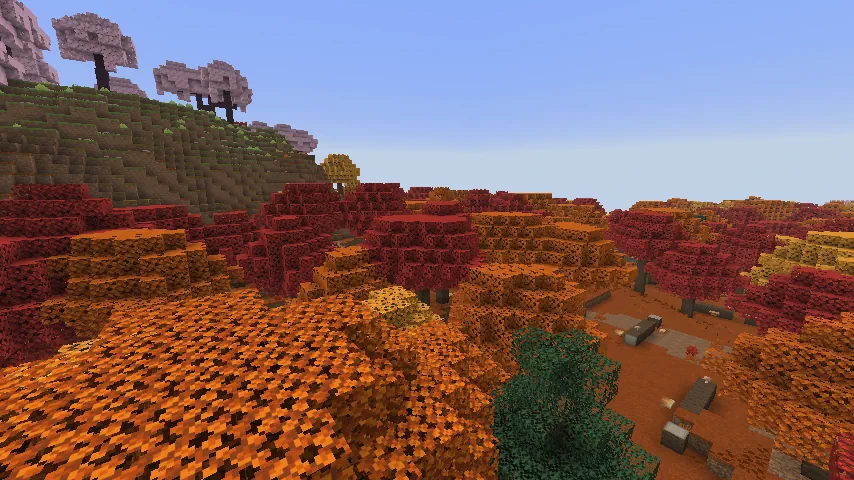
Minecraft 26.3 Snapshot 1
New Features
- Added Dappled Forest Biome
- Added Poplar trees
- Added fallen Poplar trees
- Added Red Poplar Leaves, Orange Poplar Leaves and Yellow Poplar Leaves blocks
- Added Poplar wood set
- Added Shelf Mushroom
- Added Red Shrub
- Added Abandoned Camp structures
- Added Wool stairs and Wool slabs for all Wool blocks
- A new type of forest biome which can be found near cold biomes
- Poplar Trees and fallen Poplar Trees generate here
- Shelf Mushrooms can be found here, placed on Poplar Trees and fallen Poplar Trees
- Red Shrub generates here
- The following passive and neutral mobs spawn in the Dappled Forest, using their cold variants where applicable:
- Sheep
- Chicken
- Cow
- Pig
- Rabbit
- Fox
- A Dappled Forest variant of the new Abandoned Camp structure can be found here
- A new type of tree which comes in three color variations:
- Red Poplar Leaves
- Orange Poplar Leaves
- Yellow Poplar Leaves
- Each variant of the tree has its own variant of falling leaf particles matching the color of the leaves
- Poplar Leaves drop Poplar Saplings which will randomly grow into any of the three different variants
- Poplar Saplings can be found in trades with the Wandering Trader
- Shelf Mushrooms and Leaf Litter naturally generate on or around Poplar Trees
- The trunk of the trees are made of Poplar Logs
- Poplar Logs can be crafted into a new set of Poplar wood blocks
- A new type of mushroom that generates on Poplar Trees and fallen Poplar Trees
- Can be found in two sizes, small and large
- A small Shelf Mushroom can be grown into a large Shelf Mushroom using Bone Meal
- A large Shelf Mushroom drops two Shelf Mushroom items when broken
- Can be used like other mushrooms to make Stews
- Can be found in trades with the Wandering Trader
- Shelf Mushrooms have a slight bounciness when stepped on, similar to Beds
- Shelf Mushroom makes a bouncing sound when a living entity bounces on it
- A new type of decorative plant block that can be found in small patches in the Dappled Forest
- Can be used in the Composter
- Using Bone Meal on a Red Shrub grows a Red Shrub in a random adjacent space if possible
- A new kind of structure which can be found in the following biomes:
- Meadow
- Cherry Grove
- Forest
- Birch Forest
- Old Growth Birch Forest
- Flower Forest
- Windswept Forest
- Dappled Forest
- Taiga
- Snowy Taiga
- Old Growth Spruce Taiga
- Old Growth Pine Taiga
- Sparse Jungle
- Bamboo Jungle
- Swamp
- Savanna
- Wooded Badlands
- Pale Garden
- Each of these biomes has its own variant of the structure with design based on that biome
- Certain structure pieces are generic for all biome variants of the structure
- Various Chests and Barrels with loot can be found at Abandoned Camps
- Each colored Wool block now has a new stair and slab variant
- Wool Stairs and Wool Slabs can be used like other Wool blocks to dampen vibrations
- Removed fallen leaves particles from Spruce Trees
- Suspicous Stews can now be crafted with 2 of any mushroom
- Mushroom Stew can now be crafted with 2 of any mushroom
- Sherds dropped from breaking a Decorated Pot will now preserve data, for example custom name
Technical Changes
- The Data Pack version is now 108.0
- The Resource Pack version is now 89.0
- Some log lines that server software might look out for have been removed
- The Minecraft Server Management Protocol can be used instead
- If you are missing access to specific events, please create a feature request on the Feedback site
- Added notifications indicating when the server performs a full world upgrade on startup
- minecraft:notification/world/upgrade_started
- minecraft:notification/world/upgrade_progress
- minecraft:notification/world/upgrade_finished
- minecraft:notification/world/upgrade_failed
Data Pack Version 108.0
- Commands like /give, /unpublish, and /tick should now properly signal errors
- Pottery sherds are now data-driven
- Entries stored in minecraft:pot_decorations component and minecraft:decorated_pot block entity are now full item stacks
- When the amount of items passed to the give command is above limit, the command will now signal an error instead of just printing an error message and returning 0
- The nbt component in a raw chat message will only be resolved up to 64k times
- The following subcommands will now signal an error instead of just printing an error message and returning 0:
- tick step
- tick step stop
- tick sprint stop
- The result of team join and team leave subcommands now reflects the exact count of entities that have joined or left (i.e. excluding entities for which teams have not changed)
- Now takes a slot source as argument in place of anywhere a slot was previously used
- It will be evaluated with the minecraft:command_slot_source loot type
- Can be a slot source in either inline or reference form
- Can be a slot source targeting multiple slots
- The replace sub-command has new semantics:
- One by one in the order they are provided by the slot source, the contents of each destination slot are replaced with the corresponding source item
- When there are more destination slots than there are source items, the remaining slots are ignored
- Example: replace [12345] with (ABC) -> [ABC45]
- When there are fewer destination slots than there are source items, the remaining items are ignored
- Example: replace [123] with (ABCDE) -> [ABC]
- String notation slot ranges in the form <slot_type> or <slot_type>.<slot_number> are still permitted
- Can be a single slot, such as armor.chest
- Can be multiple slots, such as container.*
- Acts as shorthand for a minecraft:slot_range slot source using that slot range
- Example: hotbar.4 is the same as {type:"minecraft:slot_range",slots:"hotbar.4"}
- The entity argument in the from entity item source can now be a selector targeting multiple entities
- When more than a single entity is targeted, the slots sourced from each are concatenated
- Added new fill and override sub-commands, each with syntax identical to /item replace
- /item fill
- Fills each destination slot with a source item
- When there are more destination slots than there are source items, the items repeat until every slot is filled
- Example: fill [12345] with (ABC) -> [ABCAB]
- /item override
- Overrides the contents of each destination slot with the corresponding source item
- When there are more destination slots than there are source items, the remaining slots are cleared
- Example: override [12345] with (ABC) -> [ABC__] (where _ represents an empty slot)
- /item fill
- Added new slots condition sub-command
- Counts the number of slots from the slot source that are present on the targeted block or entity
- The slot source will be evaluated with the minecraft:command_slot_source loot type
- Syntax:
- /execute if|unless slots block <pos> <slot source>
- /execute if|unless slots entity <targets> <slot source>
- The items condition sub-command now takes a slot source as argument instead of a slot
- The slot source will be evaluated with the minecraft:command_slot_source loot type
- Syntax:
- /execute if|unless items block <pos> <slot source> <item predicate>
- /execute if|unless items entity <targets> <slot source> <item predicate>
- Describes the pottery pattern stored on a stack
- Format:
- namespaced ID pointing to an element of minecraft:decorated_pot_pattern registry
- back
- left
- right
- front
- The format of inline material definitions has been updated as described below
- asset_name has been replaced with palette - Palette Texture ID to be used for this material
- override_armor_assets has been removed, overrides are now defined in the Resource Pack Equipment Asset
- See the Resource Pack section for details about Palette Texture IDs
- Added durability_damage field - optional non-negative integer, amount of durability to consume on each use
- Updated use_duration field - can now be 0 for no cooldown
- back
- left
- right
- front
- Slot sources can now be defined as files inside a Data Pack, within the slot_source folder
- Can be used in commands which take slot sources as arguments
- Can be used in inline slot sources using the minecraft:reference type
- minecraft:contents is no longer restricted to only selecting non-empty slots
- Uses the referenced slot source
- Fields:
- name - the namespaced id of the slot source
- The source field has a new valid type container, which sources slots from a container or inventory provided through loot context
- The source field is now optional
- Defaults to the container source type when absent
- Added minecraft:command_slot_source loot table type
- Currently used to evaluate slot sources with the /item and /execute commands
- It takes the following parameters:
- container, the container or inventory being evaluated
- origin, the position at which the command was executed
- this_entity, the @s entity of the command being executed (optional)
- The worldgen/configured_feature registry has moved to worldgen/feature and configuration is now done inline in the root object rather than separated into a config field
- Places the End Podium
- Two feature instances are now used to place the podium from in-game events:
- end_podium_active
- end_podium_inactive
- Fields:
- active: boolean field controlling if the portal is active
- Places Shelf Mushrooms on logs with the specified probability
- Format: object with fields:
- probability - float (between 0 and 1), the probability that any Shelf Mushrooms will be placed for a given feature
- Places Leaves blocks for Poplar trees in a rhombus shape in one of two possible directions
- Format: object with fields:
- height - int provider (between 5 and 16), the height of the foliage
- side_hole_chance - float (between 0.0 and 1.0), the chance for blocks to be randomly removed at the edge of the foliage
- Places Log blocks for Poplar trees in a straight shape with branches by the start of the foliage
- Format:
- trunk_height_above_branches - int provider (between 0 and 8), the height of the trunk above the branches
- branch_amount - int provider (between 1 and 4), the amount of branches to create by the foliage
- The surface_rule field has been renamed to material_rule
- Format: inline Material Rule or Material Rule ID reference
- Material Rules can now be specified either inline (as previously), or as an ID reference to an element in the worldgen/material_rule registry
- Material Conditions can also now be specified as an ID reference to an element in the worldgen/material_condition registry
- Material Conditions can also now be specified as an ID reference to an element in the worldgen/material_condition registry
- New structure placement that places a single instance of the structure at the dimension origin
- The dimension origin is defined as the spawn_target for noise settings based dimensions, otherwise Chunk (0, 0)
- No additional fields
- This checks the y-level of a block, returning true only if it's higher than or equal to min_inclusive and lower than or equal to max_inclusive
- Format: object with fields:
- min_inclusive - int, the minimum y value of allowed blocks (inclusive)
- max_inclusive - int, the maximum y value of allowed blocks (inclusive)
- This checks a list of Rule Tests for whether all of them return true for the same block
- Format: object with fields:
- rules - list of Rule Tests, the rules to test the block against
- Added #poplar_logs - All Poplar log blocks
- Added #wool_stairs - All Wool Stairs blocks
- Added #wool_slabs - All Wool Slabs blocks
- Added #wool_stairs and #wool_slabs to #dampens_vibrations
- Added #ores - collection tag containing all types of ores
- Added #skulls - collection tag containing all head and skull blocks
- Added #blocks_motion - collection tag containing all blocks that are considered to block motion in some way
- Added #blocks_motion_no_leaves - collection tag containing all blocks that are considered to block motion in some way, but excluding leaf blocks
- Added #entities_can_teleport_to - contains all blocks that entities are allowed to teleport to
- Added #blocks_dolphin_jump - contains all blocks that Dolphins cannot move through when jumping out of water
- Added #ice_melts_when_destroyed_above - contains all blocks that causes ice to melt into water if the ice is destroyed when placed above them
- Added #blocks_motion_in_heightmap - contains all blocks that are taken into account for the motion_blocking heightmap
- Added #blocks_motion_in_heightmap_no_leaves - contains all blocks that are taken into account for the motion_blocking_no_leaves heightmap
- Added #blocks_lava_fire_spread - contains all blocks that block the creation of fire by lava
- Added #blocks_fluid_flow - contains all blocks that block fluid flow
- Added #washed_away_by_fluids - contains all blocks that break when a fluid flows through them
- Added #required_for_poplar_leaf_ambience - Blocks which can satisfy requirement for Poplar leaves to make ambient sound
- Added #poplar_logs - All Poplar log items
- Added #wool_stairs - All Wool Stairs items
- Added #wool_slabs - All Wool Slabs items
- Added #mushrooms - All Mushroom items
- Added #ores - collection tag containing all types of ores
- Added tags for biomes which will generate the respective Abandoned Camp variant:
- #has_structure/abandoned_camp_bamboo_jungle
- #has_structure/abandoned_camp_birch_forest
- #has_structure/abandoned_camp_cherry_grove
- #has_structure/abandoned_camp_dappled_forest
- #has_structure/abandoned_camp_flower_forest
- #has_structure/abandoned_camp_forest
- #has_structure/abandoned_camp_meadow
- #has_structure/abandoned_camp_old_growth_birch_forest
- #has_structure/abandoned_camp_old_growth_pine_taiga
- #has_structure/abandoned_camp_old_growth_spruce_taiga
- #has_structure/abandoned_camp_savanna
- #has_structure/abandoned_camp_pale_garden
- #has_structure/abandoned_camp_snowy_taiga
- #has_structure/abandoned_camp_sparse_jungle
- #has_structure/abandoned_camp_swamp
- #has_structure/abandoned_camp_taiga
- #has_structure/abandoned_camp_windswept_forest
- #has_structure/abandoned_camp_wooded_badlands
- Added #cannot_be_dismounted_by_item_usage - contains all entities which cannot be dismounted by items
- Added #no_wolf_retaliation for all damage types that should not cause tamed wolves to attack their source in order to defend their owner
Resource Pack Version 89.0
Palette Textures- All armor trim palette textures have been moved from textures/trim/color_palettes/ to textures/palettes/trim/
- The base armor trim palette texture has instead been moved to textures/palettes/trim_base.png
- Entity armor trim material textures are no longer generated into the minecraft:trims atlas with paletted_permutations, but rather generated on-demand
- The base palette id is now specified in a new palette mcmeta section field
- This section has a single field: base_palette - the base Palette Texture ID to remap from
- Item armor trim material textures are still generated with paletted_permutations as before
- Palette Texture locations in the palette_key and permutations fields have been replaced by Palette Texture IDs - i.e. <namespace>:<path> now resolves to <namespace>:textures/palettes/<path>.png
- Format: map from original Palette ID to a replacement Palette ID
- Added new Block textures:
- block/orange_poplar_leaves.png
- block/red_poplar_leaves.png
- block/yellow_poplar_leaves.png
- block/poplar_door_bottom.png
- block/poplar_door_top.png
- block/poplar_log_top.png
- block/poplar_log.png
- block/poplar_planks.png
- block/poplar_trapdoor.png
- block/stripped_poplar_log.png
- block/stripped_poplar_log_top.png
- block/poplar_log.png
- block/shelf_mushroom_stage0.png
- block/shelf_mushroom_stage1.png
- block/poplar_hanging_sign.png
- block/poplar_sign.png
- block/poplar_sapling.png
- block/poplar_shelf.png
- block/red_shrub.png
- Added new Item textures:
- item/poplar_door.png
- item/poplar_hanging_sign.png
- item/poplar_sign.png
- item/poplar_boat.png
- item/poplar_chest_boat.png
- Added new UI textures:
- gui/hanging_signs/poplar.png
- gui/signs/poplar.png
- Added new Entity textures:
- entity/boat/poplar.png
- entity/chest_boat/poplar.png
- Added new sound events:
- block.shelf_mushroom.break
- block.shelf_mushroom.fall
- block.shelf_mushroom.place
- block.shelf_mushroom.step
- block.shelf_mushroom.bounce
- block.poplar_leaves.ambient
- Added new Particle textures:
- orange_poplar_1.png
- orange_poplar_2.png
- orange_poplar_3.png
- orange_poplar_4.png
- red_poplar_1.png
- red_poplar_2.png
- red_poplar_3.png
- red_poplar_4.png
- yellow_poplar_1.png
- yellow_poplar_2.png
- yellow_poplar_3.png
- yellow_poplar_4.png
Fixed bugs in 26.3 Snapshot 1
- MC-4 - Item drops sometimes appear at the wrong location
- MC-73162 - Breaking an entity that instantly breaks sometimes destroys the block behind it in Creative mode
- MC-91006 - Some entities lose their name when placed/broken
- MC-102732 - Arrows can visually bounce off of entities that don't wear a shield
- MC-113006 - Items reeled in with fishing rods do not move smoothly but appear to teleport
- MC-122717 - Command success messages for some commands include unaffected entities, unlike the command result
- MC-151857 - The success message of /give when affecting multiple players uses the wrong string
- MC-162159 - Riding boats above bubble columns causes players to teleport up 2 blocks
- MC-168446 - Single dark oak and pale oak saplings accept bone meal despite not being able to grow
- MC-206356 - The motion of falling block entities is visually slow
- MC-222818 - You can ignite TNT in Adventure mode
- MC-223321 - You can destroy turtle eggs by standing or jumping on them in spawn protection
- MC-223323 - You can trample farmland in spawn protection
- MC-264003 - Boats carrying players sometimes stop abruptly when sliding along ice
- MC-265584 - TNT dispensed in bubble columns with soul sand right under visually moves through blocks above
- MC-276692 - Lingering potions which land on the target's head do not grant their effects to the target
- MC-279395 - Trees can generate floating over ruined portals
- MC-295756 - Pistons desync on the client-side, causing players to be moved differently compared to other entities
- MC-297741 - Gravity-affected blocks in upwards bubble columns can clip through solid blocks above them (on the client)
- MC-298431 - Boats are launched by slime blocks inconsistently
- MC-298762 - Phantoms deflect arrows shot from bows/crossbows
- MC-302221 - Moving entities deflect arrows
- MC-304594 - Spears can dismount interaction entities from their vehicles
- MC-305535 - Elytra are activated after only single tapping the "Jump" key when the player is in lava
- MC-307625 - The glowing effect is not visible on block displays displaying end portals or end gateways
- MC-307890 - Some textures of geyser plume particles use the wrong color in some spots
- MC-307933 - Deepslate ores can generate on the surface by replacing tuff around sulfur springs
- MC-308008 - The success message of /tag reports that it affected more entities than it did
- MC-308009 - The success message of /scoreboard players enable reports that it affected more players than it did
- MC-308011 - The success message of /recipe reports that it affected more players than it did
- MC-308012 - The success message of /enchant reports that it affected more entities than it did
- MC-308013 - The success message of /effect reports that it affected more entities than it did
- MC-308254 - Dying to a sulfur cube with a magma block doesn't increment the player's killed_by:sulfur_cube statistic
- MC-308314 - Custom player heads do not render their texture properly when inside a sulfur cube
- MC-308405 - /unpublish succeeds when the game is not published despite the failure message
- MC-308490 - The "regular" sulfur cube archetype produces stone sounds, despite no longer using stone blocks
- MC-308789 - Pointed dripstone and sulfur spikes can be destroyed by tridents in Adventure mode
- MC-308809 - Full-width spaces take up more space on signs now
- MC-308830 - Placing beds to replace tall grass doesn't break the other half
- MC-308836 - Obfuscated text no longer keeps a consistent width
- MC-308849 - Creakings can take knockback
How to make Minecraft 26.3 Servers
Exploring dappled forests is more fun with friends! Minecraft 26.3 servers can be created for free through home hosting, but we recommend paid hosting options for ease of use and performance. Especially with snapshots, as they can be buggy!
Paid hosting with day one Minecraft 26.3 installs is offered here at BisectHosting and many other places around the web. In either case, no less than 4GB of server RAM is recommended.Crea il tuo server
Minecraft
Minecraft
Scegli un piano, seleziona un gioco e gioca con i tuoi amici!
Iscriviti alla nostra Newsletter
Iscriviti per ricevere gli ultimi aggiornamenti sul mondo del gaming!

Unisciti al nostro Discord
Entra a far parte della nostra community con oltre 20.000 membri appassionati come te!
Come valuteresti questo blog?
Condividi la tua opinione e aiutaci a migliorare sempre di più i nostri blog!
Non mi è piaciuto
Neutrale
Mi è piaciuto

Hai bisogno di un server di gioco?
Noleggia un server di gioco dove tu e i tuoi amici potrete giocare in privato con bassa latenza e impostazioni personalizzate. Scegli tra 110+ giochi, invita persone da tutto il mondo, goditi le partite private o costruisci la tua community online con le tue regole.

Blog Pertinenti







SCOPRI LE ULTIME NOVITÀ!
Iscriviti alla nostra newsletter per ricevere aggiornamenti sui nostri giochi ospitati, novità aziendali e offerte esclusive. Rimani sempre aggiornato!













