

Minecraft 1.20 Release Date REVEALED
Pubblicato il da

Condividi:

Condividi su X

Condividi su Facebook

Condividi su Threads

Condividi su Bluesky

Copia negli Appunti

Condividi via email
The Minecraft 1.20 release date has finally officially been revealed, and it's sooner than you might think!
Let's dive right into the latest news on the Trails and Tales update and when players can finally expect to jump in for real.
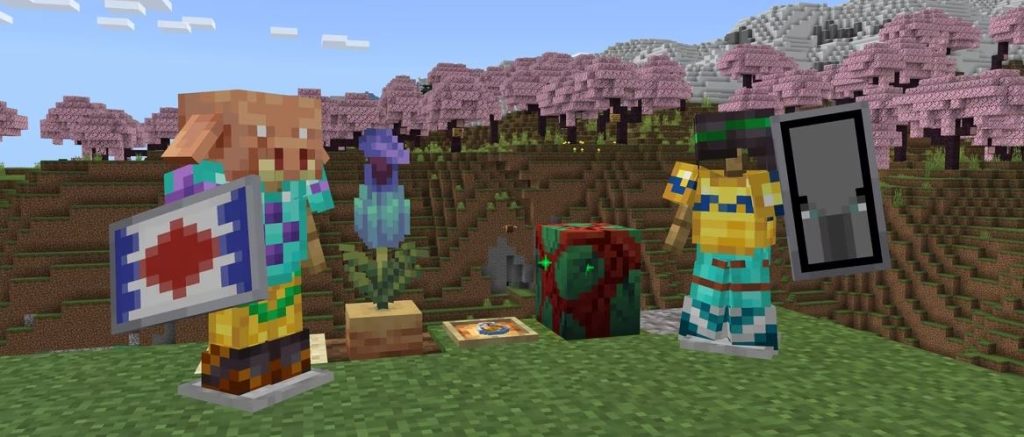 This gives players just over a week to prepare for the new adventures the update offers with its new biome, new mobs, new blocks, new systems, and plenty more.
Minecraft 1.20 Release Date REVEALED
The Minecraft 1.20 update will officially launch on June 7th, as Mojang announced on May 26th.
This gives players just over a week to prepare for the new adventures the update offers with its new biome, new mobs, new blocks, new systems, and plenty more.
What's Coming in Minecraft 1.20?
Minecraft 1.20 will introduce the following new features and changes upon its launch:- New Systems - Archaeology, Armor Trims, Smithing (overhaul)
- New Biome - Cherry Blossom
- New Mobs - Camels, Sniffers, Vex (visual overhaul)
- New Items - Brush, Ancient Flowers, New Spawn Eggs, Smithing and Armor Trim templates, Pottery Shards, Pink Flowers, Pink Petals, Sniffer Eggs, Piglin Heads
- New Blocks - Chiseled Bookshelves, Pots, Cherry Tree wood set, Bamboo wood set, Hanging Signs, Pots
How to Try Minecraft 1.20 Now
While Minecraft 1.20 isn't here quite yet, players can still check out some of the update's features ahead of time courtesy of Mojang's many snapshot and pre-release updates. These updates have come out over the last few months to help test new features coming on launch day, and players can even bring current worlds over to test these new features once properly set up. Just be warned that you should back up any and all saves when testing snapshot and pre-release updates, as they have the potential to corrupt worlds. To install the latest Minecraft 1.20 pre-release update, pre-release #6, simply follow the instructions below!- Open the Minecraft launcher
- Enable snapshots in the Installations tab
- From this tab, select "New Installation", then "Latest Snapshot", then "Create"
- Before clicking Play, simply select the pre-release installation
Crea il tuo server
Minecraft
Minecraft
Scegli un piano, seleziona un gioco e gioca con i tuoi amici!
Iscriviti alla nostra Newsletter
Iscriviti per ricevere gli ultimi aggiornamenti sul mondo del gaming!

Unisciti al nostro Discord
Entra a far parte della nostra community con oltre 20.000 membri appassionati come te!
Come valuteresti questo blog?
Condividi la tua opinione e aiutaci a migliorare sempre di più i nostri blog!
Non mi è piaciuto
Neutrale
Mi è piaciuto

Hai bisogno di un server di gioco?
Noleggia un server di gioco dove tu e i tuoi amici potrete giocare in privato con bassa latenza e impostazioni personalizzate. Scegli tra 110+ giochi, invita persone da tutto il mondo, goditi le partite private o costruisci la tua community online con le tue regole.

Blog Pertinenti







SCOPRI LE ULTIME NOVITÀ!
Iscriviti alla nostra newsletter per ricevere aggiornamenti sui nostri giochi ospitati, novità aziendali e offerte esclusive. Rimani sempre aggiornato!













