



Condividi su X

Condividi su Facebook

Condividi su Threads

Condividi su Bluesky

Copia negli Appunti

Condividi via email
It is always a good day when a new 1.19 Snapshot is added for us to play! While it does not contain any additional features this time around, there are many adjustments players will not want to miss! Today we explore how to install Minecraft 1.19 Snapshot 22w18a!
Details and Adjustments
Allay Changes
Many stated Allay was quickly getting lost on adventurers, but with 22w18a, that is no longer an issue! Allay will now follow their favored player even if they can’t see them. But be warned! Allay can still get lost if players travel more than 64 blacks away.
Warden Changes
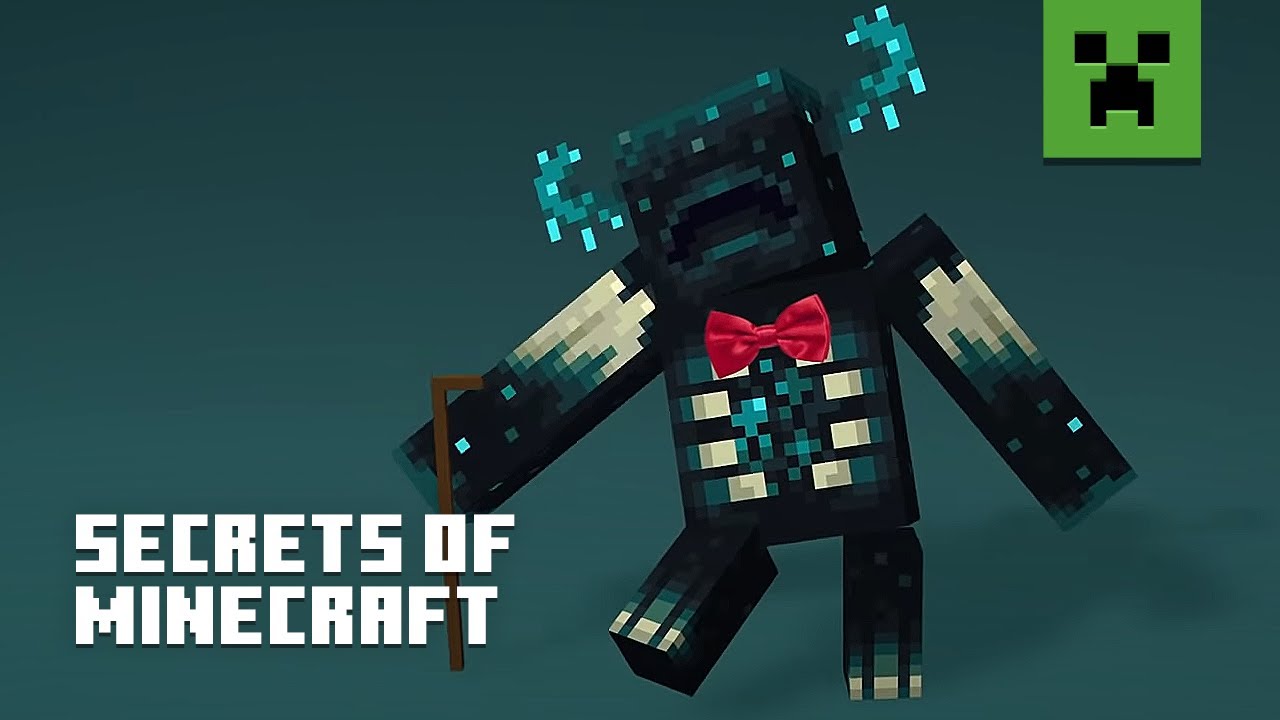

The Warden’s ranged attack has been changed once more, but it is not a buff or nerf! The texture has been updated this time around, making the horrifying experience of running away a little prettier. Be sure to check it out in game!
Place Commands
New commands have been added for placing features, generating structures, and creating jigsaws. All in vanilla Minecraft! For those interested, we will quote the official blog below.
/place feature <feature> [pos]
/place jigsaw <pool> <start> <depth> [pos]
/place structure <structure> [pos]
- feature: The namespaced id of a feature to try to place
- structure: The namespaced id of a structure to try to generate
- pool: The namespaced id of a template pool to start generating
- start: The namespaced id name of a jigsaw to use as the starting anchor
- depth: The maximum number of jigsaw connections to traverse during placement
- pos: The position to use as the origin for the generation (if omitted, ~ ~ ~ is used)
Remember, these commands will require OP if used on a server!
How to Install Minecraft 1.19 Snapshot 22w18a
Installing Snapshot 22w18a is a straightforward process done right from the Minecraft client. To quote the official snapshot blog, players need only “open up the Minecraft Launcher and enable snapshots in the ‘Installations’ tab.”
Once done, click “New Installation,” select “Latest Snapshot” from the drop-down menu, and finally, click create. Your new 22w18a snapshot installation will now be a selectable option before clicking play. But be warned, snapshots can corrupt old worlds! Ensure backups have been taken!
How to make Minecraft 1.19 Snapshot 22w18a Servers
Interested trying out the new features with friends? Snapshot servers can be created for free through home hosting, but we recommend paid hosting options for ease of use and performance. Especially with snapshots that can be buggy!
Paid hosting is offered here at BisectHosting and many other places around the web. In either case, no less than 4GB of server RAM is generally recommended.
Minecraft 1.19 Snapshot 22w18a
This snapshot did not add anything new, but the exciting adjustments are another piece in the wild puzzle that will be 1.19! Enjoy your adventures with Allay, watch out for that fancy new warden death ray, and know generating ten woodland manors does not count as building a city!
Until Next Time,
BisectHosting =)
Minecraft
Scegli un piano, seleziona un gioco e gioca con i tuoi amici!
Iscriviti per ricevere gli ultimi aggiornamenti sul mondo del gaming!

Entra a far parte della nostra community con oltre 20.000 membri appassionati come te!
Come valuteresti questo blog?


Blog Pertinenti







SCOPRI LE ULTIME NOVITÀ!
Iscriviti alla nostra newsletter per ricevere aggiornamenti sui nostri giochi ospitati, novità aziendali e offerte esclusive. Rimani sempre aggiornato!













