

Minecraft 1.20 Release Date REVEALED
Publié le par

Partager :

Partager sur X

Partager sur Facebook

Partager sur Threads

Partager sur Bluesky

Copier dans le presse-papiers

Partager par e-mail
The Minecraft 1.20 release date has finally officially been revealed, and it's sooner than you might think!
Let's dive right into the latest news on the Trails and Tales update and when players can finally expect to jump in for real.
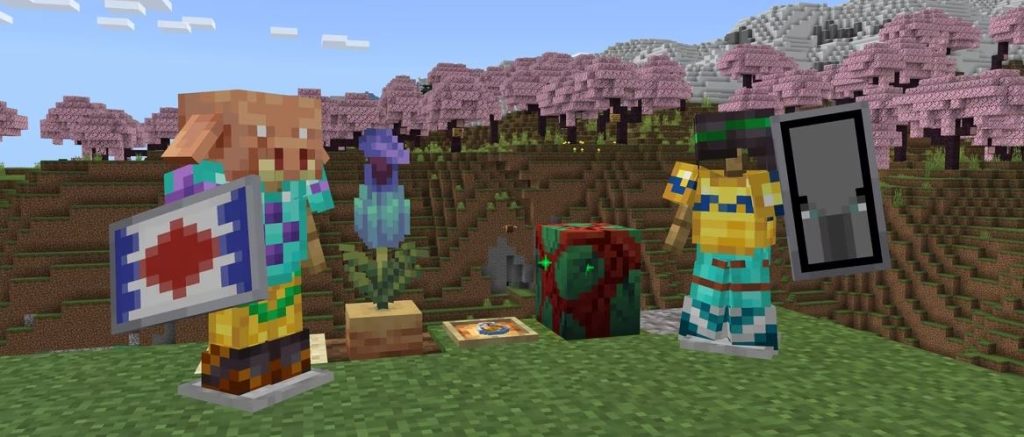 This gives players just over a week to prepare for the new adventures the update offers with its new biome, new mobs, new blocks, new systems, and plenty more.
Minecraft 1.20 Release Date REVEALED
The Minecraft 1.20 update will officially launch on June 7th, as Mojang announced on May 26th.
This gives players just over a week to prepare for the new adventures the update offers with its new biome, new mobs, new blocks, new systems, and plenty more.
What's Coming in Minecraft 1.20?
Minecraft 1.20 will introduce the following new features and changes upon its launch:- New Systems - Archaeology, Armor Trims, Smithing (overhaul)
- New Biome - Cherry Blossom
- New Mobs - Camels, Sniffers, Vex (visual overhaul)
- New Items - Brush, Ancient Flowers, New Spawn Eggs, Smithing and Armor Trim templates, Pottery Shards, Pink Flowers, Pink Petals, Sniffer Eggs, Piglin Heads
- New Blocks - Chiseled Bookshelves, Pots, Cherry Tree wood set, Bamboo wood set, Hanging Signs, Pots
How to Try Minecraft 1.20 Now
While Minecraft 1.20 isn't here quite yet, players can still check out some of the update's features ahead of time courtesy of Mojang's many snapshot and pre-release updates. These updates have come out over the last few months to help test new features coming on launch day, and players can even bring current worlds over to test these new features once properly set up. Just be warned that you should back up any and all saves when testing snapshot and pre-release updates, as they have the potential to corrupt worlds. To install the latest Minecraft 1.20 pre-release update, pre-release #6, simply follow the instructions below!- Open the Minecraft launcher
- Enable snapshots in the Installations tab
- From this tab, select "New Installation", then "Latest Snapshot", then "Create"
- Before clicking Play, simply select the pre-release installation
Créez votre propre
serveur Minecraft
serveur Minecraft
Choisissez un plan, sélectionnez un jeu et jouez avec vos amis !
Abonnez-vous à notre newsletter
Abonnez-vous pour recevoir les dernières mises à jour sur l'univers du jeu vidéo !

Rejoignez notre Discord
Rejoignez notre communauté de plus de 20 000 membres passionnés !
Comment évalueriez-vous ce blog ?
Partagez votre avis et aidez-nous à améliorer nos blogs !
Pas aimé
Neutre
Aimé

Besoin d'un serveur de jeu ?
Louez un serveur de jeu où vous et vos amis pouvez jouer en privé avec une faible latence et des paramètres personnalisés. Choisissez parmi 110+ jeux, invitez des joueurs du monde entier et profitez de parties privées, ou créez votre propre communauté en ligne avec vos propres règles.

Blogs pertinents







OBTENEZ LES DERNIÈRES INFOS !
Inscrivez-vous à nos e-mails pour obtenir des mises à jour sur nos jeux hébergés, des nouvelles de l'entreprise et des offres exclusives. Restez au courant !













