

Minecraft 1.20.3 Pre-Release 2: Patch Notes & How to Install
Publié le par

Partager :

Partager sur X

Partager sur Facebook

Partager sur Threads

Partager sur Bluesky

Copier dans le presse-papiers

Partager par e-mail
With all the hype surrounding Minecraft 1.21, we nearly forgot Minecraft 1.20.3 was on its way! So, today, we explore Minecraft 1.20.3 Pre-Release 2, what changes it brings, and how to install it step by step so you can jump into the game.
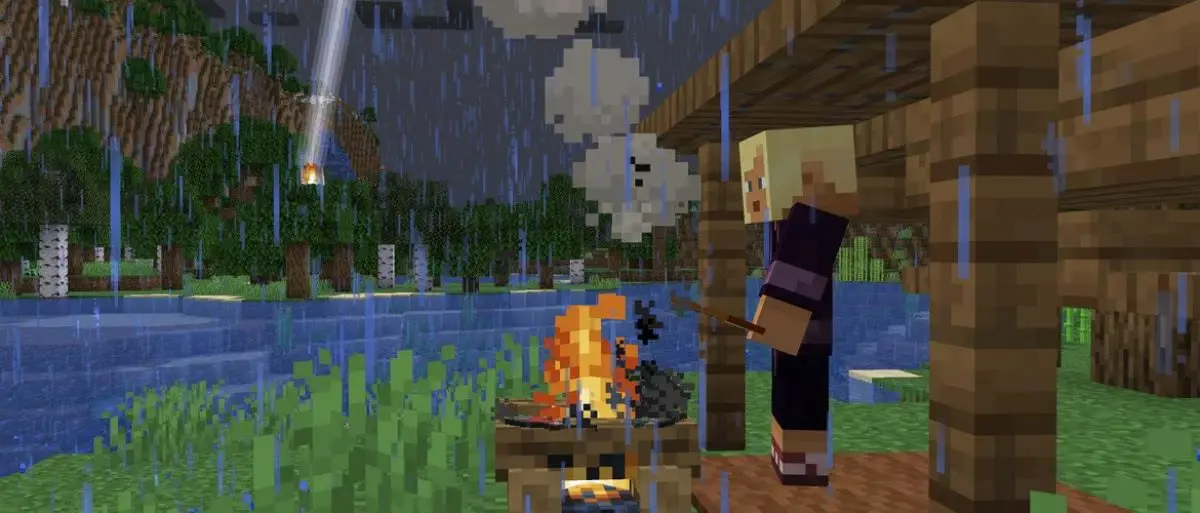 Minecraft 1.20.3 Pre-Release 2 mainly includes bug fixes, but it is not without experimental options for Minecraft 1.21! Players looking to install this pre-release can enjoy either version by enabling Minecraft 1.21 in the experimental options.
Additionally, fans may notice Minecraft 1.21’s breeze mob is a little more destructive! Wind charges now break decorated pots, chorus flowers, and pointed dripstone.
Minecraft 1.20.3 Pre-Release 2 mainly includes bug fixes, but it is not without experimental options for Minecraft 1.21! Players looking to install this pre-release can enjoy either version by enabling Minecraft 1.21 in the experimental options.
Additionally, fans may notice Minecraft 1.21’s breeze mob is a little more destructive! Wind charges now break decorated pots, chorus flowers, and pointed dripstone.
 Having trouble installing Minecraft 1.20.3 Pre-Release 2? Below, we go over the entire process step by step, and by its end, you will be enjoying the latest update, too!
 Pre-releases are always better with friends! Minecraft 1.20.3 Pre-Release 2 servers can be created for free through home hosting, but we recommend paid hosting options for ease of use and performance. Especially with pre-releases since they can be buggy!
Paid hosting is offered here at BisectHosting and many other places around the web. In either case, no less than 4GB of server RAM is recommended.
Pre-releases are always better with friends! Minecraft 1.20.3 Pre-Release 2 servers can be created for free through home hosting, but we recommend paid hosting options for ease of use and performance. Especially with pre-releases since they can be buggy!
Paid hosting is offered here at BisectHosting and many other places around the web. In either case, no less than 4GB of server RAM is recommended.
Details and Adjustments
Minecraft 1.20.3 Pre-Release 2 mainly includes bug fixes, but it is not without experimental options for Minecraft 1.21! Players looking to install this pre-release can enjoy either version by enabling Minecraft 1.21 in the experimental options.
Additionally, fans may notice Minecraft 1.21’s breeze mob is a little more destructive! Wind charges now break decorated pots, chorus flowers, and pointed dripstone.
Patch Notes
Changes
- Breeze wind charges now break decorated pots, chorus flowers, and pointed dripstone blocks upon collision
Fixed Bugs In 1.20.3 Pre-Release 2
- MC-265291 - Command suggestions within the command block interface don't disappear when the console command field is unselected
- MC-265426 - Certain inputs pressed whilst in F3+Esc Pause will be carried out after game is unpaused
- MC-265772 - A command with multiple redirect modifiers can ignore "maxCommandChainLength"
- MC-265788 - The "Start free Snapshot Realm" element can be selected or remain selected causing its tooltip to erroneously be visible when other interfaces are open
- MC-266075 - "Player teleports" not shown in subtitles when an ender pearl lands far from the thrower
- MC-266206 - Renamed arrows are reffered as just "Arrow" in the death message
- MC-266380 - Rain texture doesn't loop correctly
- MC-266439 - Decorated pots with loot table desync item consumption if it cannot be inserted in the pot
- MC-266496 - Wind Charge can not break Decorated Pots
- MC-266516 - Arrows on fire set breezes on fire, despite being deflected
- MC-266728 - The "styled" number format uses the resource location "result"
- MC-266886 - Backspace in Anvil no longer works when renaming an item
- MC-266890 - The minecraft:grass item does not get upgraded to minecraft:short_grass
How to Install Minecraft 1.20.3 Pre-Release 2
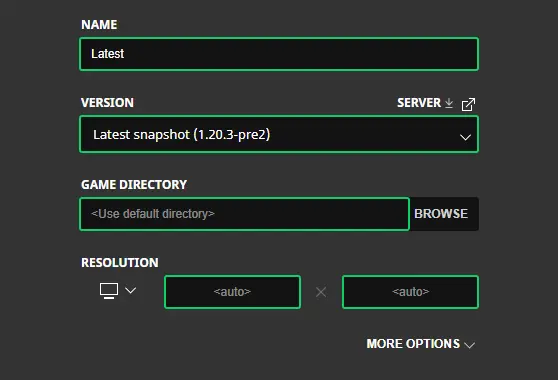
Having trouble installing Minecraft 1.20.3 Pre-Release 2? Below, we go over the entire process step by step, and by its end, you will be enjoying the latest update, too!
- Open the Minecraft Launcher.
- Select the ‘Installations’ tab at the top.
- Click ‘New Installation.’
- Choose a name and select ‘Latest Snapshot’ from the dropdown menu beneath ‘Version.’
- Click save.
How to make Minecraft 1.20.3 Pre-Release 2 Servers
Pre-releases are always better with friends! Minecraft 1.20.3 Pre-Release 2 servers can be created for free through home hosting, but we recommend paid hosting options for ease of use and performance. Especially with pre-releases since they can be buggy!
Paid hosting is offered here at BisectHosting and many other places around the web. In either case, no less than 4GB of server RAM is recommended.
Minecraft 1.20.3 Pre-Release 2: Patch Notes & How to Install
While not as exciting as new additions to Minecraft 1.21, bug fixes should always be appreciated. After all, a stable gaming experience is a happy gaming experience, much like the servers we proudly host. Until Next Time, BisectHosting =)Créez votre propre
serveur Minecraft
serveur Minecraft
Choisissez un plan, sélectionnez un jeu et jouez avec vos amis !
Abonnez-vous à notre newsletter
Abonnez-vous pour recevoir les dernières mises à jour sur l'univers du jeu vidéo !

Rejoignez notre Discord
Rejoignez notre communauté de plus de 20 000 membres passionnés !
Comment évalueriez-vous ce blog ?
Partagez votre avis et aidez-nous à améliorer nos blogs !
Pas aimé
Neutre
Aimé

Besoin d'un serveur de jeu ?
Louez un serveur de jeu où vous et vos amis pouvez jouer en privé avec une faible latence et des paramètres personnalisés. Choisissez parmi 110+ jeux, invitez des joueurs du monde entier et profitez de parties privées, ou créez votre propre communauté en ligne avec vos propres règles.

Blogs pertinents







OBTENEZ LES DERNIÈRES INFOS !
Inscrivez-vous à nos e-mails pour obtenir des mises à jour sur nos jeux hébergés, des nouvelles de l'entreprise et des offres exclusives. Restez au courant !













