
Best Valheim Mods in the Ashlands Update (2024)
发布于 ,作者

分享:

分享至 X

分享至 Facebook

分享至 Threads

分享至 Bluesky

复制到剪贴板

通过电子邮件分享
(Estimated Read Time: 7 minutes)
Some Valheim players seek ways to improve their gaming experience as they explore the Ashlands and the rest of the Nordic-inspired map. Installing mods can be a great way to achieve that goal. So, here’s a list of the best Valheim mods in the Ashlands Update to help elevate your enjoyment with this survival sandbox title.Ranking the Best Valheim Ashlands Mods
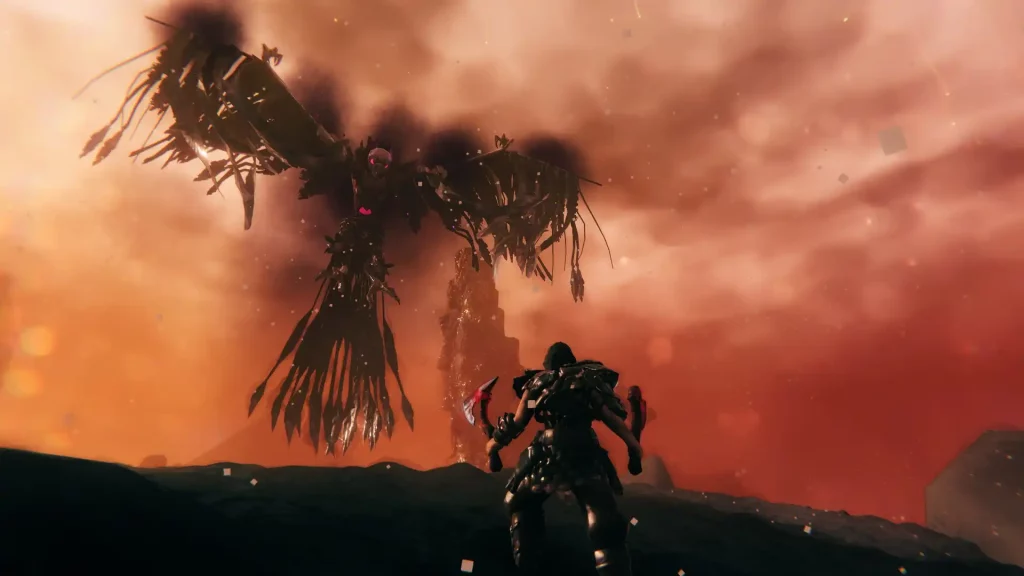 It’s important to mention that the following list of the best Valheim mods in Ashlands Update doesn’t reflect every player’s preference. Nonetheless, let this ranked list guide players in choosing which mod to install to enhance their Valheim gaming experience.
10. Almanac Class System
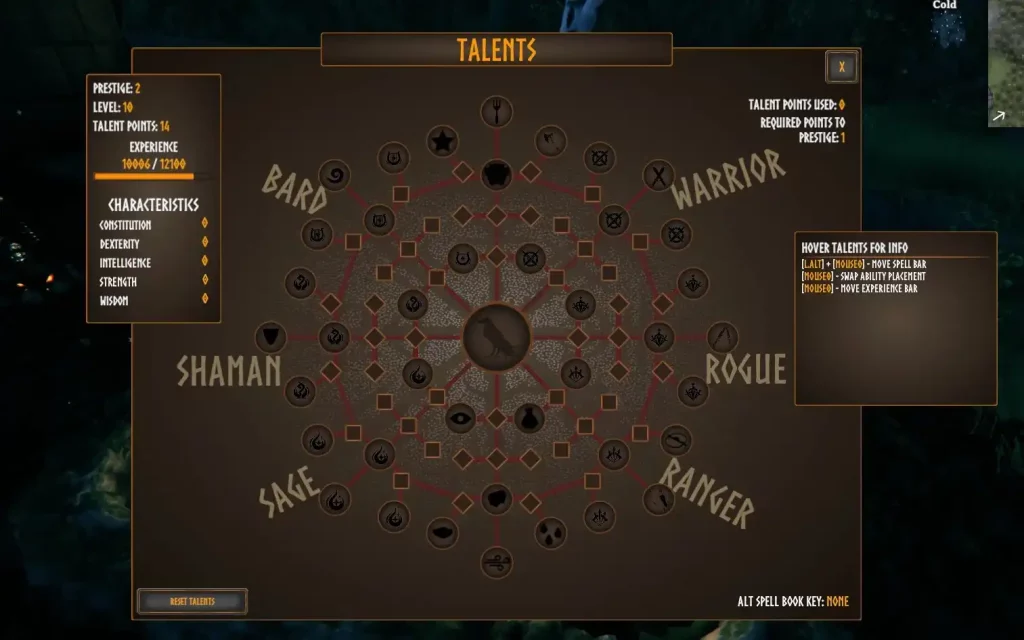 The Almanac Class System mod for Valheim boosts the game's RPG factor to new heights. This particular mod introduces an RPG-style character development system in which players can choose how to progress through the game using different classes.
With it, select different character classes, including the Bard, Shaman, Ranger, and Warrior, and use their unique abilities to overpower foes and help teammates survive the Ashlands.
The Almanac Class System mod for Valheim boosts the game's RPG factor to new heights. This particular mod introduces an RPG-style character development system in which players can choose how to progress through the game using different classes.
With it, select different character classes, including the Bard, Shaman, Ranger, and Warrior, and use their unique abilities to overpower foes and help teammates survive the Ashlands.
9. Valheim Quality of Life
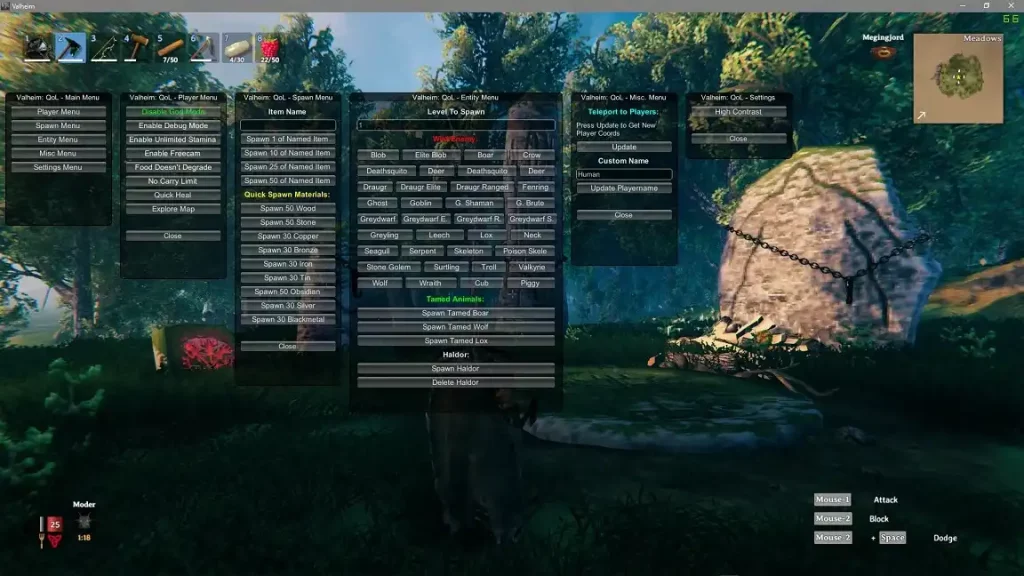 As its name implies, the Quality of Life mod improves the game's core features and mechanics. For instance, players normally have to rest in their bases to gain the "Rested" buff. However, this mod lets you have that buff anywhere on the map, including the Ashlands. Other quality-of-life enhancements brought by this mod include disabling food timeout, enabling character flight, and activating unlimited stamina.
8. Hip Lantern
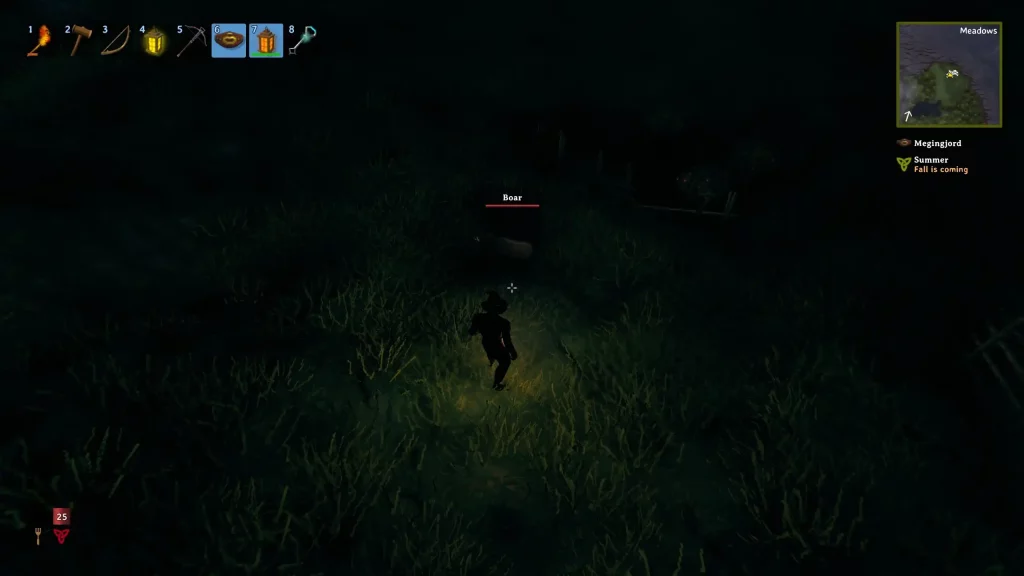 Although it doesn’t do much, the Hip Lantern mod earns a spot in this list of the best Valheim mods to use in the Ashlands update. In particular, this mod does as its name suggests – adds a wearable lantern to your character. With this accessory, you don’t have to unequip your weapon to hold a torch while exploring dark caves and dungeons.
7. Headshots
 Generally, damage numbers when hitting enemies in Valheim remain mostly consistent regardless of the hit body part. However, the Headshots mod changes that by letting your foes’ heads become weak spots, allowing you to deal extra damage to this area.
Note that this mod may not work with Ashlands’ enemies at the time of writing. Nonetheless, most foes should now be easier to kill than before with a well-aimed arrow to their heads.
Generally, damage numbers when hitting enemies in Valheim remain mostly consistent regardless of the hit body part. However, the Headshots mod changes that by letting your foes’ heads become weak spots, allowing you to deal extra damage to this area.
Note that this mod may not work with Ashlands’ enemies at the time of writing. Nonetheless, most foes should now be easier to kill than before with a well-aimed arrow to their heads.
6. Unrestricted Portals
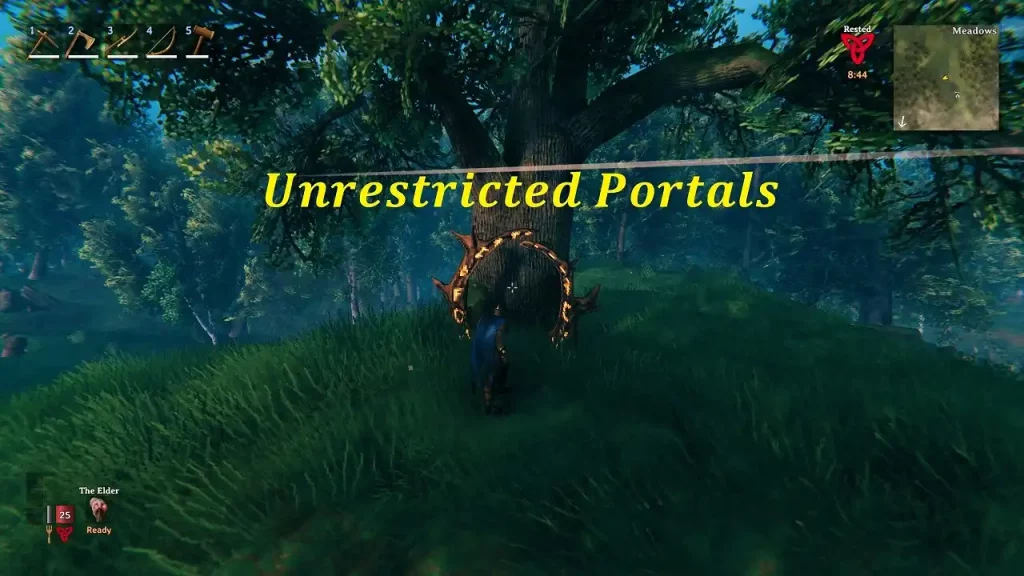 Normally, portals in Valheim don’t let players transport items like ores and metals. The Unrestricted Portals mod bypasses that restriction, allowing you to freely take anything through portals and saving travel time from the Ashlands to your base. Additionally, this mod is highly customizable as it lets users tweak restrictions on specific items or even multiply the amount that goes through.
5. Epic Loot
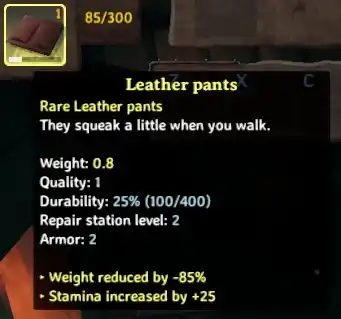 Are you a fan of loot-based games and want to bring that element into Valheim? If so, look no further than the Epic Loot mod! This mod lets chests and enemies drop magical items of varying rarities. Find powerful Mythic gear from the Ashlands, and decimate your foes with your newfound power.
4. Fight Club
 PvP in Vanilla Valheim is restricted to duels, but the Fight Club mod changes that. Install this mod to engage in friendly fights with friends (or frienemies) in the same Valheim server. Additionally, you can disable the consequences for the player who loses the bout. That way, both you and your opponent can return to your businesses without ill feelings, except, perhaps, a shattered pride.
3. Clock
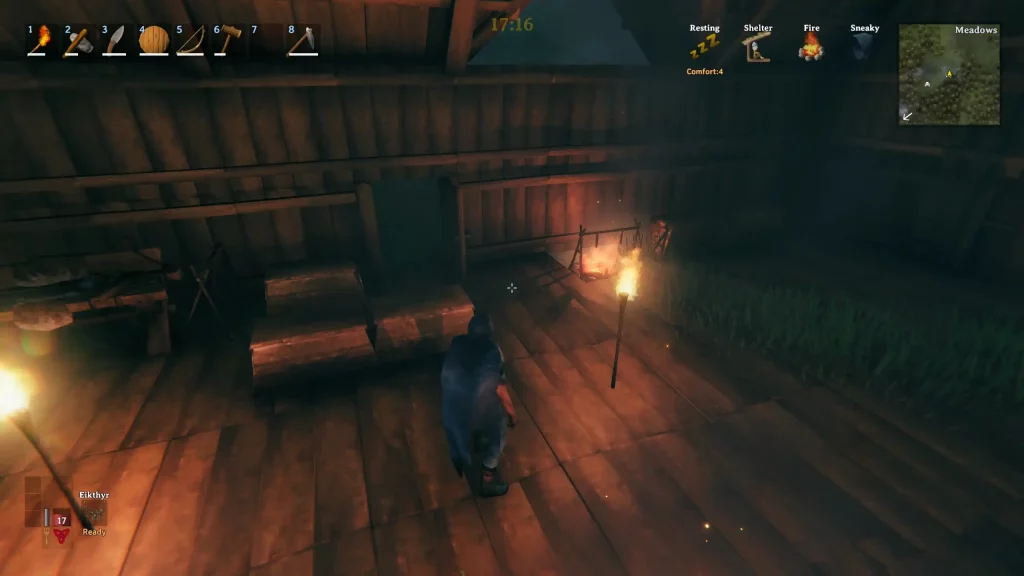 It’s possible to lose track of time while playing Valheim, especially after the release of the Ashlands Update. Reduce the chances of getting lost playing the game with the Clock mod. It’s a simple mod that gets the job done. Nonetheless, this mod has some customizability, allowing users to modify the clock’s appearance and position.
2. Hjalmere’s Castle
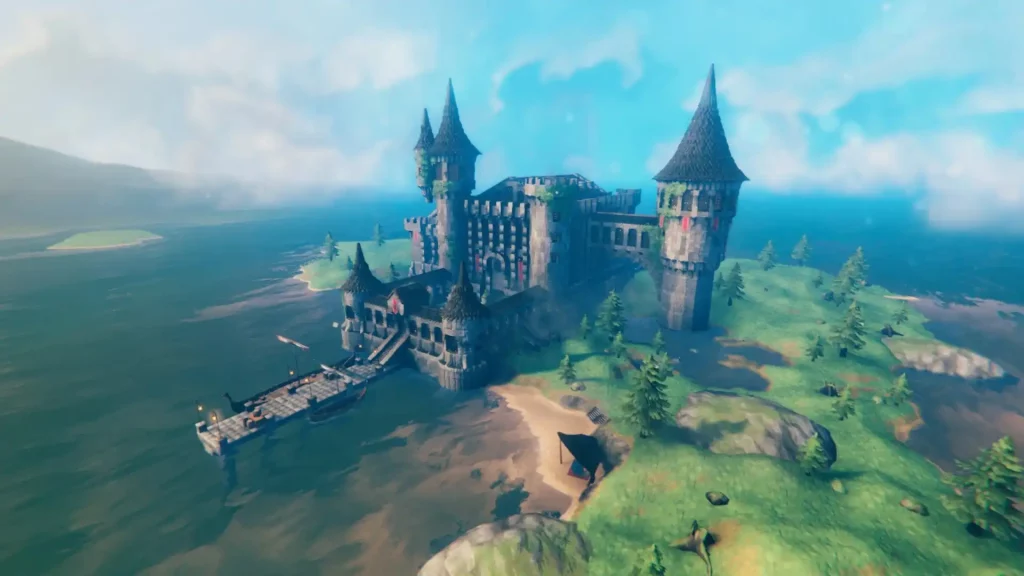 Building a base, let alone a castle in Valheim, requires hours of effort and a seemingly endless pool of patience. If you want to skip grinding for materials and placing building materials brick-by-brick, let this mod be the answer to your woes.
With the Hjalmere’s Castle mod, it places a pre-built castle in your world map. You and your mates can then decorate the massive abode to your aesthetic desires. It also has preplaced furniture, such as comfortable seating, storage chests, and armor stands.
Building a base, let alone a castle in Valheim, requires hours of effort and a seemingly endless pool of patience. If you want to skip grinding for materials and placing building materials brick-by-brick, let this mod be the answer to your woes.
With the Hjalmere’s Castle mod, it places a pre-built castle in your world map. You and your mates can then decorate the massive abode to your aesthetic desires. It also has preplaced furniture, such as comfortable seating, storage chests, and armor stands.
1. Valheim Legends
 The top spot in this list of the best Valheim mods in Ashlands Update is Valheim Legends. This mod lets players choose from twelve character classes, ranging from the tanky Valkyrie to the stealthy Rogue. Each class has its unique abilities, advantages, and shortcomings. Choose your class wisely, especially when exploring the hellish lands of the Ashlands.
How to Install Mods in Valheim
Installing mods in Valheim is a relatively straightforward experience. However, players must take extra steps to ensure their installed mods work correctly. Additionally, you can use different processes to install mods in Valheim.Installing Mods Through BepInEx Pack
- 1. Back up your saved files in case something goes amiss.
- 2. Download the BepInExPack Valheim framework and place it in the game’s installation folder in your system.
- 3. Search and download your favorite Valheim mods and place them in the folder: <Valheim
- 4. Installation Folder>\BepInEx\Plugins.
- 5. Launch the game and check if the installed mods work as intended.
Installing Mods Through Vortex
- 1. Back up your saved files in case something goes amiss.
- 2. Download the Vortex app and install it on your PC.
- 3. Download Valheim’s unstripped DLLs and use Vortex to replace the game’s original DLL files with the newly downloaded ones.
- 4. Download your preferred mods and install them using Vortex.
- 5. Launch the game and check if the installed mods work as intended.

您对这篇博客有何评价?
分享您的看法,帮助我们将博客做得更好!
不喜欢
一般
喜欢

需要游戏服务器吗?
租用一台游戏服务器,您可以和朋友们在极低延迟和自定义设置下私密游玩。从 110+ 款游戏中挑选您的最爱,邀请全球玩家,享受私密对战,或者按照您自己的规则建立属于您的在线社区。








获取第一手独家资讯!
订阅我们的电子邮件,获取有关我们托管游戏、公司新闻和独家优惠的最新动态。随时掌握一手资讯!













