

Valheim 0.212.6: How to Try Out the Mistlands Update
发布于 ,作者

分享:

分享至 X

分享至 Facebook

分享至 Threads

分享至 Bluesky

复制到剪贴板

通过电子邮件分享
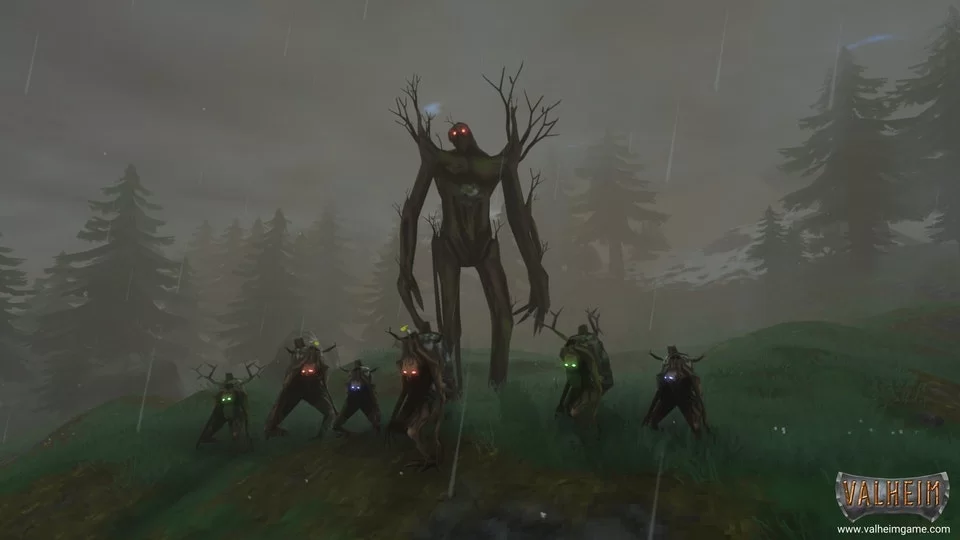
A new land has emerged among foggy shores, dense with monsters and mysterious lore, will you discover all it has in store? Today we explore the Valheim 0.212.6 alongside our guide on how to give the Mistlands update a try.
 Interested in exploring the Mistlands with friends? Our Valheim servers offer both the latest version and public test branch with mods on demand!
Once ordered, enter the control panel, and select the public beta branch. This will cause a quick automated update while you get ready to jump right into the game. From there, simply open Valheim and play!
Interested in exploring the Mistlands with friends? Our Valheim servers offer both the latest version and public test branch with mods on demand!
Once ordered, enter the control panel, and select the public beta branch. This will cause a quick automated update while you get ready to jump right into the game. From there, simply open Valheim and play!
Valheim 0.212.6: The Mistlands Update
Patch 0.212.6 brings a new biome packed with content to explore, updates to existing systems such as fishing, and VFX improvements. Quoting the official public test article, the patch notes can be found below.New biome – Mistlands:
- New mechanics
- 9 new creatures + Mistlands boss
- More than 20 new crafting materials
- 2 new crafting stations, 3 crafting station extensions, and 3 other resource/crafting constructions
- 15 new food items
- 3 new potions
- More than 25 new craftable items (weapons, armours & tools)
- More than 35 new building/furniture pieces for building, decorating and defending your base
- New type of dungeon
- New lore stones
- New dreams
- New music
Misc:
- Fishing update
- 12 new emotes
- 9 new hairstyles and 7 new beard styles
Fixes & Improvements:
- Various console command improvements
- Multiple animations have been updated and improved
- Multiple VFX have been updated and improved
- Various other tweaks
How to Install Valheim 0.212.6: The Mistlands Update
https://twitter.com/Valheimgame/status/1595056546576478210Installing the public test version of the Mistlands update is not as hard as it may seem! Players need only right-click Valheim on Steam, select properties, and then click “Betas.” Doing so will bring up a box where typing “yesimadebackups” unlocks the Mistlands beta! Be sure to select it before clicking play. It is important to note the Mistlands will only generate in unexplored parts of the world so get ready to travel! And if using a pre-existing world, making backups before launching the new version is strongly recommended.
How to make Valheim 0.212.6: The Mistlands Update Servers
Interested in exploring the Mistlands with friends? Our Valheim servers offer both the latest version and public test branch with mods on demand!
Once ordered, enter the control panel, and select the public beta branch. This will cause a quick automated update while you get ready to jump right into the game. From there, simply open Valheim and play!
Valheim 0.212.6: How to Try Out the Mistlands Update
Valheim took the gaming community by storm, and it looks like Mistlands is about to reignite the flame! What are your thoughts on the new content added in Valheim 0.212.6? We would love to hear what you have to say! Until Next Time, BisectHosting =)
您对这篇博客有何评价?
分享您的看法,帮助我们将博客做得更好!
不喜欢
一般
喜欢

需要游戏服务器吗?
租用一台游戏服务器,您可以和朋友们在极低延迟和自定义设置下私密游玩。从 110+ 款游戏中挑选您的最爱,邀请全球玩家,享受私密对战,或者按照您自己的规则建立属于您的在线社区。








获取第一手独家资讯!
订阅我们的电子邮件,获取有关我们托管游戏、公司新闻和独家优惠的最新动态。随时掌握一手资讯!













