
RimWorld Beginner’s Guide: Setup, First Steps, New Player Tips, & More
发布于 ,作者

分享:

分享至 X

分享至 Facebook

分享至 Threads

分享至 Bluesky

复制到剪贴板

通过电子邮件分享
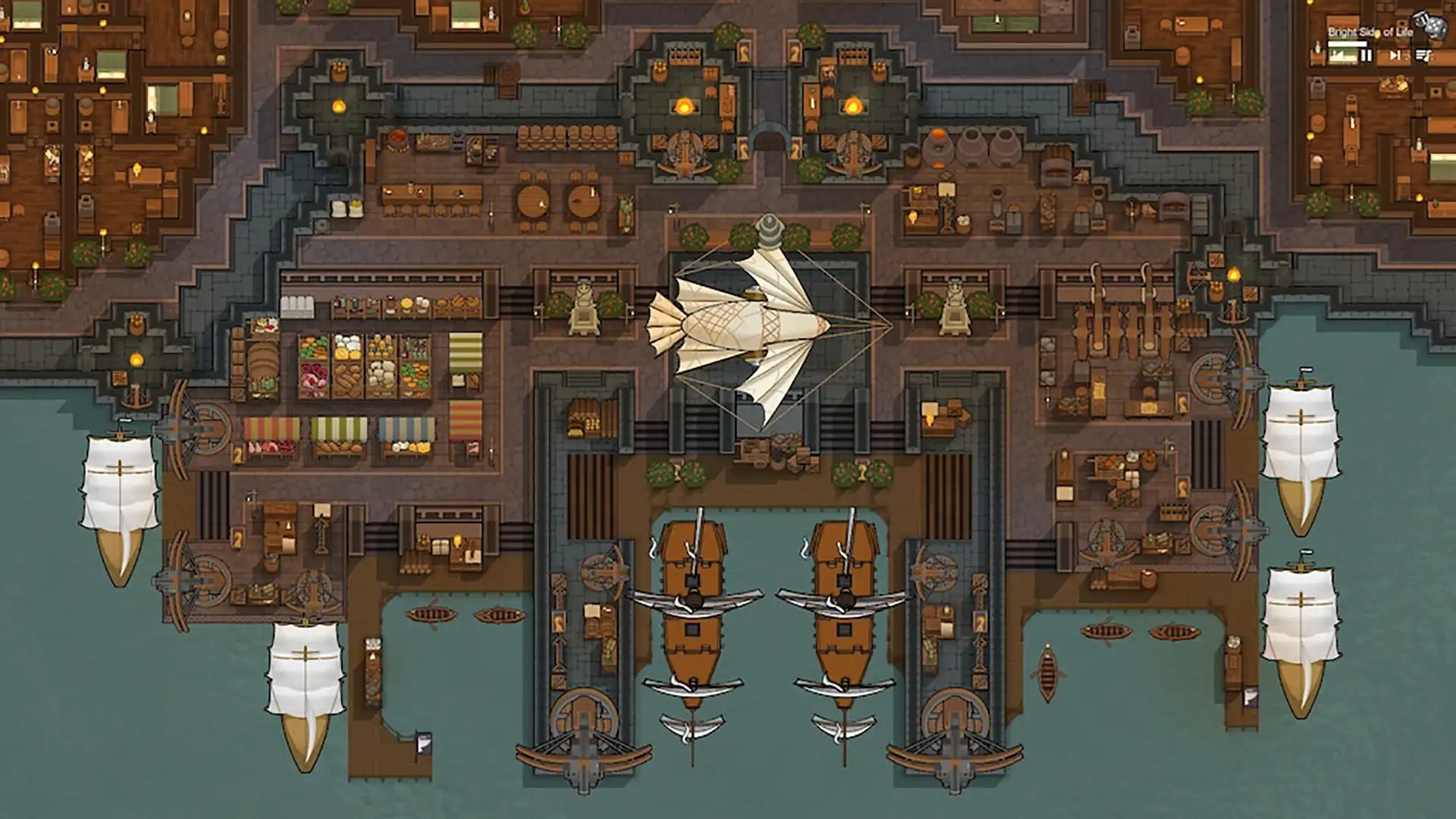
RimWorld is a sci-fi colony simulation game set on a distant world far from major civilizations. However, with how much depth RimWorld offers, it can be hard to figure out where to begin. So, today, we explore the start of a RimWorld adventure in our RimWorld beginner’s guide.
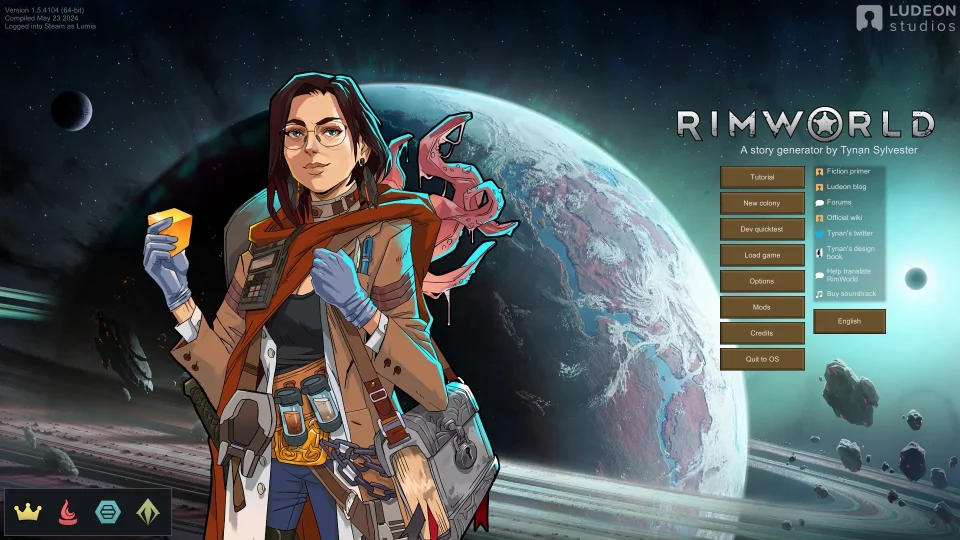 Every RimWorld playthrough begins with a new colony, so this guide starts with finding the right one for you. By default, there are four starting scenarios, with three extra for those who purchased the DLC. One will need to be selected before proceeding, so we have gone over each below.
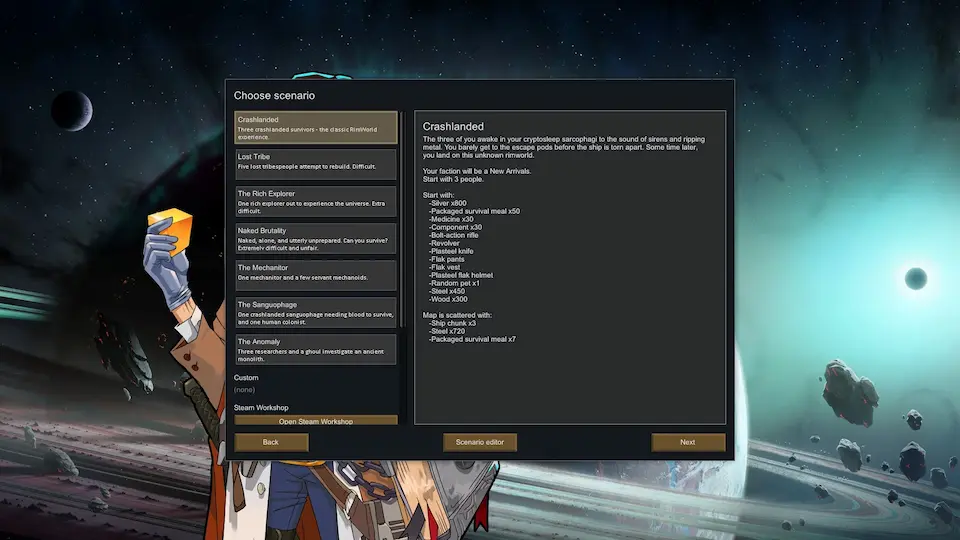 Crashlanded is the default scenario and highly recommended for first-time playthroughs. Players selecting this scenario start with three colonists, an abundance of resources, and a moderate level of technology.
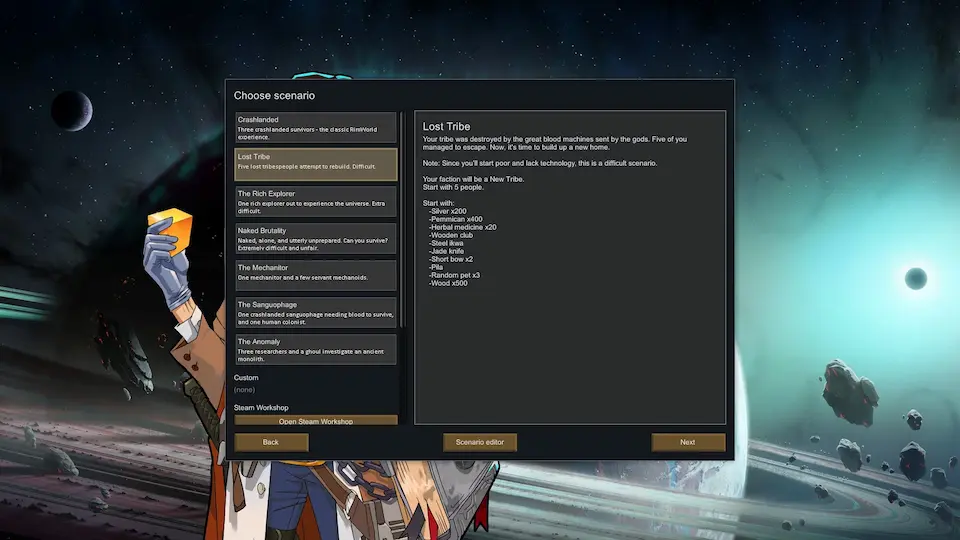 This scenario takes a different route and places the player in control of a lost tribe native to the world. However, while this tribe is five strong, their understanding of technology is almost non-existent, making starting out very difficult.
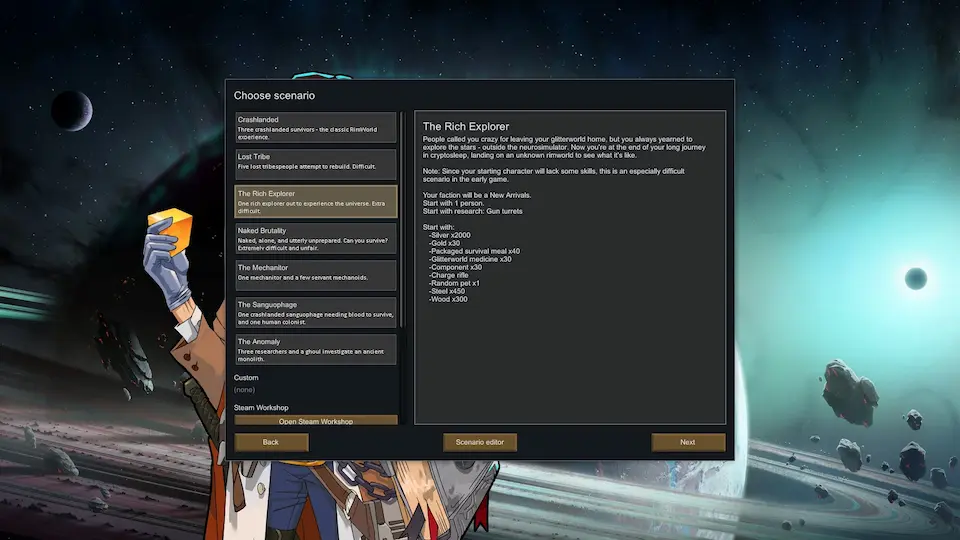 As the name of this scenario would suggest, it involves a single rich explorer attempting to make their mark on a distant world. Many valuable items are granted right at the beginning, but with only one colonist, it ends up being quite a difficult start.
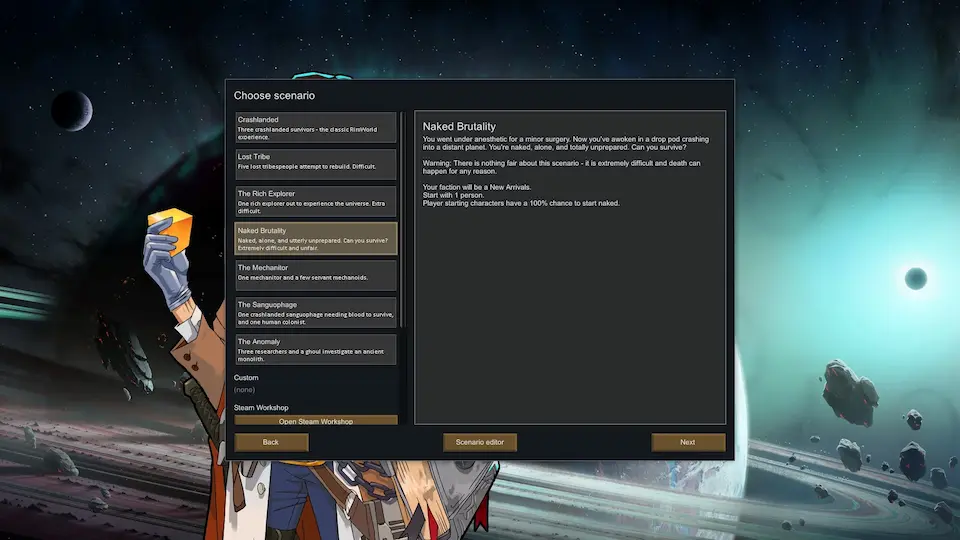 In this scenario, a single colonist starts naked and alone with nothing. We do not recommend picking this scenario.
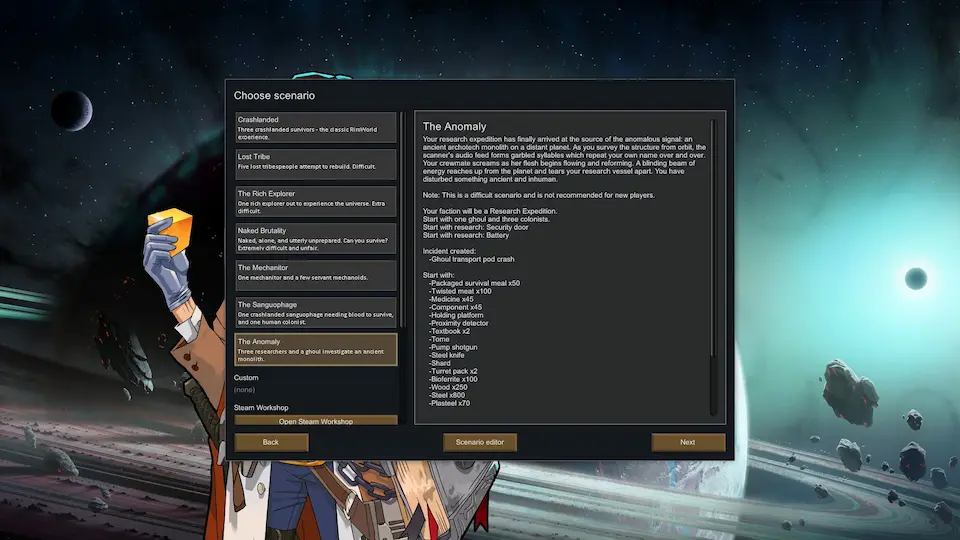 Those who have purchased the DLCs will notice three additional scenarios. Each offers a unique start, but all three are highly difficult. For the sake of this beginner’s guide, we would recommend saving them for a future run.
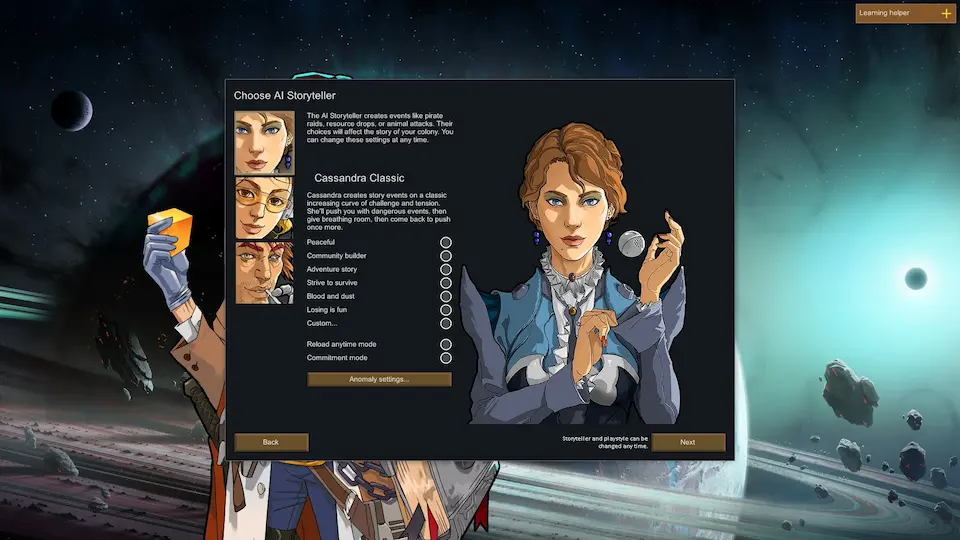 Of the three possible storytellers, Cassandra Classic is deceptively one of the hardest. Her random events will continue to scale as the game progresses, pushing players to their absolute limits, especially in the end game.
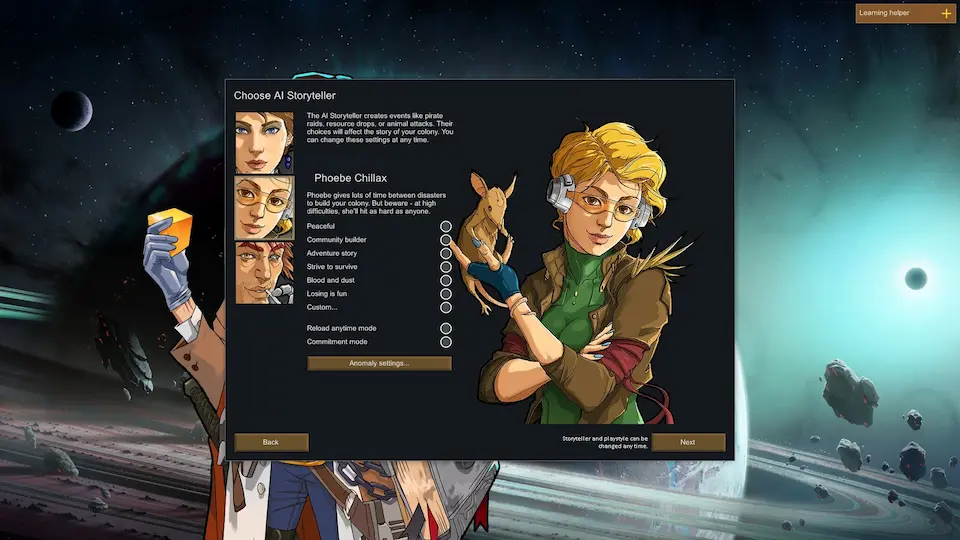 Phoebe Chillax is our recommendation for a first-time playthrough. The events will still scale and grow in difficulty, but plenty of time is provided to recover and prepare.
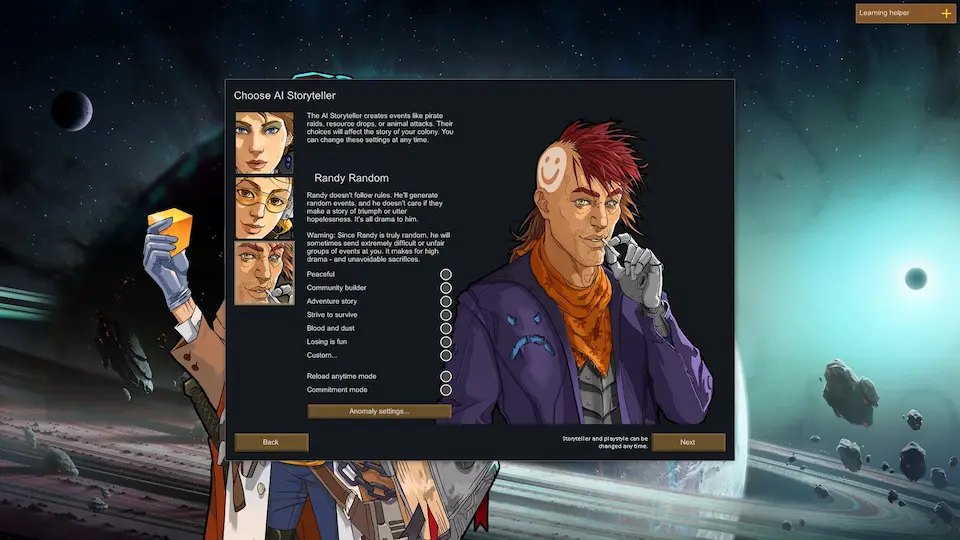 Randy Random is the fan-favorite storyteller of the RimWorld community and the most realistic. Those selecting Randy Random may be wiped out from the first event or find themselves with years of peace before sudden devastation. As his name would suggest, it is entirely random.
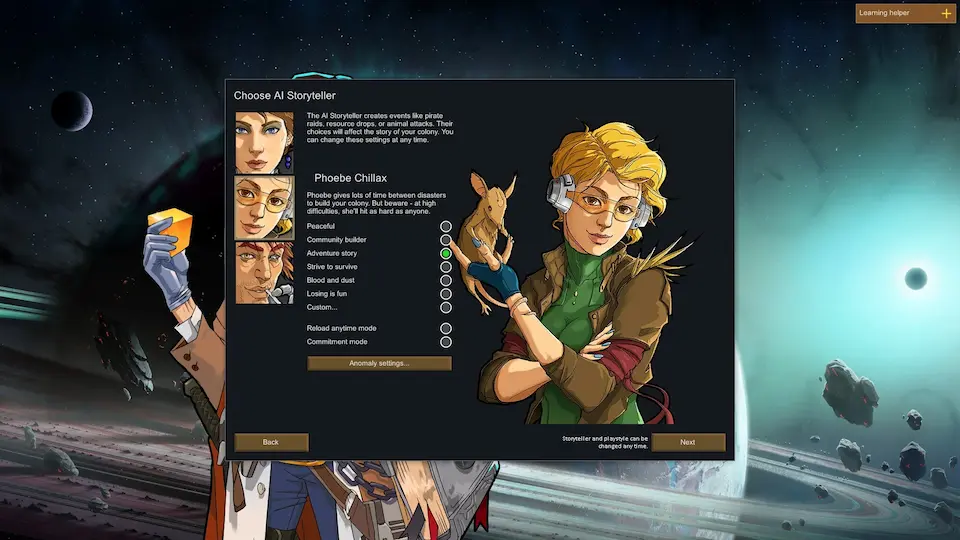 Alongside the AI storyteller, players can select their difficulty. Strive to Survive is the normal mode of RimWorld, but for the sake of starting out, we would recommend Adventure Story.
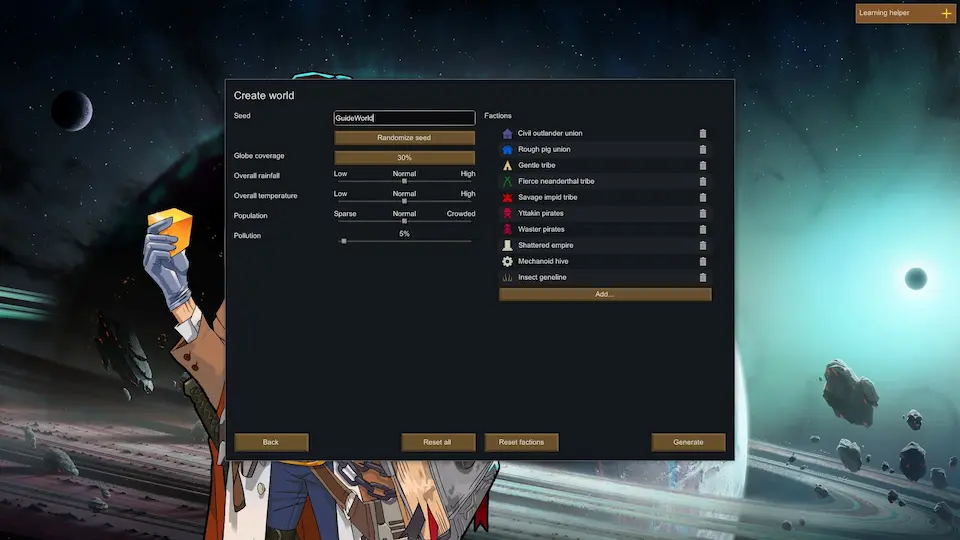 As mentioned previously, RimWorld is a game with immense depth, including a fully customizable world filled with factions. We recommend leaving this page as is for the first playthrough.
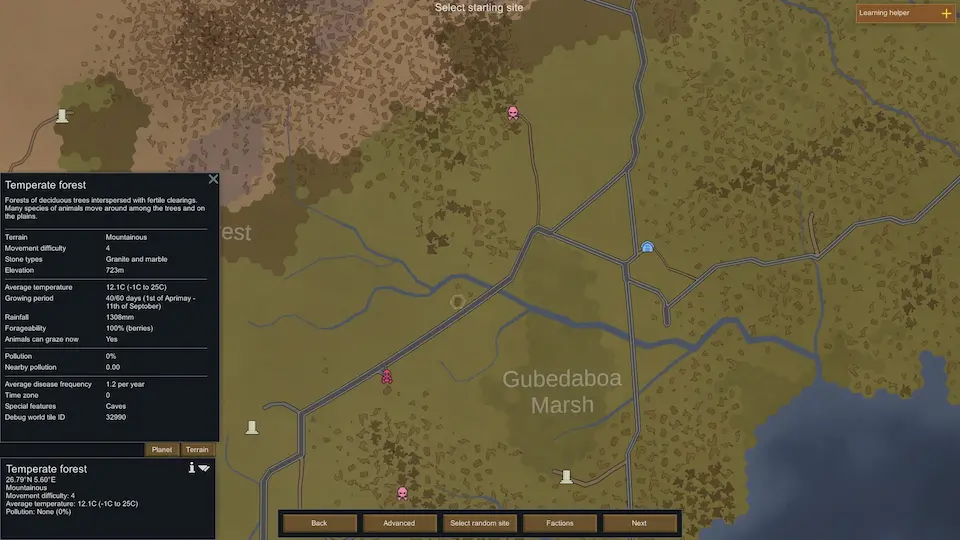 The next choice is where your colony will call home. There are many options, and every tile has unique qualities which can be reviewed by selecting it. The various colors of the map represent different biomes, and the shapes within tiles typically represent mountains. We recommend finding a mountainous temperate forest location. If the stone types are granite and marble, that is even better.
Keep in mind that everything from movement difficulty to growing period will directly affect the type of game ahead. However, picking a tile like the one described above will offer a well-rounded location for a first playthrough.
The next choice is where your colony will call home. There are many options, and every tile has unique qualities which can be reviewed by selecting it. The various colors of the map represent different biomes, and the shapes within tiles typically represent mountains. We recommend finding a mountainous temperate forest location. If the stone types are granite and marble, that is even better.
Keep in mind that everything from movement difficulty to growing period will directly affect the type of game ahead. However, picking a tile like the one described above will offer a well-rounded location for a first playthrough.
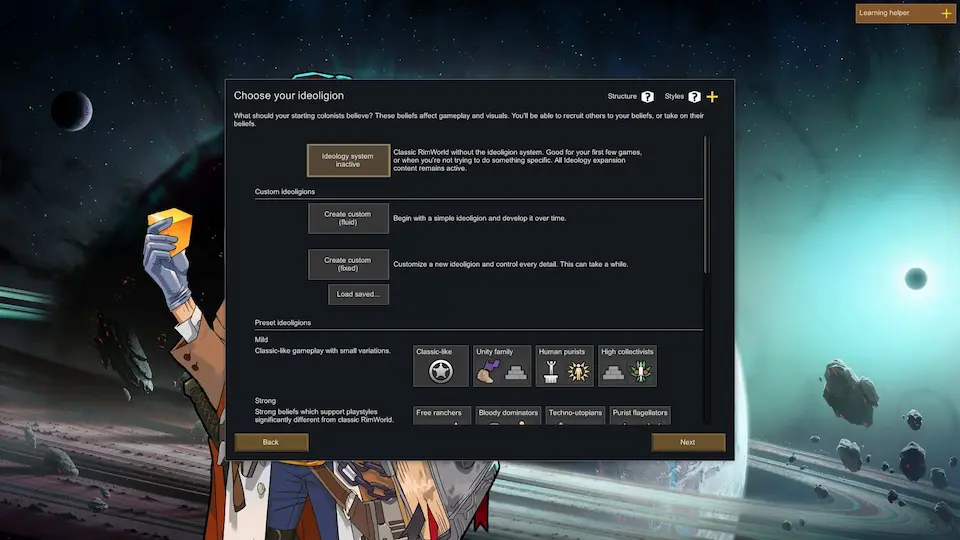 Those with the Ideology DLC will now be prompted to pick an Ideoligion. Like everything in RimWorld, this system can drastically change the game ahead depending on what is picked, but it generally amounts to the cultural and religious beliefs of your colony.
For a first-time playthrough, we recommend either leaving the system off or going with “Classic-Like.”
Those with the Ideology DLC will now be prompted to pick an Ideoligion. Like everything in RimWorld, this system can drastically change the game ahead depending on what is picked, but it generally amounts to the cultural and religious beliefs of your colony.
For a first-time playthrough, we recommend either leaving the system off or going with “Classic-Like.”
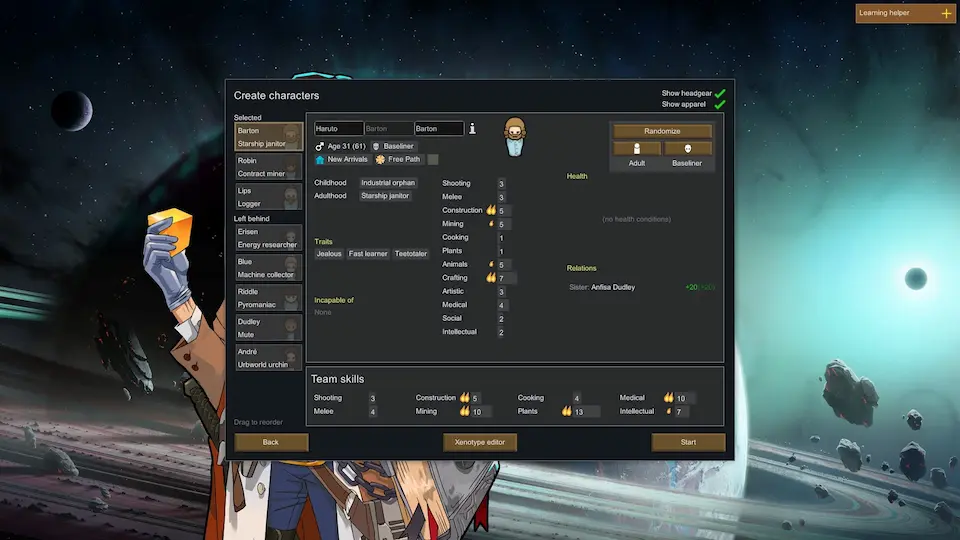 The time has come to create colonists to call your selected tile home. Ultimately, most of the choices come down to preference, but we recommend using our “Recommended Passions” and “Traits to Avoid” to achieve an optimal start.
 After selecting start, your colonists will appear on the map, and the game will begin. At this point, we recommend pausing the game to take in the surroundings. The path forward from here will vary based on playstyle, difficulty, and preferences. However, the following steps will create a good foundation in almost every case.
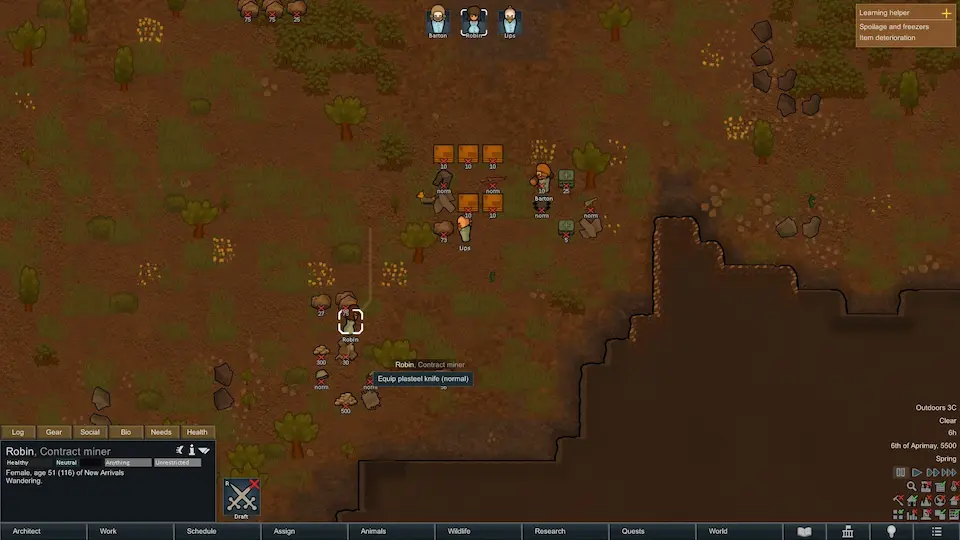 Enemies may already be on the map, and events can happen at any time, so it is best to have colonists armed for battle right from the start. This can be done by selecting the colonist and then right-clicking the weapon to bring up the interaction menu.
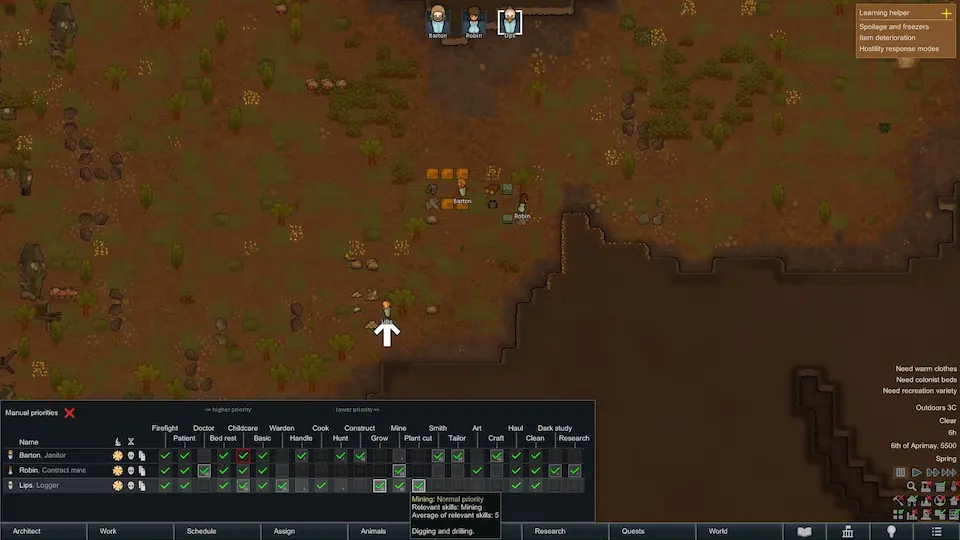 Optimizing work priorities is an entirely optional part of the game, but there are a few that should be enabled regardless of the preferred style of play.
Begin by selecting the work tab at the bottom of the screen and ensuring every colonist has firefight, patient, clean, and haul enabled. After that, ensure that any major passions (two flames) are checked off as well.
Early game, it is also not a bad idea to enable everything for everyone, but that is not required.
Optimizing work priorities is an entirely optional part of the game, but there are a few that should be enabled regardless of the preferred style of play.
Begin by selecting the work tab at the bottom of the screen and ensuring every colonist has firefight, patient, clean, and haul enabled. After that, ensure that any major passions (two flames) are checked off as well.
Early game, it is also not a bad idea to enable everything for everyone, but that is not required.
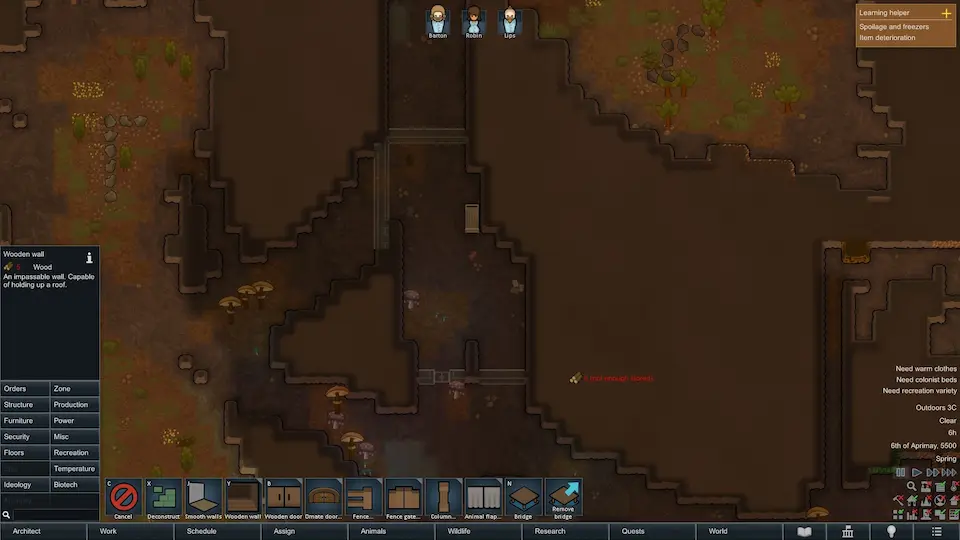 Building a shelter is an essential step for survival. In the case of our screenshot above, an uninhabited cave offered an ideal starting spot. However, a mountainside base would do just as well.
Walls can be built using the “Architect” option on the bottom of the screen, and the colonists will automatically clear the area and build roofs where they can.
Building a shelter is an essential step for survival. In the case of our screenshot above, an uninhabited cave offered an ideal starting spot. However, a mountainside base would do just as well.
Walls can be built using the “Architect” option on the bottom of the screen, and the colonists will automatically clear the area and build roofs where they can.
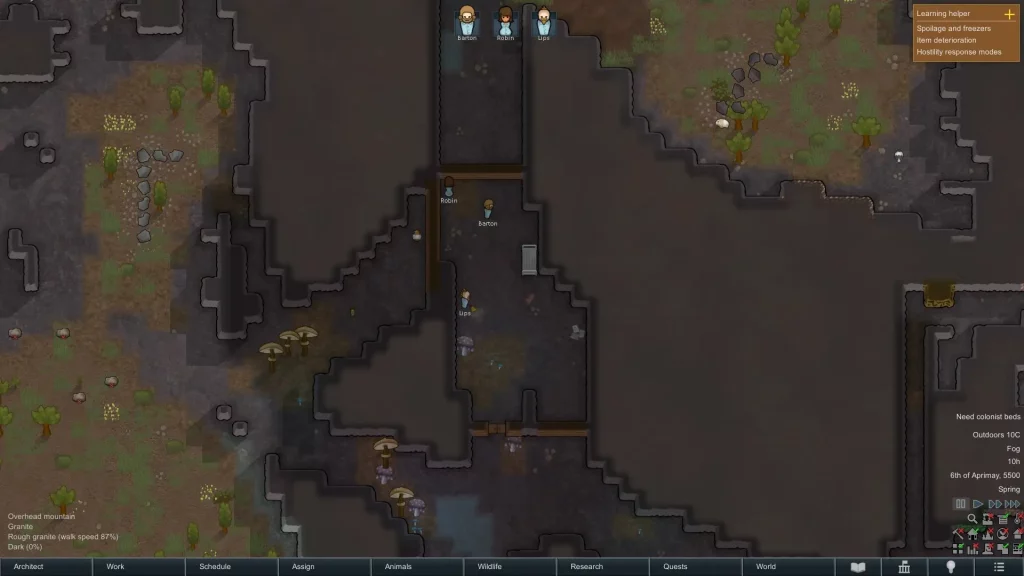 Within the safety of your new walls, it is time to create a stockpile. Select “Architect” and then the “Zone” sub-section. “Stockpile” should then be an option. Storing resources indoors will slow or, in some cases, completely stop decay.
At this point, your colonists should automatically begin gathering the starting resources and placing them inside.
Within the safety of your new walls, it is time to create a stockpile. Select “Architect” and then the “Zone” sub-section. “Stockpile” should then be an option. Storing resources indoors will slow or, in some cases, completely stop decay.
At this point, your colonists should automatically begin gathering the starting resources and placing them inside.
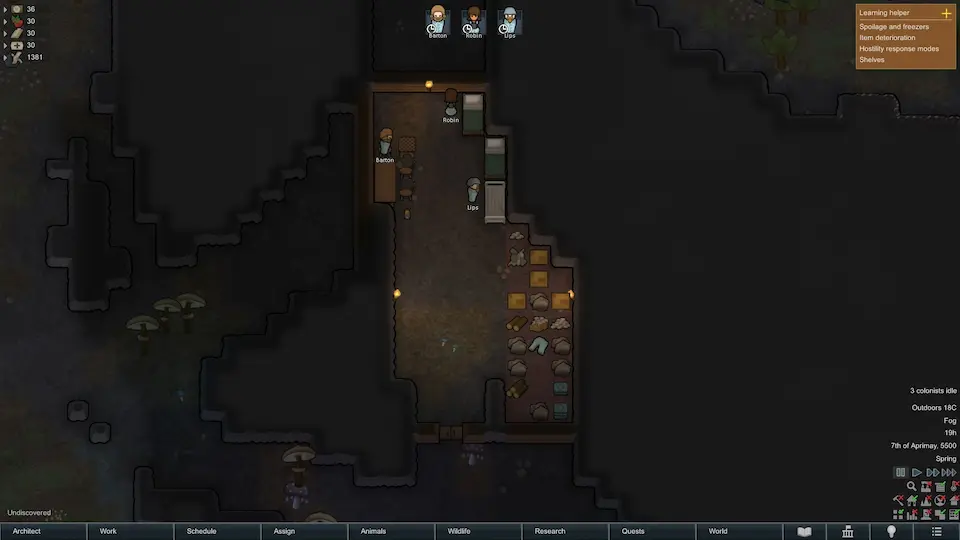 A happy colonist is a productive colonist, and no one likes sleeping and eating on the ground. So, the first bit of furniture that should be built are torches, beds, tables, chairs, and a chess table. All these options can be found under the “Furniture” section of the architect menu.
If lack of wood becomes an issue, the “Orders” section of “Architect” can be used to have the colonists cut down trees for more.
A happy colonist is a productive colonist, and no one likes sleeping and eating on the ground. So, the first bit of furniture that should be built are torches, beds, tables, chairs, and a chess table. All these options can be found under the “Furniture” section of the architect menu.
If lack of wood becomes an issue, the “Orders” section of “Architect” can be used to have the colonists cut down trees for more.
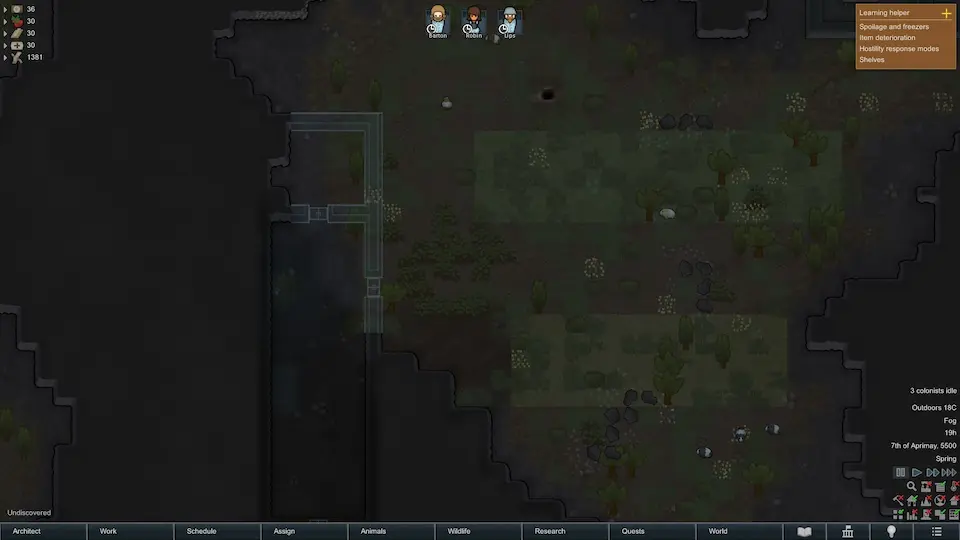 Hovering the mouse over the soil outside the base will provide details on its quality. Fertile soil is ideal for farming, but regular soil can be used as well. In the case of our screenshot above, we opted to use regular soil in a naturally enclosed space for defense.
Much like the stockpiles made earlier, “Growing Zones” can be made under the zones section of “Architect.” We recommend building two of at least 20 tiles in size. As for the crops themselves, rice is a perfect starting food. The second crop can be potatoes or corn as long as it is something other than rice.
Hovering the mouse over the soil outside the base will provide details on its quality. Fertile soil is ideal for farming, but regular soil can be used as well. In the case of our screenshot above, we opted to use regular soil in a naturally enclosed space for defense.
Much like the stockpiles made earlier, “Growing Zones” can be made under the zones section of “Architect.” We recommend building two of at least 20 tiles in size. As for the crops themselves, rice is a perfect starting food. The second crop can be potatoes or corn as long as it is something other than rice.
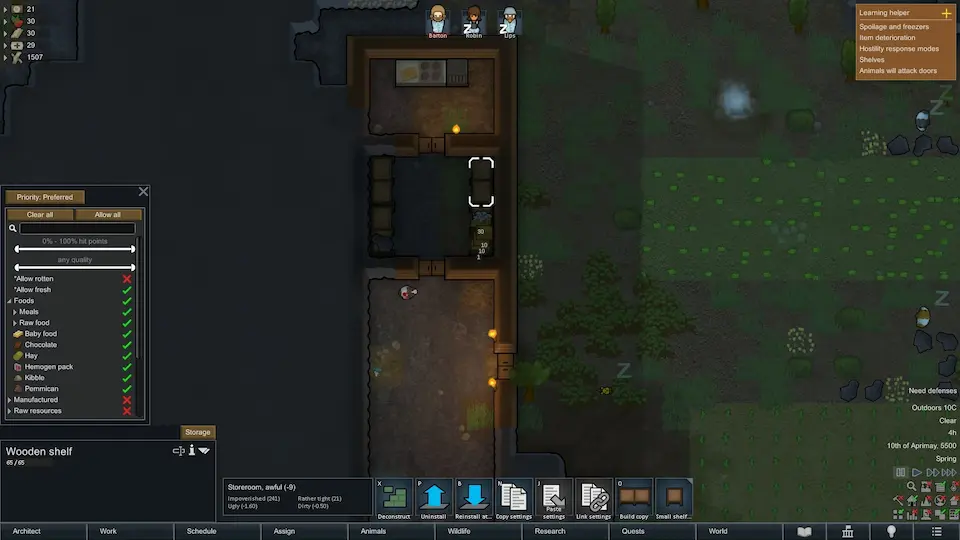 Next you will want to create a storage area strictly for food. We recommend putting this close to the farms for minimal hauling distance. Additionally, ensure the food storage has at least one wall that borders the outdoors. This is necessary for turning the food storage area into a freezer down the line.
Once a storage room has been built, we recommend using shelves rather than another stockpile. Shelves can be found under the furniture section used previously. After they have been built, select one and click the “Storage” button above their name. From there, select “Clear All” and then enable only food by clicking the red X next to foods. This will ensure only food is placed within the food storage.
The settings from the first shelf can then be copied to other shelves or done manually for each.
Next you will want to create a storage area strictly for food. We recommend putting this close to the farms for minimal hauling distance. Additionally, ensure the food storage has at least one wall that borders the outdoors. This is necessary for turning the food storage area into a freezer down the line.
Once a storage room has been built, we recommend using shelves rather than another stockpile. Shelves can be found under the furniture section used previously. After they have been built, select one and click the “Storage” button above their name. From there, select “Clear All” and then enable only food by clicking the red X next to foods. This will ensure only food is placed within the food storage.
The settings from the first shelf can then be copied to other shelves or done manually for each.
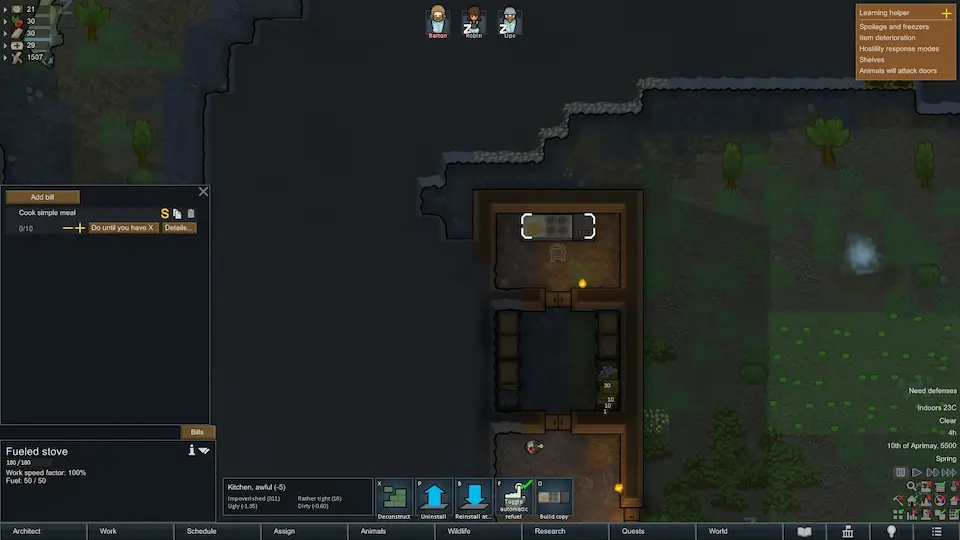 The final step of our RimWorld beginner’s guide is the kitchen. For minimal hauling distance, we recommend having it attached to the food storage but still in its own separate room. This will ensure the kitchen remains as sanitary as possible to prevent sickness.
Once the new room is complete, build a fueled stove within from the production section of “Architect.” The fueled stove will use wood and other fuels for cooking until an electric stove becomes available. Last, select the completed stove and click “Bills,” then “Add Bills” and “Cook Simple Meal.” A new bill to cook ten simple meals should then appear, but in the case of food, which will always be necessary, click “Do X Times” and change it to “Do Until You Have X.” Your colonists will now do their best to ensure there are always ten simple meals prepared.
The final step of our RimWorld beginner’s guide is the kitchen. For minimal hauling distance, we recommend having it attached to the food storage but still in its own separate room. This will ensure the kitchen remains as sanitary as possible to prevent sickness.
Once the new room is complete, build a fueled stove within from the production section of “Architect.” The fueled stove will use wood and other fuels for cooking until an electric stove becomes available. Last, select the completed stove and click “Bills,” then “Add Bills” and “Cook Simple Meal.” A new bill to cook ten simple meals should then appear, but in the case of food, which will always be necessary, click “Do X Times” and change it to “Do Until You Have X.” Your colonists will now do their best to ensure there are always ten simple meals prepared.
Creating a New Colony
Every RimWorld playthrough begins with a new colony, so this guide starts with finding the right one for you. By default, there are four starting scenarios, with three extra for those who purchased the DLC. One will need to be selected before proceeding, so we have gone over each below.
Crashlanded
Crashlanded is the default scenario and highly recommended for first-time playthroughs. Players selecting this scenario start with three colonists, an abundance of resources, and a moderate level of technology.
Lost Tribe
This scenario takes a different route and places the player in control of a lost tribe native to the world. However, while this tribe is five strong, their understanding of technology is almost non-existent, making starting out very difficult.
The Rich Explorer
As the name of this scenario would suggest, it involves a single rich explorer attempting to make their mark on a distant world. Many valuable items are granted right at the beginning, but with only one colonist, it ends up being quite a difficult start.
Naked Brutality
In this scenario, a single colonist starts naked and alone with nothing. We do not recommend picking this scenario.
DLC Scenarios
Those who have purchased the DLCs will notice three additional scenarios. Each offers a unique start, but all three are highly difficult. For the sake of this beginner’s guide, we would recommend saving them for a future run.
AI Storyteller
After selecting a starting scenario, players will be prompted to pick one of three AI storytellers. This will affect the frequency and difficulty of random events. However, they can also be changed at any point, making the choice much less consequential long-term.Cassandra Classic
Of the three possible storytellers, Cassandra Classic is deceptively one of the hardest. Her random events will continue to scale as the game progresses, pushing players to their absolute limits, especially in the end game.
Phoebe Chillax
Phoebe Chillax is our recommendation for a first-time playthrough. The events will still scale and grow in difficulty, but plenty of time is provided to recover and prepare.
Randy Random
Randy Random is the fan-favorite storyteller of the RimWorld community and the most realistic. Those selecting Randy Random may be wiped out from the first event or find themselves with years of peace before sudden devastation. As his name would suggest, it is entirely random.
Difficulty
Alongside the AI storyteller, players can select their difficulty. Strive to Survive is the normal mode of RimWorld, but for the sake of starting out, we would recommend Adventure Story.
Create World
As mentioned previously, RimWorld is a game with immense depth, including a fully customizable world filled with factions. We recommend leaving this page as is for the first playthrough.
Starting Site
The next choice is where your colony will call home. There are many options, and every tile has unique qualities which can be reviewed by selecting it. The various colors of the map represent different biomes, and the shapes within tiles typically represent mountains. We recommend finding a mountainous temperate forest location. If the stone types are granite and marble, that is even better.
Keep in mind that everything from movement difficulty to growing period will directly affect the type of game ahead. However, picking a tile like the one described above will offer a well-rounded location for a first playthrough.
Choose Your Ideoligion
Those with the Ideology DLC will now be prompted to pick an Ideoligion. Like everything in RimWorld, this system can drastically change the game ahead depending on what is picked, but it generally amounts to the cultural and religious beliefs of your colony.
For a first-time playthrough, we recommend either leaving the system off or going with “Classic-Like.”
Create Characters
The time has come to create colonists to call your selected tile home. Ultimately, most of the choices come down to preference, but we recommend using our “Recommended Passions” and “Traits to Avoid” to achieve an optimal start.
Recommended Passions
- Plants
- Medicine
- Construction (Minimum Level 5)
Traits to Avoid
- Incapable of Dumb Labor
- Incapable of Violence
- Incapable of Hauling
- Serious Health Issues
RimWorld Beginner’s Guide: First Steps
After selecting start, your colonists will appear on the map, and the game will begin. At this point, we recommend pausing the game to take in the surroundings. The path forward from here will vary based on playstyle, difficulty, and preferences. However, the following steps will create a good foundation in almost every case.
Step 1: Equip Weapons
Enemies may already be on the map, and events can happen at any time, so it is best to have colonists armed for battle right from the start. This can be done by selecting the colonist and then right-clicking the weapon to bring up the interaction menu.
Step 2, Work Priorities
Optimizing work priorities is an entirely optional part of the game, but there are a few that should be enabled regardless of the preferred style of play.
Begin by selecting the work tab at the bottom of the screen and ensuring every colonist has firefight, patient, clean, and haul enabled. After that, ensure that any major passions (two flames) are checked off as well.
Early game, it is also not a bad idea to enable everything for everyone, but that is not required.
Step 3, Shelter
Building a shelter is an essential step for survival. In the case of our screenshot above, an uninhabited cave offered an ideal starting spot. However, a mountainside base would do just as well.
Walls can be built using the “Architect” option on the bottom of the screen, and the colonists will automatically clear the area and build roofs where they can.
Step 4, Stockpiles
Within the safety of your new walls, it is time to create a stockpile. Select “Architect” and then the “Zone” sub-section. “Stockpile” should then be an option. Storing resources indoors will slow or, in some cases, completely stop decay.
At this point, your colonists should automatically begin gathering the starting resources and placing them inside.
Step 5, Furniture
A happy colonist is a productive colonist, and no one likes sleeping and eating on the ground. So, the first bit of furniture that should be built are torches, beds, tables, chairs, and a chess table. All these options can be found under the “Furniture” section of the architect menu.
If lack of wood becomes an issue, the “Orders” section of “Architect” can be used to have the colonists cut down trees for more.
Step 6, Farming
Hovering the mouse over the soil outside the base will provide details on its quality. Fertile soil is ideal for farming, but regular soil can be used as well. In the case of our screenshot above, we opted to use regular soil in a naturally enclosed space for defense.
Much like the stockpiles made earlier, “Growing Zones” can be made under the zones section of “Architect.” We recommend building two of at least 20 tiles in size. As for the crops themselves, rice is a perfect starting food. The second crop can be potatoes or corn as long as it is something other than rice.
Step 7, Food Storage
Next you will want to create a storage area strictly for food. We recommend putting this close to the farms for minimal hauling distance. Additionally, ensure the food storage has at least one wall that borders the outdoors. This is necessary for turning the food storage area into a freezer down the line.
Once a storage room has been built, we recommend using shelves rather than another stockpile. Shelves can be found under the furniture section used previously. After they have been built, select one and click the “Storage” button above their name. From there, select “Clear All” and then enable only food by clicking the red X next to foods. This will ensure only food is placed within the food storage.
The settings from the first shelf can then be copied to other shelves or done manually for each.
Step 8, Kitchen
The final step of our RimWorld beginner’s guide is the kitchen. For minimal hauling distance, we recommend having it attached to the food storage but still in its own separate room. This will ensure the kitchen remains as sanitary as possible to prevent sickness.
Once the new room is complete, build a fueled stove within from the production section of “Architect.” The fueled stove will use wood and other fuels for cooking until an electric stove becomes available. Last, select the completed stove and click “Bills,” then “Add Bills” and “Cook Simple Meal.” A new bill to cook ten simple meals should then appear, but in the case of food, which will always be necessary, click “Do X Times” and change it to “Do Until You Have X.” Your colonists will now do their best to ensure there are always ten simple meals prepared.
RimWorld Beginner’s Guide: Setup, First Steps, & More
With those steps all complete, your essentials have been acquired. From here, you can begin to experiment and build as desired. However, if our RimWorld beginner’s guide was helpful, we hope you will return for part two, where we dive into electricity and technology. Until Next Time, BisectHosting =)
您对这篇博客有何评价?
分享您的看法,帮助我们将博客做得更好!
不喜欢
一般
喜欢

需要游戏服务器吗?
租用一台游戏服务器,您可以和朋友们在极低延迟和自定义设置下私密游玩。从 110+ 款游戏中挑选您的最爱,邀请全球玩家,享受私密对战,或者按照您自己的规则建立属于您的在线社区。








获取第一手独家资讯!
订阅我们的电子邮件,获取有关我们托管游戏、公司新闻和独家优惠的最新动态。随时掌握一手资讯!













