

Minecraft April Fools 2026 Herdcraft Update: Features, Installation, & More
发布于 ,作者

分享:

分享至 X

分享至 Facebook

分享至 Threads

分享至 Bluesky

复制到剪贴板

通过电子邮件分享
Inventory management was always quite the hassle, so thankfully, this fantastic update has removed it from the game entirely! Today, we explore the Minecraft April Fools 2026 Herdcraft Update, the changes it brings, and how you can try herding in-game too.
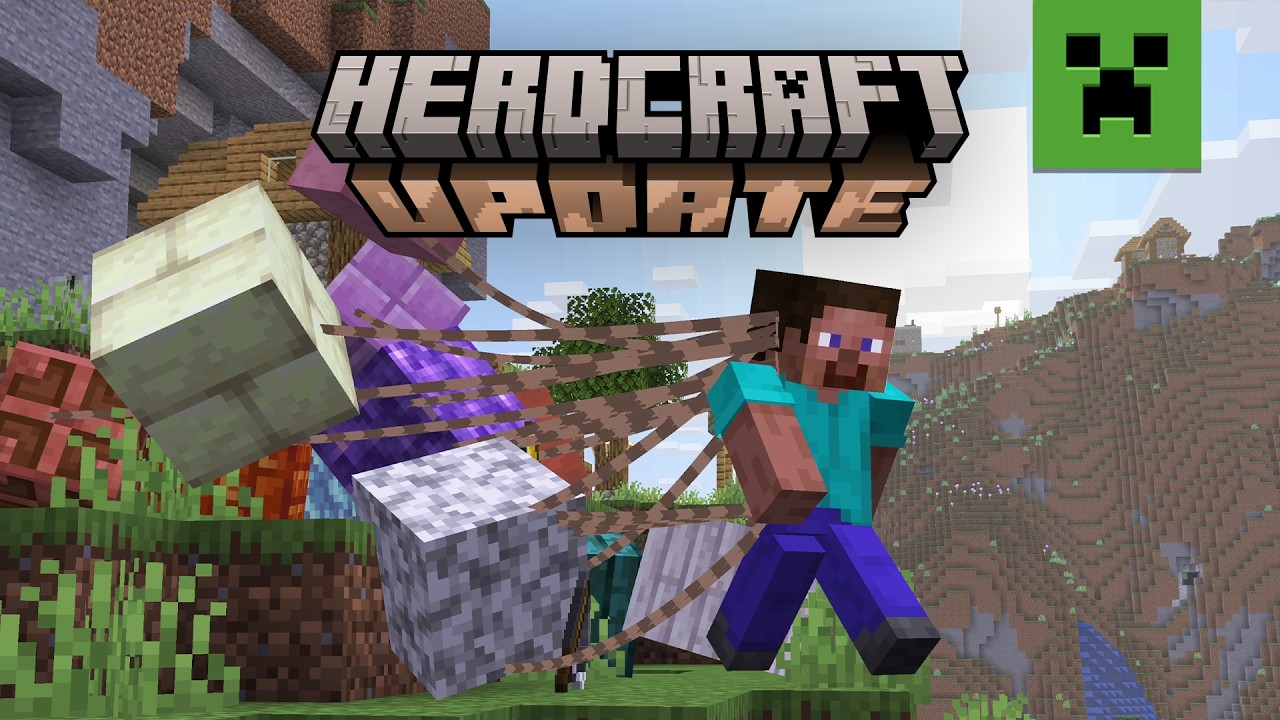

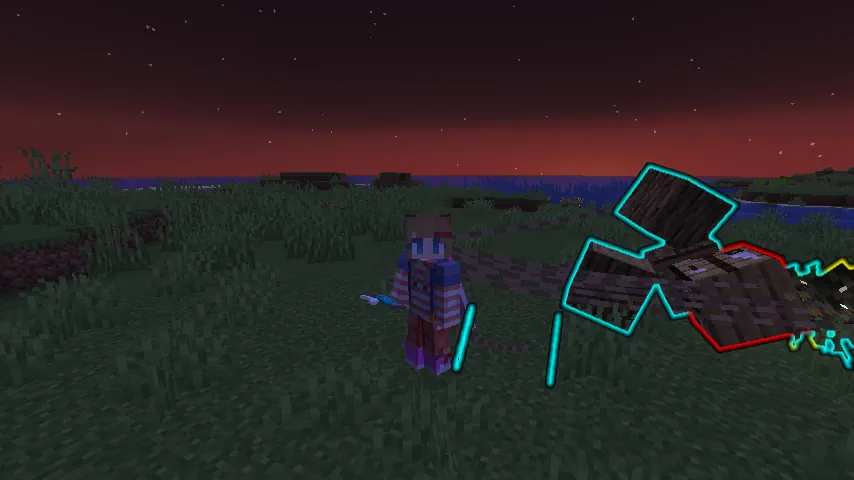 That is right! Minecraft’s inventory has been done away with entirely. In this update, players drag every last tool, block, and item behind them on leads as they explore the world. Each block can be designated to groups by color, given commands to move to specific locations, and locked into place for convenient building. Just be careful not to drag too many blocks, as it can become very chaotic when attempting to run!
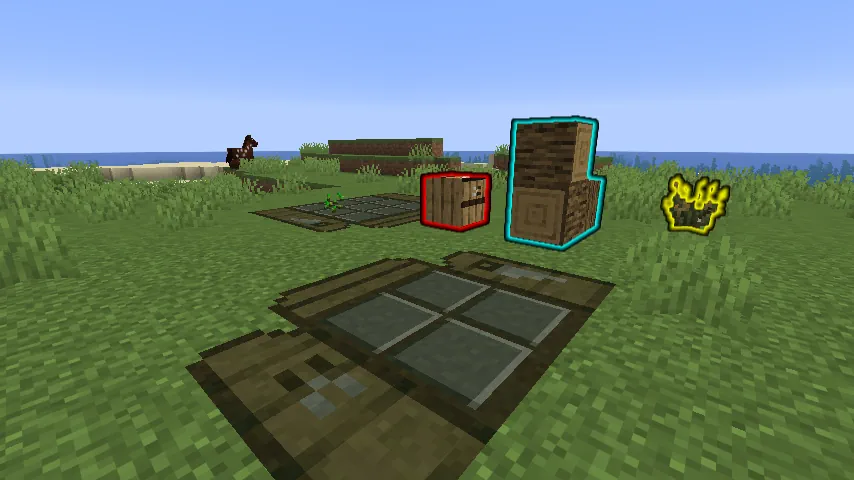 Crafting tables have been replaced with highly optimized crafting mats. Place one down on command and order the blocks to their respective spots on the grid to craft. Not enough grid space? Upgrade your crafting mat to its full size with a few planks! Sadly, the table can occasionally get lost in the pile, so be sure to keep some extra planks to do it all again.
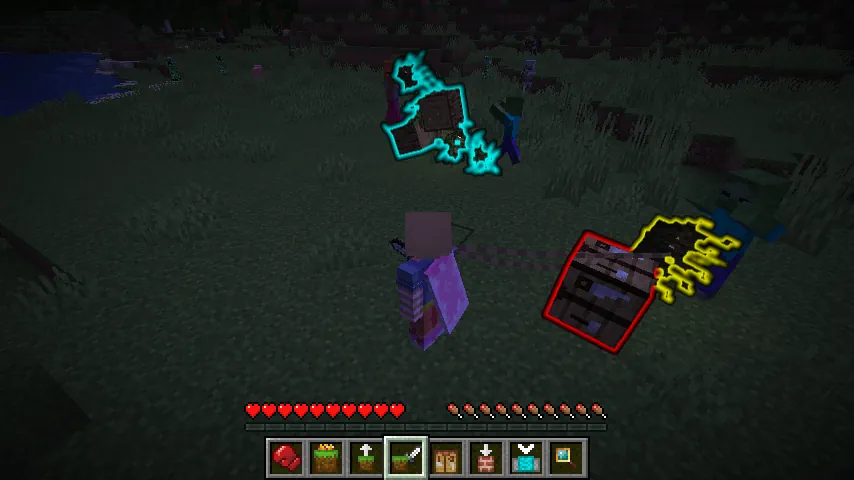 Whoever said blocks were not sentient? Not only can players command their collection of blocks to move, but they can order them to fight as well! See that skeleton? Make it disappear with 25 rampaging dirt blocks! No bow? Send the arrows to fight anyway! It is all made easy in Herdcraft.
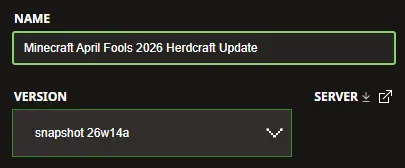 The Minecraft April Fools 2026 Herdcraft Update is exclusive to Java Edition and can be installed from right inside the Minecraft Launcher before clicking play. Below, we have detailed every step to help get you right into the game.
 Two giant piles of items are better than one! Minecraft April Fools 2026 Herdcraft Update servers can be created for free through home hosting, but we recommend paid hosting options for ease of use and performance, especially since snapshots (even joke ones) can be buggy!
Paid hosting is offered here at BisectHosting and many other places around the web. No less than 4GB of server RAM is recommended.
Two giant piles of items are better than one! Minecraft April Fools 2026 Herdcraft Update servers can be created for free through home hosting, but we recommend paid hosting options for ease of use and performance, especially since snapshots (even joke ones) can be buggy!
Paid hosting is offered here at BisectHosting and many other places around the web. No less than 4GB of server RAM is recommended.
Herdcraft Update Highlights
No More Inventory!
That is right! Minecraft’s inventory has been done away with entirely. In this update, players drag every last tool, block, and item behind them on leads as they explore the world. Each block can be designated to groups by color, given commands to move to specific locations, and locked into place for convenient building. Just be careful not to drag too many blocks, as it can become very chaotic when attempting to run!
Crafting Made “Easy”
Crafting tables have been replaced with highly optimized crafting mats. Place one down on command and order the blocks to their respective spots on the grid to craft. Not enough grid space? Upgrade your crafting mat to its full size with a few planks! Sadly, the table can occasionally get lost in the pile, so be sure to keep some extra planks to do it all again.
Feisty Blocks
Whoever said blocks were not sentient? Not only can players command their collection of blocks to move, but they can order them to fight as well! See that skeleton? Make it disappear with 25 rampaging dirt blocks! No bow? Send the arrows to fight anyway! It is all made easy in Herdcraft.
How to Install the Minecraft April Fools 2026 Herdcraft Update
The Minecraft April Fools 2026 Herdcraft Update is exclusive to Java Edition and can be installed from right inside the Minecraft Launcher before clicking play. Below, we have detailed every step to help get you right into the game.
- Open the Minecraft Launcher and select Java Edition.
- Enable snapshots under the ‘Installations’ tab.
- Click ‘New Installation’
- Select ‘Snapshot 26w14a’ in the drop-down menu.
- Click ‘Install.’
How to make Minecraft April Fools 2026 Herdcraft Update Servers
Two giant piles of items are better than one! Minecraft April Fools 2026 Herdcraft Update servers can be created for free through home hosting, but we recommend paid hosting options for ease of use and performance, especially since snapshots (even joke ones) can be buggy!
Paid hosting is offered here at BisectHosting and many other places around the web. No less than 4GB of server RAM is recommended.
您对这篇博客有何评价?
分享您的看法,帮助我们将博客做得更好!
不喜欢
一般
喜欢

需要游戏服务器吗?
租用一台游戏服务器,您可以和朋友们在极低延迟和自定义设置下私密游玩。从 110+ 款游戏中挑选您的最爱,邀请全球玩家,享受私密对战,或者按照您自己的规则建立属于您的在线社区。








获取第一手独家资讯!
订阅我们的电子邮件,获取有关我们托管游戏、公司新闻和独家优惠的最新动态。随时掌握一手资讯!













