
Counter-Strike 2 PC Controls Guide (Mouse & Keyboard)
发布于 ,作者

分享:

分享至 X

分享至 Facebook

分享至 Threads

分享至 Bluesky

复制到剪贴板

通过电子邮件分享
Move out, soldier! Well, not quite yet. Before climbing through the ranks, you must know what you're doing. Counter-Strike 2 controls are slightly more in-depth than your average first-person shooter, but with time and practice, you'll be moving like a natural on the battlefield.
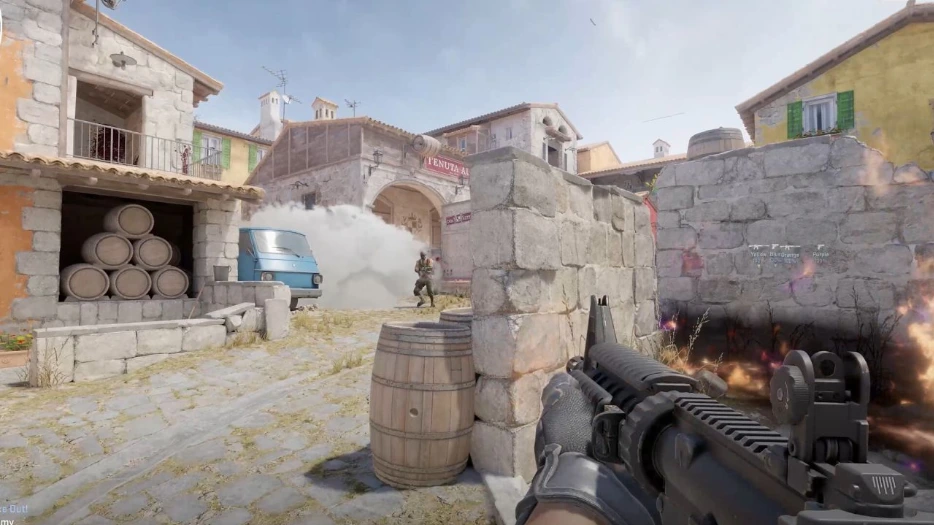 If you've played a first-person shooter before, you'll largely feel at home in Counter-Strike 2. However, there are a few extra mechanics and features that you might not be expecting. As a result, there are a few more controls to learn and master. Don't worry — there are plenty of ways to practice without fighting players. You can download custom-made maps from within the Steam Workshop to improve your aim or familiarity with the controls. Some maps are designed to help you aim, help you weave through environments, practice grenade-throwing, and much more.
All the controls listed below are the default settings for Counter-Strike 2 with a mouse and keyboard. Some controls don't have a keybind by default. You can always go in and rebind the CS2 controls whenever you want. Simply follow these steps:
If you've played a first-person shooter before, you'll largely feel at home in Counter-Strike 2. However, there are a few extra mechanics and features that you might not be expecting. As a result, there are a few more controls to learn and master. Don't worry — there are plenty of ways to practice without fighting players. You can download custom-made maps from within the Steam Workshop to improve your aim or familiarity with the controls. Some maps are designed to help you aim, help you weave through environments, practice grenade-throwing, and much more.
All the controls listed below are the default settings for Counter-Strike 2 with a mouse and keyboard. Some controls don't have a keybind by default. You can always go in and rebind the CS2 controls whenever you want. Simply follow these steps:
Counter-Strike 2 Controls - PC (Mouse & Keyboard)
If you've played a first-person shooter before, you'll largely feel at home in Counter-Strike 2. However, there are a few extra mechanics and features that you might not be expecting. As a result, there are a few more controls to learn and master. Don't worry — there are plenty of ways to practice without fighting players. You can download custom-made maps from within the Steam Workshop to improve your aim or familiarity with the controls. Some maps are designed to help you aim, help you weave through environments, practice grenade-throwing, and much more.
All the controls listed below are the default settings for Counter-Strike 2 with a mouse and keyboard. Some controls don't have a keybind by default. You can always go in and rebind the CS2 controls whenever you want. Simply follow these steps:
- Select 'Options'
- Select the 'Keyboard' tab.
- Click the control you want to change.
- Click 'Edit Key.'
- Press the new key you'd like to have for the control.
- Apply your changes.
Movement Keys
- Toggle Inventory Display: I
- Move Forward: W
- Move Backward: S
- Move Left (strafe): A
- Move Right (strafe): D
- Walk: Left Shift
- Duck: Left Ctrl
- Jump: Spacebar
Weapon Keys
- Use: E
- Fire: Mouse Left Click
- Secondary Fire: Mouse Right Click
- Reload: R
- Radial Weapon Menu: Unbound by Default
- Select Previous Weapon: Mouse Wheel Up
- Select Next Weapon: Mouse Wheel Down
- Last Weapon Used: Q
- Drop Weapon: G
- Inspect Weapon: F
- Switch Viewmodel Left/Right Hand: h
- Buy Menu: B
- Autobuy: F3
- Rebuy: F4
- Primary Weapon: 1
- Secondary Weapon: 2
- Melee Weapons: 3
- Cycle Grenades: 4
- Explosives & Traps: 5
- HE Grenade: 6
- Flashbang: 7
- Smoke Grenade: 8
- Decoy Grenade: 9
- Molotov Cocktail / Incendiary Grenade: 0
- Zeus x27: Unbound by Default
- Healthshot: X
- Utility Items: Unbound by Default
- Graffiti Menu: T
UI Keys
- Scoreboard: Tab
- Show Team Equipment: Unbound by Default
- Toggle Radar Zoom: Unbound by Default
- Call Vote: Unbound by Default
- Choose Team: M
- Toggle Console: `
Communication Options
- Player Ping: MOUSE3
- Radio Message: Z
- Command Radio Message: Unbound by Default
- Standard Radio Message: Unbound by Default
- Report Radio Message: Unbound by Default
- Team Message: U
- Chat Message: Y
- Use Microphone: MOUSE 4
- Temporarily Disable Incoming Chat: Unbound by Default
Chat Wheel Keys
- Chat Wheel 1: C
- Chat Wheel 2: V
- Chat Wheel 3: Unbound by Default
Misc Keys
- Automatically Buy Equipment: F1
- Rebuy Previous Equipment: F2
- Report Bug: F4
- Take Screenshot: F12

您对这篇博客有何评价?
分享您的看法,帮助我们将博客做得更好!
不喜欢
一般
喜欢

需要游戏服务器吗?
租用一台游戏服务器,您可以和朋友们在极低延迟和自定义设置下私密游玩。从 110+ 款游戏中挑选您的最爱,邀请全球玩家,享受私密对战,或者按照您自己的规则建立属于您的在线社区。








获取第一手独家资讯!
订阅我们的电子邮件,获取有关我们托管游戏、公司新闻和独家优惠的最新动态。随时掌握一手资讯!













