

7 Days to Die Gyrocopter Guide: How to Craft, Fly, Modify, & Controls
发布于 ,作者

分享:

分享至 X

分享至 Facebook

分享至 Threads

分享至 Bluesky

复制到剪贴板

通过电子邮件分享
If you're looking for a way to be safe in 7 Days to Die, your options aren't great. Zombie hordes are everywhere, and they're always too eager to eat you. While blasting the undead to pieces is half the fun, sometimes you need an escape or a nice, quick way to do some traveling. Enter the humble gyrocopter. This endgame-level transportation device, which received a new 2-seater model in the 1.0 update, will let you soar above the apocalypse with ease.
Here, we'll tell you exactly how to craft, modify, and control a 7 Days to Die gyrocopter of your own so you can (temporarily) kiss the earth goodbye!
 While creating a flying bucket of bolts might not sound like a good idea in everyday life, it's a fantastic plan in 7 Days to Die. However, it is one that will take lots of work. To craft one, you'll need the Gyrocopter Chassis & Gyrocopter Accessories schematics. These won't come quickly, as you need to find and collect 100 Vehicle Adventures Magazines to unlock them. To find these magazines more quickly, you should invest skill points into the Grease Monkey perk in the Intelligence tree. This will increase the odds that the magazines you find are vehicle-related.
Once you've finally acquired the schematics, you can craft your Gyrocopter Chassis & Gyrocopter Accessories at a Workbench. Here are the ingredients you'll need (keep in mind that you can reduce the total number of pieces needed for crafting the chassis and accessories if your Grease Monkey perk is level five):
Gyrocopter Chassis
While creating a flying bucket of bolts might not sound like a good idea in everyday life, it's a fantastic plan in 7 Days to Die. However, it is one that will take lots of work. To craft one, you'll need the Gyrocopter Chassis & Gyrocopter Accessories schematics. These won't come quickly, as you need to find and collect 100 Vehicle Adventures Magazines to unlock them. To find these magazines more quickly, you should invest skill points into the Grease Monkey perk in the Intelligence tree. This will increase the odds that the magazines you find are vehicle-related.
Once you've finally acquired the schematics, you can craft your Gyrocopter Chassis & Gyrocopter Accessories at a Workbench. Here are the ingredients you'll need (keep in mind that you can reduce the total number of pieces needed for crafting the chassis and accessories if your Grease Monkey perk is level five):
Gyrocopter Chassis
 Congratulations! You're now the proud owner of a gyrocopter! If you want to modify it a bit to make it your own, you can use in-game mods to supercharge it. To add mods to your gyrocopter, you'll need to do the following:
 Before you take off, you need to learn how! Hop into your gyrocopter, and press forward (W on keyboard or the right trigger on a controller). As you pick up speed, you can eventually pitch the nose of the gyrocopter up (Spacebar on keyboard or X on Xbox or Square on PlayStation). Don't pitch up too much, or you'll end up on your back. Lightly tap the pitch up button, and you'll eventually be in the air! Of course, you should also make sure you have fuel before you start trying to fly!
When you're actually flying your gyrocopter, there are a few things to keep in mind. First, your blades can interact with the environment. If you're too close to a tree or building, your spinning will take a hit, and you'll start to lose altitude. Second, you'll find that the gyrocopter is very sensitive. Whether you're turning or pitching the vehicle up or down, a little bit goes a long way. It will take some getting used to!
And finally, when you use the gyrocopter's Turbo button, it will consume fuel even faster. Be sure to keep an eye on your fuel gauge whenever you feel like pushing the pedal to the metal.
Before you take off, you need to learn how! Hop into your gyrocopter, and press forward (W on keyboard or the right trigger on a controller). As you pick up speed, you can eventually pitch the nose of the gyrocopter up (Spacebar on keyboard or X on Xbox or Square on PlayStation). Don't pitch up too much, or you'll end up on your back. Lightly tap the pitch up button, and you'll eventually be in the air! Of course, you should also make sure you have fuel before you start trying to fly!
When you're actually flying your gyrocopter, there are a few things to keep in mind. First, your blades can interact with the environment. If you're too close to a tree or building, your spinning will take a hit, and you'll start to lose altitude. Second, you'll find that the gyrocopter is very sensitive. Whether you're turning or pitching the vehicle up or down, a little bit goes a long way. It will take some getting used to!
And finally, when you use the gyrocopter's Turbo button, it will consume fuel even faster. Be sure to keep an eye on your fuel gauge whenever you feel like pushing the pedal to the metal.
How to Craft a Gyrocopter in 7 Days to Die
While creating a flying bucket of bolts might not sound like a good idea in everyday life, it's a fantastic plan in 7 Days to Die. However, it is one that will take lots of work. To craft one, you'll need the Gyrocopter Chassis & Gyrocopter Accessories schematics. These won't come quickly, as you need to find and collect 100 Vehicle Adventures Magazines to unlock them. To find these magazines more quickly, you should invest skill points into the Grease Monkey perk in the Intelligence tree. This will increase the odds that the magazines you find are vehicle-related.
Once you've finally acquired the schematics, you can craft your Gyrocopter Chassis & Gyrocopter Accessories at a Workbench. Here are the ingredients you'll need (keep in mind that you can reduce the total number of pieces needed for crafting the chassis and accessories if your Grease Monkey perk is level five):
Gyrocopter Chassis
- Forged Steel: 187
- Mechanical Parts: 60
- Duct Tape: 37
- Leather: 60
- Electrical Parts: 30
- Electrical Parts: 49
- Headlight: 8
- Short Iron Pipe: 75
- Mechanical Parts: 15
- Spring: 6
- Wheel: 3
- Gryocopter Chassis: 1
- Gyrocopter Accessories: 1
- Engine: 1
- Lead Car Battery: 1
Modding a Gyrocopter
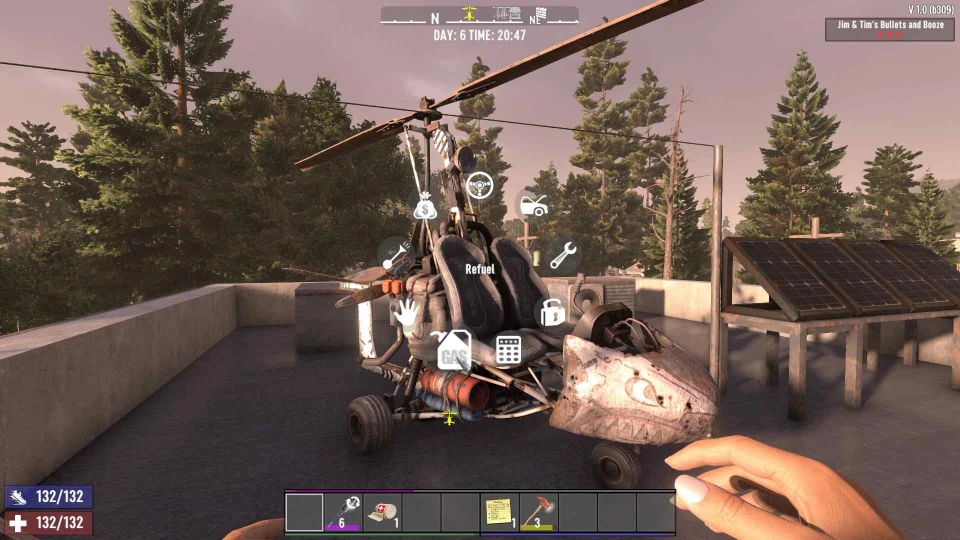
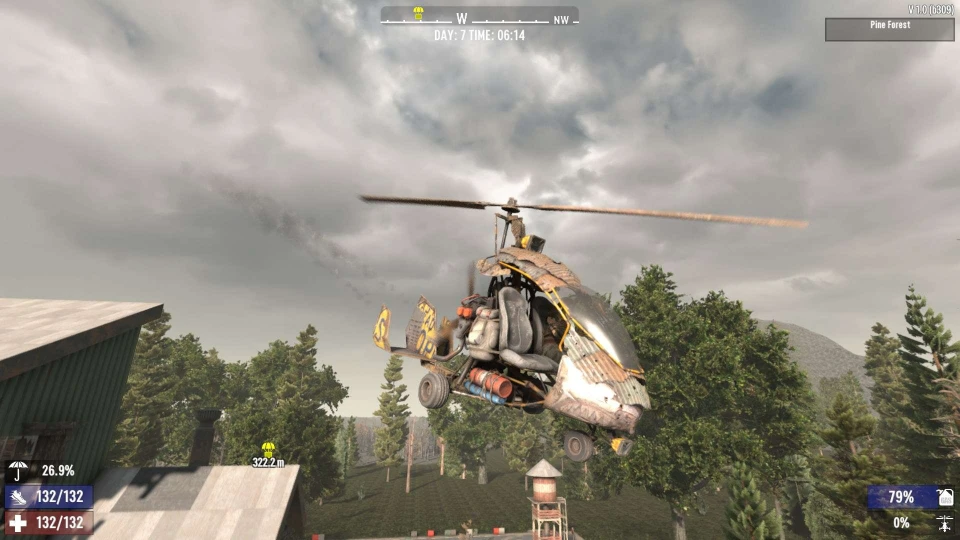
Congratulations! You're now the proud owner of a gyrocopter! If you want to modify it a bit to make it your own, you can use in-game mods to supercharge it. To add mods to your gyrocopter, you'll need to do the following:
- Interact with your Gyrocopter
- Select the Hand icon from the radial menu to open your Gyrocopter's inventory
- Place your preferred mods into the inventory
- Vehicle Fuel Saver Mod: Vehicles consume less fuel
- Forged Steel: 5
- Scrap Polymers: 10
- Bottle of Acid: 4
- Mechanical Parts: 4
- Vehicle Armor Mod: Reinforced armor for increased durability
- Forged Steel: 10
- Short Iron Pipe: 10
- Scrap Polymers: 10
- Mechanical Parts: 4
- Vehicle Expanded Seating Mod: Expand your seating capacity
- Forged Steel: 5
- Cloth Fragment: 100
- Leather: 4
- Spring: 4
- Vehicle Off-Road Headlights Mod: Increase your gyrocopter's lighting power
- Forged Steel: 5
- Scrap Polymers: 10
- Electrical Parts: 4
- Headlight: 4
- Vehicle Reserve Fuel Tank Mod: Increase your fuel storage by 50%
- Forged Steel: 5
- Duct Tape: 5
- Scrap Polymers: 10
- Mechanical Parts: 4
- Vehicle Super Charger Mod: Increases vehicle acceleration and top speed
- Forged Steel: 10
- Short Iron Pipe: 10
- Brass Radiator: 1
- Mechanical Parts: 4
7 Days to Die Gyrocopter Controls (How to Fly)
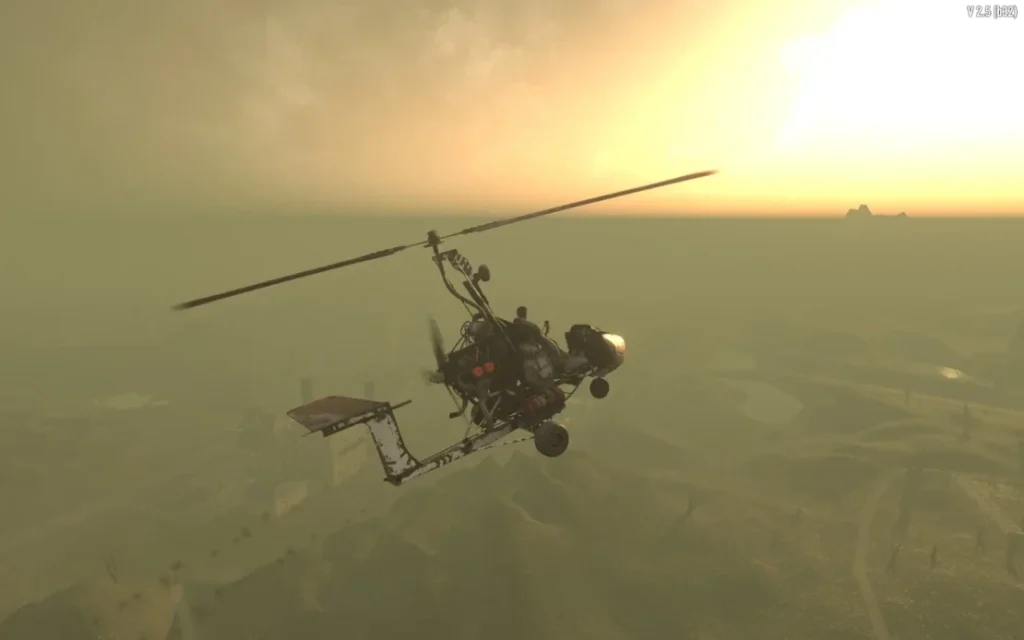
Before you take off, you need to learn how! Hop into your gyrocopter, and press forward (W on keyboard or the right trigger on a controller). As you pick up speed, you can eventually pitch the nose of the gyrocopter up (Spacebar on keyboard or X on Xbox or Square on PlayStation). Don't pitch up too much, or you'll end up on your back. Lightly tap the pitch up button, and you'll eventually be in the air! Of course, you should also make sure you have fuel before you start trying to fly!
When you're actually flying your gyrocopter, there are a few things to keep in mind. First, your blades can interact with the environment. If you're too close to a tree or building, your spinning will take a hit, and you'll start to lose altitude. Second, you'll find that the gyrocopter is very sensitive. Whether you're turning or pitching the vehicle up or down, a little bit goes a long way. It will take some getting used to!
And finally, when you use the gyrocopter's Turbo button, it will consume fuel even faster. Be sure to keep an eye on your fuel gauge whenever you feel like pushing the pedal to the metal.
Mouse & Keyboard
- Forward: W
- Reverse: S
- Left: A
- Right: D
- Turbo: Shift
- Pitch Up: Spacebar
- Pitch Down: C
- Honk Horn: X
- Camera Zoom In: Scroll Mousewheel Up
- Camera Zoom Out: Scroll Mousewheel Down
- Switch Steering Mode: Mouse Left Click
Controllers
Xbox
- Move Forward: RT
- Reverse: LT
- Pitch Down: A
- Pitch Up: X
- Interact: Y
- Inventory: B
- Turbo: RB
- Honk Horn: LB
- Toggle Lights: D-Pad Left
- Camera Zoom In: D-Pad Up
- Camera Zoom Out: D-Pad Down
- Move Side To Side, Forward, & Back: Move Left Stick
- Look Up, Down, Left & Right: Move Right Stick
- Switch Steering Mode: Press Right Stick
PlayStation
- Move Forward: R2
- Reverse: L2
- Pitch Down: Cross
- Pitch Up: Square
- Interact: Triangle
- Inventory: Circle
- Turbo: R1
- Honk Horn: L1
- Toggle Lights: D-Pad Left
- Camera Zoom In: D-Pad Up
- Camera Zoom Out: D-Pad Down
- Move Side To Side, Forward, & Back: Move Left Stick
- Look Up, Down, Left & Right: Move Right Stick
- Switch Steering Mode: R3

您对这篇博客有何评价?
分享您的看法,帮助我们将博客做得更好!
不喜欢
一般
喜欢

需要游戏服务器吗?
租用一台游戏服务器,您可以和朋友们在极低延迟和自定义设置下私密游玩。从 110+ 款游戏中挑选您的最爱,邀请全球玩家,享受私密对战,或者按照您自己的规则建立属于您的在线社区。








获取第一手独家资讯!
订阅我们的电子邮件,获取有关我们托管游戏、公司新闻和独家优惠的最新动态。随时掌握一手资讯!













