
Foundry Beginner’s Guide: Resource Gathering, Crafting Recipes, & More
tarihinde yazan:

Paylaş:

X'te Paylaş

Facebook'ta Paylaş

Threads'te Paylaş

Bluesky'da Paylaş

Panoya Kopyala

E-posta ile Paylaş
(Estimated Read Time: 6 minutes)
Foundry is a calm factory-building sandbox Early Access title. So, new players generally won’t feel lost when navigating the game’s seemingly infinite possibilities. Still, you can find direction in this Foundry Beginner’s Guide to help ensure your factory runs smoothly from the beginning and you get to your goals even faster.Foundry Beginner’s Guide: New Player Introduction, Tips, & Tricks
 For the most part, Carl, your trusty in-game AI companion, does a good job of educating beginners with the basics. In particular, Carl tells you what you must do to start building a factory, such as mining ores, placing blocks as foundations, and smelting materials. So, this Foundry Beginner’s Guide covers areas that Carl or the game may not define clearly.
Character Customization
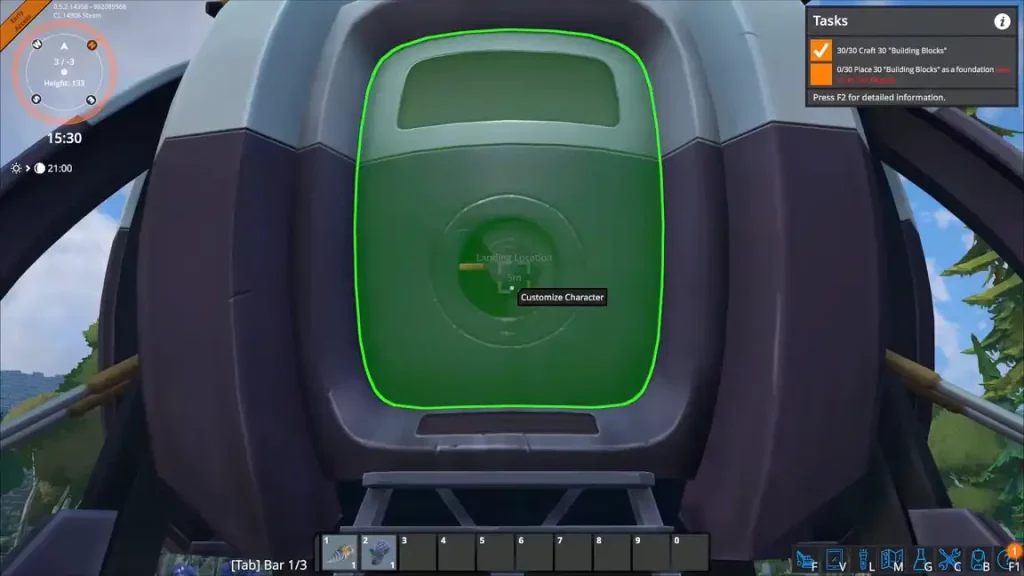 Starting a new game typically kicks off with a rush to gather resources, and Carl will immediately talk to you once your spaceship lands. To customize your controllable robot, consider staying near the ship for a few minutes first.
Look at the ship's door, and an on-screen message will say, "Customize Character." The customizable options are few at the time of writing, as players can only change the base color of their robots and mining drills. Nonetheless, changing your robot’s color is a great way to differentiate yourself from other players, especially when playing online with others in a Foundry server.
Starting a new game typically kicks off with a rush to gather resources, and Carl will immediately talk to you once your spaceship lands. To customize your controllable robot, consider staying near the ship for a few minutes first.
Look at the ship's door, and an on-screen message will say, "Customize Character." The customizable options are few at the time of writing, as players can only change the base color of their robots and mining drills. Nonetheless, changing your robot’s color is a great way to differentiate yourself from other players, especially when playing online with others in a Foundry server.
Gathering Resources
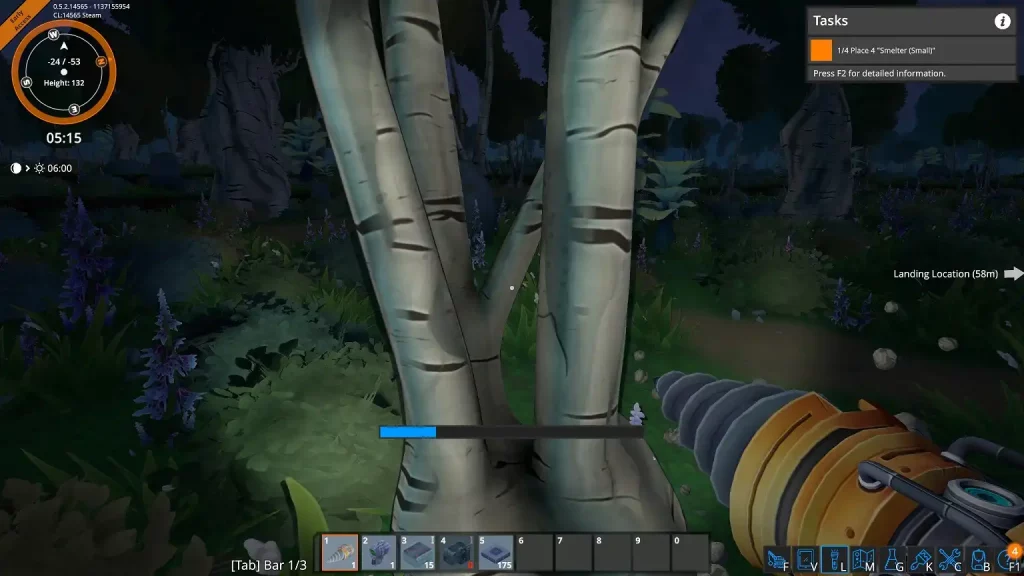 Besides crafting or refining items, Foundry players will gather most of their important materials using the mining drill. Every player has a mining drill upon starting a new game, and it'll become your trusty tool to navigate the world around you. You can also use this tool to dig underground and establish mining tunnels.
Unlocking Crafting Recipes
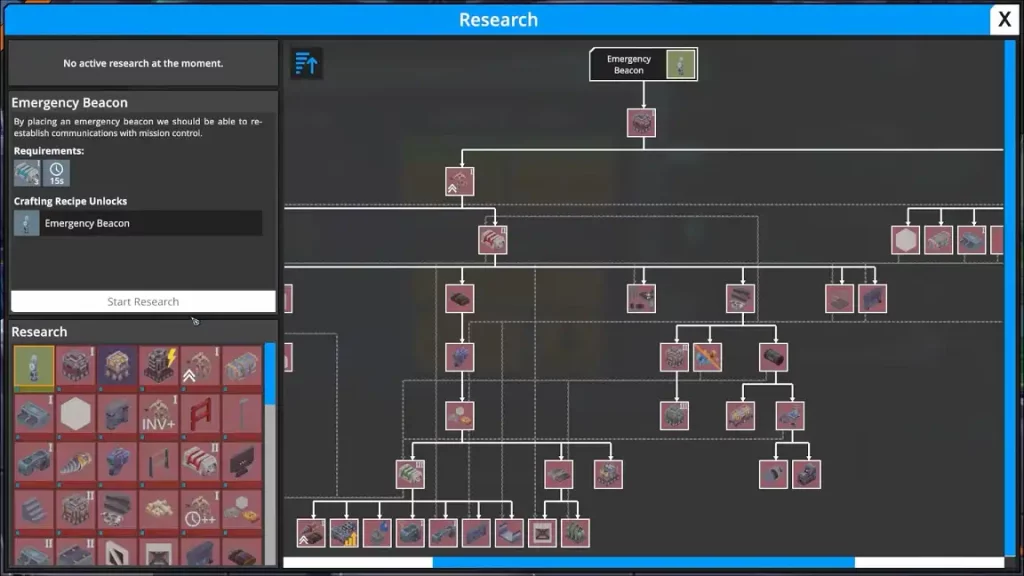 Remember, Foundry is an open-ended game, and progression requires players to go through the tutorial to unlock recipes. At first, you’ll only craft a few materials, building blocks, and crafting stations. However, additional crafting recipes appear as you complete tasks.
Note: Even players in Creative Mode must still go through the tutorial to unlock the basic crafting recipes.
If you're crafting by hand, you only need to wait for the procedure to complete. Then, the crafted item will appear in your inventory, provided you have sufficient backpack space.
Eventually, the tutorial leads you to craft a research server. Once crafted and placed, craft science packs and feed those to the research server to unlock additional crafting recipes.
Note: An issue wherein ore miners would sometimes stop functioning has been fixed with Hotfix #1.
Remember, Foundry is an open-ended game, and progression requires players to go through the tutorial to unlock recipes. At first, you’ll only craft a few materials, building blocks, and crafting stations. However, additional crafting recipes appear as you complete tasks.
Note: Even players in Creative Mode must still go through the tutorial to unlock the basic crafting recipes.
If you're crafting by hand, you only need to wait for the procedure to complete. Then, the crafted item will appear in your inventory, provided you have sufficient backpack space.
Eventually, the tutorial leads you to craft a research server. Once crafted and placed, craft science packs and feed those to the research server to unlock additional crafting recipes.
Note: An issue wherein ore miners would sometimes stop functioning has been fixed with Hotfix #1.
Placing Blocks
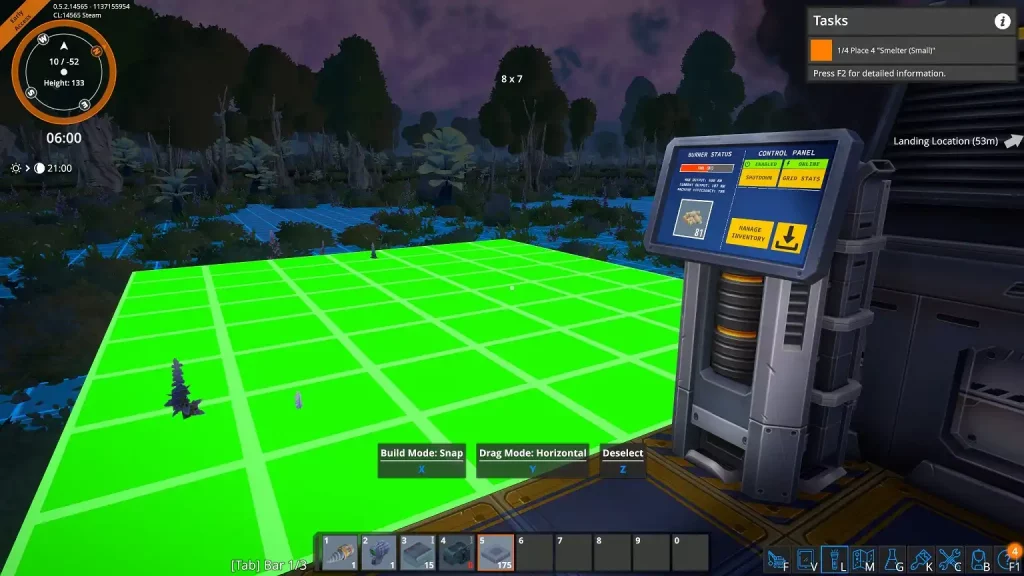 Some sandbox games, like Minecraft, typically require players to place blocks one piece at a time. Foundry streamlines this approach by letting you place multiple blocks in one click. In particular, hold the left mouse button (by default) as you place blocks on the desired terrain. Then, release the mouse button to place the blocks.
Granting Power to Stations
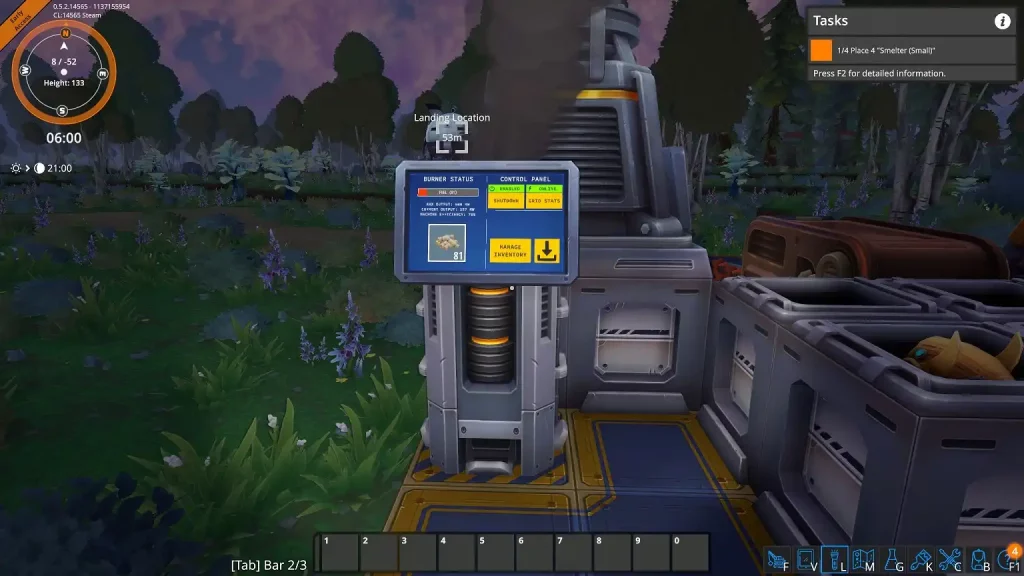 Early on, players can access biomass burners to provide power to nearby stations. Thankfully, you don't need to connect power lines to ensure nearby stations work. Instead, ensure a biomass burner is on the same foundation as the stations. Doing so automatically grants power to those structures.
Aligning Loaders and Conveyor Belts
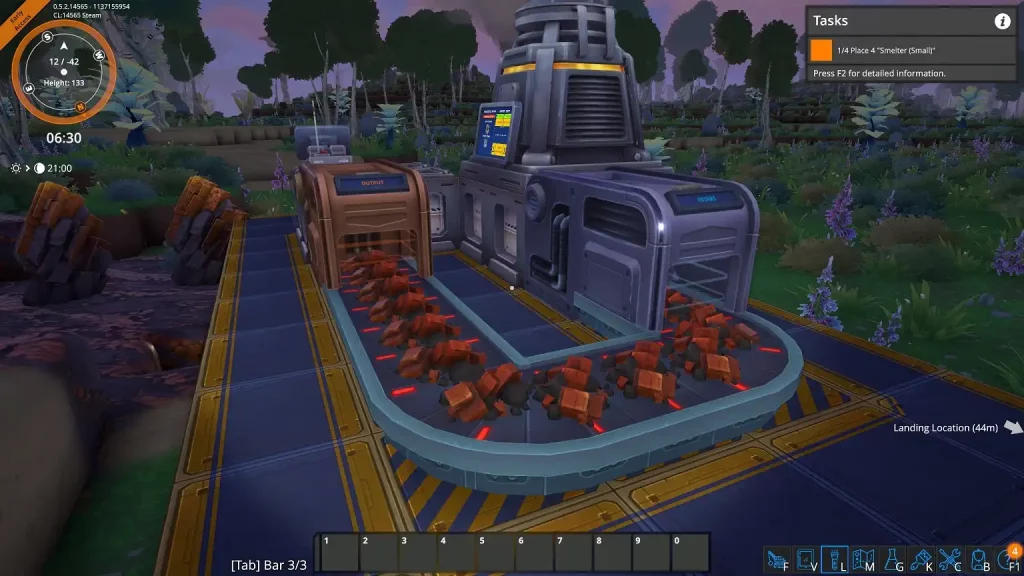 Over time, Carl instructs you to connect drone miners to a smelter. Once crafted, place loaders on the entry and exit points of the smelter and drone miner stations. Ensure the "Building" label intersects with a station's material entry or exit point.
Next, start placing conveyor belts underneath each loader. Rotate each conveyor belt block to ensure the track works as intended.
Over time, Carl instructs you to connect drone miners to a smelter. Once crafted, place loaders on the entry and exit points of the smelter and drone miner stations. Ensure the "Building" label intersects with a station's material entry or exit point.
Next, start placing conveyor belts underneath each loader. Rotate each conveyor belt block to ensure the track works as intended.
Tips & Tricks
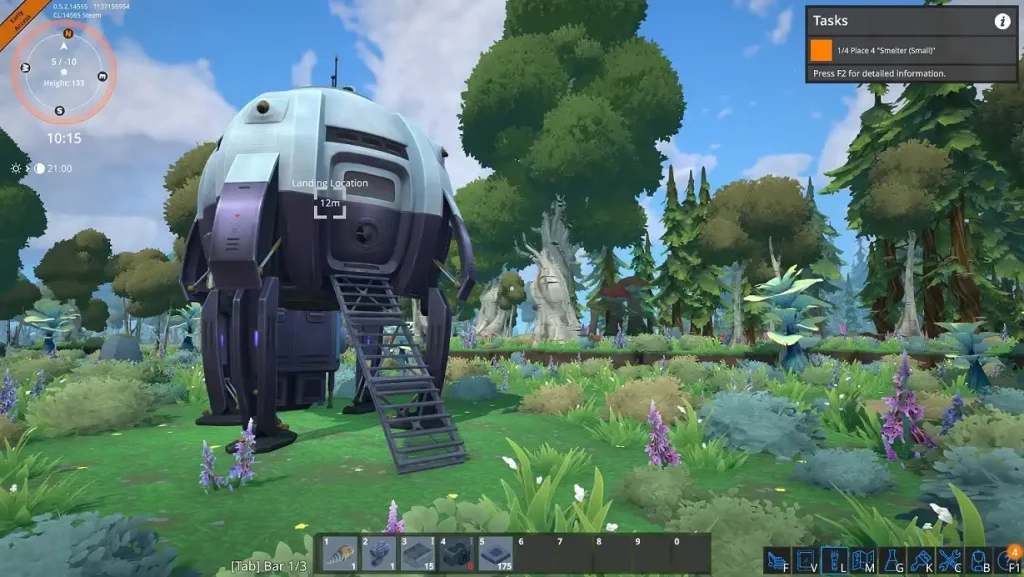 Aside from the basics covered in this Foundry Beginner’s Guide, below are some tips and tricks that can help make your factory building and management efficient and optimal from the start:
- Automate everything: Take the time to automate each station as soon as you place it. Doing so helps save time and effort in backtracking to different stations, ensuring you're caught up with your build.
- Take advantage of height: The sky is the limit when building in Foundry. So, place foundations, loaders, and conveyor belts on each other to maximize space.
- Use the different hotbar tabs: Pressing “Tab” on your keyboard (by default) allows you to shuffle between three sets of hotbar slots. Use these spaces to quickly access different items without checking your inventory repeatedly.
- Reroll the map: Foundry generates random maps upon starting new games. Quit a new game and start a new one to generate a new map. That way, the game can produce a map with nearby resource-gathering points.
- Remove obstructions: Use the mining drill to remove obstructions, like trees and rocks, before placing blocks. Otherwise, large gaps appear and prevent efficient material production.
Kendi
Foundry sunucunuzu oluşturun
Foundry sunucunuzu oluşturun
Bir plan seçin, bir oyun belirleyin ve arkadaşlarınızla oynayın!
Bültenimize Katılın
Oyun dünyasındaki en son güncellemeler için abone olun!

Discord'umuza Katılın
20.000'den fazla kafa dengi üyeden oluşan topluluğumuzun bir parçası olun!
Bu blogu nasıl değerlendirirsiniz?
Fikrinizi paylaşın ve bloglarımızı daha da iyi hale getirmemize yardımcı olun!
Beğenmedim
Nötr
Beğendim

Bir oyun sunucusuna mı ihtiyacınız var?
Siz ve arkadaşlarınızın düşük gecikme süresi ve özel ayarlarla özel olarak oynayabileceğiniz bir oyun sunucusu kiralayın. 110+ oyun arasından seçim yapın, dünyanın dört bir yanından insanları davet edin ve özel maçların keyfini çıkarın veya kendi kurallarınızla kendi çevrimiçi topluluğunuzu oluşturun.

İlgili Bloglar







İLK SENİN HABERİN OLSUN!
Barındırdığımız oyunlar, şirket haberleri ve özel fırsatlar hakkında güncellemeler için e-posta listemize katılın. Haberdar olun!













