
Counter-Strike 2 PC Controls Guide (Mouse & Keyboard)
tarihinde yazan:

Paylaş:

X'te Paylaş

Facebook'ta Paylaş

Threads'te Paylaş

Bluesky'da Paylaş

Panoya Kopyala

E-posta ile Paylaş
Move out, soldier! Well, not quite yet. Before climbing through the ranks, you must know what you're doing. Counter-Strike 2 controls are slightly more in-depth than your average first-person shooter, but with time and practice, you'll be moving like a natural on the battlefield.
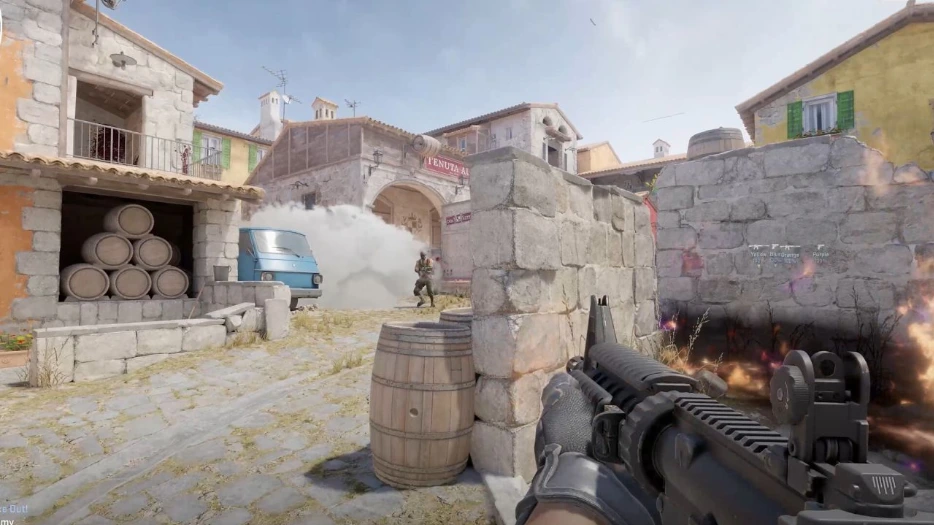 If you've played a first-person shooter before, you'll largely feel at home in Counter-Strike 2. However, there are a few extra mechanics and features that you might not be expecting. As a result, there are a few more controls to learn and master. Don't worry — there are plenty of ways to practice without fighting players. You can download custom-made maps from within the Steam Workshop to improve your aim or familiarity with the controls. Some maps are designed to help you aim, help you weave through environments, practice grenade-throwing, and much more.
All the controls listed below are the default settings for Counter-Strike 2 with a mouse and keyboard. Some controls don't have a keybind by default. You can always go in and rebind the CS2 controls whenever you want. Simply follow these steps:
If you've played a first-person shooter before, you'll largely feel at home in Counter-Strike 2. However, there are a few extra mechanics and features that you might not be expecting. As a result, there are a few more controls to learn and master. Don't worry — there are plenty of ways to practice without fighting players. You can download custom-made maps from within the Steam Workshop to improve your aim or familiarity with the controls. Some maps are designed to help you aim, help you weave through environments, practice grenade-throwing, and much more.
All the controls listed below are the default settings for Counter-Strike 2 with a mouse and keyboard. Some controls don't have a keybind by default. You can always go in and rebind the CS2 controls whenever you want. Simply follow these steps:
Counter-Strike 2 Controls - PC (Mouse & Keyboard)
If you've played a first-person shooter before, you'll largely feel at home in Counter-Strike 2. However, there are a few extra mechanics and features that you might not be expecting. As a result, there are a few more controls to learn and master. Don't worry — there are plenty of ways to practice without fighting players. You can download custom-made maps from within the Steam Workshop to improve your aim or familiarity with the controls. Some maps are designed to help you aim, help you weave through environments, practice grenade-throwing, and much more.
All the controls listed below are the default settings for Counter-Strike 2 with a mouse and keyboard. Some controls don't have a keybind by default. You can always go in and rebind the CS2 controls whenever you want. Simply follow these steps:
- Select 'Options'
- Select the 'Keyboard' tab.
- Click the control you want to change.
- Click 'Edit Key.'
- Press the new key you'd like to have for the control.
- Apply your changes.
Movement Keys
- Toggle Inventory Display: I
- Move Forward: W
- Move Backward: S
- Move Left (strafe): A
- Move Right (strafe): D
- Walk: Left Shift
- Duck: Left Ctrl
- Jump: Spacebar
Weapon Keys
- Use: E
- Fire: Mouse Left Click
- Secondary Fire: Mouse Right Click
- Reload: R
- Radial Weapon Menu: Unbound by Default
- Select Previous Weapon: Mouse Wheel Up
- Select Next Weapon: Mouse Wheel Down
- Last Weapon Used: Q
- Drop Weapon: G
- Inspect Weapon: F
- Switch Viewmodel Left/Right Hand: h
- Buy Menu: B
- Autobuy: F3
- Rebuy: F4
- Primary Weapon: 1
- Secondary Weapon: 2
- Melee Weapons: 3
- Cycle Grenades: 4
- Explosives & Traps: 5
- HE Grenade: 6
- Flashbang: 7
- Smoke Grenade: 8
- Decoy Grenade: 9
- Molotov Cocktail / Incendiary Grenade: 0
- Zeus x27: Unbound by Default
- Healthshot: X
- Utility Items: Unbound by Default
- Graffiti Menu: T
UI Keys
- Scoreboard: Tab
- Show Team Equipment: Unbound by Default
- Toggle Radar Zoom: Unbound by Default
- Call Vote: Unbound by Default
- Choose Team: M
- Toggle Console: `
Communication Options
- Player Ping: MOUSE3
- Radio Message: Z
- Command Radio Message: Unbound by Default
- Standard Radio Message: Unbound by Default
- Report Radio Message: Unbound by Default
- Team Message: U
- Chat Message: Y
- Use Microphone: MOUSE 4
- Temporarily Disable Incoming Chat: Unbound by Default
Chat Wheel Keys
- Chat Wheel 1: C
- Chat Wheel 2: V
- Chat Wheel 3: Unbound by Default
Misc Keys
- Automatically Buy Equipment: F1
- Rebuy Previous Equipment: F2
- Report Bug: F4
- Take Screenshot: F12
Kendi
Counter Strike 2 sunucunuzu oluşturun
Counter Strike 2 sunucunuzu oluşturun
Bir plan seçin, bir oyun belirleyin ve arkadaşlarınızla oynayın!
Bültenimize Katılın
Oyun dünyasındaki en son güncellemeler için abone olun!

Discord'umuza Katılın
20.000'den fazla kafa dengi üyeden oluşan topluluğumuzun bir parçası olun!
Bu blogu nasıl değerlendirirsiniz?
Fikrinizi paylaşın ve bloglarımızı daha da iyi hale getirmemize yardımcı olun!
Beğenmedim
Nötr
Beğendim

Bir oyun sunucusuna mı ihtiyacınız var?
Siz ve arkadaşlarınızın düşük gecikme süresi ve özel ayarlarla özel olarak oynayabileceğiniz bir oyun sunucusu kiralayın. 110+ oyun arasından seçim yapın, dünyanın dört bir yanından insanları davet edin ve özel maçların keyfini çıkarın veya kendi kurallarınızla kendi çevrimiçi topluluğunuzu oluşturun.

İlgili Bloglar







İLK SENİN HABERİN OLSUN!
Barındırdığımız oyunlar, şirket haberleri ve özel fırsatlar hakkında güncellemeler için e-posta listemize katılın. Haberdar olun!













