

Assetto Corsa Mods Guide: How to Install, Content Manager, & more
tarihinde yazan:

Paylaş:

X'te Paylaş

Facebook'ta Paylaş

Threads'te Paylaş

Bluesky'da Paylaş

Panoya Kopyala

E-posta ile Paylaş
Do you want to enhance your Vanilla Assetto Corsa experience? Installing a mod (or two) can introduce a world of difference to how the game looks and functions. So, here we'll cover how to download and add mods to Assetto Corsa.
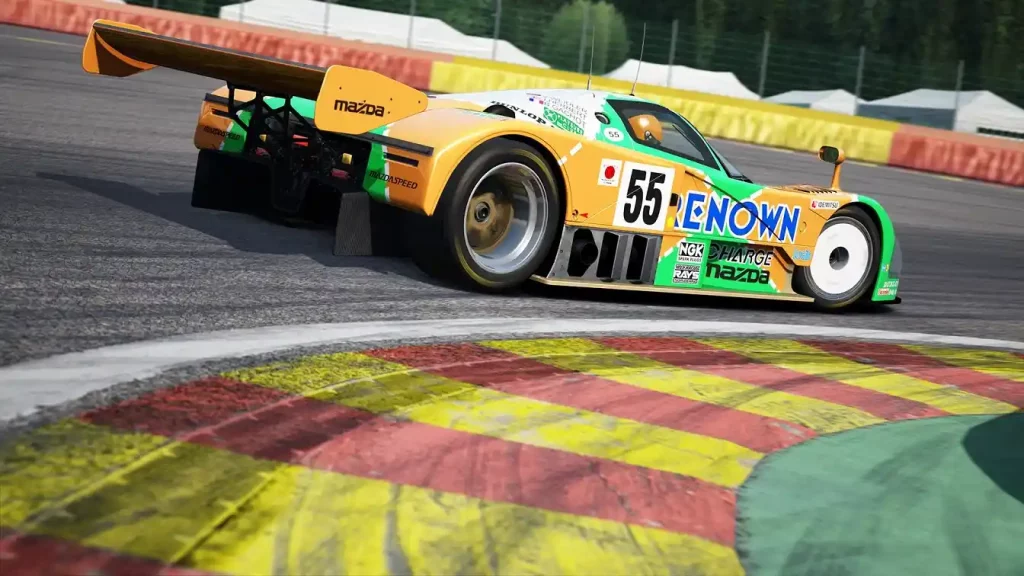 Installing an Assetto Corsa Mod typically requires the game’s Content Manager app, which you can download here. However, an alternate procedure exists to install mods if you don’t want to use this app. You can find both processes below:
How To Install Assetto Corsa Mods
Installing an Assetto Corsa Mod typically requires the game’s Content Manager app, which you can download here. However, an alternate procedure exists to install mods if you don’t want to use this app. You can find both processes below:
Installing Assetto Corsa Mods With Content Manager
It’s important to mention that Content Manager comes in free and premium versions. The latter gives you access to new features before the developers release them to the lite version. Additionally, paying for the premium version helps support the app’s developers. With that, here are the steps to install mods with Content Manager, assuming that you’ve installed the app:- 1. Open Content Manager and search for the Assetto Corsa folder in your system
- 2. Download your preferred Assetto Corsa mod
- 3. Search for the folder with the Assetto Corsa mod in your system and drag it to Content Manager
- 4. Wait for the mod installation to complete
- 5. Run Assetto Corsa to check if the mod is working as intended
Installing Assetto Corsa Mods Without Content Manager
Installing an Assetto Corsa mod without the Content Manager is still a reasonably straightforward process. However, the previous procedure is still more convenient than the manual method. Nonetheless, here are the steps to install your preferred Assetto Corsa mod without the Content Manager app:- 1. Download your preferred Assetto Corsa mod
- 2. Search and open the Assetto Corsa game directory on your PC
- 3. Extract the Assetto Corsa mod’s contents into the game’s directory
- 4. Run Assetto Corsa to check if the mod is working as intended
Kendi
Assetto Corsa sunucunuzu oluşturun
Assetto Corsa sunucunuzu oluşturun
Bir plan seçin, bir oyun belirleyin ve arkadaşlarınızla oynayın!
Bültenimize Katılın
Oyun dünyasındaki en son güncellemeler için abone olun!

Discord'umuza Katılın
20.000'den fazla kafa dengi üyeden oluşan topluluğumuzun bir parçası olun!
Bu blogu nasıl değerlendirirsiniz?
Fikrinizi paylaşın ve bloglarımızı daha da iyi hale getirmemize yardımcı olun!
Beğenmedim
Nötr
Beğendim

Bir oyun sunucusuna mı ihtiyacınız var?
Siz ve arkadaşlarınızın düşük gecikme süresi ve özel ayarlarla özel olarak oynayabileceğiniz bir oyun sunucusu kiralayın. 110+ oyun arasından seçim yapın, dünyanın dört bir yanından insanları davet edin ve özel maçların keyfini çıkarın veya kendi kurallarınızla kendi çevrimiçi topluluğunuzu oluşturun.

İlgili Bloglar







İLK SENİN HABERİN OLSUN!
Barındırdığımız oyunlar, şirket haberleri ve özel fırsatlar hakkında güncellemeler için e-posta listemize katılın. Haberdar olun!













