
Project Zomboid First-Person Mod (pz3d): How to Install, Future Updates, & More
Опубликовано автором

Поделиться:

Поделиться в X

Поделиться в Facebook

Поделиться в Threads

Поделиться в Bluesky

Скопировать в буфер обмена

Поделиться по email
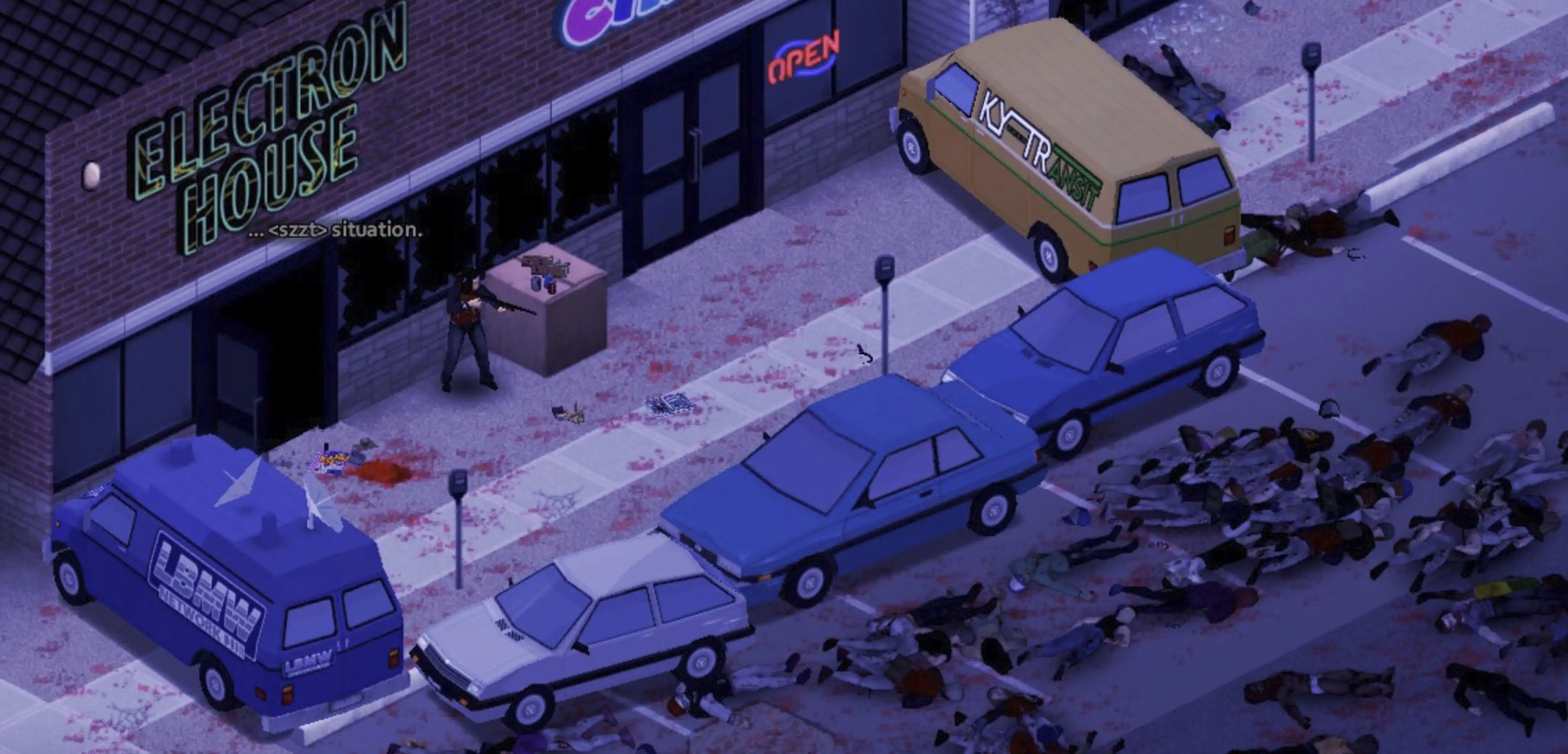
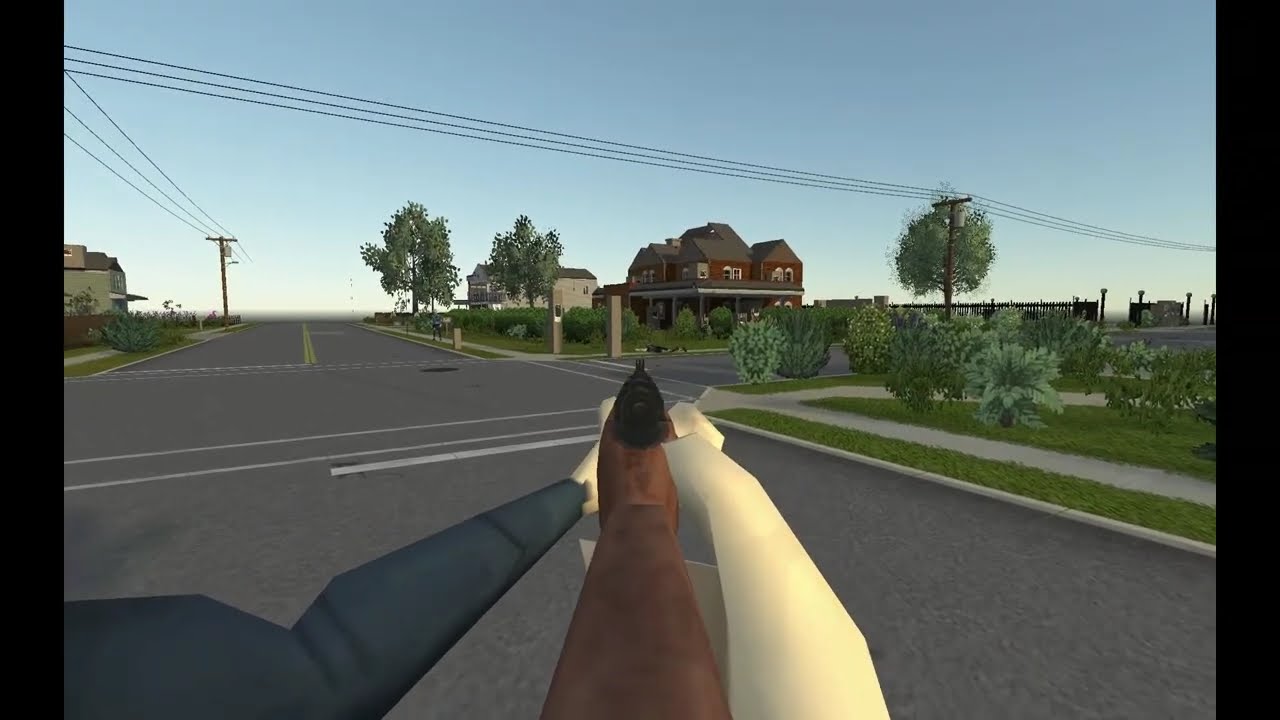
Those who love all things post-apocalyptic and zombified rejoice! There's an all-new way to experience the procedural terror and mayhem of Project Zomboid thanks to a new first-person mod, pz3d. This allows you to look at the Knox Country breakout through a whole new perspective. Want to know how to play the mod yourself and what its future update plans are? Here's everything you need to know!
 As is the case with most Project Zomboid mods, you can simply take a trip to the Steam Workshop to find this mod. Officially titled "pz3d,"here's what you'll want to do to get the mod installed:
 On the mod's Steam Workshop page, you can see notes and thoughts from the mod's creator, kolpaque. The latest iteration of the mod is 0.3.0, which means it's far from complete. However, kolpaque has stated that regular work is being done on the mod.
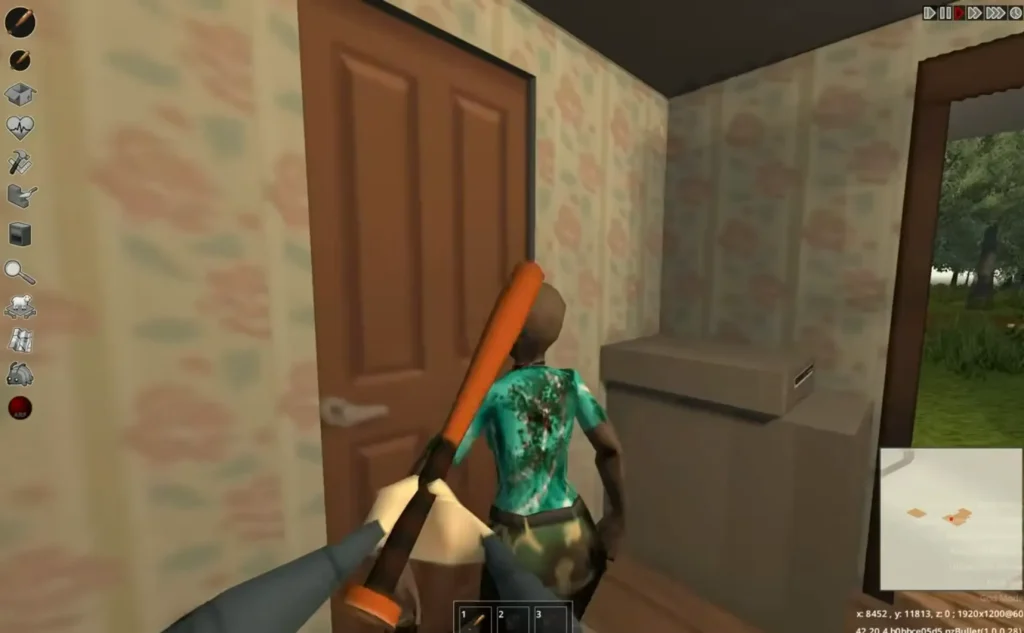
At the moment, it's only available when playing in single-player, though kolpaque hasn't given any indication of whether or not this will change. When you hop into Project Zomboid and take a look around with pz3d, you might notice that many 3D models are missing. In their place are simple placeholder images. This is by design, as a mod of this size is a huge undertaking.
According to the creator, they will not be creating loads of 3D models by themself. The main goal of the pz3d mod is to create a framework that is "accessible for community contributions." That means the door is open for similarly enthusiastic Project Zomboid modders to iterate on the mod over time. Who knows? We could see the helicopter event from a whole new stress-inducing angle in no time!
On the mod's Steam Workshop page, you can see notes and thoughts from the mod's creator, kolpaque. The latest iteration of the mod is 0.3.0, which means it's far from complete. However, kolpaque has stated that regular work is being done on the mod.
At the moment, it's only available when playing in single-player, though kolpaque hasn't given any indication of whether or not this will change. When you hop into Project Zomboid and take a look around with pz3d, you might notice that many 3D models are missing. In their place are simple placeholder images. This is by design, as a mod of this size is a huge undertaking.
According to the creator, they will not be creating loads of 3D models by themself. The main goal of the pz3d mod is to create a framework that is "accessible for community contributions." That means the door is open for similarly enthusiastic Project Zomboid modders to iterate on the mod over time. Who knows? We could see the helicopter event from a whole new stress-inducing angle in no time!
What is pz3d in Project Zomboid?
Project Zomboid's newest mod craze is pz3d, a project that brings single-player Project Zomboid gameplay to life with the ability to play from a first-person perspective. That means experiencing all the jump scares, jarring action, and triumphant moments Project Zomboid brings in a more direct, immersive way. More technically, creator kolpaque describes the project as, "...a framework whose main goal is to bring the camera down from isometric view to the character and make all vanilla Project Zomboid mechanics work from that perspective. The framework handles the engine and gameplay integration, while the community can expand it with models." With that, the rest of the Project Zomboid community can build on and improve the ground broken by pz3d.How to Install the Project Zomboid First-Person POV Mod (pz3d)
As is the case with most Project Zomboid mods, you can simply take a trip to the Steam Workshop to find this mod. Officially titled "pz3d,"here's what you'll want to do to get the mod installed:
- Select Project Zomboid in your Steam Library
- Click on the game's Workshop tab
- Find the pz3d mod created by kolpaque
- Click on the mod and then click its Subscribe button to prompt Steam to download the files
- Launch Project Zomboid
- In the game's main menu, click on Mods
- Find the pz3d mod in this list, and click Enable
- Start enjoying Project Zomboid from a whole new point of view!
- Open Steam and right-click on Project Zomboid
- Select Properties
- In the section Launch Options, add this code if you're on Windows: -agentlib:zbNative=policy=allow-all --
- Add this code if you're on Linux: -javaagent:ZombieBuddy.jar --
Will the Project Zomboid First-Person Mod be Updated?
Создайте свой собственный
сервер Project Zomboid
сервер Project Zomboid
Выберите тариф, укажите игру и играйте с друзьями!
Подпишитесь на нашу рассылку
Подпишитесь, чтобы получать последние новости из мира игр!

Присоединяйтесь к нашему Discord
Станьте частью нашего сообщества, в котором уже более 20000 единомышленников!
Как бы вы оценили этот блог?
Поделитесь своим мнением и помогите нам сделать наши блоги еще лучше!
Не понравилось
Нейтрально
Понравилось

Нужен игровой сервер?
Арендуйте игровой сервер, где вы и ваши друзья сможете играть в закрытом режиме с низкой задержкой и собственными настройками. Выбирайте из 110+ игр, приглашайте людей со всего мира и наслаждайтесь приватными матчами или создайте свое собственное онлайн-сообщество со своими правилами.

Похожие статьи







УЗНАЙТЕ ВСЕ ПЕРВЫМИ!
Подпишитесь на нашу рассылку, чтобы получать обновления о наших играх, новости компании и эксклюзивные предложения. Будьте в курсе!













