
Counter-Strike 2 PC Controls Guide (Mouse & Keyboard)
Opublikowano przez

Udostępnij:

Udostępnij na X

Udostępnij na Facebooku

Udostępnij na Threads

Udostępnij na Bluesky

Skopiuj do schowka

Udostępnij przez e-mail
Move out, soldier! Well, not quite yet. Before climbing through the ranks, you must know what you're doing. Counter-Strike 2 controls are slightly more in-depth than your average first-person shooter, but with time and practice, you'll be moving like a natural on the battlefield.
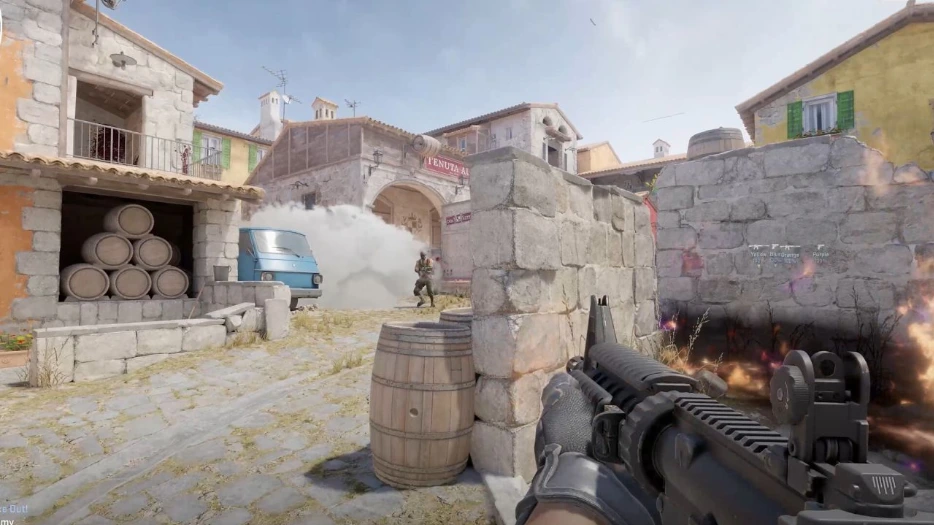 If you've played a first-person shooter before, you'll largely feel at home in Counter-Strike 2. However, there are a few extra mechanics and features that you might not be expecting. As a result, there are a few more controls to learn and master. Don't worry — there are plenty of ways to practice without fighting players. You can download custom-made maps from within the Steam Workshop to improve your aim or familiarity with the controls. Some maps are designed to help you aim, help you weave through environments, practice grenade-throwing, and much more.
All the controls listed below are the default settings for Counter-Strike 2 with a mouse and keyboard. Some controls don't have a keybind by default. You can always go in and rebind the CS2 controls whenever you want. Simply follow these steps:
If you've played a first-person shooter before, you'll largely feel at home in Counter-Strike 2. However, there are a few extra mechanics and features that you might not be expecting. As a result, there are a few more controls to learn and master. Don't worry — there are plenty of ways to practice without fighting players. You can download custom-made maps from within the Steam Workshop to improve your aim or familiarity with the controls. Some maps are designed to help you aim, help you weave through environments, practice grenade-throwing, and much more.
All the controls listed below are the default settings for Counter-Strike 2 with a mouse and keyboard. Some controls don't have a keybind by default. You can always go in and rebind the CS2 controls whenever you want. Simply follow these steps:
Counter-Strike 2 Controls - PC (Mouse & Keyboard)
If you've played a first-person shooter before, you'll largely feel at home in Counter-Strike 2. However, there are a few extra mechanics and features that you might not be expecting. As a result, there are a few more controls to learn and master. Don't worry — there are plenty of ways to practice without fighting players. You can download custom-made maps from within the Steam Workshop to improve your aim or familiarity with the controls. Some maps are designed to help you aim, help you weave through environments, practice grenade-throwing, and much more.
All the controls listed below are the default settings for Counter-Strike 2 with a mouse and keyboard. Some controls don't have a keybind by default. You can always go in and rebind the CS2 controls whenever you want. Simply follow these steps:
- Select 'Options'
- Select the 'Keyboard' tab.
- Click the control you want to change.
- Click 'Edit Key.'
- Press the new key you'd like to have for the control.
- Apply your changes.
Movement Keys
- Toggle Inventory Display: I
- Move Forward: W
- Move Backward: S
- Move Left (strafe): A
- Move Right (strafe): D
- Walk: Left Shift
- Duck: Left Ctrl
- Jump: Spacebar
Weapon Keys
- Use: E
- Fire: Mouse Left Click
- Secondary Fire: Mouse Right Click
- Reload: R
- Radial Weapon Menu: Unbound by Default
- Select Previous Weapon: Mouse Wheel Up
- Select Next Weapon: Mouse Wheel Down
- Last Weapon Used: Q
- Drop Weapon: G
- Inspect Weapon: F
- Switch Viewmodel Left/Right Hand: h
- Buy Menu: B
- Autobuy: F3
- Rebuy: F4
- Primary Weapon: 1
- Secondary Weapon: 2
- Melee Weapons: 3
- Cycle Grenades: 4
- Explosives & Traps: 5
- HE Grenade: 6
- Flashbang: 7
- Smoke Grenade: 8
- Decoy Grenade: 9
- Molotov Cocktail / Incendiary Grenade: 0
- Zeus x27: Unbound by Default
- Healthshot: X
- Utility Items: Unbound by Default
- Graffiti Menu: T
UI Keys
- Scoreboard: Tab
- Show Team Equipment: Unbound by Default
- Toggle Radar Zoom: Unbound by Default
- Call Vote: Unbound by Default
- Choose Team: M
- Toggle Console: `
Communication Options
- Player Ping: MOUSE3
- Radio Message: Z
- Command Radio Message: Unbound by Default
- Standard Radio Message: Unbound by Default
- Report Radio Message: Unbound by Default
- Team Message: U
- Chat Message: Y
- Use Microphone: MOUSE 4
- Temporarily Disable Incoming Chat: Unbound by Default
Chat Wheel Keys
- Chat Wheel 1: C
- Chat Wheel 2: V
- Chat Wheel 3: Unbound by Default
Misc Keys
- Automatically Buy Equipment: F1
- Rebuy Previous Equipment: F2
- Report Bug: F4
- Take Screenshot: F12
Zapisz się do newslettera
Subskrybuj, aby otrzymywać najnowsze informacje ze świata gier!

Dołącz do naszego Discorda
Zostań częścią naszej społeczności ponad 20,000 podobnie myślących członków!
Jak oceniasz ten wpis?
Podziel się swoją opinią i pomóż nam tworzyć jeszcze lepsze artykuły!
Nie podobał mi się
Neutralnie
Podobał mi się

Potrzebujesz serwera do gry?
Wynajmij serwer gier, na którym Ty i Twoi znajomi możecie grać prywatnie z niskim opóźnieniem i własnymi ustawieniami. Wybieraj spośród 110+ gier, zaproś ludzi z całego świata i ciesz się prywatnymi rozgrywkami lub zbuduj własną społeczność online z własnymi zasadami.

Powiązane wpisy







BĄDŹ NA BIEŻĄCO!
Dołącz do naszego newslettera, aby otrzymywać informacje o naszych hostowanych grach, nowościach firmowych i ekskluzywnych ofertach. Bądź na bieżąco!













