
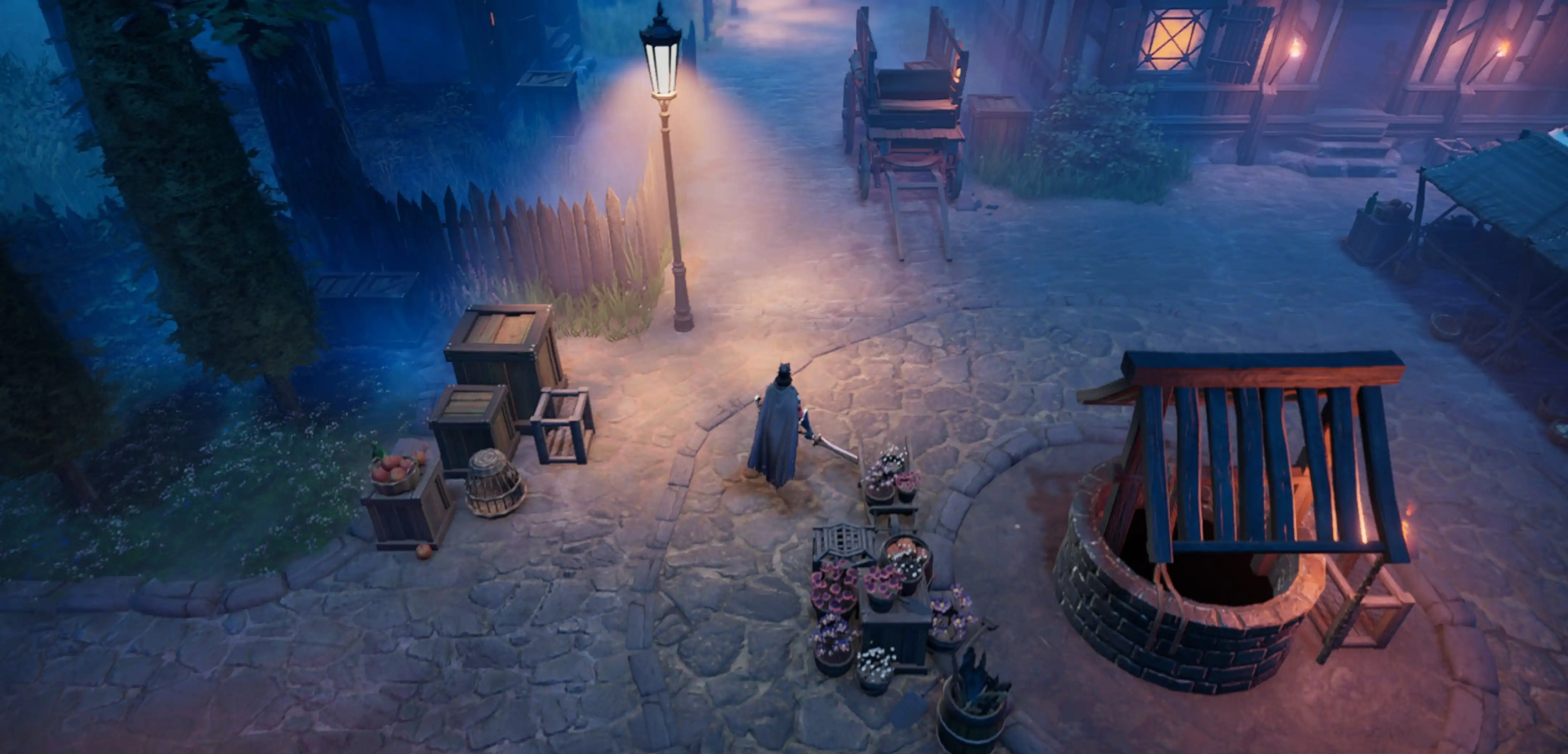
V Rising Controls Guide (Keyboard, Controller)
Pubblicato il da

Condividi:

Condividi su X

Condividi su Facebook

Condividi su Threads

Condividi su Bluesky

Copia negli Appunti

Condividi via email
One of the essential elements to learning any game is understanding its controls - and V Rising is no different. Here, you’ll learn about the default controls and keybinds for V Rising across keyboards and the most common kinds of controllers.
 It’s important to mention that V Rising’s full release added partial controller support to the vampire survival action RPG. Although controllers aren’t fully supported, even with V Rising 1.0, the game still provides excellent flexibility in letting players customize their controller keybinds.
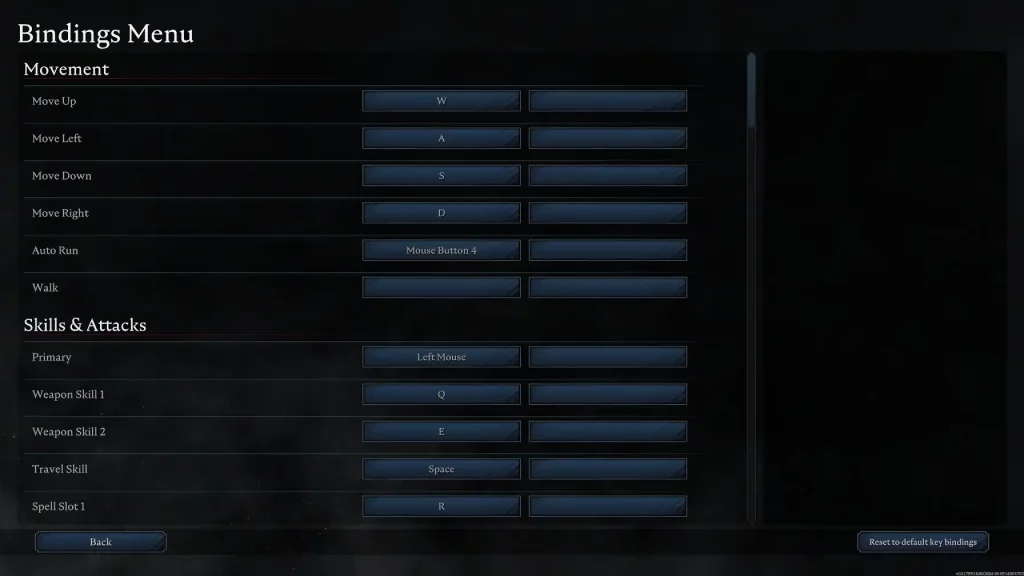
V Rising players can edit their keybinds by going to the in-game Settings menu. On the other hand, turn on “Big Picture Mode” on your Steam app. Then, navigate to V Rising on your Library and select the small controller icon to the right of the “Play” button. Here, you can edit the controller keybinds based on your preferences.
With that, here are the default controls for V Rising for the various usable gaming peripherals:
It’s important to mention that V Rising’s full release added partial controller support to the vampire survival action RPG. Although controllers aren’t fully supported, even with V Rising 1.0, the game still provides excellent flexibility in letting players customize their controller keybinds.
V Rising players can edit their keybinds by going to the in-game Settings menu. On the other hand, turn on “Big Picture Mode” on your Steam app. Then, navigate to V Rising on your Library and select the small controller icon to the right of the “Play” button. Here, you can edit the controller keybinds based on your preferences.
With that, here are the default controls for V Rising for the various usable gaming peripherals:
V Rising Controls & Keybinds (Default)
It’s important to mention that V Rising’s full release added partial controller support to the vampire survival action RPG. Although controllers aren’t fully supported, even with V Rising 1.0, the game still provides excellent flexibility in letting players customize their controller keybinds.
V Rising players can edit their keybinds by going to the in-game Settings menu. On the other hand, turn on “Big Picture Mode” on your Steam app. Then, navigate to V Rising on your Library and select the small controller icon to the right of the “Play” button. Here, you can edit the controller keybinds based on your preferences.
With that, here are the default controls for V Rising for the various usable gaming peripherals:
Keyboard & Mouse
Movement
- Move Up: W
- Move Left: A
- Move Down: S
- Move Right: D
- Auto Run: Mouse Button 4
- Walk: N/A
Skills & Attacks
- Primary: Left Mouse Button
- Weapon Skill 1: Q
- Weapon Skill 2: E
- Travel Skill: Space
- Spell Slot 1: R
- Spell Slot 2: C
- Ultimate: T
- Jump from Cliffs: Shift
- Action Wheel: Left Ctrl
- Vampire Power Modifier Key: Shift
- Vampire Power 1: 1
- Vampire Power 2: 2
- Vampire Power 3: 3
- Vampire Power 4: 4
- Vampire Power 5: 5
- Vampire Power 6: 6
- Vampire Power 7: 7
- Vampire Power 8: 8
- Vampire Power 9: N/A
- Vampire Power 10: N/A
- Vampire Power 11: N/A
- Vampire Power 12: N/A
- Emote Modifier Key: Left Alt
- Emote 1: 1
- Emote 2: 2
- Emote 3: 3
- Emote 4: 4
- Emote 5: 5
- Emote 6: 6
- Emote 7: 7
- Emote 8: 8
- Emote 9: N/A
- Emote 10: N/A
- Emote 11: N/A
- Emote 12: N/A
General
- Interact & Pick up: F
- Interrupt Ability Cast: X
- Drop Item from Inventory: Space
- Split item stack in Inventory: Scroll Wheel
- Repair Item in Inventory: Scroll Wheel
- Take All: Q
- Quick Send: E
- Sort: R
- Respawn: Space
- Give Up Revive: X
- Global Chat: Enter
- Emote Wheel: Left Alt
Camera
- Rotate Camera: Right Mouse
Panels
- Character Menu: Tab
- Build Menu: B
- Map Menu: M
- Social Menu: P
- Spellbook Menu: J
- Vampire Power Menu: N/A
- Emotes Menu: N/A
- V Blood Menu: K
Action Bar
- Action Bar 1: 1
- Action Bar 2: 2
- Action Bar 3: 3
- Action Bar 4: 4
- Action Bar 5: 5
- Action Bar 6: 6
- Action Bar 7: 7
- Action Bar 8: 8
Building
- Place Structure: Left Mouse
- Dismantle Structure: Space
- Repair Structure: R
- Rotate Structure Left: Q
- Rotate Structure Right: E
- Cancel Current Placement: Space
- Deselect Current Placement: Space
- Edit Variation: Left Ctrl
- Fill Wallpaper: Shift
Xbox Controller
Movement
- Move: Left Analog Stick
- Aim: Right Analog Stick
- Auto Run: Y + Left Directional Button
Skills & Attacks
- Primary: Right Trigger
- Weapon Skill 1: Left Trigger
- Weapon Skill 2: Left Trigger + Right Trigger
- Travel Skill: B
- Spell Slot 1: Left Bumper
- Spell Slot 2: Right Bumper
- Ultimate: Left Bumper + Right Bumper
- Jump from Cliffs: A
General
- Interact & Pick up: A
- Interrupt Ability Cast: A
- Drop Item from Inventory: X
- Split item stack in Inventory: X
- Repair Item in Inventory: X
- Take All: Press Left Analog Stick
- Quick Send: Press Right Analog Stick
- Respawn: A
- Give Up Revive: X
Camera
- Rotate Camera: Y
Panels
- Character Menu: Menu Button
- Build Menu: X + Left Directional Button
- Map Menu: Windows Button
- Ability Details: X + Right Directional Button
Building
- Place Structure: Right Trigger
- Dismantle Structure: Left Trigger
- Repair Structure: X
- Rotate Structure Left: Left Bumper
- Rotate Structure Right: Right Bumper
- Cancel Current Placement: B
- Deselect Current Placement: B
- Edit Variation: X
- Fill Wallpaper: Right Bumper
PlayStation Controller (DualSense Wireless Controller)
Movement
- Move: Left Analog Stick
- Aim: Right Analog Stick
- Auto Run: Triangle + Left Directional Button
Skills & Attacks
- Primary: R2
- Weapon Skill 1: L2
- Weapon Skill 2: L2 + R2
- Travel Skill: Circle
- Spell Slot 1: L1
- Spell Slot 2: R1
- Ultimate: L1 + R1
- Jump from Cliffs: X
General
- Interact & Pick up: X
- Interrupt Ability Cast: X
- Drop Item from Inventory: Square
- Split item stack in Inventory: Square
- Repair Item in Inventory: Square
- Take All: Press Left Analog Stick
- Quick Send: Press Right Analog Stick
- Respawn: X
- Give Up Revive: Square
Camera
- Rotate Camera: Triangle
Panels
- Character Menu: Options Button
- Build Menu: Square + Left Directional Button
- Map Menu: Share Button
- Ability Details: Square + Right Directional Button
Building
- Place Structure: R2
- Dismantle Structure: L2
- Repair Structure: A
- Rotate Structure Left: L1
- Rotate Structure Right: R2
- Cancel Current Placement: Circle
- Deselect Current Placement: Circle
- Edit Variation: Square
- Fill Wallpaper: R1
Nintendo Switch Pro Controller
Movement
- Move: Left Analog Stick
- Aim: Right Analog Stick
- Auto Run: X + Left Directional Button
Skills & Attacks
- Primary: ZR
- Weapon Skill 1: ZL
- Weapon Skill 2: ZL + ZR
- Travel Skill: A
- Spell Slot 1: L
- Spell Slot 2: R
- Ultimate: L + R
- Jump from Cliffs: B
General
- Interact & Pick up: B
- Interrupt Ability Cast: B
- Drop Item from Inventory: Y
- Split item stack in Inventory: Y
- Repair Item in Inventory: Y
- Take All: Press Left Analog Stick
- Quick Send: Press Right Analog Stick
- Respawn: B
- Give Up Revive: Y
Camera
- Rotate Camera: X
Panels
- Character Menu: Start Button
- Build Menu: Y + Left Directional Button
- Map Menu: Select Button
- Ability Details: Y + Right Directional Button
Building
- Place Structure: ZR
- Dismantle Structure: ZL
- Repair Structure: Y
- Rotate Structure Left: L
- Rotate Structure Right: R
- Cancel Current Placement: A
- Deselect Current Placement: A
- Edit Variation: Y
- Fill Wallpaper: R
Crea il tuo server
V Rising
V Rising
Scegli un piano, seleziona un gioco e gioca con i tuoi amici!
Iscriviti alla nostra Newsletter
Iscriviti per ricevere gli ultimi aggiornamenti sul mondo del gaming!

Unisciti al nostro Discord
Entra a far parte della nostra community con oltre 20.000 membri appassionati come te!
Come valuteresti questo blog?
Condividi la tua opinione e aiutaci a migliorare sempre di più i nostri blog!
Non mi è piaciuto
Neutrale
Mi è piaciuto

Hai bisogno di un server di gioco?
Noleggia un server di gioco dove tu e i tuoi amici potrete giocare in privato con bassa latenza e impostazioni personalizzate. Scegli tra 110+ giochi, invita persone da tutto il mondo, goditi le partite private o costruisci la tua community online con le tue regole.

Blog Pertinenti







SCOPRI LE ULTIME NOVITÀ!
Iscriviti alla nostra newsletter per ricevere aggiornamenti sui nostri giochi ospitati, novità aziendali e offerte esclusive. Rimani sempre aggiornato!













