

Minecraft 26.4 Update (Winter Game Drop): Release Date, New Features, Snapshots, Patch Notes, & More
Pubblicato il da

Condividi:

Condividi su X

Condividi su Facebook

Condividi su Threads

Condividi su Bluesky

Copia negli Appunti

Condividi via email
Originally announced during Minecraft Live September 2026, Minecraft 26.4 is on track to bring an abundance of winter features just in time for the holidays! Today, we'll explore the Minecraft 26.4 Winter Game Drop Update, its release date, and some of the most exciting new additions in its patch notes so far.
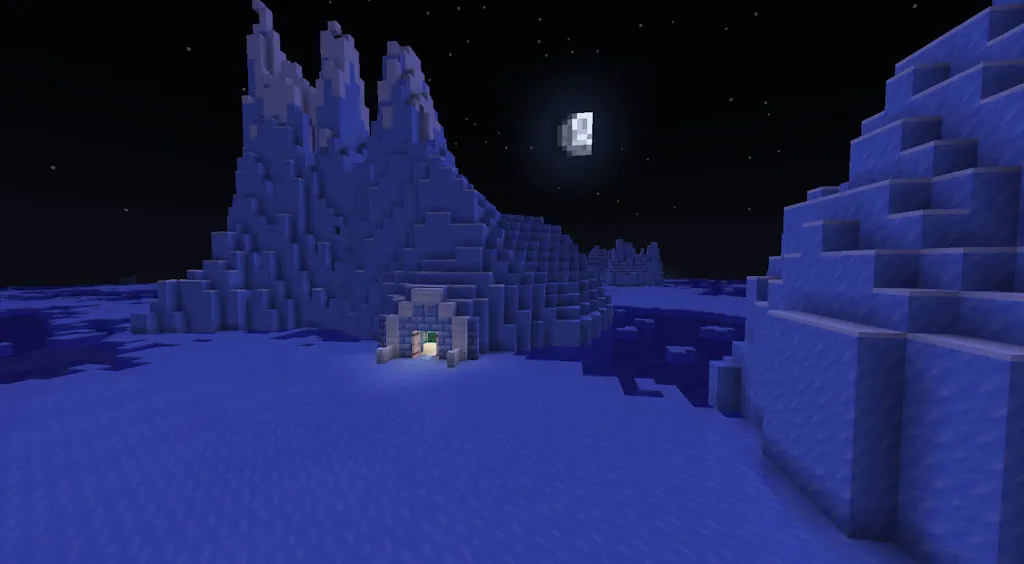
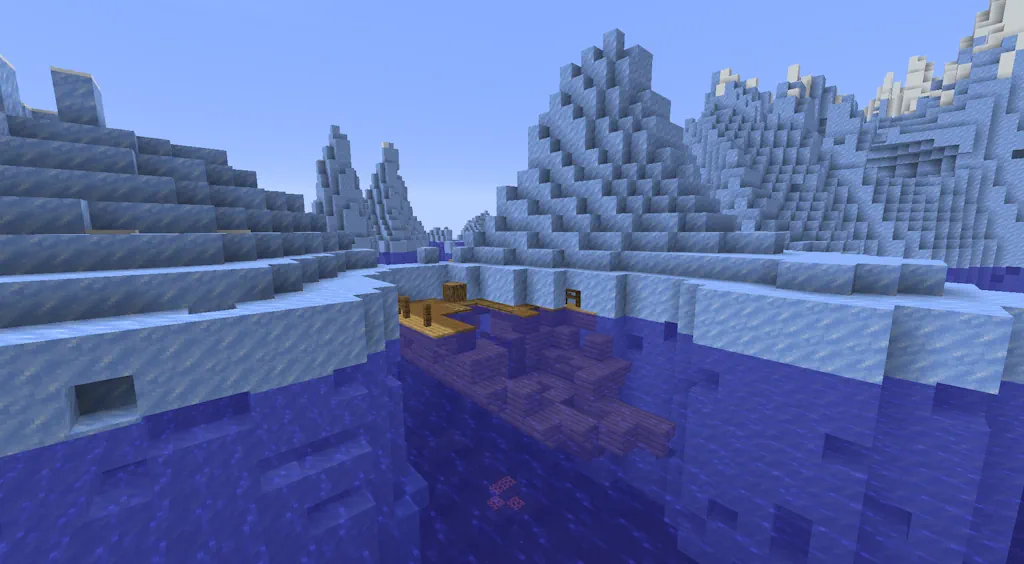
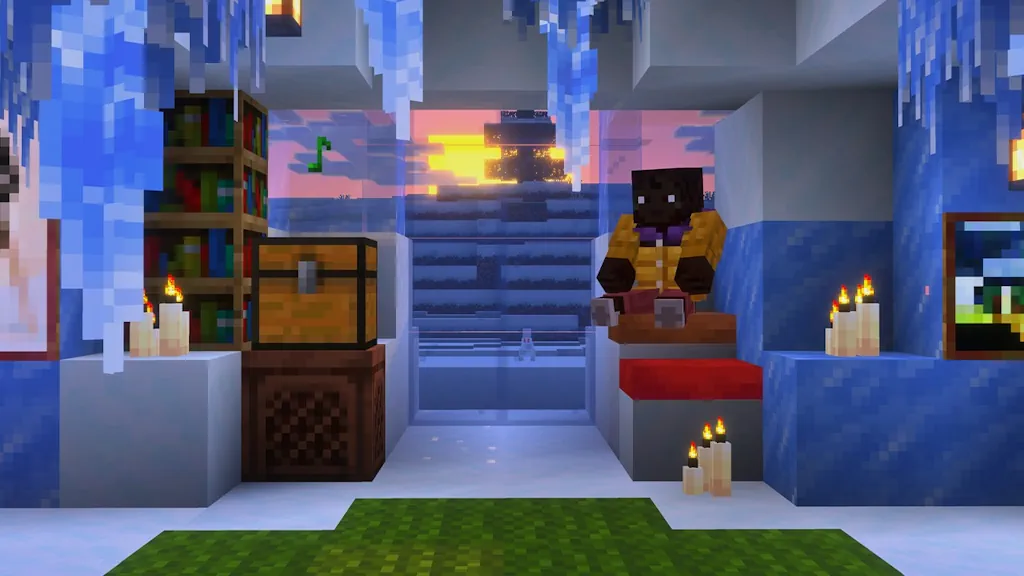 The Minecraft 26.4 update does not yet have an official release date just yet. However, an estimate based on previous winter game drops suggests a release date around early December, as anything later could miss the holiday release window. As for 26.4 snapshots, six have been released so far, and you can play them all today! These include some exciting new additions for players to test, like Ice Caves, Frostbite Zombies, and Freezing Potions.
 As of October 27, 2026, snapshot 6 is the latest available for Minecraft 26.4. Those looking to test its features can do so from right inside the Minecraft client. The necessary steps can each be found below:
Minecraft 26.4 Release Date
The Minecraft 26.4 update does not yet have an official release date just yet. However, an estimate based on previous winter game drops suggests a release date around early December, as anything later could miss the holiday release window. As for 26.4 snapshots, six have been released so far, and you can play them all today! These include some exciting new additions for players to test, like Ice Caves, Frostbite Zombies, and Freezing Potions.
Minecraft 26.4 Update: New Content Highlights
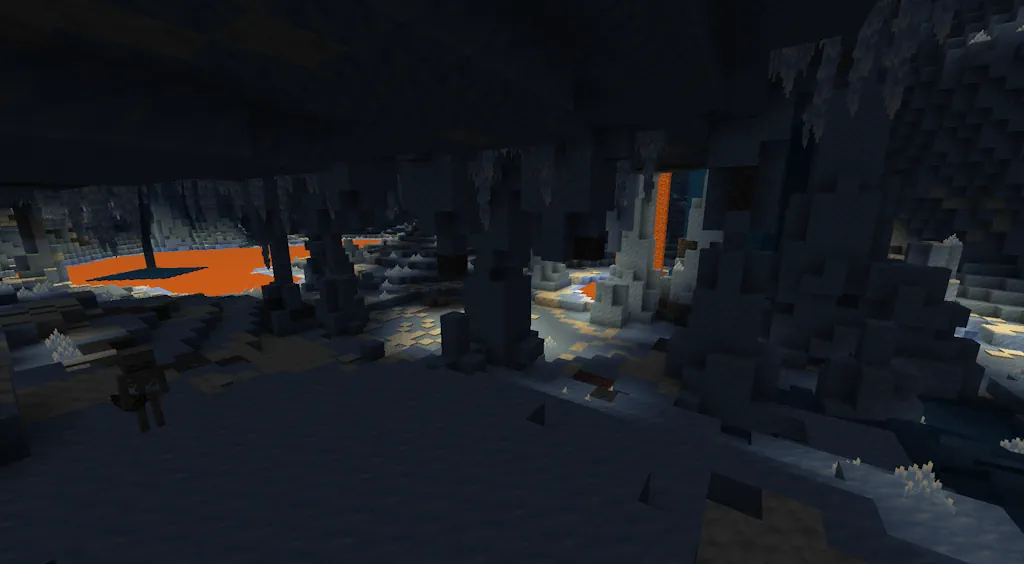
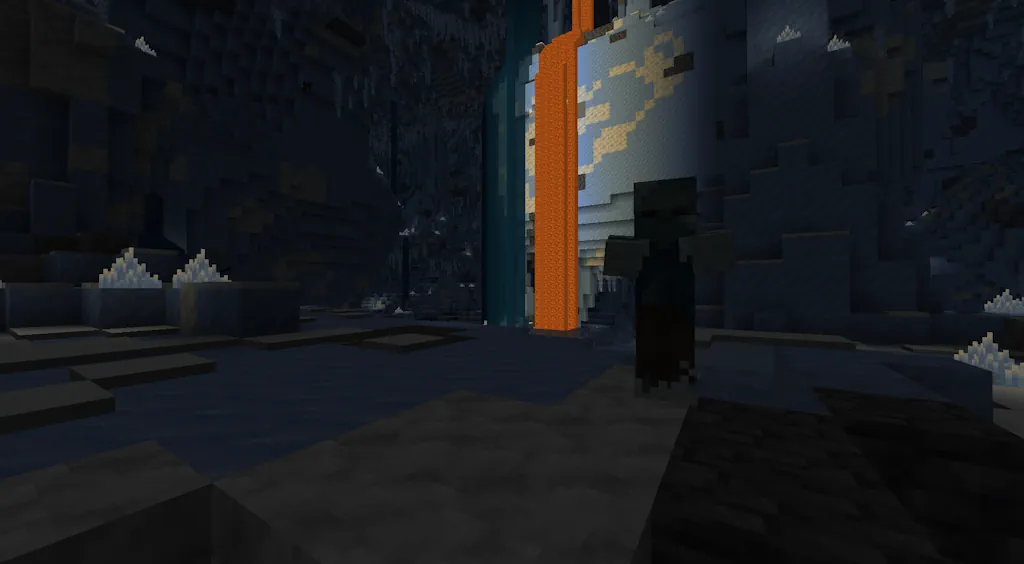
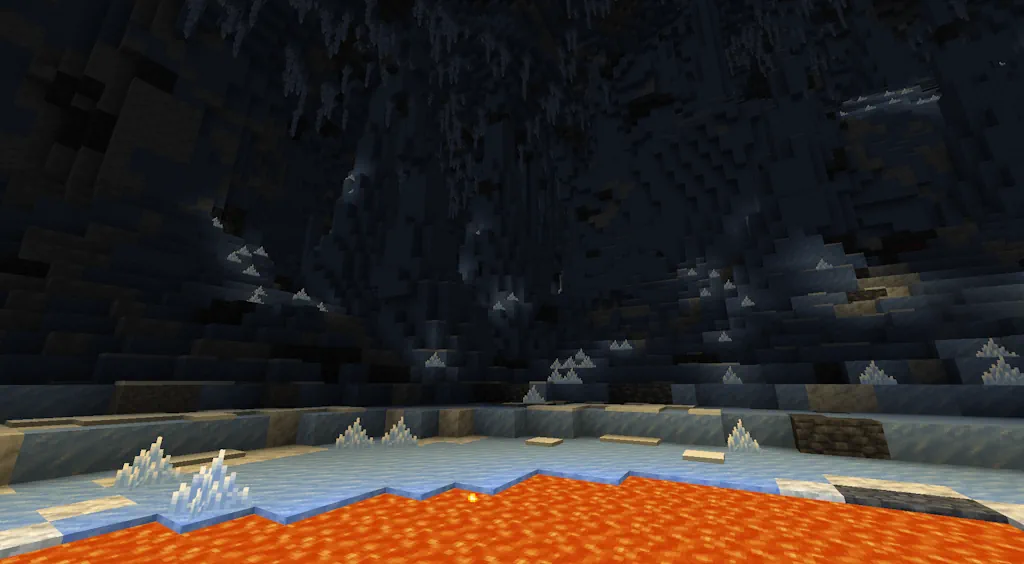
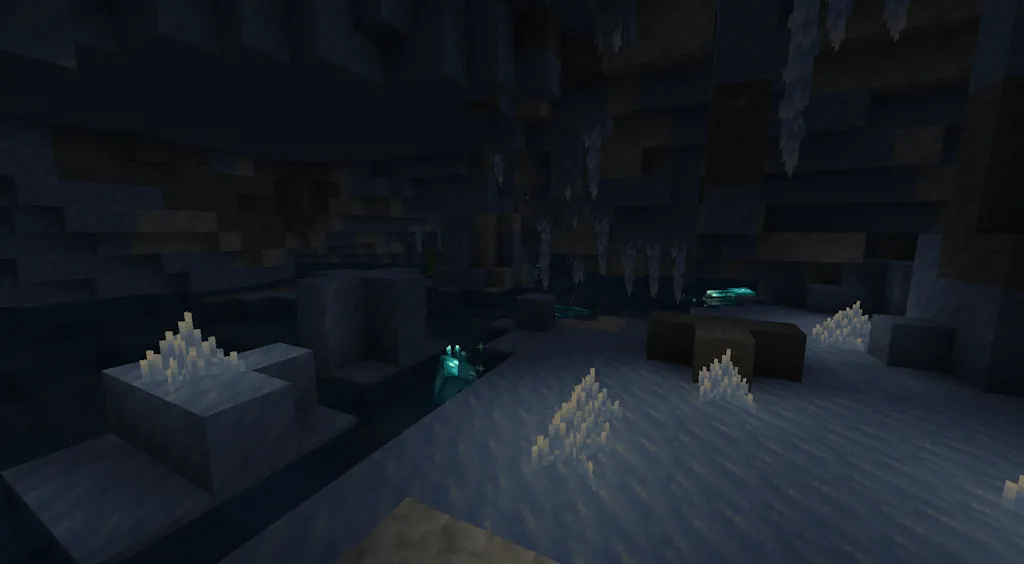
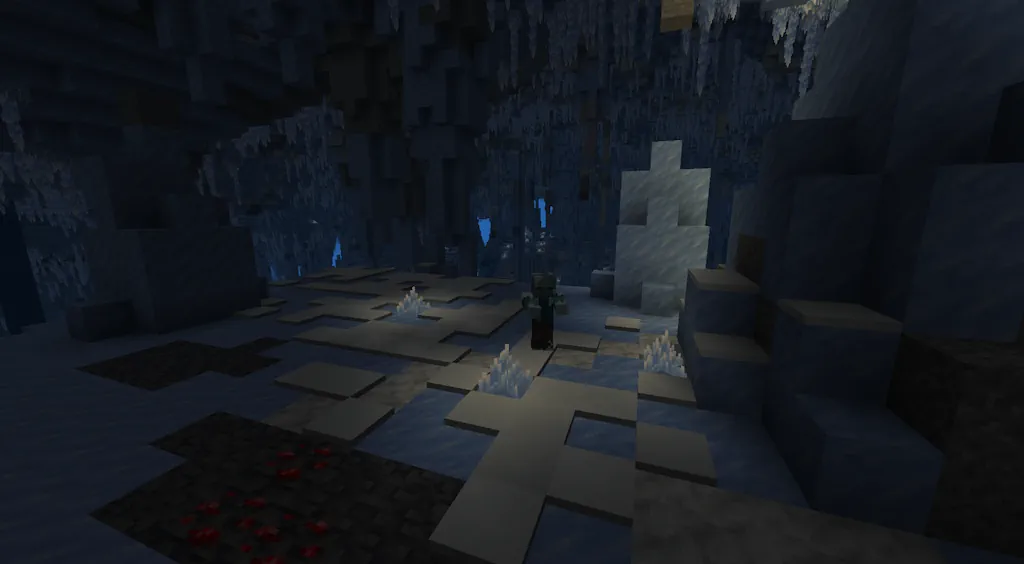
Ice Caves
- Location: Overworld (Below Cold Biomes)
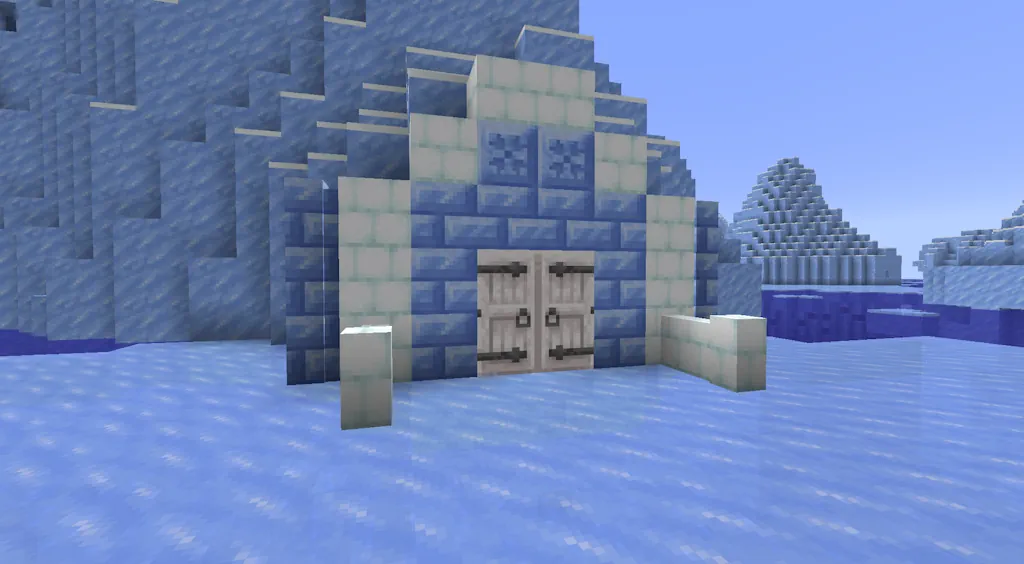
New Snow & Ice Blocks
- Requires: Snow Blocks & Packed Ice Blocks
Frostbite Zombie
- Location: Snowy Biomes
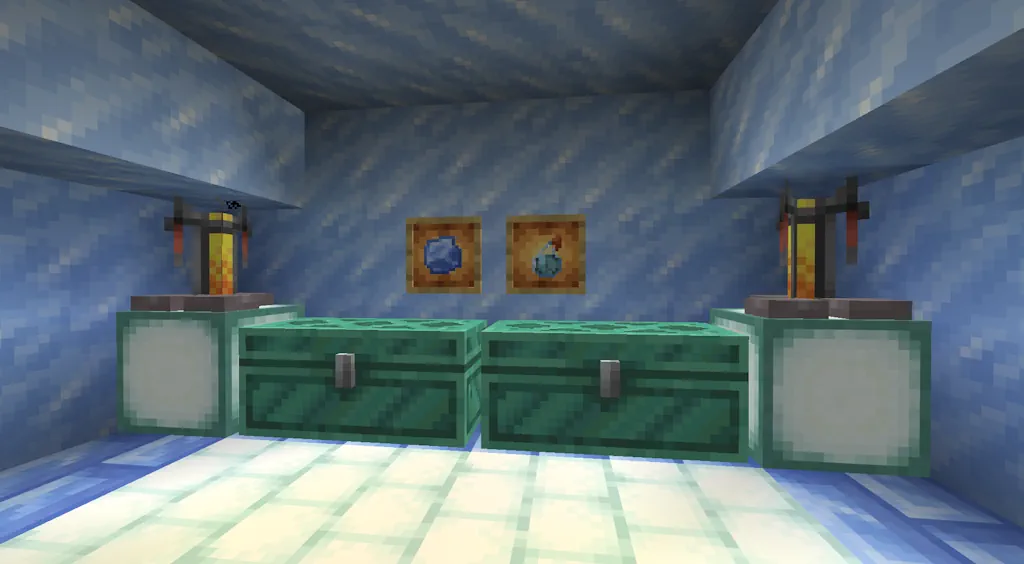
Ice Balls & Freezing Potions
- Brewing Recipe: Awkward Potion, Ice Balls, & Gunpowder
How to Install Minecraft 26.4 Snapshots
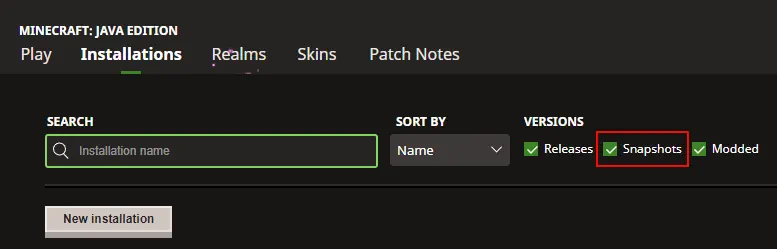
As of October 27, 2026, snapshot 6 is the latest available for Minecraft 26.4. Those looking to test its features can do so from right inside the Minecraft client. The necessary steps can each be found below:
- Open the Minecraft Launcher and select Java Edition.
- Enable snapshots under the ‘Installations’ tab.
- If a new installation called “Latest Snapshot,” represented by a dirt block, is now present, that can be used immediately to start playing. Otherwise, proceed with step four.
- Click ‘New Installation’
- Select ‘Latest Snapshot’ in the drop-down menu.
- Click ‘Install.’
All Minecraft 26.4 Snapshot Patch Notes (So Far!)
Minecraft 26.4 Snapshot 6
New Features- Added Snow Bricks
- Added new Cold Sulfur Cube archetype
- Snow Bricks can be crafted from 2x2 Snow Blocks
- Snow Bricks have a Slab, Stair, and Wall variant
- A Stonecutter cannot be used to craft Snow Brick Slabs, Stairs, and Walls
- Snow Bricks belong to the Fast Sliding Sulfur Cube archetype
- Snow Bricks only drop themselves if mined with a Shovel
- A new Sulfur Cube archetype that belongs to the special archetype category
- It has the same properties as the Fast Sliding archetype, but floats and replaces water below it with a disk of Frosted Ice when it moves, similar to the Frost Walker enchantment
- Air blocks above the water block are required for Frosted Ice placement
- Will only place Frosted Ice if the Sulfur Cube starts its movement while it is on ground
- Used when the Sulfur Cube absorbs a Blue Ice block
- Changed the default JVM options
- Mobs falling through lava may take slightly less fall damage in some cases
- All Packed Ice Brick variants will now require a pickaxe to be mined in order to drop themselves
- Brittle Ice will no longer crack when a Stray is standing on top of it
- Added ambient sounds to Ice Crystals
- An Ice crystal block has a chance of playing an ambient sound if it has a block of packed ice below
- The game now automatically sets its Java heap size based on your system's RAM, using up to 25% with a maximum of 4 GB
- The Data Pack version is now 125.1
- The Resource Pack version is now 101.0
- Added new location_based_effects field - an optional list of location-based effects
- The format for each entry is exactly the same as a location-based enchantment effect
- Level-based values in this definition will always be evaluated with level 1
- The from_coordinate and to_coordinate fields now additionally accept a Vertical Anchor, as long as axis is y
- input - Density Function, the input function to sample
- offset_x - Density Function, the offset to apply to sampled X coordinates
- The result is implicitly truncated to an integer
- If not specified, defaults to: 0.0
- offset_y - Density Function, the offset to apply to sampled Y coordinates
- The result is implicitly truncated to an integer
- If not specified, defaults to: 0.0
- offset_z - Density Function, the offset to apply to sampled Z coordinates
- The result is implicitly truncated to an integer
- If not specified, defaults to: 0.0
- density_function - the Density Function to sample at the bounding box' corner
- acceptable_density - inclusive range of doubles, a corner's sampled density within this range counts as "inside"
- padding - integer between 0 and 8, the padding of the bounding box before sampling its corners
- If not present, defaults to 0
- corners - one of all, top, or bottom, which corners to check
- If not present, defaults to all
- required_corners - range between 1 and 8, the number of corners that must be inside acceptable_density for the check to pass
- Added #swimmable for fluids that players can swim in
- Added #sulfur_cube_archetype/cold - items that can be placed inside the Sulfur Cube that turns it into a Cold Sulfur Cube archetype
- Added #swimming - entity types that are considered swimming in water
- Added #flying - entity types that are considered flying
- Added new Block textures:
- block/snow_bricks.png
- Added new sound events:
- block.ice_crystal.ambient
- Removed Block Models:
- block/cube_top
- MC-127491 - Drowned, zombie villagers and zombified piglins have the DrownedConversionTime and InWaterTime tags
- MC-269319 - Bringing the camera close to the player in third-person view underwater disables the water overlay and zoom effect
- MC-308361 - Small sulfur cubes that split from bucketed sulfur cubes can despawn
- MC-311992 - The code used to join a Realm is inconsistently referred to as both an "Invite Code" and a "Join Code"
- MC-311994 - Delayed block breaking completes early or stalls
- MC-312016 - The water overlay does not render when the player's head is against a block above them
- MC-312270 - The game crashes when trying to open the inventory while spectating a mob
- MC-312384 - Standing in fire or lava while under the effect of Freezing spams the fire extinguishing sound
- MC-312450 - Jumping right before breaking a block makes the block reappear for a short amount of time
- MC-312489 - The "How Did We Get Here?" advancement doesn't require the Freezing effect
- MC-312490 - The "A Furious Cocktail" advancement doesn't require the Freezing effect
- MC-312501 - The multiplayer.other_players.not_available string is missing a verb and is improperly capitalized
- MC-312529 - The gui.player_options.unfriend.confirm string refers to the friends list as "your Friends", unlike similar strings
- MC-312530 - The options.hideMatchedNames.tooltip string refers to muted players as "hidden players", unlike similar strings
- MC-312531 - The gui.abuseReport.discard.draft.overwrite string uses the words "report draft" instead of "draft report", unlike similar strings
- MC-312532 - Zombie villagers spawn as their plains variant in ice caves instead of the snowy one
- MC-312533 - The gui.abuseReport.draft.restart string uses the verb "Start" instead of "Create", unlike similar strings
- MC-312574 - Entities can crack and destroy brittle ice when the mob_griefing game rule is set to false
- MC-312576 - Brittle ice can be cracked and destroyed by players inside spawn protection
- MC-312579 - The game crashes when opening the inventory while a below_name scoreboard objective is active
- MC-312584 - The chat messages report button claims chat is disabled or blocked when reporting friends from the title screen
- MC-312589 - Frostbites, zombie villagers and zombified piglins have the FrostbiteConversionTime tag
- MC-312592 - Gravel blobs generate in a different order than before, causing feature order cycles in data packs
- MC-312606 - Sculk sensors are activated upon jukeboxes automatically switching discs in playlists
- MC-312610 - Shulkers do not crack brittle ice when standing on it
- MC-312624 - Lily pads cannot be placed on brittle ice
- MC-312625 - Iron golems summoned by villagers can spawn on brittle ice
- MC-312629 - Ice caves generate gravel, diorite, and andesite blobs twice
- MC-312632 - Icicles and sulfur spikes are not part of the #dangerous_for_teleportation block tag, unlike pointed dripstone
- MC-312638 - Music discs ejected from jukeboxes with chests above them spawn inside the chests
- MC-312639 - Opening a screen while in a world automatically focuses a button if the tab or any of the arrow keys was used previously
- MC-312651 - The bottom face of a jukebox uses its new texture when the "Programmer Art" resource pack is enabled
- MC-312665 - The game crashes in the pause menu when the music toast is on and a music track cannot be played
- MC-312678 - Spruce wall hanging signs use the oak map color on maps
- MC-312682 - Lava can start fires next to crimson and warped shelves
- MC-312775 - UI elements from screens behind popups can be hovered over with the mouse cursor
- MC-312778 - Red and brown mushrooms can visually float on top of walls that have the up block state property set to false
- MC-312780 - Oak, birch, spruce, and jungle trees no longer convert the block below their trunks into dirt
- MC-312783 - Consumable and equippable items lose their default sounds after upgrading worlds
- MC-312801 - Magma cubes stop being visible at a shorter distance than slimes and sulfur cubes of the same size
- MC-312804 - Some villager trades still unexpectedly differ from 1.21.11
Minecraft 26.4 Snapshot 5
New Features- Added Packed Ice Bricks
- Packed Ice Bricks can be crafted from 2x2 Packed Ice
- Packed Ice Bricks have a Slab, Stair, Wall, and Chiseled variant
- Packed Ice Brick Slabs, Stairs, Walls, as well as Chiseled Packed Ice can also be crafted using a Stonecutter
- Packed Ice Bricks and Chiseled Packed Ice belong to the Fast Sliding Sulfur Cube archetype
- Added new "What Goes Around Comes Around" Adventure advancement for killing a Frostbite with an Ice Ball
- Mobs can now break Decorated Pots, Chorus Flowers and Speleothem blocks with projectiles in an adventure mode world, unless the mob_griefing gamerule is set to false
- Added ambient sounds to regular Ice block
- When an Ice block is surrounded by at least 8 Ice blocks in all horizontal directions (east, west, north, and south), with one Air block above and one Water block below, it has a chance to emit a sound
- This is a new option to attempt to use DirectX to present the game
- This only exists on Windows, and not all hardware supports it
- The default is off, and we consider this option "experimental" - it may not work for everyone
- With DXGI enabled, you may see improvements with IME support, Variable Refresh Rate support, and faster alt-tabbing whilst in fullscreen mode
- The Data Pack version is now 125.0
- The Resource Pack version is now 100.2
- Encryption and compression must now be explicitly applied by the server by sending one of two packets that carry connection options
- The client must acknowledge the change with a matching packet
- Every packet sent and received by the client after the acknowledgement will use the new settings
- Previously changes were applied immediately on both sides, which might've lead to malformed packets
- Packets that can carry options:
- minecraft:login_finished (clientbound) and minecraft:login_acknowledged (serverbound)
- minecraft:apply_options (clientbound) and minecraft:options_applied (serverbound)
- The sound field is now fully optional (defaulted to minecraft:entity.generic.eat before)
- The equip_sound field is now fully optional (defaulted to minecraft:item.armor.equip_generic)
- The shearing_sound field is now fully optional (defaulted to minecraft:item.shears.snip)
- Blocks discarded due to air exposure will no longer fall through to the next replacement rule
- input - Density Function, the input function to sample
- x, y, z - object with fields, the configuration for this axis
- mode - one of: nearest_neighbor, interpolate_linear, interpolate_cosine, interpolate_cubic, b_spline_cubic, the mode to use
- nearest_neighbor
- 1 sample per axis
- Value is discontinuous across cell boundaries, gradient is always 0
- Values at cell vertices always equal the cell value
- interpolate_linear
- 2 samples per axis
- Value is continuous, gradient is constant within a cell but discontinuous across cell boundaries
- Values at cell vertices always equal the cell value
- interpolate_cosine
- 2 samples per axis
- Value and gradient are continuous
- Gradient is 0 at cell boundaries
- Values at cell vertices always equal the cell value
- interpolate_cubic
- 4 samples per axis
- Value and gradient are continuous
- Values at cell vertices always equal the cell value
- b_spline_cubic
- 4 samples per axis
- Value and gradient are continuous
- Values at cell vertices do not necessarily equal the cell value
- nearest_neighbor
- cell_size - integer between 1 and 64, the size of each upscaling cell
- mode - one of: nearest_neighbor, interpolate_linear, interpolate_cosine, interpolate_cubic, b_spline_cubic, the mode to use
- Added #spawns_ice_variants_underground to describe all biomes which allow the spawning of cold variants without requiring sky access
- Renamed spawns_strays_without_powder_snow to spawns_cold_variants_underground
- Replaced the #ignores_poison_and_regen tag with separate #immune_to_poison and #immune_to_regeneration tags
- Renamed the #freeze_immune_entity_types tag to #immune_to_freezing
- Added #immune_to_wither for mobs that are immune to the wither effect
- Added #immune_to_weakness for mobs that are immune to the weakness effect
- Added new Block textures:
- block/chiseled_packed_ice.png
- block/packed_ice_bricks.png
- MC-25976 - Blocks broken by flowing fluids do not produce particles or make breaking sounds
- MC-170550 - The snowy_shepherds_house_1 village structure never generates
- MC-270793 - Mobs with multiple entity type tags corresponding to effect immunity only respect one
- MC-308621 - Race condition in the dedicated server's compression setup
- MC-312316 - Creakings still try to attack players after they switch to Creative mode
- MC-312360 - Paintings break outside the world border
- MC-312377 - The bottom face of icicles on the floor is rotated 180 degrees
- MC-312386 - The #spawns_strays_without_powder_snow biome tag's name makes no sense
- MC-312404 - Frostbites can naturally spawn in normal caves under cold biomes, unlike strays
- MC-312431 - Red and brown mushrooms now spread incorrectly
- MC-312496 - Icicle models use the deprecated shade field
- MC-312497 - Template models for icicles are not prefixed with template_
- MC-312563 - The icicle in the Creative mode inventory is placed in the wrong spot
- MC-312587 - The game crashes when trying to render the hidden tooltips of music discs in jukebox playlists
- MC-312612 - Jukeboxes can pull from double chests if a single chest was turned into a double chest after being placed
- MC-312613 - Jukeboxes don't pull discs from single chests that are created by breaking a double chest
- MC-312621 - Zombies, husks, drowned, strays, and frostbites are now affected by Poison and Regeneration
- MC-312630 - Ruined portals don't generate in ice caves
- MC-312631 - Ice caves are not part of the #stronghold_biased_to biome tag
- MC-312640 - Any mouse button can be used to select entries in the statistics menu
- MC-312641 - Any mouse button can be used to open links on the death screen
- MC-312642 - Pointed dripstone below flowing lava drips water instead of lava
- MC-312644 - Dispensers filling glass bottles don't play the bottle filling sound
- MC-312645 - Dispensers equipping chests on donkeys, mules or llamas don't play the chest equipping sound
- MC-312652 - Flint and steel and fire charges don't make a sound when igniting sulfur cubes holding TNT
- MC-312654 - Dispensers consume the durability of flint and steel and play their clicking sound despite there being nothing to ignite
- MC-312669 - Any mouse button can be used to close the friends and other players menus when clicking outside of them
- MC-312693 - Projectiles shot by mobs can no longer break decorated pots, chorus flowers, pointed dripstone, sulfur spikes, or icicles
- MC-312715 - The game crashes when a jukebox in a playlist has a negative playlist_position value
- MC-312717 - Mobs can spawn on honey blocks
Minecraft 26.4 Snapshot 4
New Features- Added Jukebox Playlists
- Added Brittle Ice
- Place a single Chest, Trapped Chest, or any Copper Chest variant directly above a Jukebox to use its Music Discs as a playlist
- Discs play in slot order, skipping empty slots and other non-music-disc items and looping back to the start
- When a disc finishes, the Jukebox swaps it with the next disc in the chest
- If the chest has no Music Discs, the disc in the Jukebox plays again
- Ejecting the current disc skips to the next available disc
- Brittle Ice is a new block that can be found in Ice Caves
- Once a player or mob steps on it, it will start to crack and eventually break
- The Frostbite mob can walk on Brittle Ice without breaking it
- Brittle Ice only generates naturally in Ice Caves as part of the crevasse feature
- It is obtainable with Silk Touch
- It can also be created by water flowing onto a Blue Ice block
- Any water block that borders the Blue Ice block horizontally will turn into Brittle Ice
- Frosted Ice now emits a vibration event when changing state
- Ice, Frosted Ice, and Brittle Ice will no longer show their inside block faces when placed next to each other
- Zombies, Drowned, and Husks are now immune to freezing and will not take damage from the Freezing effect
- Drowned now turn into a Zombie before converting into a Frostbite when they are in Powder Snow
- Added custom sounds for Ice, Packed Ice, Blue Ice and Frosted Ice blocks
- Renamed minecraft:amethyst block sound set to minecraft:amethyst_block to better match sound event names
- The Data Pack version is now 124.0
- The Resource Pack version is now 100.1
- The server now more consistently disconnects clients when a packet they sent causes an error
- Removed sound events:
- minecraft:intentionally_empty
- Fields hit_sound and push_sound in sound_settings structure are now optional
- Fields ambient_sound, hurt_sound, death_sound, step_sound in adult_sounds and baby_sounds structures are now optional
- Fields ambient_sound, hurt_sound, death_sound, step_sound are now optional
- Fields ambient_sound, stray_ambient_sound, hiss_sound, hurt_sound, death_sound, eat_sound, beg_for_food_sound, purr_sound, purreow_sound in adult_sounds and baby_sounds structures are now optional
- Fields ambient_sound, hurt_sound, death_sound, step_sound, eat_sound in adult_sounds and baby_sounds structures are now optional
- Fields ambient_sound, hurt_sound, death_sound, step_sound, growl_sound, pant_sound, whine_sound in adult_sounds and baby_sounds structures are now optional
- Removed flowing_water and flowing_lava fluid types
- Fluid types now have the following properties
- level: Integer; same as before, the level of fluid from 1 to 8
- source: Boolean; true for source blocks, false otherwise
- state: A map of name-value properties to be matched against the fluid state properties
- Value can be integer, boolean or string or object with optional min and max properties
- Fields small_particle, large_particle and sound are now optional
- Format: object with fields:
- max_width - integer (between 2 and 8), maximum cross-section width in blocks
- max_length - integer (between 4 and 16), maximum end-to-end length in blocks
- min_footprint - integer (between 1 and 32), minimum connected horizontal footprint required before carving
- cursor_surface_search_range - positive integer, maximum amount of blocks the cursor will scan downwards to find its next position
- column_surface_search_range - positive integer, maximum amount of blocks each carving will scan downwards to find a carvable surface
- twistiness - float (between 0.0 and 16.0), amount of horizontal curvature
- tapering - float (between 0.0 and 1.0), amount of tapering applied on each step of growing the crevasse
- turn_factor - float (between 0.0 and 1.0), intensity of rotation applied on each step of growing the crevasse
- carve_depth - int provider, carve depth below the origin terrain surface
- fill_depth - int provider, fill depth below the origin terrain surface
- surface_block - Block state provider, block placed over the crevasse opening
- fill_block - Block state provider, block placed at or below the selected fill depth
- carvable_blocks - Block predicate, which blocks the crevasse is allowed to remove
- acceptable_barrier - Block predicate, which pre-existing blocks to accept as part of a barrier
- Added block tag #jukebox_containers to describe all blocks usable by a Jukebox as a source for music disc playlists
- Added block tag #face_occluding_ice_blocks to describe all ice blocks that should enable face culling when placed next to each other
- Added the entity type tag #does_not_break_brittle_ice for mobs that do not break Brittle Ice blocks when stepping on them
- Updated the following Block textures:
- block/jukebox_side.png
- block/jukebox_top.png
- Added new Block textures:
- block/brittle_ice_0.png
- block/brittle_ice_1.png
- block/brittle_ice_2.png
- block/brittle_ice_3.png
- block/jukebox_bottom.png
- Added new sound events:
- block.blue_ice.break
- block.blue_ice.fall
- block.blue_ice.hit
- block.blue_ice.place
- block.blue_ice.step
- block.brittle_ice.break
- block.brittle_ice.fall
- block.brittle_ice.hit
- block.brittle_ice.place
- block.brittle_ice.step
- block.brittle_ice.crack
- block.frosted_ice.break
- block.frosted_ice.fall
- block.frosted_ice.hit
- block.frosted_ice.place
- block.frosted_ice.step
- block.ice.ambient
- block.packed_ice.break
- block.packed_ice.fall
- block.packed_ice.hit
- block.packed_ice.place
- block.packed_ice.step
- entity.drowned.converted_to_zombie
- MC-80827 - Mob statistics are missing space between the mob's name and the description
- MC-148455 - Dispensing an item with special behavior only plays the item's usage sound for certain cases
- MC-149032 - Clicking non-button areas of the stonecutter block selection GUI plays a clicking sound
- MC-163196 - Several blocks which can be placed on the sides of slime blocks cannot be placed on the sides of honey blocks
- MC-166792 - Attempting to navigate beyond the 100 page limit in a book and quill plays the page rustling sound
- MC-195474 - Can't move focus away from the "Done" button after pressing Tab to focus on it in the sign editing screen
- MC-207916 - Flint and steel and fire charges do not make a sound when igniting TNT
- MC-251040 - Several blocks which can be placed on top of slime blocks cannot be placed on top of honey blocks
- MC-251041 - Several blocks which can be placed on the bottom of slime blocks cannot be placed on the bottom of honey blocks
- MC-275975 - The "Unknown element name" codec error is missing a space
- MC-280455 - Items equippable on the saddle slot that have a custom equipping sound do not play the specified sound when saddling entities
- MC-280480 - The flint and steel clicking sound is not played when attempting to ignite TNT with a flint and steel when the tnt_explodes game rule is set to false
- MC-304895 - The overworld sky is no longer black in End biomes
- MC-305544 - Using the middle mouse button in Survival/Creative/Adventure mode and switching to Spectator mode opens the Spectator mode hotbar
- MC-307672 - The name_tag_distance attribute overrides the below_name_distance attribute
- MC-309335 - Any mouse button can be used to interact with entries in the world, server, and language selection screens
- MC-309336 - Any mouse button can be used to select and apply command autocomplete suggestions
- MC-310088 - The taskbar icon displays the Java logo instead of the game's logo
- MC-311312 - Endermen and entities eating chorus fruit can still pass through the world border
- MC-312200 - "Vegetation" is misspelled as "Vegitation" on the debug overlay
- MC-312201 - "Continents" is misspelled as "Contintents" on the debug overlay
- MC-312242 - Mushrooms cannot be placed on thin blocks that provide central support, unlike in Bedrock Edition
- MC-312256 - Breaking an armor stand in one hit does not trigger sculk shriekers
- MC-312273 - The placement sound is not played when a dispenser places an armor stand
- MC-312362 - Frostbites throwing ice balls shows and plays the "Drowned throws Trident" sound in closed captions
- MC-312367 - The closed caption for hurting a frostbite says "hurts" instead of "is hurt"
- MC-312378 - Ice caves are not part of the #is_cave biome tag
- MC-312379 - Gravel blobs no longer generate in biomes they previously did
- MC-312382 - Husks and zombies take damage from powder snow before converting, unlike skeletons
- MC-312383 - Frostbites convert to themselves while in powder snow
- MC-312385 - Drowned die in powder snow instead of converting to frostbites
- MC-312398 - Clicking on villagers with shears while they are holding out certain items causes the items to drop
- MC-312415 - The closed caption for husks converting to zombies in powder snow is incorrect
- MC-312456 - Mobs immune to freezing in powder snow can get the Freezing effect applied to them, unlike frostbites
Minecraft 26.4 Snapshot 3
New Features- Added the new Ice Caves Biome
- Added Ice Crystals
- Added Icicles
- Added the Frostbite mob
- Added the Freezing mob effect
- Added the Ice Ball
- The Ice Cave is a new cave biome that can generate under the colder biomes in the Overworld
- It consists mainly of Packed Ice and Calcite
- Icicles generate hanging from the ceiling
- Large Icicles made of Packed Ice generate on the ground and hanging from the ceiling
- Patches of Snow occasionally generate on the ground
- Ores generate embedded in pockets of Stone and Deepslate
- Glow Lichen does not generate in this biome
- In addition to the mobs that normally spawn in caves, Strays and Frostbites can also spawn here
- Ice Crystals occasionally generate on the ground
- A new crystal-like block similar to Amethyst Clusters
- Breaks if the support block is removed
- It emits light and can be placed in any direction
- A new speleothem-like block similar to Dripstone and Sulfur Spikes
- Icicles can be found all over the ceiling of ice caves
- Can naturally grow up to 5 blocks long when pointing downward
- Only grows in areas without nearby light sources and outside the Nether
- It can be placed in any direction and has a base, middle and tip variant
- Damages entities when it falls and deals extra damage to entities that land on it
- Pointed blocks break when exposed to nearby light sources or when placed in the Nether
- The Frostbite is a zombie variant that can throw Ice Balls
- Spawns in cold/icy biomes
- Switches between melee and ranged combat based on target distance and whether they have Ice Balls
- Melee attacks apply Freezing, while ranged attacks throw Ice Balls
- Transforms into a Zombie when underwater for long enough
- Drops Rotten Flesh and Ice Balls
- It can stand on top of Powder Snow
- It is immune to freezing and does not get slowed by the Freezing effect or Powder Snow
- Zombies and Husks transform into Frostbites when inside Powder Snow
- The Freezing effect will cause players to shake and eventually deal damage
- Causes those affected to slowly become frozen as if in Powdered Snow for its duration
- Leather Armor protects from freezing, just like with Powder Snow, but will not keep the effect from being applied and will not remove the effect
- Mobs will take additional damage from Freezing while they are affected by this effect
- Mobs that are vulnerable to Freezing have a five times multiplier to the damage taken
- Lingering Potion, Splash Potion, and Potion of Freezing can be brewed using Ice Balls
- Arrows of Freezing can be crafted by placing a Lingering Potion of Freezing in the middle of the crafting table surrounded by eight Arrows
- Ice Balls are new projectile used by the Frostbite
- They deal a small amount of damage and have knockback
- Deals 4 damage to entities it hits, scaling down with velocity
- Breaks on impact with blocks or entities, creating a particle effect and sound
- Snow can now be placed on Packed Ice
- Snowballs now apply knockback to players
- Lightmap visualization is now configurable as lightmap_texture in debug options and appears in the Light group
- Its visibility setting is saved with the debug profile
- It can now be displayed alongside the FPS and network charts
- The Social Interactions screen has been replaced with the new Other Players screen
- The "Social Interactions" keybind has been renamed to "Other Players"
- The Friends button has received a new icon
- The "Visibility" option has been moved from Online Options into the Friends list
- The icon buttons in the pause menu have been reordered to match the main menu
- Updated the design of the Friends list
- Added searching
- In the Friends tab, the profile name text box used for sending requests also functions as a search box
- In the requests tab, a search box appears at the top if you have 15 or more requests
- Added sorting
- Sort modes can be cycled through by pressing the new sort button
- The current sort modes are:
- Sort by who's online - friends who are listed as online appear at the top of the list
- Sort by alphabetical order - friends are sorted according to the alphabetical order of their names
- Clicking on a player's icon in the Friends list now opens their Player Options
- Removed "Remove Friend" button
- This functionality is now accessible through Player Options instead
- It contains per-player social actions previously spread across the Friends list and Social Interactions
- These actions are:
- Sending or canceling a friend request
- Accepting or declining a friend request
- Muting a player
- Reporting a player
- Muting a player hides their chat messages until the next time you start the game
- Blocking players is managed through Other Players
- Other Players is only available when playing on a world open to multiplayer
- This includes:
- Playing in singleplayer worlds open to LAN
- Playing on dedicated servers
- Playing on Realms
- It can be opened by pressing the "Other Players" icon button in the pause menu
- It can also be opened from in-game using the "Other Players" key ('P' by default)
- This includes:
- It lists the players currently online in the world you are in
- It lists players who are not online anymore, but may still be of interest:
- Players who were just online but left
- Players who recently sent messages in the chat
- Clicking on a player's icon in the list opens their Player Options
- Redesigned the save/discard draft confirmation screen
- Player reports saved as drafts no longer prompt you to discard them upon exiting a world if they can be continued later
- Chat reports can never be continued
- Name reports can be continued if the reported player is in your Friends list
- Skin reports can be continued if the reported player is in your Friends list
- Pressing "Quit Game" in the main menu will now give a warning if you have an unsent draft report that would be lost
- A new chunk_section_status shows the rendering status of chunks around you. This will impact performance at high view distances.
- The chunk load overlay has been split off from visualize_chunks_on_server and into a new chunk_load_status
- The Data Pack version is now 123.0
- The Resource Pack version is now 100.0
- Added placement_options - a field that contains various settings for the placement of the Speleothem cluster:
- placement_mode - represented by an enum that is one of floor_and_ceiling, floor_only, ceiling_only
- base_block_transformer - sets a state on the base block of the Speleothem block
- none - the regular base block state used in Sulfur Spikes and Dripstone Spikes
- set_attached - the state of the base block of the Icicle when it is attached to a surface
- allow_water_placement - boolean indicating whether the Speleothem can be placed in water or not
- Added field base_block - Block State Provider, the block to build the large dripstone out of
- Added new Noises:
- ice_cave_gradient
- Added the following Ore Placements:
- ice_cave_ore_coal_upper
- ice_cave_ore_coal_lower
- ice_cave_ore_copper
- ice_cave_ore_diamond
- ice_cave_ore_diamond_medium
- ice_cave_ore_diamond_large
- ice_cave_ore_diamond_buried
- ice_cave_ore_iron_upper
- ice_cave_ore_iron_middle
- ice_cave_ore_iron_small
- ice_cave_ore_gold
- ice_cave_ore_gold_lower
- ice_cave_ore_lapis
- ice_cave_ore_lapis_buried
- ice_cave_ore_redstone
- ice_cave_ore_redstone_lower
- ice_cave_ore_andesite_upper
- ice_cave_ore_andesite_lower
- ice_cave_ore_diorite_upper
- ice_cave_ore_diorite_lower
- ice_cave_ore_gravel
- These are all identical to their non-ice-cave counterparts, only that they place a patch of stone or deepslate (depending on y-level) before placing the ore itself
- They can replace Ice and Calcite as well
- volume - a float between 0.00001 and 10.0, the relative volume at which all sounds will be played
- If not present, defaults to 1.0
- pitch - a float between 0.00001 and 2.0, the relative pitch at which all sounds will be played
- If not present, defaults to 1.0
- break_sound - Sound Event, the sound that will be played when the block gets broken
- step_sound - Sound Event, the sound that will be played when an entity walks on top of the block
- place_sound - Sound Event, the sound that will be played when the block gets placed
- hit_sound - Sound Event, the sound that will be played while the block is being destroyed
- fall_sound - Sound Event, the sound that will be played when an entity falls onto the block
- All sound fields are optional
- Added block tag ice_cave_ore_replaceables to describe all blocks which are allowed to be replaced by ores within Ice Caves (in addition to stone_ore_replaceables, height_specific_ore_replaceables and deepslate_ore_replaceables)
- Added block tag melts_icicle_above to describe all blocks causing Icicles directly above to melt
- Added block tag large_icicle_replaceable to describe all blocks which are allowed to be replaced by Large Icicles within the Ice Caves biome
- Added several block tags to affect how mobs pathfind:
- #pathfinding/avoid_in_air - blocks to be avoided while flying, either due to danger our potential to get stuck
- #pathfinding/damage_cautious - blocks that will damage entities that walk through them, but are not considered dangerous enough to avoid entirely
- #pathfinding/damaging - blocks that will damage entities that walk through them
- #pathfinding/drop_down - blocks that can be dropped down through
- #pathfinding/leaves - blocks that are considered leaves
- #pathfinding/open - blocks that are considered completely open to walk through
- #pathfinding/powder_snow - blocks that are considered powder snow
- #pathfinding/rails - blocks that are considered rails
- #pathfinding/sticky - blocks that are considered sticky, causing slowed movement and inability to jump
- Added #frostbite_preferred_weapons for items picked up and used by the Frostbite
- Added #knocks_back_players_even_with_zero_damage for items which shall apply knockback even if they do 0 damage
- Added #sheep_wool_dyes - items that can be used to dye a Sheep's wool
- The color will be taken from the minecraft:dye component of the used item stack
- Added #spawns_strays_without_powder_snow to describe all biomes which allow the spawning of strays without requiring powder snow on the surface above them
- Added #sounds_wooden - block sound sets which when stepped on cause Horses to produce a galloping sound
- Removed particle type minecraft:item_snowball
- Emitted by Entities which are affected by the Freezing mob effect
- Has no fields
- Added new Block texture:
- block/ice_crystal.png
- Added new Block textures:
- block/ice_crystal.png
- block/icicle_down_base.png
- block/icicle_down_frustum.png
- block/icicle_down_middle.png
- block/icicle_down_tip.png
- block/icicle_down_tip_merge.png
- block/icicle_side.png
- block/icicle_top.png
- Added new Item texture:
- item/ice_crystal.png
- Added new Item texture:
- item/frostbite_spawn_egg.png
- item/ice_ball.png
- item/ice_crystal.png
- item/icicle.png
- Added new UI textures:
- mob_effect/freezing.png
- friends/background_light.png
- friends/presence_all.png
- friends/presence_limited.png
- friends/presence_none.png
- friends/profile.png
- friends/profile_highlighted.png
- friends/sort_alphabetical.png
- friends/sort_presence.png
- friends/tab_selected.png
- pause_menu/other_players.png
- The following textures have been renamed:
- friends/button.png -> friends/tab.png
- friends/button_highlighted.png -> friends/tab_highlighted.png
- friends/loading.png -> widget/loading.png
- pause_menu/social_interactions.png -> pause_menu/feedback.png
- The following textures have been removed:
- friends/button_disabled.png
- friends/remove.png
- pause_menu/player_reporting.png
- toast/social_interactions.png
- Added new Entity textures:
- entity/zombie/frostbite.png
- entity/zombie/frostbite_baby.png
- entity/zombie/frostbite_outer_layer.png
- Added new sound events:
- entity.frostbite.ambient
- entity.frostbite.death
- entity.frostbite.hurt
- entity.frostbite.step
- block.ice.break
- block.ice.fall
- block.ice.hit
- block.ice.place
- block.ice.step
- block.ice_crystal.break
- block.ice_crystal.fall
- block.ice_crystal.hit
- block.ice_crystal.place
- block.ice_crystal.step
- block.icicle.break
- block.icicle.fall
- block.icicle.hit
- block.icicle.place
- block.icicle.step
- block.icicle.land
- entity.ice_ball.break
- entity.ice_ball.throw
- Added new Particle textures:
- particle/freezing_0.png
- particle/freezing_1.png
- particle/freezing_2.png
- particle/freezing_3.png
- particle/freezing_4.png
- particle/freezing_5.png
- Added new Item Models:
- item/icicle
- Added new Block Models:
- block/icicle
- block/icicle_base
- MC-212616 - The dye staining sound does not play when dyes are used on tamed wolves or cats
- MC-303468 - Pets can be teleported to the incorrect coordinates when going through a nether portal
- MC-306017 - The main arm doesn't swing when making a tamed wolf sit or stand while holding a dye matching its collar color
- MC-307830 - The game's framerate is limited to 20 fps with the Vulkan rendering backend on some systems
- MC-308037 - Unselected tabs in the friends menu show white text instead of gray
- MC-308051 - The icons on several buttons do not adhere to the UI pixel grid
- MC-308747 - The social interactions button in the game menu is grayed out in LAN worlds with no players
- MC-308994 - The Chat Restrictions screen does not display Xbox communication settings that affect the chat
- MC-309896 - The options.allowFriendRequests.tooltip and options.inGameNotification.tooltip strings lack a period, unlike similar strings
- MC-309906 - The term "Friends List" is inconsistently capitalized across strings
- MC-310124 - Leaving a menu that was opened using the keyboard doesn't select its button from the previous screen
- MC-310237 - The gui.friends.error.generic string uses an em dash, unlike similar strings
- MC-310854 - The buttons in the friends screen have inconsistent outlines
- MC-311932 - The Caps Lock key can no longer activate sprinting, sneaking, etc. when the control in question is set to "Hold"
- MC-311963 - The subtitles.block.poplar_leaves.ambient string uses a present participle instead of the present tense, unlike similar strings
- MC-312120 - Enabling the "Exclusive Fullscreen" option while the game is windowed and then entering non-exclusive fullscreen does not update the "Exclusive Fullscreen" option's button to "OFF"
- MC-312198 - Almost no small mushrooms generate on mushroom islands anymore
- MC-312213 - The game crashes when using custom Superflat presets containing air
Minecraft 26.4 Snapshot 2
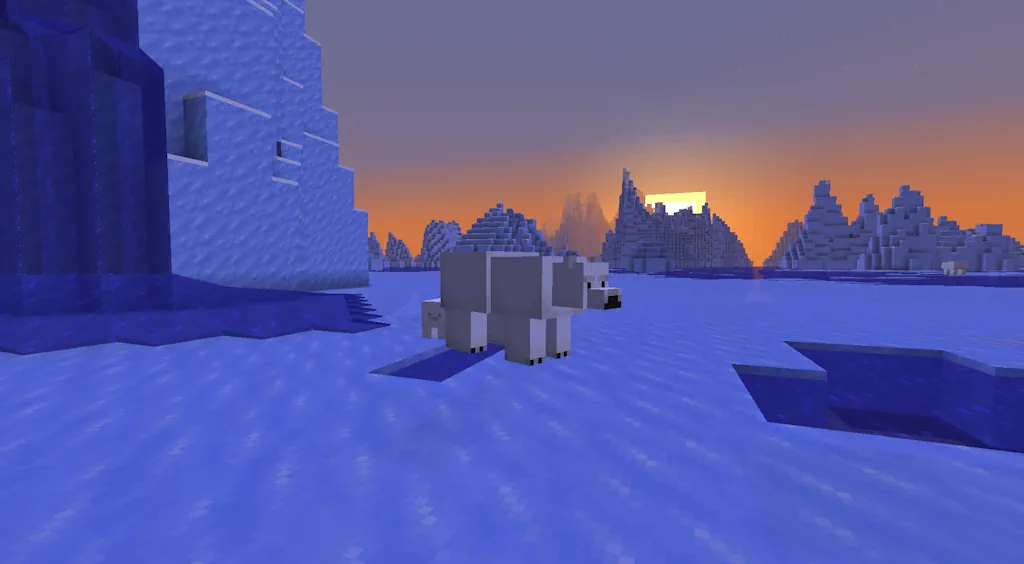
Changes- When "Improved Transparency" is on, sky background and clouds that are behind the terrain are now blended into the terrain render distance fog making the boundary between the sky and the terrain invisible
- In the Overworld, the bottom half of the skybox is now occluding the celestial objects such as the sun, the moon and the stars
- The debug overlay (F3 by default) has been redesigned to be easier to read and understand
- The Data Pack version is now 122.1
- The Resource Pack version is now 99.0
- Value type: boolean
- Default value: true for the Overworld, false for the Nether and the End
- Interpolated: no
- heightmap: Heightmap type to compare origin against
- screenquad.vsh was renamed to screentriangle.vsh since it was actually representing a single triangle for a while now
- Removed OIT (Order-Independent Transparency, controlled by "Improved Transparency" video setting) support from the clouds.fsh, since it is now used to render clouds when OIT is off and to render clouds to an offscreen target when OIT is on
- Added blit_clouds.fsh shader with OIT support that renders clouds from an offscreen target to OIT targets
- Added sky_occluder.vsh and sky_occluder.fsh shaders which are used to occlude the sky box up until the certain angle with fog color with a smooth occlusion border
- MC-152504 - The sky overlaps fog underwater, notably at sunrise and sunset
- MC-184161 - The "Oh Shiny" advancement title is missing a comma
- MC-195836 - Some closed captions aren't in the correct tense or are formatted incorrectly
- MC-212623 - Some closed captions use the word "angers" as a verb, therefore making them grammatically incorrect
- MC-236052 - Z-fighting can be seen around the necks of small armor stands
- MC-264274 - Placing lily pads and frogspawn does not increment their used:[block] statistics
- MC-300250 - Clouds render behind foggy terrain
- MC-300894 - The harness layer is not scaled correctly on baby happy ghasts
- MC-310503 - LivingEntity's constructor randomizes the yaw in radians instead of degrees
- MC-311424 - The Right Shift key is recognized as key.keyboard.unknown ("Not Bound") with certain input methods
- MC-311451 - Mouse input is not recognized on monitors that are in negative positions on Wayland
- MC-311458 - The "Adventure" advancement's icon is inconsistent with the Adventure game mode's icon in the game mode switcher
- MC-311758 - Block breaking particles and sounds are not canceled and continue appearing when opening the game mode switcher
- MC-311777 - Block breaking particles and sounds are not canceled and continue appearing when instantly mining a block and swapping the item into the off hand simultaneously
- MC-311780 - Trigonometric functions don't wrap angles before being applied and aren't fully periodic
- MC-311781 - The game is not minimized when losing focus in fullscreen mode
- MC-311826 - On some systems, tabbing in and out of the game in fullscreen mode while the "Toggle Cinematic Camera" key bind is unbound will toggle it
- MC-311924 - Breaking an armor stand or block-attached entity near a sculk catalyst consumes the player's experience
- MC-311933 - The horizontal scroll direction is inverted in the Advancements screen
- MC-311949 - The "Not Bound" scancode can activate key binds
- MC-311965 - The commands.posteffect.list.success string always pluralizes the word "effects"
- MC-311969 - Some strings that mention specified slots are missing articles
- MC-311970 - The options.debugGuiScale.tooltip string lacks a period, unlike similar strings
- MC-311971 - Some strings refer to the "LAN" setting as the "multiplayer scope" and write its value as "Off" instead of "OFF"
- MC-311973 - The options.worldOptions.guest.command_access.tooltip string redundantly includes "or not"
- MC-311977 - The closed caption for riding zombie nautiluses is "Nautilus bubbles"
- MC-311978 - Some argument error strings introduce the invalid value with a colon instead of surrounding it with single quotes, unlike similar strings
- MC-311997 - The options.macFullscreenMenuVisibility.tooltip string is improperly capitalized
- MC-311999 - The options.ctrlClickEmulatesRightClick string is missing a hyphen between the words "Right" and "Click"
- MC-312035 - Attacking an entity in Creative mode, then switching to Survival mode adds 5 ticks of block break delay
- MC-312046 - Mushrooms now generate in excessive quantities in swamps
- MC-312064 - The game can randomly crash during chunk generation
- MC-312065 - Some test coordinate strings are displayed with two sets of square brackets, unlike similar strings
- MC-312066 - Donkeys, horses and mules in water can no longer be ridden onto land without the aid of a partial block
- MC-312068 - Some strings are missing articles before the word "invalid"
- MC-312075 - The options.directionalAudio.off.tooltip string is improperly capitalized, unlike similar strings
- MC-312078 - The options.hideMatchedNames.tooltip string is improperly capitalized, unlike similar strings
- MC-312079 - The options.fullscreen.unavailable string is improperly capitalized, unlike similar strings
- MC-312080 - The telemetry.event.world_loaded.description string is improperly capitalized, unlike similar strings
- MC-312082 - The advancements.husbandry.uh_oh.title string is missing a hyphen between the words "Uh" and "Oh"
- MC-312084 - The options.fullscreen.entry string is missing a hyphen before the word "bit"
- MC-312087 - The word "towards" within the options.vignette.tooltip string isn't spelled in American English
- MC-312088 - Some application control key name strings are displayed without the "AC" prefix, unlike similar strings
- MC-312089 - Some strings that name screens are improperly capitalized, unlike similar strings
- MC-312091 - The chat.copy.click string is improperly capitalized, unlike similar strings
- MC-312092 - The multiplayer.socialInteractions.not_available string is improperly capitalized, unlike similar strings
- MC-312102 - The disconnect.loginFailedInfo.invalidSession string is improperly capitalized, unlike similar strings
- MC-312103 - The entity name "Experience Orbs" isn't capitalized within some game rule description strings, unlike similar strings
- MC-312107 - The selectWorld.backupQuestion.experimental string is improperly capitalized, unlike similar strings
- MC-312108 - The jigsaw_block.final_state string is improperly capitalized, unlike similar strings
- MC-312111 - Some Realms snapshot popup strings are improperly capitalized, unlike similar strings
- MC-312112 - The mco.configure.world.invite_codes.subtitle string uses the verb "add" instead of "create", unlike similar strings
- MC-312126 - The options.inGameNotification.tooltip string is improperly capitalized, unlike similar strings
Minecraft 26.4 Snapshot 1
Changes World Generation- Upgrading worlds from before Caves and Cliffs will now also generate sulfur caves below old chunks
- Red and Brown Mushrooms can now be placed on any block with a solid top face regardless of lighting conditions
- They can still not spread unless the brightness is less than 13, or their support block overrides light requirements
- "Default" now behaves the same as "Prefer Vulkan"
- The game will no longer change the graphics API setting automatically if a startup crash is detected.
- The Data Pack version is now 122.0
- The Resource Pack version is now 98.0
- This packet is intended to inform servers about client mods to simplify debugging
- Vanilla client sends an empty packet at the start of configuration phase, as it does not know about any mods - that is still a responsibility of 3rd-party modding platforms
- The host field in the serverbound intention packet can now hold additional parameters (previously it stored only the domain name used for connecting to a server)
- The new format is similar to URI query strings - the domain can now optionally be followed by a ? character and then followed by key=value pairs separated by a & character
- Empty values can be omitted (including = sign)
- Keys and values are escaped according to the standard URI rules ("percent-encoded component")
- Keys starting with _ are reserved for vanilla use
- Example: example.com?key1=value2&key2
- Users can now input properties in any "Server Address" field in the server list
- Additionally, any address in form of <id>@<host> will be parsed as <host>?_id=<id>
- If a server uses SRV DNS records, the host field will contain both original and resolved domains
- If the resolved domain is different from the original domain, the resolved one will be used as the "primary" one, while the original one will be added as _o ("origin") property
- Example host string: <redirected domain>?_o=<original domain>:<original port>, while the port field in the intention packet will be set to the resolved port value
- The field size has been extended to 1024 characters
- Note: since the minecraft:intent packet is unencrypted, properties should not be used for any security-sensitive purpose
- Added properties field - a string to string map of properties that will be added to the host field in the minecraft:intent packet sent to the target server
- Added allowed-connection-ids
- A list of comma-separted ids
- If non-empty, the server will match the values against _id property in minecraft:intent packet
- If there is no match, the server will reject the connection
- This works both for both status and login connections, so any user connecting without the correct _id in the server address will not see the status and will not be able to join the server
- Added status-contact-details field
- If non-empty, the value of this field will be sent in the minecraft:status_response packet JSON payload under the contact property
- This value is meant to be used to signal a way to contact the server owners about the server, even if there is no website or other information about it
- This field is meant to be human-readable, but there are no other restrictions on field format
- Added enable-legacy-status field
- This option allows disabling existing legacy (pre-1.7) server status and ping protocol handling
- To preserve existing functionality, value defaults to true
- Note: enable-status needs to be set for any status information (modern or legacy) to be set
- Entries for different biomes in multi-noise biome sources can no longer overlap across all noise parameters with the same offset
- The fillbiome command will now fill biomes with block accuracy
- NBT conversion from floating point types to integer types now always converts to the closest possible valid number after rounding down
- Added trunk_width field
- optional int provider, the width of the trunk centered around the origin
- defaults to 1.0
- The possible domain in the XZ plane of Placed Features included in biomes is now validated
- Feature placement can only occur within a 3x3 chunk region: as such, it is not valid for a Placed Feature to select a position outside of that range
- Note: the size of the feature itself is not currently taken into consideration, which may still overflow the chunk
- xz_size and y_size have been adjusted to represent the actual size of the cuboid, instead of implicitly being 1 block larger
- As such, an xz_size of 2 will actually produce a 2x2 cuboid instead of 3x3
- positions now requires at least one element
- The default_block field has been removed
- This is now always air - any other block should be defined by the Material Rule
- No longer considers height modifications from Eroded Badlands "surface extensions" in an order-dependent way
- Added #generated_in_below_zero_retrogen - biomes to generate below worlds that predate Caves and Cliffs
- Added #is_cave collection tag
- The OIT algorithm was simplified by replacing the wavelet-based mathematics with depth bin-based accumulation
- Slightly improved performance at least on some devices
- Reduced floating point precision issues on average
- OIT_WAVELET_RANK shader define was removed
- OIT_COEFF_COUNT shader define was replaced by OIT_NUMBER_OF_DEPTH_BINS
- OIT_COEFF_ATTACHMENT_COUNT shader define was renamed to OIT_TRANSMITTANCE_TARGET_COUNT
- MC-8959 - The player automatically jumps when pressing against a block while in water
- MC-44560 - When pushed to the edge of water or lava, entities jump by themselves
- MC-50749 - Jumping into water against a wall causes the player to bounce
- MC-123848 - Item frames (and items within) drop atop the block they're attached to instead of under it when removed from a ceiling
- MC-135211 - Entities automatically jump when falling into 1-block-deep water from certain heights
- MC-135212 - Entities automatically jump when falling into water of any depth from certain heights
- MC-262252 - The generation of lush caves and dripstone caves is poorly defined
- MC-276879 - /data truncates floats when casting to longs, but rounds down in all other cases
- MC-278651 - The host name in handshake packets for SRV records is inconsistent
- MC-296053 - Item frames don't update properly when modifying their Facing NBT tag
- MC-299060 - Setting item frames' direction with commands can cause desyncs
- MC-303702 - Small gaps still appear in item models
- MC-307065 - Missing optimization for the side faces of the builtin/generated item model
- MC-310051 - Floating point cancellation artifacts from bits.fsh
- MC-310131 - Placeable entities momentarily appear at the wrong location when placed
- MC-310767 - Pipelines always declare a D32_FLOAT depth attachment format with the Vulkan rendering backend
- MC-311195 - Placed armor stands are rotated incorrectly for one tick
- MC-311265 - The world border renders incorrectly from outside
- MC-311473 - Duplicating items with the scroll wheel in Creative mode can produce ghost items
- MC-311582 - The texture of desert pyramid maps has one inconsistent pixel compared to the others
- MC-311726 - The water inside waterlogged copper grates has the falling fluid state property set to true
- MC-311727 - The check for whether a player is standing on air doesn't use the player's updated position
- MC-311773 - Red and brown mushrooms cannot be placed at any light level, unlike in Bedrock Edition
- MC-311786 - Running /test run with a rotationSteps value that is out of range causes an error
- MC-311788 - Teleporting item frames moves them further than it should visually
- MC-311818 - Traveling to the End in Spectator mode regenerates the obsidian platform
- MC-311836 - Minecart sounds are now distorted
- MC-311859 - Damaged dyed wolf armor no longer shows cracks in the colored parts
- MC-311966 - The tooltip of the "Quit Shortcuts" option calls the Command key "Cmd"
Crea il tuo server
Minecraft
Minecraft
Scegli un piano, seleziona un gioco e gioca con i tuoi amici!
Iscriviti alla nostra Newsletter
Iscriviti per ricevere gli ultimi aggiornamenti sul mondo del gaming!

Unisciti al nostro Discord
Entra a far parte della nostra community con oltre 20.000 membri appassionati come te!
Come valuteresti questo blog?
Condividi la tua opinione e aiutaci a migliorare sempre di più i nostri blog!
Non mi è piaciuto
Neutrale
Mi è piaciuto

Hai bisogno di un server di gioco?
Noleggia un server di gioco dove tu e i tuoi amici potrete giocare in privato con bassa latenza e impostazioni personalizzate. Scegli tra 110+ giochi, invita persone da tutto il mondo, goditi le partite private o costruisci la tua community online con le tue regole.

Blog Pertinenti







SCOPRI LE ULTIME NOVITÀ!
Iscriviti alla nostra newsletter per ricevere aggiornamenti sui nostri giochi ospitati, novità aziendali e offerte esclusive. Rimani sempre aggiornato!













