
How Long is Night in DayZ?
Pubblicato il da

Condividi:

Condividi su X

Condividi su Facebook

Condividi su Threads

Condividi su Bluesky

Copia negli Appunti

Condividi via email
The sun is setting in the distance, and in DayZ, that doesn't mean it's time to stargaze. As darkness looms, so do the living dead, or worse, players with NVGs. With so much danger, it's important to plan, and to be able to, you'll need to know how long you have. With that, here's how long night is in DayZ and how the day and night cycles work.
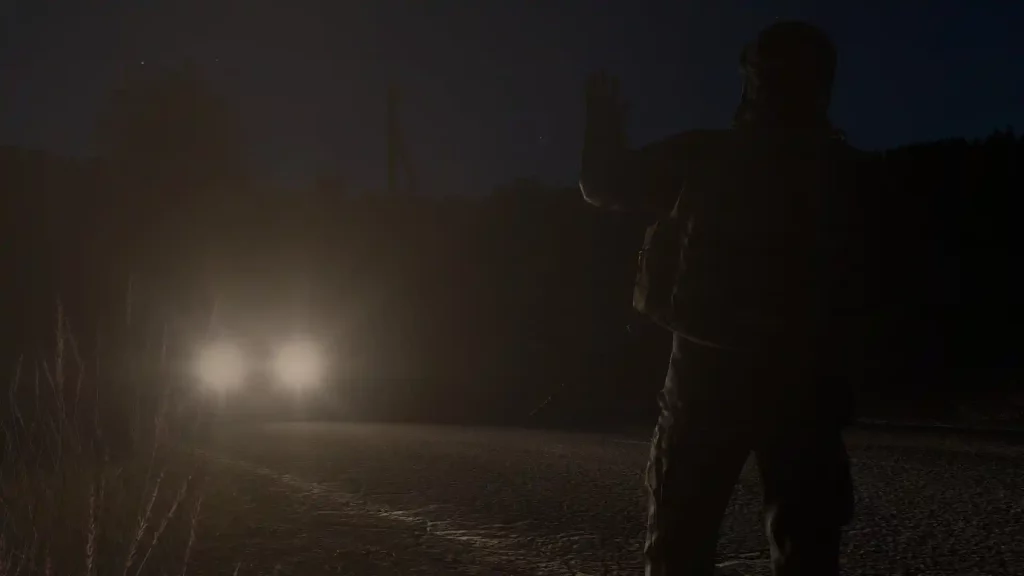 Normally, the time of day and night in DayZ reflects the real world. In particular, it follows the server time to check if it’s day or night in the game. That also means that the night in DayZ can last up to 12 real hours. This is extremely uncommon, however, as even official servers come with massive multipliers to night and day lengths. Server administrators can alter the day/night cycle speed using a 1x to 8x multiplier. So, if an administrator sets the night cycle to the maximum 8x speed, that means that the night only lasts 1/8th of the standard period, which is 1.5 actual hours.
This cycle system also works the same for daytime, which can be altered to be anywhere between 12 and 1.5 real hours long.
When adjusting how long night and day last in DayZ, server admins have the option to break them up as they wish. For example, if you want your players to always be on the lookout for undead hordes, you may set the night in DayZ to be longer than the day. If you want more activity and movement on your server, more likely you'll limit the length of night and make the daytime considerably longer.
Normally, the time of day and night in DayZ reflects the real world. In particular, it follows the server time to check if it’s day or night in the game. That also means that the night in DayZ can last up to 12 real hours. This is extremely uncommon, however, as even official servers come with massive multipliers to night and day lengths. Server administrators can alter the day/night cycle speed using a 1x to 8x multiplier. So, if an administrator sets the night cycle to the maximum 8x speed, that means that the night only lasts 1/8th of the standard period, which is 1.5 actual hours.
This cycle system also works the same for daytime, which can be altered to be anywhere between 12 and 1.5 real hours long.
When adjusting how long night and day last in DayZ, server admins have the option to break them up as they wish. For example, if you want your players to always be on the lookout for undead hordes, you may set the night in DayZ to be longer than the day. If you want more activity and movement on your server, more likely you'll limit the length of night and make the daytime considerably longer.
DayZ Day/Night Cycle: How Long is Night?
Normally, the time of day and night in DayZ reflects the real world. In particular, it follows the server time to check if it’s day or night in the game. That also means that the night in DayZ can last up to 12 real hours. This is extremely uncommon, however, as even official servers come with massive multipliers to night and day lengths. Server administrators can alter the day/night cycle speed using a 1x to 8x multiplier. So, if an administrator sets the night cycle to the maximum 8x speed, that means that the night only lasts 1/8th of the standard period, which is 1.5 actual hours.
This cycle system also works the same for daytime, which can be altered to be anywhere between 12 and 1.5 real hours long.
When adjusting how long night and day last in DayZ, server admins have the option to break them up as they wish. For example, if you want your players to always be on the lookout for undead hordes, you may set the night in DayZ to be longer than the day. If you want more activity and movement on your server, more likely you'll limit the length of night and make the daytime considerably longer.
How to Change Day And Night Length in DayZ
As mentioned earlier, only administrators can change a particular server's day and night cycle speed. If you have server admin access, the typical steps to change this parameter are the following:- Stop the server
- Navigate to the DayZ configuration files in your system and search for “serverDZ.cfg”
- Open serverDZ.cfg using a text editor (e.g., Notepad)
- Find the parameter “Time Acceleration”
- Modify the day cycle speed (12-hour day cycle has a value of 1)
- Find the parameter “Server Night Time Acceleration”
- Modify the night cycle speed
- Save the file and relaunch your DayZ server
Iscriviti alla nostra Newsletter
Iscriviti per ricevere gli ultimi aggiornamenti sul mondo del gaming!

Unisciti al nostro Discord
Entra a far parte della nostra community con oltre 20.000 membri appassionati come te!
Come valuteresti questo blog?
Condividi la tua opinione e aiutaci a migliorare sempre di più i nostri blog!
Non mi è piaciuto
Neutrale
Mi è piaciuto

Hai bisogno di un server di gioco?
Noleggia un server di gioco dove tu e i tuoi amici potrete giocare in privato con bassa latenza e impostazioni personalizzate. Scegli tra 110+ giochi, invita persone da tutto il mondo, goditi le partite private o costruisci la tua community online con le tue regole.

Blog Pertinenti







SCOPRI LE ULTIME NOVITÀ!
Iscriviti alla nostra newsletter per ricevere aggiornamenti sui nostri giochi ospitati, novità aziendali e offerte esclusive. Rimani sempre aggiornato!













