
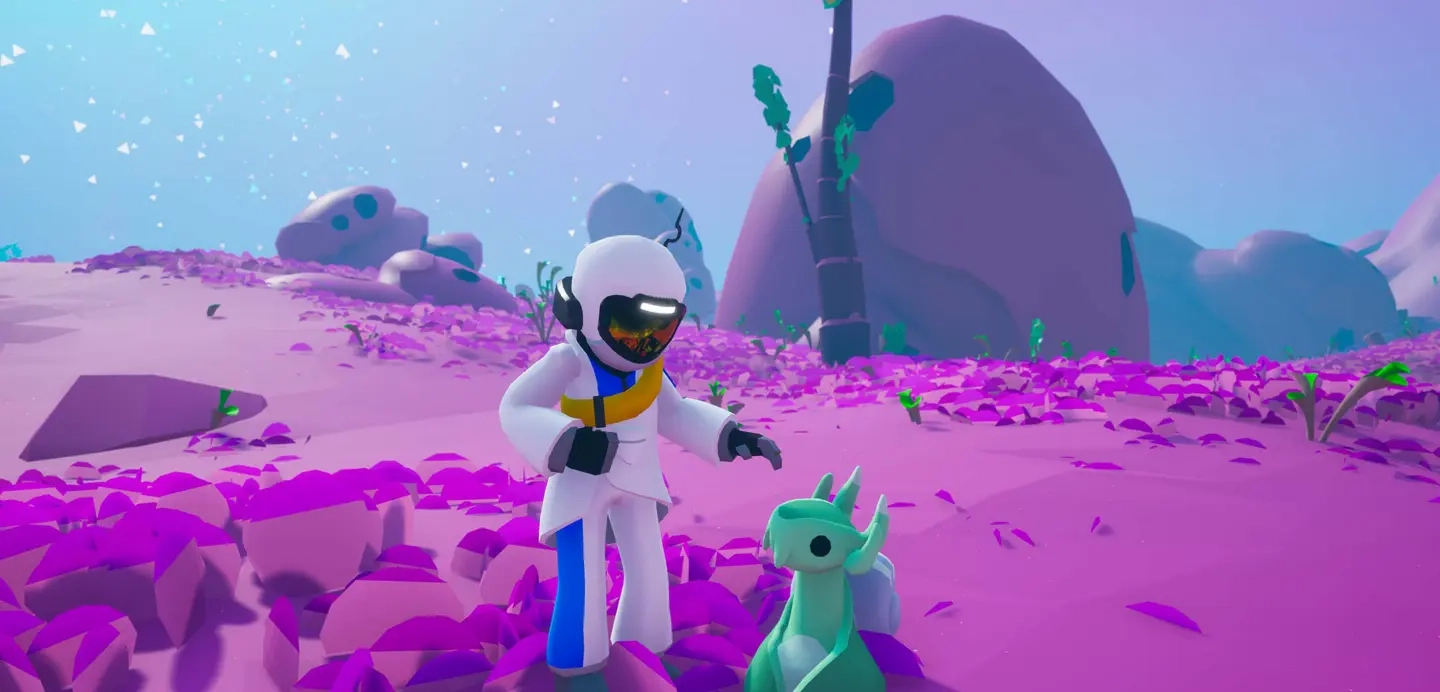
Astroneer Leveling Block Guide
Pubblicato il da

Condividi:

Condividi su X

Condividi su Facebook

Condividi su Threads

Condividi su Bluesky

Copia negli Appunti

Condividi via email
(Estimated Read Time: 3 minutes)
Gathering resources with the Terrain tool in Astroneer can leave uneven ground, making it unfit for placing items and structures. Thankfully, the Astroneer Leveling Block exists to remedy this concern. If you’re having trouble using this utility item, keep reading!Crafting the Leveling Block in Astroneer
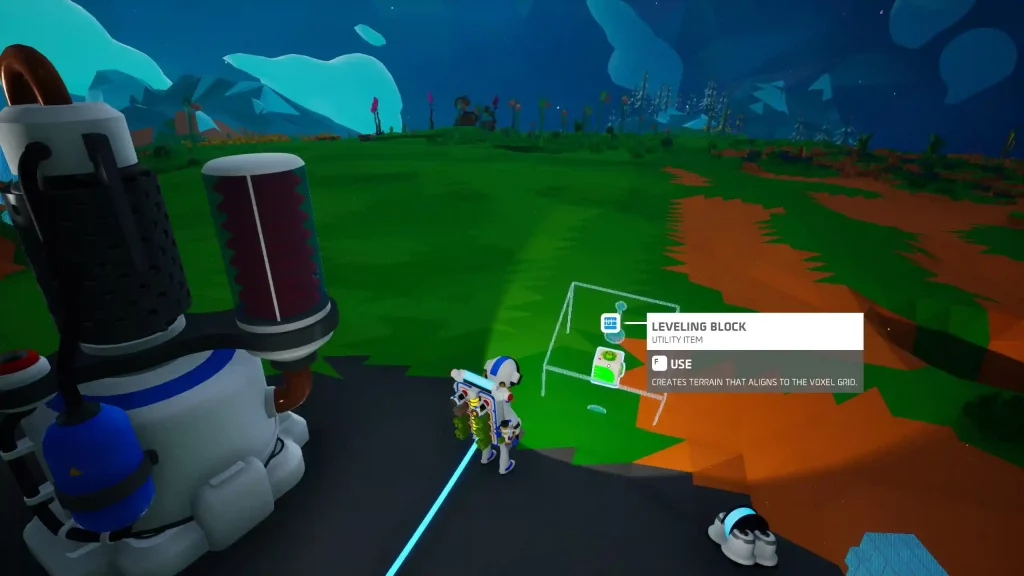 Introduced in Update 1.10.9 as an exclusive item in Creative Mode and introduced in Adventure Mode in Update 1.20.265, players must craft the Astroneer Leveling Block before they can use it. Thankfully, you only need 1x Soil using the Backpack Printer to craft this utility item.
How to Use the Leveling Block in Astroneer
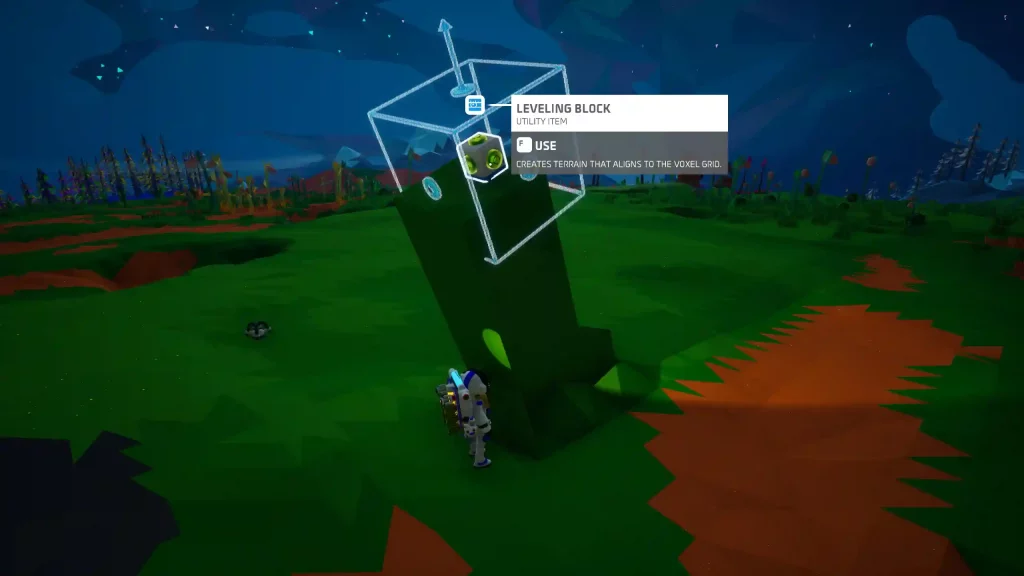 Like the Oxygen Filter and other items in Astroneer, proper usage of the Leveling Block is vital to take advantage of it fully. As mentioned earlier, use the Leveling Block to create uniformly even surfaces on the ground. The leveled surface aligns with the planet’s voxel grid, and the results have no bumps or ridges.
After crafting the Leveling Block, place it on a particular area you want to be leveled. Next, press the Use key (the “F” key by default for PC users). The block should animate, flattening the ground underneath it.
Note: Hover the cursor above the Leveling Block before pressing the Use key to preview the leveled area.
Players can only use the Leveling Block up to 10 times in Adventure Mode. However, this utility item has an unlimited number of uses in Creative Mode.
Also, the area to be leveled by the block will start at a 60-degree angle. Players can set the angle of the resulting even surface to 45 or 90 degrees for a practical finish. However, this can be quite challenging since the block aligns with the planet’s voxel grid, and there’s no way to rotate it manually at the time of writing.
Tip: Pair a Leveling Block with a Narrow Mod to expand the flattened surface. Craft a Narrow Mod from the Backpack Printer using 1x Zinc (made from refining 1x Sphalerite from the Smelting Furnace).
Like the Oxygen Filter and other items in Astroneer, proper usage of the Leveling Block is vital to take advantage of it fully. As mentioned earlier, use the Leveling Block to create uniformly even surfaces on the ground. The leveled surface aligns with the planet’s voxel grid, and the results have no bumps or ridges.
After crafting the Leveling Block, place it on a particular area you want to be leveled. Next, press the Use key (the “F” key by default for PC users). The block should animate, flattening the ground underneath it.
Note: Hover the cursor above the Leveling Block before pressing the Use key to preview the leveled area.
Players can only use the Leveling Block up to 10 times in Adventure Mode. However, this utility item has an unlimited number of uses in Creative Mode.
Also, the area to be leveled by the block will start at a 60-degree angle. Players can set the angle of the resulting even surface to 45 or 90 degrees for a practical finish. However, this can be quite challenging since the block aligns with the planet’s voxel grid, and there’s no way to rotate it manually at the time of writing.
Tip: Pair a Leveling Block with a Narrow Mod to expand the flattened surface. Craft a Narrow Mod from the Backpack Printer using 1x Zinc (made from refining 1x Sphalerite from the Smelting Furnace).Crea il tuo server
Astroneer
Astroneer
Scegli un piano, seleziona un gioco e gioca con i tuoi amici!
Iscriviti alla nostra Newsletter
Iscriviti per ricevere gli ultimi aggiornamenti sul mondo del gaming!

Unisciti al nostro Discord
Entra a far parte della nostra community con oltre 20.000 membri appassionati come te!
Come valuteresti questo blog?
Condividi la tua opinione e aiutaci a migliorare sempre di più i nostri blog!
Non mi è piaciuto
Neutrale
Mi è piaciuto

Hai bisogno di un server di gioco?
Noleggia un server di gioco dove tu e i tuoi amici potrete giocare in privato con bassa latenza e impostazioni personalizzate. Scegli tra 110+ giochi, invita persone da tutto il mondo, goditi le partite private o costruisci la tua community online con le tue regole.

Blog Pertinenti







SCOPRI LE ULTIME NOVITÀ!
Iscriviti alla nostra newsletter per ricevere aggiornamenti sui nostri giochi ospitati, novità aziendali e offerte esclusive. Rimani sempre aggiornato!













