

Minecraft Ender Dragon Egg Guide: How to Loot, Display, & more
Publié le par

Partager :

Partager sur X

Partager sur Facebook

Partager sur Threads

Partager sur Bluesky

Copier dans le presse-papiers

Partager par e-mail
The ender dragon egg is one of the rarest items players can obtain, but if not careful, it may fall into the void after teleporting away. So, today, we explain step by step how to loot the ender dragon egg.
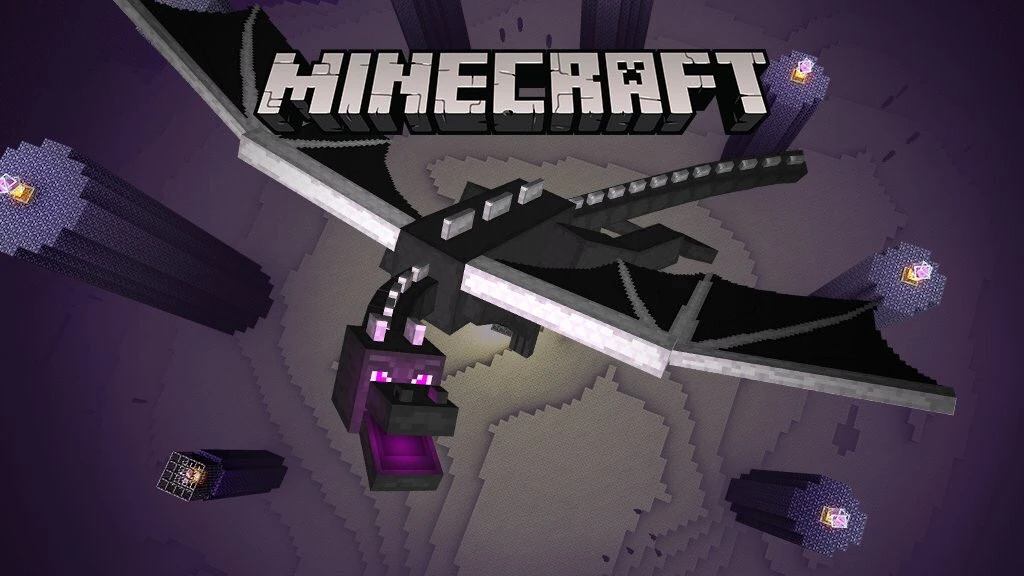 Before one can even consider looting the ender dragon egg, the ender dragon must first be slain. We offer a guide on how to achieve this feat here. Once the dragon is defeated, the egg will appear on top of the exit portal. Don’t touch it just yet, though!
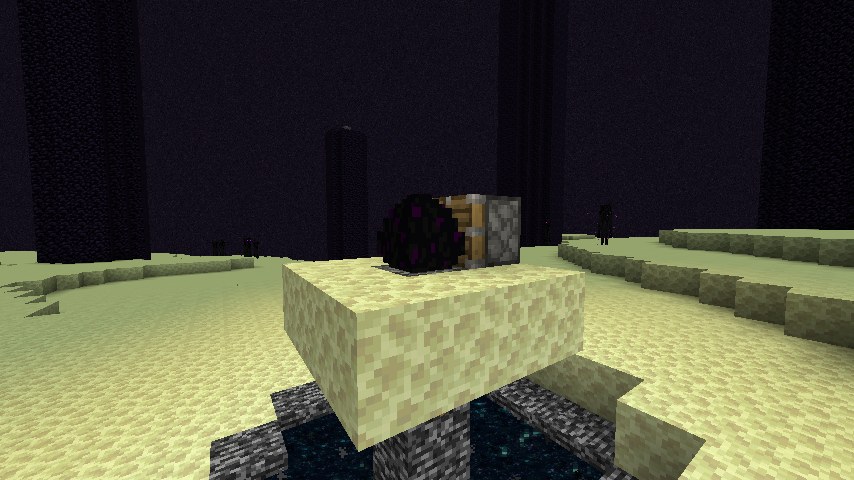 The dragon egg cannot be gathered with silk touch or any tool for that matter. Attempting to do so will cause the egg to teleport, potentially sending it into the void.
Instead, players must use a piston and redstone torch. The piston can be crafted using three plank blocks, four cobblestone blocks, one iron ingot, and one redstone, while the restone torch needs only a stick and one redstone. If the ender dragon egg is still on top of the exit portal, we recommend creating a small three-by-three platform around it at this point as well.
Once ready, place the piston directly next to the egg while ensuring that the piston is facing it. Then, place a redstone torch next to the piston to activate it. If all was done correctly, the egg should now be broken and available to pick up.
Congratulations on looting the dragon egg!
The dragon egg cannot be gathered with silk touch or any tool for that matter. Attempting to do so will cause the egg to teleport, potentially sending it into the void.
Instead, players must use a piston and redstone torch. The piston can be crafted using three plank blocks, four cobblestone blocks, one iron ingot, and one redstone, while the restone torch needs only a stick and one redstone. If the ender dragon egg is still on top of the exit portal, we recommend creating a small three-by-three platform around it at this point as well.
Once ready, place the piston directly next to the egg while ensuring that the piston is facing it. Then, place a redstone torch next to the piston to activate it. If all was done correctly, the egg should now be broken and available to pick up.
Congratulations on looting the dragon egg!
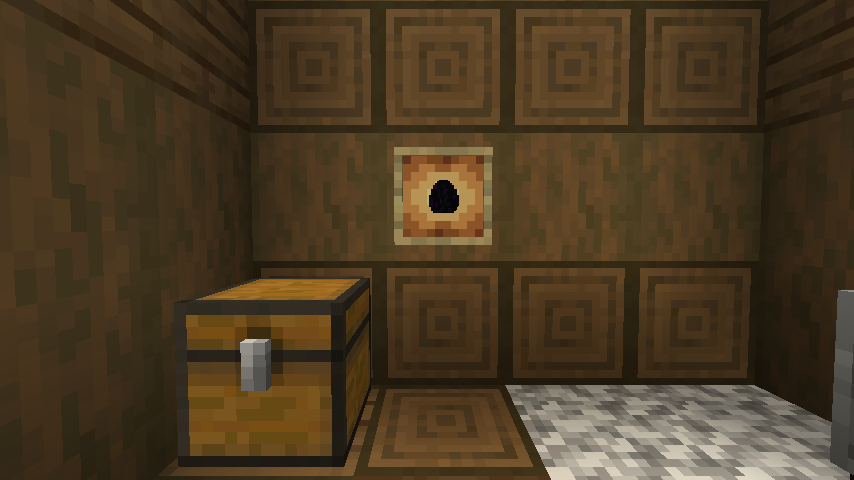 The dragon egg is an amazing trophy to have, but one punch, and it may end up somewhere far below the overworld. For this reason, we recommend that any player attempting to display the egg use an item frame or put it within a glass case to prevent any accidents. After all, only one egg can be looted in Java Edition and only two in Bedrock Edition.
Slay the Ender Dragon
Before one can even consider looting the ender dragon egg, the ender dragon must first be slain. We offer a guide on how to achieve this feat here. Once the dragon is defeated, the egg will appear on top of the exit portal. Don’t touch it just yet, though!
How to Loot the Ender Dragon Egg
The dragon egg cannot be gathered with silk touch or any tool for that matter. Attempting to do so will cause the egg to teleport, potentially sending it into the void.
Instead, players must use a piston and redstone torch. The piston can be crafted using three plank blocks, four cobblestone blocks, one iron ingot, and one redstone, while the restone torch needs only a stick and one redstone. If the ender dragon egg is still on top of the exit portal, we recommend creating a small three-by-three platform around it at this point as well.
Once ready, place the piston directly next to the egg while ensuring that the piston is facing it. Then, place a redstone torch next to the piston to activate it. If all was done correctly, the egg should now be broken and available to pick up.
Congratulations on looting the dragon egg!
Displaying the Egg
The dragon egg is an amazing trophy to have, but one punch, and it may end up somewhere far below the overworld. For this reason, we recommend that any player attempting to display the egg use an item frame or put it within a glass case to prevent any accidents. After all, only one egg can be looted in Java Edition and only two in Bedrock Edition.Créez votre propre
serveur Minecraft
serveur Minecraft
Choisissez un plan, sélectionnez un jeu et jouez avec vos amis !
Abonnez-vous à notre newsletter
Abonnez-vous pour recevoir les dernières mises à jour sur l'univers du jeu vidéo !

Rejoignez notre Discord
Rejoignez notre communauté de plus de 20 000 membres passionnés !
Comment évalueriez-vous ce blog ?
Partagez votre avis et aidez-nous à améliorer nos blogs !
Pas aimé
Neutre
Aimé

Besoin d'un serveur de jeu ?
Louez un serveur de jeu où vous et vos amis pouvez jouer en privé avec une faible latence et des paramètres personnalisés. Choisissez parmi 110+ jeux, invitez des joueurs du monde entier et profitez de parties privées, ou créez votre propre communauté en ligne avec vos propres règles.

Blogs pertinents







OBTENEZ LES DERNIÈRES INFOS !
Inscrivez-vous à nos e-mails pour obtenir des mises à jour sur nos jeux hébergés, des nouvelles de l'entreprise et des offres exclusives. Restez au courant !













