

Minecraft April Fools 2026 Herdcraft Update: Features, Installation, & More
Publié le par

Partager :

Partager sur X

Partager sur Facebook

Partager sur Threads

Partager sur Bluesky

Copier dans le presse-papiers

Partager par e-mail
Inventory management was always quite the hassle, so thankfully, this fantastic update has removed it from the game entirely! Today, we explore the Minecraft April Fools 2026 Herdcraft Update, the changes it brings, and how you can try herding in-game too.
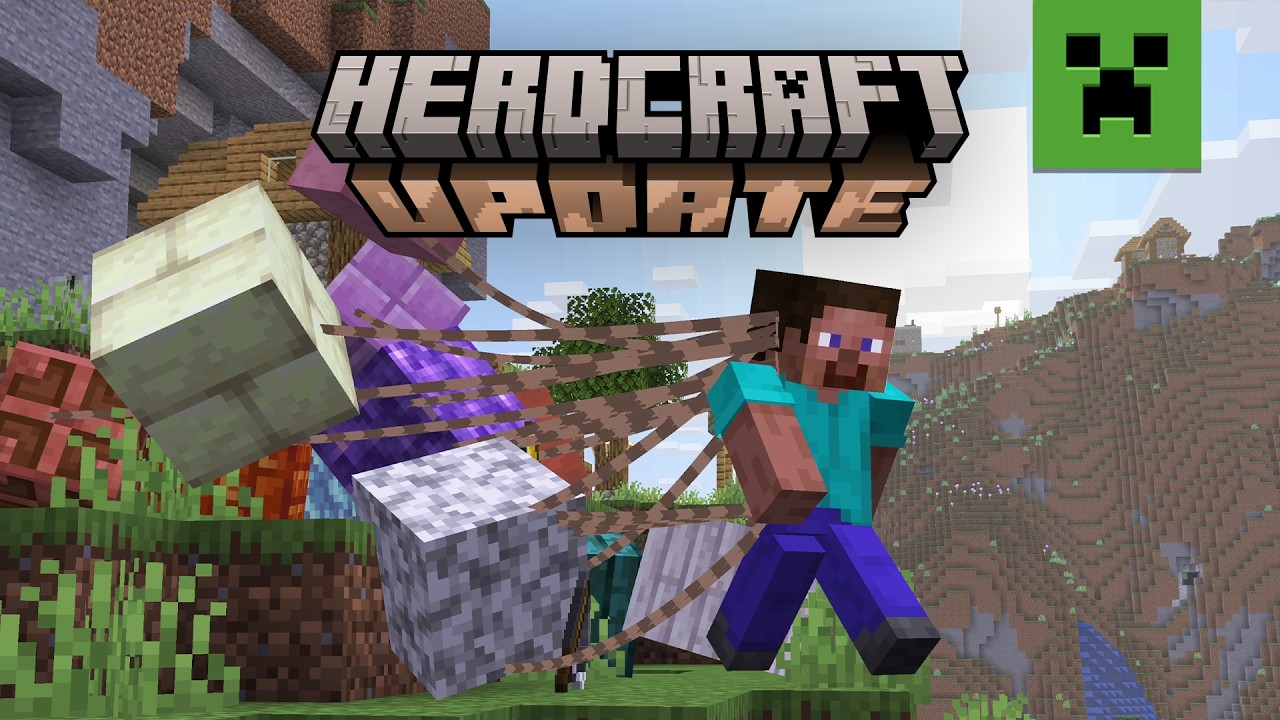

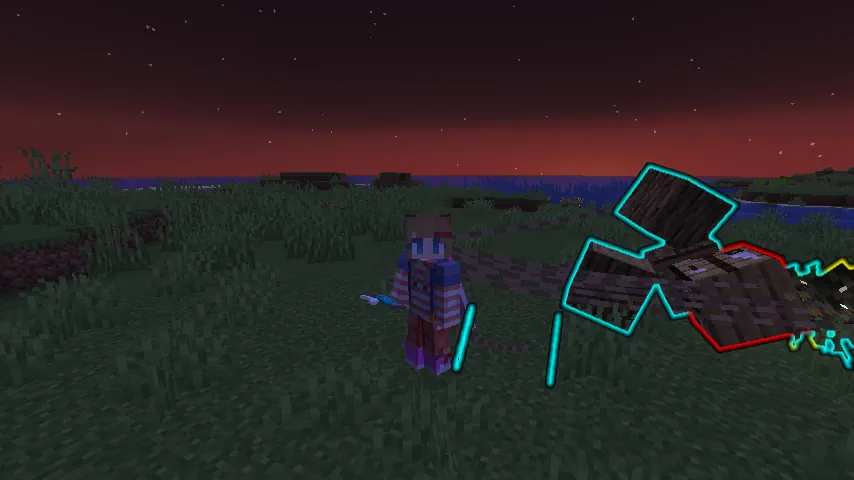 That is right! Minecraft’s inventory has been done away with entirely. In this update, players drag every last tool, block, and item behind them on leads as they explore the world. Each block can be designated to groups by color, given commands to move to specific locations, and locked into place for convenient building. Just be careful not to drag too many blocks, as it can become very chaotic when attempting to run!
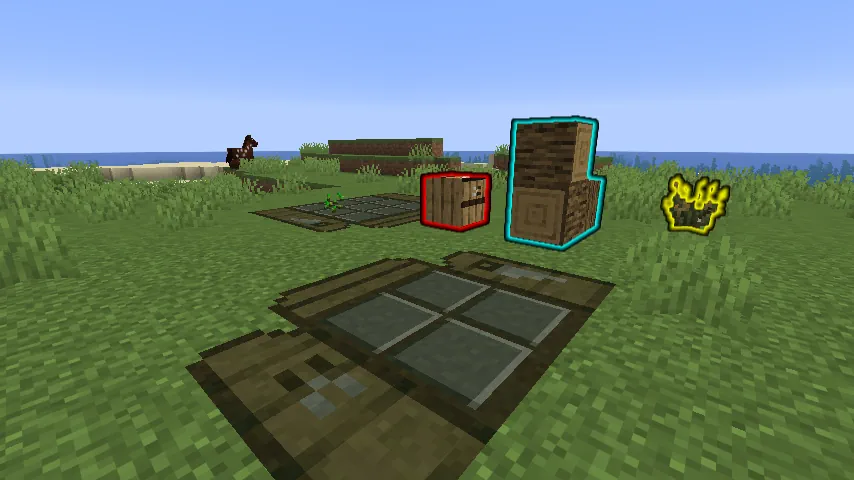 Crafting tables have been replaced with highly optimized crafting mats. Place one down on command and order the blocks to their respective spots on the grid to craft. Not enough grid space? Upgrade your crafting mat to its full size with a few planks! Sadly, the table can occasionally get lost in the pile, so be sure to keep some extra planks to do it all again.
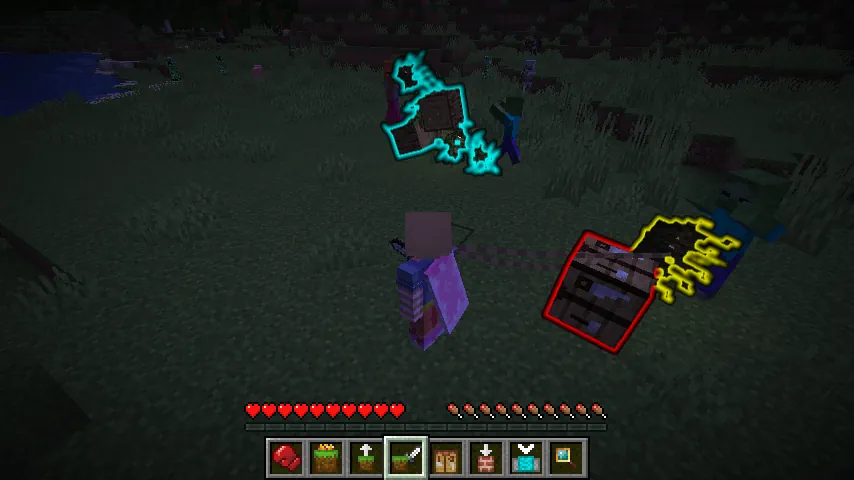 Whoever said blocks were not sentient? Not only can players command their collection of blocks to move, but they can order them to fight as well! See that skeleton? Make it disappear with 25 rampaging dirt blocks! No bow? Send the arrows to fight anyway! It is all made easy in Herdcraft.
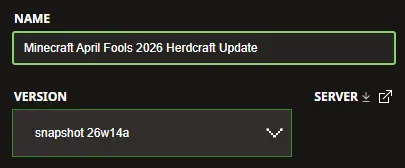 The Minecraft April Fools 2026 Herdcraft Update is exclusive to Java Edition and can be installed from right inside the Minecraft Launcher before clicking play. Below, we have detailed every step to help get you right into the game.
 Two giant piles of items are better than one! Minecraft April Fools 2026 Herdcraft Update servers can be created for free through home hosting, but we recommend paid hosting options for ease of use and performance, especially since snapshots (even joke ones) can be buggy!
Paid hosting is offered here at BisectHosting and many other places around the web. No less than 4GB of server RAM is recommended.
Two giant piles of items are better than one! Minecraft April Fools 2026 Herdcraft Update servers can be created for free through home hosting, but we recommend paid hosting options for ease of use and performance, especially since snapshots (even joke ones) can be buggy!
Paid hosting is offered here at BisectHosting and many other places around the web. No less than 4GB of server RAM is recommended.
Herdcraft Update Highlights
No More Inventory!
That is right! Minecraft’s inventory has been done away with entirely. In this update, players drag every last tool, block, and item behind them on leads as they explore the world. Each block can be designated to groups by color, given commands to move to specific locations, and locked into place for convenient building. Just be careful not to drag too many blocks, as it can become very chaotic when attempting to run!
Crafting Made “Easy”
Crafting tables have been replaced with highly optimized crafting mats. Place one down on command and order the blocks to their respective spots on the grid to craft. Not enough grid space? Upgrade your crafting mat to its full size with a few planks! Sadly, the table can occasionally get lost in the pile, so be sure to keep some extra planks to do it all again.
Feisty Blocks
Whoever said blocks were not sentient? Not only can players command their collection of blocks to move, but they can order them to fight as well! See that skeleton? Make it disappear with 25 rampaging dirt blocks! No bow? Send the arrows to fight anyway! It is all made easy in Herdcraft.
How to Install the Minecraft April Fools 2026 Herdcraft Update
The Minecraft April Fools 2026 Herdcraft Update is exclusive to Java Edition and can be installed from right inside the Minecraft Launcher before clicking play. Below, we have detailed every step to help get you right into the game.
- Open the Minecraft Launcher and select Java Edition.
- Enable snapshots under the ‘Installations’ tab.
- Click ‘New Installation’
- Select ‘Snapshot 26w14a’ in the drop-down menu.
- Click ‘Install.’
How to make Minecraft April Fools 2026 Herdcraft Update Servers
Two giant piles of items are better than one! Minecraft April Fools 2026 Herdcraft Update servers can be created for free through home hosting, but we recommend paid hosting options for ease of use and performance, especially since snapshots (even joke ones) can be buggy!
Paid hosting is offered here at BisectHosting and many other places around the web. No less than 4GB of server RAM is recommended.Créez votre propre
serveur Minecraft
serveur Minecraft
Choisissez un plan, sélectionnez un jeu et jouez avec vos amis !
Abonnez-vous à notre newsletter
Abonnez-vous pour recevoir les dernières mises à jour sur l'univers du jeu vidéo !

Rejoignez notre Discord
Rejoignez notre communauté de plus de 20 000 membres passionnés !
Comment évalueriez-vous ce blog ?
Partagez votre avis et aidez-nous à améliorer nos blogs !
Pas aimé
Neutre
Aimé

Besoin d'un serveur de jeu ?
Louez un serveur de jeu où vous et vos amis pouvez jouer en privé avec une faible latence et des paramètres personnalisés. Choisissez parmi 110+ jeux, invitez des joueurs du monde entier et profitez de parties privées, ou créez votre propre communauté en ligne avec vos propres règles.

Blogs pertinents







OBTENEZ LES DERNIÈRES INFOS !
Inscrivez-vous à nos e-mails pour obtenir des mises à jour sur nos jeux hébergés, des nouvelles de l'entreprise et des offres exclusives. Restez au courant !













